








 3
The Package »
3
The Package »

The Gigabyte MO27Q2A is a direct update of the MO27Q2, and the changes are narrow and easy to state. Gigabyte has increased the refresh rate from 240 to 280 Hz, upgraded the VESA ClearMR certification from ClearMR 13000 to ClearMR 15000, and left everything else intact. The Samsung QD-OLED panel, the stand mechanism, the port selection, the thermal management system, and the OLED Care feature set all carry over from the predecessor.
What makes the MO27Q2A worth evaluating as a standalone product is its positioning within Gigabyte's own OLED lineup. We reviewed the GO27Q24G recently, a $500 27-inch monitor built around LG's WOLED panel with MLA+ technology. Relative to that monitor, the MO27Q2A adds a working USB hub, a KVM switch, and two 5 W speakers. It also steps the refresh rate up by 40 Hz and modestly bumps USB-C power delivery from 15 W to 18 W. What it trades away is the WOLED panel's built-in circular polarizer, which allows WOLED displays to maintain deep, neutral blacks under ambient room lighting that QD-OLED cannot match without one. And the MO27Q2A's bare glossy surface is—by a meaningful margin—the most reflective surface I have encountered on any OLED monitor tested to date.
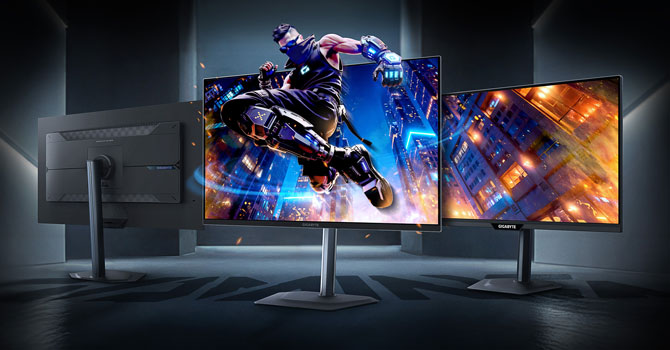
The panel is Samsung Display's third-generation QD-OLED in the 27-inch 1440p format, a platform that was introduced at 360 Hz in 2024 and has since been made available in lower refresh-rate bins. The 280 Hz variant used here sits between the 240 Hz and 360 Hz versions of the same underlying panel technology. The subpixel layout is the triangular RGB arrangement common to all 27-inch 1440p QD-OLED panels currently on the market. More on how that compares to the GO27Q24G's WOLED subpixel structure in the picture quality section of this review.
At $600 in the US and €450 in Europe, the MO27Q2A occupies a clear position: above the cheapest 1440p OLEDs, below the higher-tier panels running newer panel generations, and $100 more than Gigabyte's own WOLED alternative. Let's see what the test results say about whether that premium is justified.
| Gigabyte MO27Q2A | |
|---|---|
| Screen Size | 26.5" (marketed as 27") |
| Native Resolution | 2560×1440 (16:9), ~111 PPI |
| Panel Technology | QD-OLED (3rd generation, Samsung Display), 10-bit |
| Refresh Rate | 280 Hz |
| Curvature | Flat |
| Screen Coating | Anti-reflection coating, glossy |
| Supported Adaptive Synchronization | FreeSync Premium Pro, G-Sync Compatible, 48 to 280 Hz operating range |
| Brightness | SDR 250 cd/m² typical, DisplayHDR True Black 400, up to 1000 cd/m² peak highlights (HDR Peak 1000 mode) |
| Contrast | 1,500,000:1 (static, OLED native) |
| Viewing Angles | 178deg/178deg |
| Response Time | 0.03 ms GtG |
| HDR | DisplayHDR True Black 400, VESA ClearMR 15000 |
| Adjustability | Height (130 mm), tilt (-5deg to +21deg), swivel (+-15deg), pivot (+90deg clockwise) |
| Video Inputs | 2× HDMI 2.1, 1× DisplayPort 1.4 (HBR3) |
| USB-C | USB-C with DP Alt Mode and 18 W power delivery |
| USB Hub | 2× USB 3.2 Type-A (downstream), 1× USB 3.2 Type-B (upstream) |
| Audio | 1× 3.5 mm headphone jack |
| Speakers | 2× 5 W |
| VESA Mounting | 100 × 100 mm |
| Dimensions & Weight | 610.3 × 499 × 190 mm with stand, 6.09 kg |
| Extras | AI OLED Care, Tactical Switch 2.0, Ultra Clear (BFI), OLED VRR Anti-Flicker, Night Vision, Eagle Eye, Flash Dimming, KVM, PiP/PbP, OSD Sidekick (via Gigabyte Control Center) |


此内容由惯性聚合(RSS阅读器)自动聚合整理,仅供阅读参考。 原文来自 — 版权归原作者所有。