



GEEKOM is one of those companies trying to make an impression in a pretty saturated laptop market. It's a tough task, with so many established brands already popular with everyday users. To stand out from the crowd, you have to offer something extra. The first two things that pop into my head are price and build quality.
We've already covered the GeekBook X14 Pro - a premium 14-incher that weighs under a kilo, packs a great OLED screen, and delivers good battery life. Today, we're checking out its bigger sibling: the GEEKOM GeekBook M16. As part of GEEKOM's M-series, it's aimed at folks who don't want to spend an arm and a leg on a new machine but still value battery life and a solid chassis.
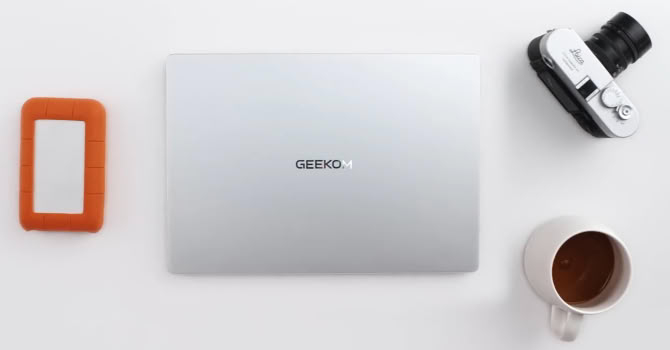
Just like the X14 Pro, the M16 is powered by an Intel Core Ultra 9 185H. Sure, it isn't as capable as the latest Panther Lake chips, but this Meteor Lake unit still brings plenty to the table with its 16 cores, decent NPU, and serviceable graphics. Interestingly, unlike its smaller Pro cousin, there's no option for the cheaper Core Ultra 5 125H or a SSD larger than 512 GB. The other major difference is RAM capacity. Here, you're stuck with 16 GB of soldered LPDDR5X memory, whereas the smaller X14 can be configured with up to 32 GB. That's an odd choice by GEEKOM, especially given the M16's roomier 16-inch chassis.
Then there's the display. Since the M16 is a budget-focused notebook, it skips the OLED treatment. Instead, you get a 1200p IPS panel. I don't mind it - the panel is decently bright and covers nearly 100% of the sRGB gamut, making it suitable for color-sensitive work. On the flip side, while 1920x1200 is fine for office tasks, creative pros and coders will definitely prefer a sharper screen for heavier work. Last but not least, the panel tops out at 60 Hz, so you miss out on that extra high-refresh smoothness. But hey, its matte coating handles screen reflections far better than a glossy OLED, so that's a nice silver lining.
I/O selection is solid, offering a pair of Type-C ports and two Type-A ports. That's one extra USB-A port compared to its X14 sibling - a big plus if you constantly plug in peripherals (like I do). The M16 also boasts two Gen 4 M.2 slots, doubling the single SSD slot found on the 14-incher. GEEKOM claims you can slap in up to 6 TB of NVMe storage - not bad at all!
You still get that sturdy metal chassis, comfortable input devices, and even a fingerprint reader. Throw in a massive 99.99 Wh battery, and you're looking at a pretty compelling package for under $899. Oh, and the included 100 W GaN adapter can charge your phone or tablet crazy fast, too.
| Specifications | |
|---|---|
| Manufacturer: | Geekom |
| Model: | GeekBook M16 |
| Weight: | 1.73 kg |
| Processor: | Intel Core Ultra 9 185H/Meteor Lake-H 6 P-Cores/8 E-Cores/2 LP E-Cores/22 threads Up to 5.10 GHz, 24 MB cache 45 W Base Power |
| Chipset: | Intel Meteor Lake-H PCH |
| Display: | 16"/1920×1200 (16:10)/IPS/60 Hz ~300 nits/100% sRGB |
| Operating System: | Windows 11 Pro |
| Integrated Graphics: | Intel Arc 8-Core |
| Memory: | 16 GB of LPDDR5-6400 |
| Storage: | 1× M.2 2280 PCI Express 4.0 x4 1× M.2 2230 PCI Express 4.0 x4 |
| Optical Drive: | None |
| Connectivity: | 2× 5 Gbps USB Type-A 3.2 Gen. 1 1× 40 Gbps USB4 with DP Alt Mode/100 W PD 1× 10 Gbps USB Type-C 3.2 Gen. 2 with DP Alt Mode/USB PD HDMI 2.0 Audio combo jack |
| Communications: | Wi-Fi 6E + Bluetooth 5.4 1080p webcam |
| Audio: | 2x 2 W stereo speakers DTS: X Ultra support |
| Input device: | Multi-point touchpad Keyboard with backlight |
| Power: | 1× 100 W Type-C GaN adapter 99.99 Wh battery |
| Warranty: | 3 Years (region dependent) |
| MSRP: | Starting at $899 ($772 after voucher code) |
此内容由惯性聚合(RSS阅读器)自动聚合整理,仅供阅读参考。 原文来自 — 版权归原作者所有。