




Building a website in this digital era should feel exciting, rather than overwhelming. But the moment when most people start to build their websites, they are hit with a question: WordPress or Wix? Both platforms are highly recommended and promise to help you build something great. So, the real question is how do you actually choose? Honestly, neither platform is perfect for everyone, nor is a bad choice. It all comes down to what you need. This blog breaks down everything you need to know so you can decide with confidence.
To understand which platform to choose from in 2026, it is important to learn about the functioning and key aspects of each platform.
Let’s understand what WordPress is. It is among the largest, free, and open-source content management systems, which powers about 43% of the global websites. WordPress can manage websites without the need for writing a single line of code. WordPress features over 11,000 customizable themes and over 60,000 plugins, which allow users to change the visual layout, along with the features of the website.
There are two types of WordPress, i.e., WordPress.org, a self-hosted platform, which offers maximum control, and WordPress.com, a hosted service, in which controls are managed by the platform itself. WordPress offers various key features to users, like enhanced flexibility, SEO-friendliness, and cost-effectiveness. In WordPress, users can also create a wide range of websites, from a high-content blog page to a scalable e-commerce store.
Wix is a user-friendly, cloud-based website builder that allows users to create professional websites using a drag-and-drop editor. Wix offers an all-in-one solution for web hosting, SEO tools, and e-commerce capabilities. The platform mainly caters to beginners and professionals, as it features a standard studio, a user-friendly website development, and Wix Studio for more advanced and collaborative projects.
Wix features more than 800 designer-made templates, which include drag-and-drop customization. It also includes an AI tool, Wix AI, which can generate site text, images, and a full website structure automatically. Wix features various business solutions, like built-in tools for online stores, booking systems, and blog management.
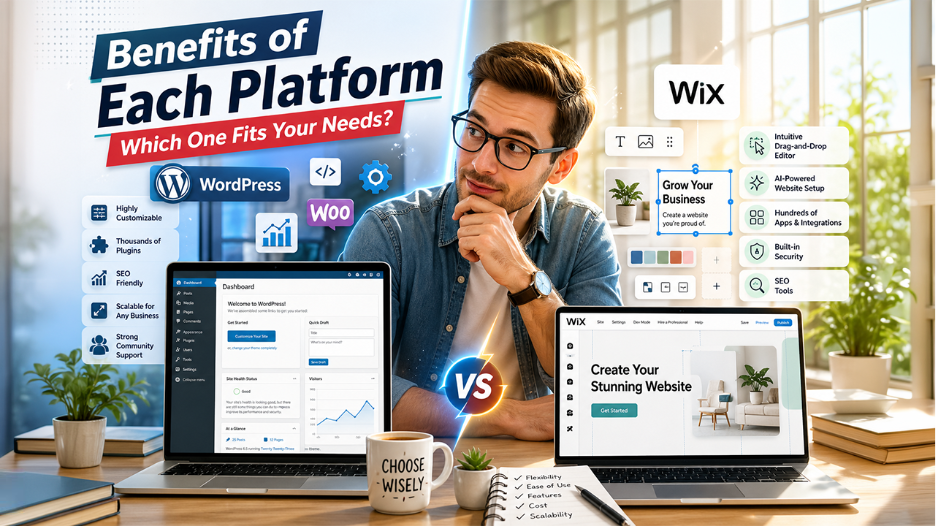
Both the platform, WordPress and Wix, offer various distinctive advantages over others. WordPress offers unmatched flexibility in website building with more than 60,000 plugins, while Wix provides a drag-and-drop experience and fully hosted domain features.
Every platform comes with its own constraints. Understanding these limitations is essential to choose the right website builder.
This is where the two platforms differ the most sharply. WordPress gives users complete control. It allows users to modify every aspect; from the database structure to the front-end rendering. Developers can write custom plugins, build bespoke themes from scratch, and integrate third-party APIs with precision. This level of control is necessary for complex projects. However, it demands a corresponding level of technical investment.
Wix, by contrast, operates within a curated environment. Its editor is exceptionally powerful within its boundaries. Users can easily customize colors, fonts, layouts, animations, and section arrangements. However, those boundaries exist. Unlike WordPress, Wix does not grant access to its underlying code in the same way. This means which highly specialized customizations are either simplified or simply unavailable.
Wix’s customization tools are more than sufficient for a freelancer photographer, a small business, or a restaurant owner. However, for a SaaS company, an enterprise, or a large-scale publisher that has unique technical requirements, WordPress’s flexibility is a necessity.
Understanding what each platform can actually do makes it easier to match the right tool with your website’s goals.
| Feature | WordPress | Wix |
| Ease of Use | Moderate to difficult | Very easy |
| Design Flexibility | Unlimited | High within platform limits |
| Hosting | Self-managed or managed WordPress hosting | Fully included |
| E-Commerce | WooCommerce (highly scalable) | Wix Stores (beginner to mid-level) |
| SEO Control | Advanced and granular | Good, but limited |
| Plugin/ App Ecosystem | 59,000+ plugins | 300+ apps |
| Security Management | User’s responsibility | Managed by Wix |
| Pricing | Variable (hosting +plugins + themes) | Fixed subscriptions tiers |
| Scalability | Enterprise-grade | Small to mid-sized business |
| Ownership of Data | Full ownership | Platform dependent |
Both platforms take different approaches to setup, and knowing the process helps you decide what feels more manageable.
WordPress gives you full control from the very first step, which also means there are more steps to manage.
WordPress setup takes time, and the first experience can feel overwhelming. But every step you complete teaches you something about how your site works, and that knowledge compounds over time.
Wix keeps the setup process simple, allowing you to build and launch a website quickly without technical complexity.
Choosing between WordPress and Wix doesn’t have to be a stressful decision. First, think about what you actually need. If you are looking for full control, room to grow, and okay with a bit of learning curve, WordPress is worth trying. However, if you want something that looks great, works well, and doesn’t need any technical knowledge, Wix is a strong choice. There is no single right answer here. Choose the platform that aligns with your goals, fits your skills, and the website that you are trying to build.
Also Read
Webflow vs WordPress: What to Choose for a Better Website Development
此内容由惯性聚合(RSS阅读器)自动聚合整理,仅供阅读参考。 原文来自 — 版权归原作者所有。