







If you’ve ever tried to book a doctor’s appointment on a clinic’s website only to give up out of frustration, you already understand why Healthcare Web Design matters so much right now. Patients are forming opinions about the quality of care they’ll receive before they ever step foot in the building, and a slow, confusing, or outdated website quietly costs practices real patients.
The websites in healthcare have an extra significance that regular business websites don’t have. First of all, they process confidential data; secondly, they provide services for people who are in need and possibly even not in good condition; and thirdly, they should comply with strict regulations that many other businesses do not consider. Thus, the purpose of good design here is to establish trust quickly and to ensure that the website functions properly.
In this blog, we’ll walk through what makes healthcare web design different, the features every modern medical website need, and how to think about technology choices and cost.
Healthcare web design is the practice of building websites specifically for medical practices, hospitals, and healthcare providers, with patient trust, accessibility, and compliance built in from the start rather than added later.
It goes beyond a nice-looking homepage. A well-designed medical website design accounts for how anxious or unwell visitors actually behave online; they want answers fast, in plain language, without digging through jargon or clicking five times to find a phone number.
It also has to satisfy requirements most industries don’t deal with patient data privacy laws, accessibility standards for visitors with disabilities, and clear, accurate medical information that can’t afford to be misleading. Get it right, and the website becomes a genuine extension of the care a practice provides, not just a digital business card sitting online.
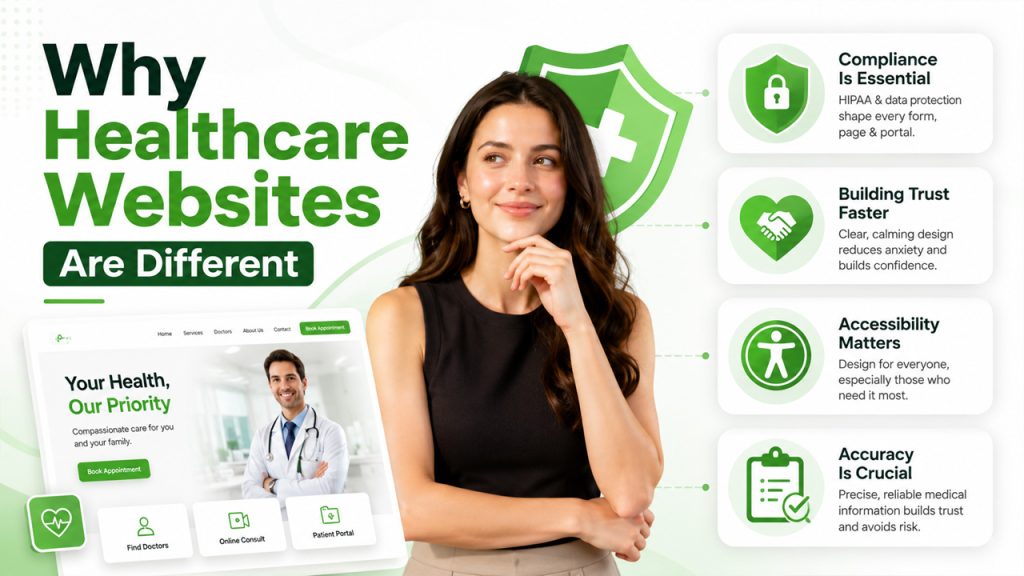
Unlike a typical business site, healthcare websites carry real consequences when something’s wrong. A confusing layout doesn’t just cost a sale; it can delay someone from getting care they actually need.
A few things set this space apart:
Compliance is an obligatory aspect: The compliance requirements related to HIPAA and other patient data protection laws determine the entire structure of forms, the contacts page, and patient portals.
Building trust faster is a necessity: Visitors tend to be anxious or uncomfortable, and any website design mistakes will only increase their stress level.
More attention should be paid to accessibility: Older patients, people with various disabilities, and users who urgently search for answers will need to have easy-to-use websites.
The accuracy is crucial: The information on medical topics should be precise; anything else may become a problem for you.
Getting healthcare web development right means designing around these pressures from the start, not retrofitting them after launch.
Now that we have the essentials covered, there are some key design decisions that influence how patients experience the site:
If you have your design team working on visuals and creating graphics for the website, then it might be worthwhile to evaluate the differences between Pixlr vs Canva before making your choice.
Beyond good visuals, today’s patients expect certain functionality baked into every medical web design, not treated as a bonus:
None of these features work well if they’re bolted on without thought; they need to feel like a natural part of the patient’s visit to the site, not a separate tool dropped in.
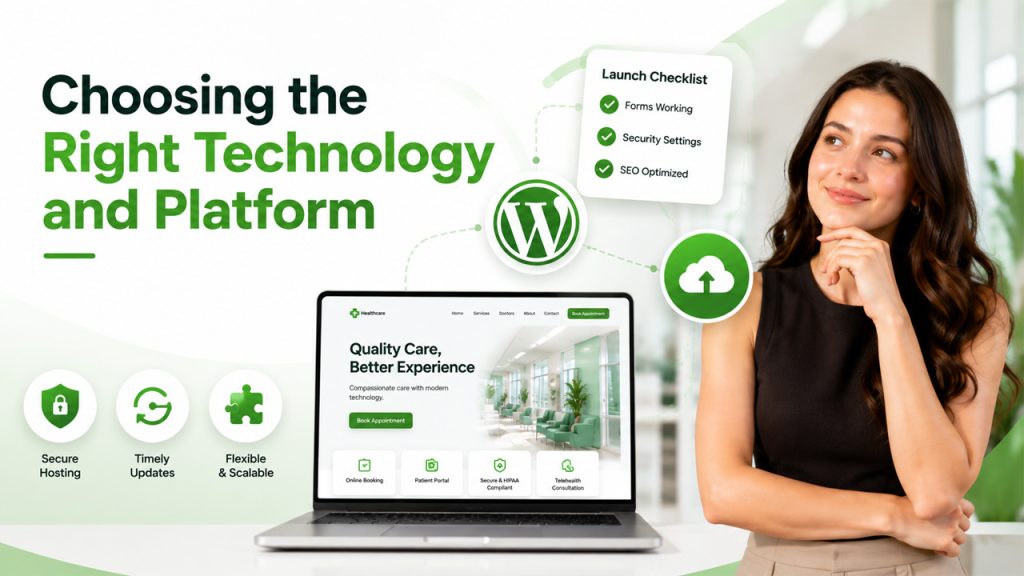
The platform used to run a healthcare website is as important as the appearance of the site. Some practices opt to develop a custom site, while others prefer more flexible platforms such as WordPress. The selection depends on the budget, capabilities of the team, and desired control over future updates.
WordPress remains a popular choice for its balance of flexibility and cost, especially with healthcare-specific plugins available for appointment booking and HIPAA-compliant forms. That said, launching still takes care; following a proper WordPress Website Launch checklist before going live helps catch broken forms, missing security settings, or SEO gaps before real patients ever see the site.
In any case, the platform selected must allow for secure hosting, timely updates, and flexibility.
Budget conversations around healthcare web design tend to focus on upfront cost, but the real return shows up in patient acquisition and retention over time.
A well-designed site with online scheduling and clear service pages reduces missed calls and no-shows, since patients can book and find information without friction. Practices that invest properly here often see it pay for itself through fewer administrative hours spent on the phone and more patients completing bookings instead of abandoning the process halfway.
Costs vary widely depending on complexity; a basic informational site costs far less than one with a full patient portal and telehealth integration built in. It’s worth budgeting for ongoing maintenance too; healthcare sites need ongoing security updates given the sensitive data involved, and that’s not a one-time expense.
For teams handling any custom functionality themselves, brushing up through a coding Practice platform beforehand can make development smoother and reduce costly mistakes down the line.
In the end, the purpose of Healthcare Web Design isn’t about looks but ensuring that patients can locate what they’re looking for, believe in what they’re being told, and proceed down the road to seeking treatment without any hassles whatsoever. Ultimately, the decisions made during the process determine whether the visitor will become the patient or simply close out the website.
While it takes some extra effort beyond the standard web design of other types of businesses, there’s no question of the benefits to be had fewer cancelled appointments, improved patient confidence, and a site that actually assists in the delivery of the services offered by your medical practice.
When designing your website, whether it’s from scratch or as an update to an older one, always put yourself in the patient’s shoes first and let everything else flow from that point.
It varies widely based on complexity. A basic informational site costs far less than one with a full patient portal, online scheduling, and telehealth integration built in.
Yes, with the right plugins for HIPAA-compliant forms and appointment booking, WordPress offers a solid balance of flexibility and cost for most practices.
Secure forms, encrypted patient data, and careful handling of any information collected through contact or scheduling pages are the core requirements.
Yes, even small practices benefit significantly; it reduces phone volume and missed bookings, and patients increasingly expect the option regardless of practice size.
Regularly. Security patches, content accuracy, and compliance requirements all shift over time, so ongoing maintenance matters as much as the initial build.
此内容由惯性聚合(RSS阅读器)自动聚合整理,仅供阅读参考。 原文来自 — 版权归原作者所有。