惯性聚合 高效追踪和阅读你感兴趣的博客、新闻、科技资讯
阅读原文 在惯性聚合中打开

推荐订阅源

Attack and Defense Labs
Cyber Security Advisories - MS-ISAC
Recent Announcements
博客园 - 【当耐特】
博客园 - 三生石上(FineUI控件)
量子位
aimingoo的专栏
aimingoo的专栏
V
V2EX
Vercel News
Vercel News
B
Blog
M
MIT News - Artificial intelligence
OSCHINA 社区最新新闻
OSCHINA 社区最新新闻
The Cloudflare Blog
H
Hackread – Cybersecurity News, Data Breaches, AI and More
cs.AI updates on arXiv.org
Hacker News: Ask HN
Hacker News: Ask HN
TaoSecurity Blog
TaoSecurity Blog
N
News and Events Feed by Topic
D
DataBreaches.Net
Blog — PlanetScale
Blog — PlanetScale
S
Secure Thoughts
U
Unit 42
博客园 - 叶小钗
cs.CV updates on arXiv.org
Hacker News - Newest:
Hacker News - Newest: "LLM"
N
News | PayPal Newsroom
Help Net Security
Help Net Security
S
Security Affairs
Microsoft Security Blog
W
WeLiveSecurity
博客园 - Franky
Forbes - Security
Forbes - Security
Microsoft Azure Blog
博客园_首页
Schneier on Security
I
InfoQ
B
Blog RSS Feed
大猫的无限游戏
大猫的无限游戏
A
About on SuperTechFans
Webroot Blog
Webroot Blog
AWS News Blog
AWS News Blog
Last Week in AI
Last Week in AI
Security Archives - TechRepublic
C
CERT Recently Published Vulnerability Notes
N
News and Events Feed by Topic
阮一峰的网络日志
阮一峰的网络日志
L
Lohrmann on Cybersecurity
SecWiki News
SecWiki News
Recent Commits to openclaw:main
J
Java Code Geeks

博客园 - 阿土仔

Unity 2019中对象池的用法 Unity UGUI动态生成控件 Unity场景间数据传递方法 UGUI防止穿透和判断点击的是否是UI Unity中的Character Controller Unity插件研究-EasyTouch V5 Unity塔防游戏的创建 Unity性能优化-DrawCall Unity性能优化-对象池 Unity性能优化-音频设置 Unity性能优化-遮挡剔除 Unity异步加载场景 Unity 协程 HBuilder git使用-分工合作 HBuilder git合作-代码同步 微信小程序开发-窗体设置 HBuilder git合作-从Git Hub Clone项目 微信小程序开发-tabbar组件 HBuilder git使用-建立仓库,邀请用户
HBuilder git合作-上传项目到Git Hub
阿土仔 · 2018-11-21 · via 博客园 - 阿土仔

1、初始项目的创建

       这里假设你已经在Git Hub上面建立好了代码的远程仓库,并已经邀请好了队员

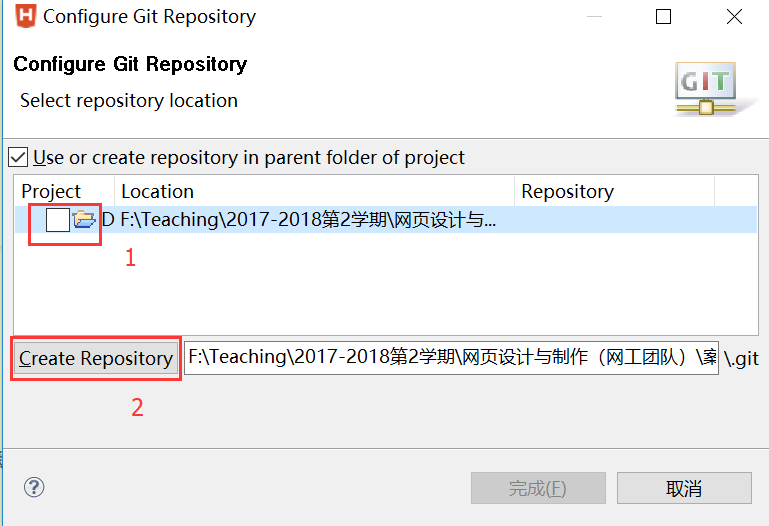
       在HBuidler中创建好初始的项目,然后右键,"Team"->"共享项目“

       这里代码的本地仓库就建立好了

 2.提交项目

选中项目,右键,Team->Commit,出来对话框
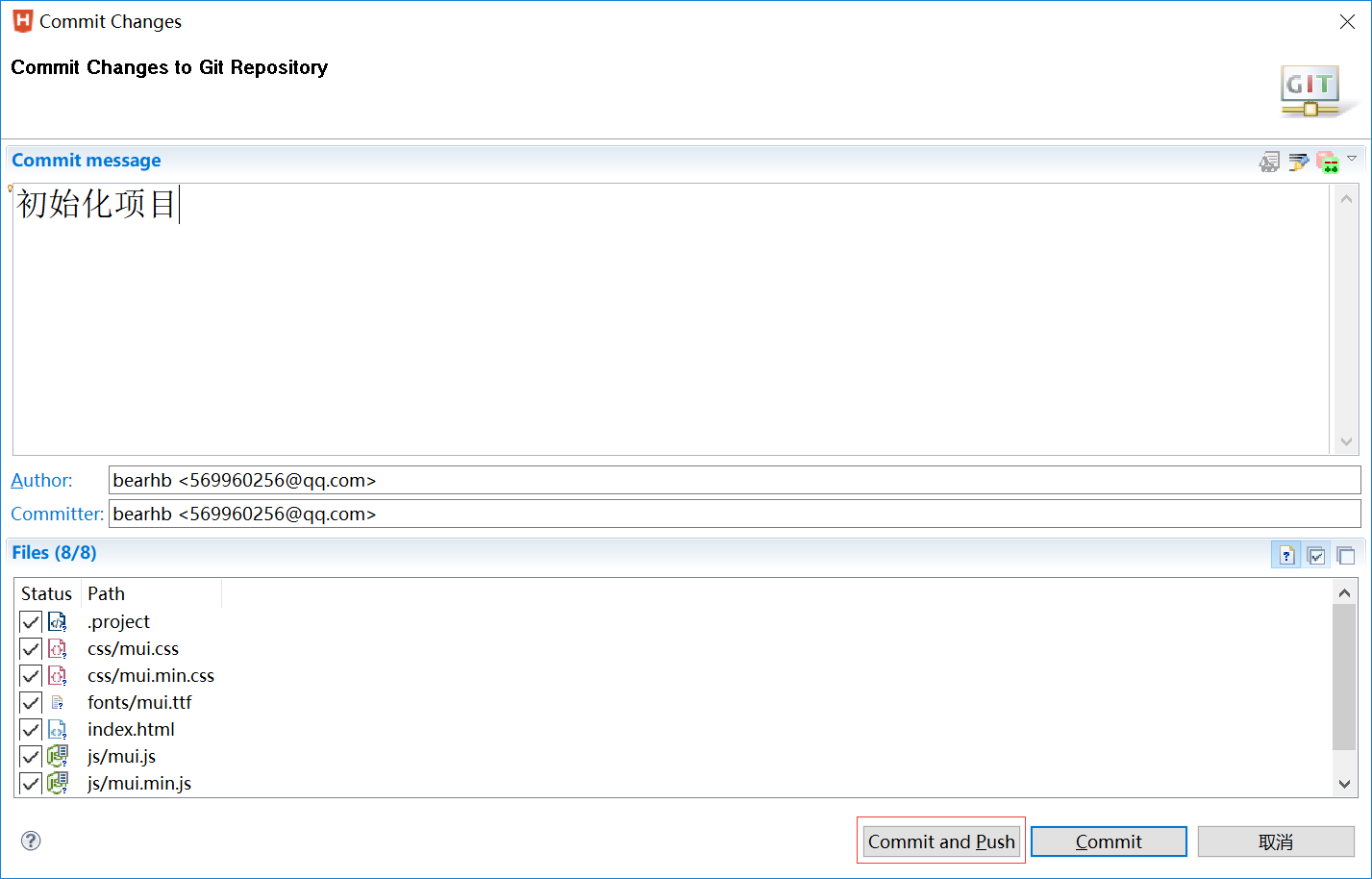
 

      Git是要求必须填写Commit message,而且这个是有规范的,可以参考:

      https://www.cnblogs.com/cpselvis/p/6501485.html

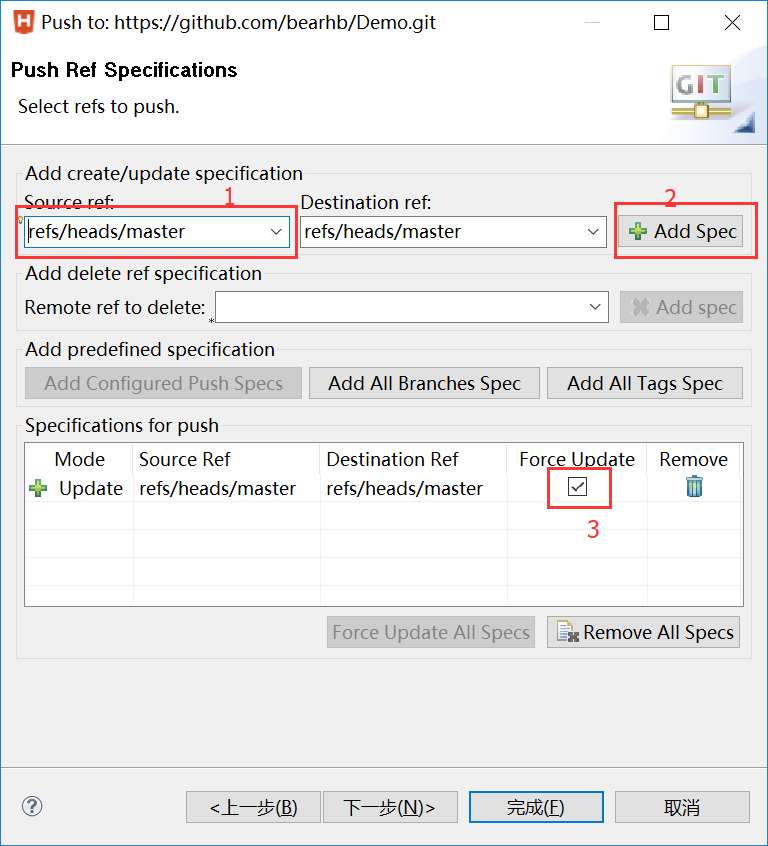
      选"Commit and push":表示将代码分别加入本地和远程仓库,如果是Commit,就只要本地仓库
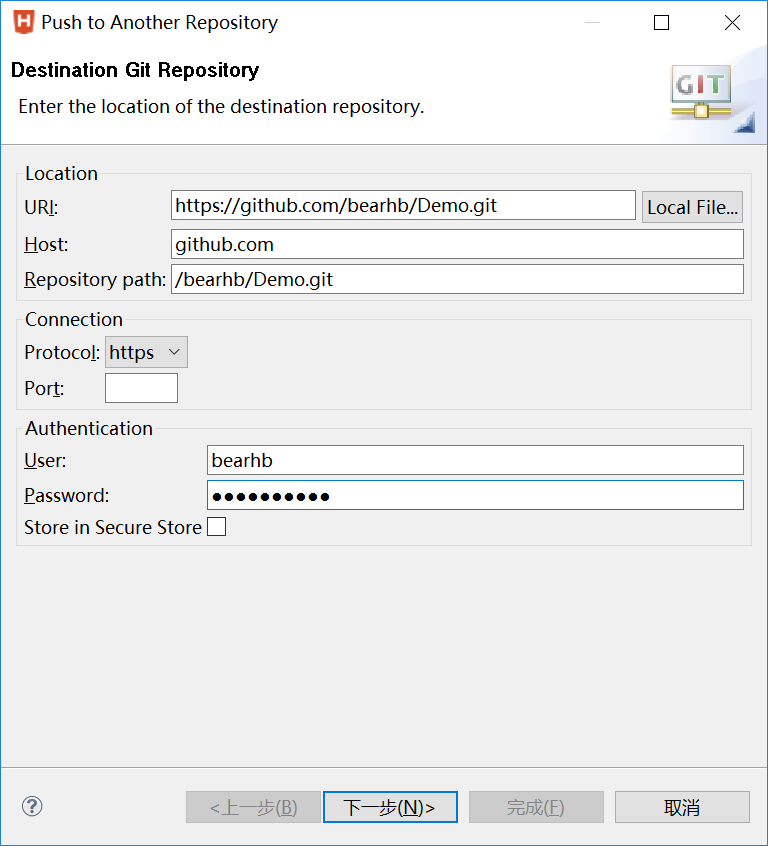


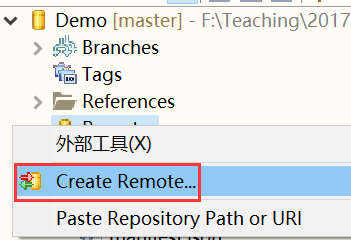
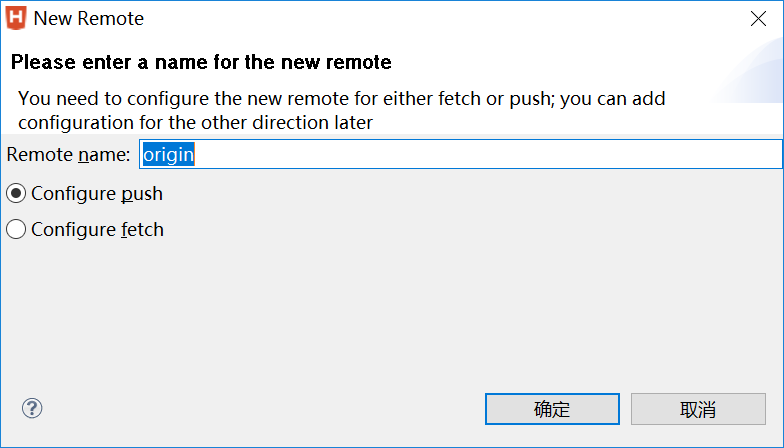
 3. 初始项目Remots的配置

      后面如果想工作正常,必须对初始项目的Remots进行配置(其他队员Clone项目时反而不用配)