惯性聚合 高效追踪和阅读你感兴趣的博客、新闻、科技资讯
阅读原文 在惯性聚合中打开

推荐订阅源

酷 壳 – CoolShell
酷 壳 – CoolShell
H
Hacker News: Front Page
P
Palo Alto Networks Blog
T
ThreatConnect
Apple Machine Learning Research
博客园_首页
T
True Tiger Recordings
P
Privacy & Cybersecurity Law Blog
B
Blog
IT之家
IT之家
Last Week in AI
Last Week in AI
F
Full Disclosure
Hacker News: Ask HN
Hacker News: Ask HN
C
Comments on: Blog
Microsoft Azure Blog
C
Cybersecurity and Infrastructure Security Agency CISA
Microsoft Security Blog
博客园 - 【当耐特】
N
News and Events Feed by Topic
NISL@THU
NISL@THU
腾讯CDC
雷峰网
雷峰网
Security Latest
Security Latest
李成银的技术随笔
M
Microsoft Research Blog - Microsoft Research
L
LangChain Blog
L
Lohrmann on Cybersecurity
cs.CL updates on arXiv.org
C
Check Point Blog
Y
Y Combinator Blog
Recent Announcements
博客园 - Franky
N
News | PayPal Newsroom
V
V2EX
A
About on SuperTechFans
The Register - Security
月光博客
月光博客
奇客Solidot–传递最新科技情报
奇客Solidot–传递最新科技情报
Google Online Security Blog
MyScale Blog
MyScale Blog
Cisco Talos Blog
Cisco Talos Blog
Vercel News
Vercel News
WordPress大学
WordPress大学
C
Cyber Attacks, Cyber Crime and Cyber Security
The Hacker News
The Hacker News
IntelliJ IDEA : IntelliJ IDEA – the Leading IDE for Professional Development in Java and Kotlin | The JetBrains Blog
爱范儿
爱范儿
A
Arctic Wolf
L
LINUX DO - 最新话题
freeCodeCamp Programming Tutorials: Python, JavaScript, Git & More

博客园 - 阿土仔

Unity 2019中对象池的用法 Unity UGUI动态生成控件 Unity场景间数据传递方法 UGUI防止穿透和判断点击的是否是UI Unity中的Character Controller Unity插件研究-EasyTouch V5 Unity塔防游戏的创建 Unity性能优化-DrawCall Unity性能优化-对象池 Unity性能优化-音频设置 Unity性能优化-遮挡剔除 Unity异步加载场景 Unity 协程 HBuilder git使用-分工合作 微信小程序开发-窗体设置 HBuilder git合作-从Git Hub Clone项目 HBuilder git合作-上传项目到Git Hub 微信小程序开发-tabbar组件 HBuilder git使用-建立仓库,邀请用户
HBuilder git合作-代码同步
阿土仔 · 2018-11-23 · via 博客园 - 阿土仔

1. 以下场景的操作都是同样的,包括:新建了文件、删除了文件、独占式修改文件(即不存在多人同时修改一个文件的情况)

  •    提交

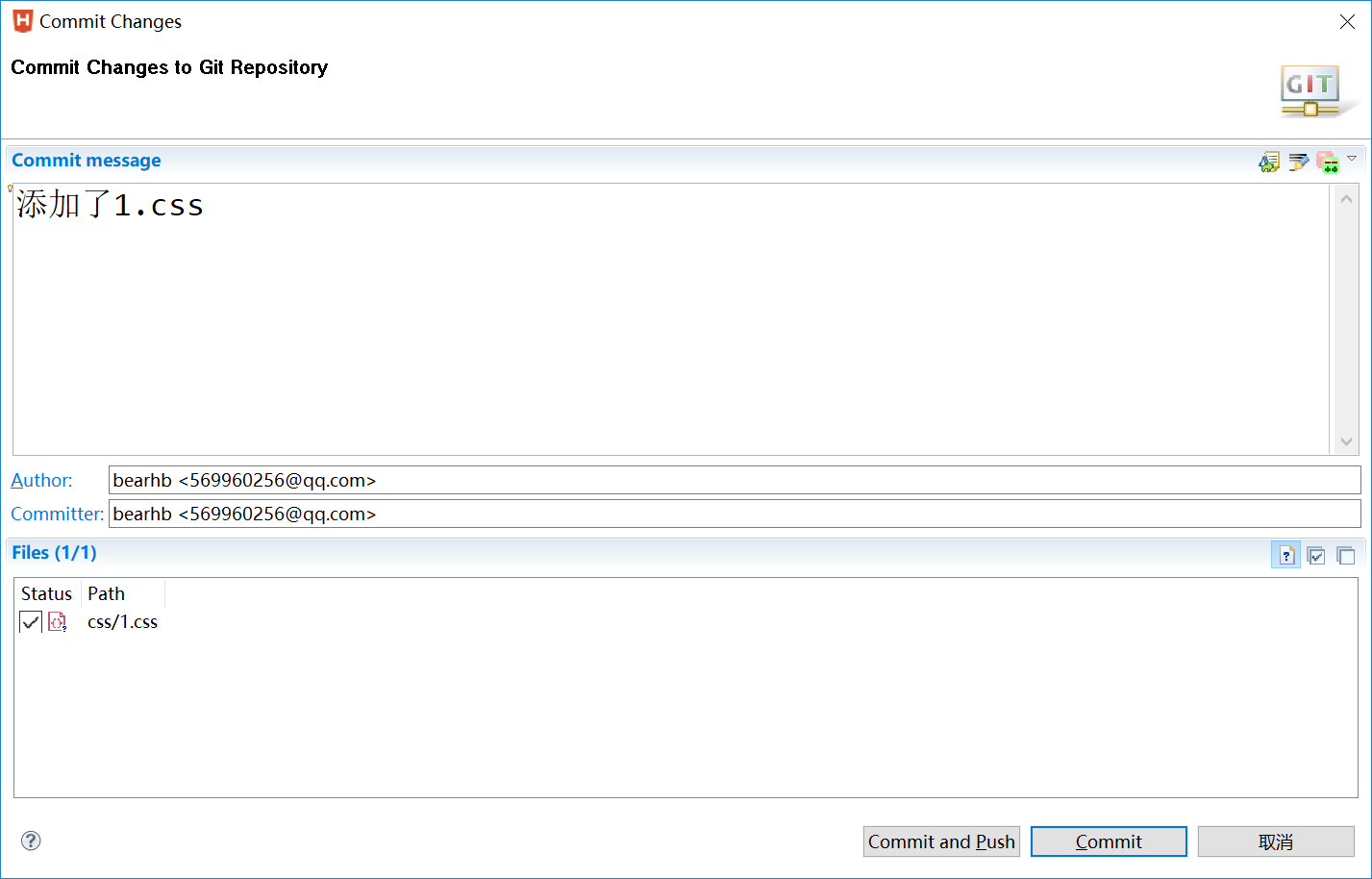
    项目修改完成后,选中项目,右键Team->Commit


    一般是选择Commit,把源码的改动先提交到本地代码仓库,然后在"Git Respository"视图中,选中相应的仓库,右键,Commit
    

   出来和提交界面一样的图,但是不用再填写Commit message,选择变化的文件,直接“Commit and Push",提交到远程代码仓库就可以了

  •    同步

   队员要同步代码时,在"Git Respository"视图中选中本地代码仓库,右键pull操作就可以了

   这里试了下,这几个很容易混淆:

   (1)pull:把代码从服务器代码仓库上拉下来,并且和本地自动执行Merge操作;

   (2)Fetch From UpStream:只是拉下来,没有自动的Merge操作;

   (3)Fetch:这个是复杂版的,可以配置不少东西

 2.冲突的解决

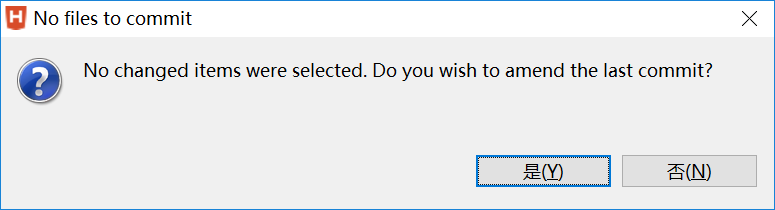
    以上场景都太理想了,实际工作中,很多时候多人会对同一个文件进行修改,例如:A和B开始是同步的,A打开File1文件修改后提交,B也打开File1修改了想提交,这时就发生了冲突了,在提交到远程仓库时,git会提示:
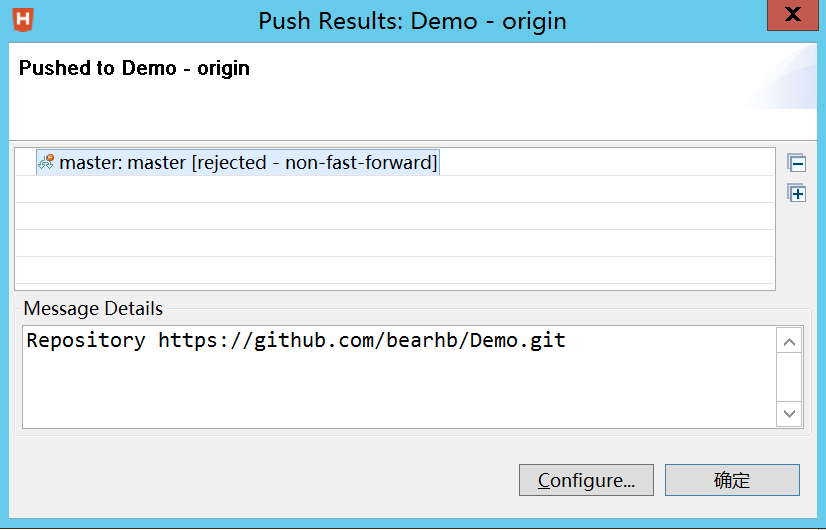
   

   要解决冲突,可以按以下步骤进行:

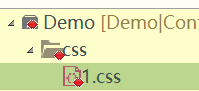
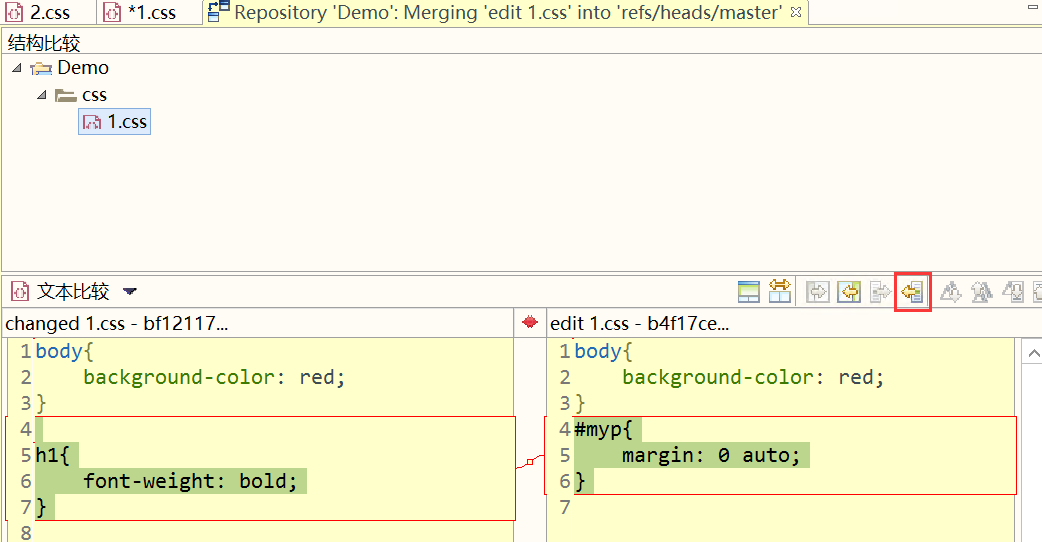
  (1)在“Git Repository"中,右键"pull"操作,这时会把本地和远程的代码以明显的方式标注出来,如下图(例如1.css文件发生了冲突,项目也会红色标注)


    (2)选中1.css,右键,Team-->Merge tool


    (3)把右边的代码复制过去后,保存;

     (4)再次选中1.css,右键,Team->add to Index,冲突自动消失,文档上那些明显的标注符号也没有了

    (5)可以再次Commit到远程了。