


惯性聚合 高效追踪和阅读你感兴趣的博客、新闻、科技资讯
阅读原文 在惯性聚合中打开

推荐订阅源

S
Secure Thoughts
博客园_首页
IT之家
IT之家
Engineering at Meta
Engineering at Meta
量子位
宝玉的分享
宝玉的分享
MyScale Blog
MyScale Blog
Cyber Security Advisories - MS-ISAC
L
LangChain Blog
爱范儿
爱范儿
WordPress大学
WordPress大学
F
Full Disclosure
T
Tailwind CSS Blog
GbyAI
GbyAI
Recorded Future
Recorded Future
美团技术团队
S
SegmentFault 最新的问题
A
About on SuperTechFans
小众软件
小众软件
云风的 BLOG
云风的 BLOG
人人都是产品经理
人人都是产品经理
Recent Announcements
Google DeepMind News
Apple Machine Learning Research
D
DataBreaches.Net
J
Java Code Geeks
The Cloudflare Blog
The GitHub Blog
The GitHub Blog
Hugging Face - Blog
Hugging Face - Blog
D
Docker
Vercel News
Vercel News
H
Help Net Security
博客园 - 叶小钗
B
Blog
阮一峰的网络日志
阮一峰的网络日志
N
Netflix TechBlog - Medium
Blog — PlanetScale
Blog — PlanetScale
腾讯CDC
Microsoft Security Blog
V
Visual Studio Blog
钛媒体:引领未来商业与生活新知
钛媒体:引领未来商业与生活新知
博客园 - 司徒正美
The Register - Security
aimingoo的专栏
aimingoo的专栏
博客园 - 聂微东
月光博客
月光博客
让小产品的独立变现更简单 - ezindie.com
Last Week in AI
Last Week in AI
M
MIT News - Artificial intelligence
Jina AI
Jina AI

wp-1click.com

WordPress Runtime Errors: Common Issues and How to Fix Them How to Fix Slow MySQL Queries and Boost WordPress Performance Custom WordPress Development: 7 Signs Your WordPress Site Has Outgrown No-Code Tool How to Fix PageSpeed Insights Errors in WordPress (2026 Guide) WordPress SEO Guide: Achieve Local Search Dominance in 2026 How to Fix a 504 Error in WordPress: Step-by-Step Guide How to Solve CAPTCHA Challenge Response Errors Quickly What Is Latency vs Bandwidth? Key Differences Explained ERR_CONNECTION_RESET Error: Causes, Solutions, and Prevention Tips Pixlr vs Canva: Which AI Design Tool Is Better in 2026? Software Testing Basics: Manual Testing vs Automation Testing Explained How to Add Blooket Join to Your WordPress Educational Website How to Fix Slow DNS Lookup Issues: 9 Easy Solutions That Work Understanding Version Control Systems for WordPress Development Best Coding Practice Websites to Learn How to Code How to Fix WordPress Theme Installation Failed Error Google Meet vs Zoom: Which Video Conferencing Tool Is Right for You? How to Delete WordPress Comments (Single, Bulk, Spam & All Comments Guide) 2026 5 Best SEMrush Alternatives for Keyword Research in 2026 WordPress Website Launch: Essential Pre-Launch Checklist Top 11 SEO Internal Links Plugins for WordPress in 2026 Local SEO Strategies in WordPress for Better Rankings 5 Best WordPress CRM Plugins for Better Customer Management 5 Best WordPress CDN Plugins to Speed Up Your Website in 2026 9 Best Ecommerce Plugins for WordPress in 2026 (Expert Guide) Cybersecurity in Financial Services: 5 Best Practices Financial Companies Must Follow What is WordPress Plugins: A Complete Guide for Beginners 6 Ways a Crypto Dedicated Server Improves WordPress Site Performance SQL Window Functions Explained: Syntax, Examples & Best Practices SEO Tips For Video Marketing To Improve Your Content Performance Top 5 WordPress Survey Plugins for Creating Engaging Surveys Why Fintech Products Fail Adoption Despite Strong Technology How to Show a Promotion on LinkedIn and Improve Post Visibility What Is a Checksum? How It Works, Types, and Limitations 7 Best WordPress Backup Plugins in 2026 (Compared & Ranked) Best WordPress Search Engine Plugins to Improve Your Site Search On-Page vs Off-Page SEO: What's the Difference and Why It Matters 10 Best WordPress Translation Plugins for a Multilingual Website Best Coding Kata Sites in 2026: Top 7 Platforms for Sharper Programming Skills Getting Started with Rust Programming Language in 2026 GuestPostCRM Launching Soon: A Smarter Way to Manage Guest Posting Campaign Drop Down Info Plugin for WordPress: Features, Benefits, and Setup Guide Best WordPress Booking Plugin Options to Streamline Your Business Custom Web Development Services for Modern Businesses: Handy Guide What Is a Runtime Environment? A Complete Guide for Beginners and Developers Plugins Not Working Minecraft? Common Causes & Easy Fixes Top Cybersecurity Bootcamp Courses to Kickstart Your IT Security Career 15 Top Programming Tutorials to Learn Coding Faster Database Design Patterns Every Developer Should Know WordPress vs Weebly: Which Website Builder Is Better? WordPress vs Bluehost: Which Web Hosting Platform Is Right? Top 10 Best SEO Plugins for WordPress in 2026 WordPress vs Blogger: Which Blogging Platform Should You Choose? WordPress vs Joomla: Choosing the Right CMS for Business - wp-1click.com 30 Best Coding Challenges for Beginners (With Solutions) WordPress vs Drupal: Which CMS Is Right for Website in 2026? How to Change IP for a Minecraft Server WordPress vs WooCommerce: Which Platform Is Best for Website Best GoDaddy Alternative Domain Registration in 2026 Plugin Not Working in WordPress: Easy Way to Fix It WordPress vs Wix: Which Platform Is Better in 2026? (Complete Guide) Webflow vs WordPress: What to Choose for a Better Website Development in 2026 How to Change SQL Server System Admin: A Complete Guide for 2026 Localhost WordPress: A 2026 Guide to Local Development how to make a clickable phone number in WordPress Is WordPress Multisite One Theme or Multiple Top 10 Best Email Extractor Websites for Marketers 2026 How to install WordPress What is WordPress: Beginner's Guide to the Best CMS Understanding WordPress 6.5: New Plugin Capabilities How to Connect a Domain to a WordPress Website | WP-1Click Is Your WordPress Website Slow? And How to Fix It How to Install WordPress on Laragon (Step-by-Step Guide for Beginners) How to Migrate WordPress Website to Another Hosting WordPress 6.9 Broke Slider Revolution: Causes, Fixes & Recovery Guide How to Secure a WordPress Site in 2026 (Step-by-Step Guide) How to Make a Website Mobile Friendly | WP-1Click How to Find Your WordPress User ID Number (5 Methods) – 2026 Guide - wp-1click.com
Best Audacity Plugins for WordPress Podcasters in 2026
mayank_kukreti · 2026-06-26 · via wp-1click.com

Podcasting from a WordPress website directly has become one of the most efficient ways to create a highly engaged audience. However, raw audio recordings rarely come in the ready-to-publish format out of the box. This is where Audacity plugins prove to be useful. Irrespective of whether you are recording your first episode or handling a high-volume podcast, the right Audacity tools for podcasters can make a major difference in editing efficiency, sound quality, and listener experience.  In this guide, you explore the best Audacity plugins available in 2026, what their task is, and how to select the ones that align with your podcasting objectives.

TL;DR :

  • Audacity is an open-source and free DAW utilized by roughly 1 in 4 podcasters for editing as well as production.
  • Audacity plugins extend its in-built capabilities with features such as dynamic EQ, multiband compression, and noise gating.
  • The 6 best Audacity plugins for WordPress podcasters in 2026 are: MuseFX Noise Gate, OTT Compressor, MEqualizer, TDR Nova, Valhalla Super Massive Reverb, and FFmpeg.
  • Most of these plugins are completely free and support both macOS and Windows.
  • For clean podcast audio, prioritize a noise gate → compression → EQ workflow.

What Are Audacity Plugins?

Audacity is an open-source and free Digital Audio Workstation (DAW) that has been adopted widely by podcasters for more than two decades. As per the 2024 podcaster survey by The Podcast Host, approximately 1 in every 4 podcasters utilize Audacity particularly for editing and production.

Audacity plugins are add-ons which are options that extend the in-built capabilities of the software. They can be accessed via the Effects Menu available in Plugin Manager. While Audacity ships with numerous default effects, third-party audacity plugins unlock sophisticated audio processing features that are not natively available like dynamic EQ, multiband compression, and precision noise gating.

Plugins are compatible with numerous formats, including LV2, VST, and Nyquist. Audacity has also incorporated MuseHub, a dedicated platform for audio producers that ensures a growing library of tools, effects, and improvements.

Best Audacity Plugins for WordPress Podcasters in 2026

Let us see the best Audacity tools for podcasters to install as well as use this year.  
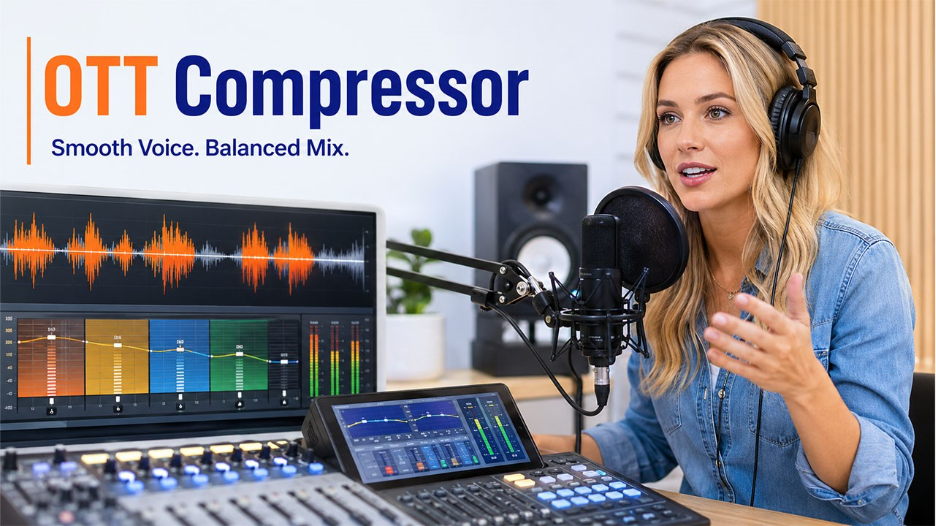
1. OTT Compressor :

OTT Compressor

The OTT (Over-the-Top) Compressor refers to a multiband compressor that processes audio in both downward and upward directions. For podcasters, this gives you a more balanced vocal output with lesser manual volume adjustments.

Important features :

  • Visual gain display with multiband compression.
  • Suitable for macOS and Windows.
  • Adjustment that is easy-to-ready.
  • Fast processing and lightweight.

This plugin specifically works well when you want your product voice to consistently sit in the mix without sounding over-compressed.

2. MuseFX Noise Gate :

Background noise is one of the most prevalent issues that podcasters face, specifically when recording from home studios. The MuseFX Noise Gate is one of the most effecient audacity plugins for addressing this issue.

Important features :

  • Builds a threshold below which the background noise is muted.
  • Operates as an amplifier to enhance overall quality of signal.
  • Enables clean before-and-after audio clips.
  • Accurately captures audio signals.

A noise gate makes sure that only your voice and not the hiss of the idle mic or air conditioner, makes it in the final episode.

3. TDR Nova – Dynamic Equalizer  :

For podcasters who require accurate control over audio frequency, TDR Noda is a standout plugin among the best audacity plugins available in 2026.

Important features :

  • Dynamic equalization with frequency-specific compression.
  • Free and open-source.
  • Track separation and manage volume adjustment.
  • Personalizable controls with a simple interface.

Contrary to static EQ plugins, TDR Nova easily responds to real-time audio. This implies that it can minimize harshness automatically or muddiness in your voice only when such frequencies become an issue.
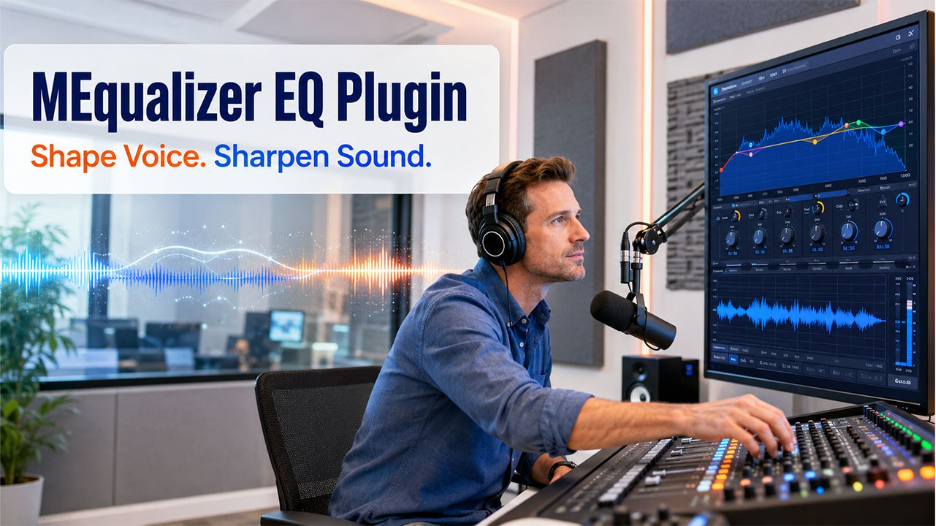
4. MEqualizer EQ Plugin :

MEqualizer EQ Plugin

The MEqualizer from MeldaProduction brings professional-level equalization to Audacity.  It is rightly suited for podcasters who might have some familiarity with audio production and need to extend what Audacity can natively do.

Important features:

  • Sophisticated in-built tools and effects. 
  • Visual frequency analyzer for accurate adjustments.  
  • Extends simple audacity performance.  
  • Effective for understanding spoken-word audio.  

This is one of the most feature-packed Audacity tools for podcasters in this list and specifically valuable for the ones creating interview-style and top-quality content.  

5. Valhalla Super Massive Reverb :

While reverb is not the most common component for editing podcasts, WordPress podcasters creating audio dramas, narrative storytelling, or ambient-style episodes consider it to be among the best Audacity plugins for creating production.  

Important Features:

  • Pre-documented interface for simple use.
  • Suitable for creative audio design and echo editing.
  • Straightforward process of installation.
  • User-convenient controls.

You get thorough documentation from the developer, which improves accessibility without in-depth knowledge of audio engineering.

6. FFmpeg – Import/Export Format Extension :

One possible limitation that podcasters generally run into with Audacity is compatibility with format. The FFmpeg plugin fixes this by widening the range of audio file types that the software can import-export as well.

Important Features:

  • Provides a broad range of video and audio container formats.
  • Allows extraction of audio from video files.
  • Does not interfere with the core functionality of Audacity.
  • Enable output in numerous audio formats.

This is a vital audacity plugin for podcasters who get recordings in distinct formats from co-hosts or remote guests.

How to Install Audacity Plugins?

Installing audacity plugins follows a consistent process irrespective of which plugin you are choosing :  

  1. Proceed to download the plugin file to your computer.
  1. Open Audacity and go to Tools > Nyquist Plugin Installer (for Nyquist plugins) or move the plugin file in the Audacity plugins folder for VST/LV2 formats.
  1. Select “Browse,” choose the “downloaded file,” and select “Open.”
  1. Select the button “Apply” to confirm that the installation is complete.
  1. Restart Audacity to make the plugin activated.  

Once installation is done, plugins show up under Effects in the main menu. Choose the plugin name and apply it to your chosen audio track as required.

Audacity Plugin Tips for WordPress Podcasters

Getting the best out of Audacity tools for podcasters also needs a few workflow considerations:

  • Check the compatibility version before completing the download of any plugin. Not all plugins prove to be compatible with each Audacity version.
  • Utilize noise reduction first and then apply “compression”. The effects order is important in audio production.
  • Ensure that your WordPress website remains secure while handling your podcast workflow. Consistent backups are vital. Refer to our blog on best WordPress backup plugins to secure your website data along with your audio content.
  • If you publish in different languages, combining your podcast content strategy with WordPress translation plugins can enable you to reach a wider global audience.

Conclusion

The right audacity plugins can greatly upgrade the podcast quality without increasing complexity to your process of editing. From the multiband control of OTT Compressor to the accuracy EQ of MEqualizer and TDR Nova, the best Audacity plugins in 2026 cover every core requirement a WordPress podcaster has compression, noise reduction, equalization, and format flexibility.  Begin with one or two plugins as per the instant audio challenges and create your toolkit as your production requirements grow. Clean audio is one of the most significant factors in listener retention, and the best Audacity tools for podcasters make it far simpler to achieve.

Frequently Asked Questions  :

Q1. Are Audacity plugins free?

Most of the audacity plugins are available at no additional cost, including all six plugins mentioned in this guide. However, a few sophisticated third-party plugins from professional developers may have premium tiers with additional characteristics.

Q2. Can Audacity utilize third-party plugins?

Yes. Audacity provides support to third-party plugins in LV2, VST, and Nyquist formats.  They can be manually installed through the Nyquist Plugin Installer or Plugin Manager within the software.

Q3. What is the best Audacity plugin for noise removal?

The MuseFX Noise Gate is one of the most efficient audacity plugins for removing background noise during recordings of podcasts. Audacity also involves an in-built Noise Reduction tool that works effectively with consistent background hiss.

Q4. Are Audacity plugins effective on both Mac and Windows?

Most Audacity tools for podcasters provide support to both macOS and Windows. However, it is advisable always to check the system requirements of the plugin before downloading, specifically for VST plugins.

Q5. How many plugins should I use at once in Audacity?

There is no set limit. However, utilizing way too many effects at the same time can slow down processing. For creating podcast, EQ, a noise gate, and compressor are generally sufficient to create professional-quality audio.