


惯性聚合 高效追踪和阅读你感兴趣的博客、新闻、科技资讯
阅读原文 在惯性聚合中打开

推荐订阅源

K
Kaspersky official blog
云风的 BLOG
云风的 BLOG
IT之家
IT之家
T
The Blog of Author Tim Ferriss
C
Check Point Blog
N
Netflix TechBlog - Medium
宝玉的分享
宝玉的分享
T
Tailwind CSS Blog
G
Google Developers Blog
让小产品的独立变现更简单 - ezindie.com
F
Fortinet All Blogs
D
DataBreaches.Net
The Register - Security
L
LINUX DO - 最新话题
W
WeLiveSecurity
奇客Solidot–传递最新科技情报
奇客Solidot–传递最新科技情报
V2EX - 技术
V2EX - 技术
CTFtime.org: upcoming CTF events
小众软件
小众软件
F
Full Disclosure
K
KPMG report finds enterprise disconnect between AI and its ROI | CIO
I
InfoQ
S
Secure Thoughts
TaoSecurity Blog
TaoSecurity Blog
MyScale Blog
MyScale Blog
AI
AI
Recent Announcements
cs.CV updates on arXiv.org
Hugging Face - Blog
Hugging Face - Blog
Recent Commits to openclaw:main
Cyber Security Advisories - MS-ISAC
C
CXSECURITY Database RSS Feed - CXSecurity.com
V
Vulnerabilities – Threatpost
NISL@THU
NISL@THU
SecWiki News
SecWiki News
Cisco Talos Blog
Cisco Talos Blog
H
Heimdal Security Blog
Y
Y Combinator Blog
N
News | PayPal Newsroom
P
Privacy International News Feed
美团技术团队
Attack and Defense Labs
D
Docker
PCI Perspectives
PCI Perspectives
Webroot Blog
Webroot Blog
A
About on SuperTechFans
A
Arctic Wolf
Threat Intelligence Blog | Flashpoint
MongoDB | Blog
MongoDB | Blog
T
Threat Research - Cisco Blogs

wp-1click.com

Database Optimization: A Complete Guide to Improving Database Performance 10 AI software development companies setting new industry standards in 2026 Knowledge Base Software: What It Is, How It Works, and Why Businesses Use It How to Launch Anime Websites Using WordPress? WordPress Runtime Errors: Common Issues and How to Fix Them How to Fix Slow MySQL Queries and Boost WordPress Performance Custom WordPress Development: 7 Signs Your WordPress Site Has Outgrown No-Code Tool How to Fix PageSpeed Insights Errors in WordPress (2026 Guide) WordPress SEO Guide: Achieve Local Search Dominance in 2026 How to Fix a 504 Error in WordPress: Step-by-Step Guide How to Solve CAPTCHA Challenge Response Errors Quickly What Is Latency vs Bandwidth? Key Differences Explained ERR_CONNECTION_RESET Error: Causes, Solutions, and Prevention Tips Pixlr vs Canva: Which AI Design Tool Is Better in 2026? Software Testing Basics: Manual Testing vs Automation Testing Explained How to Add Blooket Join to Your WordPress Educational Website How to Fix Slow DNS Lookup Issues: 9 Easy Solutions That Work Understanding Version Control Systems for WordPress Development Best Coding Practice Websites to Learn How to Code How to Fix WordPress Theme Installation Failed Error Best Audacity Plugins for WordPress Podcasters in 2026 Google Meet vs Zoom: Which Video Conferencing Tool Is Right for You? How to Delete WordPress Comments (Single, Bulk, Spam & All Comments Guide) 2026 5 Best SEMrush Alternatives for Keyword Research in 2026 WordPress Website Launch: Essential Pre-Launch Checklist Top 11 SEO Internal Links Plugins for WordPress in 2026 Local SEO Strategies in WordPress for Better Rankings 5 Best WordPress CRM Plugins for Better Customer Management 5 Best WordPress CDN Plugins to Speed Up Your Website in 2026 9 Best Ecommerce Plugins for WordPress in 2026 (Expert Guide) Cybersecurity in Financial Services: 5 Best Practices Financial Companies Must Follow What is WordPress Plugins: A Complete Guide for Beginners 6 Ways a Crypto Dedicated Server Improves WordPress Site Performance SQL Window Functions Explained: Syntax, Examples & Best Practices SEO Tips For Video Marketing To Improve Your Content Performance Top 5 WordPress Survey Plugins for Creating Engaging Surveys Why Fintech Products Fail Adoption Despite Strong Technology How to Show a Promotion on LinkedIn and Improve Post Visibility What Is a Checksum? How It Works, Types, and Limitations 7 Best WordPress Backup Plugins in 2026 (Compared & Ranked) Best WordPress Search Engine Plugins to Improve Your Site Search On-Page vs Off-Page SEO: What's the Difference and Why It Matters 10 Best WordPress Translation Plugins for a Multilingual Website Best Coding Kata Sites in 2026: Top 7 Platforms for Sharper Programming Skills Getting Started with Rust Programming Language in 2026 GuestPostCRM Launching Soon: A Smarter Way to Manage Guest Posting Campaign Drop Down Info Plugin for WordPress: Features, Benefits, and Setup Guide Best WordPress Booking Plugin Options to Streamline Your Business Custom Web Development Services for Modern Businesses: Handy Guide What Is a Runtime Environment? A Complete Guide for Beginners and Developers Plugins Not Working Minecraft? Common Causes & Easy Fixes Top Cybersecurity Bootcamp Courses to Kickstart Your IT Security Career 15 Top Programming Tutorials to Learn Coding Faster Database Design Patterns Every Developer Should Know WordPress vs Weebly: Which Website Builder Is Better? WordPress vs Bluehost: Which Web Hosting Platform Is Right? Top 10 Best SEO Plugins for WordPress in 2026 WordPress vs Blogger: Which Blogging Platform Should You Choose? WordPress vs Joomla: Choosing the Right CMS for Business - wp-1click.com 30 Best Coding Challenges for Beginners (With Solutions) WordPress vs Drupal: Which CMS Is Right for Website in 2026? How to Change IP for a Minecraft Server WordPress vs WooCommerce: Which Platform Is Best for Website Best GoDaddy Alternative Domain Registration in 2026 Plugin Not Working in WordPress: Easy Way to Fix It WordPress vs Wix: Which Platform Is Better in 2026? (Complete Guide) Webflow vs WordPress: What to Choose for a Better Website Development in 2026 How to Change SQL Server System Admin: A Complete Guide for 2026 Localhost WordPress: A 2026 Guide to Local Development how to make a clickable phone number in WordPress Is WordPress Multisite One Theme or Multiple Top 10 Best Email Extractor Websites for Marketers 2026 How to install WordPress What is WordPress: Beginner's Guide to the Best CMS Understanding WordPress 6.5: New Plugin Capabilities How to Connect a Domain to a WordPress Website | WP-1Click Is Your WordPress Website Slow? And How to Fix It How to Install WordPress on Laragon (Step-by-Step Guide for Beginners) How to Migrate WordPress Website to Another Hosting How to Secure a WordPress Site in 2026 (Step-by-Step Guide) How to Make a Website Mobile Friendly | WP-1Click How to Find Your WordPress User ID Number (5 Methods) – 2026 Guide - wp-1click.com
WordPress 6.9 Broke Slider Revolution: Causes, Fixes & Recovery Guide
2026-04-02 · via wp-1click.com

Picture this: you open your laptop, pull up your website the way you do every morning, half out of habit, half out of anxiety, and something is wrong. Your homepage looks naked, beautiful full-screen slider that you spent hours configuring, the one with the animated text, and the perfectly timed transition is just gone. You didn’t touch anything or change anything but somewhere in the background, WordPress updated itself to version 6.9, and the Slider Revolution didn’t survive this change.  

If you’re reading this after it happened to you, then you’re in good company. WordPress powers an enormous slice of the internet, and if you’ve ever gone through the process of building a WordPress website from scratch, you already know how much effort goes into getting every element to look and behave exactly right which makes a sudden, unexplained breakage all the more frustrating. This guide explores what broke, the reasons behind it, and practical ways to keep your live site safe and running.  


What Changed in WordPress 6.9 That Broke Slider Revolution

WordPress 6.9 dropped on 2 December 2025 and by lunchtime the same day, several major plugins were already showing cracks. This update wasn’t reckless, it brought real performance gain, roughly 15-20% faster page loads, full PHP 8.5 compatibility, and meaningful improvements to the block editor, making it a good progress. However, two architectural changes created chaos for plugins that weren’t ready.  

The first change was the Abilities API, a new and unified system for handling user permissions. WordPress essentially retired parts of old permission-checking logic and replaced it with something cleaner. Any plugin that had been quietly relying on the old patterns, instead of official WordPress APIs got blindsided.  

The second was changes to the Interactivity API, which governs how blocks communicate dynamically on the front end. For plugins that hook deeply into the editor or front-end rendering like page builders and slide plugins, this was the more dangerous change.  

Slider Revolution, built by ThemePunch and installed on millions of WordPress sites worldwide, sits right at that intersection. It’s not a lightweight plugin. It’s a sophisticated visual system that touches the front-end, the editor, and the asset loading simultaneously. When WordPress shifted the ground beneath it, the cracks appeared fast, and it wasn’t alone. Everything from WooCommerce to Yoast SEO’s compatibility issues made headlines within the same update cycle. 


WordPress 6.9 Plugin Issues: How Slider Revolution Broke (Quick Overview) 

Here’s a clear picture of what WordPress 6.9 disrupted and where things stand:  

Plugin  What Broke  Emergency Fix Released Stable Version Needed 
Slider revolution Front-end slider not rendering, editor errors, asset loading failures Within days of 6.9 launch  Latest ThemePunch release 
WooCommerce Checkout failures, product editor crash  Version 10.4.2 (Dec 12) 10.4.4 or later  
Yoast SEO  Translation loss on non-English sites  Version 26.6 (Dec 15) 26.6 or later  
Elementor Editor refused to load entirely  Version 3.24 3.24 or later  

The common thread between them is that they all touched either the Abilities API or the Interactivity API in ways that WordPress 6.9 no longer supported. Slider Revolution’s issues were particularly disorienting for users because the failure mode was visual and immediate; your slider simply vanished or broke on the front end, making it the first thing visitors noticed. 
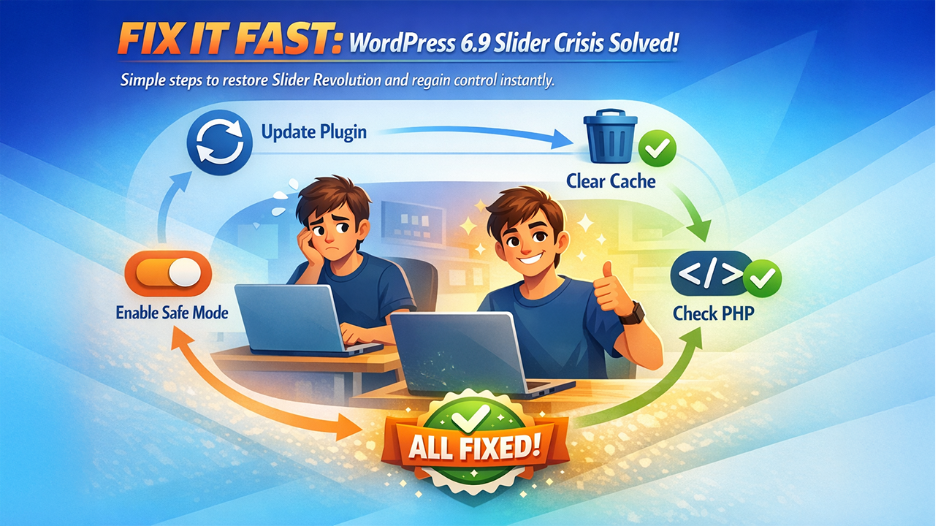

How to Fix WordPress 6.9 Broke Slider Revolution (Step-by-Step Guide)


How to Fix WordPress 6.9 Broke Slider Revolution (Step-by-Step Guide)

If WordPress 6.9 Slider Revolution broke on your site and you’re still dealing with the aftermath, here’s what you can do:  

  1. Avoid Bline Downgrades: rolling back WordPress core to 6.8 without understanding the state of your plugins can create a different set of problems.  
  1. Update Slider Revolution: Log into your ThemePunch account, download the latest release, and update via your WordPress dashboard or via FTP. ThemePunch pushed compatibility patches after the 6.9 release; if you’re still on an older version, that’s likely the entire problem. 
  1. Clear All Cache: Your WordPress caching plugin, your server-level cache, your CDN cache, and your browser cache. Seriously, all of them. A surprising number of “still broken” reports after plugin updates are just stale cache serving the old broken version. 
  1. Enable Safe Mode: some slider conflicts post-updates are caused by theme or other plugin JavaScript interfering. Temporarily disabling other plugins to isolate the conflict can pinpoint the issue quickly.  
  1. Check PHP Version: WordPress 6.9 is optimized for PHP 8.2 and above. If your hosting is still running PHP 7.4 or 8.0, you may be seeing compounding compatibility issues beyond just the Slider Revolution.  
  1. Contact ThemePunch Support: Contact ThemePunch support with your WordPress version, PHP version, and active plugins list for faster troubleshooting.  

WordPress 6.9 Broke Slider Revolution? Emergency Fix If You Can’t Log In

Sometimes the damage runs deeper than a broken slider. If WordPress 6.9 left your site showing a white screen or a server error that simply refuses to load, you’ll need to work around WordPress entirely, and that means FTP. 

Connect to your site via FTP or your hosting file manager and navigate to /wp-content/plugins/. Rename the entire folder to something like plugins-old. This kills every active plugin at once without needing admin access. Your site will load again at a basic level, but it’s alive. 

Once you’re back in, rename the folder back to plugins and reactivate each plugin one at a time from the dashboard. The moment something breaks again, you know the cause.  

If Slider Revolution is confirmed as the problem, but the dashboard still won’t cooperate, go manual. Download the latest release directly from your ThemePunch account, extract it, and manually editing WordPress files by replacing the /wp-content/plugins/revslider/ folder via FTP is straightforward once you know where to look. 

While you’re in the hosting panel, check your PHP version too. WordPress 6.9 runs best on PHP 8.2 or above. If your server is still on 7.4, some of what looks like a Slider Revolution failure may actually be PHP compatibility noise underneath. And if nothing above gets you back in, call your host before touching anything else. Most managed WordPress hosting providers keep daily backups and can restore a clean version faster than any manual fix will. 


Checklist to Prevent Issues After WordPress Updates (Avoid Slider Breaks) 

Before updating WordPress, follow this quick checklist to prevent plugin conflicts and avoid issues like Slider Revolution breaking.

  • Backup your database and files before any major WordPress update.  
  • Check your key plugin developers’ changelogs for compatibility issues. 
  • Update plugins before updating WordPress core, not after.  
  • Test on staging environment if your host provides one. 
  • Clear all caches after every update, not just when something breaks. 
  • Set major WordPress version updates to manual, not automatic.  
  • Review your approach to securing your WordPress site. Each major update is a good moment to audit active plugins, user permissions, and any outdated configurations.  

Why WordPress Updates Break Plugins Like Slider Revolution

The thing about WordPress 6.9 Broke Slider Revolution is that it isn’t going to stop happening. WordPress 7.0 is already on the horizon, promising built-in AI features that go even deeper into the editor architecture. The platform is moving fast with faster sites, better security, and a more modern codebase.  

But faster evolution means more chances for plugin conflicts. The WordPress ecosystem was never designed for zero friction major version updates. It was designed for flexibility, and flexibility comes with tradeoffs. The site owners who navigate this best aren’t the ones who know the most about PHP internals or WordPress architecture. They’re the ones who’ve simply built a small, repeatable process around updates. Back up, check changelogs, update plugins first, and clear cache. It takes maybe fifteen minutes extra per major release. This is how much it takes to avoid the broken slider on a Monday morning scenario.  


Final Thoughts

If you’re a Slider Revolution user who got caught by the WordPress 6.9 update, don’t panic. ThemePunch has been around since 2012. They’ve navigated every major WordPress transition this platform has thrown at the ecosystem, and they’ll navigate this one too. The fix exists. What WordPress 6.9 broke was inconvenient. What it revealed about how we all handle updates is actually more valuable. Treat it as a one-time investment in a better habit. The WordPress 6.9 and Slider Revolution situation is ultimately a reminder that no plugin, no matter how established, is immune to a major core update. The teams that come out of this unscathed are the ones who stopped treating updates as routine clicks and started treating them as small but deliberate decisions.