



Choosing the right blogging platform is one of the first and most important decisions every new blogger needs to make. You can expect different platforms to offer varying levels of customization, scalability, control, and revenue potential, depending on your objective, whether it’s personal publishing, monetizing content, or future business growth.
Both WordPress and Blogger are still popular, though they cater to different needs in the WordPress vs Blogger comparison. Blogger is easy to get up and running rapidly, but less flexible, less customizable, and less in control when it comes to growing a web site, while WordPress offers more flexibility, customization, and control for growing a web site. This comparison of WordPress vs Blogger features, price, user-friendliness, monetization, and future growth will assist you in deciding which platform you’re better suited to use.
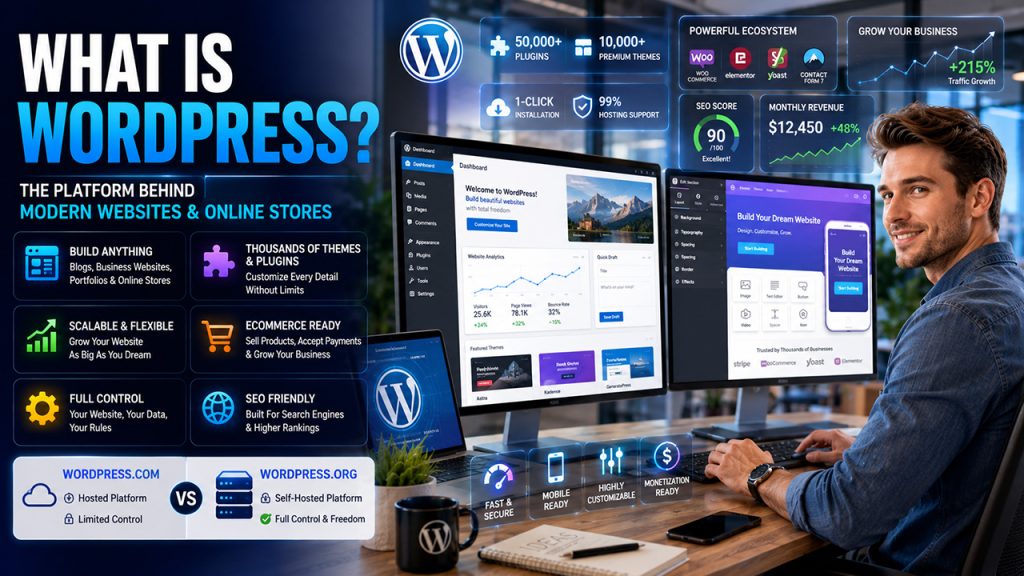
WordPress was originally created as a blogging platform but has been expanded to become one of the most used websites and online store content management systems. It’s the preferred solution for professional bloggers, growing businesses and brands that require flexibility, scalability, and complete customisation and monetisation of websites.
One of the major advantages of WordPress over Blogger is the WordPress ecosystem that includes themes, plugins, and integrations that let users fine-tune almost every little detail of their website. 99 percent of hosting companies will provide a one-click WordPress installation for you, which means you can possibly get a site up and running in just a matter of moments without any tech wizardry.
It is also worth noting that there can be a difference between WordPress.com and WordPress.org. WordPress.com is a hosted platform that offers less customization and control, while WordPress.org is self-hosted and offers users full control over their website, content, and functionality.
Blogger is a free blogging service provided by Google, for those who desire a simple, low tech blogging tool to share content on the internet. It’s particularly favored by casual bloggers, novices, and writers seeking to concentrate on their material instead of hosting, updates, or technical setup.
When it comes to the WordPress vs Blogger comparison, Blogger wins in terms of simplicity and its ease of integration, as well as with Google Analytics, AdSense, and Google accounts. It’s a fully-hosted platform, meaning that Google takes care of the infrastructure and hosting environment for the user.
Blogger is simple to create a blog easily and free of charge, but it provides less customization, scaling and design options than WordPress.
| Feature | WordPress | Blogger |
| Ownership & Control | Full ownership with complete customization flexibility. | Operates within Google’s platform ecosystem. |
| Design Flexibility | 30000+ themes and unlimited plugins available. | 12 template and customization options. |
| Scalability | Supports long-term website and business growth. | Best suited for simple blogging needs. |
| Technical Expertise | Moderate learning curve with greater flexibility. | Beginner-friendly with minimal technical setup. |
| Setup Process | Takes around 30–60 minutes to configure. | Quick and easy to launch. |
| Starting Cost | Requires hosting and a domain, starting around $10/month. | Completely free to use. |
| Support Resources | Large global community and professional support options. | Basic documentation and limited support channels. |
In terms of ease of use, Blogger is a clear winner for absolute beginners when compared to WordPress. You register through your Google account, choose a name and in minutes you have published. No installation, no domain setup, and no hosting to configure. WordPress, however, takes a little more getting used to and a bit more knowledge to use, particularly when self-hosted. To get started with blogging you’ll have to choose a hosting provider, install WordPress and setup the basic settings. However, the WordPress dashboard is user friendly and very powerful once installed.
Customization is a where the fundamental difference exists between WordPress and Blogger. WordPress has thousands of free and premium themes, a vast library of plugins, and other advanced page builder tools such as Elementor, Divi, and Kadence blocks for added flexibility and functionality. There is a wide range of optionality and good quality tools, though, that can make things complicated and expensive. Blogger has almost no choice of templates and customization options. You can edit HTML and CSS of your Blogger template, but not as much as WordPress. You’d have to work within the confines of the platform, a thing that may be restrictive as your blog grows.
With WordPress.org, you’ll have to buy a domain and hosting fees. The software is free of charge and open-source. The cost of the investment is more expensive but the benefits of control, scale and monetization make it a worthwhile investment for serious bloggers.
Blogger offers free blogging services, a Blogspot subdomain, and all of the blogging tools for free. If desired, you can have a custom domain which typically costs approximately $12-15 each year.
If you are a blogger who is more concerned about the number of followers you have and how to monetise your blog, then WordPress is more suitable for you. There are plugins available that you can install and get complete control of meta tags, XML sitemaps, schema markup and on page optimization such as Yoast SEO and Rank Math.
In addition to advertising, WordPress offers a wide range of other monetization options such as affiliate marketing, sponsored content, ecommerce via WooCommerce, digital product sales, online courses and membership subscriptions. This flexibility allows creators to better manage growth and monetization of their website in the long run.
Blogger embeds seamlessly with Google AdSense, making it easy for new bloggers to begin earning money from their blogs with little effort. It also offers some other advantages with Google, like mobile optimization, SSL security and some SEO functionality. But Blogger cannot be as flexible as WordPress in terms of SEO.
One of the most important advantages of WordPress over Blogger is that it’s owned and controlled by you. WordPress.org gives the users total ownership of the website, content, and domain, giving full control over the website and all of its features. Other than WordPress.org, users own their domain, content, and website and have total control over it and all of its features.
WordPress always releases security updates to its core and has a large global development community that can uncover and quickly repair security issues. Other security layers can be installed with plugins like Wordfence, Sucuri or Solid Security. Help goes beyond the call of duty, through community discussion boards and hosting provider support, plugin documentation as well as even expert developers if necessary.
The blogger runs on Google’s web servers, which make it very secure, automatically updated and protected with SSL. However, the users still end up being stuck with Google’s policies, platform limitations and future decisions.
The right pick in the WordPress vs Blogger duel completely hinges on what you aim for. Blogger fits the bill if you are a newbie or a casual blogger who desires a simple, cost-free platform with hardly any setup. WordPress, on the other hand, is geared towards folks that seek immense customization, SEO mastery, higher capacity, and versatile monetization. WordPress is your best bet if you want to take your website to the next level, make it a business, and implement sophisticated content strategies. However, Blogger can still serve as a handy tool for very basic publishing purposes.
Related Post
WordPress vs WooCommerce Explained: Key Differences, Features & Use Cases
WordPress vs Wix: Which Platform Is Better?
Webflow vs WordPress: What to Choose for a Better Website Development
Shopify vs WordPress: Ultimate Platform Comparison Guid
此内容由惯性聚合(RSS阅读器)自动聚合整理,仅供阅读参考。 原文来自 — 版权归原作者所有。