




惯性聚合 高效追踪和阅读你感兴趣的博客、新闻、科技资讯
阅读原文 在惯性聚合中打开

推荐订阅源

小众软件
小众软件
The Cloudflare Blog
V
Visual Studio Blog
G
Google Developers Blog
博客园 - Franky
The Register - Security
C
CXSECURITY Database RSS Feed - CXSecurity.com
Threat Intelligence Blog | Flashpoint
Cisco Talos Blog
Cisco Talos Blog
AWS News Blog
AWS News Blog
WordPress大学
WordPress大学
C
Cybersecurity and Infrastructure Security Agency CISA
H
Hacker News: Front Page
博客园 - 聂微东
aimingoo的专栏
aimingoo的专栏
有赞技术团队
有赞技术团队
NISL@THU
NISL@THU
P
Palo Alto Networks Blog
A
About on SuperTechFans
V2EX - 技术
V2EX - 技术
腾讯CDC
Project Zero
Project Zero
T
Tor Project blog
C
CERT Recently Published Vulnerability Notes
D
DataBreaches.Net
Google DeepMind News
S
Secure Thoughts
Attack and Defense Labs
H
Hackread – Cybersecurity News, Data Breaches, AI and More
N
News | PayPal Newsroom
Security Latest
Security Latest
让小产品的独立变现更简单 - ezindie.com
Scott Helme
Scott Helme
Microsoft Security Blog
阮一峰的网络日志
阮一峰的网络日志
博客园 - 叶小钗
P
Proofpoint News Feed
罗磊的独立博客
M
MIT News - Artificial intelligence
Cyber Security Advisories - MS-ISAC
宝玉的分享
宝玉的分享
量子位
博客园 - 司徒正美
U
Unit 42
MyScale Blog
MyScale Blog
F
Fortinet All Blogs
Apple Machine Learning Research
Recorded Future
Recorded Future
Last Week in AI
Last Week in AI
奇客Solidot–传递最新科技情报
奇客Solidot–传递最新科技情报

wp-1click.com

Knowledge Base Software: What It Is, How It Works, and Why Businesses Use It How to Launch Anime Websites Using WordPress? How to Fix Slow MySQL Queries and Boost WordPress Performance Custom WordPress Development: 7 Signs Your WordPress Site Has Outgrown No-Code Tool How to Fix PageSpeed Insights Errors in WordPress (2026 Guide) WordPress SEO Guide: Achieve Local Search Dominance in 2026 How to Fix a 504 Error in WordPress: Step-by-Step Guide How to Solve CAPTCHA Challenge Response Errors Quickly What Is Latency vs Bandwidth? Key Differences Explained ERR_CONNECTION_RESET Error: Causes, Solutions, and Prevention Tips Pixlr vs Canva: Which AI Design Tool Is Better in 2026? Software Testing Basics: Manual Testing vs Automation Testing Explained How to Add Blooket Join to Your WordPress Educational Website How to Fix Slow DNS Lookup Issues: 9 Easy Solutions That Work Understanding Version Control Systems for WordPress Development Best Coding Practice Websites to Learn How to Code How to Fix WordPress Theme Installation Failed Error Best Audacity Plugins for WordPress Podcasters in 2026 Google Meet vs Zoom: Which Video Conferencing Tool Is Right for You? How to Delete WordPress Comments (Single, Bulk, Spam & All Comments Guide) 2026 5 Best SEMrush Alternatives for Keyword Research in 2026 WordPress Website Launch: Essential Pre-Launch Checklist Top 11 SEO Internal Links Plugins for WordPress in 2026 Local SEO Strategies in WordPress for Better Rankings 5 Best WordPress CRM Plugins for Better Customer Management 5 Best WordPress CDN Plugins to Speed Up Your Website in 2026 9 Best Ecommerce Plugins for WordPress in 2026 (Expert Guide) Cybersecurity in Financial Services: 5 Best Practices Financial Companies Must Follow What is WordPress Plugins: A Complete Guide for Beginners 6 Ways a Crypto Dedicated Server Improves WordPress Site Performance SQL Window Functions Explained: Syntax, Examples & Best Practices SEO Tips For Video Marketing To Improve Your Content Performance Top 5 WordPress Survey Plugins for Creating Engaging Surveys Why Fintech Products Fail Adoption Despite Strong Technology How to Show a Promotion on LinkedIn and Improve Post Visibility What Is a Checksum? How It Works, Types, and Limitations 7 Best WordPress Backup Plugins in 2026 (Compared & Ranked) Best WordPress Search Engine Plugins to Improve Your Site Search On-Page vs Off-Page SEO: What's the Difference and Why It Matters 10 Best WordPress Translation Plugins for a Multilingual Website Best Coding Kata Sites in 2026: Top 7 Platforms for Sharper Programming Skills Getting Started with Rust Programming Language in 2026 GuestPostCRM Launching Soon: A Smarter Way to Manage Guest Posting Campaign Drop Down Info Plugin for WordPress: Features, Benefits, and Setup Guide Best WordPress Booking Plugin Options to Streamline Your Business Custom Web Development Services for Modern Businesses: Handy Guide What Is a Runtime Environment? A Complete Guide for Beginners and Developers Plugins Not Working Minecraft? Common Causes & Easy Fixes Top Cybersecurity Bootcamp Courses to Kickstart Your IT Security Career 15 Top Programming Tutorials to Learn Coding Faster Database Design Patterns Every Developer Should Know WordPress vs Weebly: Which Website Builder Is Better? WordPress vs Bluehost: Which Web Hosting Platform Is Right? Top 10 Best SEO Plugins for WordPress in 2026 WordPress vs Blogger: Which Blogging Platform Should You Choose? WordPress vs Joomla: Choosing the Right CMS for Business - wp-1click.com 30 Best Coding Challenges for Beginners (With Solutions) WordPress vs Drupal: Which CMS Is Right for Website in 2026? How to Change IP for a Minecraft Server WordPress vs WooCommerce: Which Platform Is Best for Website Best GoDaddy Alternative Domain Registration in 2026 Plugin Not Working in WordPress: Easy Way to Fix It WordPress vs Wix: Which Platform Is Better in 2026? (Complete Guide) Webflow vs WordPress: What to Choose for a Better Website Development in 2026 How to Change SQL Server System Admin: A Complete Guide for 2026 Localhost WordPress: A 2026 Guide to Local Development how to make a clickable phone number in WordPress Is WordPress Multisite One Theme or Multiple Top 10 Best Email Extractor Websites for Marketers 2026 How to install WordPress What is WordPress: Beginner's Guide to the Best CMS Understanding WordPress 6.5: New Plugin Capabilities How to Connect a Domain to a WordPress Website | WP-1Click Is Your WordPress Website Slow? And How to Fix It How to Install WordPress on Laragon (Step-by-Step Guide for Beginners) How to Migrate WordPress Website to Another Hosting WordPress 6.9 Broke Slider Revolution: Causes, Fixes & Recovery Guide How to Secure a WordPress Site in 2026 (Step-by-Step Guide) How to Make a Website Mobile Friendly | WP-1Click How to Find Your WordPress User ID Number (5 Methods) – 2026 Guide - wp-1click.com
WordPress Runtime Errors: Common Issues and How to Fix Them
mayank_kukreti · 2026-07-20 · via wp-1click.com

If your WordPress site has ever thrown a blank white screen or a vague server error out of nowhere, you’ve run into what’s commonly called a WordPress runtime error. These happen when something breaks while your site is actively running, not during setup, but mid-operation, and they can be jarring if you don’t know what’s actually going on behind the scenes.

Fortunately for you, the majority of the runtime errors that occur follow a predictable pattern. Under the hood of the WordPress platform are a bunch of PHP files, a database, themes, and plugins that interact, and when they fall out of synchronization, this is when runtime errors arise. Being a developer is not necessary to solve most of these problems. All you need is some insight.

In this blog, we’ll walk through the most common runtime errors, including the notorious HTTP 500 error, why they happen, and exactly how to fix them.


What Are WordPress Runtime Errors?

A runtime error a WordPress site throws is different from a setup mistake; it happens while the site is actively running, not while you’re installing or configuring something. Think of it as a breakdown mid-operation rather than a wrong turn during setup.

Despite its intuitive and user-friendly interface, the WordPress platform is powered by actual software stacks comprising PHP scripts, a MySQL database, WordPress plugins, themes, and external scripts, all working together in real-time. Wondering how exactly this collaboration takes place? Well, the answer is that it happens via the Runtime Environment, a layer of software that handles execution and resource management of a particular program.

Whenever there is a problem with any of those components, be it an outdated version, insufficient memory, or some kind of permission issue, that is when an error pops up. Determining what went wrong is usually the most efficient way to resolve it.
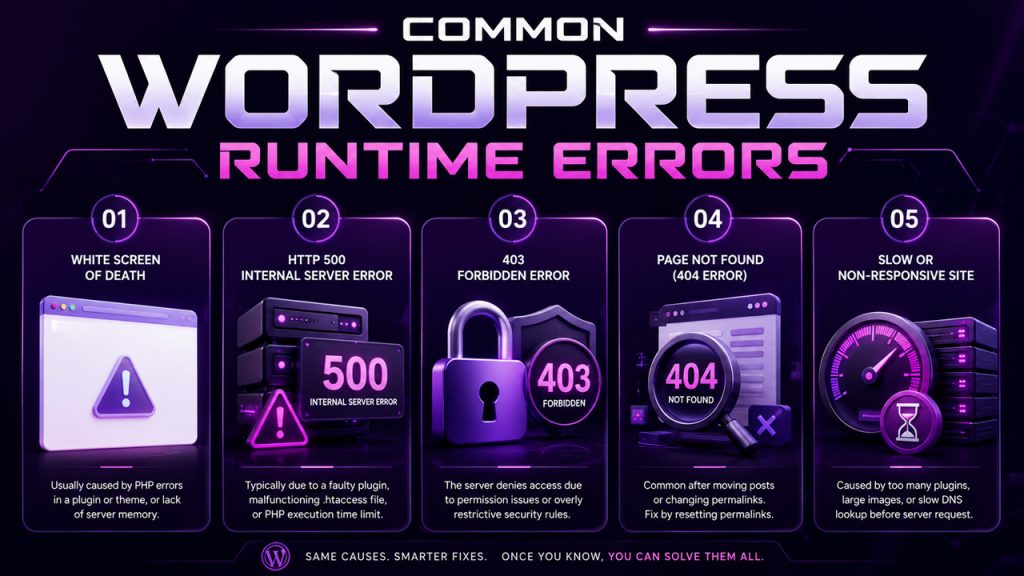

Common WordPress Runtime Errors 


Common WordPress Runtime Errors 

This is how you should look at them and what is usually behind them:


White Screen of Death :

All you see on your website is just a blank screen. This is typically due to some PHP errors in a plugin or theme, or lack of memory in the server.

HTTP 500 Internal Server Error :

A Vague “something went wrong” message. This is typically due to some faulty plugin, a malfunctioning .htaccess file, or exhaustion of the PHP execution time limit.

403 Forbidden Error :

The server denies access to a specific web page. It could be because of permissions issues or excessive restrictions imposed by some security plugin.

Page Not Found (404 Error) :

Quite common when moving posts or changing permalinks. In most cases, it could be solved simply by revising your permalink settings.

Slow or non-responsive site :

It’s not always an error, but the problem exists anyway. It can be caused by too many plugins on the server, low-optimized images, or even slow DNS Lookup before the first request to the server.

Most of these trace back to the same handful of causes, so once you know how to check for them, fixing the next one gets faster every time.


Troubleshooting WordPress Errors 

The steps for proper WordPress troubleshooting tend to always be the same regardless of the specific error faced:

Debug mode activation:

Put define (‘WP_DEBUG’, true); in your wp-config.php file to see the actual error message rather than a white screen.

Checking the error logs on your server:

This will usually lead straight to the source of the error, whether this is a file or a plugin.

Disabling the plugins one by one:

First, disable them all, and then activate them one by one until the error message appears again.

Changing your theme temporarily to a default one:

This will show if the problem lies within the current theme.

Checking your cache:

Browser cache and plugin cache may cause an error message not to go away even when the error itself has already been fixed.

Be wary of security-related problems:

If a fix seems to work but you’re suddenly blocked from logging back in, you may be running into a CAPTCHA Challenge Response issue tied to a security plugin, worth ruling out before assuming the original error came back.

If you’ve worked through all of this and the error is still there, that’s usually the point where it’s worth bringing in your hosting provider or a developer rather than continuing to guess.
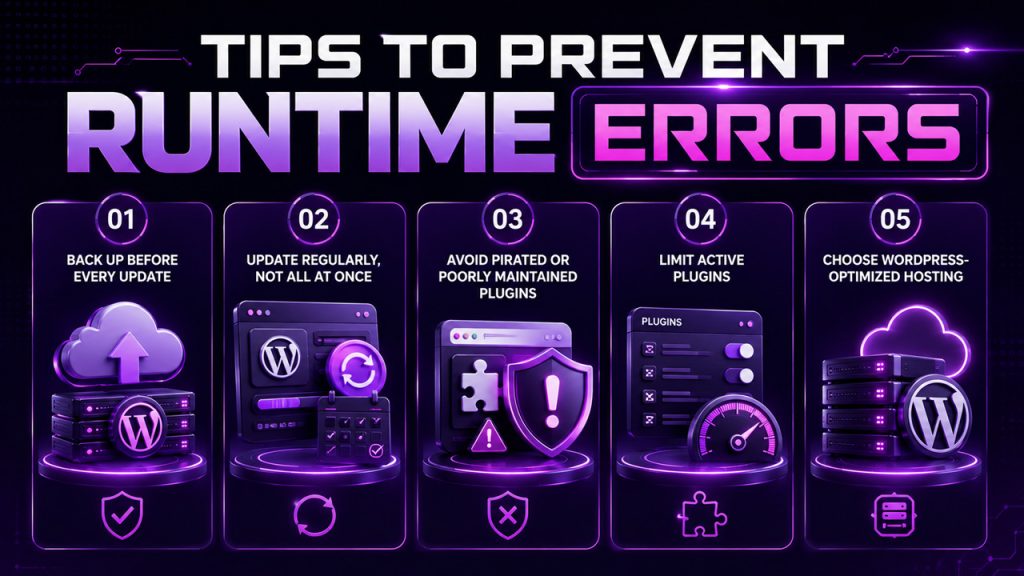
Tips to Prevent Runtime Errors 


A little prevention goes a lot further than repeated troubleshooting :

Back up before every update :

Plugins, themes, and WordPress core itself. If something breaks, you can roll back in minutes instead of hours.

Update regularly, not all at once :

Staggering updates makes it far easier to spot which one caused a problem, if something does go wrong.

Avoid pirated or poorly maintained plugins :

A huge share of WordPress runtime errors trace back to low-quality or outdated third-party code.

Limit active plugins :

Every plugin you’re not actively using is one more potential point of failure.

Choose WordPress-optimized hosting :

Solid hosting resolves a surprising number of memory and performance-related errors before they ever happen.

None of this makes your site immune to every error, but it does mean fewer surprises and faster recoveries when something does go wrong.

Conclusion

WordPress runtime errors may seem scary at the time, with either an empty page or server error messages offering no comfort, but usually, they can be traced back to a few well-known culprits. It is once you find out what those are that dealing with such issues becomes quite predictable.

It also helps in terms of prevention; having regular backups and taking care of your updates and hosting will ensure many of these errors never happen. When they do, however, you know where to look first.

Frequently Asked Questions


Q. What causes WordPress runtime errors?

Runtime errors in WordPress happen due to conflicting plugins, update failure, server memory restrictions, or file permission mistakes.


Q. How do I fix an HTTP 500 error in WordPress?

Rename your .htaccess file and refresh your site; if the problem remains, look at your PHP memory and execution limits.


Q. Why does my WordPress site show a blank white screen?

It might happen because of a PHP error in your plugin or theme, or because of a memory shortage on the server.


Q. Can a slow site be considered a runtime error?

It is not a runtime error, but it is closely associated with runtime errors – usually it means too many heavy plugins, oversized images, and similar issues.


Q. Do I need a developer to fix WordPress errors?

You probably won’t need a developer to fix any WordPress runtime errors, as most of them are easily fixed by entering debug mode.