

惯性聚合 高效追踪和阅读你感兴趣的博客、新闻、科技资讯
阅读原文 在惯性聚合中打开

推荐订阅源

Hacker News: Ask HN
Hacker News: Ask HN
C
Cisco Blogs
The Hacker News
The Hacker News
T
Tor Project blog
Cyber Security Advisories - MS-ISAC
The GitHub Blog
The GitHub Blog
A
Arctic Wolf
CTFtime.org: upcoming CTF events
The Register - Security
云风的 BLOG
云风的 BLOG
Simon Willison's Weblog
P
Palo Alto Networks Blog
Vercel News
Vercel News
C
CERT Recently Published Vulnerability Notes
I
InfoQ
freeCodeCamp Programming Tutorials: Python, JavaScript, Git & More
M
MIT News - Artificial intelligence
I
Intezer
aimingoo的专栏
aimingoo的专栏
U
Unit 42
C
Cyber Attacks, Cyber Crime and Cyber Security
L
LINUX DO - 热门话题
Microsoft Security Blog
酷 壳 – CoolShell
酷 壳 – CoolShell
Cyberwarzone
Cyberwarzone
P
Proofpoint News Feed
P
Proofpoint News Feed
B
Blog
T
Threat Research - Cisco Blogs
博客园 - 叶小钗
Recorded Future
Recorded Future
Last Week in AI
Last Week in AI
N
News and Events Feed by Topic
cs.AI updates on arXiv.org
Know Your Adversary
Know Your Adversary
Engineering at Meta
Engineering at Meta
G
Google Developers Blog
PCI Perspectives
PCI Perspectives
Google DeepMind News
WordPress大学
WordPress大学
Application and Cybersecurity Blog
MyScale Blog
MyScale Blog
Security Archives - TechRepublic
Schneier on Security
N
News | PayPal Newsroom
C
Cybersecurity and Infrastructure Security Agency CISA
H
Help Net Security
博客园 - 聂微东
H
Hackread – Cybersecurity News, Data Breaches, AI and More
G
GRAHAM CLULEY

wp-1click.com

Custom WordPress Development: 7 Signs Your WordPress Site Has Outgrown No-Code Tool How to Fix PageSpeed Insights Errors in WordPress (2026 Guide) WordPress SEO Guide: Achieve Local Search Dominance in 2026 How to Fix a 504 Error in WordPress: Step-by-Step Guide How to Solve CAPTCHA Challenge Response Errors Quickly What Is Latency vs Bandwidth? Key Differences Explained ERR_CONNECTION_RESET Error: Causes, Solutions, and Prevention Tips Pixlr vs Canva: Which AI Design Tool Is Better in 2026? Software Testing Basics: Manual Testing vs Automation Testing Explained How to Add Blooket Join to Your WordPress Educational Website How to Fix Slow DNS Lookup Issues: 9 Easy Solutions That Work Understanding Version Control Systems for WordPress Development Best Coding Practice Websites to Learn How to Code How to Fix WordPress Theme Installation Failed Error Best Audacity Plugins for WordPress Podcasters in 2026 Google Meet vs Zoom: Which Video Conferencing Tool Is Right for You? How to Delete WordPress Comments (Single, Bulk, Spam & All Comments Guide) 2026 5 Best SEMrush Alternatives for Keyword Research in 2026 WordPress Website Launch: Essential Pre-Launch Checklist Top 11 SEO Internal Links Plugins for WordPress in 2026 Local SEO Strategies in WordPress for Better Rankings 5 Best WordPress CRM Plugins for Better Customer Management 5 Best WordPress CDN Plugins to Speed Up Your Website in 2026 9 Best Ecommerce Plugins for WordPress in 2026 (Expert Guide) Cybersecurity in Financial Services: 5 Best Practices Financial Companies Must Follow What is WordPress Plugins: A Complete Guide for Beginners 6 Ways a Crypto Dedicated Server Improves WordPress Site Performance SQL Window Functions Explained: Syntax, Examples & Best Practices SEO Tips For Video Marketing To Improve Your Content Performance Top 5 WordPress Survey Plugins for Creating Engaging Surveys Why Fintech Products Fail Adoption Despite Strong Technology How to Show a Promotion on LinkedIn and Improve Post Visibility What Is a Checksum? How It Works, Types, and Limitations 7 Best WordPress Backup Plugins in 2026 (Compared & Ranked) Best WordPress Search Engine Plugins to Improve Your Site Search On-Page vs Off-Page SEO: What's the Difference and Why It Matters 10 Best WordPress Translation Plugins for a Multilingual Website Best Coding Kata Sites in 2026: Top 7 Platforms for Sharper Programming Skills Getting Started with Rust Programming Language in 2026 GuestPostCRM Launching Soon: A Smarter Way to Manage Guest Posting Campaign Drop Down Info Plugin for WordPress: Features, Benefits, and Setup Guide Best WordPress Booking Plugin Options to Streamline Your Business Custom Web Development Services for Modern Businesses: Handy Guide What Is a Runtime Environment? A Complete Guide for Beginners and Developers Plugins Not Working Minecraft? Common Causes & Easy Fixes Top Cybersecurity Bootcamp Courses to Kickstart Your IT Security Career 15 Top Programming Tutorials to Learn Coding Faster Database Design Patterns Every Developer Should Know WordPress vs Weebly: Which Website Builder Is Better? WordPress vs Bluehost: Which Web Hosting Platform Is Right? Top 10 Best SEO Plugins for WordPress in 2026 WordPress vs Blogger: Which Blogging Platform Should You Choose? WordPress vs Joomla: Choosing the Right CMS for Business - wp-1click.com 30 Best Coding Challenges for Beginners (With Solutions) WordPress vs Drupal: Which CMS Is Right for Website in 2026? How to Change IP for a Minecraft Server Best GoDaddy Alternative Domain Registration in 2026 Plugin Not Working in WordPress: Easy Way to Fix It WordPress vs Wix: Which Platform Is Better in 2026? (Complete Guide) Webflow vs WordPress: What to Choose for a Better Website Development in 2026 How to Change SQL Server System Admin: A Complete Guide for 2026 Localhost WordPress: A 2026 Guide to Local Development how to make a clickable phone number in WordPress Is WordPress Multisite One Theme or Multiple Top 10 Best Email Extractor Websites for Marketers 2026 How to install WordPress What is WordPress: Beginner's Guide to the Best CMS Understanding WordPress 6.5: New Plugin Capabilities How to Connect a Domain to a WordPress Website | WP-1Click Is Your WordPress Website Slow? And How to Fix It How to Install WordPress on Laragon (Step-by-Step Guide for Beginners) How to Migrate WordPress Website to Another Hosting WordPress 6.9 Broke Slider Revolution: Causes, Fixes & Recovery Guide How to Secure a WordPress Site in 2026 (Step-by-Step Guide) How to Make a Website Mobile Friendly | WP-1Click How to Find Your WordPress User ID Number (5 Methods) – 2026 Guide - wp-1click.com
WordPress vs WooCommerce: Which Platform Is Best for Website
ashu_masih · 2026-05-04 · via wp-1click.com

Confused between WordPress vs WooCommerce? Understand the features, limitations, and applications of each platform in detail. 

The choice between WordPress and WooCommerce generally depends on the user’s requirements. WordPress is a content management platform that is used to create, manage, and launch websites for free. WordPress allows extensive customization to users without the knowledge of coding. On the other hand, WooCommerce is a free and open-source WordPress plugin, which is used to transform any website into an online store. WooCommerce allows users to sell physical and digital products, along with easy management of inventories, payment processing, and shipping.  

The blog offers a deep dive into the WordPress vs WooCommerce comparison, offering a key understanding of the features, limitations, and application of each platform. 


Understanding WordPress

WordPress is a free-to-use and open-source content management system, which is generally used to create and manage websites. WordPress is among the largest platforms that powers over 43% of the global websites. The platform was originally designed for blogging but has significantly evolved into a versatile platform that can be used to build, manage, and launch all types of websites. 

There are two types of WordPress available for the users, which include WordPress.org and WordPress.com. WordPress.org is a self-hosted platform that users can download for free and launch websites using their own hosting. The platform offers unlimited access to themes, plugins, and custom codes to create a unique and customizable website. On the other hand, WordPress.com is an all-in-one platform that also includes hosting. WordPress.com offers a free and paid plan for hosting. It is a more restrictive platform, with a premium subscription required for full plugin and theme access.


Understanding WooCommerce

WooCommerce is a free and open-source e-commerce plugin, which is designed for WordPress. The plugin helps in transforming any WordPress website into a functional online store. It also allows users to sell any physical or digital products, manage inventories, process payments, and handle shipping.  

The core plugin is free to download and provides complete control over the design, data, and functionality of the website. It also offers key features, like tax calculation, inventory monitoring, and secure payment processing. WooCommerce also allows users to process payments using popular payment gateways, like Stripe and PayPal. Users can also enable PayPal Sandbox mode in WooCommerce, using a few easy steps. The plugin is ideal for users who are seeking a highly customizable and self-hosted store. It also allows users to list unlimited products, from digital downloads to physical products. 
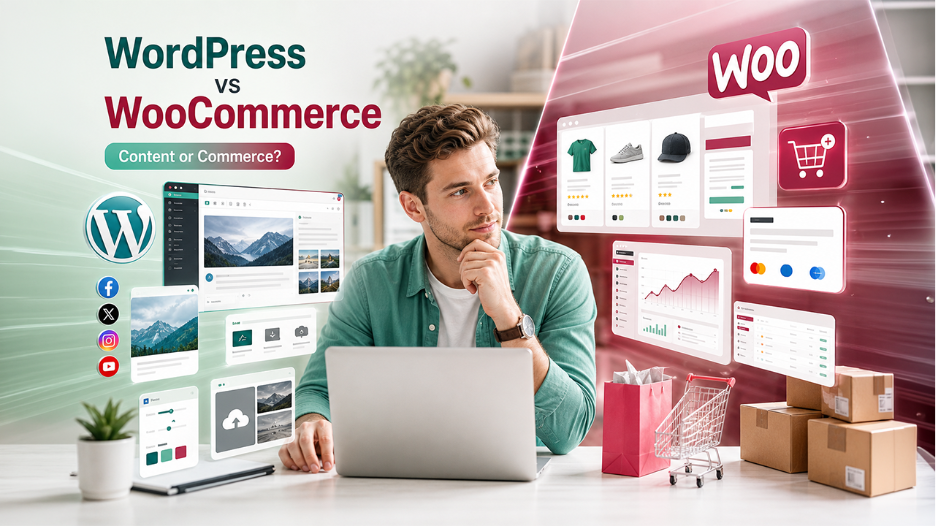

WordPress vs WooCommerce: Key Features 


WordPress vs WooCommerce: Key Features 

Key Features of WordPress:

WordPress is among the most popular content management systems, which allows users to create, manage, and customize websites. To design and launch a website in WordPress, users do not need any technical knowledge. It also features an intuitive dashboard, along with a vast library of themes and plugins. Some of the key features of WordPress include: 

  • Easy Content Management: WordPress is a user-friendly editor that enables easy creation of posts and pages. In WordPress, users can also save posts as drafts, along with scheduling them for future publication. 
  • Enhanced Customization: The platform offers thousands of free and premium themes and plugins, which allow users to create unique and customizable websites.  
  • SEO-friendly and Social Media Integration: WordPress offers clean and standards-compliant code, which makes it highly indexable by search engines. It also offers built-in tools and plugins for easy sharing and integration with social media platforms. 
  • Performance and Security: The platform features key security tools, like forced strong passwords, login attempt monitoring, and two-factor authentication.
  • Easy Website Management: WordPress features a drag-and-drop media uploader, which includes basic editing tools. It also cleans permalinks, categories, and tags to enhance search engine ranking. 

Also Read

Shopify vs WordPress: Ultimate Platform Comparison Guide 


Key Features of WooCommerce: 

WooCommerce is a free and open-source plugin for WordPress, which enables users to transform any website into an online store. It enables users to build and customize online stores with enhanced flexibility. Some of the key features of WooCommerce include: 

  • Comprehensive Product Management: It allows users to sell any type of product, including physical goods or digital downloads. It also includes product variation, along with inventory tracking, and unlimited product listings.  
  • Flexible Payment Options: Features a bundled option, which supports major payment options, like credit cards, bank transfer, and cash on delivery. It also offers 140+ region-specific payment gateways.  
  • Extensively Customizable: The plugin offers extensive customization to the users, as it is an open-source platform and features thousands of themes and extensions, easily available in the WooCommerce marketplace.  
  • Marketing and Analytics: It features built-in marketing tools like coupon systems, product reviews, and SEO optimizations. It also features a comprehensive dashboard, which offers detailed analytics, reporting, and order management. 
  • B2B Features: The plugin also supports wholesale pricing, along with customer-specific catalogs and user-specific inventory management. 

Features Comparison of WordPress and WooCommerce:


Key Aspects WordPress WooCommerce 
Core Purpose General CMS for blogs and websites A plugin designed to create an online store. 
Dependencies Operate independently. Cannot exist without WordPress. 
Performance Generally faster, as it only serves static content. More resource-intensive, as it features dynamic database queries. 
Ideal For Building a blog, business brochure site, or personal portfolio. Creating a flexible online store. 

WordPress vs WooCommerce: Limitations 


Limitations of WordPress 

Regardless of being a powerful and flexible content management system, WordPress features various key limitations, which include security risks, performance issues, and extensive maintenance. Some of the major limitations of WordPress include: 

  • Security Vulnerabilities: The platform is a prime target for hackers. WordPress relies on third-party plugins, which also increases the risk of vulnerabilities, data breaches, and malware.  
  • High Maintenance: Requires consistent and manual updates of themes, plugins, and core software. Neglecting these updates can break the site.  
  • Performance Issues: The heavy reliance on plugins and poorly optimized themes generally causes several performance issues and increased load time.  

Limitation of WooCommerce

WooCommerce includes various key limitations, like higher maintenance costs, along with performance bottlenecks, and a higher cost of premium extensions. Some of the major limitations of WooCommerce include: 

  • Higher Technical Maintenance: The plugin features frequent updates, which can cause compatibility issues between the core software, themes, and plugins.  
  • Performance Issues: The platform is capable of handling unlimited products. This slows the plugin and makes it resource-intensive, which requires extensive optimization of hosting.  
  • Hidden Costs: Although the base plugin is free, various essential functionalities, like advanced payment gateways and shipping tools, often require premium extensions.

WordPress vs WooCommerce: What to Choose

The core application of WordPress and WooCommerce is vastly different, yet interdependent. WordPress is the base content management system, while WooCommerce is a free plugin that is used in WordPress websites to transform them into an online store. 


Key differences between WordPress and WooCommerce are as follows


Key Aspects WordPress WooCommerce 
Core Purpose It is a content management system. It transforms WordPress websites into a functional online store. 
Relationship Can be used independently. Cannot be used without WordPress. 
Functionality Manages pages, posts, and media. Adds specific features like product and shipping management. 
Customization Themes focus on content display. Themes focus on product galleries and shopping carts. 

To answer the question, what to choose in WordPress vs WooCommerce? If the user needs to create a simple website, like a blog or a portfolio page, they can choose WordPress, as it is a content-focused platform. Whereas, if the users are building an online store, they choose WooCommerce plugin in the WordPress website, as it offers a robust product management tool. 


Conclusion

To conclude, WordPress is a content management system that is used to create, design, and launch websites, whereas WooCommerce is a free plugin that is used to transform any website into a fully functional online store. WordPress offers users unlimited customization in creating a wide range of websites, like blog posts, individual portfolios, and business websites. WooCommerce offers users to list unlimited products easily, along with managing inventory, payment, and shipping efficiently. WooCommerce is purely dependent on WordPress for its functionality, whereas a WordPress website can be managed independently. WordPress is ideal for creating content-based websites, whereas WooCommerce is ideal for creating and managing an online store. 

Also Read

WordPress vs Wix: Which Platform Is Better

Wix vs Squarespace vs WordPress