





Suppose: You download a software file. Everything seems fine at first. The installation goes smoothly without any errors. But in the background, a few tiny bits got switched around between the server and your system, silently with no warning. That’s exactly where a checksum steps in.
Think of a checksum as the digital stamp on your data. Before a file is sent, these tools run a calculation based on its contents, creating a unique value. When you get the file, the same calculation runs again. If your value matches theirs, the data is real and unchanged. If it doesn’t, something goes wrong and you need to catch that before running or opening the file.
This guide dives into checksums: what they are, how they work, the different types out there, why they matter, and what their limitations are.
A checksum is a short, fixed-length string, created from a block of data using a mathematic algorithm. It’s like a snapshot of the data’s exact state at one point in time. Even tweaking a single byte in the original data throws off the checksum completely, you get a completely different value.
It’s like a fingerprint of a file ,unique to each one. No two files should have the same fingerprint, and even the smallest edit changes it right away.
In practice, checksum, hash value, and hash sum are often used interchangeably. Technically, checksums are simple error –detection methods, while “hash” usually means something cryptographic, but in real life, people mix these up a lot.
A few basic things you should know:
At its core, a checksum is all about making sure data hasn’t been messed with during transmission. Both the sender and receiver follow the same straightforward steps.
First, the sender takes the original data and runs it through a checksum algorithm. This means breaking the data into chunks usually 16 bits each and then combining those pieces using arithmetic operations like one’s complement addition. The end result? A unique number that sums up exactly what the original data looks like. The sender then attaches this checksum value to the data before it is transmitted.
Next, the data travels to its destination with the checksum value attached. If you’re downloading a file, you’ll usually see the checksum right on the website, so you can verify it on your end. In network traffic, the checksum gets integrated into the packet header.
When the receiver gets the data, they run the same algorithm on incoming data. The outcome?
This mismatch is the indicator to delete it, re-download it from the original source, or dig a little deeper before you use it.
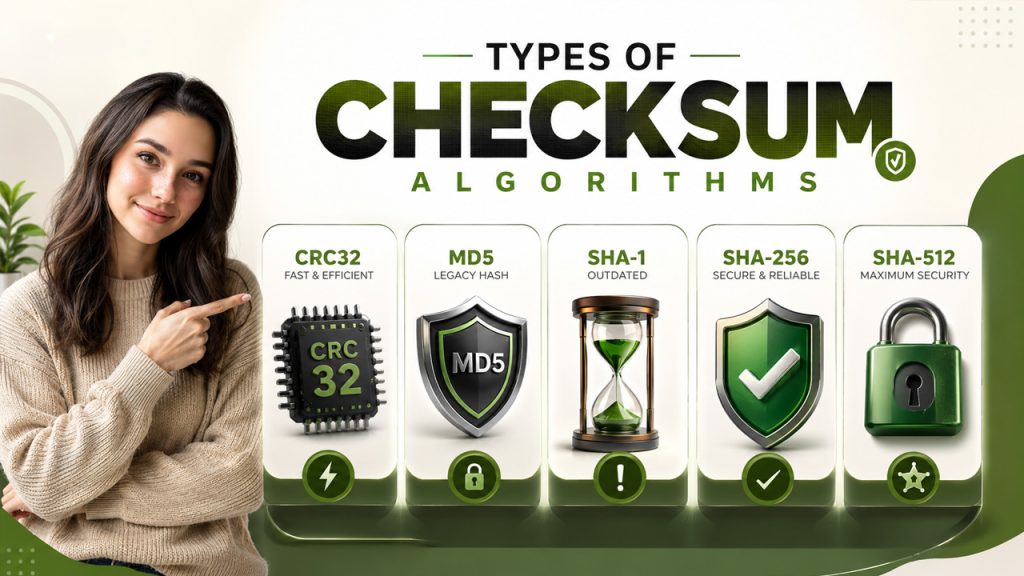
Checksum algorithms aren’t all the same; some are fast and basic. Which one you use depends on your needs, whether simple error detection or cryptographic level security.
CRC32 is an old school but still an incredibly fast checksum algorithm. It shows up everywhere—from network protocols to ZIP file compression and storage systems. It quickly catches random data errors, but it’s not built for security. CRC32 does not offer security against deliberately altering data, so don’t use it if you’re worried about tampering.
MD5 was widely used to be trusted for verifying data. It generates a 128-bit hash value (32 hex characters), but it’s cryptographically fallen out of favor since 2004. Researchers figured out how to trick MD5—two completely different files can generate the exact same checksum (phenomenon called “collision attack”). These days, MD5 sticks around in old systems for non-critical data verification but steer clear if security actually matters.
SHA-1 creates a 160-bit hash (40 hex characters). For a long time, it was go-to for checksum verification. Then, in 2017, researchers at Google’s s SHAttered project showed it could be broken with a real-world collision: two different PDFs, same SHA-1 values. SHA-1 is officially outdated and shouldn’t be used for any new execution.
SHA-256 is part of the SHA-2 family and sets the current industry standard for checksum verification. It generates a 256-bit output (64 hex characters), making accidental or purposeful collisions basically impossible. You’ll see it everywhere: SSL/TLS protocols, software downloads, digital signatures, and even blockchain systems. Most major Linux distribution publish SHA-256 checksums for their install files.
SHA-512 is a stronger variant of the SHA-2 family, producing a 512-bit hash (128 hex characters). It offers higher collision resistance and is preferred for long-term archival and high-security applications.
Checksums are incredibly useful, but they don’t cover everything. It’s important to know where they fall short.
Checksums are among the most practical and widely adopted mechanisms for ensuring data integrity. Whether you’re downloading a file or sending packets across a network, they verify to make sure your data arrived safely. They don’t replace digital signatures or encryption, but honestly, they’re the first thing standing between corruption and tampering.
If you have to pick one algorithm today, go with SHA-256. It’s computationally secure, well-supported, and the current industry standard. MD5 and SHA-1? Skip them for any security applications. And when you’re handling critical software, link your checksum verification with a GPG signature. That way, you’re checking both the file’s integrity and its source.
Getting in the habit of verifying checksums only takes a minute, but it can save you from big headaches later on.
此内容由惯性聚合(RSS阅读器)自动聚合整理,仅供阅读参考。 原文来自 — 版权归原作者所有。