






The IDE for professional development in Go
GoLand 2026.2 Is Now Available!
GoLand 2026.2 is all about helping you understand and improve your Go applications with less effort. This release introduces the new Go Optimization tool window, bringing profiling, escape analysis, and struct optimization into a single workflow. You can now profile regular Go applications without additional setup, analyze production profiles, monitor CPU and memory usage in real time, and visualize performance data directly in your code.
Keeping your codebase up to date is easier, too. GoLand now integrates with the official go fix tool, bringing language and standard library migrations directly into the editor. You can review and apply official Go updates without leaving the IDE, or even run go fix automatically as part of your pre-commit checks.
This release also expands the IDE’s AI capabilities with reusable skills, configurable AI completion models, and GitHub Copilot integration. Alongside these updates, you’ll find improvements for Docker Compose, Terraform, large projects, Git workflows, and overall IDE responsiveness.
Let’s take a closer look at what’s new.

Go performance optimization
Performance optimization often means juggling multiple tools, compiler output, and source code. GoLand 2026.2 brings these workflows together in the new Go Optimization tool window, making it easier to profile applications, understand compiler decisions, and optimize memory usage without leaving the IDE.
Whether you’re investigating production bottlenecks, reducing memory consumption, or tracking down unnecessary allocations, GoLand now provides the tools you need in a single workflow.
pprof profiling without additional setup
Finding performance bottlenecks should not require special test setups.
Previously, profiling in GoLand required using a test as the entry point. GoLand 2026.2 extends pprof profiling beyond tests and now supports profiling regular Go applications. You can collect CPU, memory, mutex, block, and goroutine profiles directly from standard run/debug configurations.
Unlike traditional pprof workflows, no additional setup is required. You do not need to configure profiling endpoints, launch external tools, or manually prepare profile data before analyzing your application.
GoLand also supports importing and exporting pprof profiles. Capture performance data from production environments, open it in the IDE, and navigate directly from the profile to the corresponding source code.
Whether you are optimizing a local application or investigating production issues, profiling is now available directly from your everyday development workflow.
For a deeper look at Go profiling, check out our Practical Guide to Profiling in Go blog post.
Support for the Goroutine leak profile
Go 1.27 introduces a new Goroutine leak profile, and GoLand 2026.2 fully supports it.
The profile helps identify goroutines that are permanently blocked because the synchronization primitive they are waiting on, such as a channel, sync.Mutex, or sync.Cond, has become unreachable.
You can capture and analyze Goroutine leak profiles alongside CPU, memory, block, mutex, and goroutine profiles from the Go Optimization tool window, making it easier to diagnose concurrency problems before they become production issues.
The feature becomes available automatically when your project uses Go 1.27.
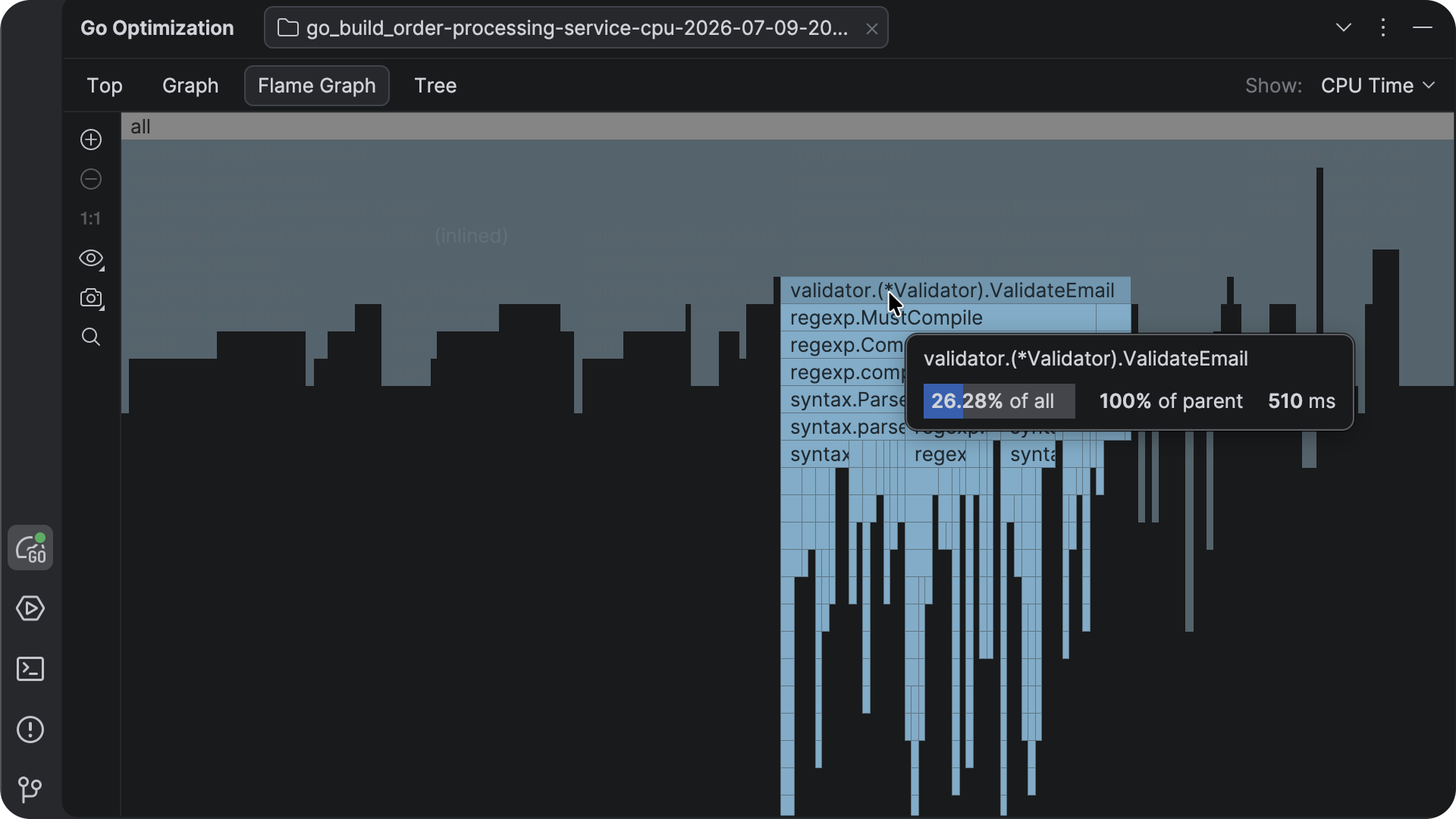
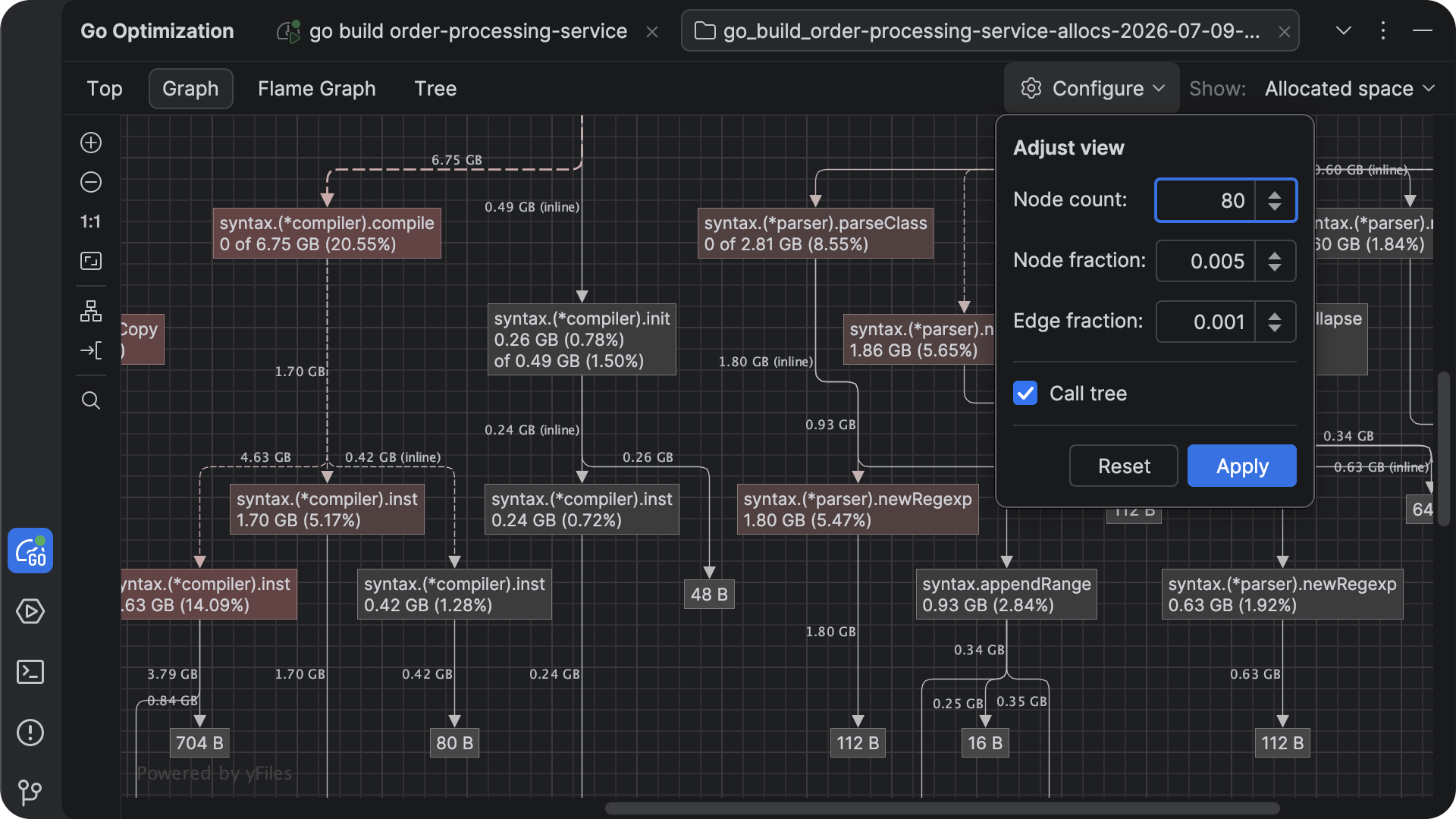
Redesigned profile viewer
Performance data is only useful if it is easy to explore.
GoLand 2026.2 introduces a completely redesigned profile viewer with multiple ways to inspect your profiling results. Switch between flame graphs, call trees, top functions, and graph visualizations to understand your application’s execution from different perspectives.
The new graph visualization makes it especially easy to understand relationships between callers and callees, follow execution paths, and navigate directly to the relevant source code.
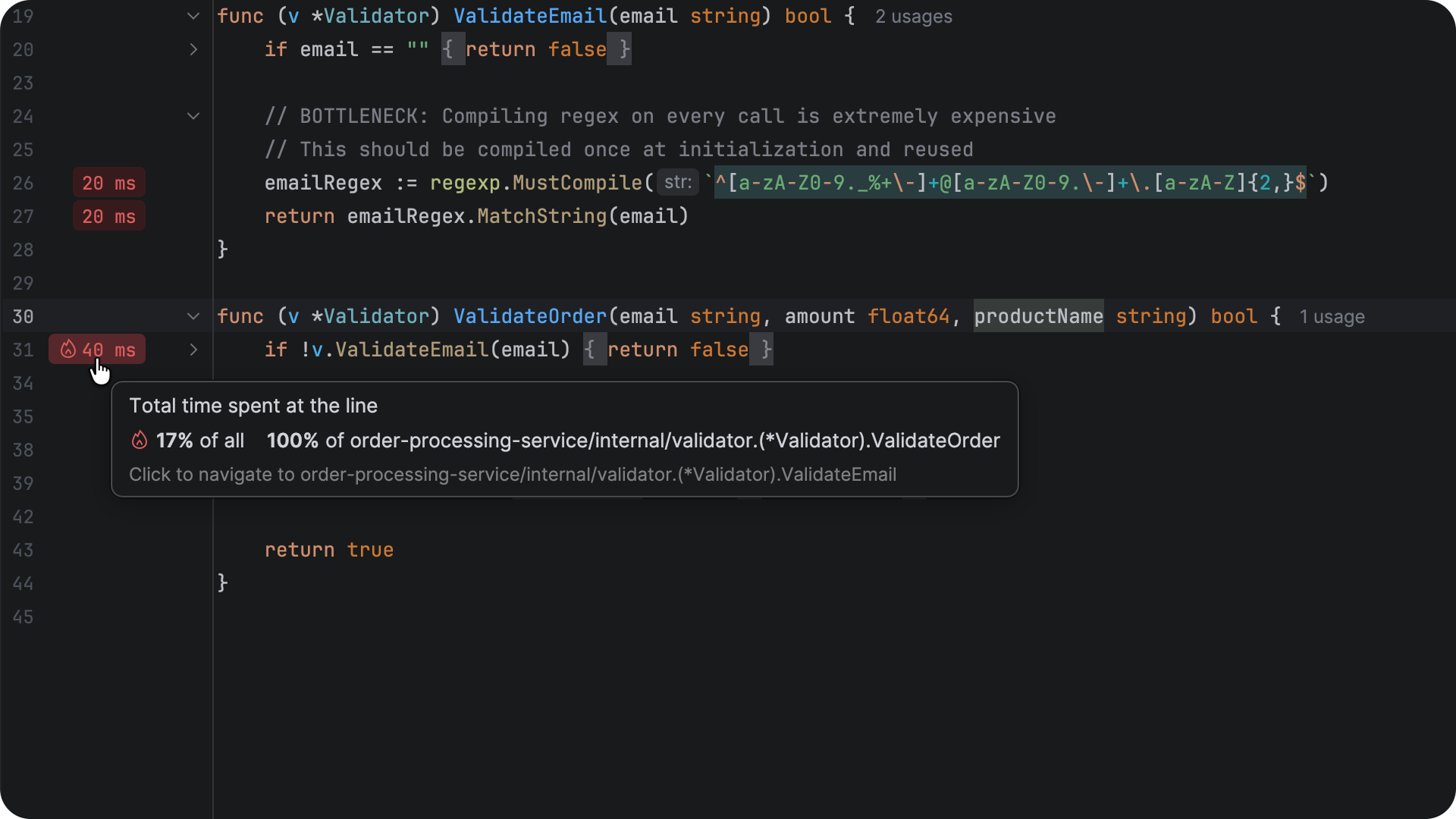
Profiling data in the editor gutter
Performance analysis no longer requires constantly switching between your source code and the profile viewer.
GoLand now displays profiling results directly in the editor gutter, allowing you to see where your application spends its time.
Profiling annotations remain synchronized with the profile viewer, making it easy to move between high-level performance analysis and individual functions without losing context.
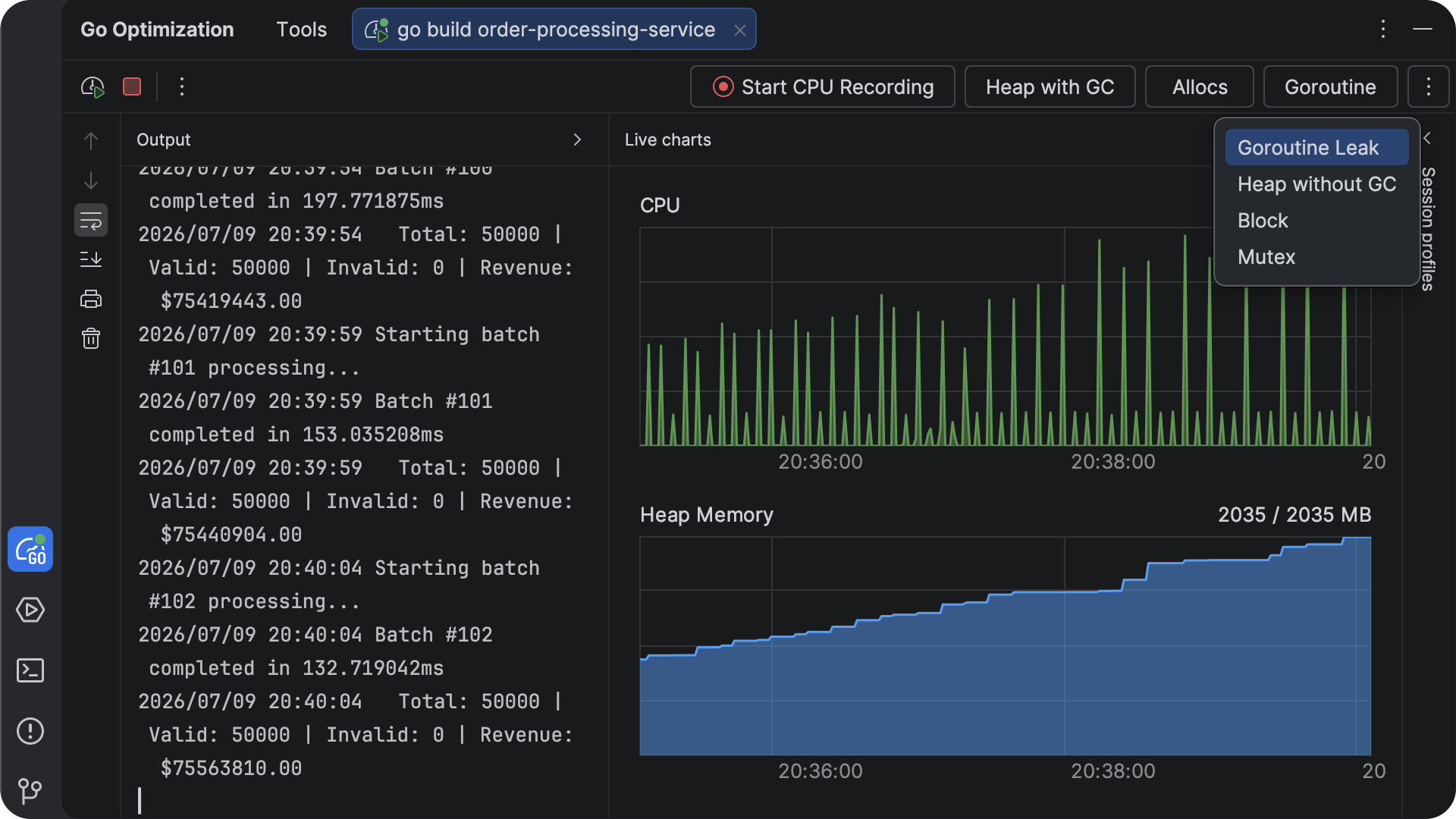
Live CPU and memory charts
Some performance problems are easiest to notice while an application is still running.
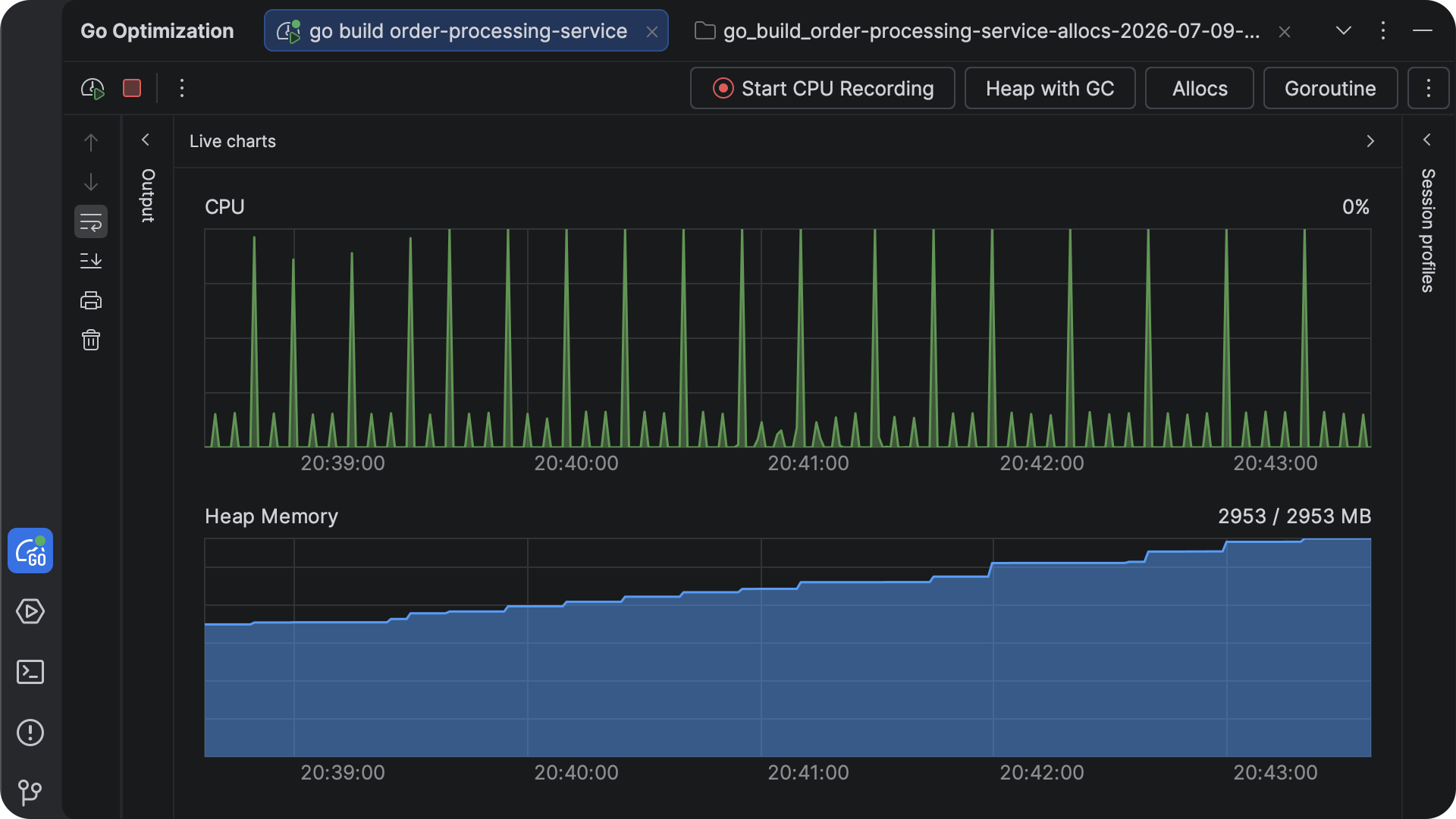
The new live performance charts display CPU and memory usage directly in the IDE as your application runs. You can observe resource consumption in real time, verify the impact of optimizations, and spot unexpected changes without switching to external monitoring tools.
When you identify unusual resource usage, you can immediately capture a profile and continue the investigation in the Go Optimization tool window.
Struct optimization tool
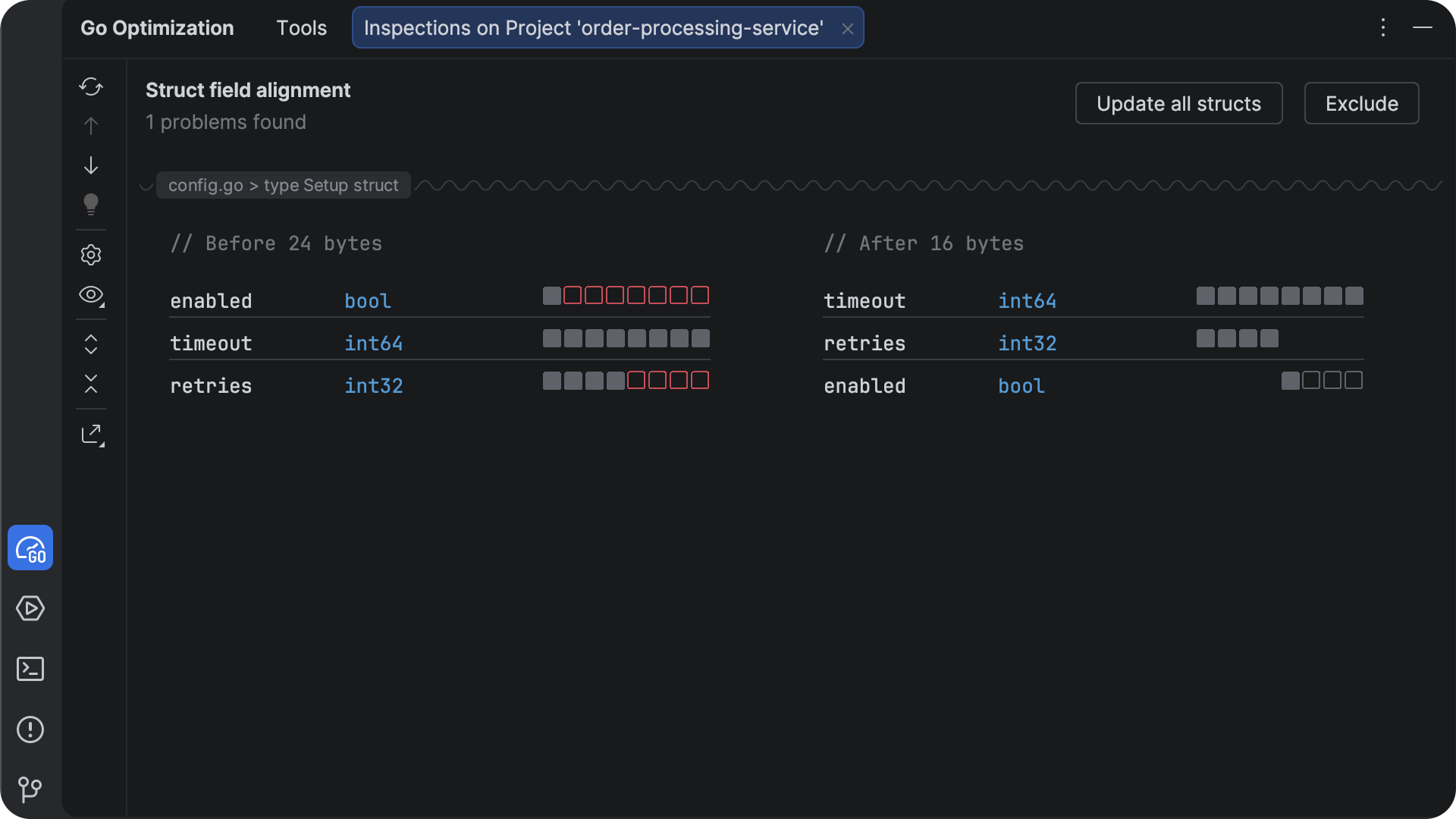
The order of fields within a struct affects how much memory it uses. Small inefficiencies can become significant when a struct is created thousands or millions of times.
GoLand now detects opportunities to reduce memory usage by rearranging struct fields while preserving your program’s behavior. A quick-fix automatically applies the optimized layout, helping you reduce memory consumption with minimal effort.
This is particularly useful for services that process large datasets or keep many objects in memory.
Escape analysis support
Memory allocation decisions directly affect both application performance and memory usage.
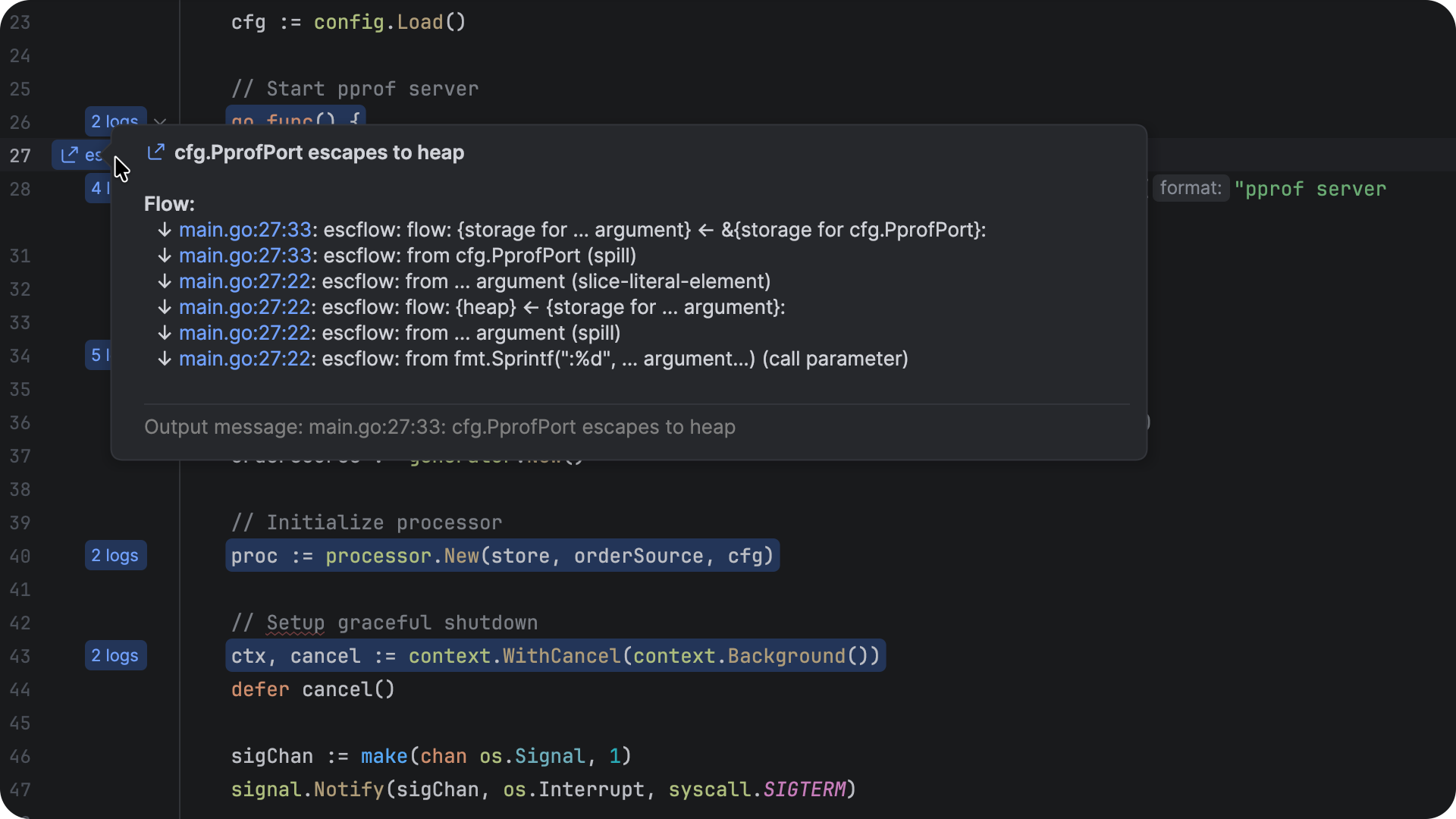
GoLand now visualizes the Go compiler’s escape analysis directly in the editor, showing whether values remain on the stack, escape to the heap, or can be optimized further.
Instead of parsing compiler output, you can inspect allocation decisions alongside your source code, making it much easier to understand unexpected heap allocations and optimize performance-critical code.
Code modernization
Keeping a codebase aligned with the latest Go releases often requires reviewing migration guides, identifying affected code, and applying updates manually. GoLand 2026.2 simplifies this process by integrating with the official go fix tool, allowing you to modernize your code without leaving the IDE.
Support for go fix
Every Go release introduces opportunities to simplify code or adopt new language and standard library features. Until now, applying these updates often required running command-line tools and reviewing changes outside of your development workflow.
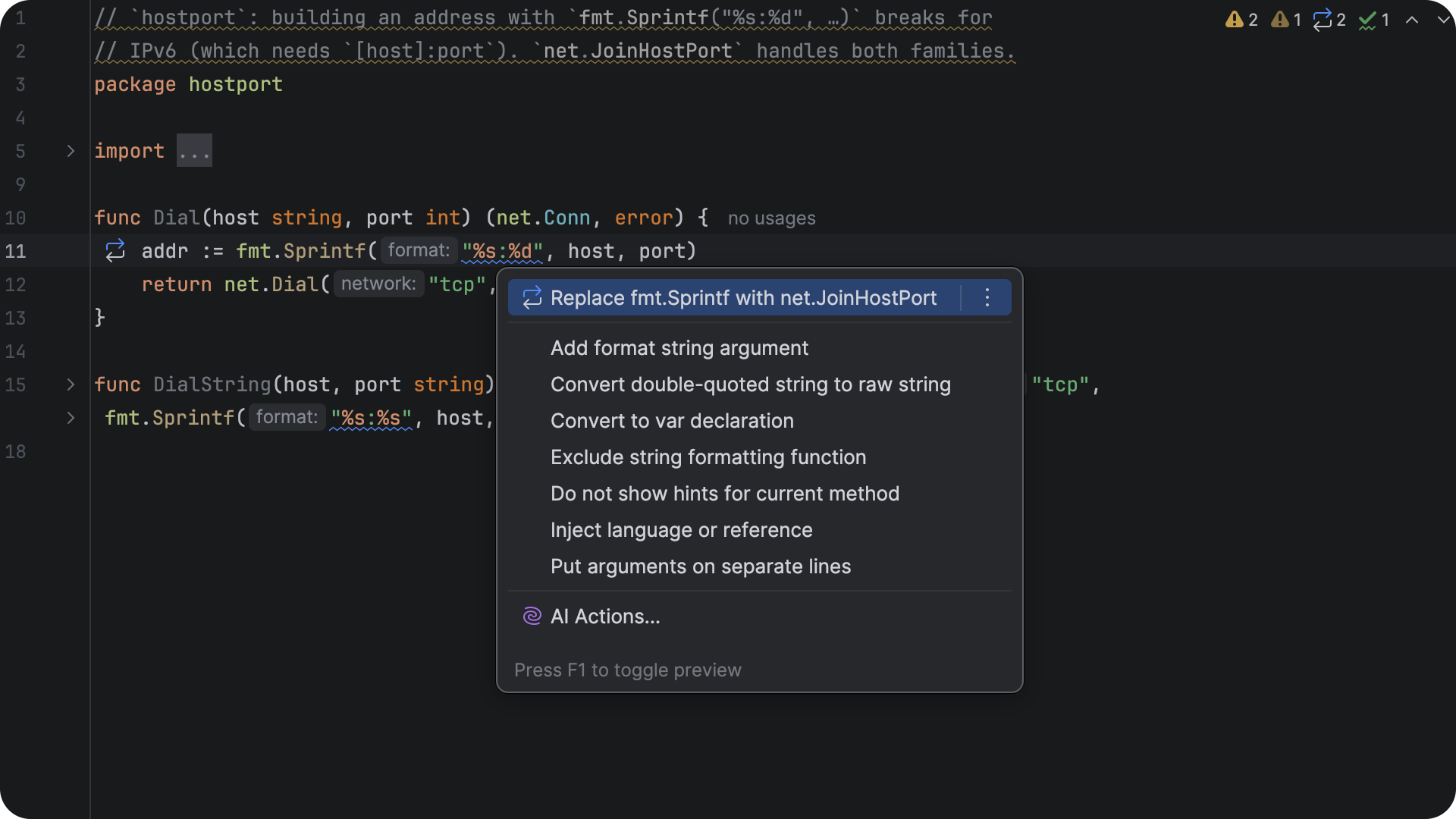
GoLand now integrates with the official go fix tool and surfaces its recommendations directly in the editor. When the Go team introduces a migration, the IDE highlights affected code and offers the same updates provided by the Go toolchain.
You can inspect each proposed change before applying it, making migrations predictable even across large projects. If you prefer to enforce modernizations automatically, go fix can also be added to your pre-commit checks, helping you keep your codebase aligned with the latest Go recommendations.
Application and infrastructure workflows
Modern Go applications rarely consist of a single service. Whether you are developing locally with Docker Compose or testing infrastructure with Terraform, GoLand now provides more assistance directly in the editor, reducing context switching and helping you move between application and infrastructure code more efficiently.
Inline service actions in Docker Compose
Working with multicontainer applications often means jumping between configuration files, terminal windows, logs, and browsers.
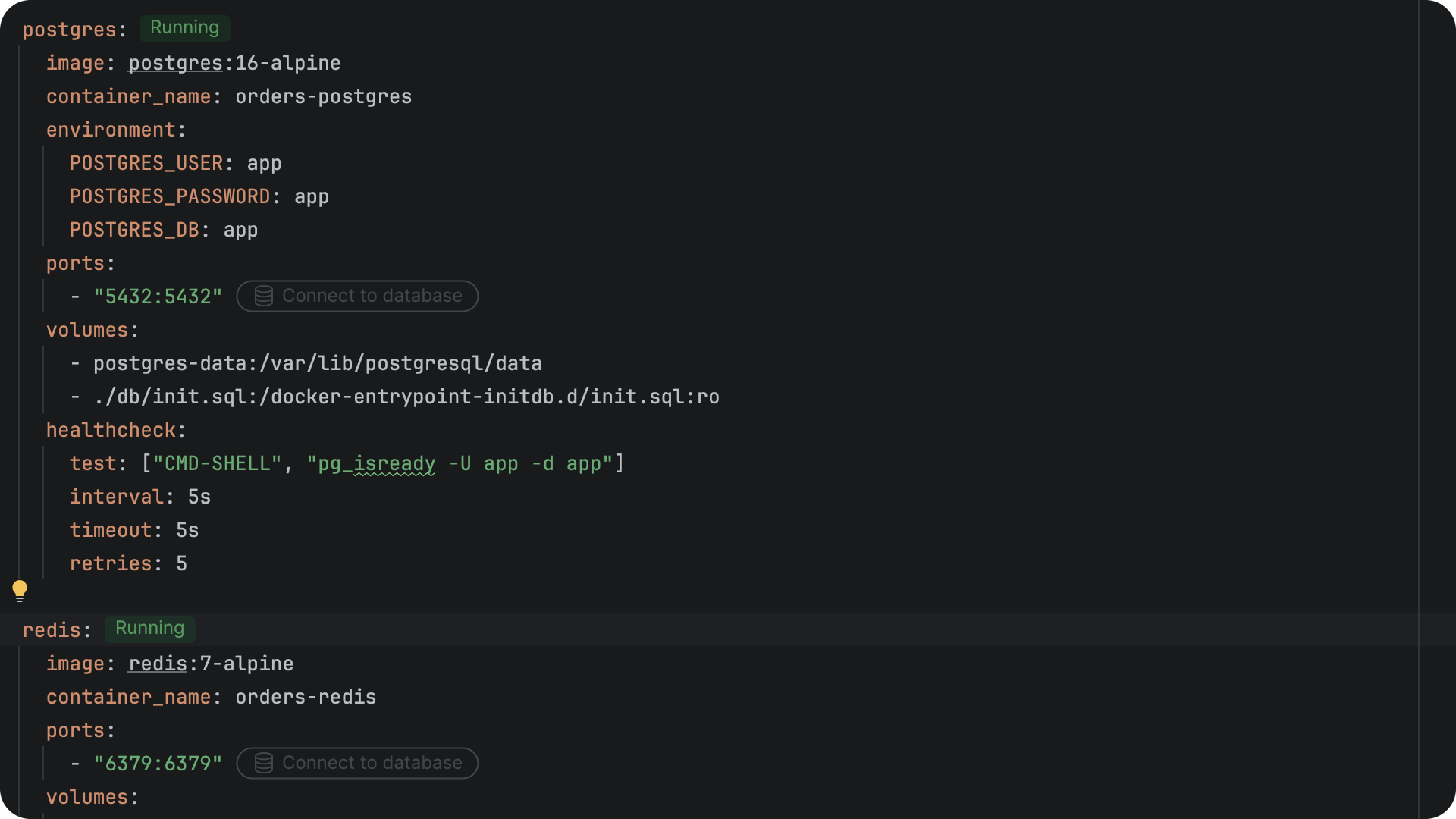
GoLand now provides inline actions directly inside docker-compose.yml files. You can view service status, access logs, open exposed endpoints, and perform common Docker Compose actions without leaving the editor.
Service templates for Docker Compose
Creating a new Docker Compose configuration often starts with searching documentation and copying service definitions.
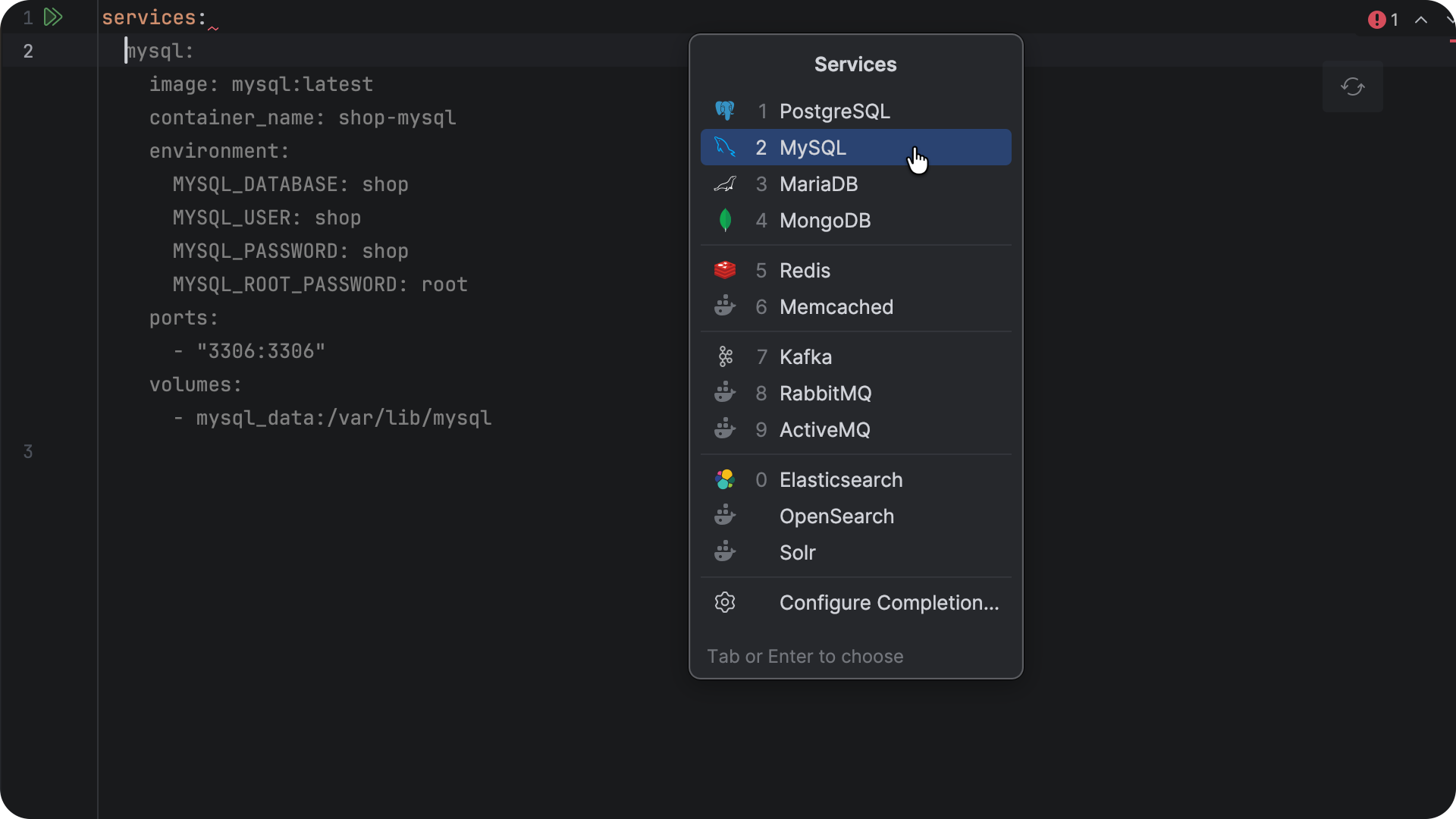
GoLand now includes smart templates for popular services such as PostgreSQL, Redis, Kafka, and many others. Simply start typing a service name, and the IDE generates a ready-to-use configuration that you can customize for your environment.
Instead of building development environments from scratch, you can assemble them in just a few keystrokes.
Terraform testing framework support
Testing has become an important part of modern Terraform development and infrastructure tests deserve the same tooling support as production code.
GoLand 2026.2 adds support for the Terraform testing framework, bringing code completion, navigation, inspections, validation, and other IDE assistance to Terraform test files.
Whether you are writing new infrastructure tests or maintaining existing ones, you now get the same productivity features throughout your Terraform workflow.
AI
GoLand continues expanding its AI capabilities, giving you more flexibility in how you work with AI-powered tools and agents.
Agent skills manager
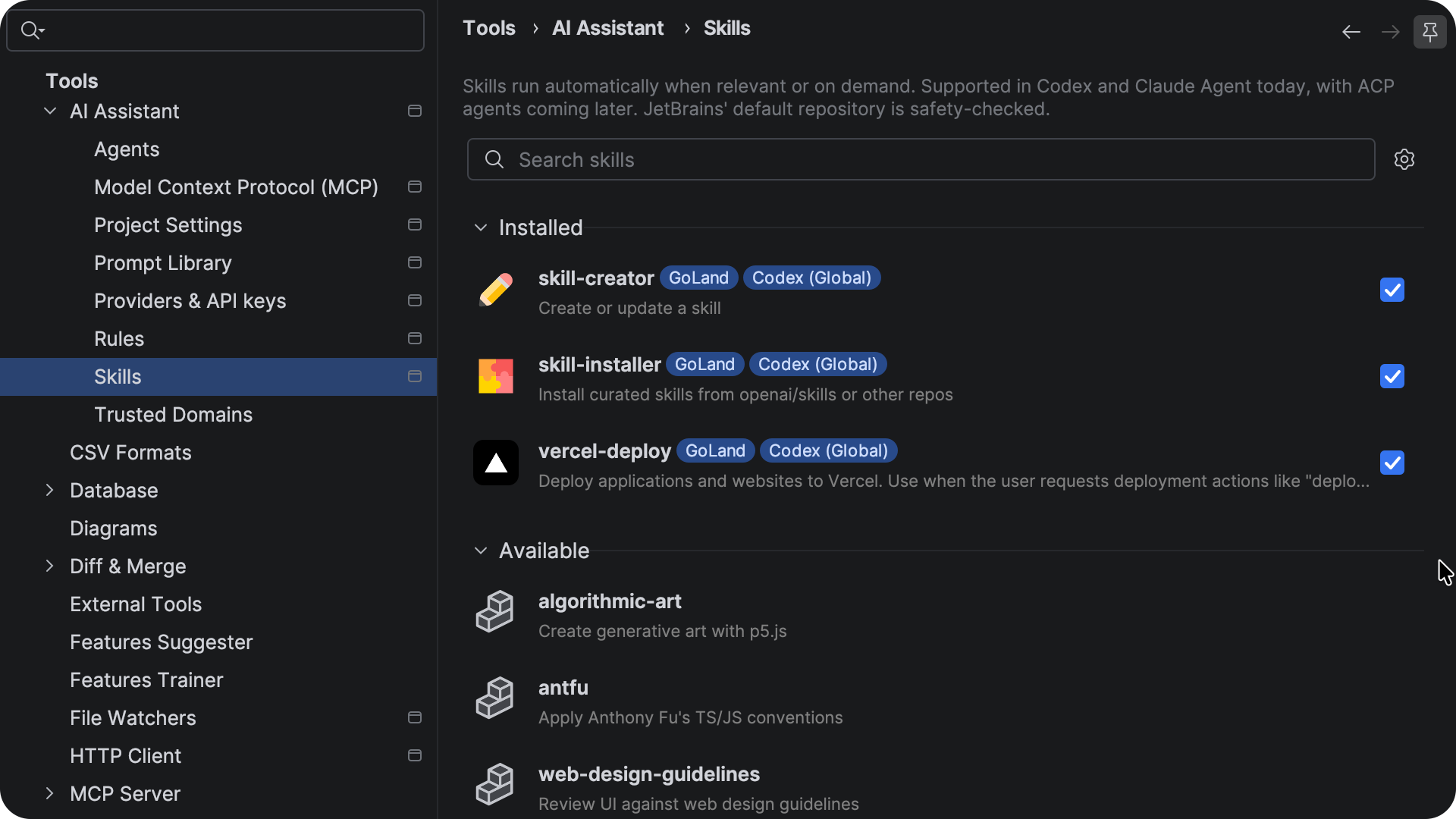
The new agent skills manager gives you a dedicated place to view and manage agent skills. Skills provide reusable workflow knowledge that helps AI agents understand how to perform specific tasks and interact with available tools.
Configurable AI completion models
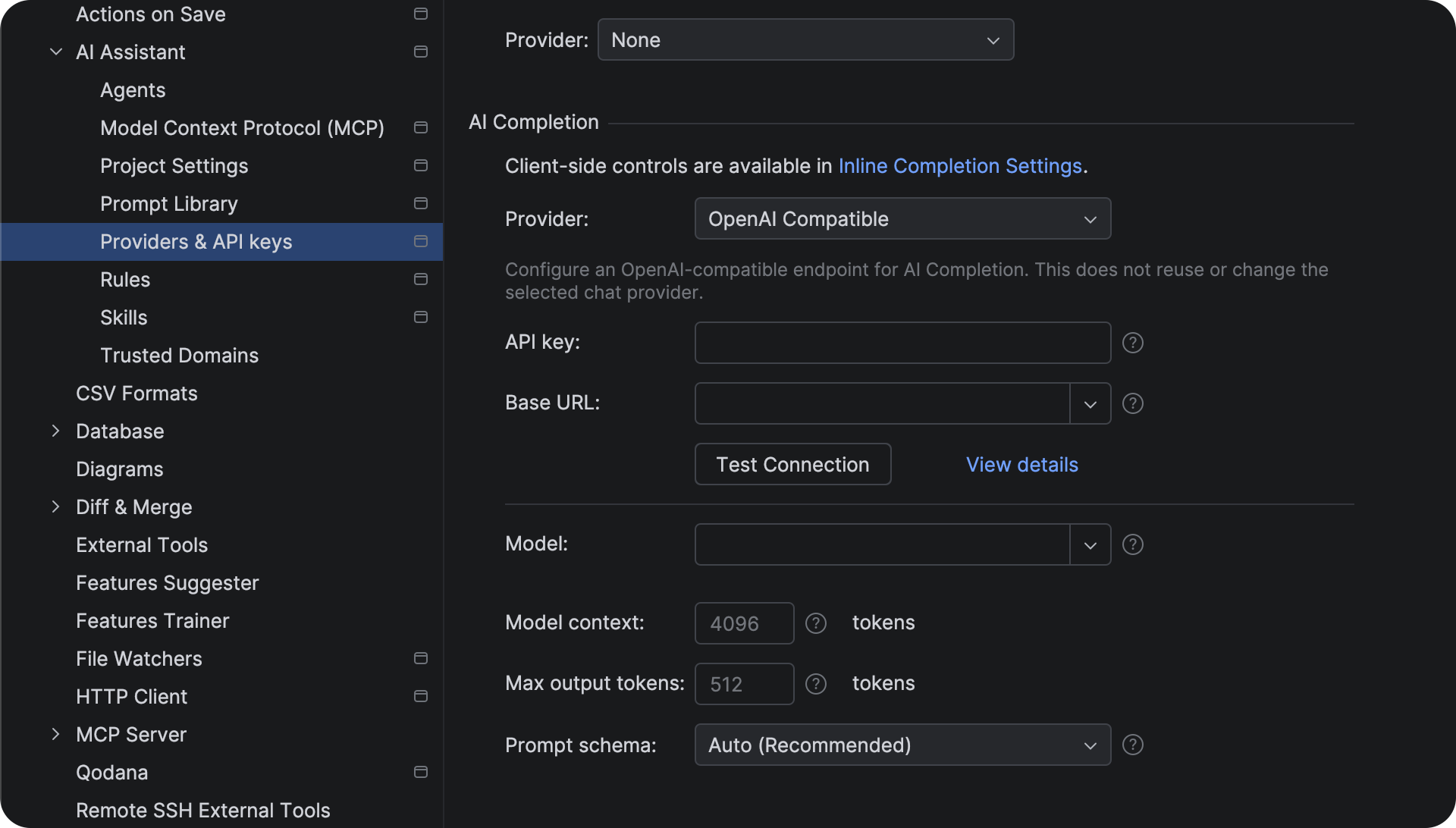
GoLand 2026.2 lets you select third-party providers for AI code completion. Completion providers are configured independently from chat and agent providers, giving you more flexibility in how you use AI features.
GitHub Copilot built into GoLand
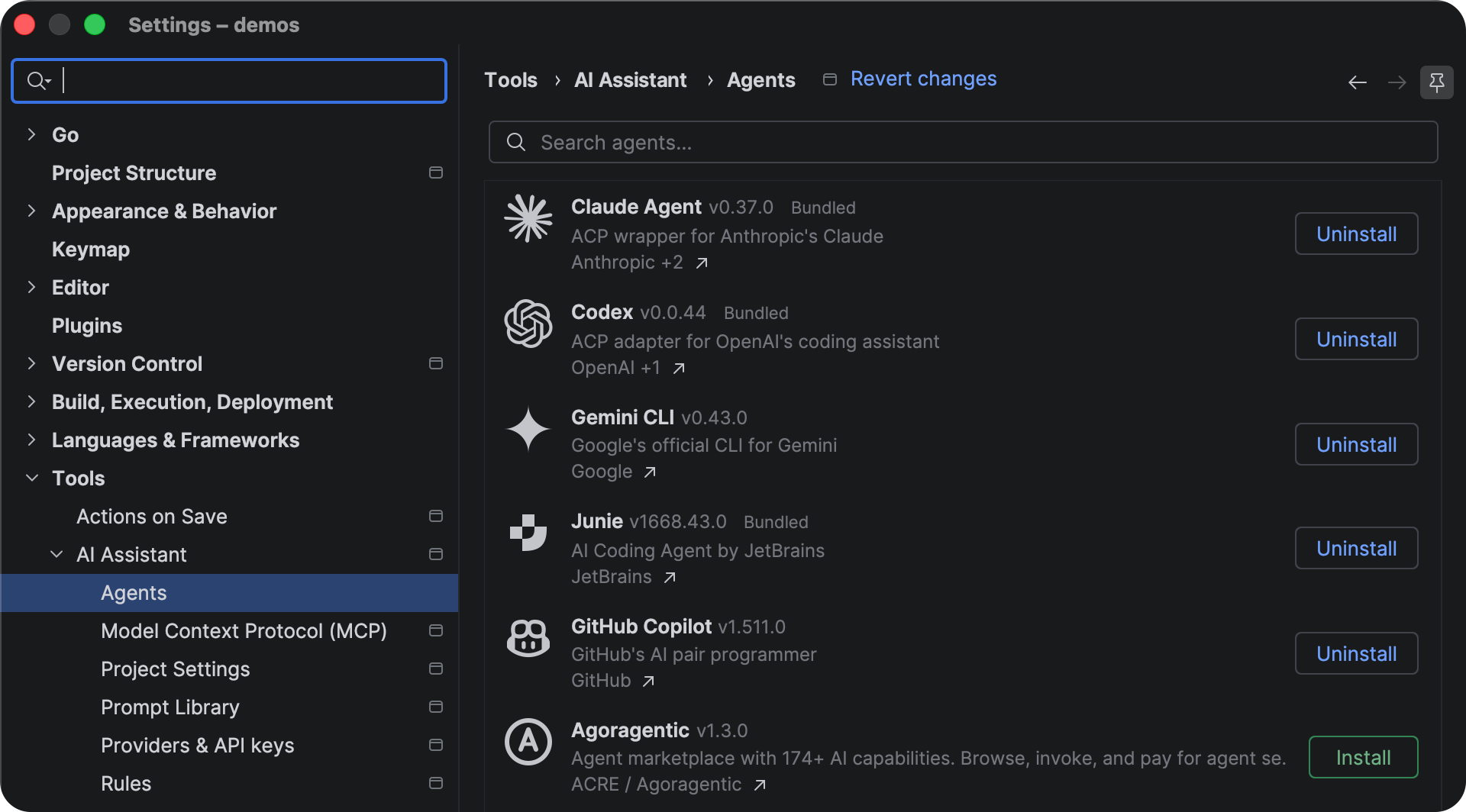
You can now access GitHub Copilot models directly from the JetBrains AI experience and use them alongside other supported agents from a unified interface.
IDE performance and workflow improvements
GoLand 2026.2 includes numerous improvements that reduce friction in everyday development. Whether you are opening a large repository for the first time, working in WSL, switching between Git worktrees, or analyzing large codebases, the IDE now responds faster and automates more of the setup for you.
Automatic creation of run/debug configurations
Getting started with a new Go project often begins with creating run configurations before you can run or debug the application.
GoLand can now automatically detect main packages and create run/debug configurations for them when you open a project. Instead of configuring entry points manually, you can start running, debugging, or profiling your applications immediately from the gutter or the Run/Debug Configurations menu.
This allows you to get new projects up and running faster, especially in repositories containing multiple Go applications.
Improved performance when saving files
Saving files should not interrupt your workflow.
GoLand now performs file writes asynchronously, reducing UI freezes when working with large projects, WSL environments, Docker containers, and remote file systems.
The result is a smoother editing experience, particularly when file operations are slower.
Faster code analysis for large projects
As projects grow, code analysis can become a major source of IDE latency.
GoLand 2026.2 improves the performance of inspections, editor highlighting, project-wide analysis, and related navigation features. Large files and complex codebases are analyzed more efficiently, which helps keep the IDE responsive while you edit, navigate, refactor, and inspect code.
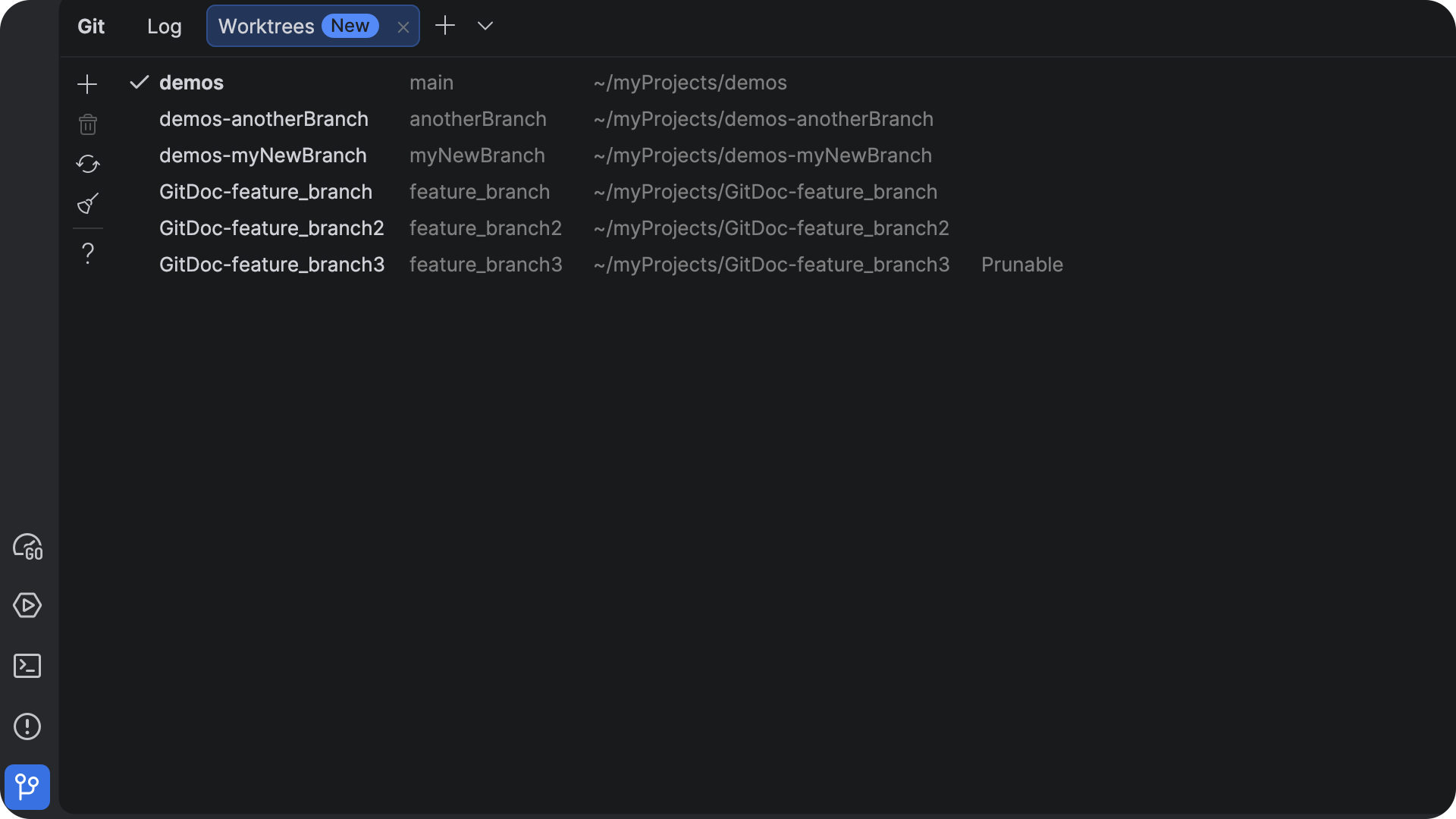
Git worktree improvements
Git worktrees allow you to work on multiple branches simultaneously without cloning the repository multiple times.
Version 2026.2 improves GoLand’s worktree support by adding compatibility with WSL environments, simplifying the cleanup of pruned worktrees, and improving deletion workflows.
These enhancements make it easier to manage parallel development tasks directly from the IDE.
That wraps up the highlights of GoLand 2026.2.
We hope these changes make your workflow smoother and more enjoyable.
We would love to hear your thoughts: Tag us on X, drop into the #goland-gophers Slack channel, or create a ticket in our YouTrack issue tracker.
Happy coding,
The GoLand team
Subscribe to GoLang Blog updates