









The JavaScript and TypeScript IDE
WebStorm 2026.2: TypeScript 7 Support, GitHub Copilot Integration, Agent Skills, and More
WebStorm 2026.2 is now available!
If you work on a large TypeScript codebase, this release is a meaningful upgrade. TypeScript 7 support ships out of the box for projects already using it, delivering faster type checking without requiring full project migration. GitHub Copilot is now natively integrated – with no separate plugin or additional setup needed. The new agent skills manager lets you give AI agents reusable knowledge about your stack, which they retain across projects and sessions.
This release also brings full React 19 support in React Buddy, and a set of top-voted quality fixes ships across the editor, Git tooling, settings, and more.

The highlights of this release include:
- A rewritten compiler for faster performance in large TypeScript codebases, available without project migration
- Native GitHub Copilot integration – Access the AI coding assistant from WebStorm’s AI chat with no plugin setup required
- Agent skills manager – Give your AI agents reusable stack knowledge for every session
- Full React 19 support in React Buddy
This release also includes numerous fixes and quality-of-life improvements. See them below.
You can update to WebStorm 2026.2 via the Toolbox App or download it directly from our website.
TypeScript 7
Support for large codebases
If your TypeScript project has grown to the point where completions lag and refactorings feel sluggish, TypeScript 7 can help. Microsoft rewrote the compiler and language server in Go, bringing faster type checking, more responsive completions, and snappier refactorings, especially in large codebases where the old toolchain struggled most. In our testing on large real-world projects, WebStorm with TypeScript 7 loaded projects significantly faster than with the classic language server. For example, project load time on the Kibana codebase went from ~12 seconds to ~3 seconds, which means editor responsiveness improved roughly fourfold.
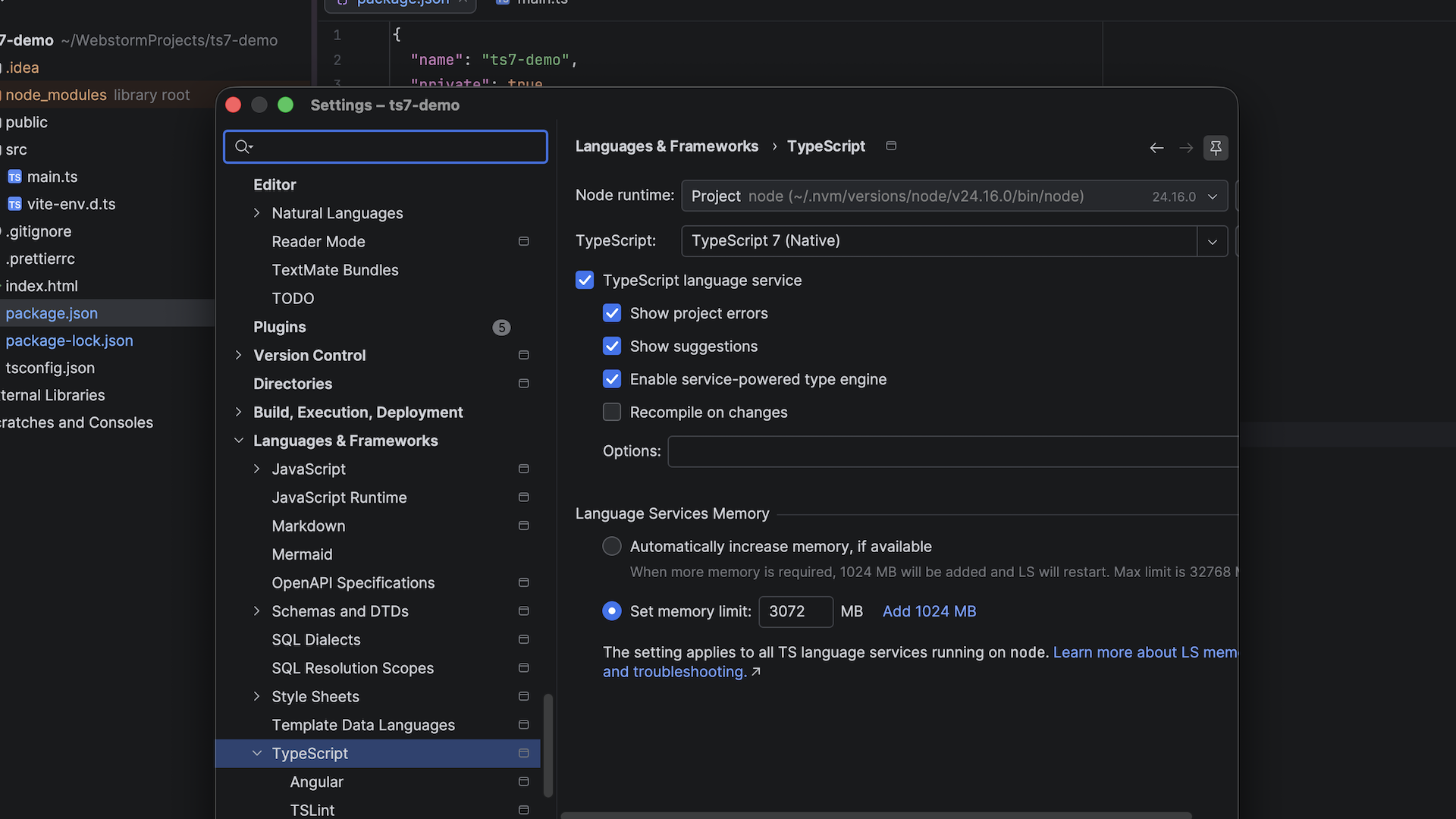
WebStorm 2026.2 supports TypeScript 7 as the default for projects already using it, with an opt-in upgrade path for those still on earlier versions. You get the full speed benefit immediately – no full project migration required.
If you’re working in a large TypeScript monorepo and project load or editor responsiveness is a daily friction point, this is the release you’ve been waiting for.
AI-powered development
Native GitHub Copilot integration
You can now use GitHub Copilot in WebStorm without any extra setup. Copilot is natively integrated and available directly from the AI chat’s agent picker – the result of a direct partnership between JetBrains and Microsoft. Like any other IDE-native feature, it’s stable, tested alongside the IDE, and avoids configuration drift.
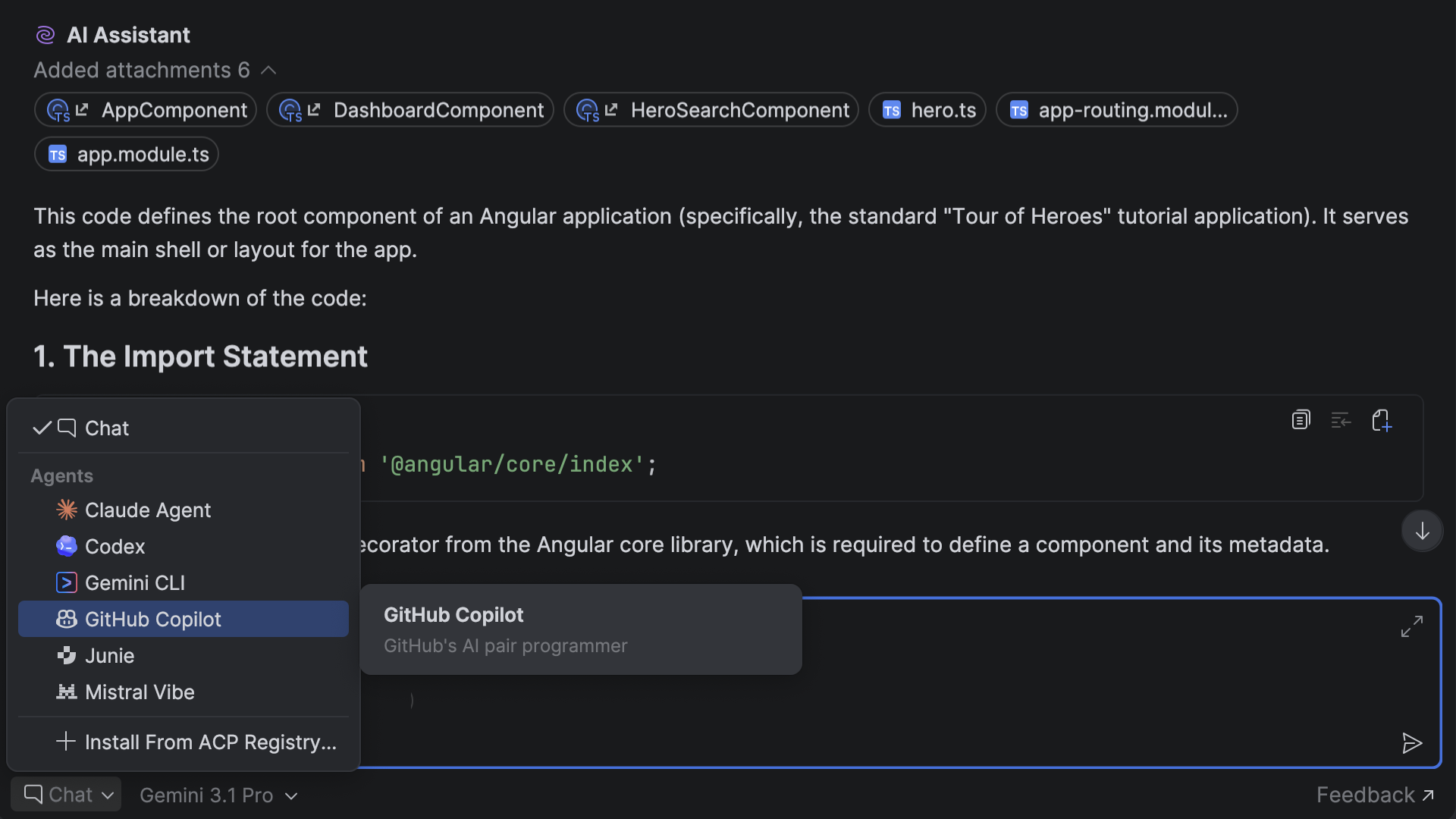
Sign in with your GitHub account via OAuth, and Copilot is ready to use. No plugin setup or registry configuration is required.
Please note: You need a separate GitHub Copilot subscription to access the AI coding agent directly in WebStorm.
Agent skills manager
New in WebStorm 2026.2, agent skills give coding agents reusable knowledge about frameworks, conventions, and tooling. Instead of re-explaining the same setup in every new chat window, you can install a skill once and make that context available across projects and sessions.
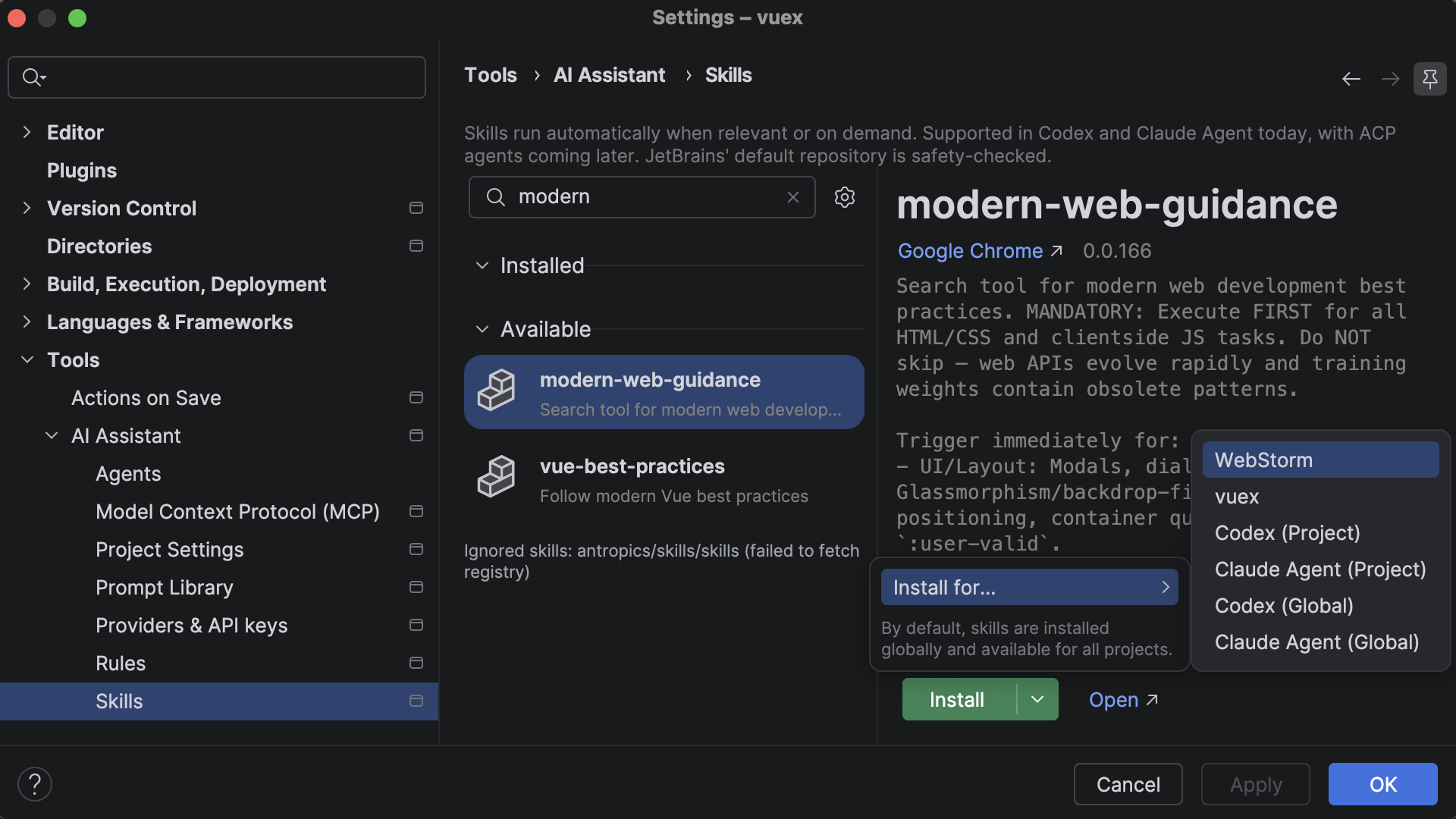
With the new skills manager, you can browse and manage skills directly from the IDE, connect external registries such as public GitHub repositories, or import skills you’ve already configured for Claude Code or Codex.
Currently supported agents: Claude and Codex.
Framework and ecosystem updates
Frameworks
WebStorm now uses updated bundled language servers for Astro and Prisma. Angular workflows have been improved thanks to fixes for slow or missing TypeScript and Angular error updates, as well as more efficient dependency processing.
React Buddy is a WebStorm plugin (available on JetBrains Marketplace) that brings visual component tooling to your React workflow in the IDE: component palettes, interactive previews, and Storybook story creation. If you migrated to React 19 early, you probably noticed the plugin didn’t keep up. In 2026.2, React Buddy supports React 19.
Vue
Vue support has been updated with Vue language server 3.0 integration. This improves compatibility with the latest Vue tooling and fixes several reliability issues, including incorrect hover types, stack overflows during resolve, and plugin-loading problems in projects where related plugins such as Webpack or PostCSS are disabled.
Svelte
This release significantly enhances Svelte support. WebStorm now bundles an updated Svelte language server and TypeScript plugin, improves support for SvelteKit shared hooks and Svelte 5 named snippets, and fixes several parsing and highlighting issues around #await, inline expressions, comments, special characters, and CSS selectors used with <svelte:element>. Some of these improvements were also back-ported to the 2026.1.3 minor release.
CSS, Sass, SCSS, and Less
Style sheet support has been polished as well. Refactorings involving style sheet imports are safer, with fixes for SCSS and Sass glob imports and absolute CSS/SCSS import paths being rewritten unexpectedly. Color previews for modern CSS functions such as color() and color-mix() now work in Sass, SCSS, and Less files. The release also updates CSS syntax data and fixes a false positive around nested selectors.
Debugging, test runners, and Node.js
Debugging and run configurations are more predictable in WebStorm 2026.2. You can now disable source maps when debugging, Ctrl+Shift+Click correctly starts a debug session instead of only opening the browser, and JavaScript debugging handles error cases more reliably. Cypress and Playwright test execution is more stable, and Playwright no longer freezes in affected scenarios.
Node.js workflows have also been improved. WebStorm now better handles environment variables from login interactive shells for Node.js processes, detects Node.js runtimes in native Dev Containers, fixes empty project dependency data for Node.js projects, and avoids incorrectly skipping content roots named node_modules.
Performance and stability
This release also includes a range of performance and stability fixes. It addresses freezes in NPM run configuration checks, package.json completion, Tailwind language server startup, JSHint, and web-types processing. It also fixes typing, indexing, and first-code-analysis regressions, reduces excessive memory usage in JavaScript PSI handling, and improves search performance for JavaScript test frameworks.
User experience
Additionally, WebStorm 2026.2 brings notable UX improvements. Search Everywhere now preserves its scope between restarts, Markdown support includes footnotes and Mermaid diagrams out of the box, and you can customize double-key shortcuts in the keymap. The IDE now detects prunable Git worktrees and improves worktree support in WSL environments, bookmarks can be preserved when switching branches, and you can drag and drop a file into the terminal to insert its path.
Final words
This release focuses on where the IDE’s quality matters most for JavaScript and TypeScript developers – keeping type checking fast and responsive, connecting your preferred AI tools with less friction, and staying current with the ecosystem.
Try the latest version and let us know what you think. Your feedback shapes what comes next.
Subscribe to WebStorm Blog updates