










Essential productivity kit for .NET and game developers
The last couple of months have been busy ones for ReSharper across VS Code and compatible editors. Between the 2026.1 and 2026.2 releases, we’ve been steadily sharpening the everyday .NET experience – from tracing how your data flows, to navigating call chains, to keeping your project structure front and center.
This post is a tour of those improvements. And yes, they all work across every VS Code-compatible editor, including VS Code, Cursor, Google Antigravity IDE, Devin Desktop, and Kiro.
Debugging has arrived
Before we get into the day-to-day refinements, there’s one release note that deserves its own spotlight. With 2026.2, the most requested feature is finally live: debugging.
Built on the same core debugging engine that powers JetBrains Rider, the initial debugger lets you set breakpoints, inspect variables and expressions in real time, step through your code, and launch or attach to .NET processes – all without leaving your editor.
Because it’s a big topic in its own right, we’ve given it a dedicated write-up. If debugging is what you came for, head straight there:
Read the full debugging announcement →
For everything else we shipped in this release cycle, read on.
Trace how data actually moves
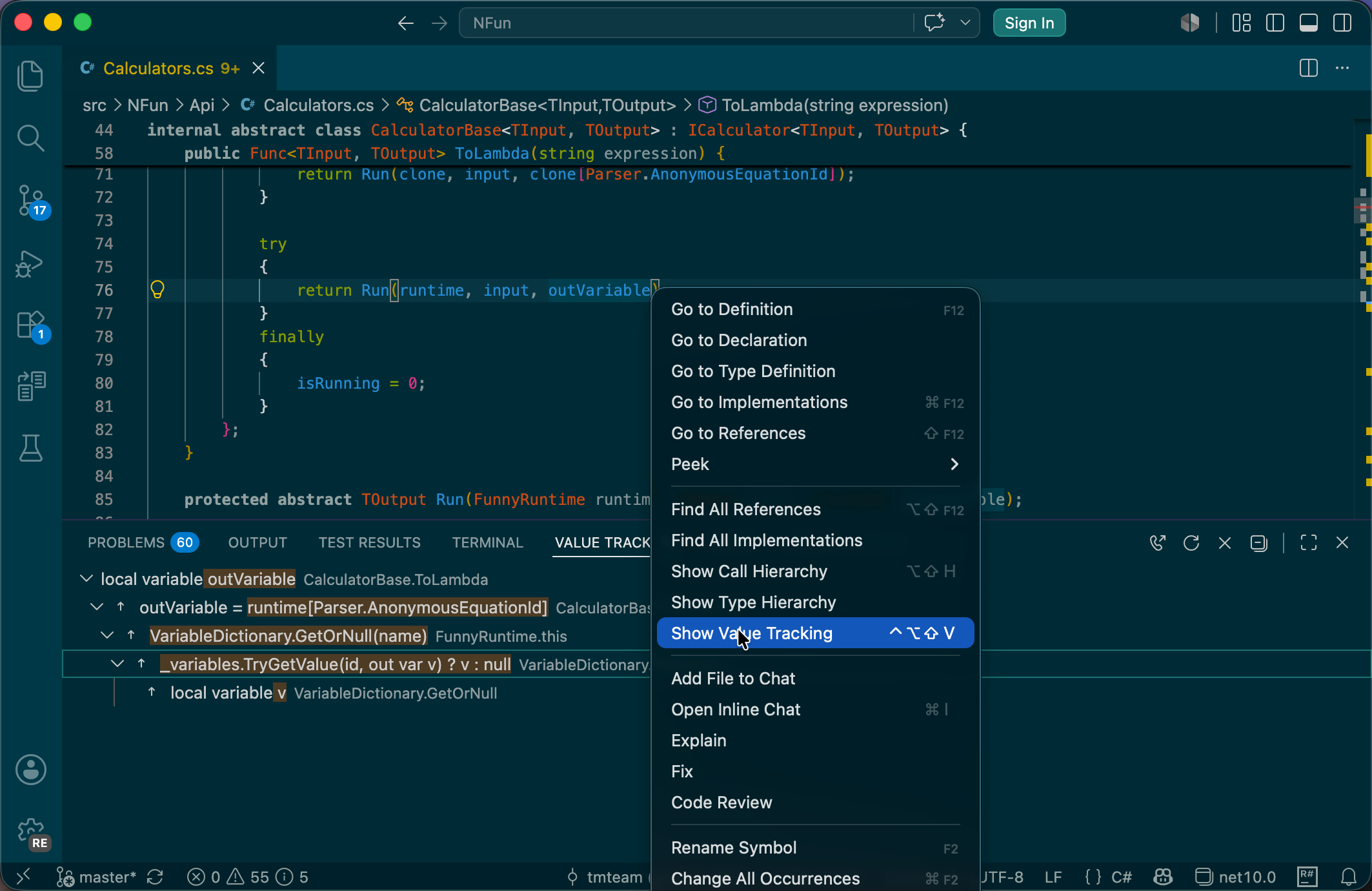
We introduced value tracking, a feature that helps you stop guessing where a value comes from or where it goes. Instead of manually tracing assignments through constructors, properties, and async boundaries, you now get a live visualization of value flow directly in this view. Use Show Value Origin to instantly see where a value comes from, and Show Value Destinations to understand where a value is used further.
This feature is particularly useful for resolving NullReferenceException and unexpected state changes right at design time, without even launching a debugger.
Navigate call chains and inheritance like a pro
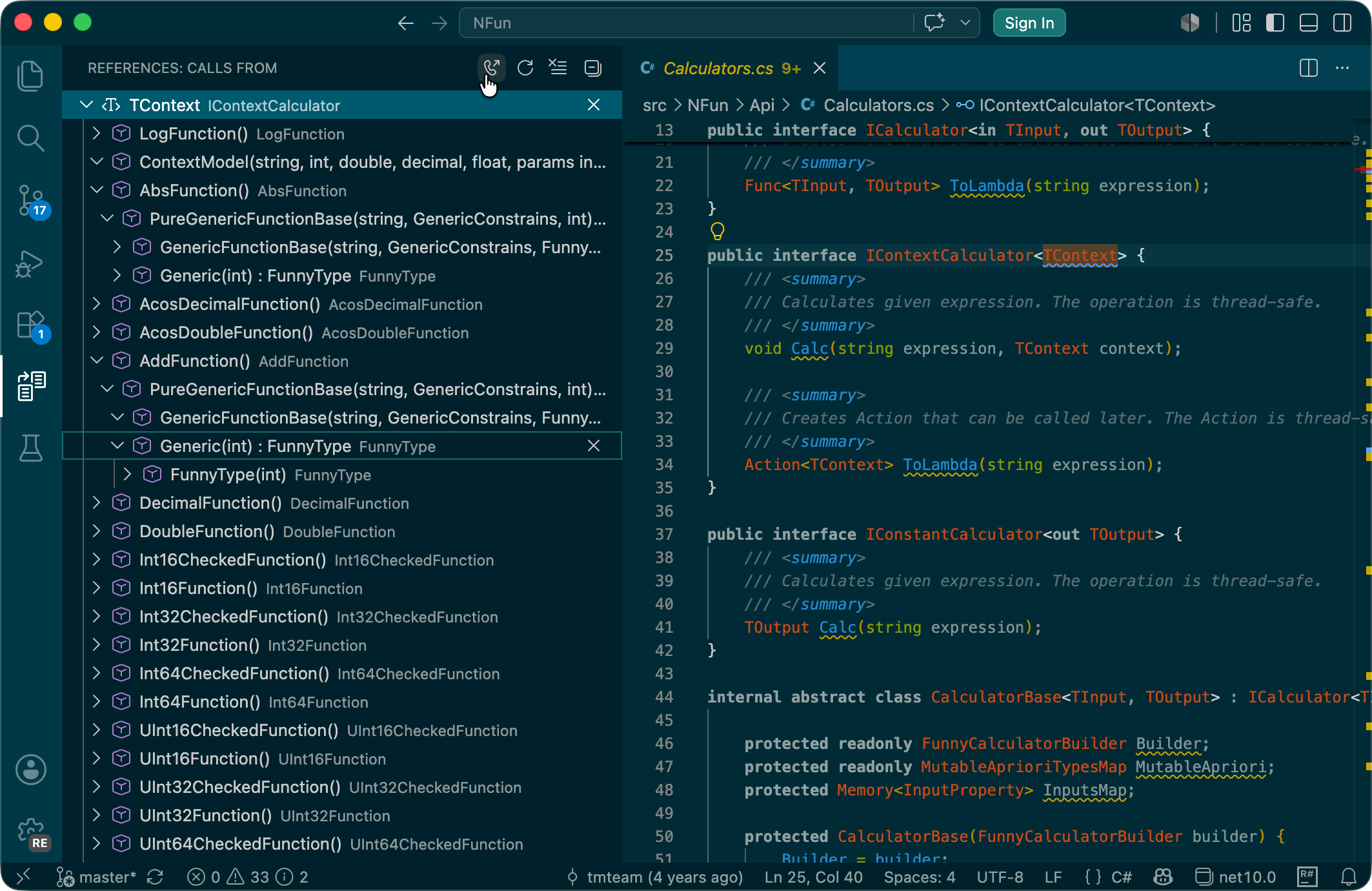
The Call Hierarchy and Type Hierarchy views are now fully populated by the ReSharper engine. Whether you’re tracing how a method invocation ripples through a codebase or exploring which classes inherit from a base type, you can now:
- Toggle between incoming/outgoing calls or supertypes/subtypes.
- Navigate directly with a single click.
Project structure improvements
Unlike the recent changes in the C# Dev Kit extension, we retained and continued enhancing the solution explorer to keep your project structure front and center:
- NuGet package versions: Installed NuGet package versions are now displayed inline in the tree, making dependency audits and version conflicts impossible to miss.
- Service folders: Service folders like Properties and wwwroot are automatically pinned above standard folders, giving you visual priority exactly where you need it.
- Faster project integration: The new Add Existing Project context menu option eliminates the friction of bringing external code into your solution.
These aren’t cosmetic tweaks. They sharpen one of the most important views in your .NET workflow.
New to ReSharper?
If this is your first time hearing about ReSharper for VS Code-compatible editors, the original announcement post covers the basics.
Share your thoughts!
We’re excited to bring these new features to you and look forward to your feedback! Please leave any questions, comments, or other feedback below this post. If you encounter any issues, please report them directly to our YouTrack tracker.
If you find this update valuable, we would greatly appreciate it if you could take a moment to leave a review on the marketplace. Your feedback helps other members of the .NET community make informed decisions and ensures that we continue to improve based on user needs.
- Visual Studio Code Marketplace
- Open VSX Registry (for Cursor, Google Antigravity IDE, Devin Desktop, Kiro, and other compatible editors)
Thank you for your support!
Subscribe to a monthly digest curated from the .NET Tools blog: