










A Cross-Platform IDE for C and C++
CLion 2026.2 Is Here
With a debugger skill for AI agents, debug profiles for simplified debugger configuration, and support for C++26 reflection.
CLion 2026.2 is now available. This latest version of the JetBrains IDE for C and C++ includes the following key features:
- New bundled skill for agentic debugging.
- Support for STM32 Cube CLI, a new ST bundle manager.
- Simplified debugger configuration with debug profiles.
- Support for C++26 reflection.

You can download CLion 2026.2 from the link below, via the Toolbox App, or as a snap package if you’re using Ubuntu, or apply a patch update from version 2026.1.
Debugger skill for AI agents
CLion 2026.2 introduces a bundled skill that gives AI agents direct access to the debugger. Agents can use stack traces, breakpoints, and variable values to investigate root causes without interrupting their autonomous workflow.
The skill works with GDB, LLDB, and DAP-based debuggers and is available for agents compatible with the ACP (Agent Client Protocol). To invoke it, use /clion-debugger in Claude Code or $clion-debugger in Codex. We plan to add more embedded-related debugging features in a future update.
Embedded development
Support for the STM32 bundle manager
Setting up an STM32 embedded-development environment currently requires installing the all-in-one STM32CubeCLT package, even if you only need specific tools or a particular bundle version. CLion 2026.2 adds support for STM32 Cube CLI, a new STM32 bundle manager that lets you download only the tools you need – such as CMake, ST-LINK GDB server, or GNU tools – and manage your development bundles directly in the IDE.
You can use STM32 Cube CLI in the terminal or via Tools | STM32 Cube CLI. The IDE also supports installing project bundles to all environments at once when working with toolchains over WSL or SSH. When required bundles are missing, CLion shows a notification in the CMake output with a one-click action to install them. More options are expected in CLion 2026.3.
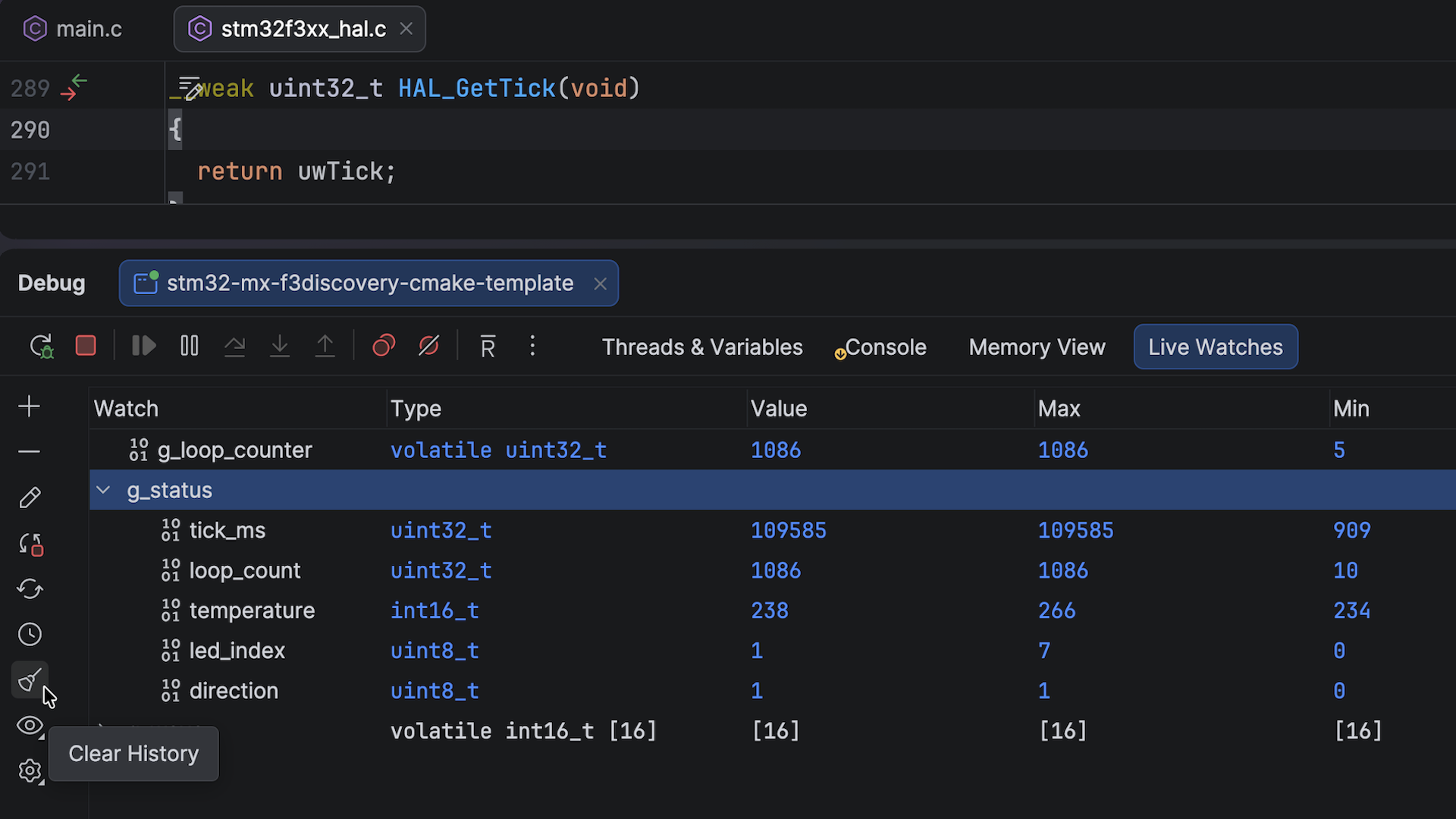
Support for structs and arrays in live watches
With live watches, you can monitor global variables in real time – no need to stop the debugger or interrupt a program’s execution. In this release, we’ve extended the support for variable types, making it possible to inspect arrays and structs. A new button also lets you clear the variable value history to keep the view focused on the current data.
Debugger
Simplified debugger configuration with debug profiles
Previously, configuring the debugger meant dealing with different IDE settings. This became even more complicated for embedded projects, which add extra layers like hardware interfaces and probes.
In 2026.2, there’s a new settings section that provides a single place to configure all your debugging setups – local, remote, and embedded. Whether you’re using GDB, LLDB, SEGGER J-Link, or ST-LINK, everything is now consolidated in Settings | Debugger | Debug Profiles.
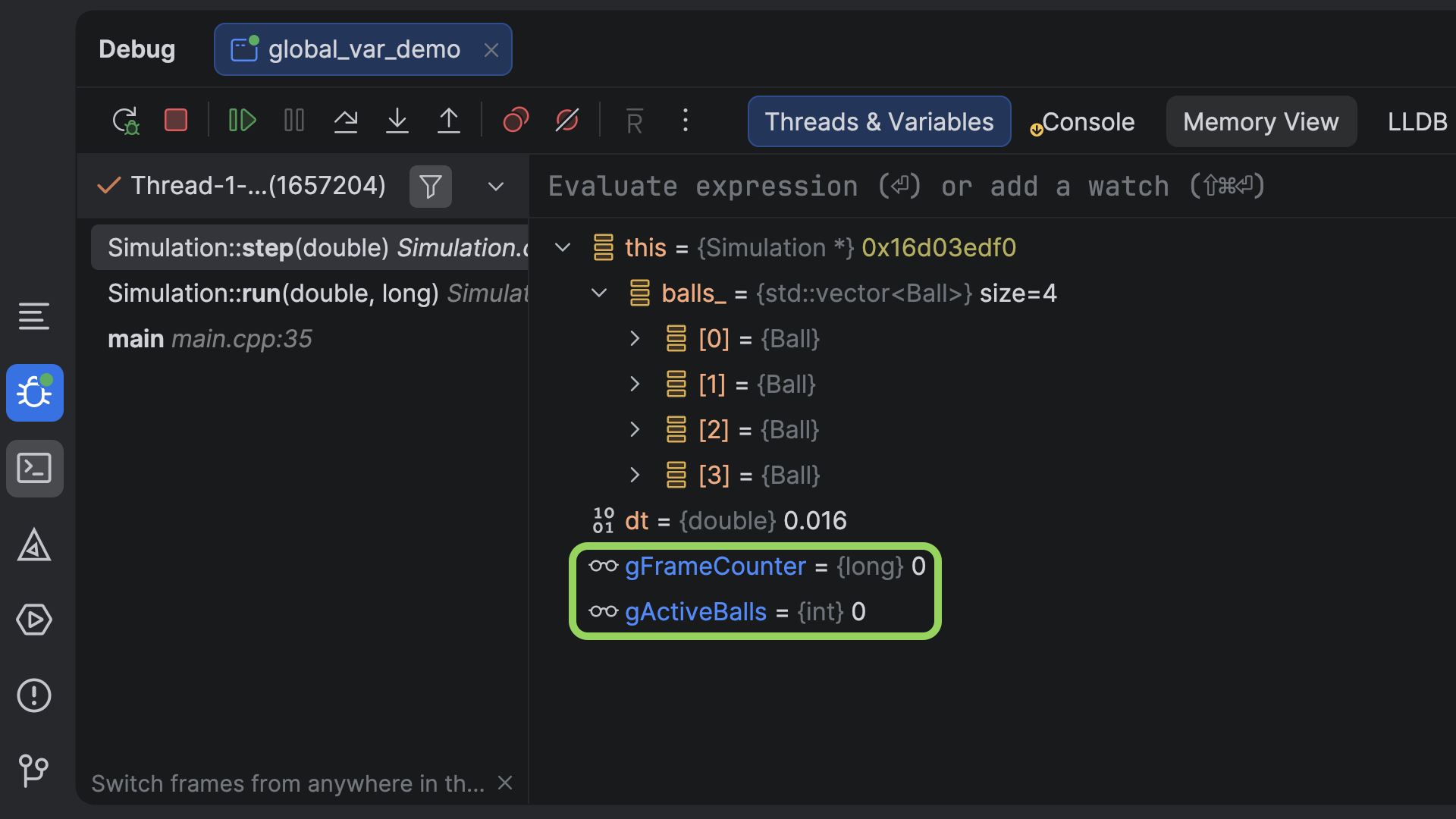
Easier inspection of fields and global variables
When debugging, CLion automatically tracks local variables in the Threads & Variables pane. To inspect fields and global variables, you previously had to set up watches manually, which added friction when they were just as relevant to the current context.
CLion 2026.2 introduces a new debugger setting that automatically displays fields and global variables alongside locals, while keeping them visually distinct. This feature is enabled by default. You can disable it in Settings | Build, Execution, Deployment | Debugger | Data Views | C/C++ | Variables.
Configuration-specific breakpoints
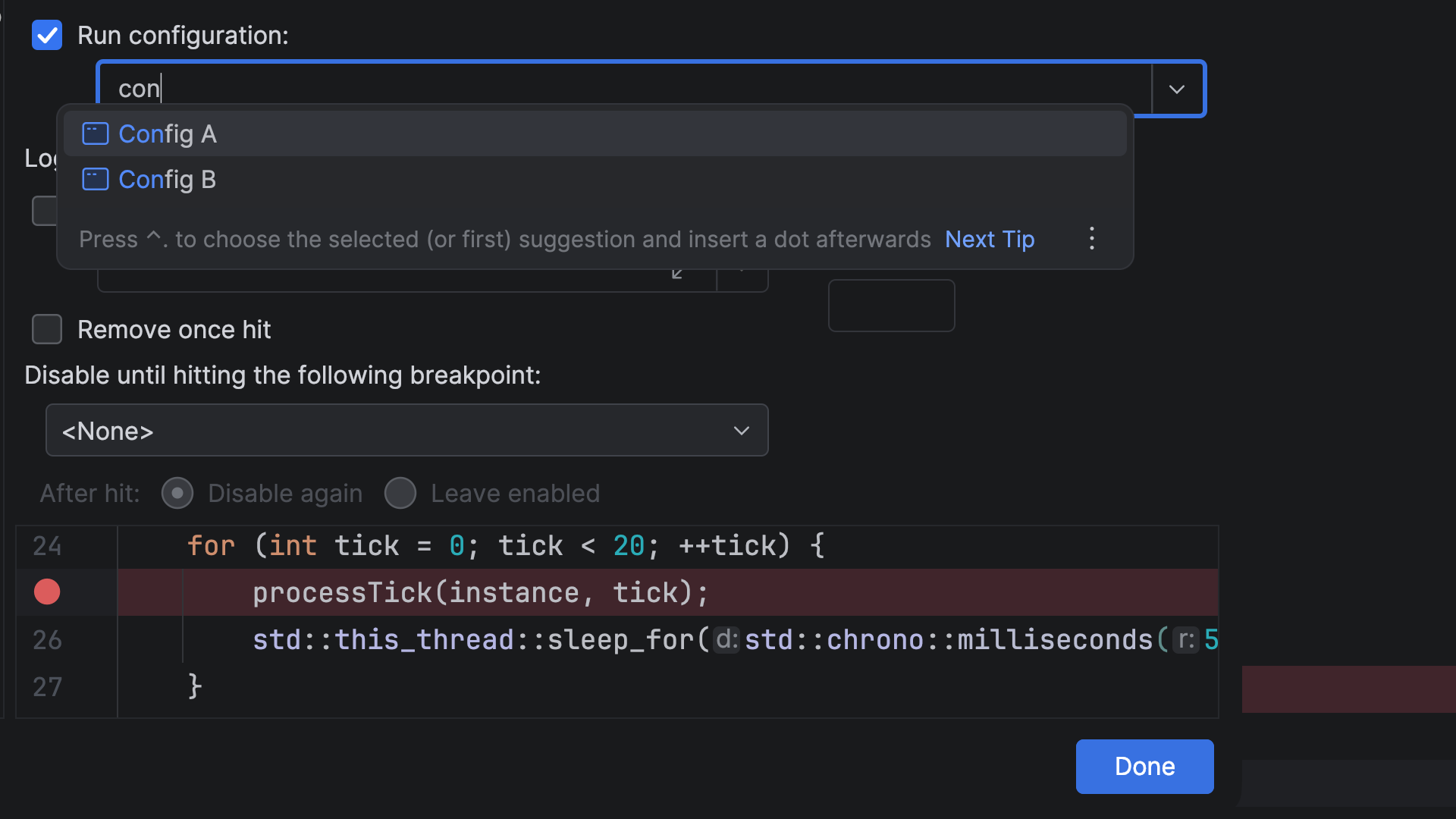
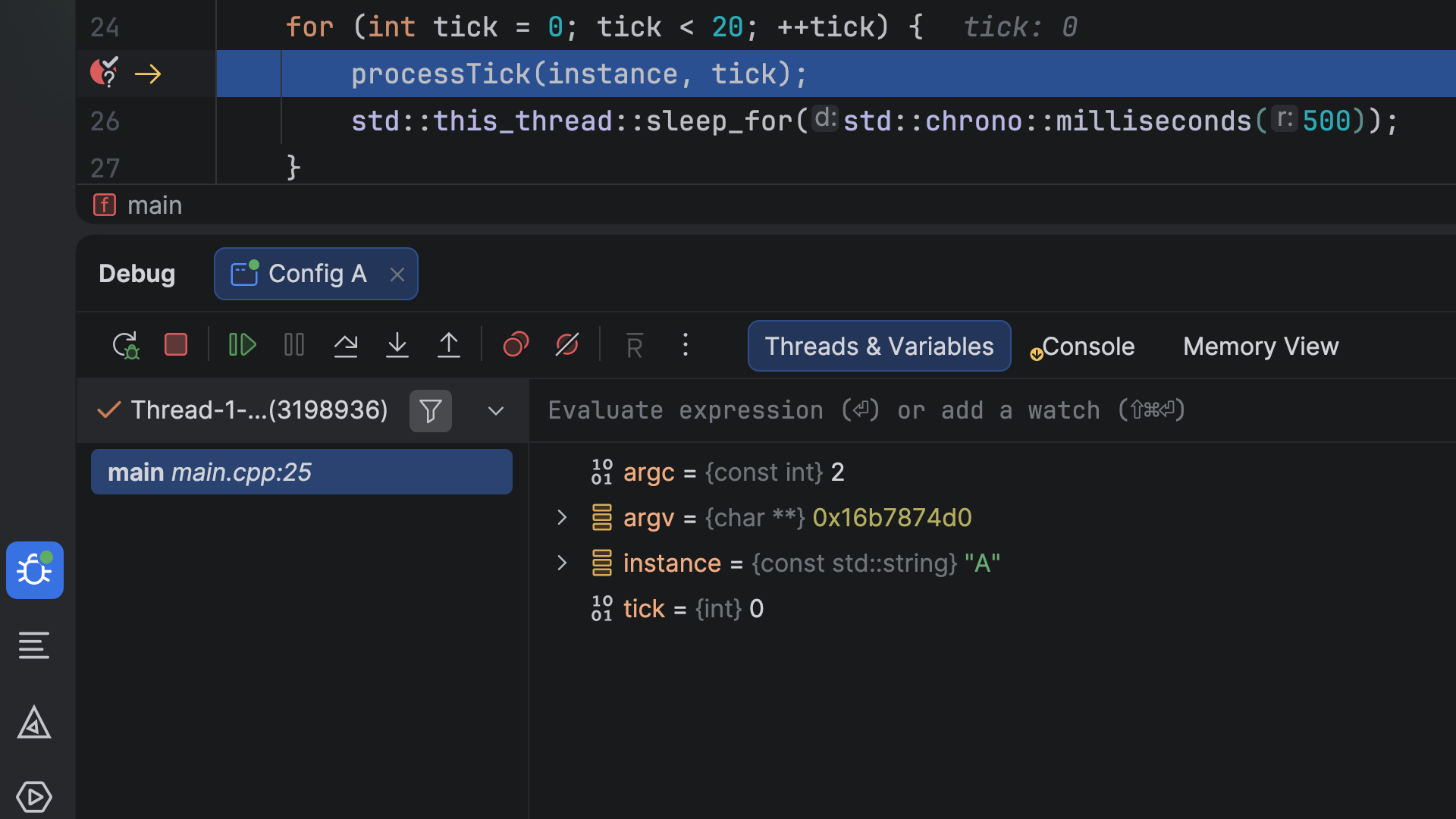
When debugging multiprocess systems or working with different target platforms, managing breakpoints across configurations can be cumbersome. Breakpoints set for one process or target may be triggered unexpectedly in another.
CLion 2026.2 introduces a feature that makes it easier to isolate and diagnose issues in these cases. You can now assign breakpoints to a specific debug configuration in the Breakpoints dialog (Run | View Breakpoints). When that configuration is active, the debugger stops only at its assigned breakpoints and ignores the rest.
Support for Natvis on Linux and macOS
Previously, users on macOS and Linux had to write Python data formatters for LLDB to improve type visualization in the debugger – a time-consuming, error-prone process. CLion 2026.2 adds Natvis support for macOS and Linux, eliminating this requirement. All you need to do now is describe how your type should look in a few lines of your Natvis file, and CLion’s debugger handles the rest.
The feature is available for projects with .natvis files located in the project root and additional directories specified in the IDE settings. It also works only with the bundled LLDB or a custom one; if you’re using a custom LLDB, ensure it includes Python 3.10 or later.
To enable Natvis rendering, go to Settings | Build, Execution, Deployment | Debugger | Data Views | C/C++ and turn on Enable Natvis renderers for LLDB.
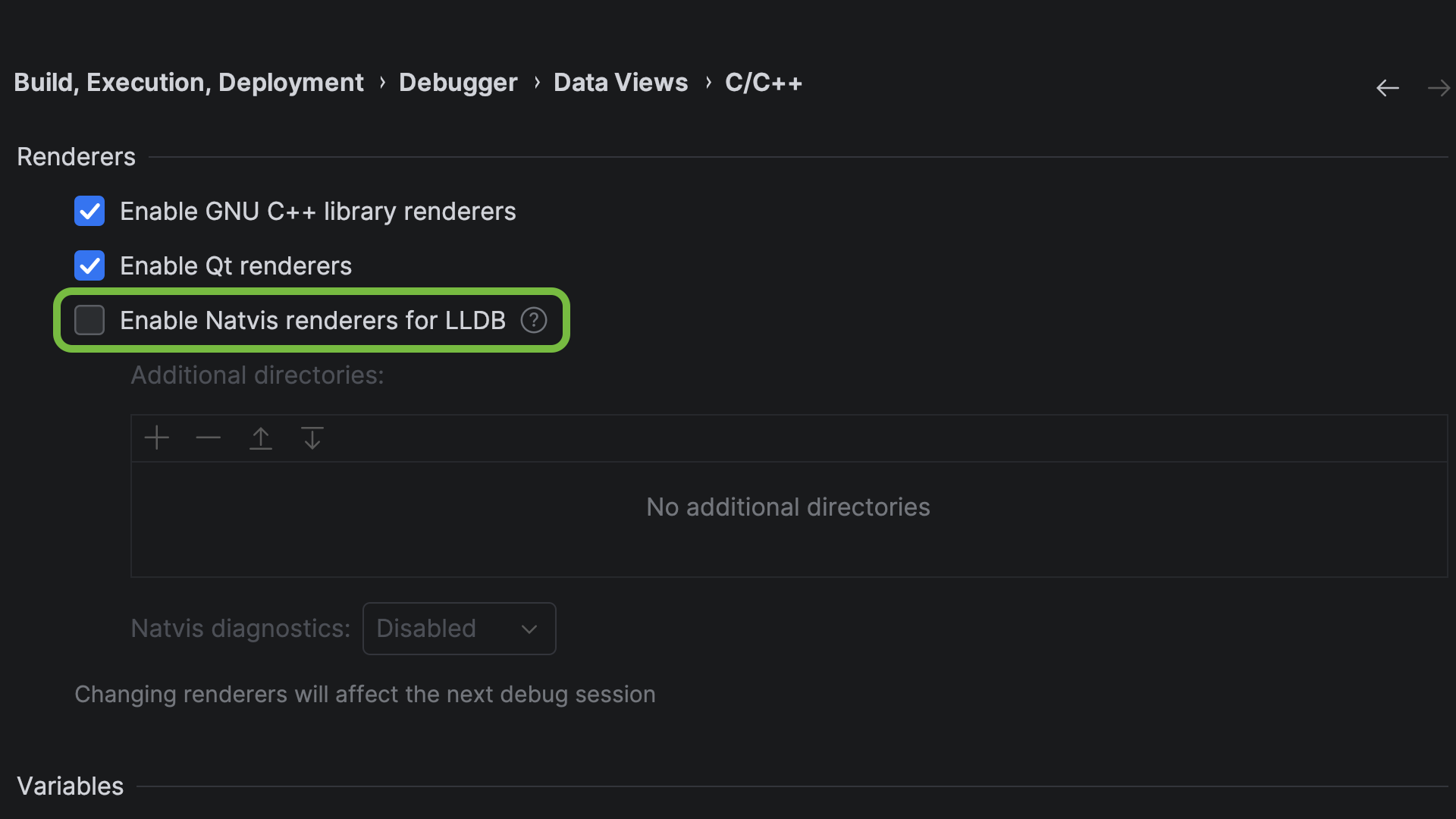
Natvis support is also available in Rider – read the Rider team’s blog post to learn more.
Build tools and project formats
Improvements to Bazel support
It’s been almost a year since we took over the development and maintenance of the Bazel for CLion plugin from Google, and we remain committed to providing a stable, fast, and intuitive Bazel experience. In this release, the plugin has received several improvements:
- When starting a debug session, CLion now checks whether your project is built with debug symbols instead of automatically injecting debug flags. If debug symbols are missing, the IDE shows a warning, from which you can inject debug flags directly. The debug session will then continue.
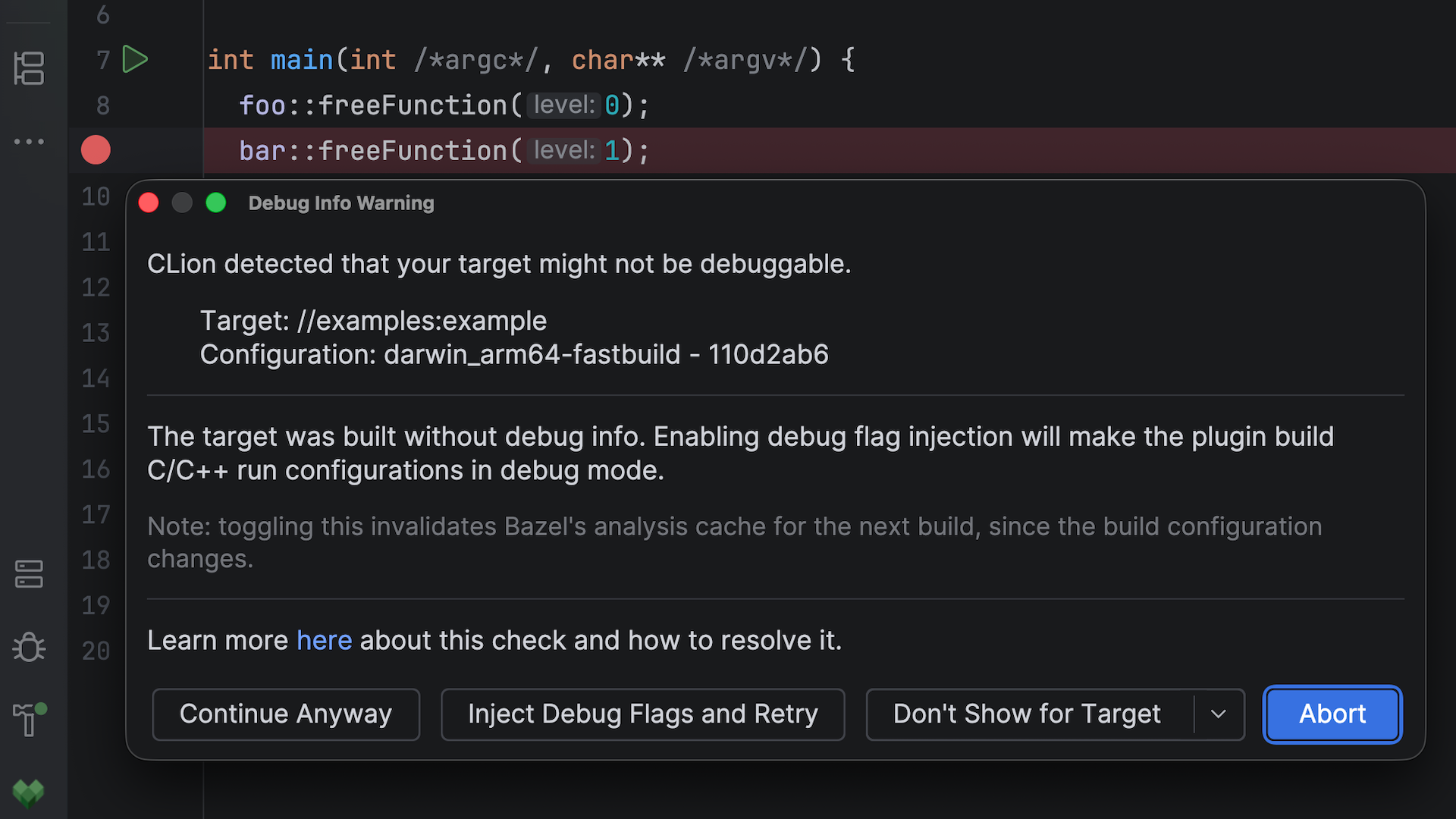
- You can now switch configurations when multiple exist for the same file. Before, this was only possible for users of the legacy CLion Classic engine.
- The plugin automatically selects the correct configuration when you debug or run a target, ensuring your code insight always reflects the active target.
Easier CMake target renaming
CMake targets are executables, libraries, and utilities created with commands such as add_executable or add_library. Previously, renaming a target in CLion required manually editing all its occurrences. Now, you can rename targets in your CMakeLists.txt files automatically using the Rename refactoring action (Shift+F6). It updates all definitions and usages of the target name across your project.
Bundled toolchain updates
We’ve updated several tools shipped with CLion:
- CMake updated to v4.3
- GCC updated to v15.2.0
- GDB updated to v17.1
- Mingw-w64 updated to v13
Language updates
Support for new C++ features
C++26 reflection: Compile-time reflection in C++26 is one of the most significant additions to the language in years. Previously, you might’ve had to write tedious boilerplate where code needed to inspect or iterate over types, functions, or members during compilation – for example, to list struct members or convert enum values to strings. C++26 reflection reduces this repetitive code by giving programs a standard way to access information about types, functions, variables, and other declarations at compile time.
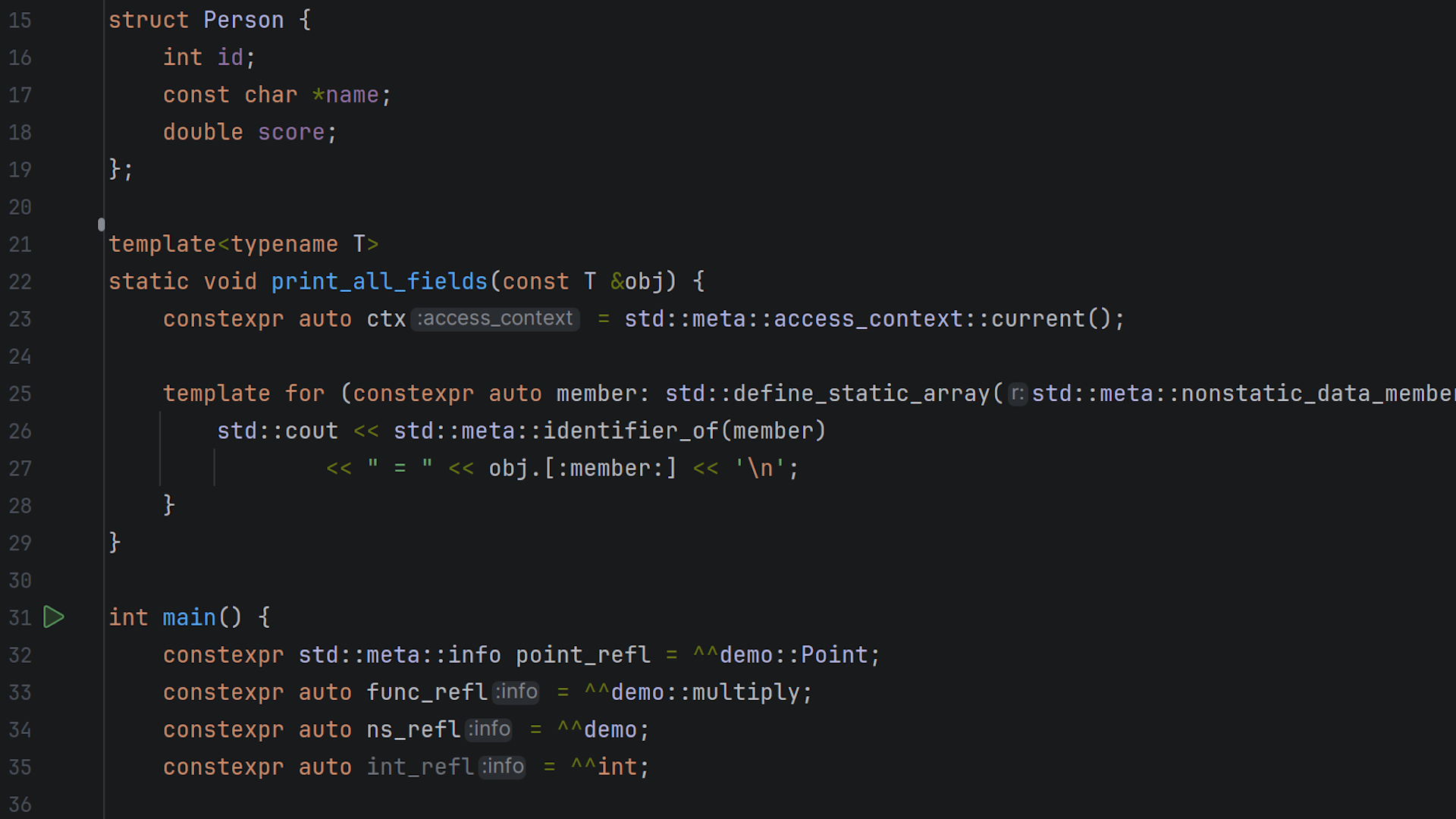
CLion 2026.2 adds highlighting and code analysis for reflection, available when using GCC 16.1 or newer. With this addition, the IDE now supports most C++26 features – learn more in our blog post.
Reflection-related features: Support for reflection is complemented by two related C++26 language features:
- The IDE now supports
consteval { ... }blocks, which are evaluated at compile time and can inject declarations into the enclosing scope.constevalblocks provide a clean way to trigger compile-time side effects, making them particularly useful for practical metaprogramming with reflection. - User-defined annotations can now be attached to declarations and queried via the reflection API, enabling custom metadata-driven code generation.
constexpr evaluation: Clion 2026.2 extends its constexpr evaluator with two important capabilities:
- The evaluator now supports dynamic memory allocation during constant evaluation – a feature introduced in C++20. This enables the correct evaluation of
constexprcode that usesnew/deleteor standard containers likestd::vectorandstd::string. - The evaluator now also supports C++26 constexpr exceptions and handles
try/catchandthrowexpressions during constant evaluation.
Removing the CLion Classic engine
CLion Classic, the legacy C and C++ engine, has been unbundled from the IDE and is now available only as a plugin on JetBrains Marketplace. This completes our transition to CLion Nova, which is now the default engine for everyone. To learn more about the reasons for this decision, read our blog post.
To continue using CLion Classic, install the C/C++ Language Support via Classic Engine plugin from Settings | Plugins | Marketplace. Note that CLion Classic is no longer in development – all new language features are developed exclusively for CLion Nova.
Other updates
Git improvements
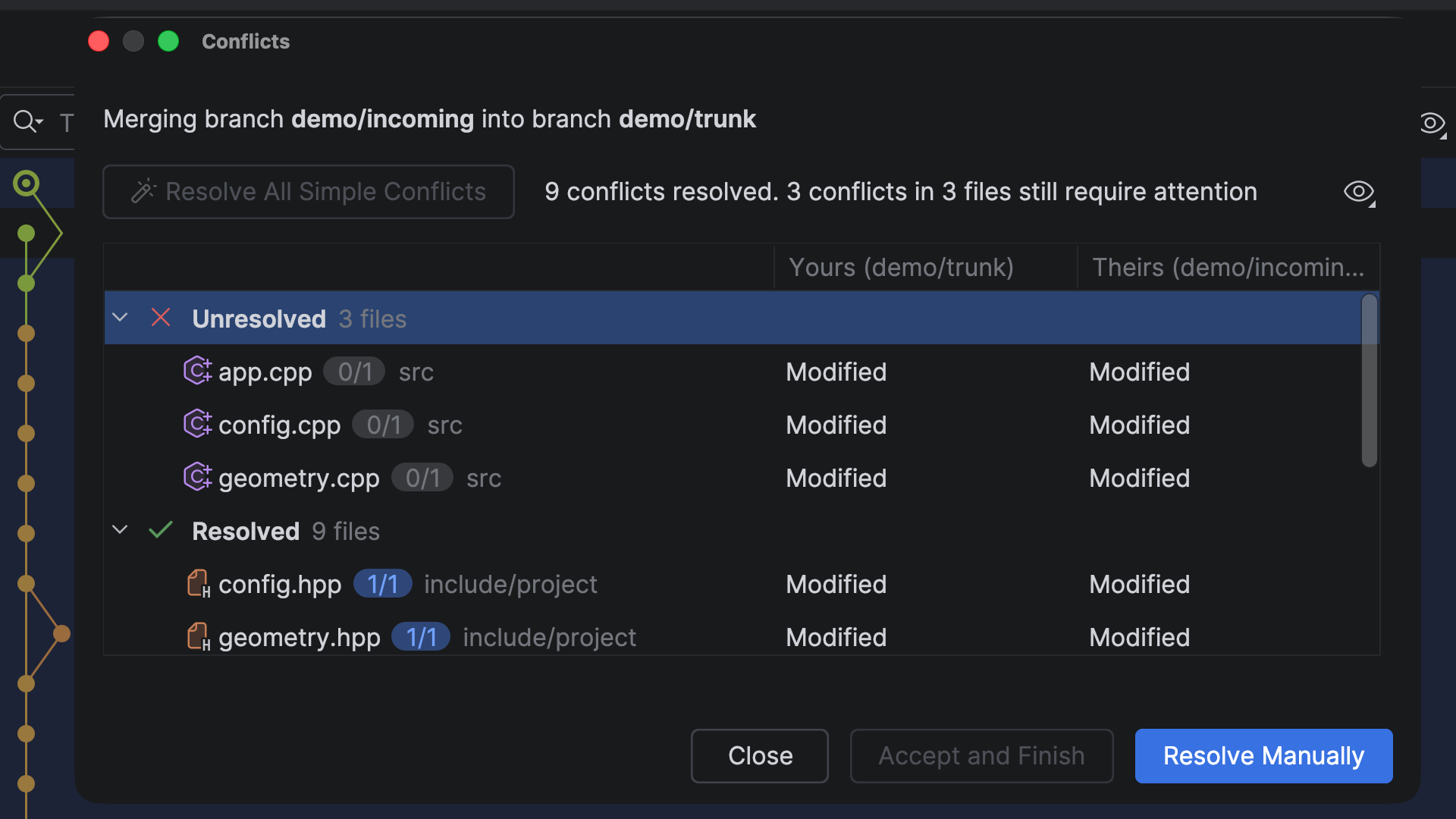
- Streamlined Git conflict resolution: In large projects, merges often result in dozens of conflicts. Resolve All Simple Conflicts is a new action that automatically resolves standard conflicts across the entire changeset at once, rather than opening each file individually. The new flow also provides an overview of resolved and unresolved files.
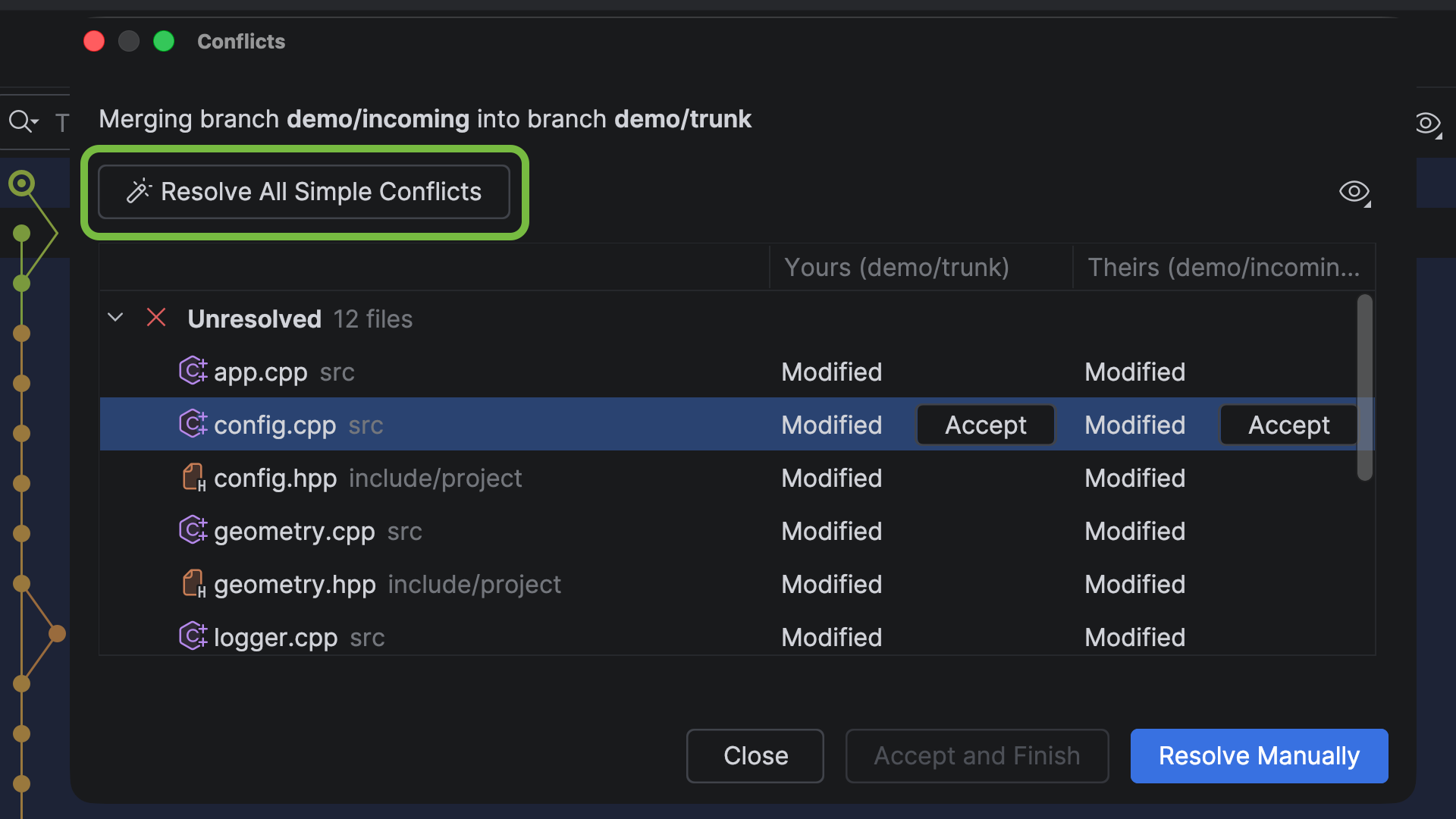
- Enhanced Git worktree support: You can now use worktrees in WSL environments, clean up pruned worktrees directly from the IDE, and take advantage of more reliable worktree deletion scenarios.
- Username autocomplete in code reviews: Type
@in a code review comment to get autocomplete suggestions for usernames from your GitHub or GitLab repository.
Terminal improvements
- Drag-and-drop file and folder support: You can now drag a file or folder directly into the terminal to insert its path into the current command, or drop it onto a terminal tab to open a new tab rooted at that location. You can also paste images from the clipboard directly into supported CLI agent sessions.
- Faster MCP setup: When you start a new AI session in the terminal without an MCP server configured, CLion now prompts you to set one up and takes you directly to the relevant settings.
What’s fixed
Here are some of the notable fixes in this release:
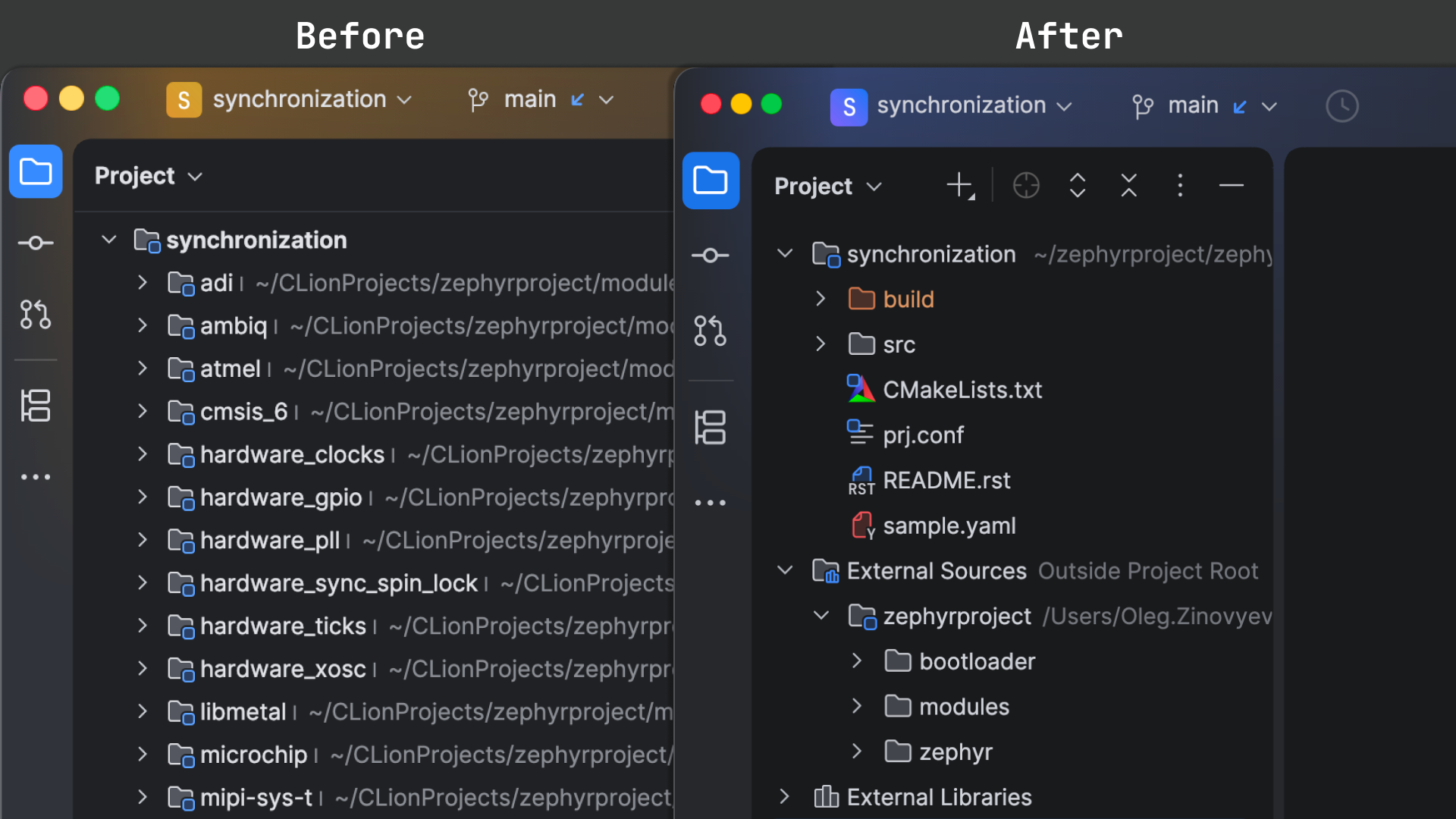
- Better UI for external sources in the Project tool window: When external source files share names with your project’s sources, telling them apart in the Project tool window can be difficult – especially in embedded projects with long file paths. CLion 2026.2 groups all external sources under a dedicated node, making them easy to distinguish from your project’s files.
- Asynchronous file writes: File saves no longer block the UI thread, reducing freezes during save operations, especially in WSL and Docker environments. If you’re a plugin developer, refer to the dedicated blog post for migration guidance.
- Deprecating the Machine Learning Code Completion plugin: With AI completion, next edit suggestions, and agents now covering intelligent assistance, the ML-based completion ranking plugin is no longer bundled. It remains available on JetBrains Marketplace if needed.
Try CLion and tell us what you think
We invite you to give CLion 2026.2 a try. If you have an active subscription, you can update it right away. New to CLion? You can use the IDE for free on non-commercial or educational projects. Otherwise, just start a free 30-day trial to access all the latest features and improvements.
We value your feedback! If you have anything to share or if you run into any problems, please let us know in the comments below, on X, or via our issue tracker.
Subscribe to CLion Blog updates