









The IDE that empowers PHP developers
PhpStorm 2026.2 is Now Out
Welcome to the PhpStorm 2026.2 release overview. This version advances PhpStorm as a platform for your preferred coding agents, models, and AI subscriptions, improves PHP and Laravel support, and delivers productivity gains for working with Git repositories, databases, and the built-in terminal.

AI in PhpStorm
PhpStorm 2026.2 adds native support for more third-party AI providers and gives coding agents even greater access to the IDE’s deterministic features.
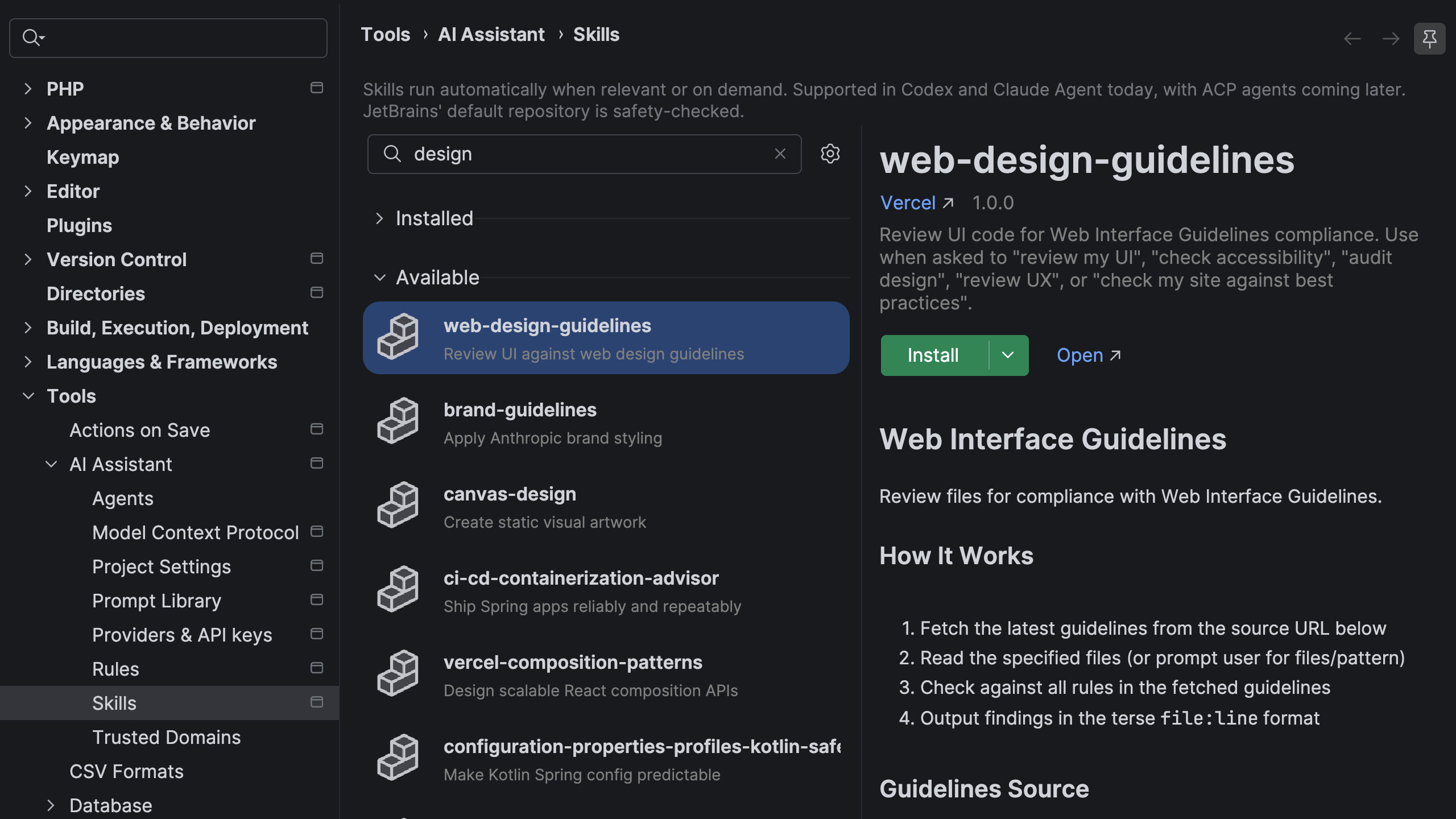
Agents skills manager
AI agents are only as useful as the context they have. When they don’t have knowledge of your frameworks, conventions, and tooling, you end up re-explaining the same setup in every new chat window.
Agent skills fix that. Install them once in PhpStorm, and your agents carry that domain knowledge across every project and session – automatically. Browse and manage skills directly from the IDE, expand the built-in library with external registries like public GitHub repositories, or let PhpStorm import skills you’ve already set up for Claude Code or Codex.
Learn more in our blogpost.
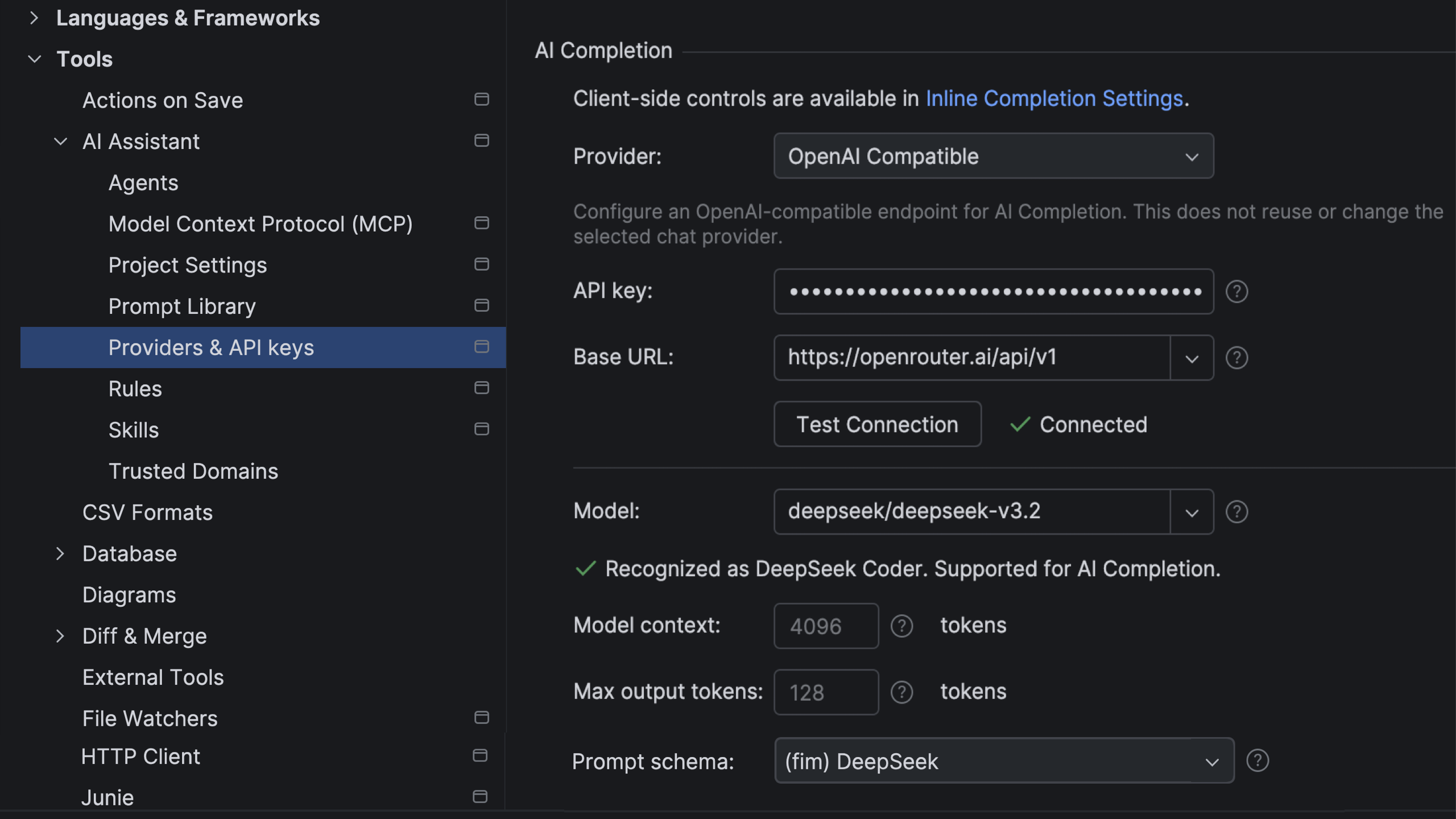
Support for third-party providers in AI-based code completion
AI сompletion is an in-editor code suggestion experience that combines inline completion and next edit suggestions that go beyond the cursor. Available to all JetBrains AI users out of the box, it’s powered by JetBrains-trained models and doesn’t use up your AI credits.
With the latest update, you can now connect your own OpenAI-compatible model providers for AI completion.
GitHub Copilot in PhpStorm
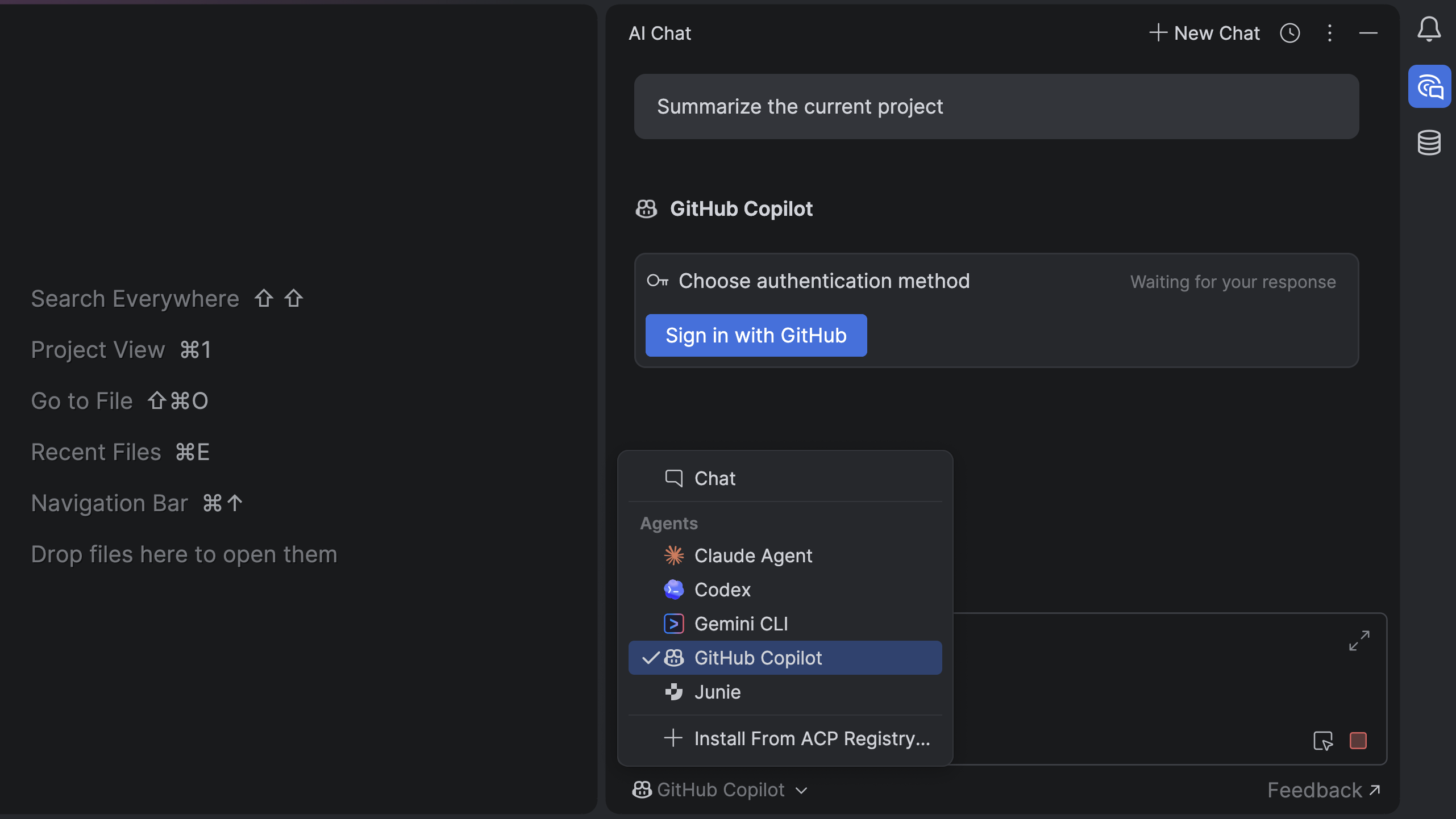
Built through a direct partnership between JetBrains and Microsoft, GitHub Copilot is now a natively integrated agent in JetBrains IDEs. Unlike in the previous ACP Registry setup, Copilot is available out of the box and provides a more cohesive experience.
You can access Copilot directly from the agent picker in the AI chat. Authentication is handled through OAuth with your GitHub account, and an active GitHub Copilot subscription is required.
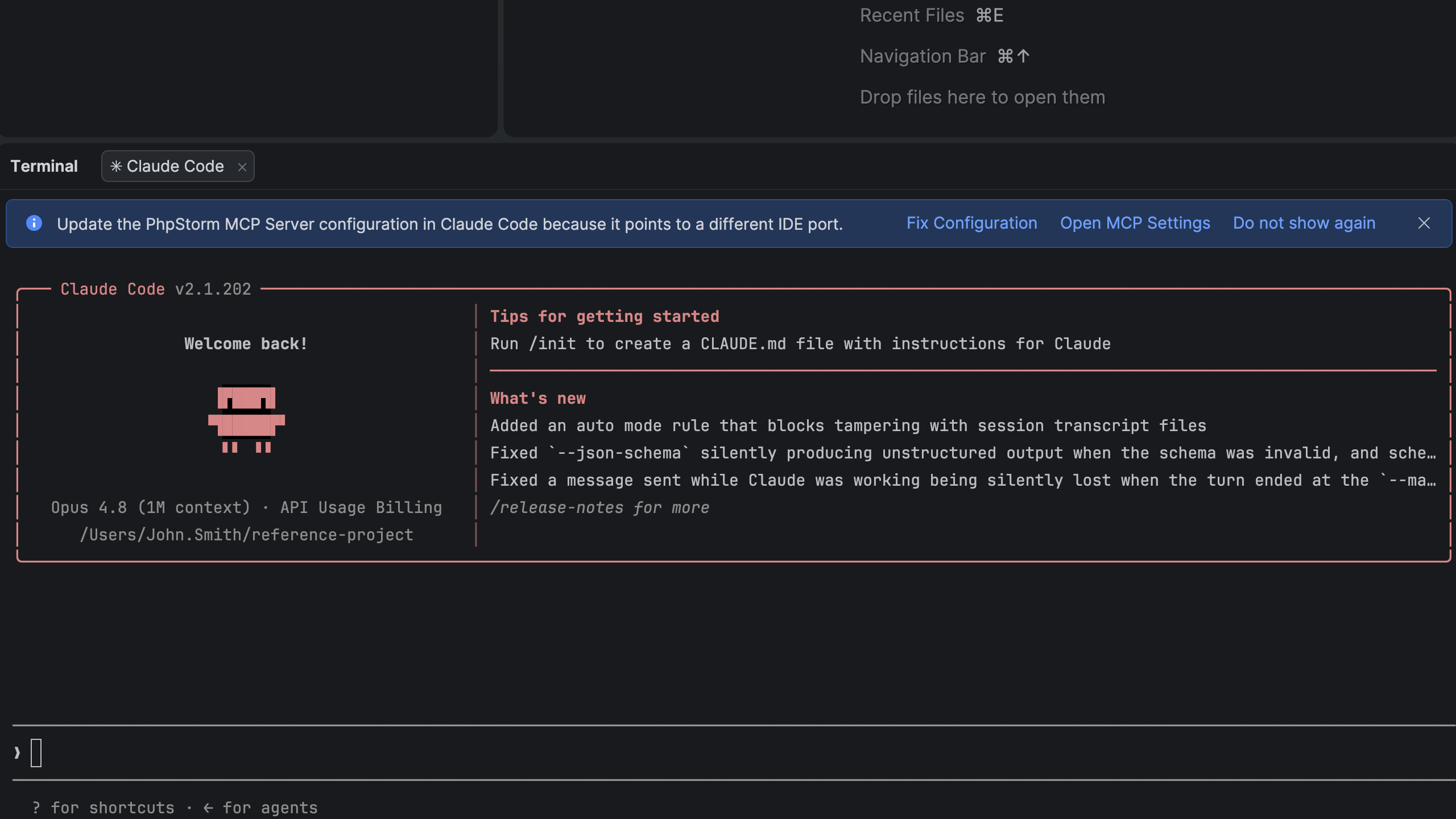
Faster PhpStorm MCP server setup for terminal AI sessions
To help you get more out of AI agent workflows in the terminal, the IDE can now prompt you to configure the PhpStorm MCP server when starting a new session with your preferred coding agent. If no MCP server is configured, a notification appears automatically and takes you directly to the relevant settings.
PHP
#[FileReference] attribute for persistent file references
PhpStorm now lets you mark string literals as file or directory paths using the #[FileReference] attribute on parameters in functions, methods, and constructors. When a path is passed as a string to such a parameter, it gets first-class PhpStorm support for navigation and refactoring.
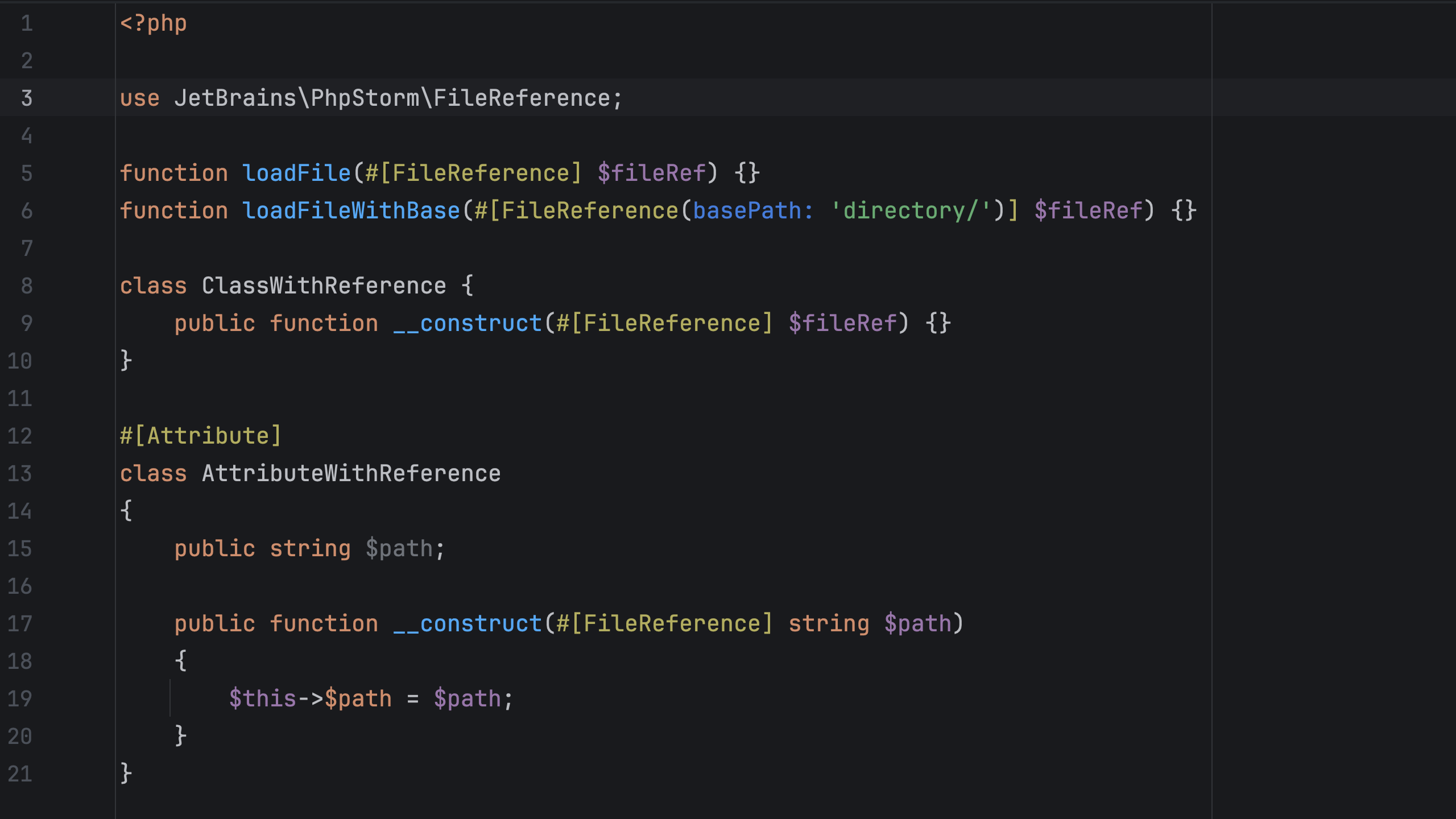
Annotated file references apply project-wide and persist across IDE restarts, making them a better alternative to manual reference injections. In addition to simple references, PhpStorm supports relative paths defined with basePath, as well as paths constructed dynamically or using variables and constants.
Trigger options for code quality tools
To further optimize the IDE’s performance, PhpStorm now allows you to configure how often third-party code quality tools like PHPStan or Laravel Pint are triggered: on the fly as you type, on idle, or on file save. You can set the Run mode setting in Settings | PHP | Quality Tools | {quality_tool_name}.
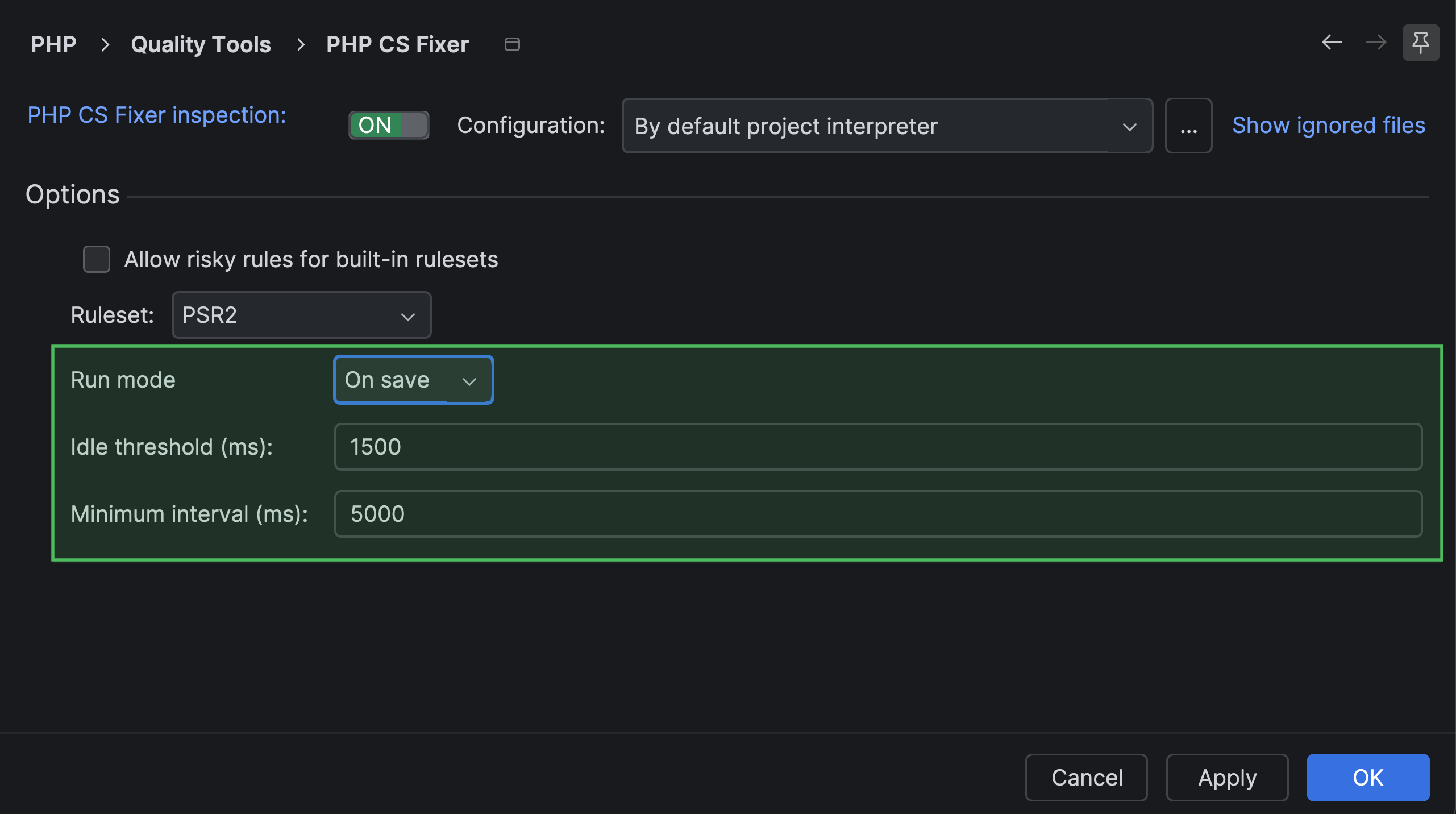
Additional language support improvements include:
- Support for PER Coding Style 3.0. To configure PhpStorm’s built-in PHP formatter to use the PER Coding Style 3.0 specification on code reformatting actions, go to Settings | Editor | Code Style | PHP | Set from… and select PER-CS 3.0.0 from the list.
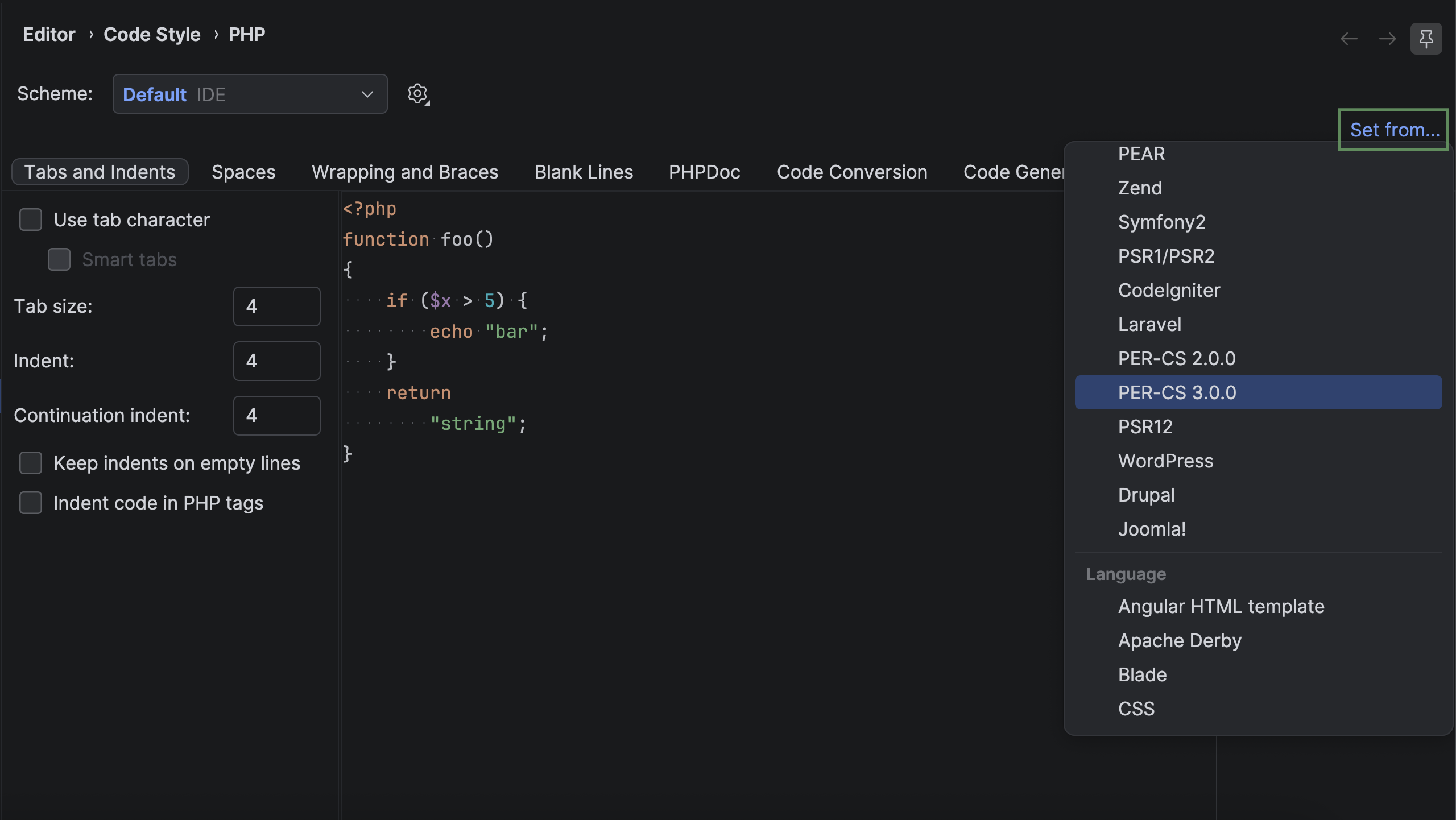
- Arrow autocompletion after object variables. The new setting is enabled by default. To disable it, go to Settings | Editor | General | Smart Keys | PHP.
- Code completion for nested arrays without explicit keys in
#[ArrayShape].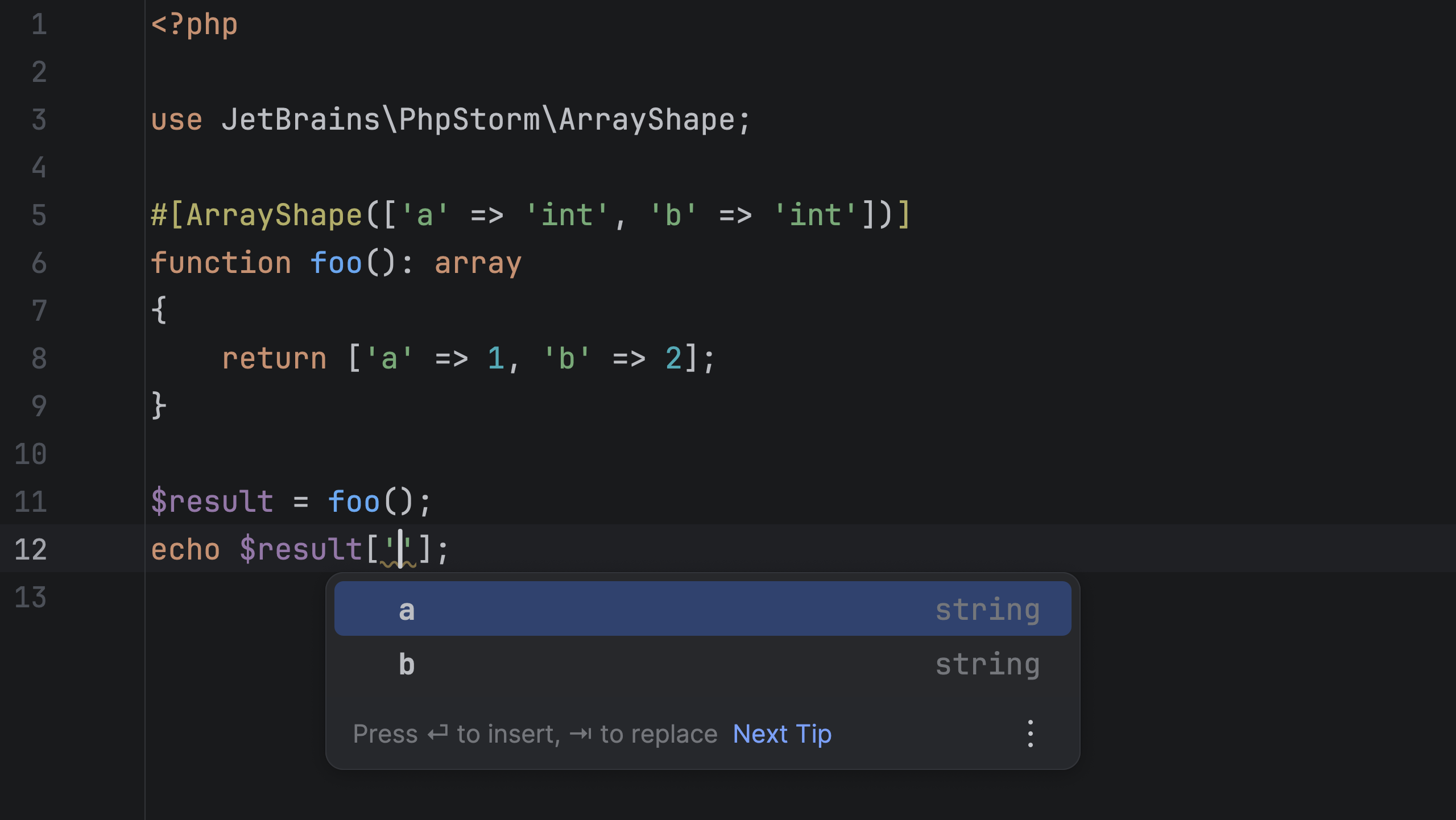
Laravel
Laravel tool window
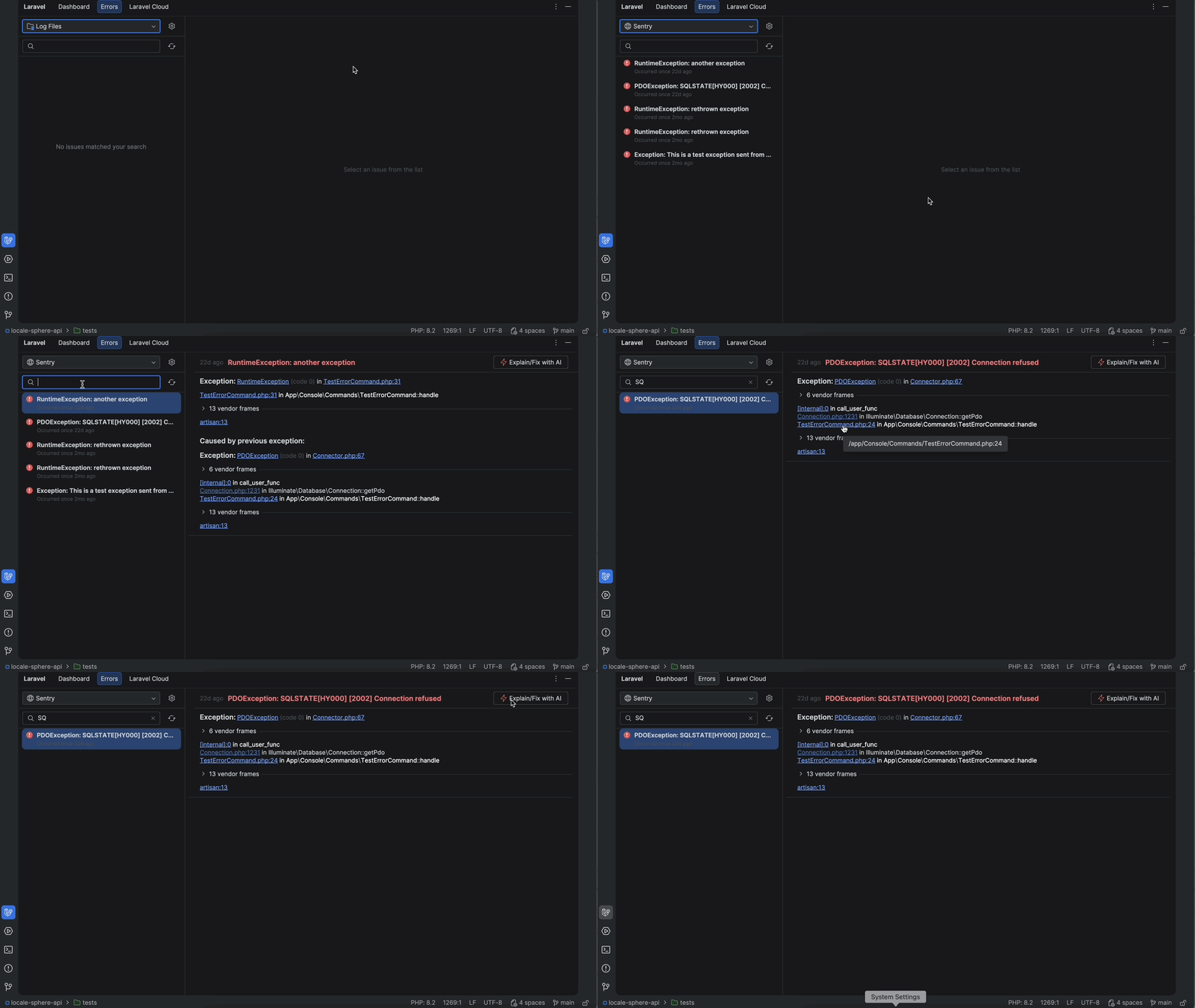
The new Laravel tool window lets you manage Laravel projects without leaving PhpStorm. Use the Dashboard tab for general project information and quick access to Artisan commands, the Errors tab to browse local or Sentry-hosted log files and explore or fix errors with AI without copy-pasting logs, and the Laravel Cloud tab to manage deployments and env variables.
Other improvements for Laravel developers include:
- Support for
laravel/passport and stancl/tenancypackages. - Support for PHP 8.5’s pipe operator.
ide.jsonoptions for pointing to database schema files, explicit mapping of Eloquent model classes to database tables, custom paths to Laravel Livewire locations, and newviteAsset, passportScopeId, and staticStrings(with file links) completion types.
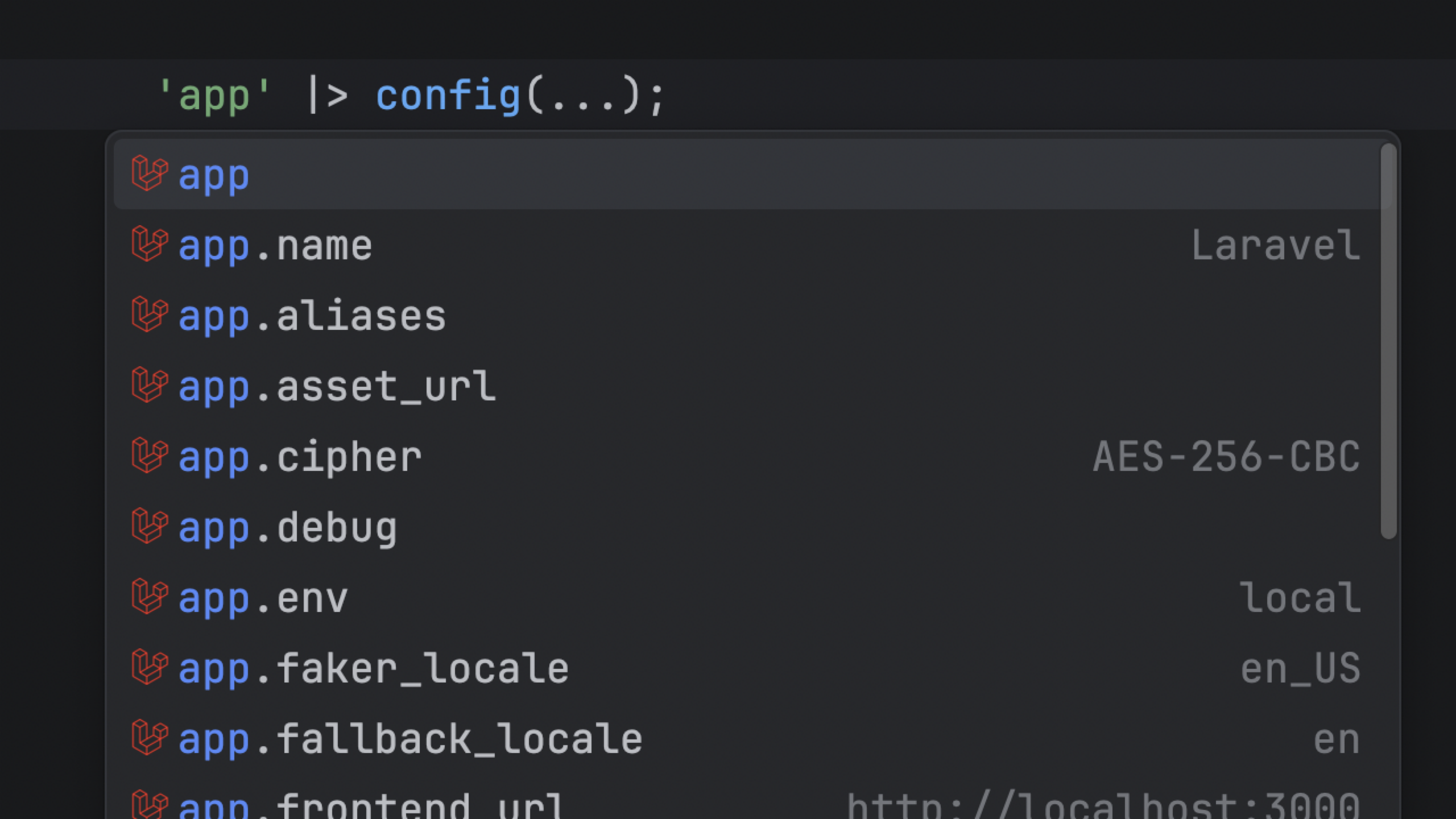
For the full list of updates, see Laravel Idea’s changelog.
Web
IDE support for TypeScript 7
If your TypeScript project has grown to the point where completion lags and refactorings feel sluggish, TypeScript 7 is the fix. Microsoft rewrote the compiler and language server in Go, making type-checking up to 4x faster while delivering more responsive code completion and snappier refactorings even in the large codebases.
PhpStorm 2026.2 supports TypeScript 7 as the default for projects already using it, with an opt-in upgrade path for those still on earlier versions. You get the full speed benefit immediately – no full project migration required on day one.
Version control
Enhanced Git worktree support
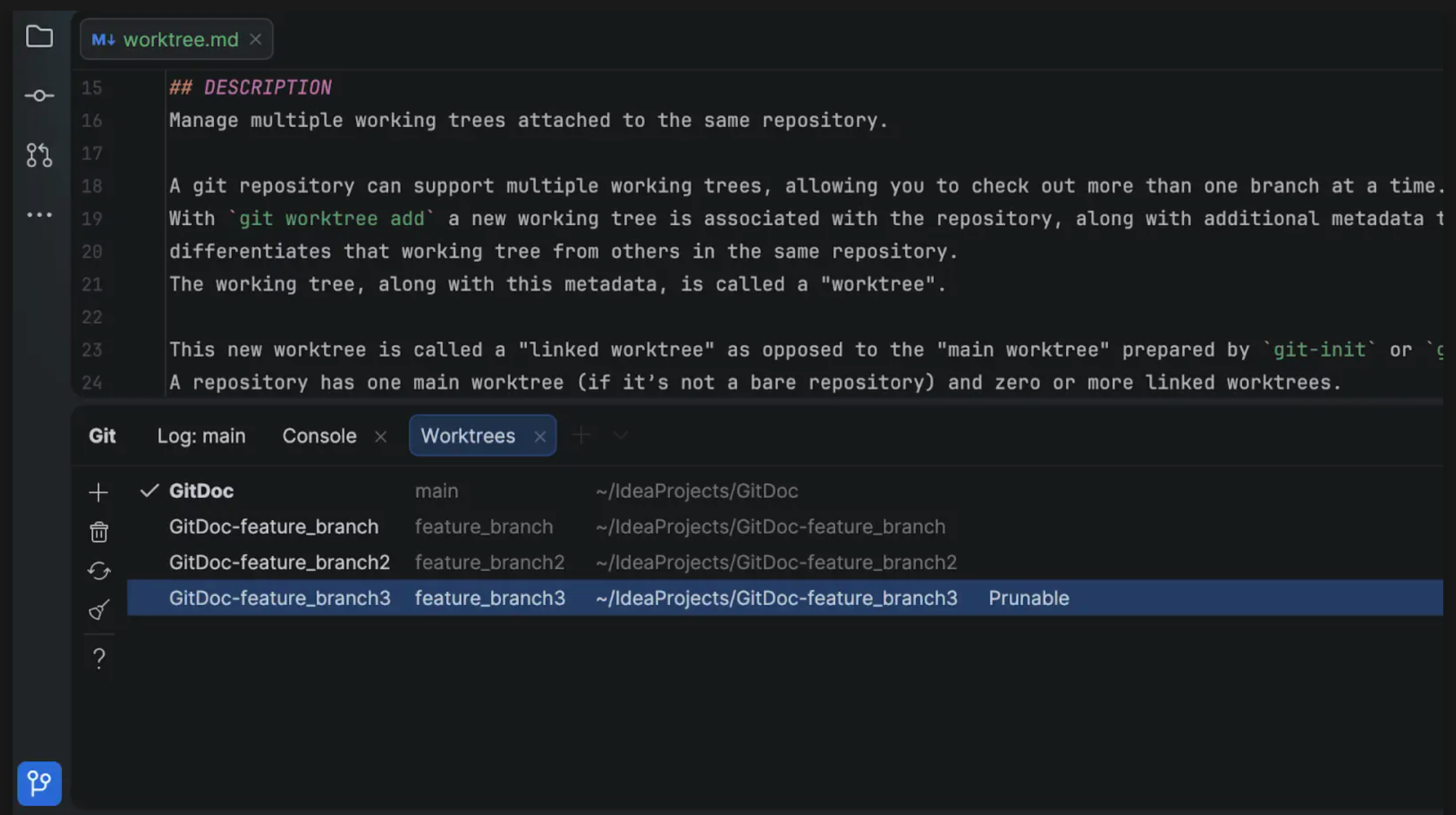
Version 2026.2 simplifies the management of Git worktrees in various development environments, such as WSL. Additionally, you can easily remove and clean up worktrees directly from the IDE.
These updates help streamline day-to-day worktree management while reducing the need to switch to external Git tooling.
Streamlined Git conflict resolution flow
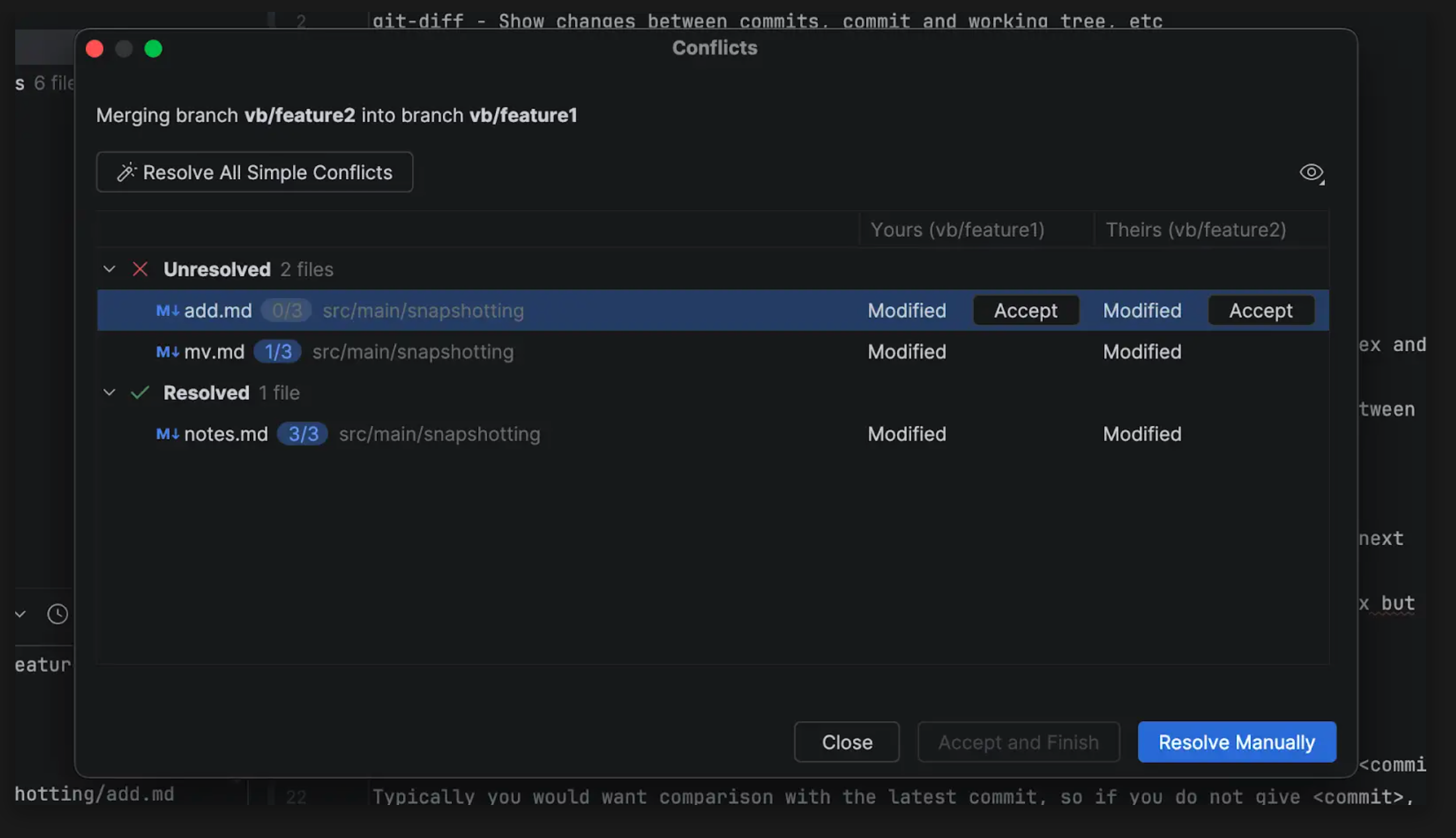
In large projects, merges often result in dozens of file conflicts, many of which are simple import mismatches or formatting differences. PhpStorm 2026.2 improves the conflict resolution flow, allowing you to invoke the Resolve All Simple Conflicts action, which automatically resolves standard conflicts across the entire changeset instantly, instead of having to open each file one by one. With the new flow, you can also see a complete overview of resolved and unresolved files, reopen files at any time, and revert and reapply conflict chunks in any order.
Username autocompletion in code reviews
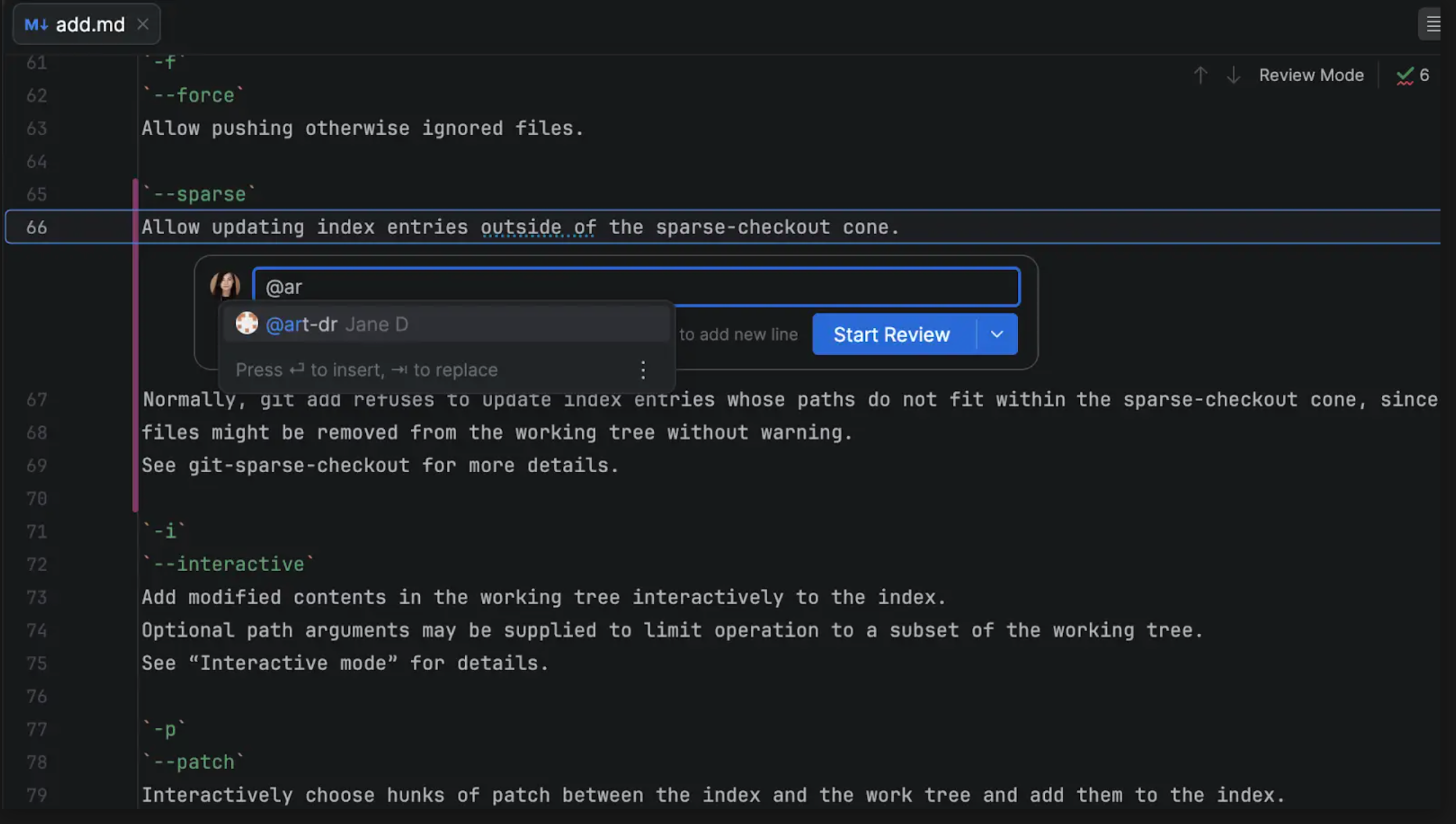
Mentioning teammates in code review comments is now easier. Simply type @ in a comment to open a list of users from the current GitHub or GitLab repository and select the person you want to mention.
Terminal
Easier file and image sharing in terminal sessions
No more copying and pasting paths from your project or external applications when working in the terminal or with CLI agents. You can now drag and drop a file or folder directly into the terminal to insert its path into the current command.
To quickly start working from a specific location, drop a file or folder onto the terminal tab area to open a new tab with its root path already set.
You can now also paste images directly from the clipboard into supported CLI agent sessions, which makes it easier to share visual information with your agent.
UI
Non-modal Settings dialog
When the Settings dialog is open, you no longer have to close it to interact with the IDE window. This makes it easy to copy project paths to set up scopes, insert values from configuration files into the settings, view code appearance adjustments immediately, or even switch to another project in the middle of the configuration process.
By default, the Settings window stays visible above the project where it was invoked. Unpin it to send it to the background.
Databases
Redesigned empty state: A faster way to begin projects
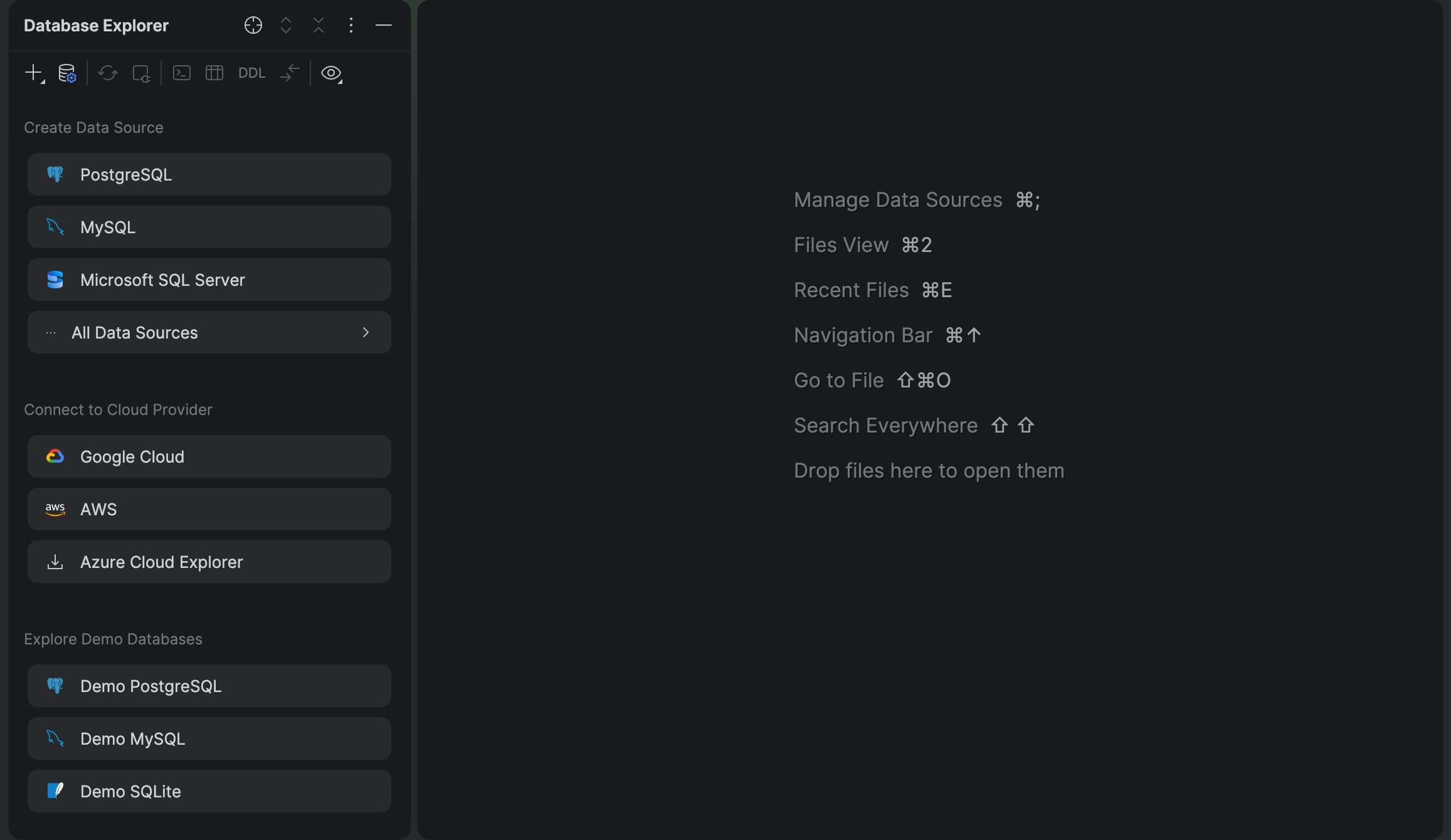
To streamline your initial setup and provide a ready-to-code experience right from the start, we’ve redesigned the empty state in the Database Explorer tool window. When you open a new project, the tool window now displays quick actions for creating data sources.
Additionally, to help you familiarize yourself with basic database features without the distraction of configuration steps, the empty state provides one-click access to PostgreSQL, MySQL, and SQLite demo databases from our Quick Start Guide.
Custom query console names: More context at a glance
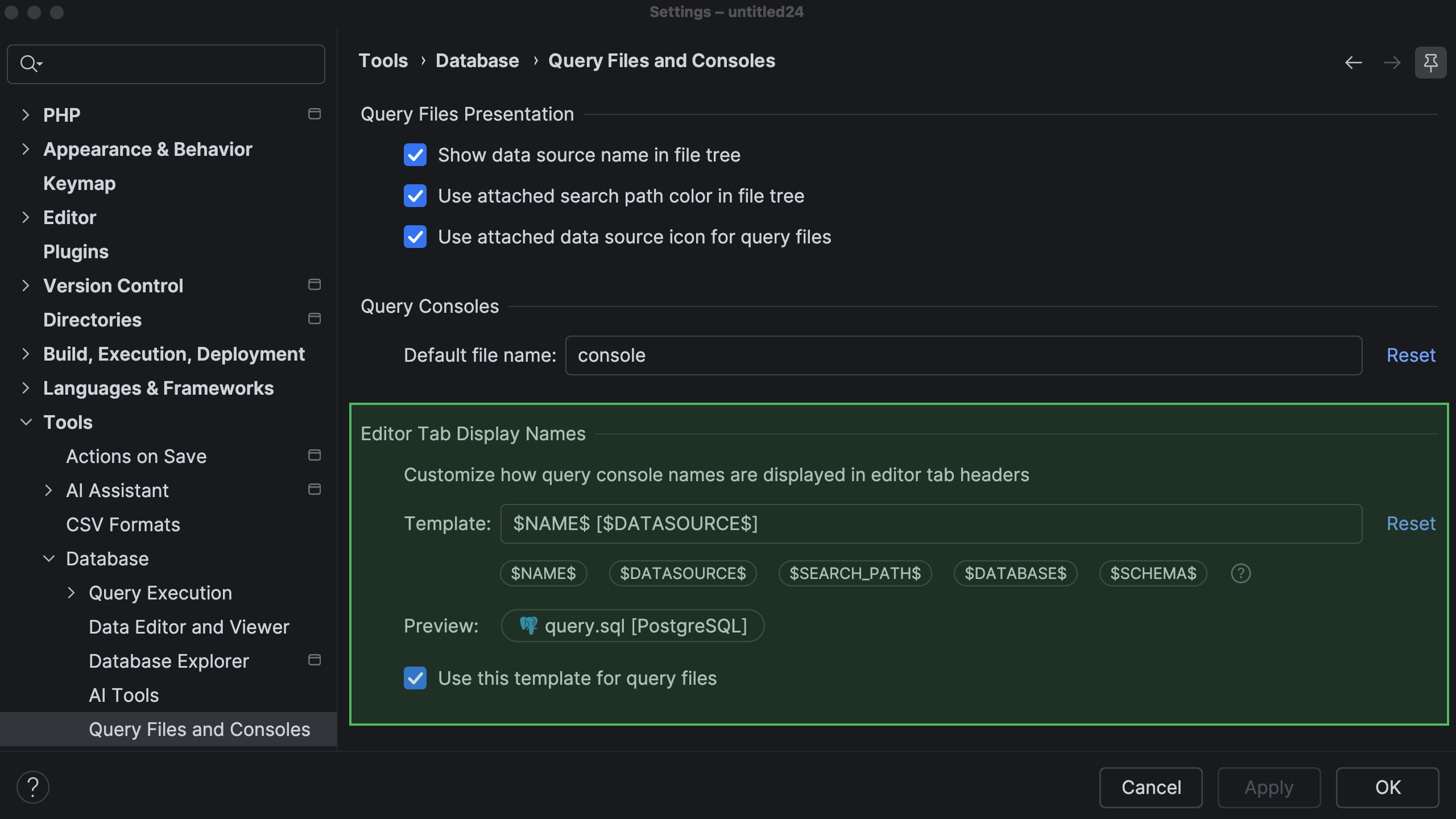
You can now customize how query console names are displayed in editor tab headers, making it easier to identify open consoles and files.
Previously, only the data source name was displayed next to the file name. Now, you can use variables to include additional details such as the attached data source, database, schema, or search path. To configure the template, go to Settings | Database | Query Files and Consoles, place the caret in the Template field, and insert the variables you need.
You can also apply the same template to query files by enabling Use this template for query files.
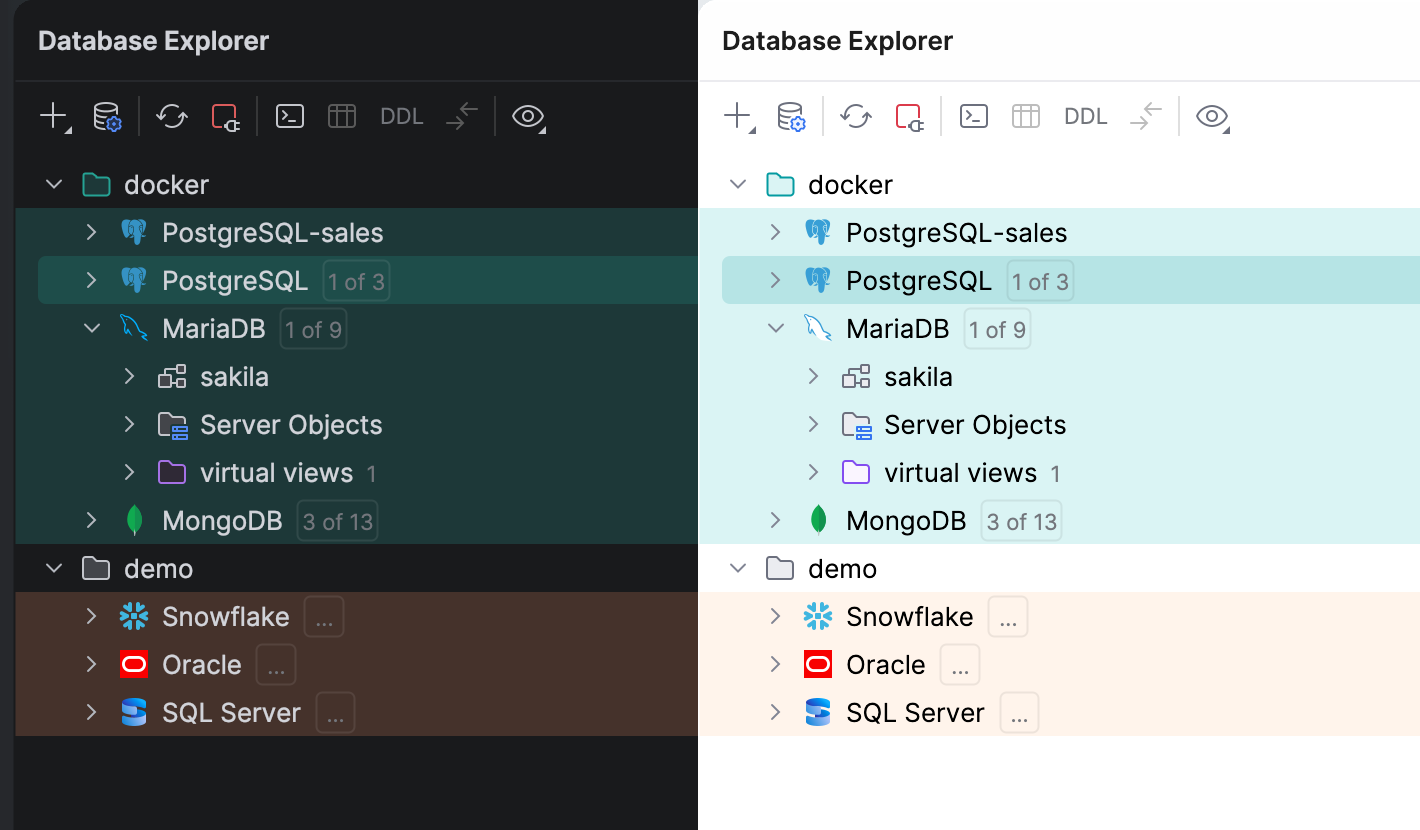
Database colors: v2.0
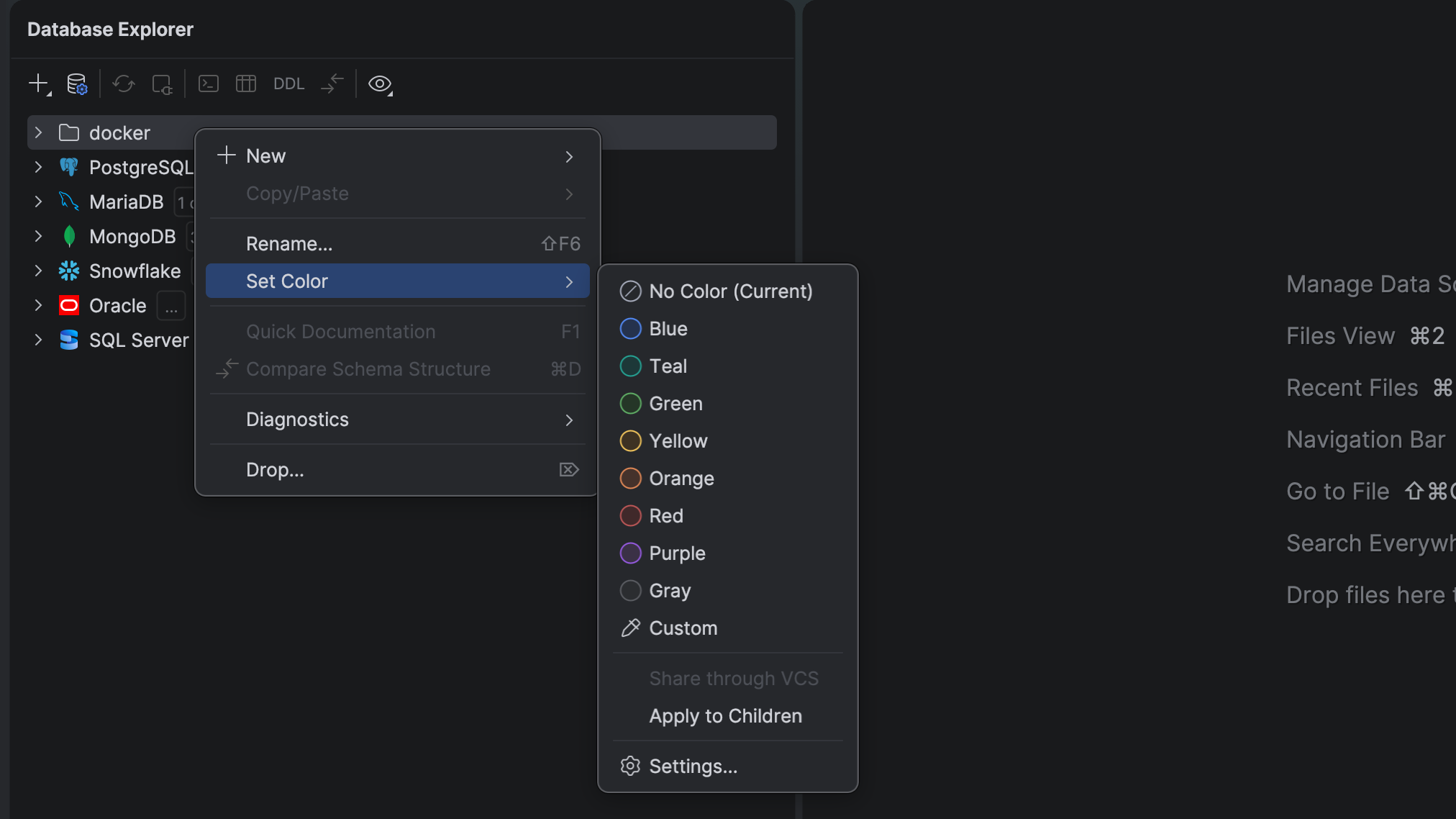
The database color system offers a refreshed, more consistent user experience and several usability improvements. This release introduces an adaptive color engine alongside several structural usability improvements:
- Theme-aware custom colors. Previously, static
#RRGGBBhex codes remained identical across light and dark themes, ofte1n destroying visual contrast when you switched. Now you only need to choose a hue, and the IDE automatically adjusts the shades for the active theme. - Folder color support. You can now apply custom colors to folders as well as individual database objects.
- Easier access to color settings. The color submenu has been moved up a level to make it easier to find, and all color settings are now available directly in the main Settings window instead of a separate dialog.
Performance
As announced in the 2026.2 EAP blog post, PhpStorm 2026.2 focuses heavily on the overall IDE stability and performance. While not yet showing immediate results beyond an up to 10%* faster project indexing time, the latest changes lay the foundation for reduced startup time, indexing time, and freezes for both local and remote development scenarios in upcoming releases.
Share your feedback about performance in PhpStorm by taking this survey.
*Benchmarked on a pool of projects representing different PHP frameworks
Cloud
Docker Compose statuses right in the editor
Docker Compose files are now more informative and interactive. You can view the status of running containers directly inside your Docker Compose file and quickly access common actions without leaving the editor.
With the ability to jump straight to logs for a specific service, create a database connection, or open a service in your browser directly from the corresponding entry in the Compose file, it is easier to monitor and work with your application stack.
Faster Docker Compose setup with service templates
Creating dependent services in Docker Compose is now easier with ready-to-use templates for popular technologies such as PostgreSQL and Kafka.
Simply start typing the name of a service or select one from the completion list, and the IDE will generate the corresponding Docker Compose configuration for you. This helps you get common services up and running faster while reducing manual configuration work.
Terraform testing framework support
Version 2026.2 extends the IDE’s support for Terraform infrastructure-as-code capabilities by introducing native support for the Terraform test framework. This integration rounds out the IDE’s ecosystem support, allowing you to validate module behavior and enforce configuration policies early in the development lifecycle.
These additions build on out-of-the-box infrastructure tooling, ensuring your deployment configurations remain highly maintainable, predictable, and clean.
Subscribe to PhpStorm Blog updates