










Powerful project management for all your teams
YouTrack Helpdesk Now Includes Customer Groups
YouTrack 2026.2 introduces customer groups in YouTrack Helpdesk, helping B2B support teams tailor the support experience to different customers. Teams can manage tickets by company, team, or organization, maintain different SLAs, assign support agents to specific groups, and apply customer-specific rules. Multiple reporters from the same group can share tickets, follow updates, comment, and stay informed without agents having to manually add each person.
For everyone working in YouTrack, this release brings updates to Whiteboards and Gantt charts. Whiteboards now support auto-layout and widgets to help you visualize and organize project content, while redesigned Gantt charts make it easier to plan projects.
YouTrack integrations now include improved MCP connections for teams that rely on AI tools, new import options for teams moving from ClickUp or Asana, and new apps from JetBrains Marketplace.
Organize B2B customer support in YouTrack Helpdesk
Teams use YouTrack Helpdesk for external customer requests and internal service desks alongside related project work. We’re seeing more organizations choose it to coordinate support for their business customers at the company level rather than only at the individual reporter level. This gives B2B support teams a way to tailor processes, access, and service levels to each customer. Let’s walk through what customer groups make possible for agents, reporters, and other team members.
For agents and support team leads
Collect tickets by customer group
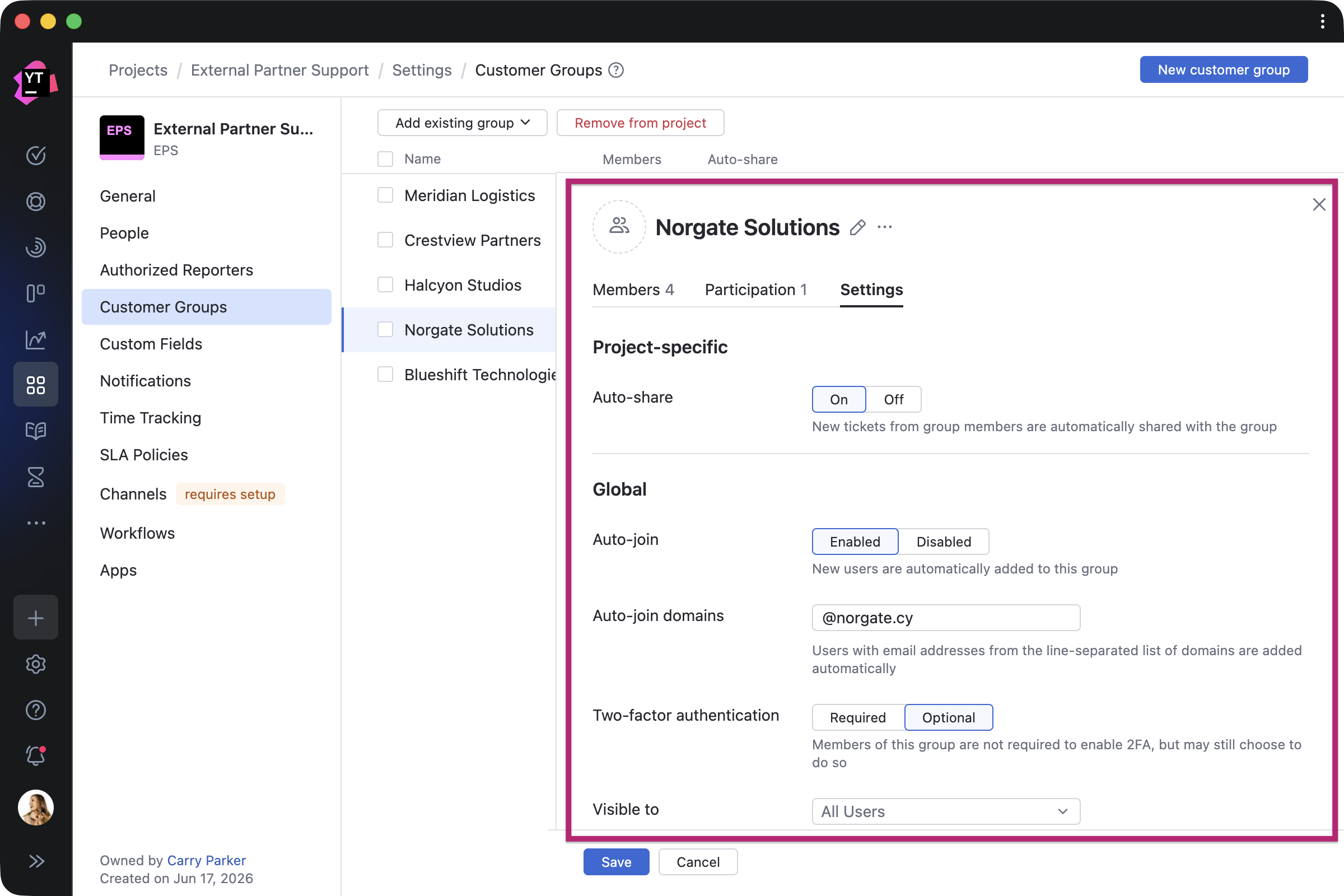
Support teams can receive requests from emails, online forms, websites, and external or internal portals as tickets in YouTrack. With customer groups, these tickets are linked to the correct customer organization, so agents can handle requests in the context of the company they belong to. Administrators can add reporters to customer groups manually or automatically based on email domains. For example, requests from everyone using the same company email domain can be grouped under that customer, so agents do not have to manually sort incoming tickets.
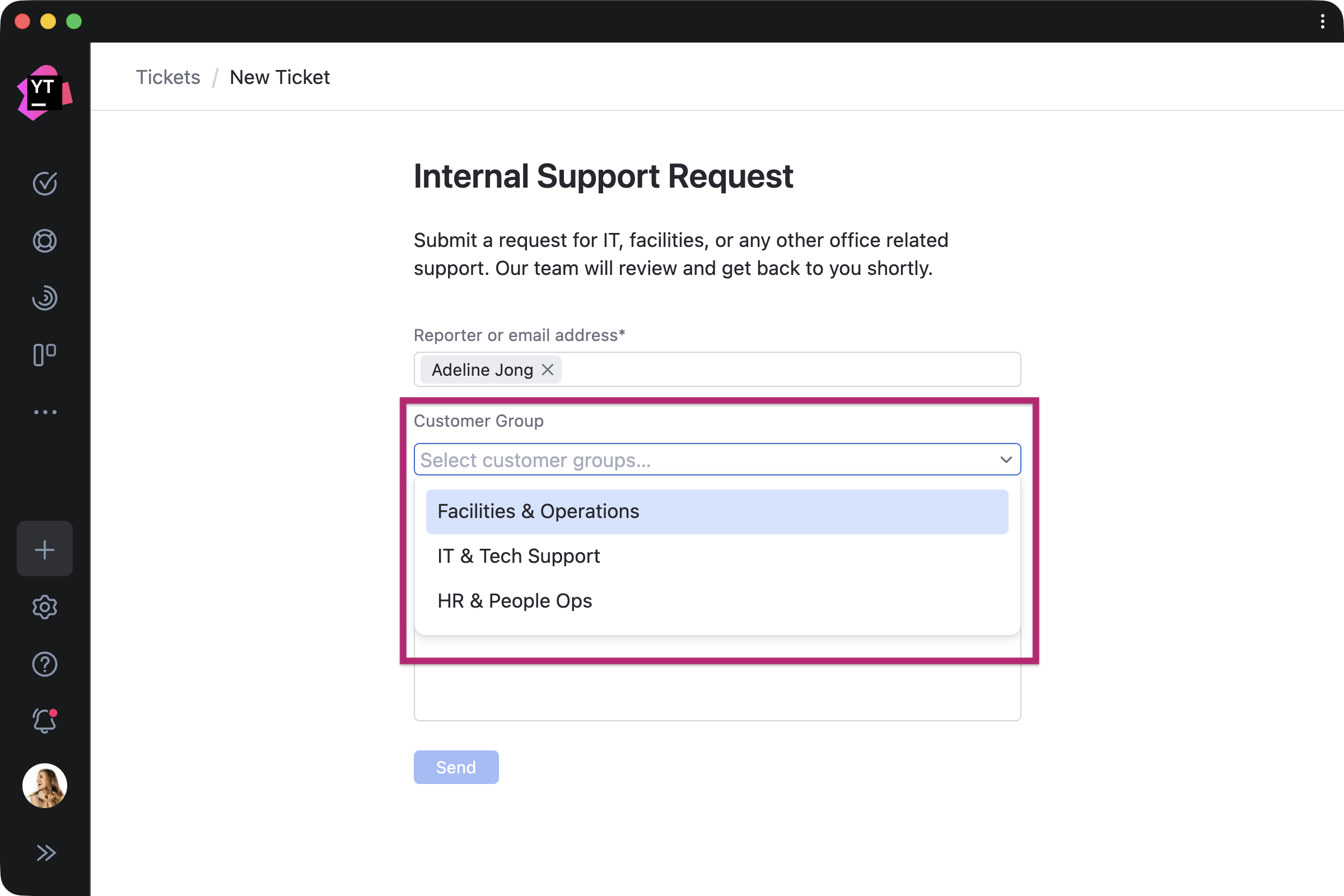
For internal service desks, agents can create tickets on behalf of reporters using an online form and assign a customer group at the same time. This helps teams organize requests from calls, chats, or other internal channels by department, office, or internal customer group, while still keeping each ticket linked to the right reporter.
Keep customer context connected to tickets
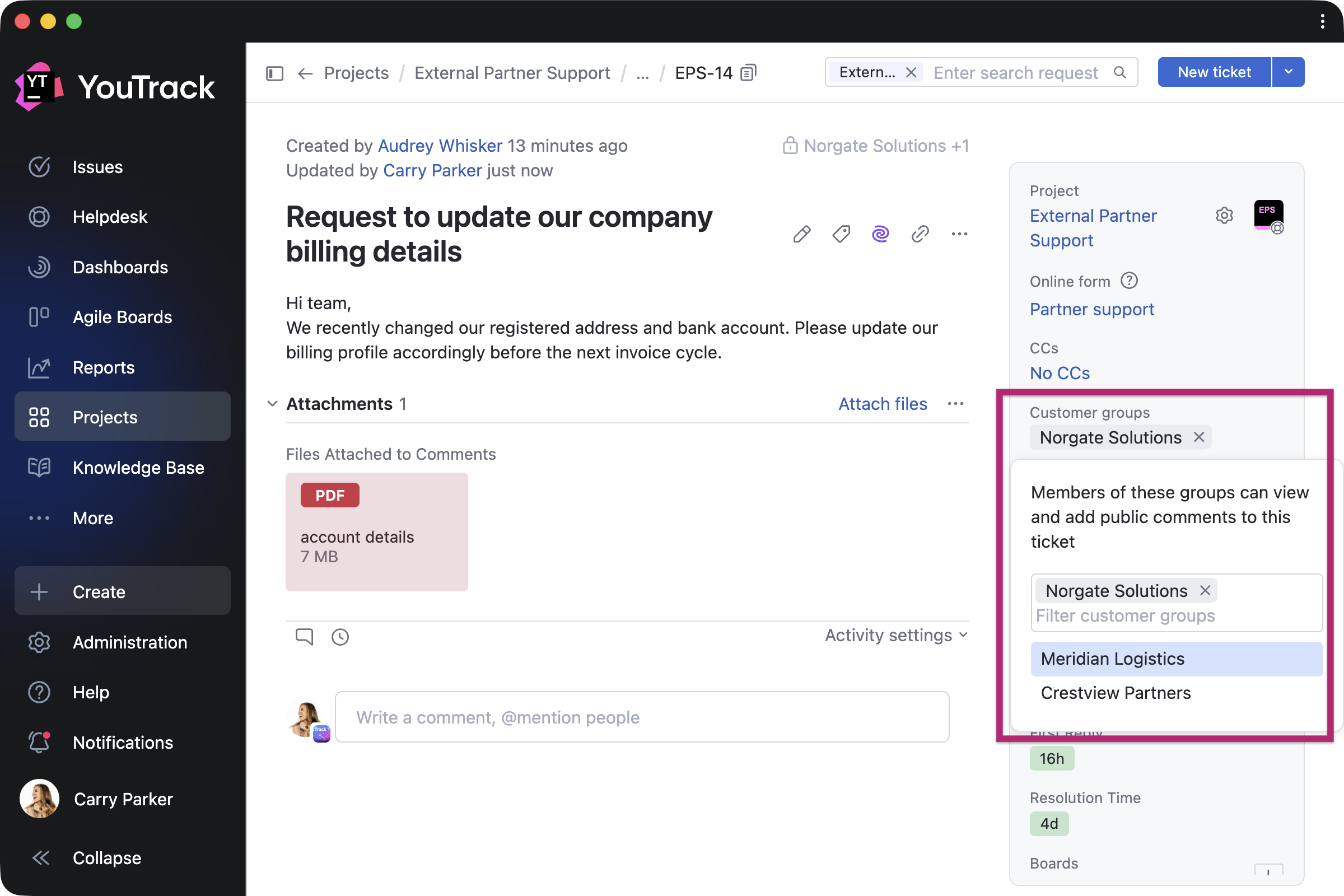
Customer groups keep company-level context attached to tickets, even when your team uses the same customer groups across several helpdesk projects. Agents can select or update the group while working with tickets, then filter tickets by customer group to review all requests from a specific customer organization, team, or department.
Tailor SLAs, support teams, and rules for each customer
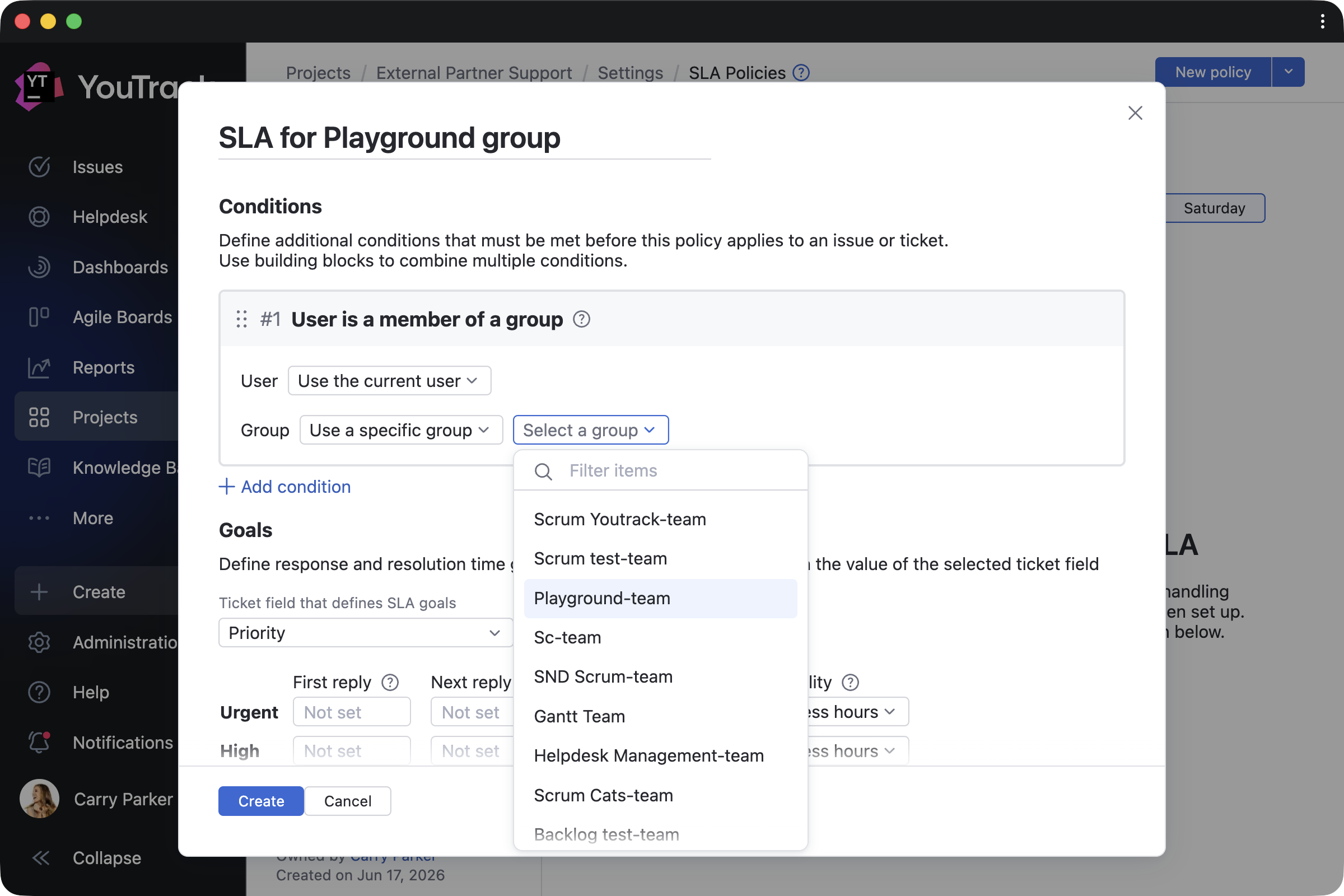
Support teams can adapt their support workflows for each customer or extend existing YouTrack Helpdesk automations. For example, when a support team works with several partner companies, tickets from each partner can follow the process agreed with that account. Teams can apply different SLAs, route tickets to dedicated agents, add account-specific information based on the assigned customer group, and more.
For customer teams
View company tickets in one place
Customer groups also improve the experience for reporters. Reporters in the same group can view tickets across their organization without agents having to share every request manually. This helps customer contacts stay informed about requests that affect their organization, even when a teammate created the original request. Customer managers can also get a clear view of open and resolved requests.

Comment and follow updates when input is needed
Reporters can comment on shared tickets and follow updates when their input is needed. For example, several people from the same client organization may contact your support team about the same service: One employee reports an issue, another adds technical details, and a manager approves the request.

Shape projects with improved Whiteboards and redesigned Gantt charts
Whiteboards with auto-layout and widgets
Whiteboards now offer more ways to visualize project content. If you start brainstorming from a blank canvas or frequently import ongoing projects into Whiteboards, your board can quickly become difficult to navigate. Auto-layout helps arrange brainstormed ideas or project items into a structured layout based on card dependencies, turning scattered notes into an actionable plan.
You can also add interactive widgets to keep important information close at hand. Additional improvements make everyday work smoother, including the ability to resize text, use multi-card commands, undo and redo actions, and more.

Redesigned Gantt charts
Teams can now plan and track projects more easily with redesigned Gantt charts. The updated experience makes it easier to navigate timelines, monitor progress, and manage dependencies. Improved performance lets you apply changes faster, even in complex projects. Additional improvements let you create tasks directly from the timeline, add backlog items using search, and quickly access frequently used charts.
Project managers who monitor progress can also navigate to project-related Gantt charts from project overview pages or save frequently used charts from multiple projects to favorites for quicker access.

Connect AI agents to YouTrack with simpler MCP setup
Sign in to connect AI tools
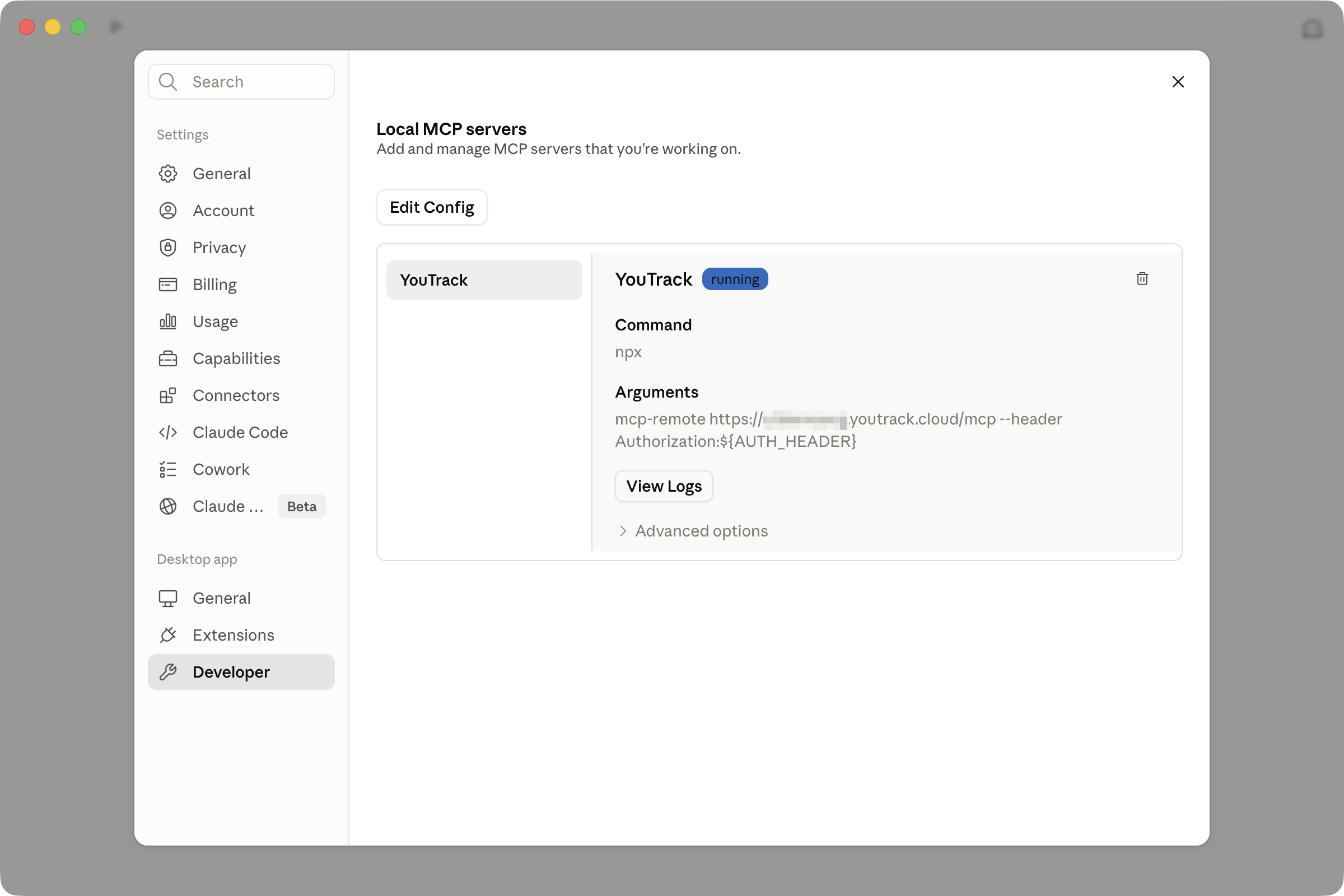
YouTrack doesn’t force AI into your work. When your team chooses to use AI, the Model Context Protocol (MCP) gives you a flexible way to connect agents with YouTrack tasks, projects, articles, and support tickets.
This release makes YouTrack MCP connections easier to set up and more secure to use. Administrators can configure MCP access without asking users to create permanent tokens. Instead, users can connect their AI tools to YouTrack by signing in with their YouTrack account.
How YouTrack customers use MCP in AI workflows
By connecting AI tools to YouTrack through MCP, you can bring project and Knowledge Base context into your AI workflows, create agent skills for working with tasks and articles, build autonomous customer support processes, and more. These workflows can connect YouTrack with the AI tools you already use, from coding assistants like Claude Code and Codex CLI to internal AI platforms and custom agents.
YouTrack customers are already using MCP to manage tasks and tickets, connect AI agents to project context, and build custom workflows around their daily operations.
How Gurtam builds AI agents for daily operations in YouTrack
Gurtam, an international telematics and IoT software developer that builds several platforms for B2B businesses, connected its internal AI platform to YouTrack MCP. The integration took only a few minutes to set up and quickly became one of the most-used tools among employees. Today, Gurtam uses it for many workflows, from creating tasks through an AI assistant chat to supporting manager-level work with AI agents. Every employee can independently create AI agents and connect them to YouTrack projects via MCP.
“AI agents help us review YouTrack requests, monitor backlog health, prepare changelogs, and turn manager notes into actionable tasks.”

Artem Filimonchyk Head of Technical Care, Gurtam
How Fullworks moved task management fully to AI agents
Fullworks builds and supports WordPress plugins for events, security, and payments. The company moved from Jira and Freshdesk to YouTrack, giving its small team one platform for helpdesk and development work across twelve WordPress plugins and Broadcaster, its WhatsApp Business messaging platform.
What was originally a manual task-management process is now supported by AI workflows. The Fullworks team now acts more as orchestrators of product solutions, especially on the administrative side of project management.
“YouTrack MCP with Claude Code allows our AI agents to create, update, and close tasks as part of our software development lifecycle.”

Alan Fuller Product Developer and Business Owner, Fullworks
YouTrack Insiders: How agent skills help the YouTrack Support team resolve tickets faster
AI tools can also support everyday customer service work. The YouTrack Support team creates agent skills to fetch tickets from YouTrack, find similar past tickets or known issues, check relevant documentation and source code, and draft responses.
Because YouTrack’s public issue tracker has accumulated years of support history, agent’s drafts can draw on previous answers, issue discussions, and comments from related work when preparing replies. This helps the Support team reuse proven context instead of starting from scratch for every ticket.
Migrate projects data from ClickUp or Asana
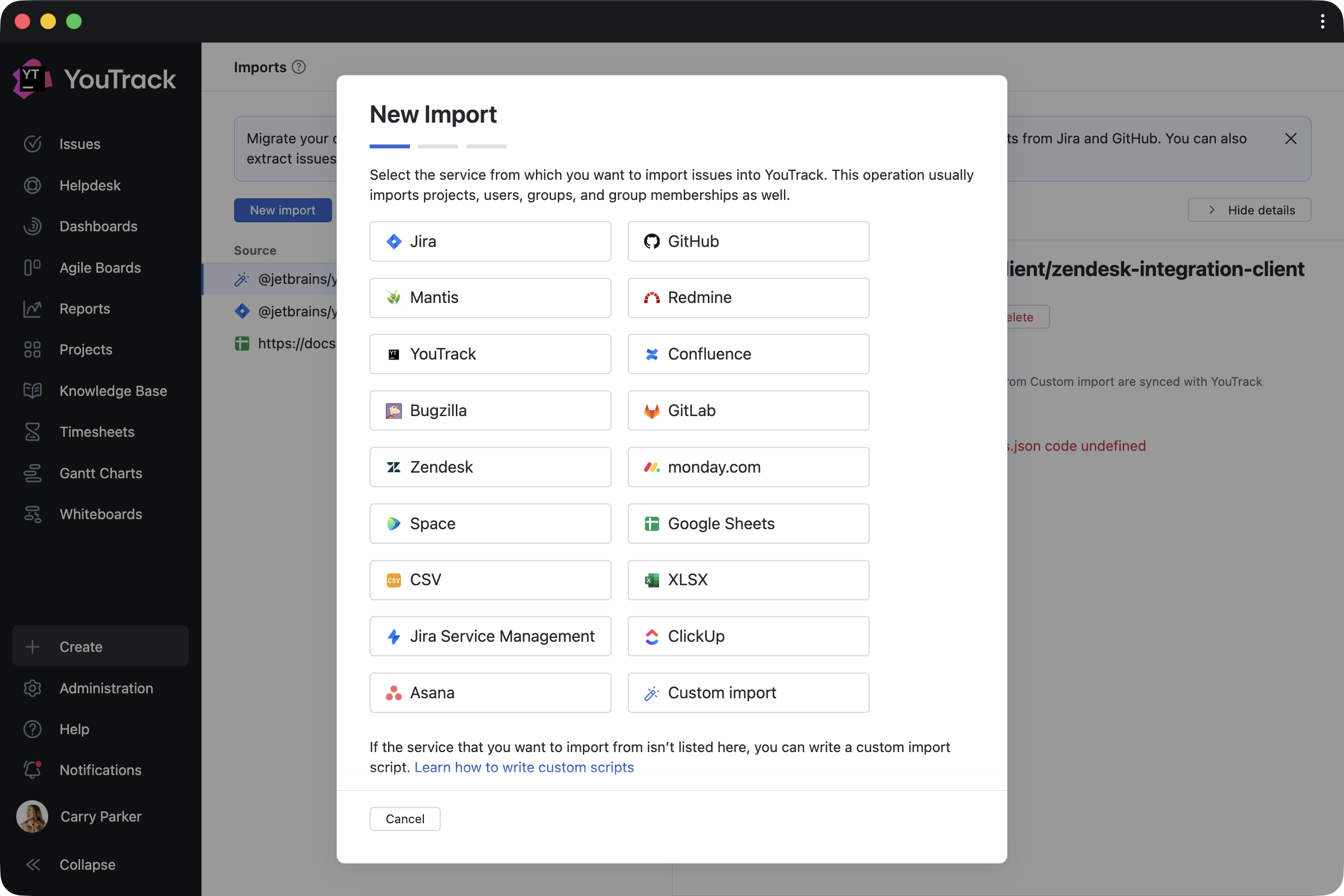
You can move to YouTrack using built-in import tools. New import options for ClickUp and Asana bring projects, tasks, users, comments, attachments, and other work data into YouTrack. Continuous import keeps your data synchronized between systems during migration, making it easier to transition at your own pace without disrupting ongoing work.
These migration options have been added to the import wizard, which already supports Jira, Confluence, Jira Service Management, monday.com, Zendesk, GitHub, GitLab, and more.
Extend YouTrack functionality with more apps
Enhancements for app creators
Whether you’re building apps for your own team or publishing them on JetBrains Marketplace, the new Enhanced Developer Experience toolkit makes development easier. New TypeScript support lets you start projects with npm create @jetbrains/youtrack-app@0.0.12, while the new @jetbrains/youtrack-workflow-types package provides TypeScript typings for YouTrack workflow environments.
New YouTrack apps
YouTrack Certified Partners and independent developers continue to add apps for more team scenarios, including sprint planning, testing, time tracking, everyday work with tasks and tickets, and more. Most apps are free, with paid options available for teams that need more advanced capabilities.
Plan sprints and backlogs
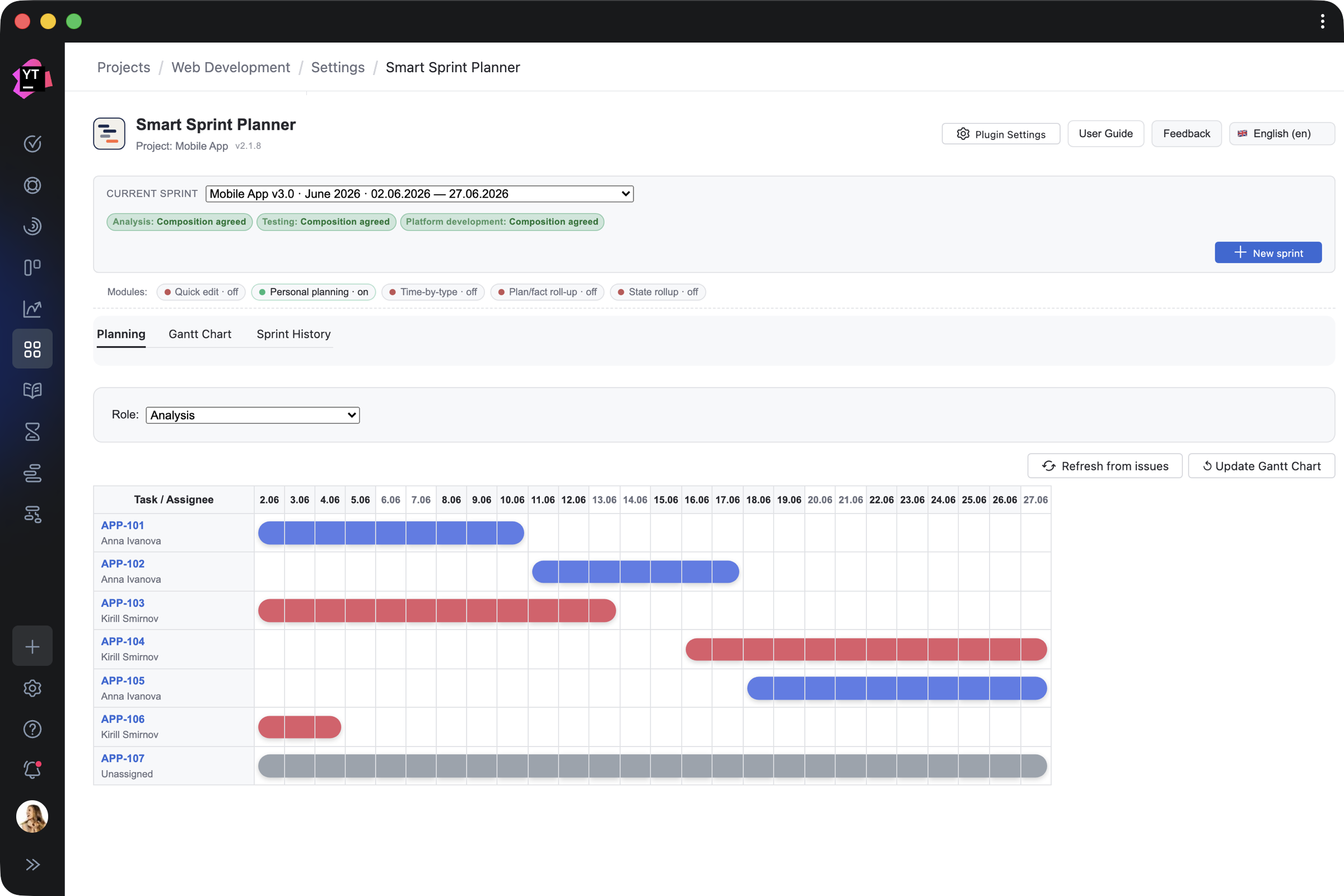
Smart Sprint Planner by Letsrollamigo helps teams plan complex sprints across multiple functional areas, visualize timelines, and track resources by work type during a sprint.
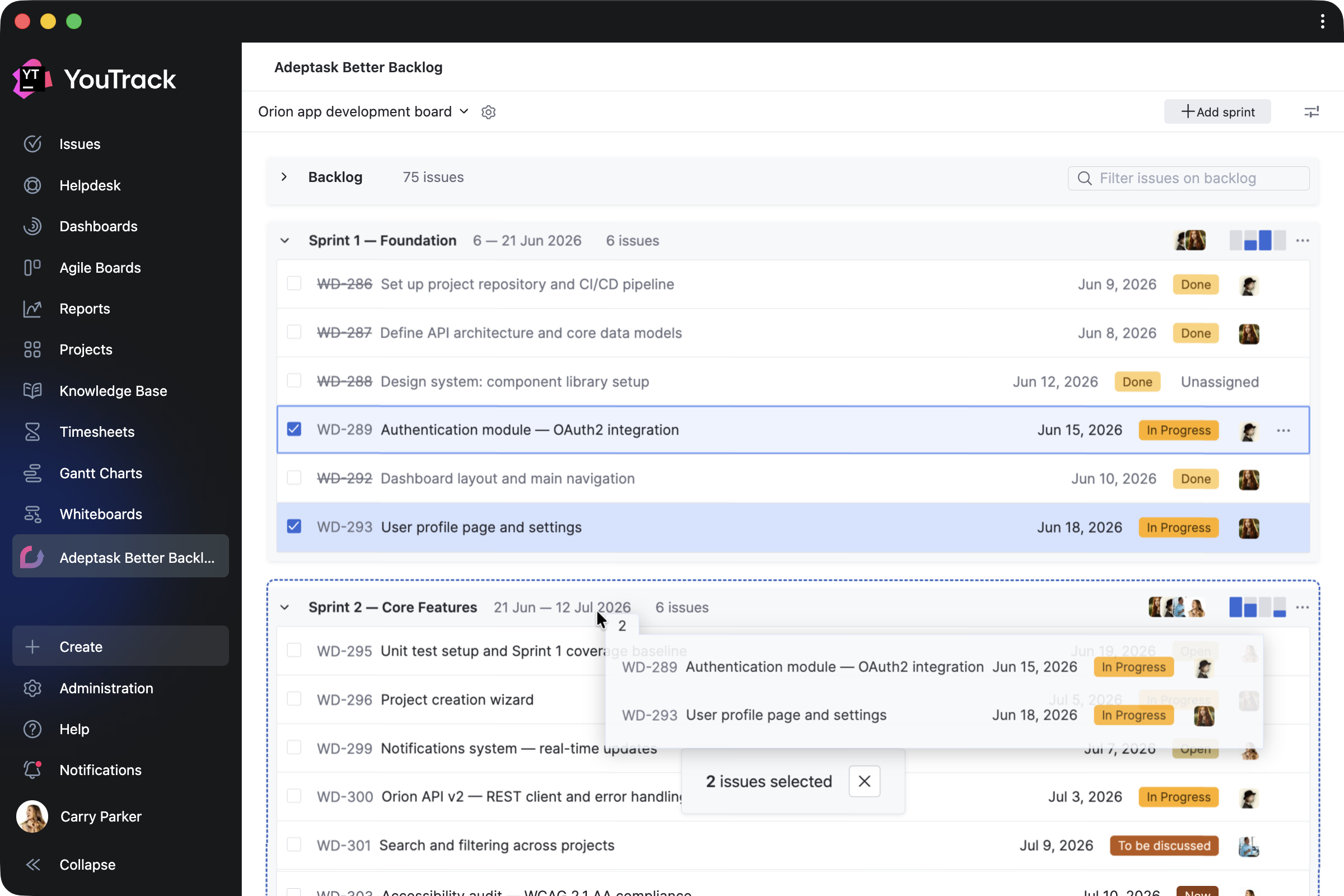
Better Backlog by Adeptask adds a dedicated planning view where teams can organize backlog items, move work into sprints, and track sprint progress. The app is free for 10 users but includes a free 30-day trial for unlimited users.
Manage testing and QA work
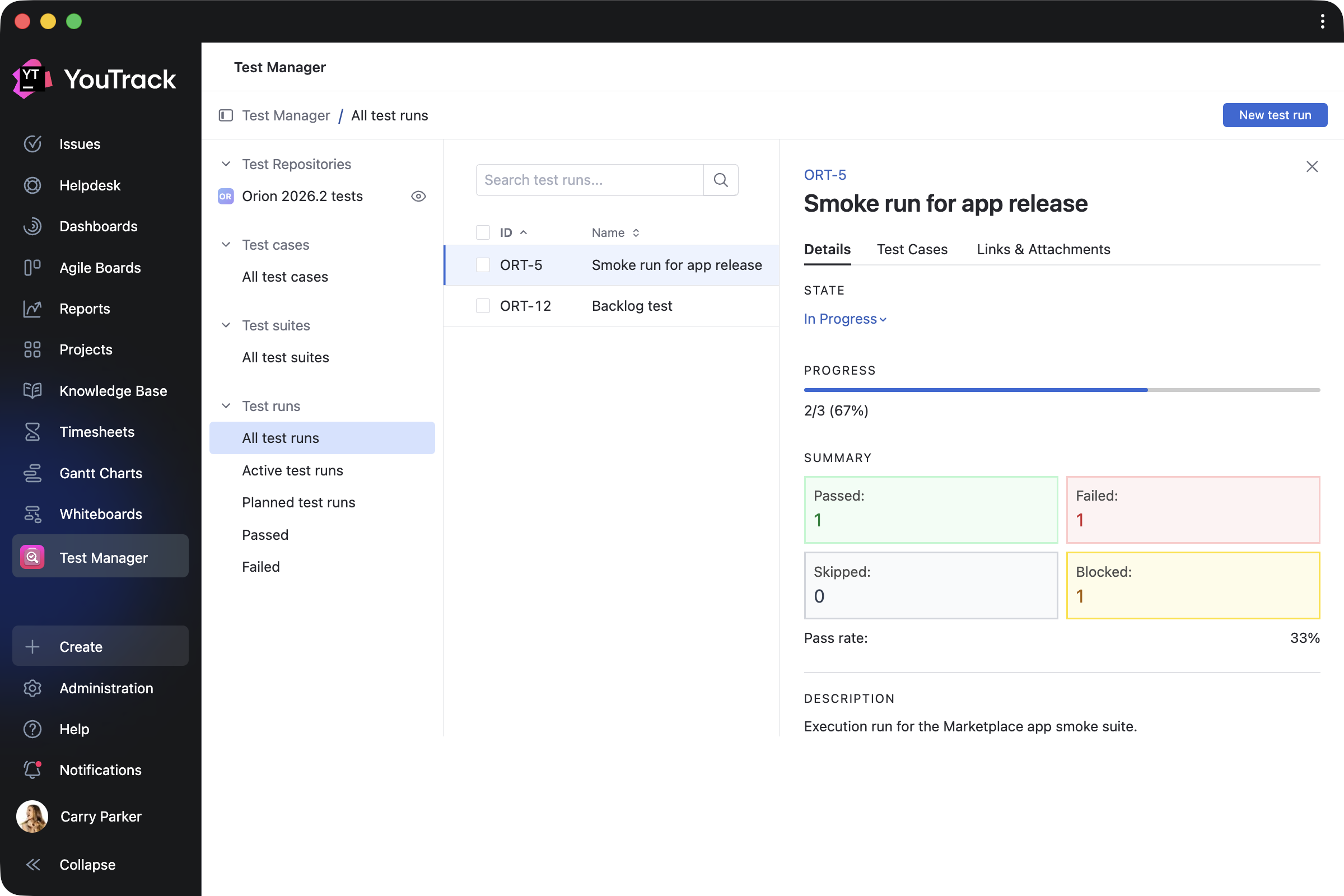
Test Manager by twenty20 helps to manage manual testing directly in YouTrack. Create tasks for test suites, test cases, steps, and runs, so QA work stays connected to your projects. The app is paid but includes a free 30-day trial.
Keep timing tracking visible
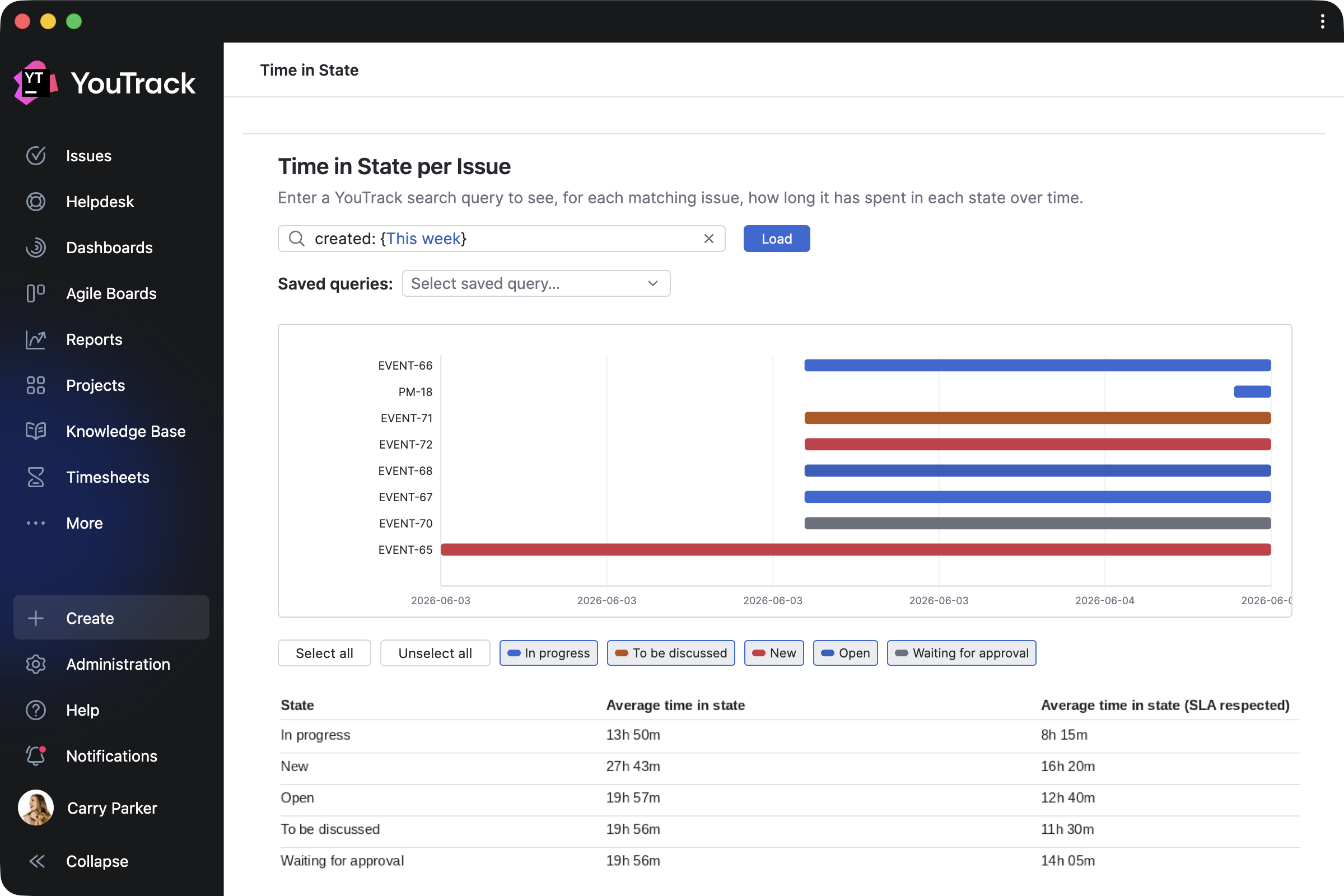
Time in State Basic by msp AG helps teams identify bottlenecks by showing how long tasks and tickets spend in each workflow state, including reaction and resolution SLA timing configured by administrators.
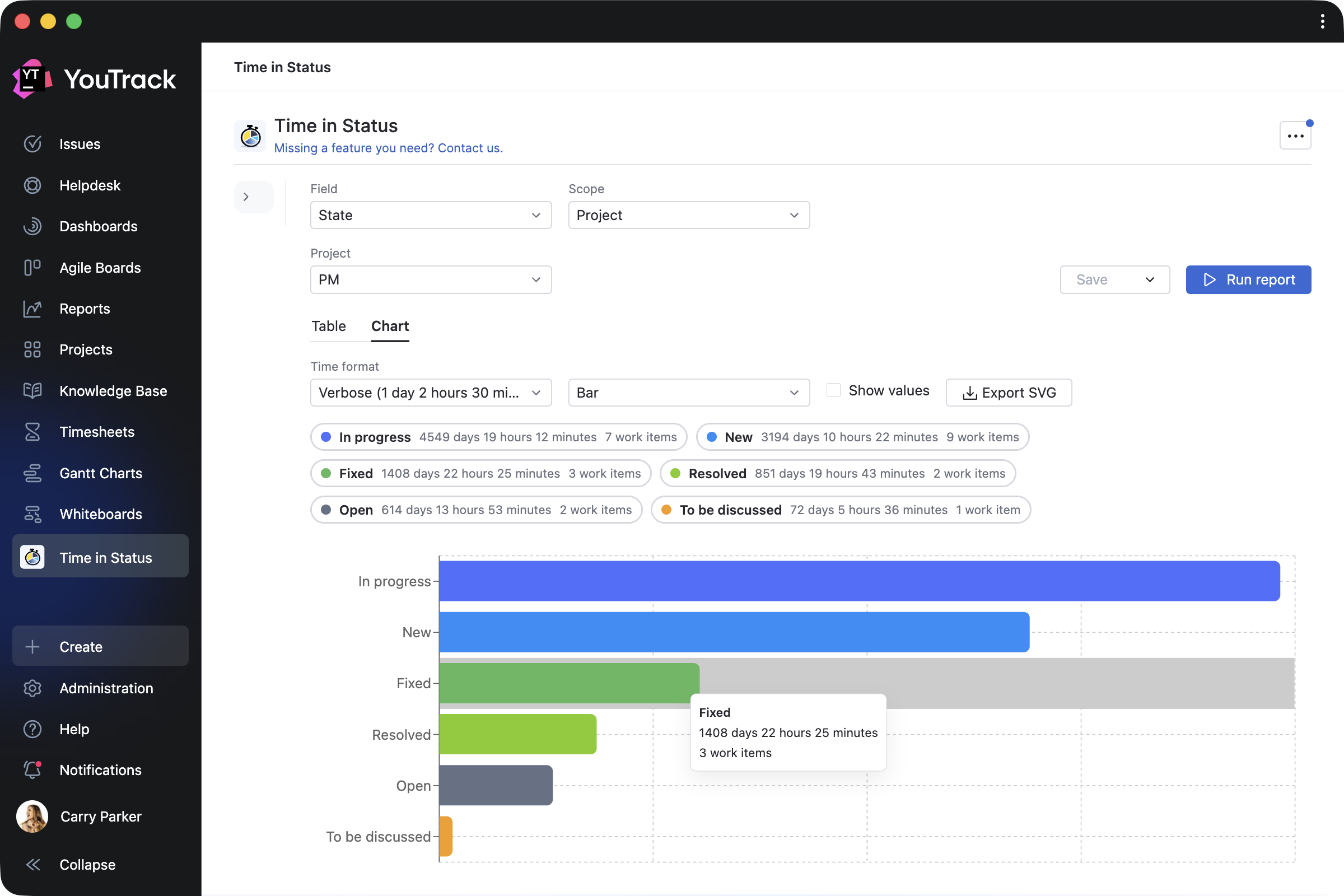
Time in Status by Appfero provides detailed reports on status duration across projects, sprints, assignees, and reporters, helping teams better understand workflow efficiency. The app is paid but includes a free 30-day trial.
Add more context to tasks and tickets
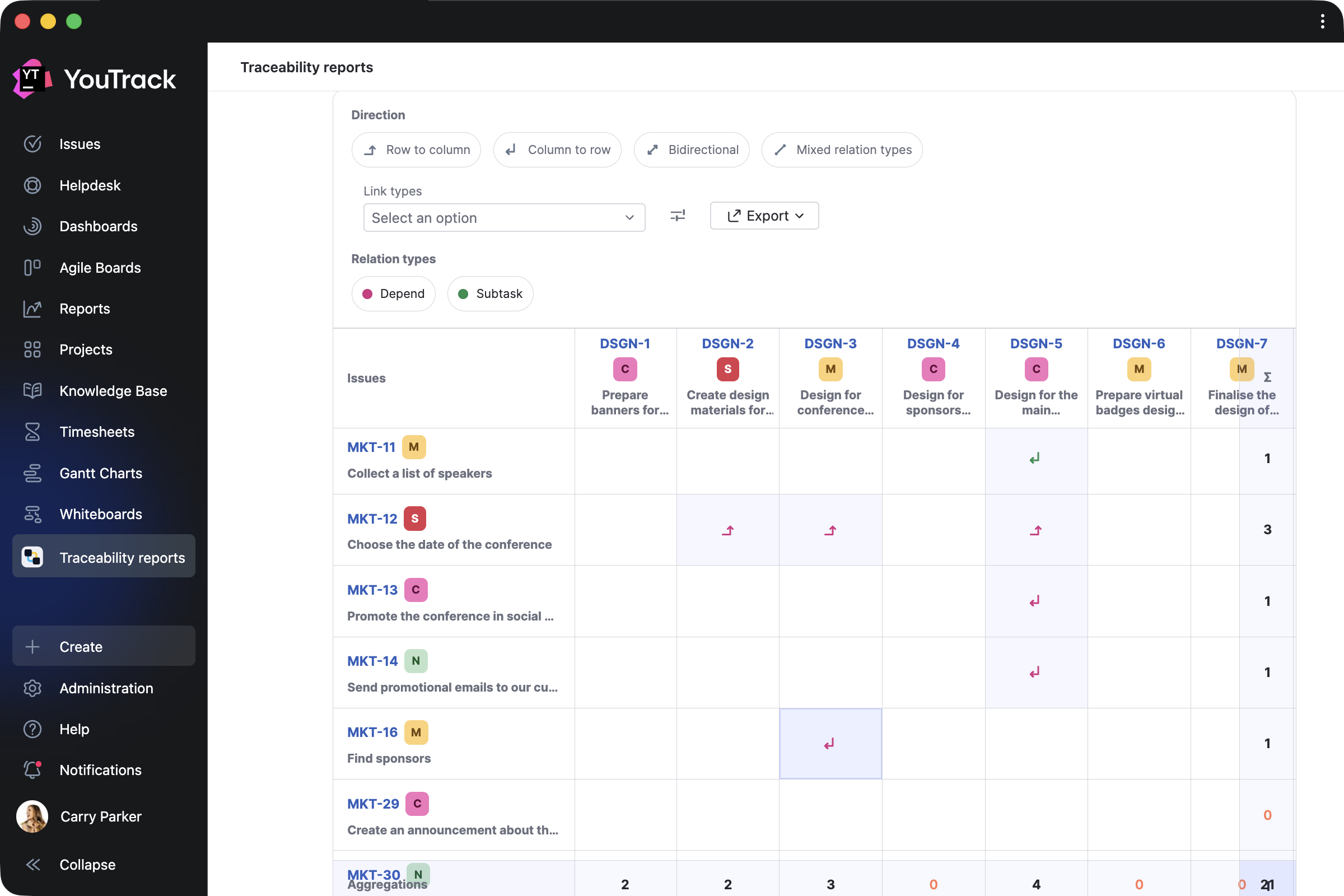
Advanced Linked Issues and Traceability by Appfero helps teams analyze linked work, build traceability reports across projects, compare linked tasks in a matrix, and export results to CSV or XLS.
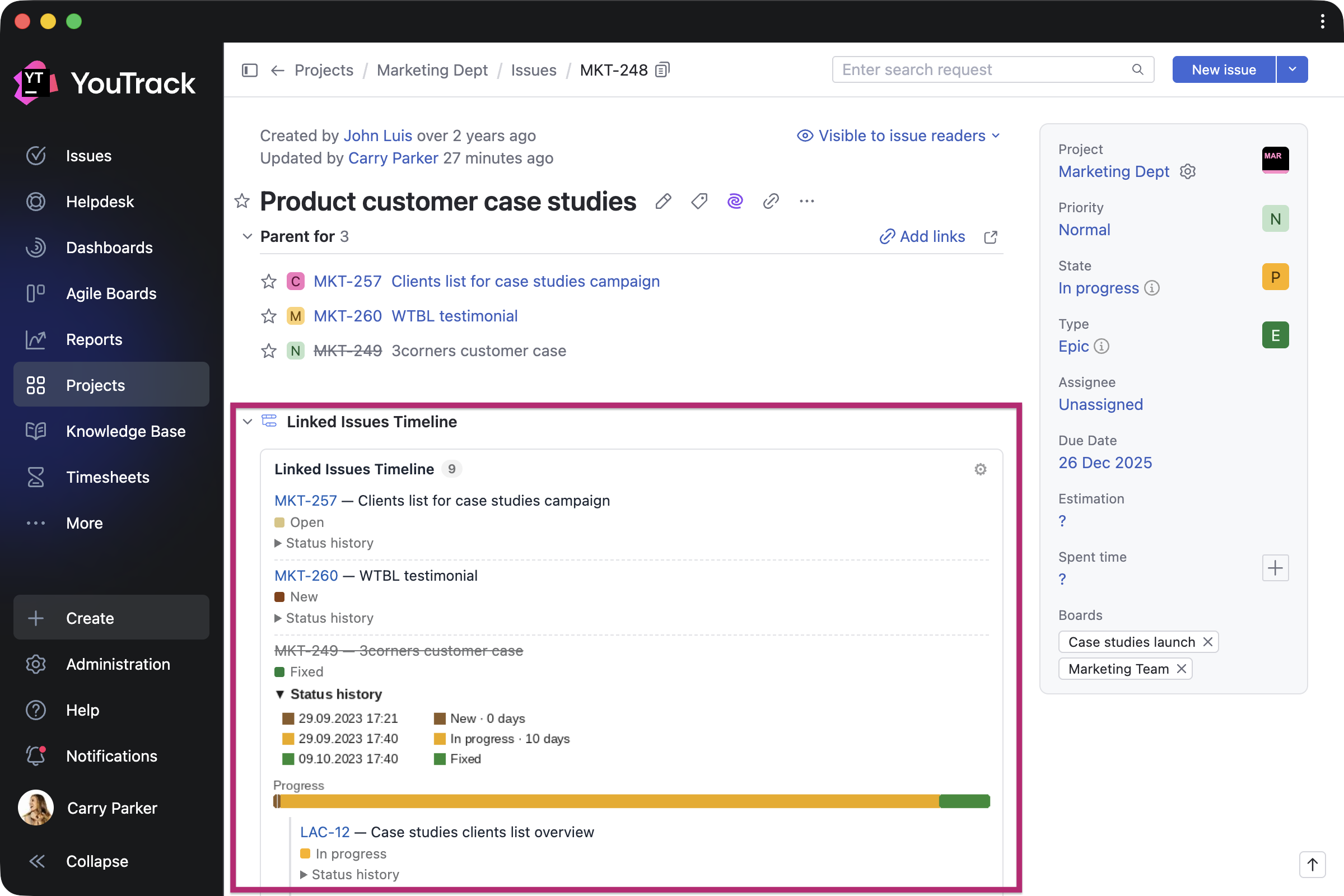
Linked Issues Timeline by Andrei Iasnikov lets you view items related to the task or ticket you’re looking at, including linked items, status history, and progress timelines.
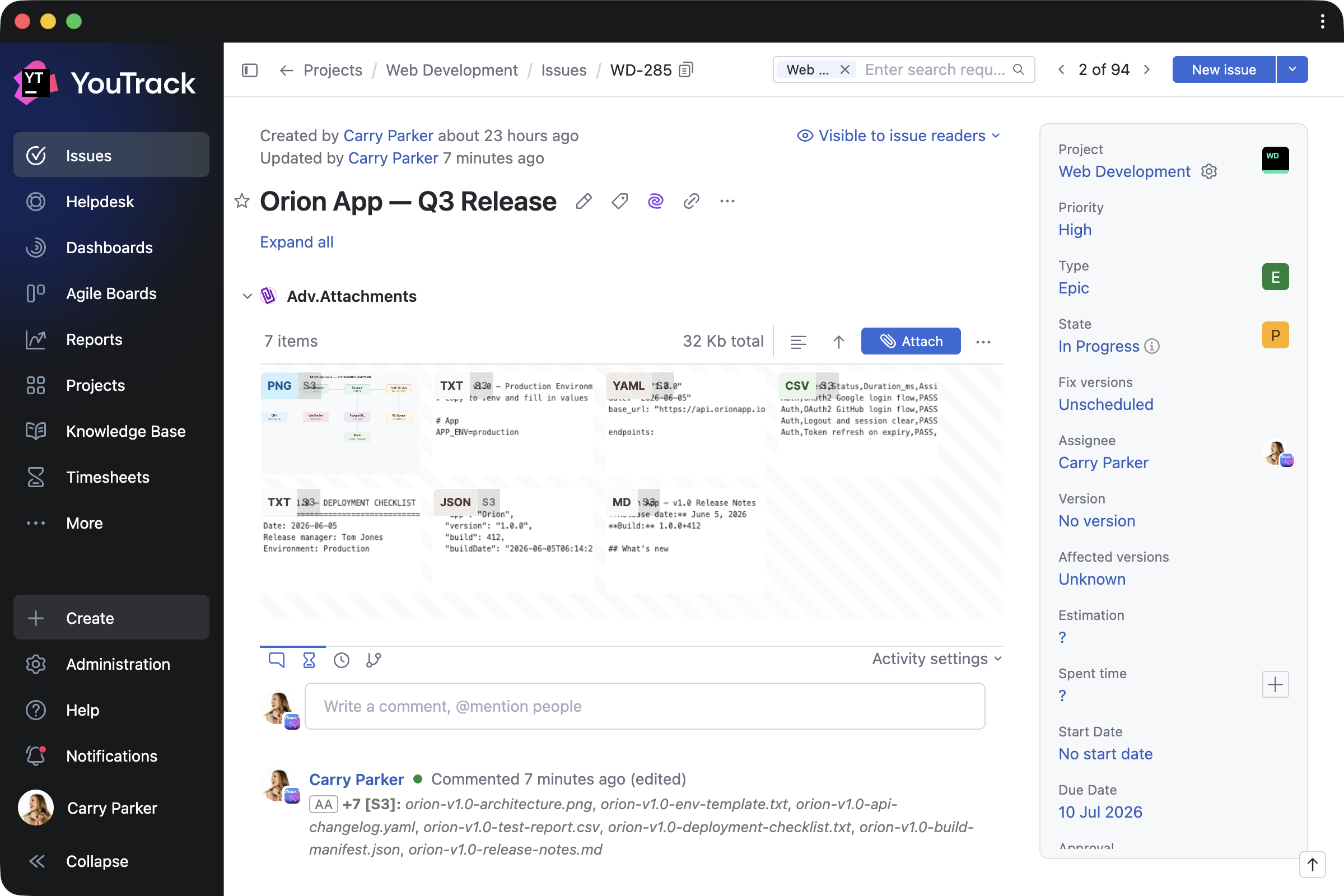
Adv.Attachments by mag1.cc makes it easier to work with attachments with file previews and support for both YouTrack attachments and S3-hosted files.
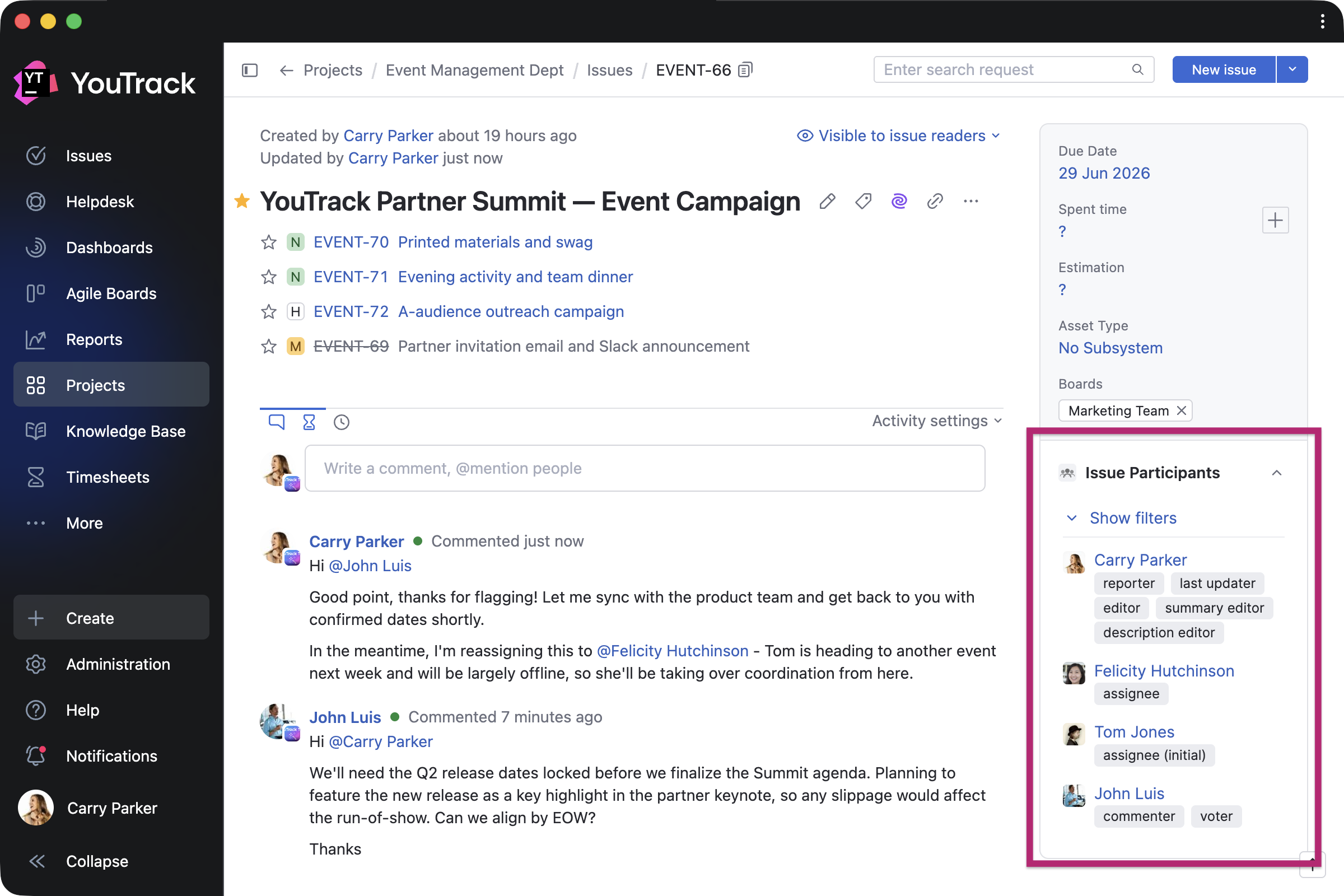
Issue Participants by Maksim Fedorov adds a dedicated view of everyone involved in a task or ticket, grouped by role and activity.
Enhance Knowledge Base functionality
Adv.DocExporter by mag1.cc exports Knowledge Base articles and tables to DOCX and XLSX formats, making it easier to share content outside YouTrack.
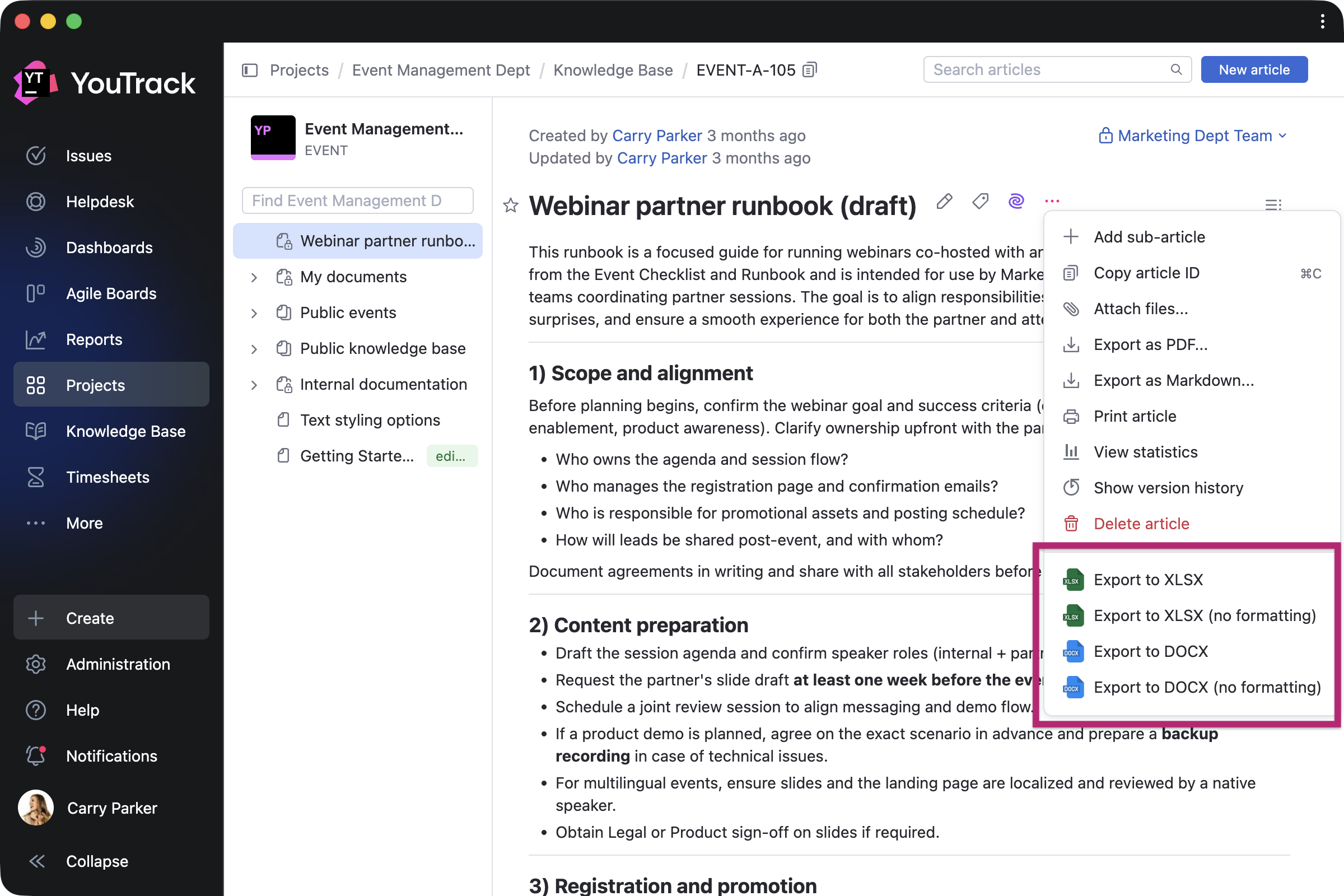
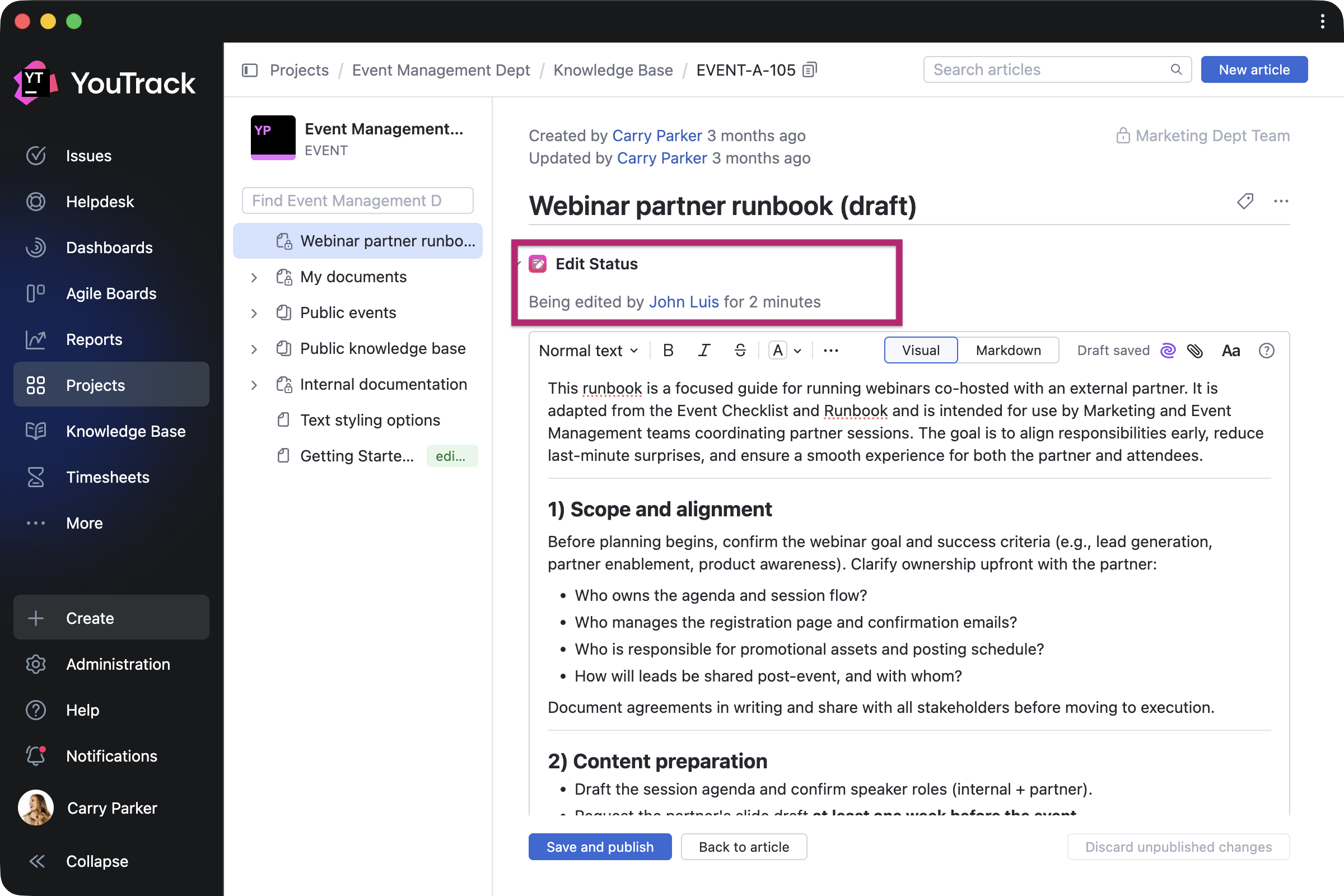
Edit in Progress by twenty20 helps teams avoid editing conflicts by showing when an article is currently being edited and by whom.
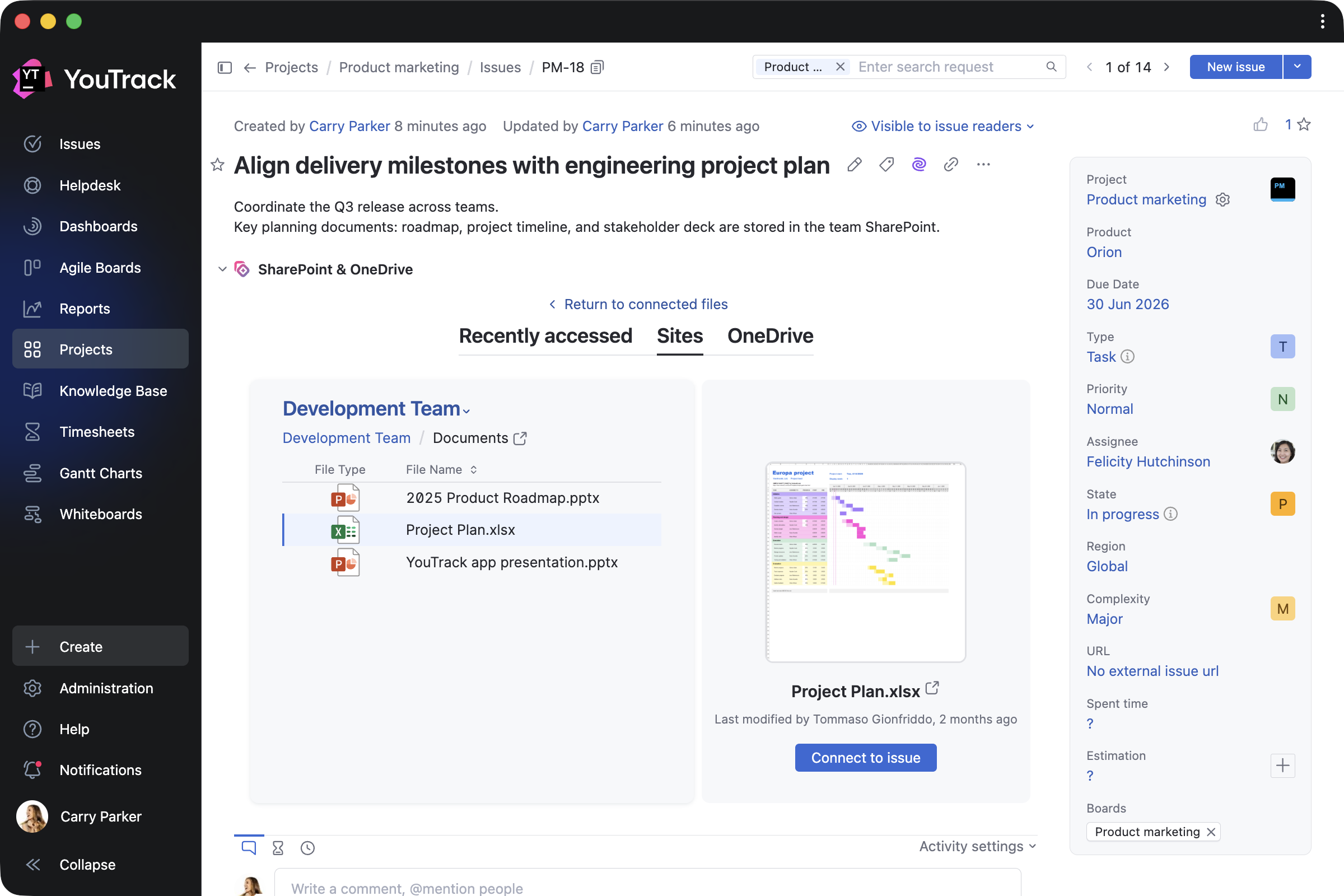
Connect YouTrack with more third-party tools
SharePoint and OneDrive Connector by Adeptask connects Microsoft 365 documents with YouTrack projects, so teams can access and preview relevant files from tasks, tickets, and articles. The app is free for 10 users but includes a free 30-day trial for unlimited users.
Webhook Triggers by JetBrains connects YouTrack project activity to external systems. Project administrators can configure webhook URLs for events involving issues, comments, work items, and attachments, with event-specific endpoints and token-based authentication.

Other enhancements
This release also includes smaller updates that improve the overall YouTrack experience. We’ve improved the notification center’s performance, enhanced the onboarding experience for administrators and users, introduced GitHub App authentication for GitHub VCS integrations, and more.
Check out the release notes for the full technical details and a comprehensive list of this release’s bug fixes and improvements. For more details on configuring the latest features, see the documentation.
If you use YouTrack Cloud, you’ll automatically be upgraded to YouTrack 2026.2 in accordance with our Maintenance Calendar.
If you have an active YouTrack Server subscription, you can upgrade to YouTrack 2026.2 today.
If you don’t have an active YouTrack subscription, you can use the free YouTrack for up to 10 users to test out the new version before you commit to buying!
For more information about the licensing options available for YouTrack, please visit our Buy page.
Your YouTrack team
Subscribe to YouTrack Blog updates