惯性聚合 高效追踪和阅读你感兴趣的博客、新闻、科技资讯
阅读原文 在惯性聚合中打开

推荐订阅源

freeCodeCamp Programming Tutorials: Python, JavaScript, Git & More
Application and Cybersecurity Blog
N
News | PayPal Newsroom
The Last Watchdog
The Last Watchdog
S
Secure Thoughts
Forbes - Security
Forbes - Security
cs.CV updates on arXiv.org
PCI Perspectives
PCI Perspectives
N
News and Events Feed by Topic
Hacker News - Newest:
Hacker News - Newest: "LLM"
Last Week in AI
Last Week in AI
Blog — PlanetScale
Blog — PlanetScale
Hacker News: Ask HN
Hacker News: Ask HN
H
Heimdal Security Blog
D
Docker
Cloudbric
Cloudbric
P
Privacy International News Feed
S
Security Affairs
TaoSecurity Blog
TaoSecurity Blog
博客园 - 聂微东
WordPress大学
WordPress大学
CTFtime.org: upcoming CTF events
T
Tenable Blog
Scott Helme
Scott Helme
人人都是产品经理
人人都是产品经理
Recent Announcements
P
Palo Alto Networks Blog
小众软件
小众软件
L
LINUX DO - 最新话题
美团技术团队
Google Online Security Blog
cs.AI updates on arXiv.org
雷峰网
雷峰网
Microsoft Security Blog
The Hacker News
The Hacker News
Webroot Blog
Webroot Blog
T
Tor Project blog
G
Google Developers Blog
A
About on SuperTechFans
Y
Y Combinator Blog
K
Kaspersky official blog
A
Arctic Wolf
量子位
I
InfoQ
V
Visual Studio Blog
T
Troy Hunt's Blog
C
Cybersecurity and Infrastructure Security Agency CISA
J
Java Code Geeks
博客园 - 【当耐特】
GbyAI
GbyAI

Visual Studio Blog

Visual Studio Administrator? Join our Private Marketplace Preview! - Visual Studio Blog Pick, manage, and get the most from your models - Visual Studio Blog Built-in Agent Skills Bring .NET and Azure Expertise into Visual Studio - Visual Studio Blog The Visual Studio Dev/Test Benefit: Freedom to Build, Test, and Experiment in Azure - Visual Studio Blog Visual Studio June Update - Track Your Usage, Trust Your Tools - Visual Studio Blog Automating your Visual Studio extension builds with GitHub Actions - Visual Studio Blog Make Visual Studio look the way you want - Visual Studio Blog Review pull requests without leaving Visual Studio What’s Coming Next in Visual Studio: Our Microsoft Build 2026 Announcements Visual Studio May Update – Plan, Review, Refine VSLive! Microsoft AI Hackathon 2026: Send Your Team Home With Working Code Agent Skills in Visual Studio: Teach Copilot How Your Team Works TypeScript 7 Beta Now Enabled by Default in Visual Studio 2026 18.6 Insiders 3 SDK-Style Support for Extension Projects Visual Studio April Update – Cloud Agent Integration - Visual Studio Blog From AI to .NET: 20 VS Live! Las Vegas Sessions You Can Watch Now - Visual Studio Blog Azure MCP tools now ship built into Visual Studio 2022 — no extension required Stop Hunting Bugs: Meet the New Visual Studio Debugger Agent Workflow Visual Studio March Update – Build Your Own Custom Agents Visual Studio February Update
Plan Before You Build: Introducing the Plan agent in Visual Studio
Rachel Kang (SHE/HER) · 2026-05-22 · via Visual Studio Blog

You ask Copilot to tackle something big, it gets to work, and a dozen file changes later you realize you had a completely different approach in mind. The code isn’t wrong… it just isn’t what you were going for.

Last year, we introduced planning as a feature in Agent mode to help with exactly this. Since then, you’ve told us you wanted more control over when planning happens, the ability to edit plans directly, and a way to save and share them. Your feedback shaped what came next: the new Plan agent.

Instead of jumping straight into implementation, the Plan agent starts with a deeper understanding of what you’re trying to build: asking questions, clarifying your intent, and enabling you to iterate on the plan before making a single change.

How it works

Here’s how it works:

  • Select the Plan agent and describe what you want to build — Choose Plan from the agent picker in Copilot Chat, then tell Copilot what you’re trying to do. You can be as broad as “add authentication to this app” or as specific as “refactor the payment module to support multiple providers.” The more context you give, the better the plan.
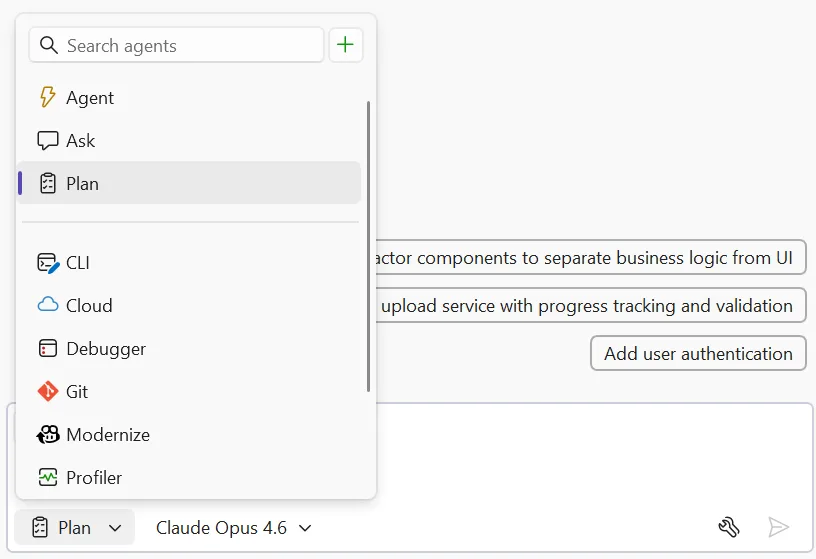
plan selected in agent picker image
  • Explore and clarify — Copilot scans your codebase using read-only tools and asks clarifying questions when something is ambiguous. Answer these to help Copilot understand what you’re going for. For straightforward tasks, it moves straight to drafting.
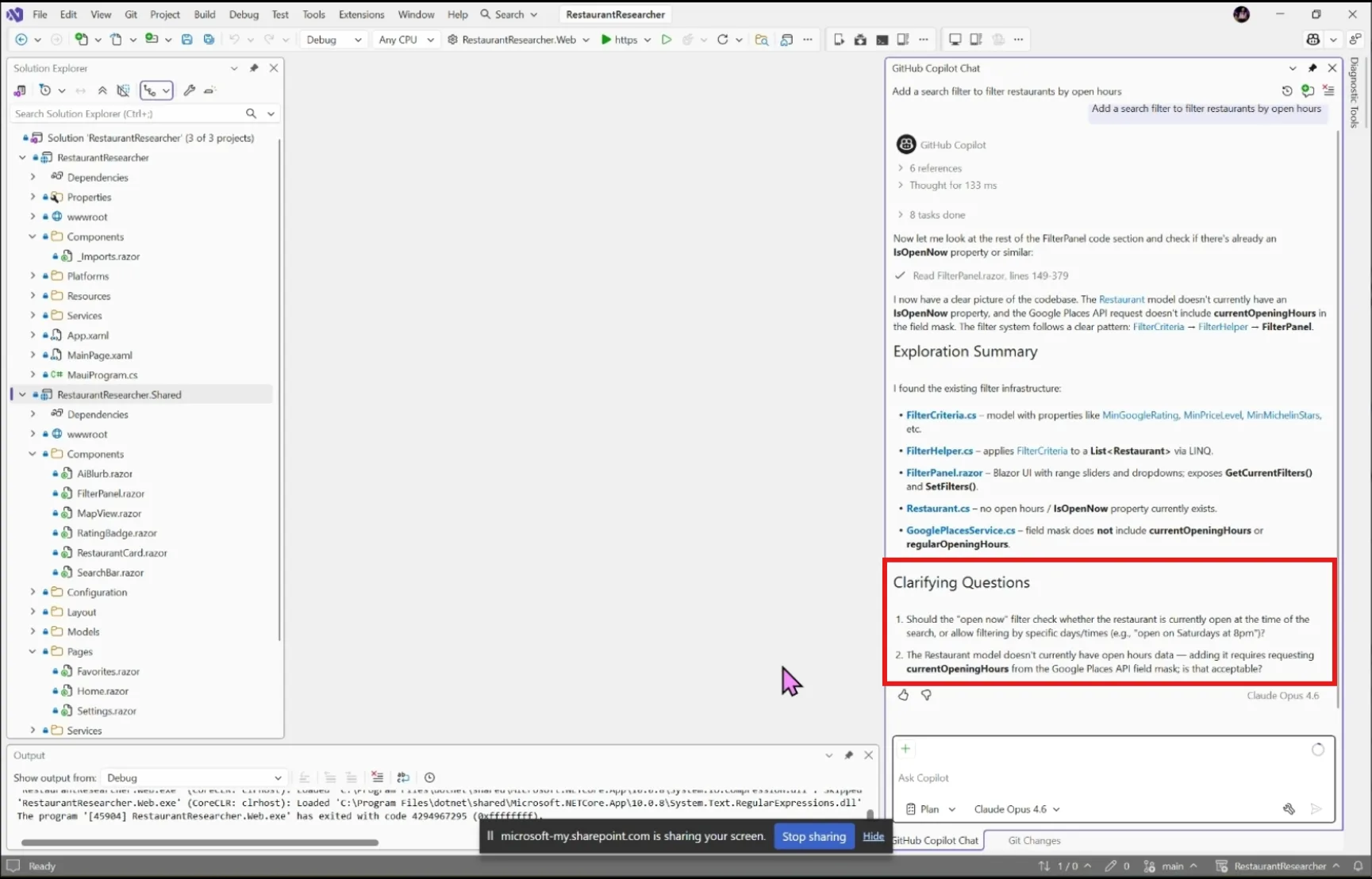
plant agent clarifying questions image
  • Draft and refine — Copilot creates a detailed implementation plan you can review together. Ask it to rethink an approach, add edge cases, split a step into smaller pieces, or reconsider which files to touch.
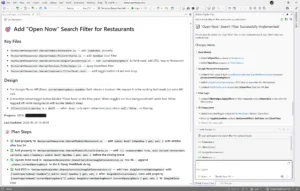
  • Edit the plan directly — Every plan is saved as a markdown file at .copilot/plans/plan-{title}.md. Edit it in your editor, refine it through chat, or share it with your team for review. Copilot picks up your changes and keeps everything in sync.
  • Implement — When you’re satisfied, click Implement plan to hand it off to Agent mode to build. No code changes happen until you say so. Copilot works through the plan step by step, creating and editing files while you watch the progress in real time.
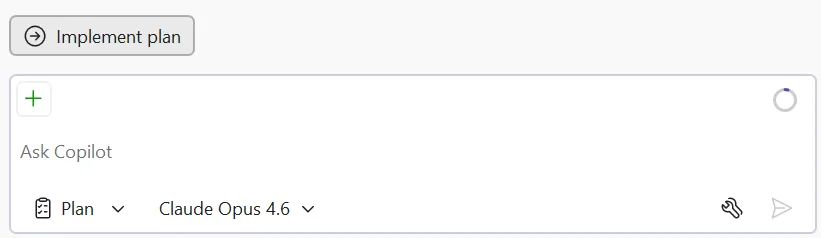
plan agent implement plan button image plan implemented image

Try it today

The Plan agent helps you figure out what to build before you start building it. Give it a try on your next feature or refactoring task, and let us know how it goes!

Share your feedback on Developer Community and let us know what’s working, what’s not, and what you’d like to see next!