









Starting in Visual Studio 18.5, you can create and build Visual Studio extensions (VSIX) using an officially supported SDK-style project. This brings VSIX projects into the modern build and deployment pipeline, improving incremental build performance and making the build → deploy → debug workflow more reliable. Install the Visual Studio extension development workload to get the templates and tooling and try it out for yourself!
Note: Extensions written using the modern VisualStudio.Extensibility framework already supports SDK-style projects today. This update extends the same SDK-style experience to VSSDK-based Visual Studio extensions.
What We Are Adding:
- Official SDK-style support for projects that produce VSSDK-based extensions.
- Build time reductions of up to 75%! We’ve added end-to-end incremental build support including Fast Up To Date Check and up to date deployment logic. Through internal adoption, we see a reduction of up to 75% in build time in large solutions for small changes or changes confined to a single sub project.
- Updated in-box templates: SDK-style by default, with the familiar project items (tool windows, classifiers, commands, etc.).
Project Usage
Creating a project is done the same way you are used to, using the “VSIX Project” or “Empty VSIX Project” template:
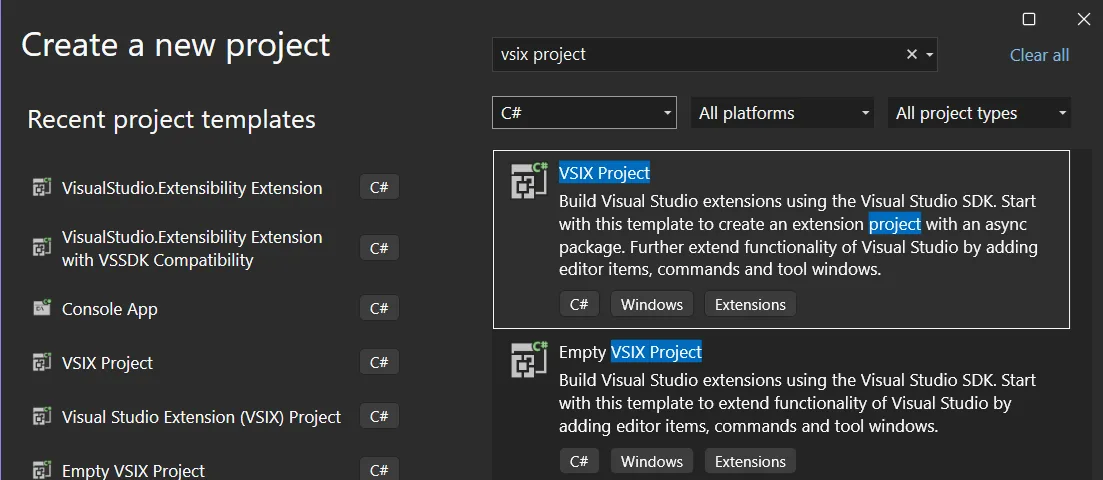
This will yield a much more compact csproj than before: only 20 lines:
<Project Sdk="Microsoft.NET.Sdk">

  <PropertyGroup>
    <TargetFramework>net472</TargetFramework>
    <Nullable>enable</Nullable>
    <LangVersion>14</LangVersion>

    <!-- VSIX settings -->
    <VSSDKBuildToolsAutoSetup>true</VSSDKBuildToolsAutoSetup>
    <VsixDeployOnDebug>true</VsixDeployOnDebug>
    <GeneratePkgDefFile>true</GeneratePkgDefFile>
  </PropertyGroup>
  <ItemGroup>
    <ProjectCapability Include="CreateVsixContainer" />
  </ItemGroup>

  <ItemGroup>
    <PackageReference Include="Microsoft.VisualStudio.SDK" Version="17.14.40265" ExcludeAssets="runtime" />
    <PackageReference Include="Microsoft.VSSDK.BuildTools" Version="18.5.38461" />
  </ItemGroup>
</Project>
Does it impact my extension?
- If you create a new extension, you will automatically get full SDK-Style support.
- Your existing MPF style extension will continue to work should you choose not to migrate. This update adds an official SDK-style option; it doesn’t force a conversion.
- You can update your project to an SDK-style project file to take advantage of these features.
- Vsixmanifest files included in SDK-style projects now open by default in the XML editor. The old designer is still available through the ‘Open With’ menu.
Migration In Brief
- I migrated an extension from Mads Kristensen as an example: Convert to SDK-style project by matthew-j-clark · Pull Request #6 · madskristensen/SelectedWhitespace · GitHub
- If you have any XAML, you need to add: `<UseWpf>true</UseWpf>`to your csproj.
- You must mark your extension as deployable in your SLN or SLNX file if you want it to deploy when you hit F5.
- You can do this in your SLNX like this:
 <Project Path="src/SelectedWhitespace.csproj">
    <Deploy Solution="Debug|Any CPU" />
  </Project>
- You can do this in your SLNX like this:
- When available, you can do this in the project configuration:
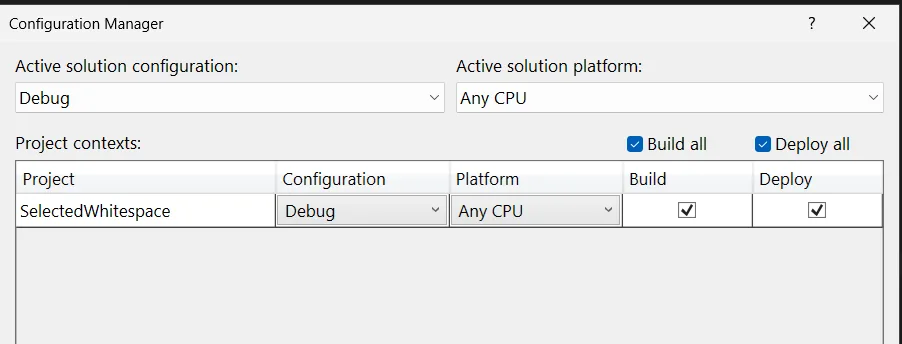
<VSSDKBuildToolsAutoSetup>true</VSSDKBuildToolsAutoSetup>will setup most sensible defaults for you and reduce the size of your csproj. This will setup options likeCreateVsixContaineras true, and the legacyDeployExtensionto false.<VsixDeployOnDebug>true</VsixDeployOnDebug>Should be added to your csproj if you will add it to other solution files to ensure the deploy checkbox is set automatically.
Agentic conversion
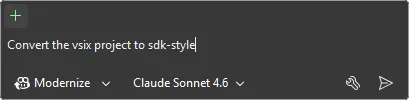
We’re experimenting with ways of making this as easy as possible for you. To that end, we’ve added an agent skill to the vs-agent-plugins repository you can use in conjunction with the Modernize agent. Let us know whether this workflow is helpful, or if you have a different agentic workflow in mind for extension development.
Reference projects
Here are a few extensions that are already converted, so you can use them as references.
We want to hear from you!
Please send us feedback and issues you encounter in Developer Community. Thank you, and happy extending!