惯性聚合 高效追踪和阅读你感兴趣的博客、新闻、科技资讯
阅读原文 在惯性聚合中打开

推荐订阅源

S
Schneier on Security
有赞技术团队
有赞技术团队
T
The Blog of Author Tim Ferriss
F
Fortinet All Blogs
D
DataBreaches.Net
F
Full Disclosure
腾讯CDC
博客园 - 【当耐特】
MyScale Blog
MyScale Blog
Stack Overflow Blog
Stack Overflow Blog
小众软件
小众软件
Hugging Face - Blog
Hugging Face - Blog
Last Week in AI
Last Week in AI
OSCHINA 社区最新新闻
OSCHINA 社区最新新闻
爱范儿
爱范儿
The GitHub Blog
The GitHub Blog
Engineering at Meta
Engineering at Meta
大猫的无限游戏
大猫的无限游戏
freeCodeCamp Programming Tutorials: Python, JavaScript, Git & More
S
SegmentFault 最新的问题
The Register - Security
WordPress大学
WordPress大学
博客园 - 聂微东
雷峰网
雷峰网
J
Java Code Geeks
Exploit-DB.com RSS Feed
P
Privacy International News Feed
酷 壳 – CoolShell
酷 壳 – CoolShell
A
Arctic Wolf
Scott Helme
Scott Helme
C
Cyber Attacks, Cyber Crime and Cyber Security
T
Tor Project blog
博客园 - 三生石上(FineUI控件)
Know Your Adversary
Know Your Adversary
AWS News Blog
AWS News Blog
G
Google Developers Blog
www.infosecurity-magazine.com
C
CERT Recently Published Vulnerability Notes
O
OpenAI News
Project Zero
Project Zero
K
KPMG report finds enterprise disconnect between AI and its ROI | CIO
Application and Cybersecurity Blog
云风的 BLOG
云风的 BLOG
N
News and Events Feed by Topic
MongoDB | Blog
MongoDB | Blog
让小产品的独立变现更简单 - ezindie.com
Microsoft Security Blog
Cisco Talos Blog
Cisco Talos Blog
P
Palo Alto Networks Blog
Schneier on Security

Visual Studio Blog

Automating your Visual Studio extension builds with GitHub Actions - Visual Studio Blog Make Visual Studio look the way you want - Visual Studio Blog Review pull requests without leaving Visual Studio What’s Coming Next in Visual Studio: Our Microsoft Build 2026 Announcements Visual Studio May Update – Plan, Review, Refine VSLive! Microsoft AI Hackathon 2026: Send Your Team Home With Working Code Agent Skills in Visual Studio: Teach Copilot How Your Team Works TypeScript 7 Beta Now Enabled by Default in Visual Studio 2026 18.6 Insiders 3 SDK-Style Support for Extension Projects Visual Studio April Update – Cloud Agent Integration - Visual Studio Blog From AI to .NET: 20 VS Live! Las Vegas Sessions You Can Watch Now - Visual Studio Blog Azure MCP tools now ship built into Visual Studio 2022 — no extension required Stop Hunting Bugs: Meet the New Visual Studio Debugger Agent Workflow Visual Studio March Update – Build Your Own Custom Agents Visual Studio February Update
Plan Before You Build: Introducing the Plan agent in Visual Studio
Rachel Kang (SHE/HER) · 2026-05-22 · via Visual Studio Blog

You ask Copilot to tackle something big, it gets to work, and a dozen file changes later you realize you had a completely different approach in mind. The code isn’t wrong… it just isn’t what you were going for.

Last year, we introduced planning as a feature in Agent mode to help with exactly this. Since then, you’ve told us you wanted more control over when planning happens, the ability to edit plans directly, and a way to save and share them. Your feedback shaped what came next: the new Plan agent.

Instead of jumping straight into implementation, the Plan agent starts with a deeper understanding of what you’re trying to build: asking questions, clarifying your intent, and enabling you to iterate on the plan before making a single change.

How it works

Here’s how it works:

  • Select the Plan agent and describe what you want to build — Choose Plan from the agent picker in Copilot Chat, then tell Copilot what you’re trying to do. You can be as broad as “add authentication to this app” or as specific as “refactor the payment module to support multiple providers.” The more context you give, the better the plan.
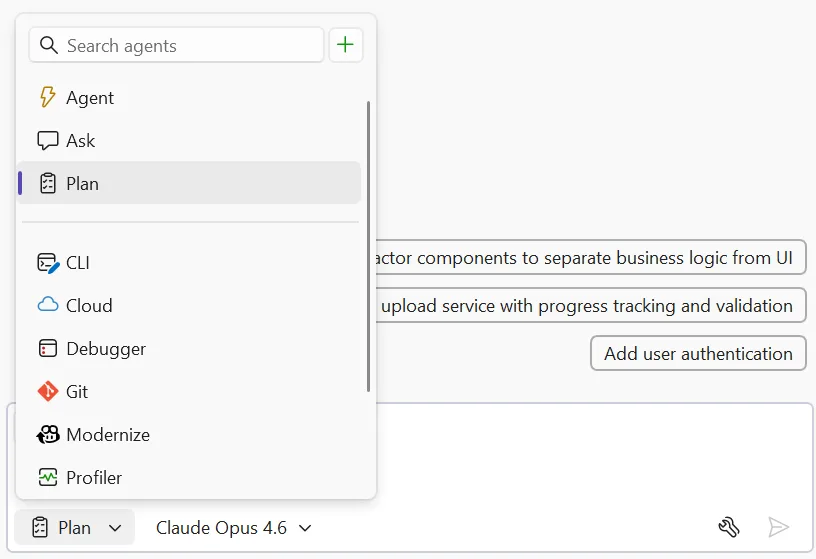
plan selected in agent picker image
  • Explore and clarify — Copilot scans your codebase using read-only tools and asks clarifying questions when something is ambiguous. Answer these to help Copilot understand what you’re going for. For straightforward tasks, it moves straight to drafting.
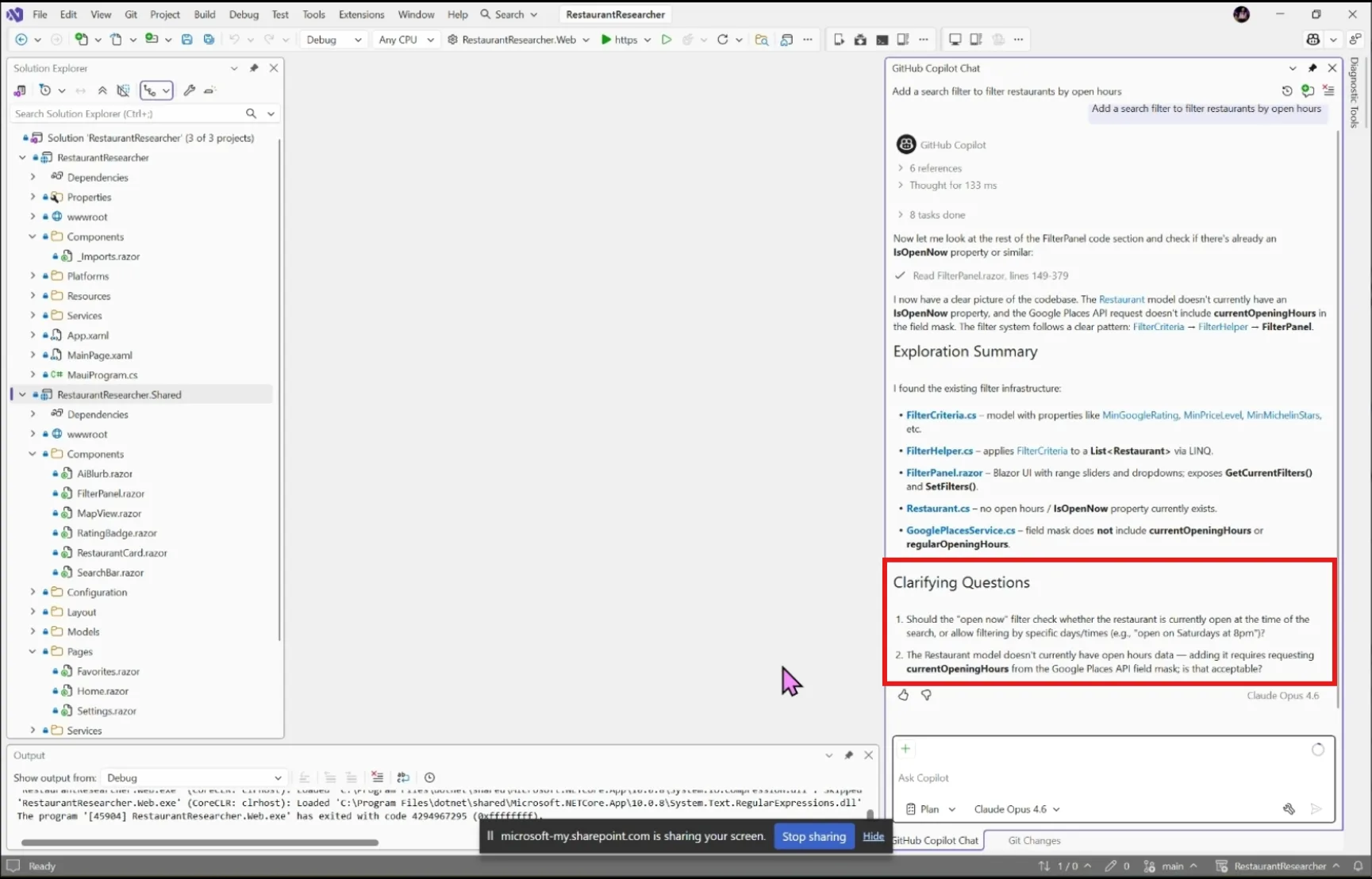
plant agent clarifying questions image
  • Draft and refine — Copilot creates a detailed implementation plan you can review together. Ask it to rethink an approach, add edge cases, split a step into smaller pieces, or reconsider which files to touch.
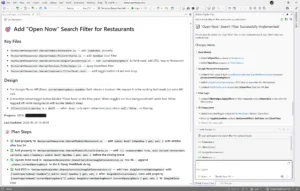
  • Edit the plan directly — Every plan is saved as a markdown file at .copilot/plans/plan-{title}.md. Edit it in your editor, refine it through chat, or share it with your team for review. Copilot picks up your changes and keeps everything in sync.
  • Implement — When you’re satisfied, click Implement plan to hand it off to Agent mode to build. No code changes happen until you say so. Copilot works through the plan step by step, creating and editing files while you watch the progress in real time.
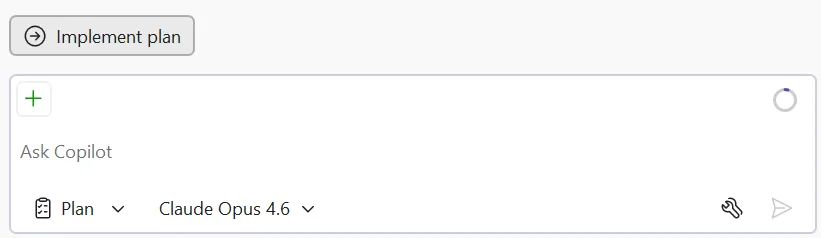
plan agent implement plan button image plan implemented image

Try it today

The Plan agent helps you figure out what to build before you start building it. Give it a try on your next feature or refactoring task, and let us know how it goes!

Share your feedback on Developer Community and let us know what’s working, what’s not, and what you’d like to see next!