


Approximately 15% of American adults (37.5 million) ages 18 and over report some trouble hearing, often making captions and other text equivalents the first and most impactful step toward making media usable for everyone — including people who are deaf or hard of hearing. But they also benefit a much broader audience: people in noisy environments, multilingual users, and anyone who prefers reading over listening.
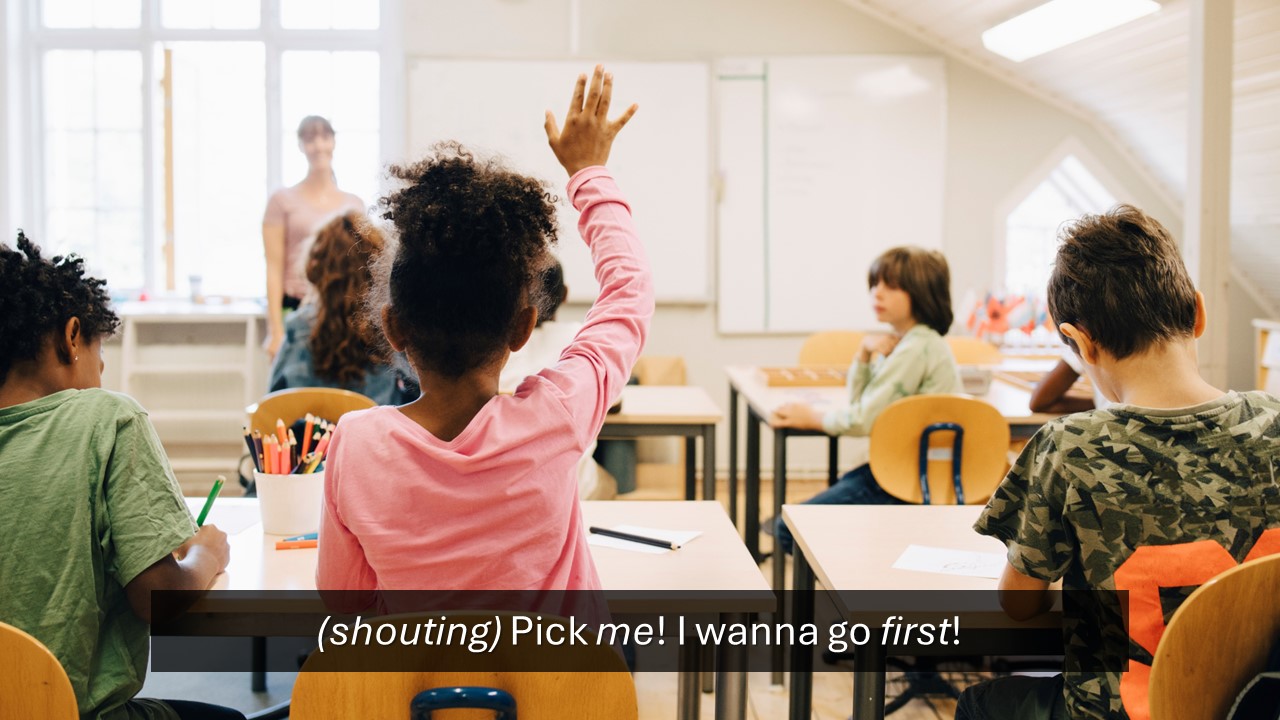
Figure 1. Captions describing how a person speaks to convey meaning.
Captions and transcripts are related but not interchangeable.
Captions are synchronized with video and include dialogue and meaningful sounds (like music or sound effects).
Transcripts are text versions of the content. They provide a full, readable record of the audio or video.
Video with audio → needs captions
Audio-only (like podcasts) → needs a transcript
Video-only → needs a text alternative or description
Content creators should avoid many common issues by following a few core practices:
Captions should appear at the same time as the speech or sound they represent with no lag or guessing.
Include:
Captions aren’t just subtitles as they convey the full experience.
Be consistent when identifying:
Consistency helps users follow along more easily.
Auto-generated captions are a helpful starting point, but they often include:
Accessibility starts early in the production process, and the choices made before and during recording directly shape how effective captions and transcripts will be later. Planning ahead — such as avoiding overlapping speech, maintaining a steady speaking pace, keeping key on-screen text out of the lower third of the screen, and allowing natural pauses — can make captions easier to generate and significantly more accurate. These simple production practices reduce downstream rework and help ensure your content is clear, usable, and accessible from the start.
To go further, captions and transcripts should be treated as essential communication tools, not afterthoughts. A strong transcript provides a complete, text-based version of your content, including meaningful spoken audio and important visual context, and should be easy to find alongside the media in an accessible format. Captions and transcripts can also be enhanced with context cues — such as tone, language changes, or unclear audio — to preserve meaning beyond the spoken words.
For practical guidance, examples, and detailed recommendations, explore the Captions and Transcripts resource guide. It brings together best practices to help you create accessible media that works for everyone, from the very first step of production through final publication.
Reviewed/Updated: July 2026
此内容由惯性聚合(RSS阅读器)自动聚合整理,仅供阅读参考。 原文来自 — 版权归原作者所有。