





惯性聚合 高效追踪和阅读你感兴趣的博客、新闻、科技资讯
阅读原文 在惯性聚合中打开

推荐订阅源

博客园 - 聂微东
GbyAI
GbyAI
S
SegmentFault 最新的问题
H
Hackread – Cybersecurity News, Data Breaches, AI and More
V
Visual Studio Blog
WordPress大学
WordPress大学
Hugging Face - Blog
Hugging Face - Blog
B
Blog
宝玉的分享
宝玉的分享
Last Week in AI
Last Week in AI
雷峰网
雷峰网
爱范儿
爱范儿
Vercel News
Vercel News
人人都是产品经理
人人都是产品经理
U
Unit 42
Microsoft Azure Blog
Microsoft Security Blog
Jina AI
Jina AI
P
Proofpoint News Feed
A
About on SuperTechFans
I
InfoQ
F
Fortinet All Blogs
L
LangChain Blog
T
Tailwind CSS Blog

Starred Articles

Why some people mow a lawn better than others Improvements to Web for AI Should Benefit All Users chriscoyier.net When Sites Need to Walk Away AI & Alignment New to the web platform in April  |  Blog  |  web.dev Delivering a dynamic hexagonal world map in just 10kb | Calibre My house alerts me when my cat climbs into the ceiling Eames Pavilion System Squarespace & Web Standards: How We Helped Bring HTML Video & Audio Lazy Loading to Today’s Browsers | Scott Jehl, Web Designer/Developer The Web is a Guitar Amp Now (Literally) Claude is an Electron App Making keyboard navigation effortless Miscalibrated I used Claude Code and GSD to build the accessibility tool I’ve always wanted - blakewatson.com Sizing chaos The Good & Not Good Scroll indicators on tables with background colours using animation-timeline Webspace Invaders Fresh Hot CSS: Trig Functions The Year Of The Linux Desktop (for fitness games) Almost Plain Text, Nicely Done – Email is good. Uncrate's 100-ish favorite things on Amazon How musicals use motifs to tell stories Good Tidings! Review: MoErgo Go60, a split ergonomic and fully programmable keyboard The line and the stream. — Ethan Marcotte Testing HTML Light DOM Web Components: Easier Than Expected! Enhancing Web Components Safely with Self-Destructing CSS | Scott Jehl, Web Designer/Developer Steam Machine
VS Code – highlight just the active indent guide
Ben Frain · 2026-01-09 · via Starred Articles

Long term readers may wonder – VS Code, Ben? Really? Let’s not getting into that now, instead, just the issue before us.

The problem before us is that we want to highlight just the active indent guide of the code in the editor. By default, VS Code highlights both the active indent level, and also, with less brightness, the inactive indent levels.
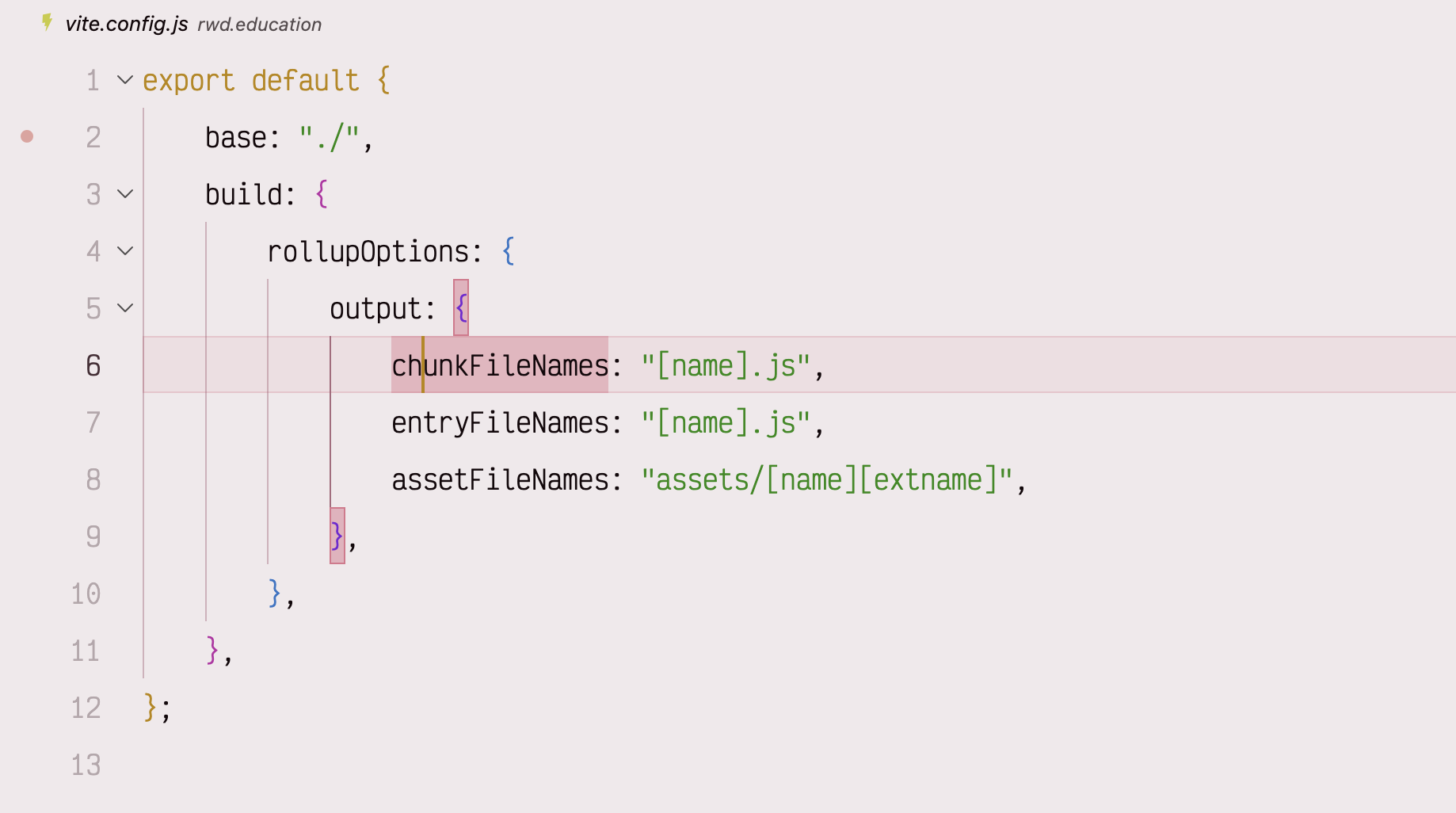
code with indent guides at all indent levels
By default, VS Code shows indent guides for every level of code

The problem

Sadly, there is currently no setting to have just the active indent guide shown – it would be lovely if the Editor > Guides: Highlight Active Indentation setting had an only option. Alas, it does not.

I then came by this YouTube video, which around 6 minutes in, describes adding something like these settings to your settings.json:

"workbench.colorCustomizations": {
    "editorIndentGuide.background1": "#00000000"
}

The idea being that the lines are still there, you just render the non-active ones transparent, which we do here using 8-digit hex, with the last two digits setting the transparency, so you only see the active one. Incidentally, if you didn’t know that hex has a 4-digit and 8-digit syntax for transparency, I covered that here.

But there in an issue.

When you do this, all the indent guides are rendered transparent. Boo! Hiss! Throw cabbages at the monitor etc. This is, I’m pretty sure, a bug, and you can see someone has opened a ticket on it here: https://github.com/microsoft/vscode/issues/189624

The workaround

Turns out that if you add even a little mathematical opaqueness to the ‘normal’ background, the guides are all rendered. So given that, we can amend our settings thus:

"workbench.colorCustomizations": {
    "editorIndentGuide.background1": "#00000001"
}

As Alan Partridge might declare, ‘Back of the net’!
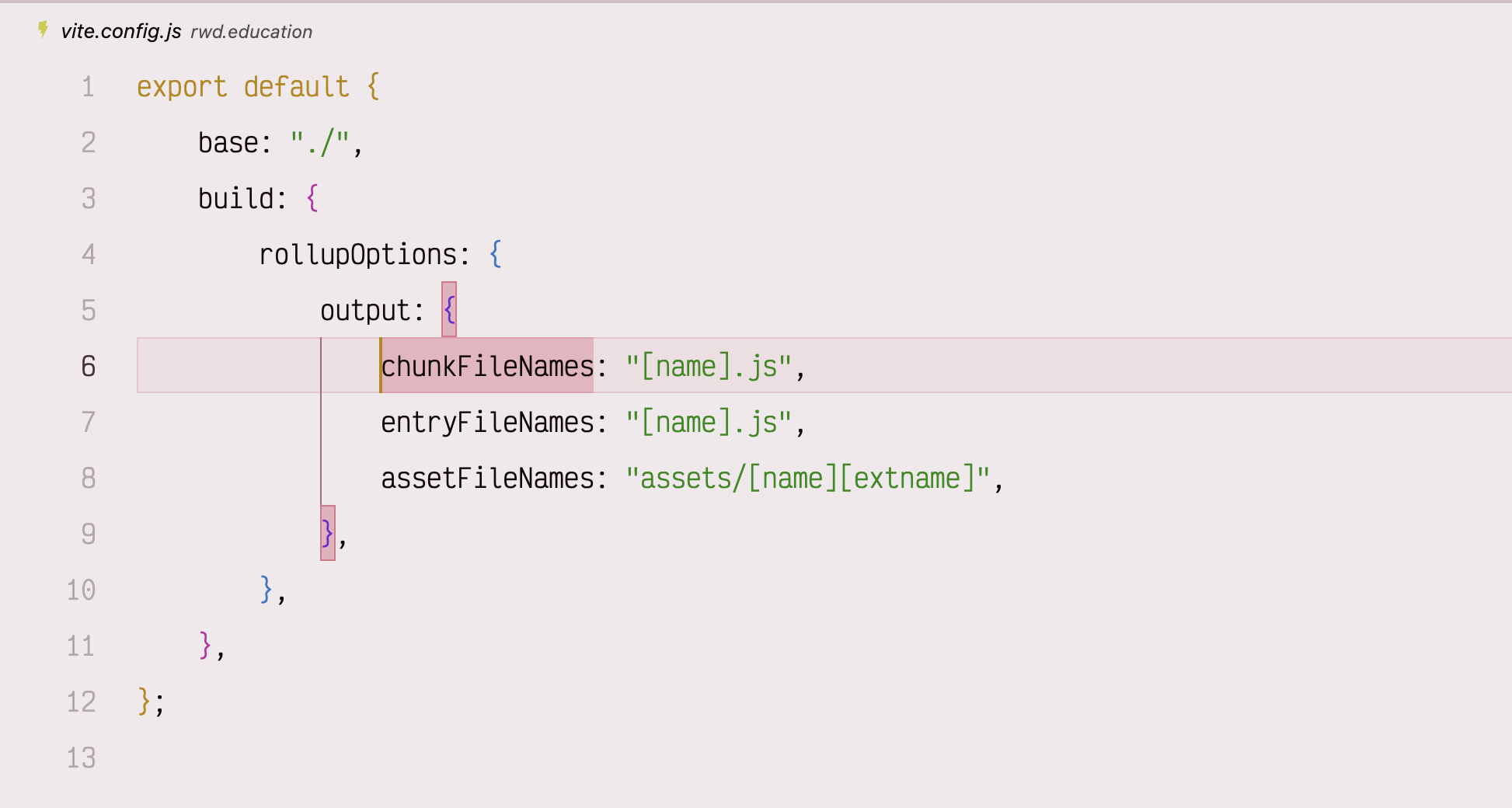
VS Code with only the currently active indent level guide showing
With a little workaround you can have just the currently active level indent guide, which is just a little visually calmer

Also, if you know you want a different specific color for the active indent, you can set it like this:

"workbench.colorCustomizations": {
    "editorIndentGuide.background1": "#00000001",
    "editorIndentGuide.activeBackground1": "#ff9900"
}