惯性聚合 高效追踪和阅读你感兴趣的博客、新闻、科技资讯
阅读原文 在惯性聚合中打开

推荐订阅源

A
About on SuperTechFans
OSCHINA 社区最新新闻
OSCHINA 社区最新新闻
T
Tenable Blog
WordPress大学
WordPress大学
小众软件
小众软件
Y
Y Combinator Blog
酷 壳 – CoolShell
酷 壳 – CoolShell
博客园 - 聂微东
大猫的无限游戏
大猫的无限游戏
T
The Exploit Database - CXSecurity.com
Attack and Defense Labs
Simon Willison's Weblog
C
CXSECURITY Database RSS Feed - CXSecurity.com
量子位
有赞技术团队
有赞技术团队
C
Cisco Blogs
D
Darknet – Hacking Tools, Hacker News & Cyber Security
F
Fortinet All Blogs
S
Schneier on Security
Engineering at Meta
Engineering at Meta
Microsoft Azure Blog
Martin Fowler
Martin Fowler
Recent Announcements
Stack Overflow Blog
Stack Overflow Blog
Recent Commits to openclaw:main
阮一峰的网络日志
阮一峰的网络日志
G
GRAHAM CLULEY
Spread Privacy
Spread Privacy
F
Full Disclosure
Scott Helme
Scott Helme
GbyAI
GbyAI
N
Netflix TechBlog - Medium
MyScale Blog
MyScale Blog
Cloudbric
Cloudbric
云风的 BLOG
云风的 BLOG
L
LangChain Blog
aimingoo的专栏
aimingoo的专栏
Hacker News - Newest:
Hacker News - Newest: "LLM"
Security Latest
Security Latest
CTFtime.org: upcoming CTF events
MongoDB | Blog
MongoDB | Blog
The GitHub Blog
The GitHub Blog
The Register - Security
L
Lohrmann on Cybersecurity
PCI Perspectives
PCI Perspectives
Exploit-DB.com RSS Feed
D
Docker
钛媒体:引领未来商业与生活新知
钛媒体:引领未来商业与生活新知
S
Secure Thoughts
C
Check Point Blog

Comments for The Eclectic Light Company

Should you try Golden Gate beta? Solutions to Saturday Mac riddles 367 In the shadow: Diego Velázquez Comment on Last Week on My Mac: Freshen up your documents by David Comment on Happy 250th birthday America 2 by mac Happy 250th birthday America 1 Brushstrokes: Portraits 1760-1877 Spotlight and Core Spotlight are different Comment on Sort order, collation and the Finder by eyelessjerry Comment on Apple has just released macOS 26.5.2 Tahoe by Derek Currie Great Ladies of Impressionism: Marie Bracquemond Comment on Get more from your Mac’s log by extending its duration by John Gilbert Comment on Keep your Mac cool using physics by F Portraits of trees: Coppices and pollards Comment on Firmware has become complicated again by John Woods Comment on Logistician 1.2 fixes a couple of bugs by info395288a4d1d Comment on What does Activity Monitor measure? by hoakley Last Week on My Mac: Spotlight on semantics An American in Paris: paintings of Henry Ossawa Tanner 1902-1930 An American in Paris: paintings of Henry Ossawa Tanner 1880-1902 Great Ladies of Impressionism: Berthe Morisot 1874-1891 What to do with a hot Mac Deprecations and removals from Golden Gate Brushstrokes: From El Greco to Rembrandt Portraits of trees: Dutch Golden Age How to get the most from SilentKnight 3 Comment on Hero or hooligan: Achilles becomes the warrior by Deborah J. Brasket Solutions to Saturday Mac riddles 365 Comment on SilentKnight 3.0 for Apple silicon Macs running Sequoia and later (full release) by michaelriccioli Comment on Last Week on My Mac: Uncompressed compressed files by fds Comment on Explainer: Memory by jzonedotcom Comment on Colin Campbell Cooper painting America: 1896-1910 by House of Heart Brushstrokes: 16th century What can you do when an app uses too much memory? SilentKnight 3 second beta adds text and JSON reporting In the shadow: Caravaggism What to do with your encrypted HFS+ disks First beta-test version of SilentKnight 3 for Apple silicon Macs Hero or hooligan: Jason and Medea Comment on Fix documents that won’t open as expected using Quarant2 by EcleX Last Week on My Mac: The mystery of Safari’s Web Archives Last Week on My Mac: Why is it so hard to open a document? Explainer: Disk encryption In the shadow: Caravaggio Brushstrokes: innovators of the first century Changing Paintings: 36 Theseus and the Minotaur macOS virtualisation is leaping forward in Golden Gate Why can’t Preview open that PDF? Crossing the Golden Gate, Intel support, and an update to SystHist Reading the Finder’s Get Info dialog In memoriam Mary Cassatt: 2, 1880-81 Last Week on My Mac: What’s in a name? Explainer: Getting a location Get more from Get Info and the Finder’s contextual menu Stop your photos revealing your location Have you saved thousands of versions? Versatility 1.2 might be what you need Apple has released an update to XProtect for all macOS Apple has released macOS Tahoe 26.5.1 Comment on What Location Services do in macOS by Tristan Hubsch Comment on Protect files with the Locked or Immutable flag by markbot2zero Portraits of trees: Introduction Which tasks require mains power? Comment on Online reference to external displays for Apple silicon Macs by Brian What’s in that phishing email? Rubens’ Peace and War Comment on Last Week on My Mac: Syncing metadata in iCloud Drive by hoakley A weekend with Misia: 2 How to search Time Machine backups? Medium and message: Pottery Hero or hooligan: Theseus and the sandals How QuickLook provides thumbnails and previews Hunting extended attributes with an update to xattred Saturday Mac riddles 360 Comment on How to preserve versions, and how to create versioned PDFs by markbot2zero Comment on What gets synced in iCloud Drive? by hoakley Solutions to Saturday Mac riddles 359 Last Week on My Mac: snapshots, the elephant in APFS How to check whether Spotlight is getting the right metadata macOS Tahoe no longer fully supports Time Capsules The bicentenary of Frederic Edwin Church: 1857-77 macOS virtual machines and audio-video syncing Comment on Use Finder tags for categories by Chuck Last Week on My Mac: Dependency and skill fade Comment on Virtualisation on Apple silicon Macs is different by AndyS Painting Pandora and her box: 1883-1919 Mac Easter eggs Painting Spring blossom 2 Comment on The macOS Natural Language framework and Nalaprop by Ingo Comment on The MACL extended attribute by hoakley On Reflection: Cézanne Privacy: Which folders are protected in Tahoe? Last Week on My Mac: Root cause analysis and ClickFix Last Week on My Mac: Root cause analysis and ClickFix Last Week on My Mac: Root cause analysis and ClickFix Last Week on My Mac: Root cause analysis and ClickFix Why you can’t trust Privacy & Security How can I now have two apps named Pages? How to survive the loss of Rosetta Use Fallback Recovery on Apple silicon Macs Clean install macOS
How to search document versions
Sebastian · 2026-05-25 · via Comments for The Eclectic Light Company

Document versioning built into macOS is an unfinished masterpiece that promises much but never seems to have been developed as fully as it deserved. This article looks at how macOS can’t search saved versions, and how you can work around that.

In essence versioning is simple: apps that support it, and a great many do now, save a series of versions to the volume’s hidden and sealed database in the .DocummentRevisions-V100 folder at its top level. To access those versions you’d normally use the Time-Machine-like browser provided by the Browse All Versions command in the Revert To item in the app’s File menu. Whenever the app saves a document, the open document becomes the current version, and its saved state becomes the previous version. This works for manual saves, and for any automatic timed saves the app might make.

Unlike all other versioning systems, this is all handled automatically by macOS, and neither you the user nor the app developer has to make any effort to create or manage those versions. It really does come for free.

Unfortunately, all those saved versions in the version database fall outside the scope of Spotlight indexing, and Spotlight search can’t look inside any of the old versions saved in a volume’s version database. Surprisingly, the version browser doesn’t offer any search facilities either, as that’s presumably another feature intended for a future that never came.

This is a serious omission, as I access old versions not infrequently, and being able to search for them saves me laborious browsing. It might be a few hours or days after I removed a section from a document, that I realise I need it back. By that time it may well have vanished from Time Machine’s hourly backups, or the section may have been too transient to be retained there. But the chances are that the missing content will be safe inside a saved version, if only I can find it.

Pulling tricks with the hidden .DocumentRevisions-V100 folder isn’t a good approach to solve this. It’s clear from its contents that previous versions aren’t saved as discrete files, but it uses a chunking system to store what has changed between versions, for economy in space. Access supported by macOS is strictly limited to looking up saved versions for any given file in that volume, and there’s no way to search their contents like that.

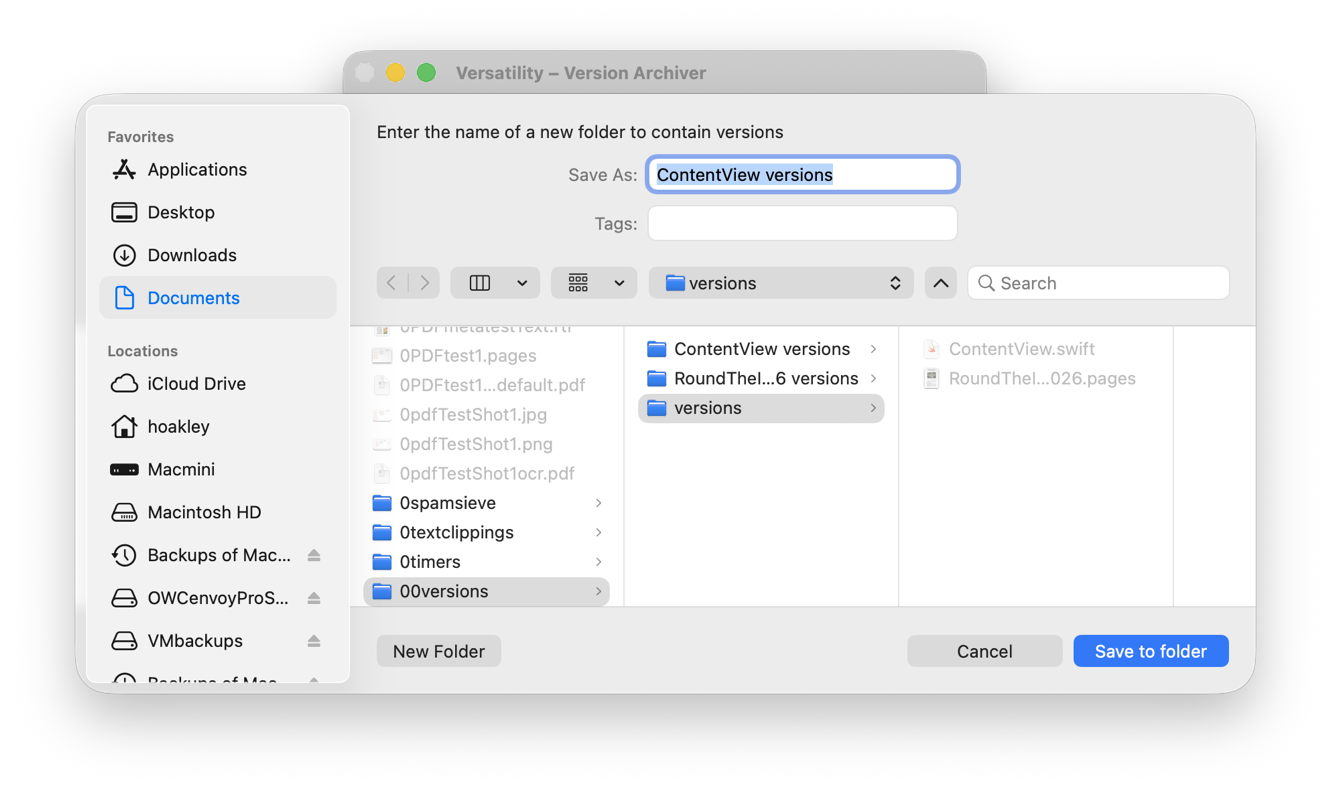
One way around this is to save each document version as a separate file, allow Spotlight to extract their contents and add those to its indexes for that volume, then to search those files. This is quick and simple using my free utility Versatility. To demonstrate this, I picked two documents with a substantial number of versions:

  • a Swift source code file edited in Xcode with 112 versions, with just one of them containing a function named loadAppexIndexer;
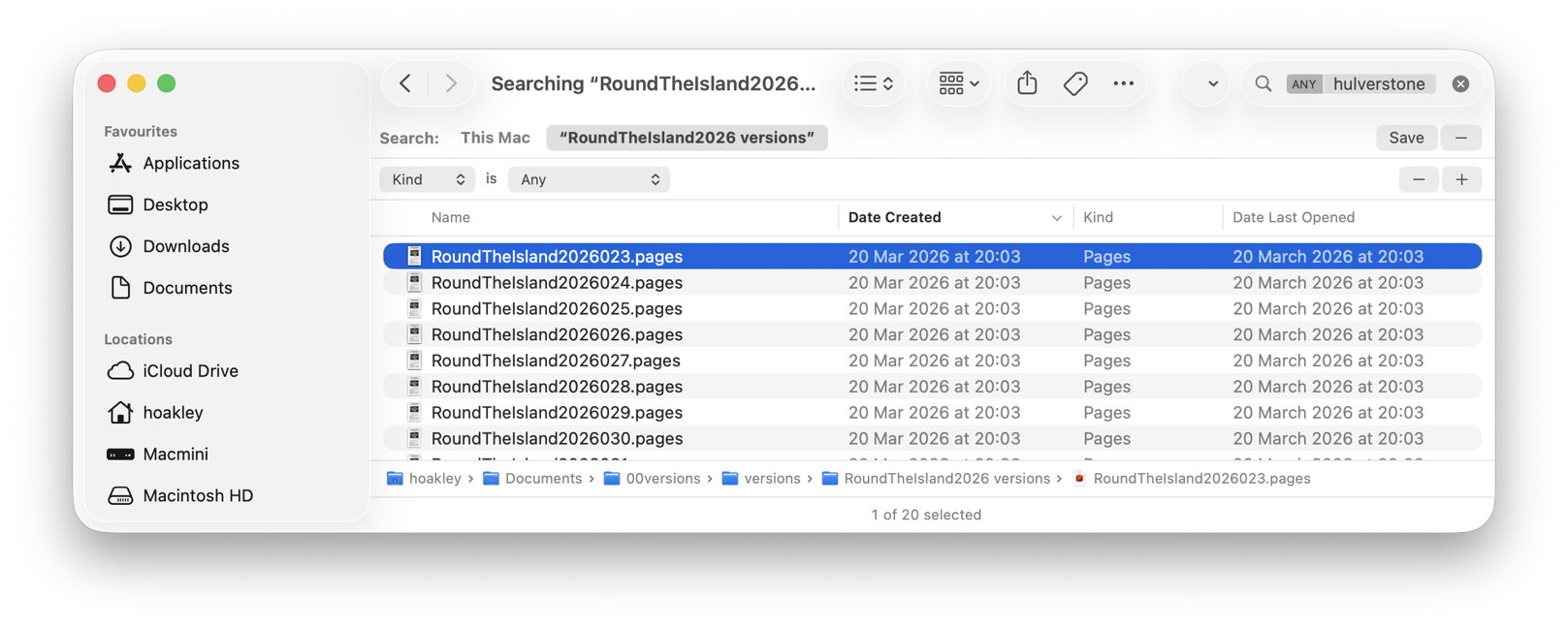
  • a large Pages document with a mere 49 versions, where I was looking for the first containing the placename Hulverstone.

In both cases I started by dropping the current document onto Veratility’s window, and saving individual archived versions to a new folder alongside that original document. I then opened that archive folder in a Finder window, and converted that to a Find window with that command in the Finder’s File menu. I entered my term, loadAppexIndexer or Hulverstone, into the search box, and changed the search scope from This Mac to the open archive folder.
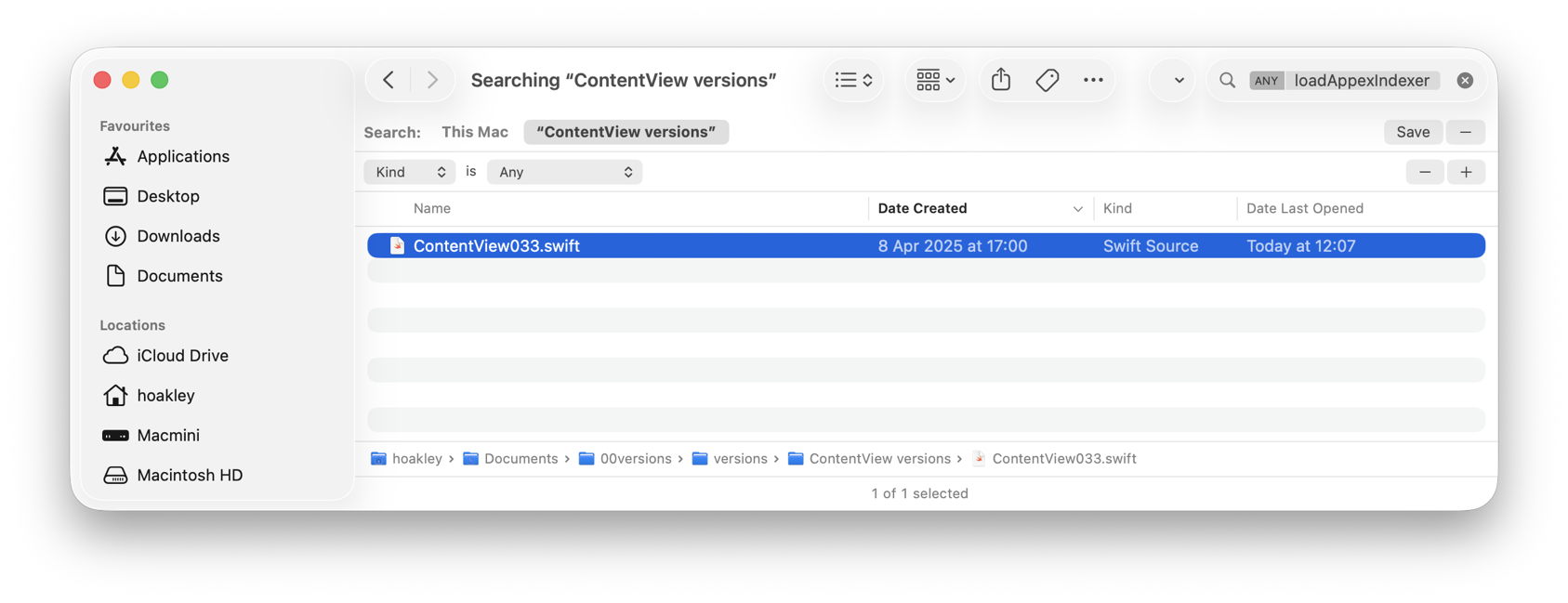
In the Swift code, Spotlight immediately found the term in the file numbered 033 by Versatility, and all versions from the file numbered 023 in the case of the Pages document.
With that Finder window still open I was then able to locate those versions in the original documents:
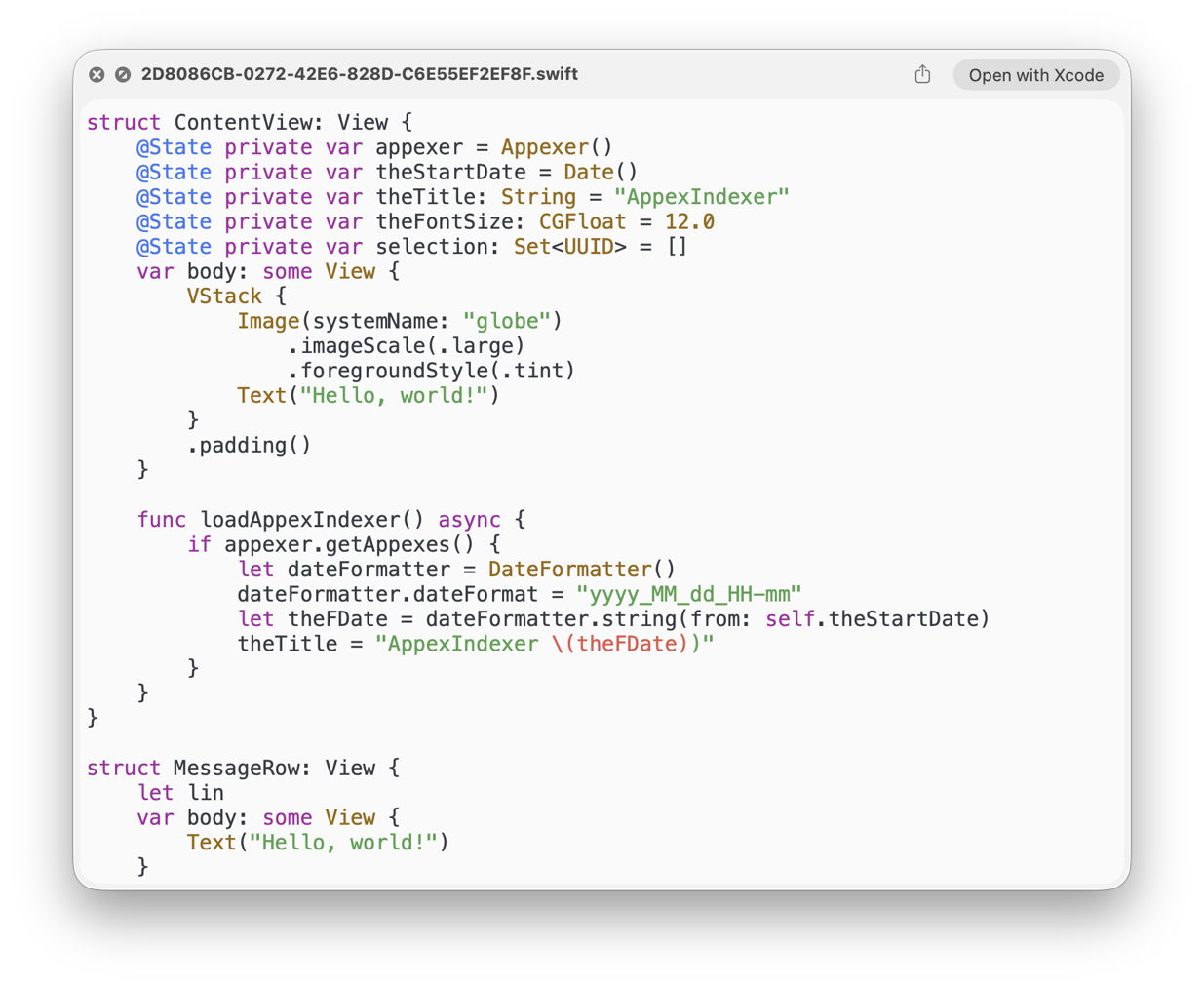
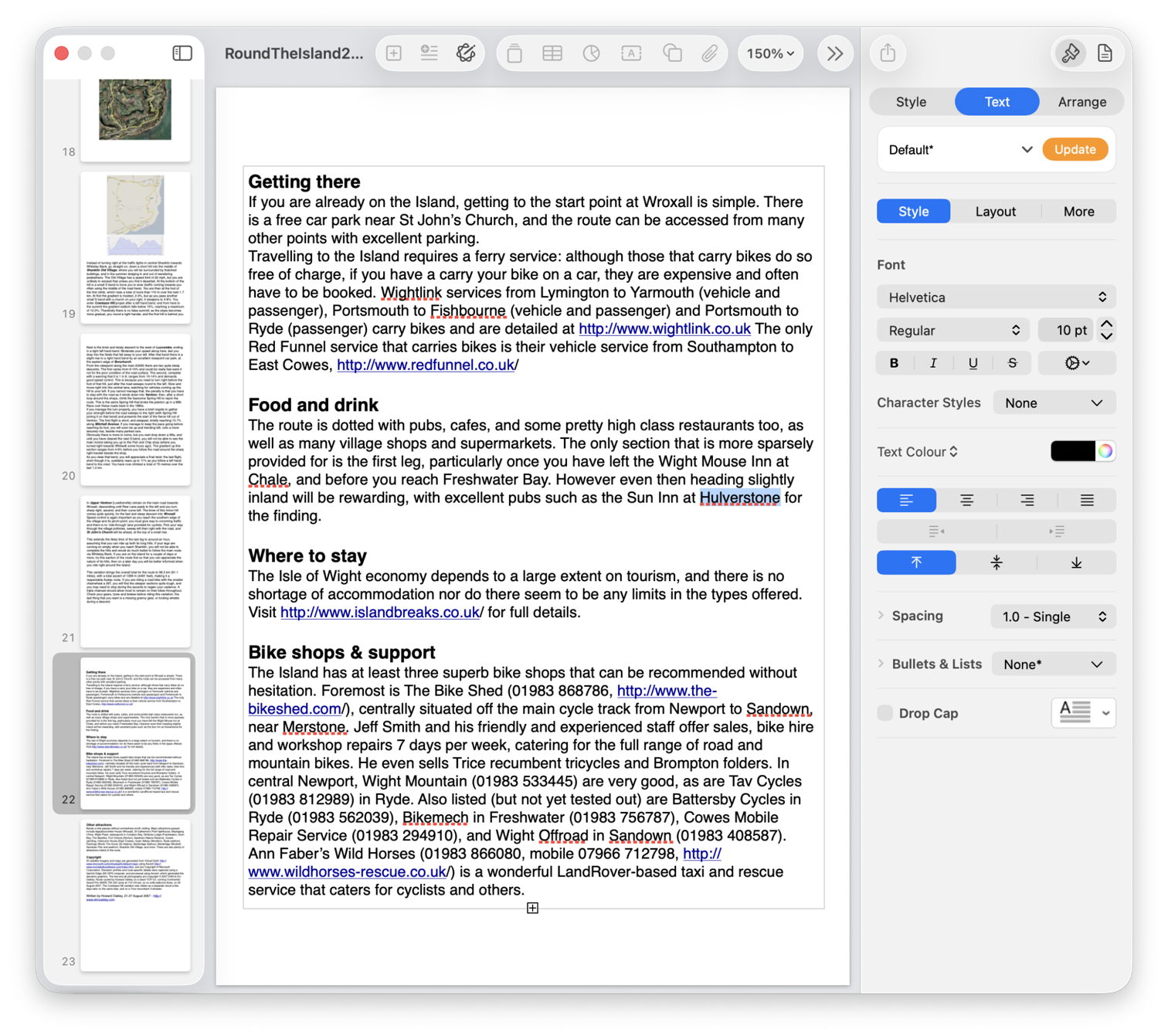
  • Using my free Revisionist, the version numbers start from 1, whereas Versatility starts them at 000. So I added 1 to the number in the filename, and previewed that version in Revisionist. In both cases that’s sufficient to copy content that had gone missing from the current version of the document, for example.
  • Using the version browser in XCode or Pages, I looked back for that version’s datestamp, given in the Finder window as its Date Created, and brought that old version up in the browser.

Once happy I had done what I wanted with that old version, I then trashed the archive folder created by Versatility.

To summarise the sequence:

  1. drop the versioned document on Versatility’s window;
  2. save the archive folder alongside the original document;
  3. open a Finder Find window on that archive folder;
  4. using the search box and find bars, locate the version(s) in the archive folder;
  5. to open the versioned document in Revisionist, add 1 to its file version number;
  6. to open in an app version browser, select the date of that version as shown in the Finder window;
  7. on completion delete the archive folder.

Happy finding!