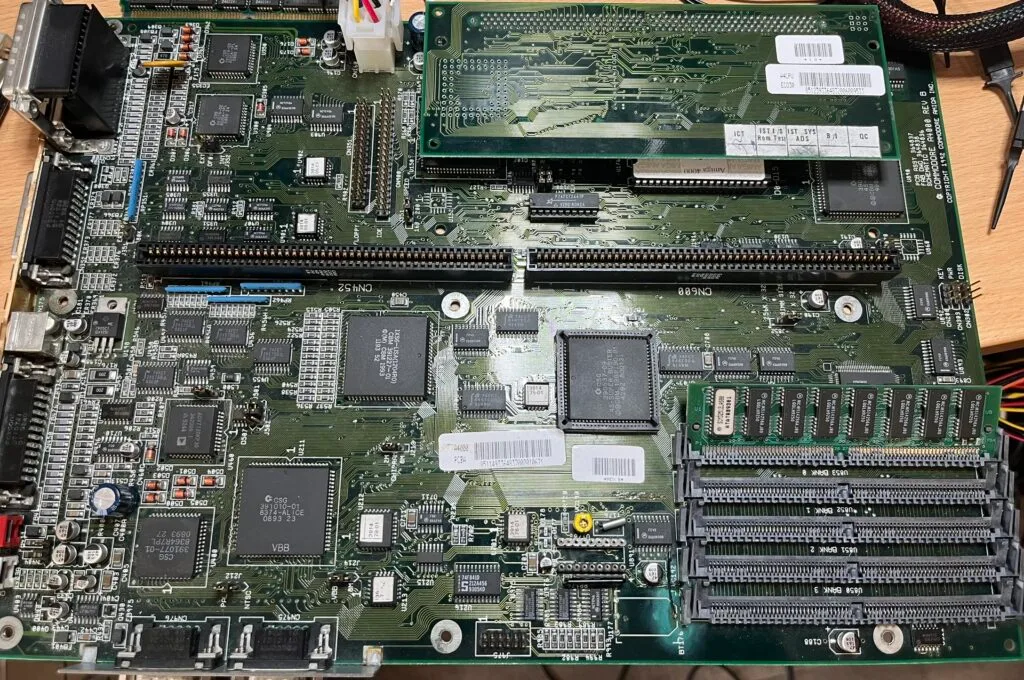
I was recently sent an Amiga 4000 motherboard repair. It should have been quite straightforward, but as we will see, not everything went to plan.
The motherboard has had minor battery repairs in the past, and was working. One interesting thing I’ve not seen before is someone patched in an OKI RTC chip in place where the Richo chip would be. They are pinout incompatible, but with the pinout remapped, this does actually work. I’ve known this is possible in theory, but never seen it in practice.
Anyway, the motherboard was sent to me because it was working, but had recently failed with a black screen.
Of course, the first steps for me are:
None of the above helped. Hafnium showed an all-clear, and DiagROM was still a black-screen with nothing on the serial port. Very much an indication that something very early was failure. I actually knew this beforehand, the owner had done steps 1-3 themselves already.
So, the next step is to check all the reset signals to see if reset is being triggered properly.
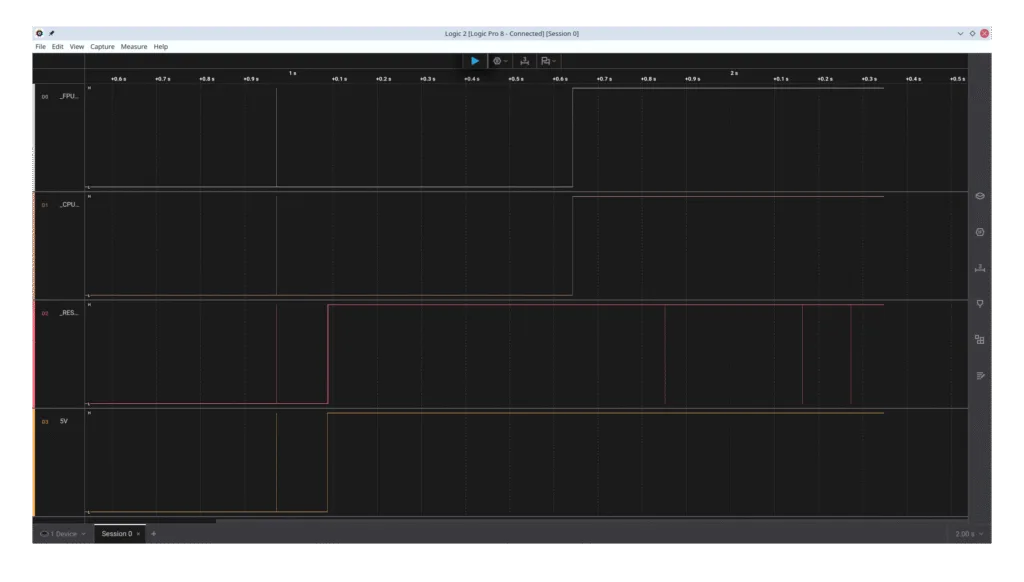
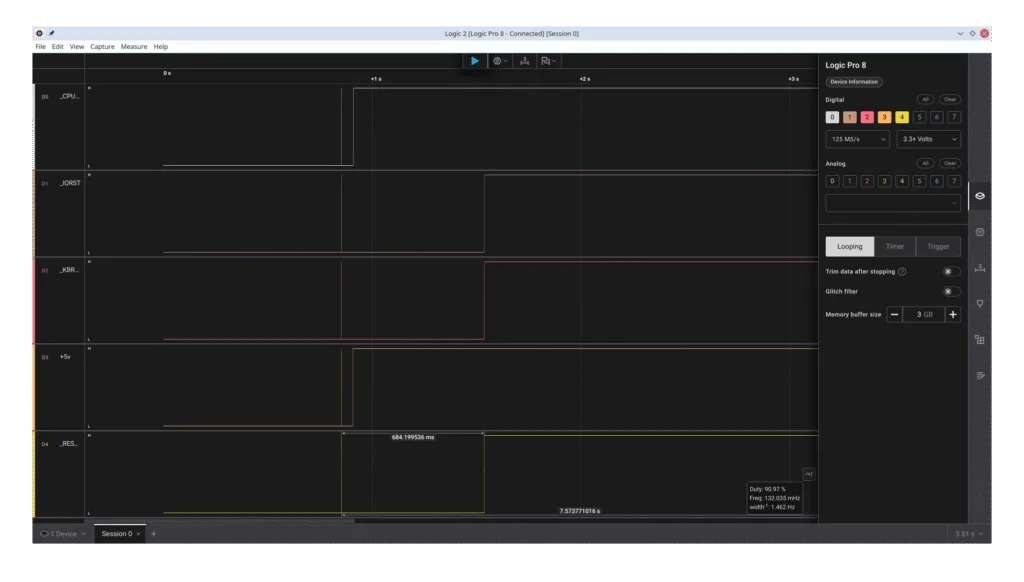
Here you can see some of the reset signals being probed, along with the +5v line so that I can see the time between power up and reset. Two of the reset lines are fine, but the _RESET line is immediately going high. This is a bad sign, and an indication as to what might be wrong. Let’s look at the schematic.
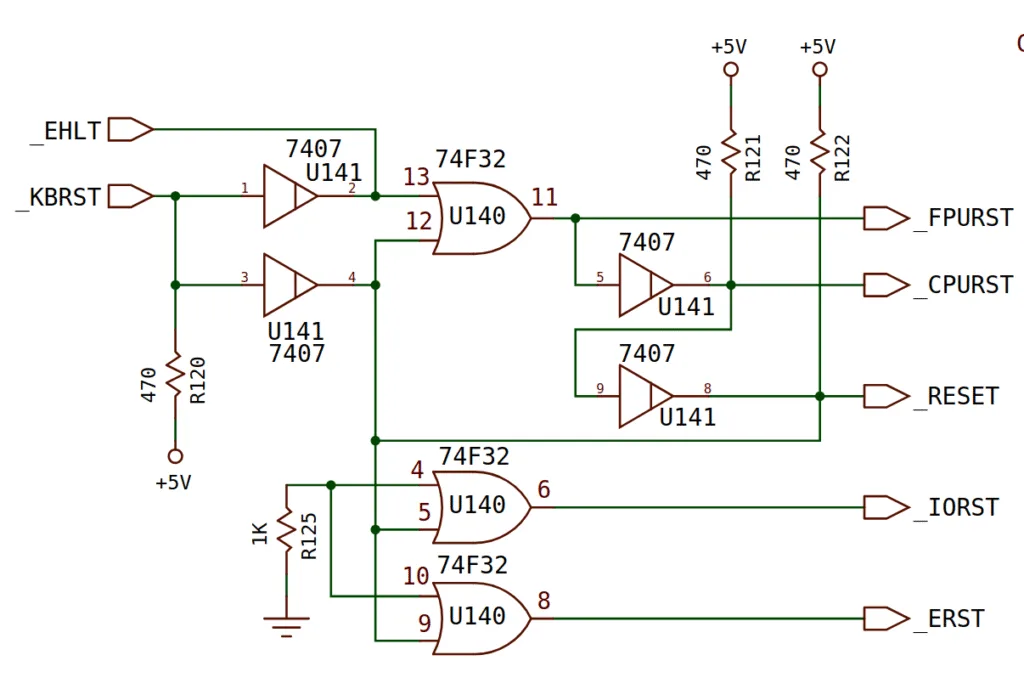
The _RESET line should be triggered at the same time as _CPURST or _KBRST. All of which are buffered by different parts of U141. The 7407 is open collector, which means that it will either pull a signal low, or disconnect from it, it relies on a pull-up resistor to pull it high. This is ideal for a reset circuit because anything in the circuit can pull it low without causing a short circuit. Now, this being an old 7407 logic chip, it really wouldn’t surprise me if it had failed. I’ve had a few Amiga 4000s with these chips fail in the last six months. There are two on the A4000 motherboard, this one for the reset lines, and another for the front panel LEDs. I’ve seen either fail with bad behaviour.
I pulled out this chip and replaced it.
The board was still showing a black screen. So, I figured I’d check the AS lines for activity. Probing on this particular line is where things went weird.
If I probed on the top IC (U106), the machine booted into DiagROM, when I probed anywhere else, or without a logic probe, there was no activity, and it didn’t boot. I temporarily pulled U106 just in case that was causing a problem, it is only needed for the IDE port anyway. No joy.
Maybe I missed something on the reset lines? I checked them again. All of them are dead, include _KBRST. This one is important, this reset is triggered by Gary when everything is OK. An indication that things are not OK.
Gary has its own clock, and that seems to be ticking fine. One other key thing needed was a power good signal from the power supply. Just to confirm things, I checked if something was messing with this signal.
It was 0.2v. What the heck?!
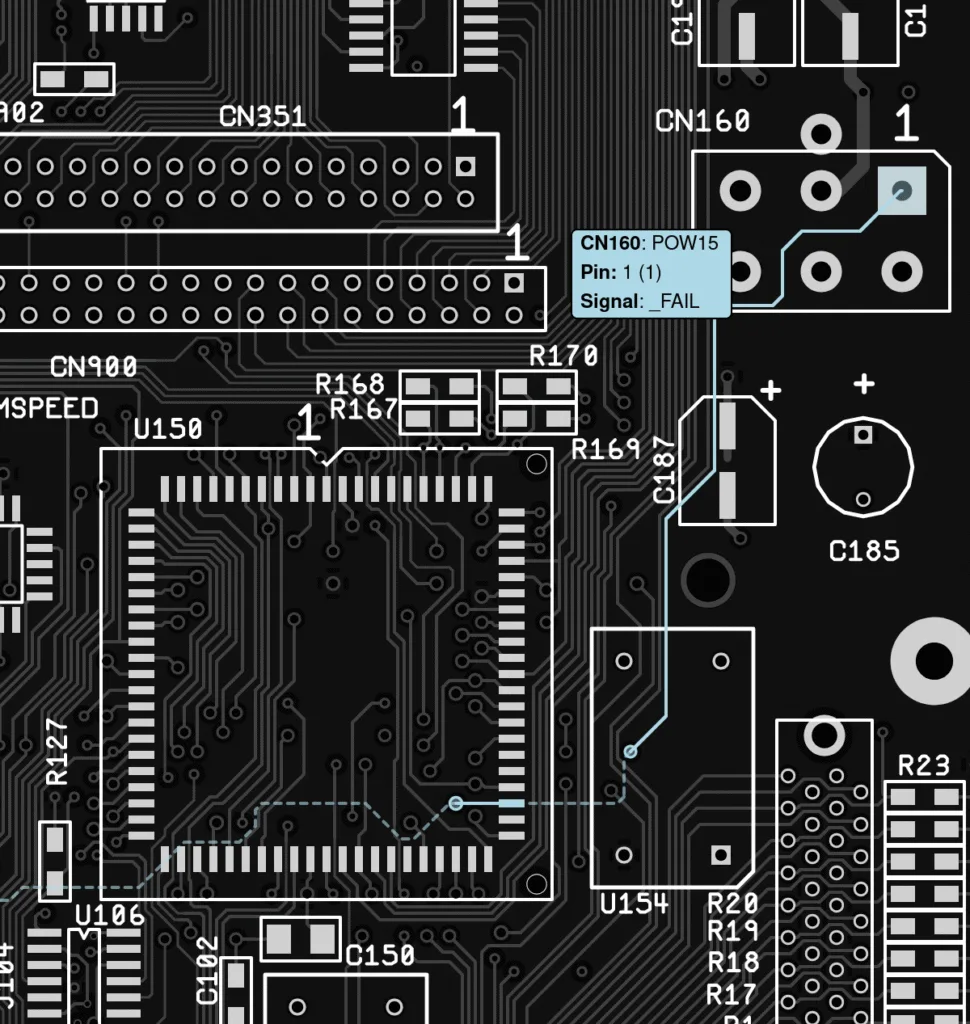
Let me break down what is happening here. Power supplies, even today’s ATX ones, do a self-diagnostics at power-up. Once all the power rails are stable and tests pass, this signal goes high. The Amiga schematic calls this _FAIL, but it is the same thing.
My test power supply is a “be quiet!” 500W SFX-L power supply with an Amiga 4000 adapter. It is supposed to be a relatively expensive, high-quality power supply.
I plugged the power supply into a known-good Amiga 4000 to test. It was failing on that too. My test PSU is bad.
I’m a little annoyed by this because it is less than 2 years old and probably only has 100 hours of run time. It is the power supply that everyone recommends for the Amiga 4000, though. I did some research, and it seems like they have quite a high failure rate.
Time for something a little different…
I pulled out a spare full ATX power supply that I had lying around and cabled everything up again, it still had a black screen, but at least I had a power good signal. Let’s check the reset signals again.
Confusion starts again, now _CPURST is bad. That actually explains a lot. When the board was randomly starting, it could be that the CPU just happened to be in the correct state without a reset.
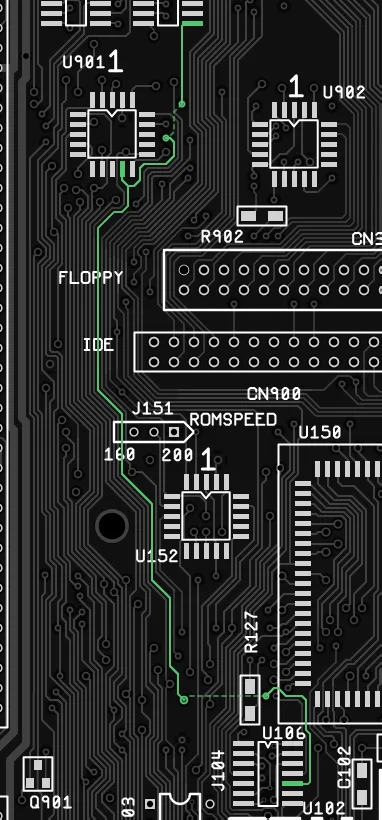
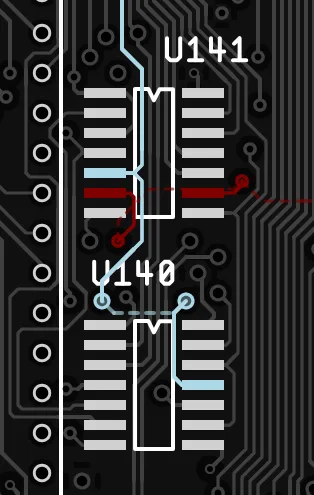
The input to the _CPURST signal is the _FPURST signal, in the light blue here. U140 outputs _FPURST to U141.
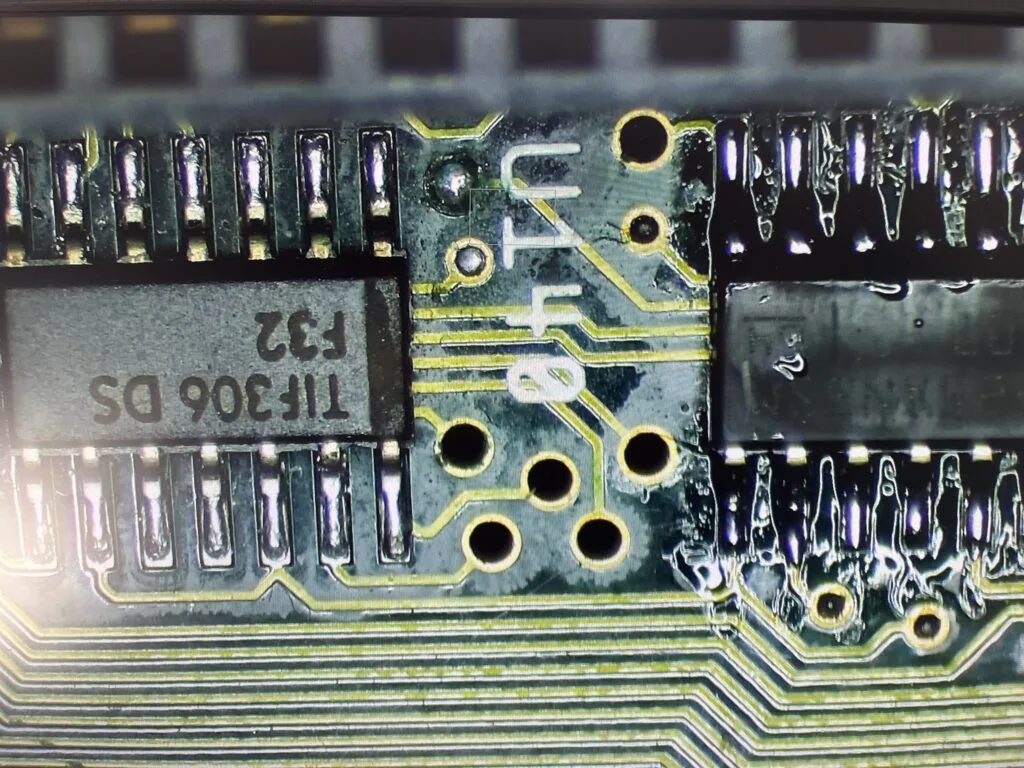
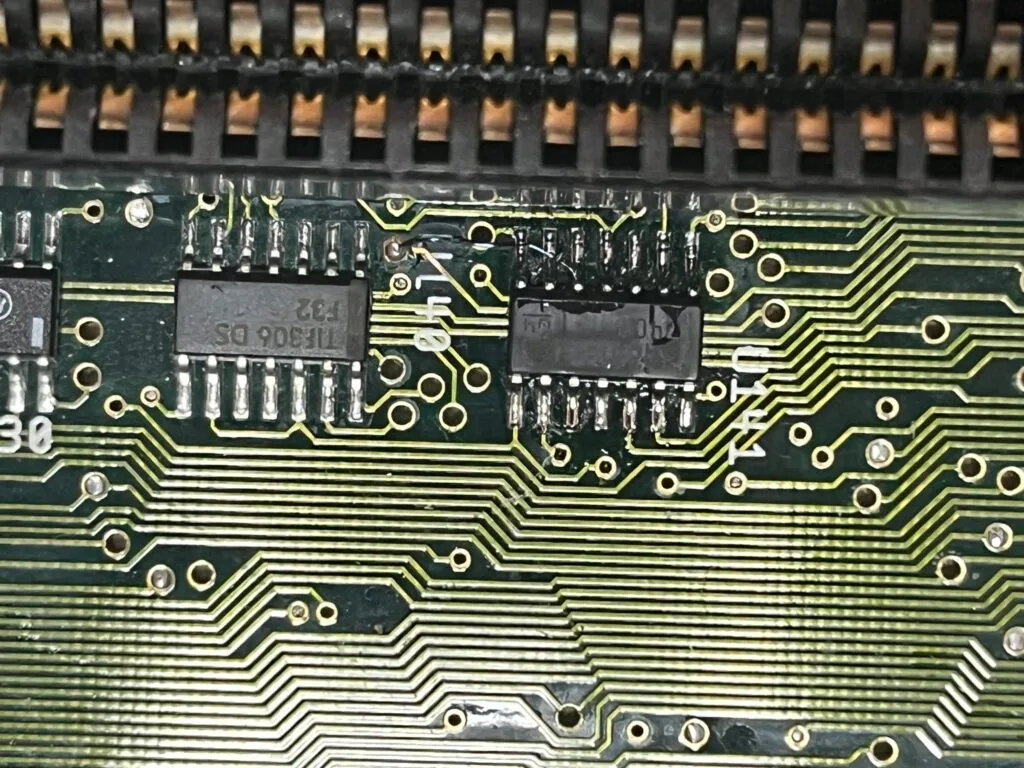
A quick test in the multimeter shows the trace from the via on the left to U141 is dead. Once I had the board under a microscope, I could see why.
To the left of the “U” in that image, the via is corroded. I cleaned this up and sure enough, it was broken between the angular ring and the trace. I have no idea how corrosion got here, but I patched this trace up.
With that, it booted! Every time!
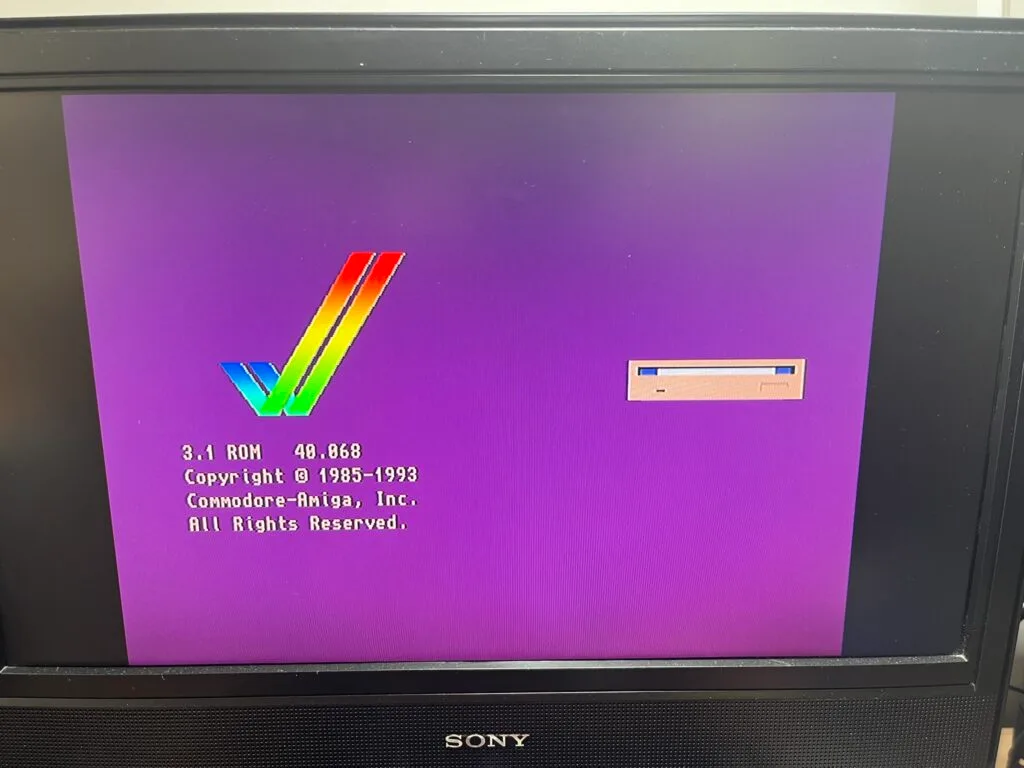
I put the original Kickstart ROMs back in, and booted it one last time to be sure that everything was working.
Excellent! We are good to go.
I have a couple of take away items from this repair:
此内容由惯性聚合(RSS阅读器)自动聚合整理,仅供阅读参考。 原文来自 — 版权归原作者所有。