I have been a full time KDE Plasma user for quite a while now. Whilst I do not miss much from GNOME, and love the way I can make Plasma my own, there is one niggle that has been missing for a while. That is automatic time zone changing. I don’t mean daylight savings, that is covered nicely, but I have worked abroad several times this year, and each time I have to manually set my location in the System Settings to get the correct time/date.
In GNOME, there is an option you can set in the settings to automatically set time zone. This will, as the description indicates, set your time zone according to your detected location. This typically uses your WiFi connection to figure out what country you are in and adjusts everything automatically.
KDE Plasma does, in fact, have the same feature. But it is not yet exposed to System Settings. At the time of writing, this feature has been in Plasma for a couple of years already. Details of the implementation can be found here. There are alternative ways of doing this, especially using systemd. But using the method in this blog post will visually indicate when the time zone change has been made.
To start with, we need to check if geotimezoned is included with your KDE Plasma installation. This can be done with:
$ qdbus org.kde.kded6 | grep geotimezoned
This should return /modules/geotimezoned if it is found. Next up, we need to enable this plugin:
$ qdbus org.kde.kded6 /kded setModuleAutoloading geotimezoned true
$ qdbus org.kde.kded6 /kded loadModule geotimezoned
The first command enables the plugin automatically, the second one loads it in now. In my experience, if you come out of sleep in a different time zone, it can take a little time to detect the change. But it will eventually do it. I don’t mind it taking a few minutes to detect, as long as it happens.
If you do want to manually trigger it early, you can enter the following into the shell:
$ qdbus org.kde.kded6 /modules/geotimezoned refresh
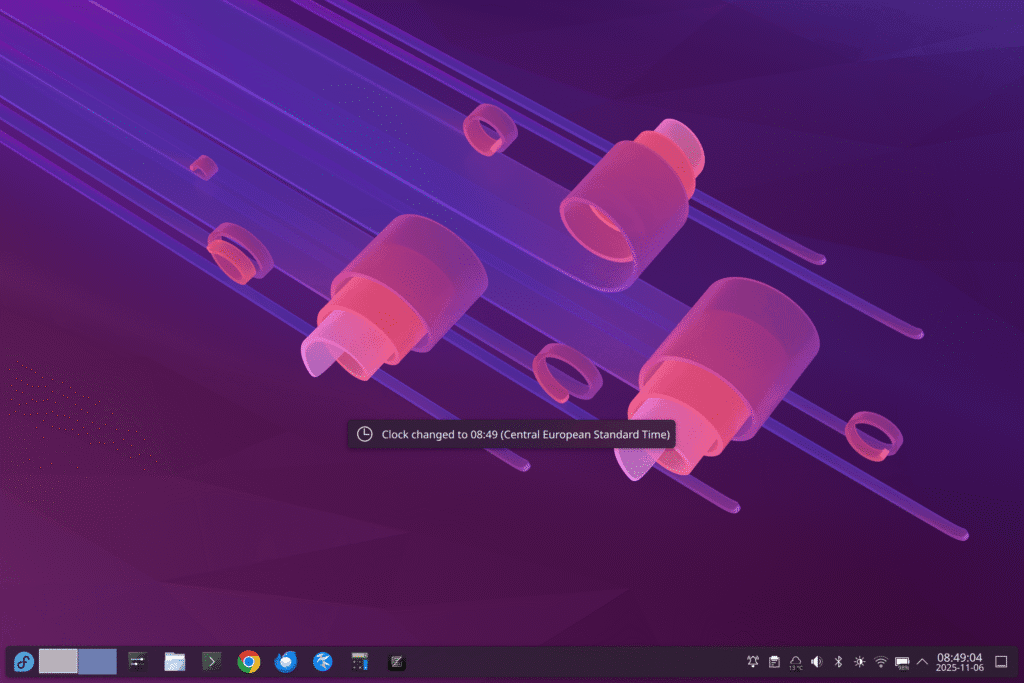
Upon it detecting the time zone change, you will get a banner like this:
I really hope that this eventually becomes an option in the KDE Plasma settings. It is very useful for frequent travellers such as myself. In the meantime, I hope this post helps others, just like it helped me when I figured it out.
此内容由惯性聚合(RSS阅读器)自动聚合整理,仅供阅读参考。 原文来自 — 版权归原作者所有。