


惯性聚合 高效追踪和阅读你感兴趣的博客、新闻、科技资讯
阅读原文 在惯性聚合中打开

推荐订阅源

C
CXSECURITY Database RSS Feed - CXSecurity.com
aimingoo的专栏
aimingoo的专栏
Cyber Security Advisories - MS-ISAC
D
Docker
博客园 - 叶小钗
Recent Announcements
人人都是产品经理
人人都是产品经理
云风的 BLOG
云风的 BLOG
Vercel News
Vercel News
Hugging Face - Blog
Hugging Face - Blog
www.infosecurity-magazine.com
美团技术团队
K
KPMG report finds enterprise disconnect between AI and its ROI | CIO
F
Fortinet All Blogs
博客园 - 三生石上(FineUI控件)
Microsoft Security Blog
H
Heimdal Security Blog
有赞技术团队
有赞技术团队
The Cloudflare Blog
S
Secure Thoughts
cs.CV updates on arXiv.org
T
The Blog of Author Tim Ferriss
M
MIT News - Artificial intelligence
Google DeepMind News
Schneier on Security
N
News and Events Feed by Topic
小众软件
小众软件
C
Cybersecurity and Infrastructure Security Agency CISA
Application and Cybersecurity Blog
博客园 - Franky
T
Tenable Blog
The Last Watchdog
The Last Watchdog
腾讯CDC
量子位
Google DeepMind News
Help Net Security
Help Net Security
雷峰网
雷峰网
Recent Commits to openclaw:main
Cyberwarzone
Cyberwarzone
S
Securelist
Martin Fowler
Martin Fowler
OSCHINA 社区最新新闻
OSCHINA 社区最新新闻
罗磊的独立博客
奇客Solidot–传递最新科技情报
奇客Solidot–传递最新科技情报
P
Proofpoint News Feed
D
Darknet – Hacking Tools, Hacker News & Cyber Security
I
InfoQ
Spread Privacy
Spread Privacy
cs.AI updates on arXiv.org
H
Hackread – Cybersecurity News, Data Breaches, AI and More

博客园 - Andy Yang

SharePoint中Event Handler的触发 扩展SharePoint链接字段 树莓派的连接 树莓派版的家用NAS服务器 修改树莓派更新源及设置代理配置 开启树莓派的硬件看门狗功能 树莓派上安装2.8寸TFT触摸屏 树莓派上使用蚂蚁矿机挖矿 如何编译树莓派内核 代码导出Reporting Services报表文件 Bit-Coin收入的一分钱 如何在树莓派上运行雷神之锤III 新树莓派入手 如何通过PowerShell在Visual Studio的Post-build中预热SharePoint站点 将SharePoint 2010的快速启动改成弹出菜单样式 在SharePoint 2010的Team Site首页上显示Flash文件 SharePoint 2010搜索起步(上) 2009上班第一天 软件开发与心理张力
SharePoint 2010搜索起步(下)
Andy Yang · 2011-12-01 · via 博客园 - Andy Yang

参考SharePoint 2010搜索起步(上)对服务器进行配置

在自己的网站集中新建以搜索为模板(Basic or Enterprise)的站点;建好以后,直接输入关键字,点击搜索,搜索结果就会哗哗的出来罗~~~

不过你会觉得这个站点的风格和其他站点的不一样,最搞的是居然在页面上没有浏览控件或按钮;我是可以用浏览器的回退,不过总觉得怪怪的

自己动手,丰衣足食,还是自己来写一个吧,效果如下
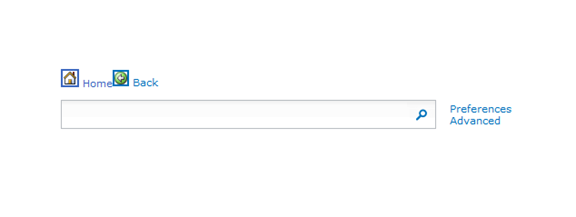
很简单,分分钟搞定,就是用Content Editor在界面上放两个图片和两个链接

一个写成<a href="/"><img alt="Home" src="/_layouts/images/hhome.png"/> Home </a>这样

一个写成<a onclick="history.go(-1)" href="#"><img alt="Back" src="/_layouts/images/back.gif"/> Back </a>这样

不过你要是觉得这样也还是麻烦,可以在这里下载已经写好的Webpart,上载到你的SharePoint服务器就可以直接使用了

Have a fun!

Andy