惯性聚合 高效追踪和阅读你感兴趣的博客、新闻、科技资讯
阅读原文 在惯性聚合中打开

推荐订阅源

T
Threatpost
Exploit-DB.com RSS Feed
S
Security Affairs
N
News and Events Feed by Topic
T
Tenable Blog
P
Proofpoint News Feed
W
WeLiveSecurity
Simon Willison's Weblog
Google DeepMind News
C
CERT Recently Published Vulnerability Notes
Help Net Security
Help Net Security
I
Intezer
T
Threat Research - Cisco Blogs
S
Secure Thoughts
C
Cyber Attacks, Cyber Crime and Cyber Security
L
Lohrmann on Cybersecurity
AWS News Blog
AWS News Blog
Google Online Security Blog
cs.AI updates on arXiv.org
Know Your Adversary
Know Your Adversary
Project Zero
Project Zero
The Hacker News
The Hacker News
Security Archives - TechRepublic
T
Tor Project blog
N
News | PayPal Newsroom
cs.CL updates on arXiv.org
Hacker News - Newest:
Hacker News - Newest: "LLM"
A
Arctic Wolf
Forbes - Security
Forbes - Security
O
OpenAI News
K
KPMG report finds enterprise disconnect between AI and its ROI | CIO
Security Latest
Security Latest
P
Palo Alto Networks Blog
S
Schneier on Security
S
Securelist
C
Cybersecurity and Infrastructure Security Agency CISA
H
Heimdal Security Blog
V
Vulnerabilities – Threatpost
www.infosecurity-magazine.com
博客园_首页
T
Troy Hunt's Blog
Latest news
Latest news
Recent Announcements
MyScale Blog
MyScale Blog
人人都是产品经理
人人都是产品经理
L
LINUX DO - 热门话题
M
MIT News - Artificial intelligence
N
Netflix TechBlog - Medium
V
Visual Studio Blog
H
Hacker News: Front Page

Analytics Vidhya

Handling Imbalanced Classification: What Works Better Than SMOTE GPT-5.6 Is Here: Sol, Terra, and Luna Loop Engineering for AI Agents: How /loop is Changing AI Workflows DeepSeek DSpark: The Speculative Decoding Trick Behind 400% Faster LLM OKF: Redefining Knowledge Bases for AI Agents Modern VLMs Explained: How GPT-4o, Gemini, Claude Vision, and Qwen-VL Work YOLO26 Tutorial: Object Detection, Pose Estimation & More Large Action Models (LAMs) vs Agentic LLMs: What's the Real Difference? Claude Sonnet 5: The Fable 5 at Home The Best $20 AI Plan: ChatGPT Plus vs Claude Pro vs Gemini Pro GraphRAG vs Vector RAG: Which Retrieval Method is Best? Using AI When You Don’t Trust AI The Self-Improving Loop in AI Agents: Architecture, Benefits, and How it Outperforms Traditional Agent Workflows Harness-1: The 20B Retrieval Subagent That Beats GPT-5.4 at Search Sakana Fugu: Multi-Agent System as a Model Claude's Hidden Art Skill: Making Illustrations With Code System Design for ML Interviews: 10 Real Problems Walked Through Most People Use ChatGPT Wrong: 10 Features and Tips That Changed How I Work OpenAI Just Launched 3 Free AI Courses with Certificates Autoregressive Models: Predicting the Future Using the Past Gemini Omni: AI Video Generation Inside Gemini DiffusionGemma: Google’s Diffusion-Based Open Model for Faster Text Generation Top 10 AI Engineering Tools Everyone is Using in 2026 I Tested Claude Fable 5: Can Anthropic’s Newest AI Deliver on the Hype? Prophet vs NeuralProphet vs TimeGPT vs Chronos: A Practical Comparison Build an Emergency Helpline Voice Agent with LangChain Choosing the Right Vector Database for RAG and AI Applications Google Gemma 4 12B: Architecture, Benchmarks, Access, and Hands-on Guide for Developers How to Choose the Right AI Model for Your Needs Agent Observability with LangSmith, Langfuse, and Arize: A Hands-On Comparison How to Use Claude Managed Agents? Google AI Studio vs Gemini App: What’s the Difference? AI Workflows for Sales Teams: Prospect Research, Lead Qualification, and CRM Updates on Autopilot Using LangGraph 25 Most Influential AI Pioneers to Meet at DataHack Summit 2026 Claude Opus 4.8: A Smarter Model in the Right Direction PySpark Optimization: 12 Proven Techniques to Speed Up Your Spark Jobs 10 Everyday Tasks You Can Automate with AI Today (With n8n Templates) Google Antigravity 2.0: The Full Developer Guide (I/O 2026) Build a Claude Cowork-Like Browser Agent Using Playwright MCP and Claude Desktop Pandas vs Polars vs DuckDB: Which Library Should You Choose? Qwen3.7-Max: Alibaba’s New Agent-First LLM for Coding, Reasoning, and Long-Horizon AI Workflows The Biggest Announcements from Google I/O 2026 Top 9 AI Events and Conferences in 2026 that you Must Attend Gemini 3.5 Flash: Frontier Intelligence with Speed Kimi WebBridge: Hands-on Guide to Kimi’s Browser Extension for AI Agents 40 Advanced SQL Window Functions Every Data Scientist Must Know(with examples) Top 10 AI Research Papers of 2025 6 Steps to Crack GenAI Case Study Interviews (With Real Examples) OpenAI Omni Moderation: How to Filter Text & Images for Free DataHack Summit 2026: You Just Cannot Skip This AI Event of the Year OpenAI’s New API Voice Models Will Change the Way You Use AI Hermes Agent Guide: What is it and How to Use it? Top 10 LLM Research Papers of 2026 Agent Memory Patterns in Cognitive Science and AI Systems 10 AI Agents Every AI Engineer Must Build (with GitHub Samples) 23 Tips for Smart Claude Code Token Saving and Workflow Optimization Feature Engineering with LLMs: Techniques & Python Examples ChatGPT is Now Inside Excel and Google Sheets: Here is How to Use it Gemini API File Search: The Easy Way to Build RAG Top 10 Open-Source Libraries to Fine-Tune LLMs Locally ML Intern in Practice: From Prompt to a Shipped Hugging Face Model 15+ Solved Agentic AI Projects with Github Links How People are Figuring Out Life With Claude MemPalace Explained: Building Long-Term Memory for AI Agents Beyond RAG Grok Voice Think Fast 1.0: Build Voice AI Agents That Actually Think Compressing LSTM Models for Retail Edge Deployment: A Practical Comparison MCP vs Agent Skills: Different Altogether GPT 5.5 vs Opus 4.7: Which is the Best AI Model Today? What is Agentic AI? Claude Code vs Codex: A Detailed Terminal Agent Comparison Google Deep Research Max: Build Autonomous AI Research Agents in Minutes Meta Muse Spark Review: Is It Worth the Hype? ChatGPT Images 2.0 vs Nano Banana 2: Which is Better? Cursor V3 Explained: The AI Coding Agent That’s Replacing Traditional IDEs in 2026 DeepSeek-V4: The Most Powerful Open-Source Model Ever Is GPT Image 2 the Best Image Generation Model? Token Economics: Why AI is Getting “Cheaper” From Idea to Output: Claude Does the Design Work Opus 4.7 vs Opus 4.6: Should You Switch? Build Human-Like AI Voice App with Gemini 3.1 Flash TTS How to Structure a Claude Code Project that Thinks Like an Engineer Gemma 4 Tool Calling Explained: Build AI Agents with Function Calling (Step-by-Step Guide) Anthropic Launches Claude Opus 4.7 For “Most Difficult Tasks” GPT-5.4-Cyber: Why OpenAI is Keeping its Most Powerful Model Under Lock and Key Google AI Studio Guide: Every Feature Explained Mastering Deep Agents: Context Engineering that Actually Works 21 Computer Vision Projects from Beginner to Advanced (2026 Guide) Excel 101: Excel Agent Mode Explained MiniMax M2.7 Goes Open-Weight to Let You Run Agents Locally Top 10 Gemma 4 Projects That Will Blow Your Mind GLM-5.1: Architecture, Benchmarks, Capabilities & How to Use It Understanding BERTopic: From Raw Text to Interpretable Topics From Karpathy’s LLM Wiki to Graphify: AI Memory Layers are Here 10 Most Important AI Concepts Explained Simply Project Glasswing is World’s Most Powerful AI in Action How to Run Gemma 4 on Your Phone Without Internet: A Hands-On Guide Running Claude Code for Free with Gemma 4 and Ollama LLM Wiki Revolution: How Andrej Karpathy’s Idea is Changing AI Rethinking Enterprise Search: How Cortex Search Turns Data into Business Impact Google’s Gemma 4: Is it the Best Open-Source Model of 2026?
Top 28 Claude Shortcuts that will 10X your Speed
Sarthak Dogr · 2026-04-17 · via Analytics Vidhya

Even though we know prompting matters, most people are still using Claude like a glorified Google search. Let me lead by example – “Summarise this into 3 sentences max.” Sounds familiar? Well, there may be nothing wrong in typing such a prompt, but truth be told, all these letters are good for an article like this, not for an AI chat window. For the latter, you may want to use shortcuts on Claude.

And the good news is, we have loads of them!

Here is a long list of Claude shortcuts that you can use in your everyday conversations with the AI. What’s even better – they work on all other AI models too.

So without any delay, let’s dive right in.
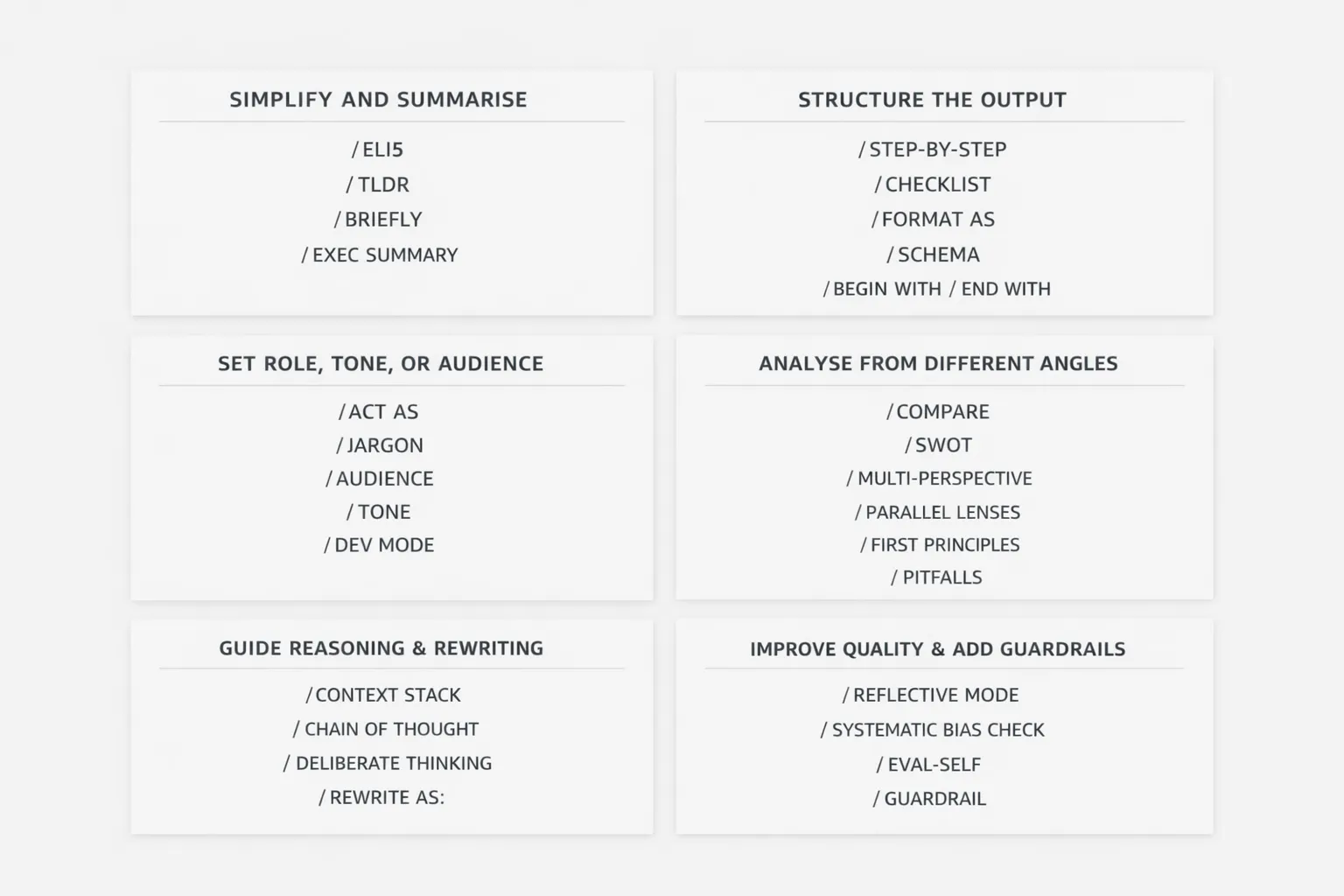
Claude shortcut prompts

Simplify and Summarise

Sometimes, you do not want depth. You just want the answer, fast and clean. That is exactly where these shortcuts come in. They help Claude strip away the fluff and give you something easier to grasp, skim, or pass on to someone else.

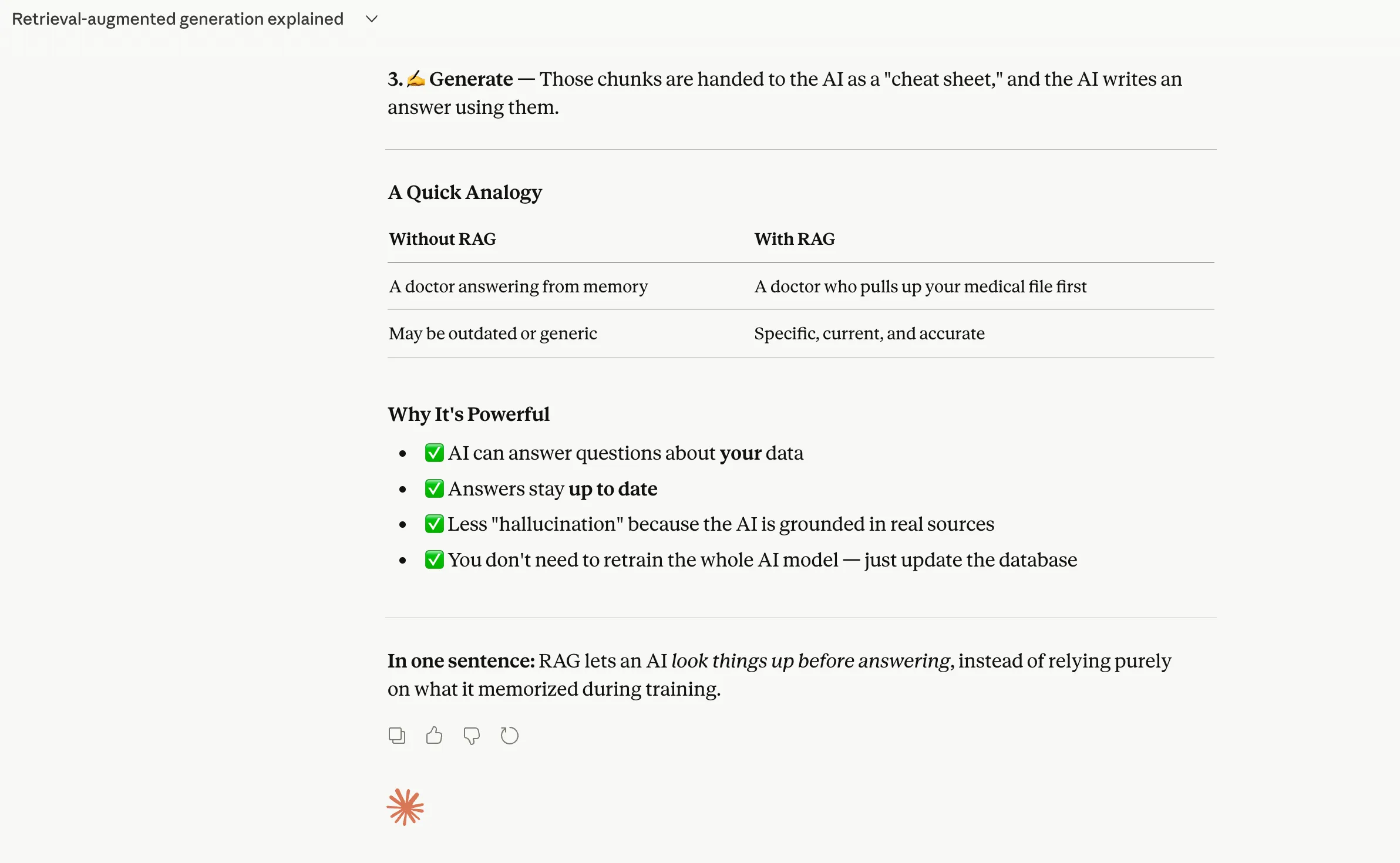
1. ELI5

Meaning “Explain it like I’m 5 years old”, use this when you want Claude to explain something like you are a complete beginner. Perfect for complex ideas that sound scary at first glance.
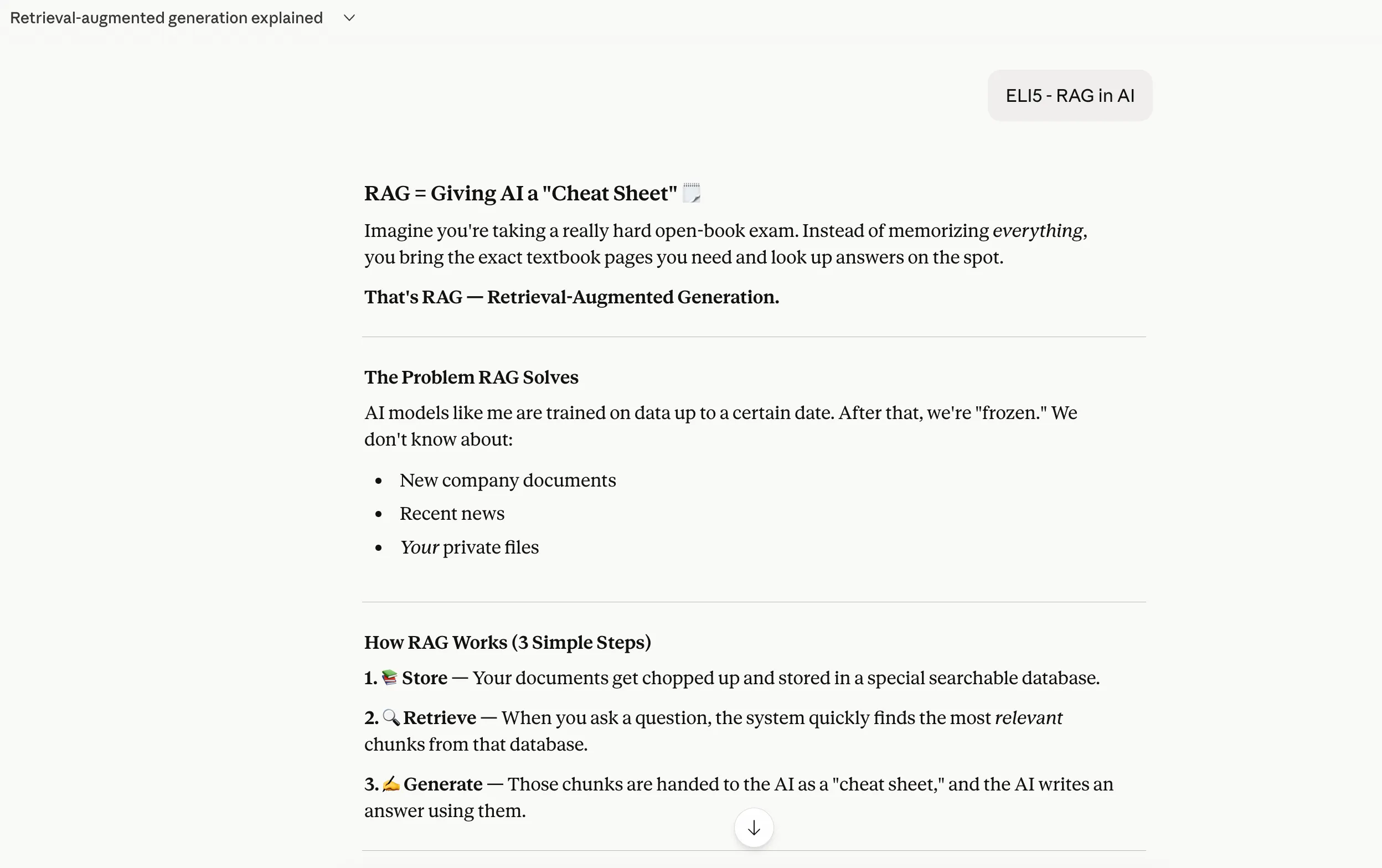
  • Claude ELI5 Command
  • Claude ELI5 Command

2. TLDR

Short for “Too long, didn’t read”, this is your classic “just give me the gist” command. Best used when the output is too long, and you want the core point in a snap.
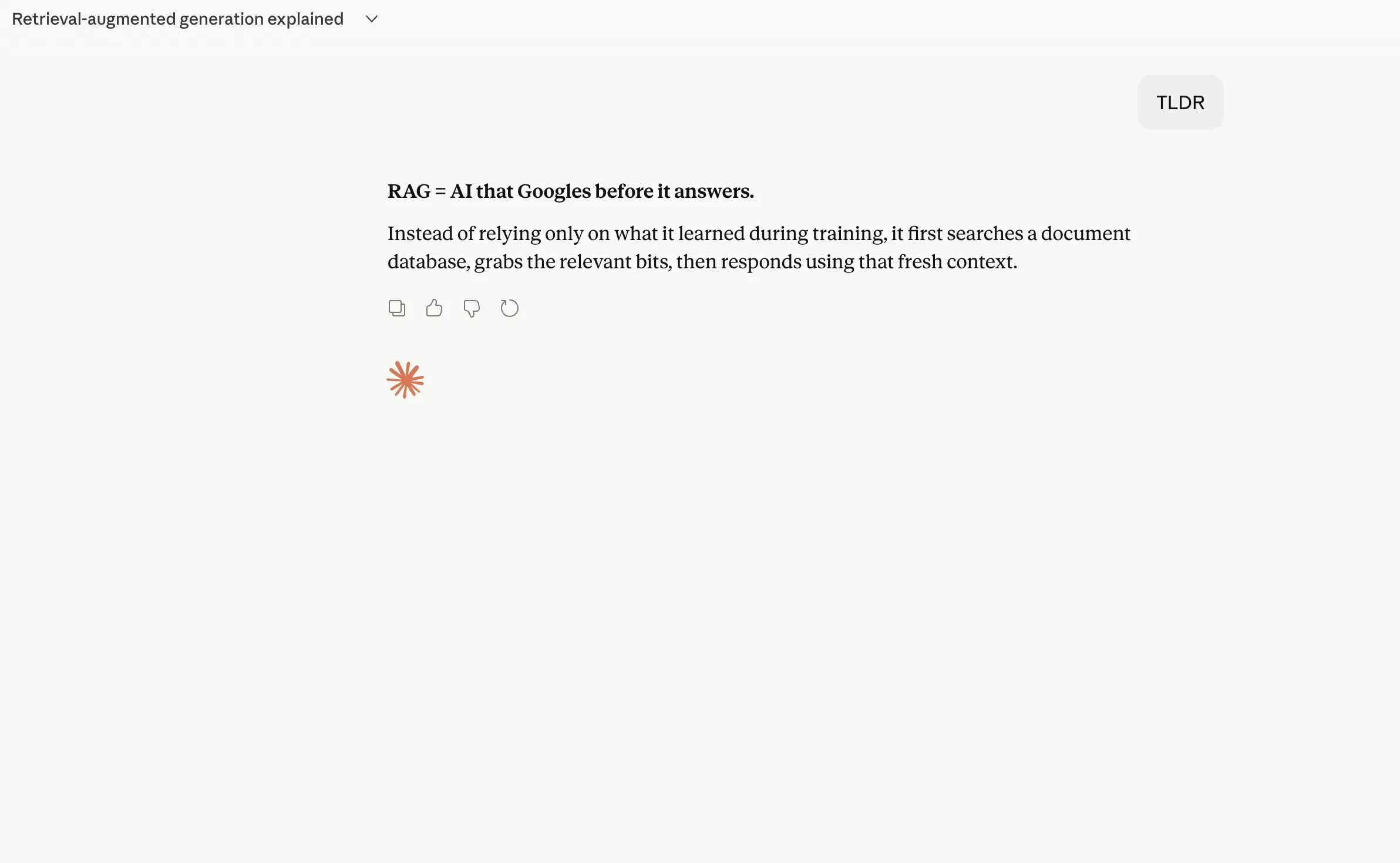
Claude TLDR Command

3. BRIEFLY

A handy shortcut when you want a short answer without sounding too restrictive. It tells Claude to keep things tight and to the point.
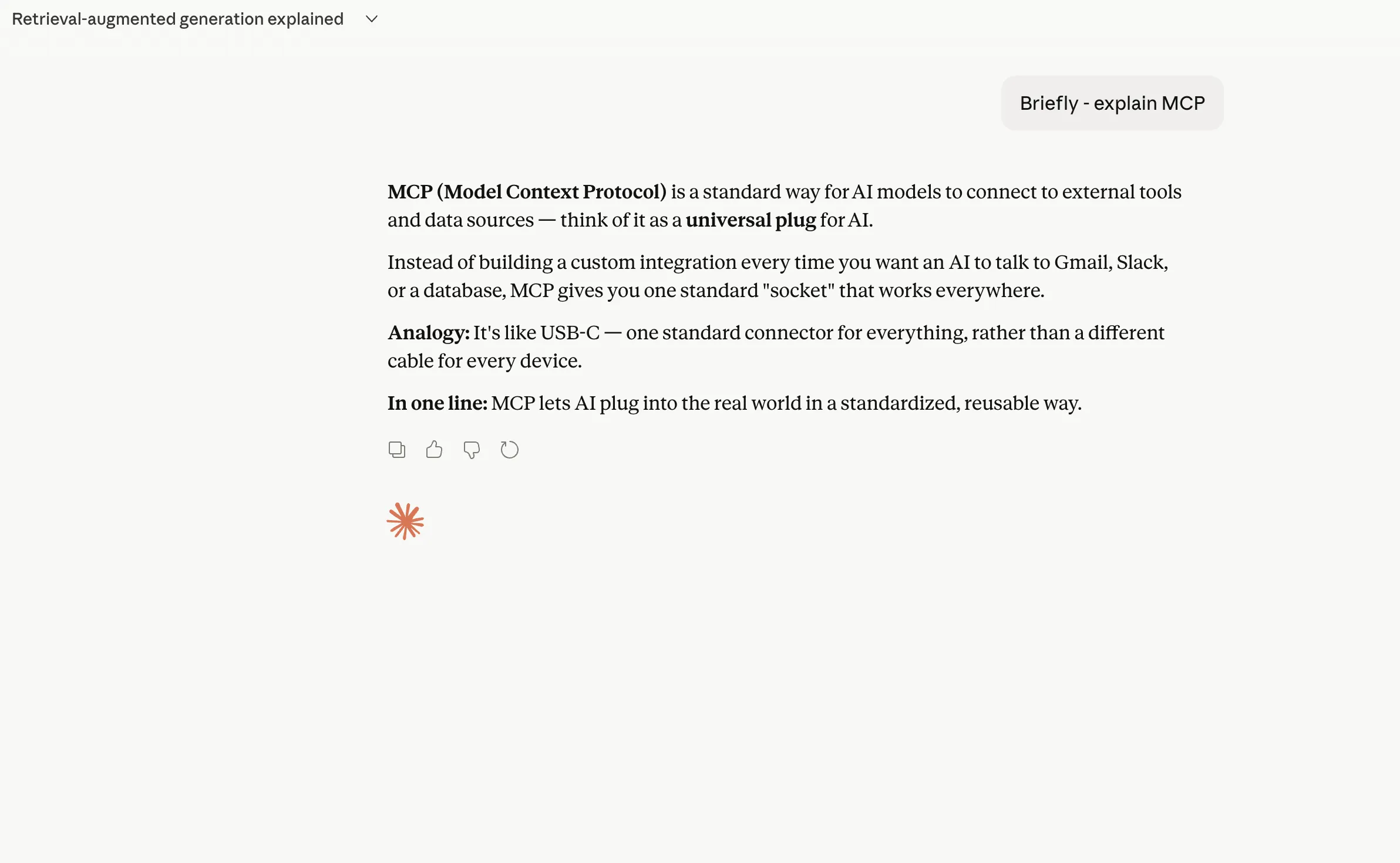
Claude Briefly prompt

4. EXEC SUMMARY

This one is for when you want the key takeaways in a polished, decision-maker-friendly format. Very useful for reports, long notes, or strategic documents.
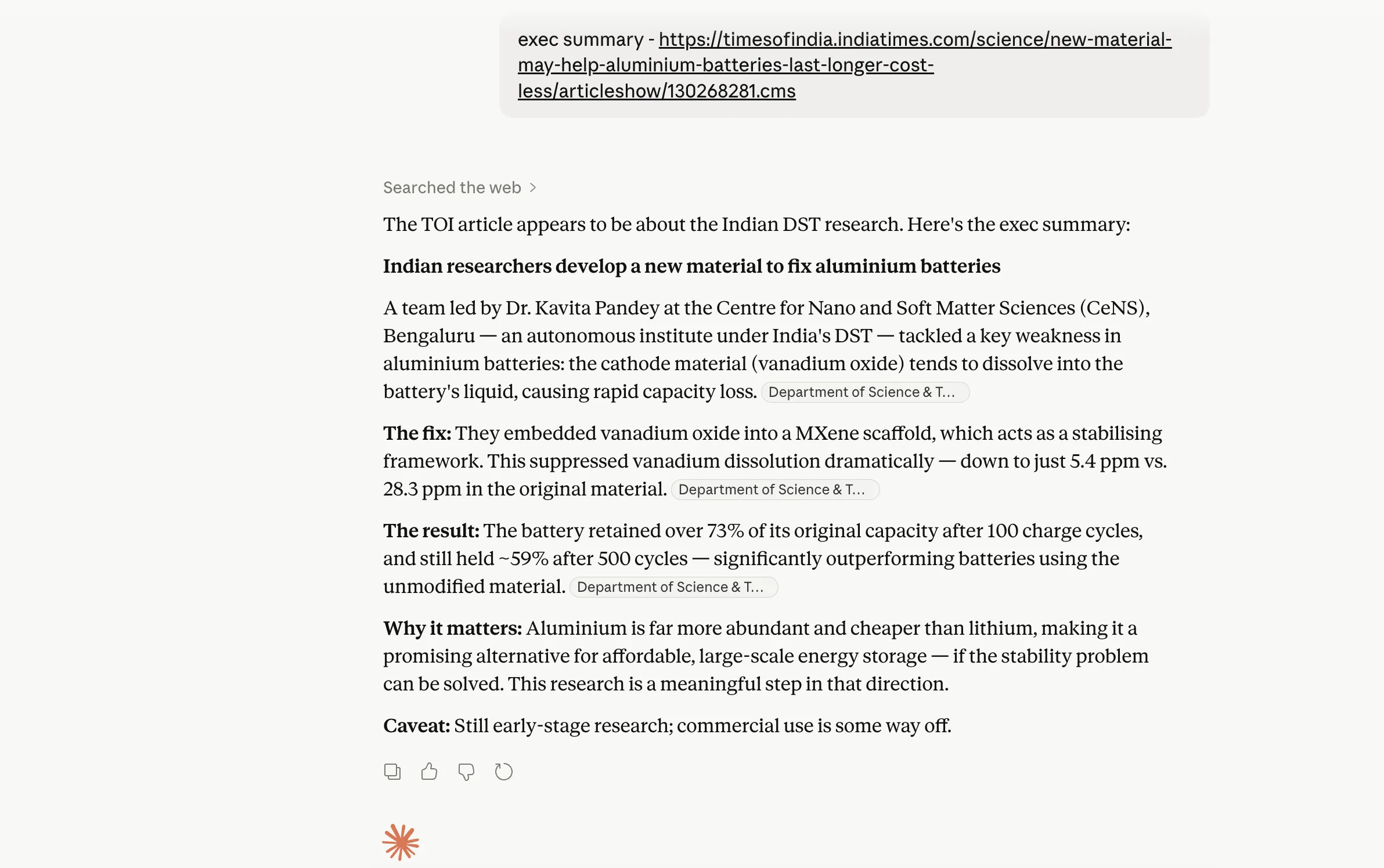
Claude exec summary shortcut prompt

Structure the Output

What if the real problem is not the answer itself, but the way it is presented? These shortcuts are useful when you already know the format you want and do not want Claude to freestyle its way into a messy response.

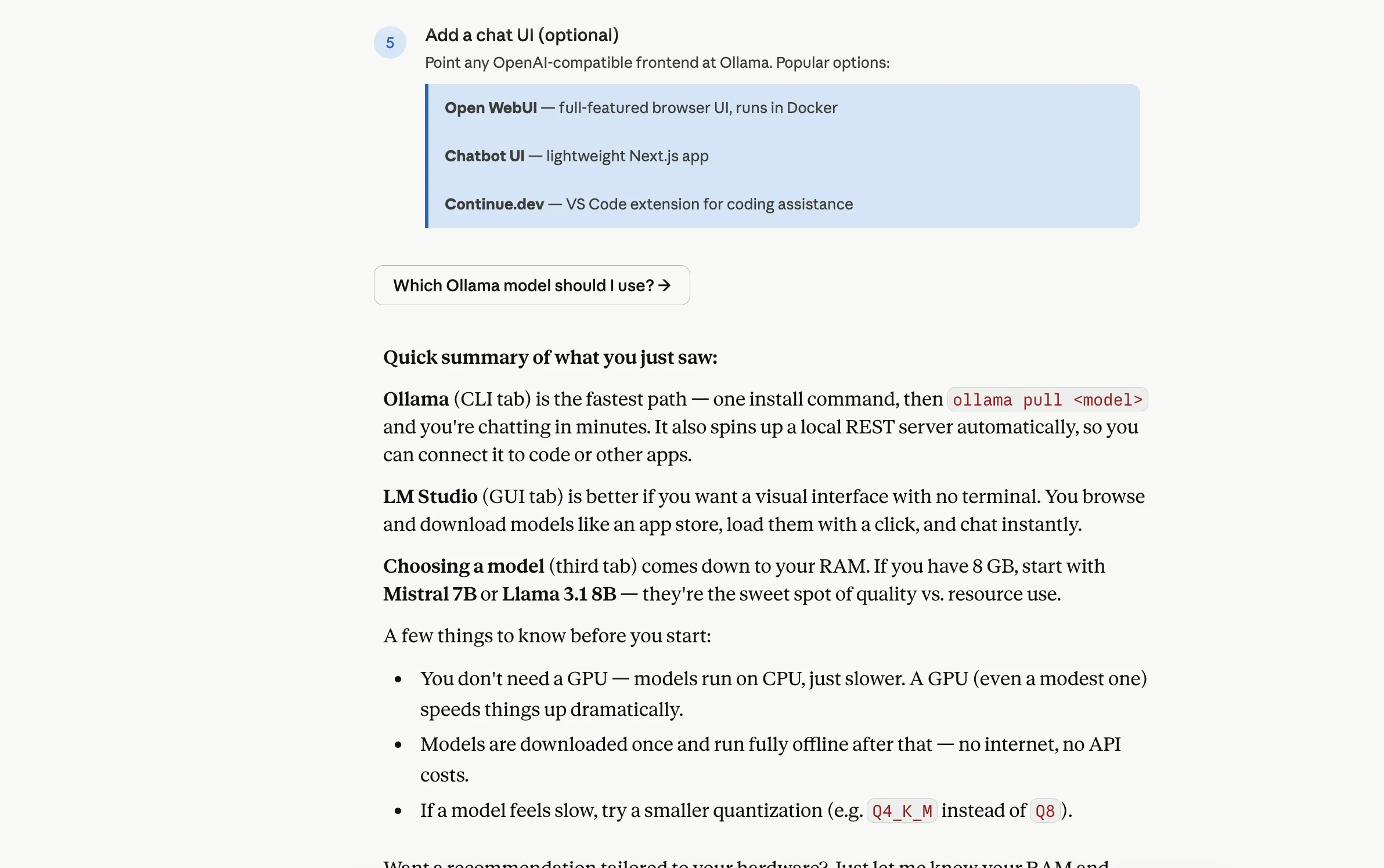
5. STEP-BY-STEP

Use this when you want Claude to break a process down into clear directions that go one step at a time. Great for tutorials, workflows, and anything instructional.
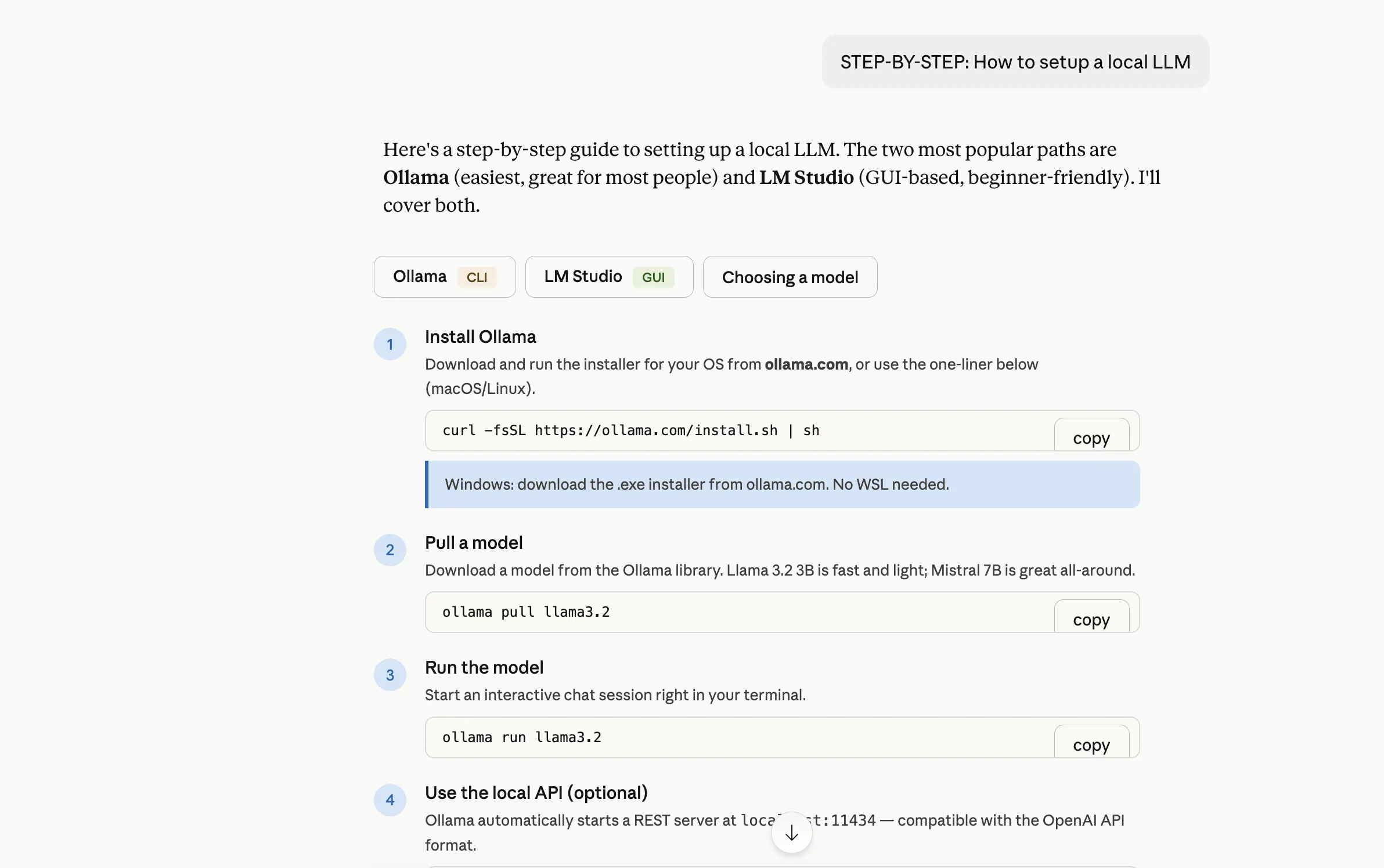
  • Claude Step-by-step shortcut command
  • Claude Step-by-step shortcut command

6. CHECKLIST

This turns the output into an easy-to-scan action list. Best for planning, reviewing, or making sure nothing gets missed.

7. FORMAT AS [your choice]

This is a very flexible shortcut that lets you define the shape of the answer upfront. You can ask Claude to format the response as a table, bullets, email, blog outline, and more.
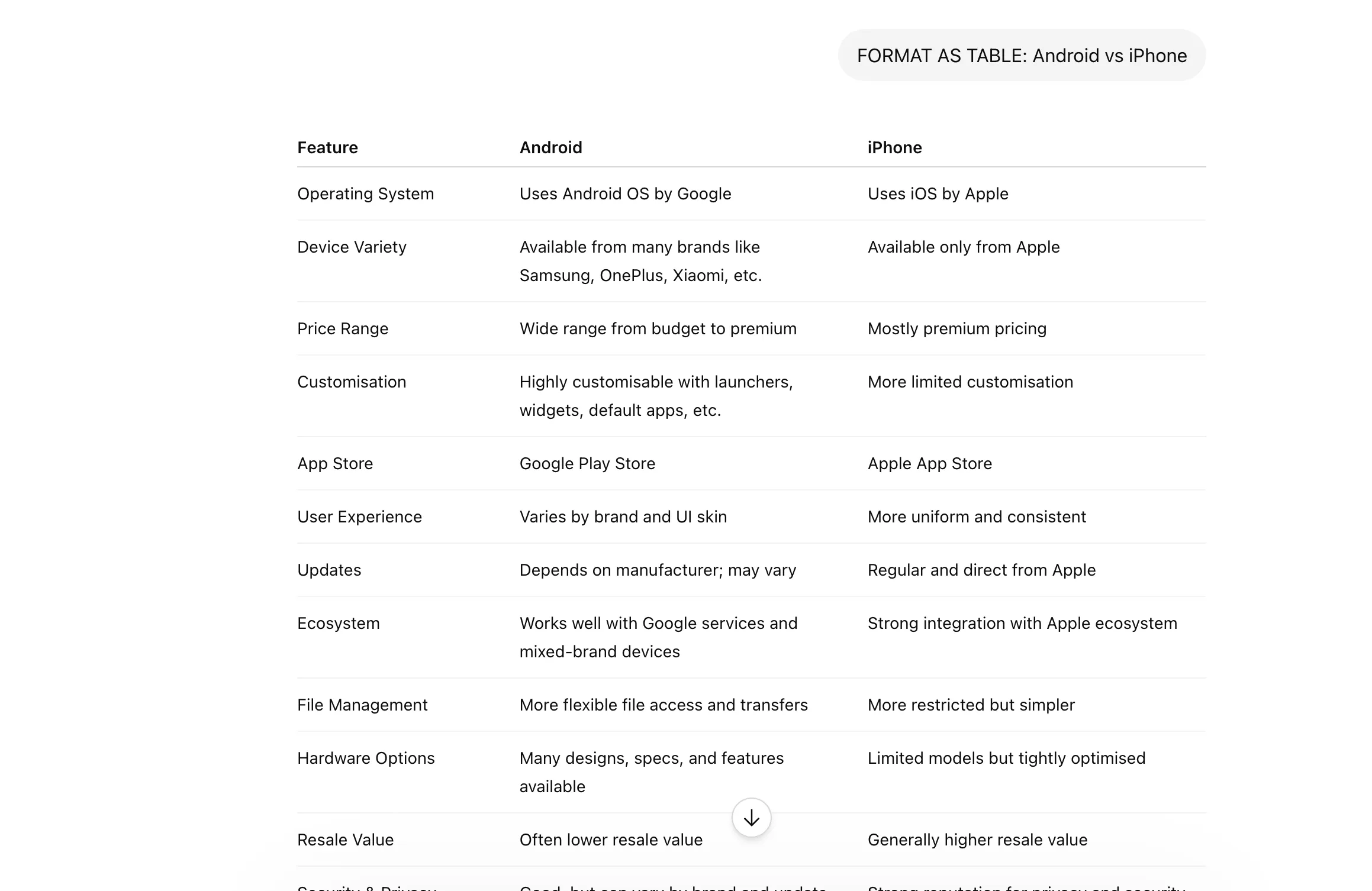
Claude format as prompt shortcut

8. SCHEMA

This is useful when you want structured output with fixed fields. Ideal for data extraction, templates, JSON-style responses, or repeatable formats.
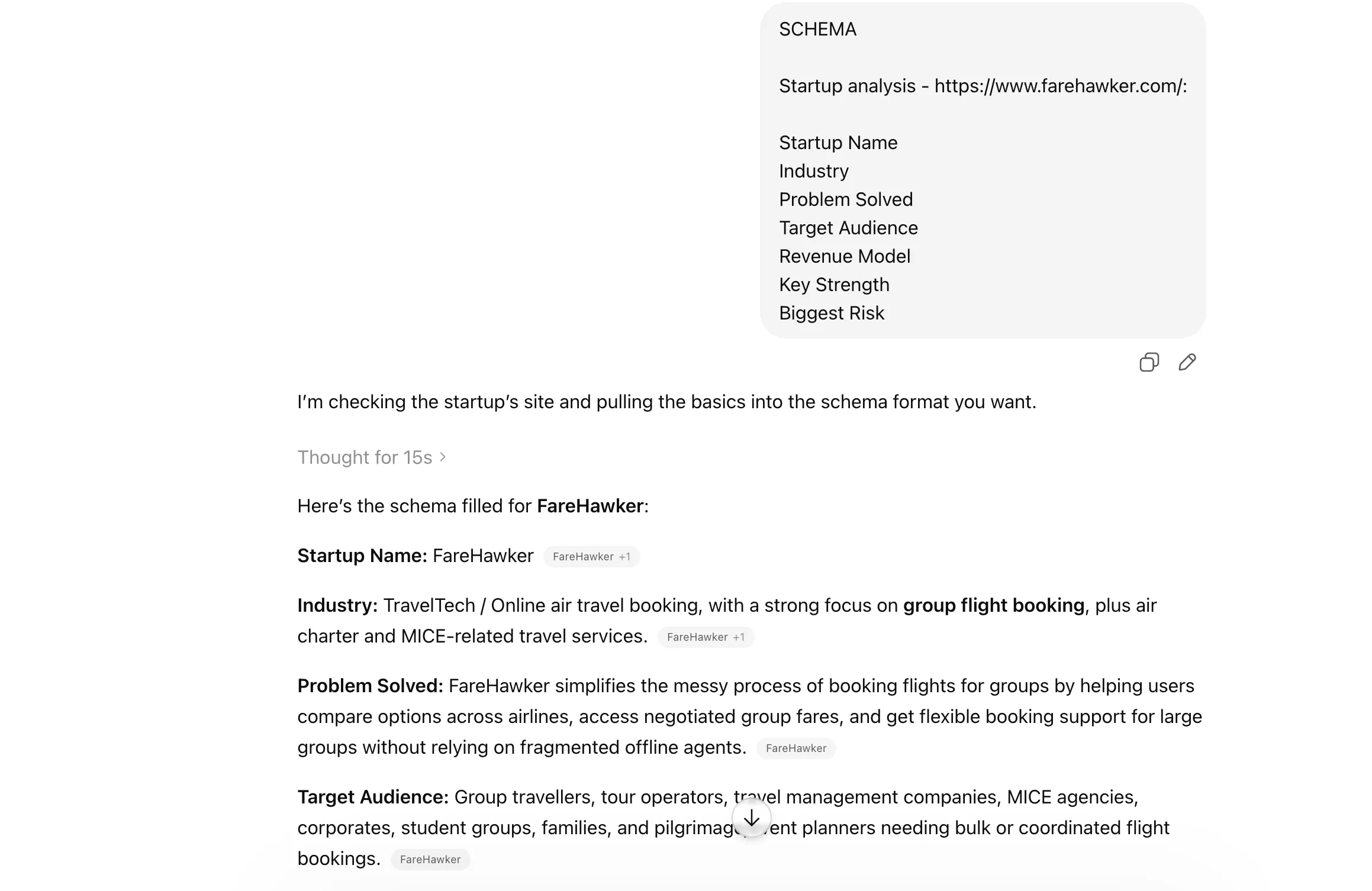
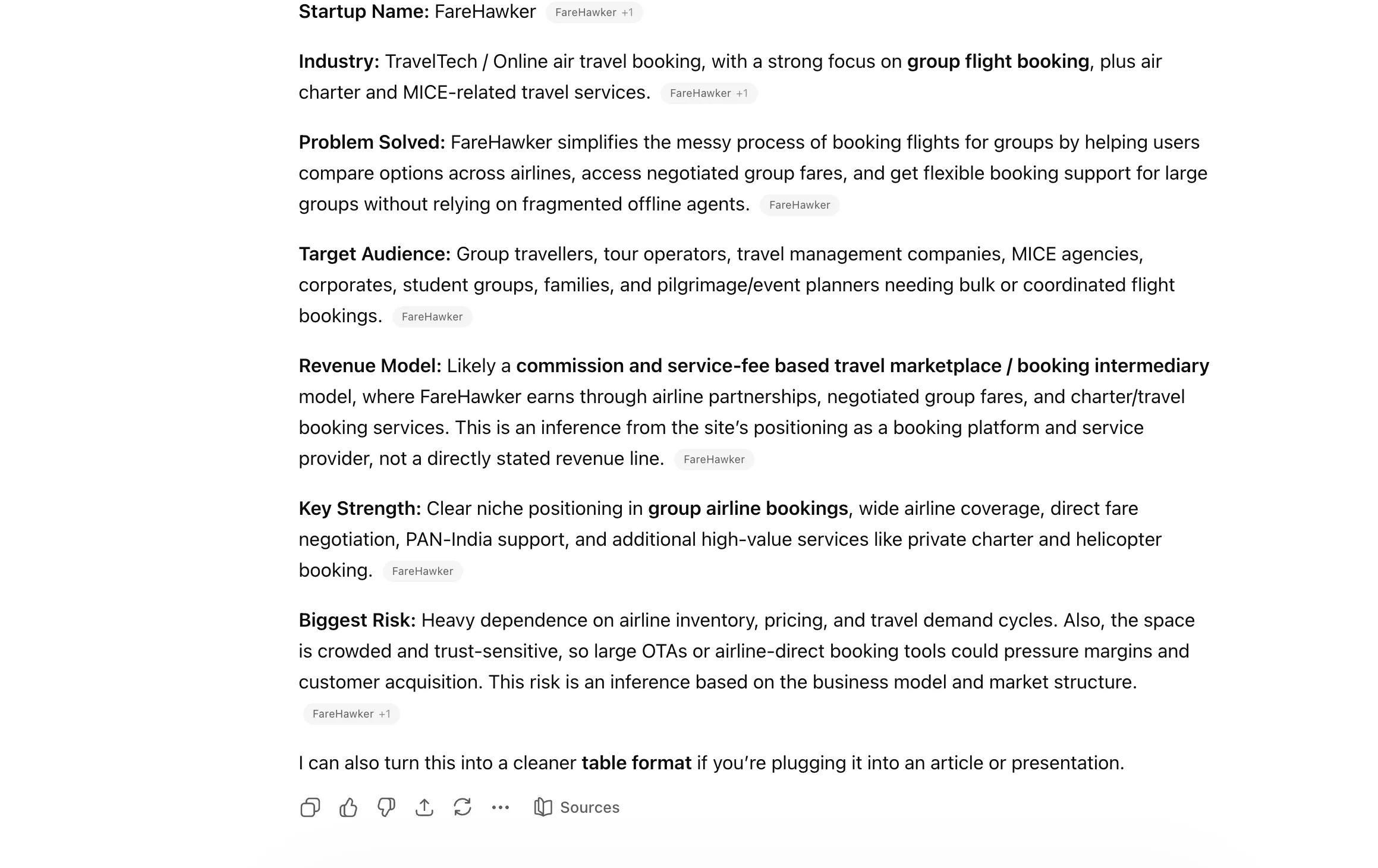
  • Claude schema shortcut prompt
  • Claude schema shortcut prompt

9. /BEGIN WITH / END WITH

A neat way to control how the response starts and finishes. Helpful when you need Claude to follow a very specific framing or output pattern.
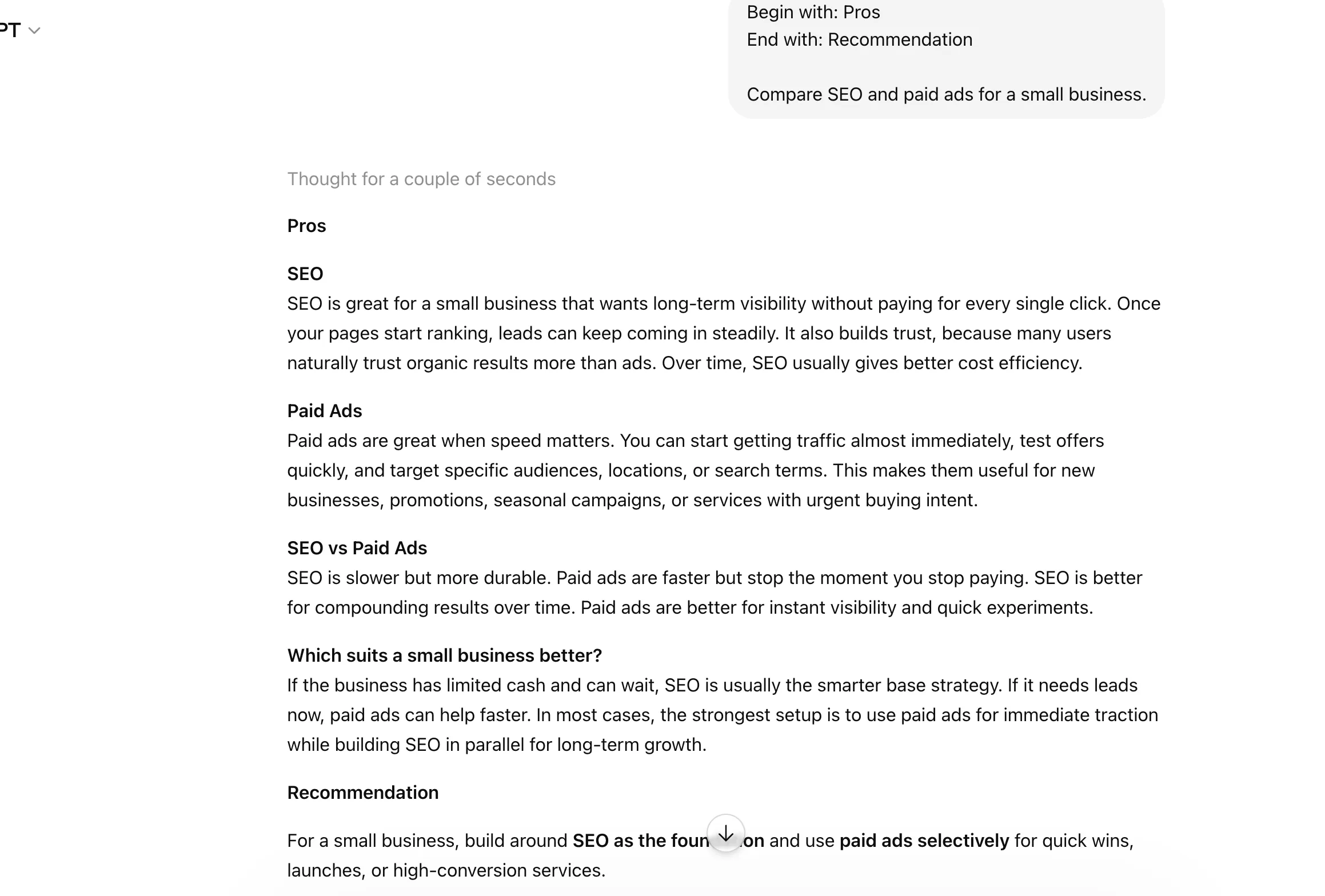
Claude begin with and end with shortcut prompt

Set Role, Tone, or Audience

Half the time, I dispense the AI responses due to the robotic tone and output. Of course, being technically correct is not all there is to having a human conversation. And that is exactly where it helps to tell Claude to assume a particular role through these shortcuts. These help shape the voice, style, and target audience of the response.

10. ACT AS

Use this when you want Claude to respond from a specific role or perspective. It could be a marketer, teacher, developer, consultant, or almost anyone else.
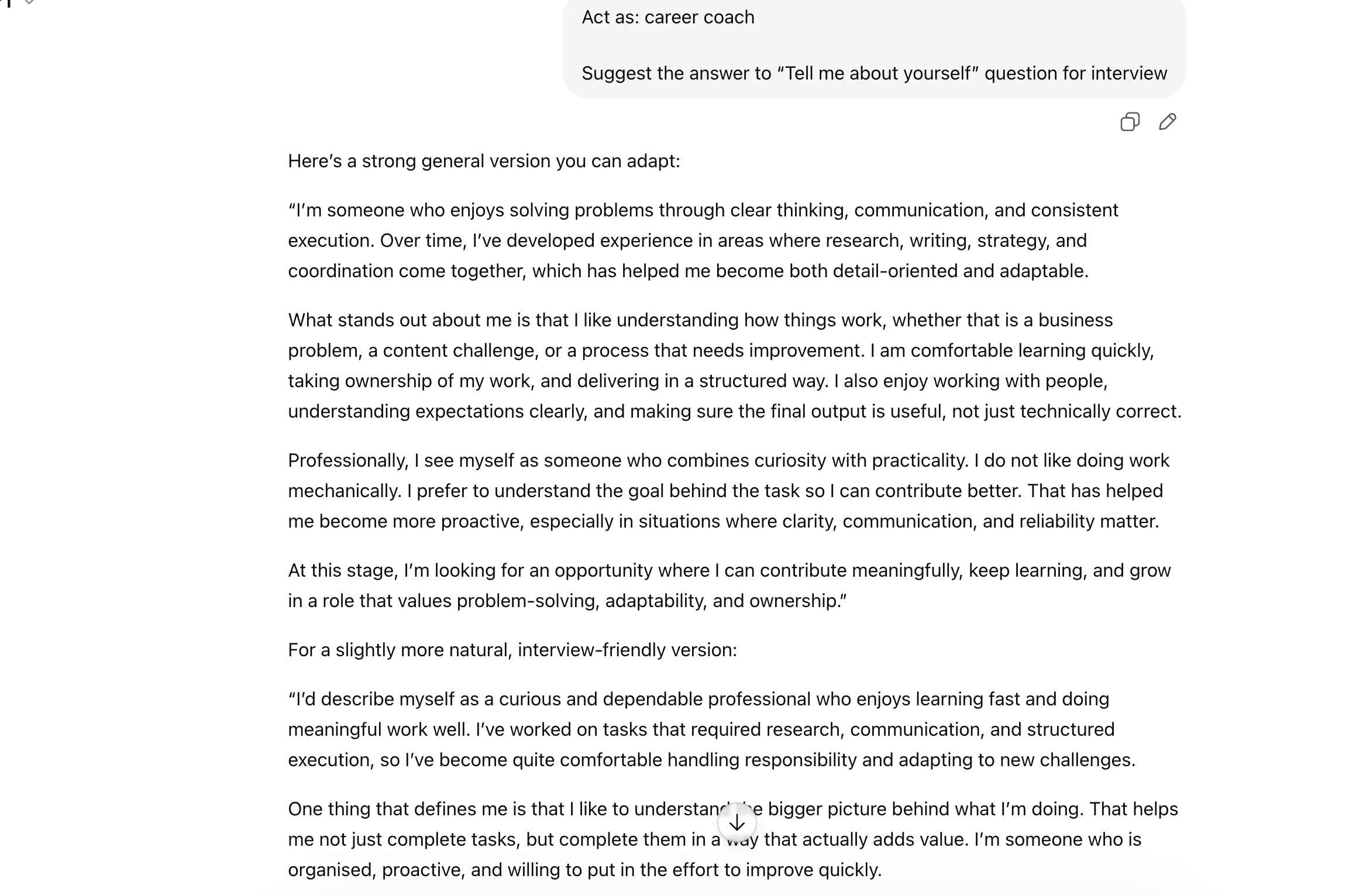
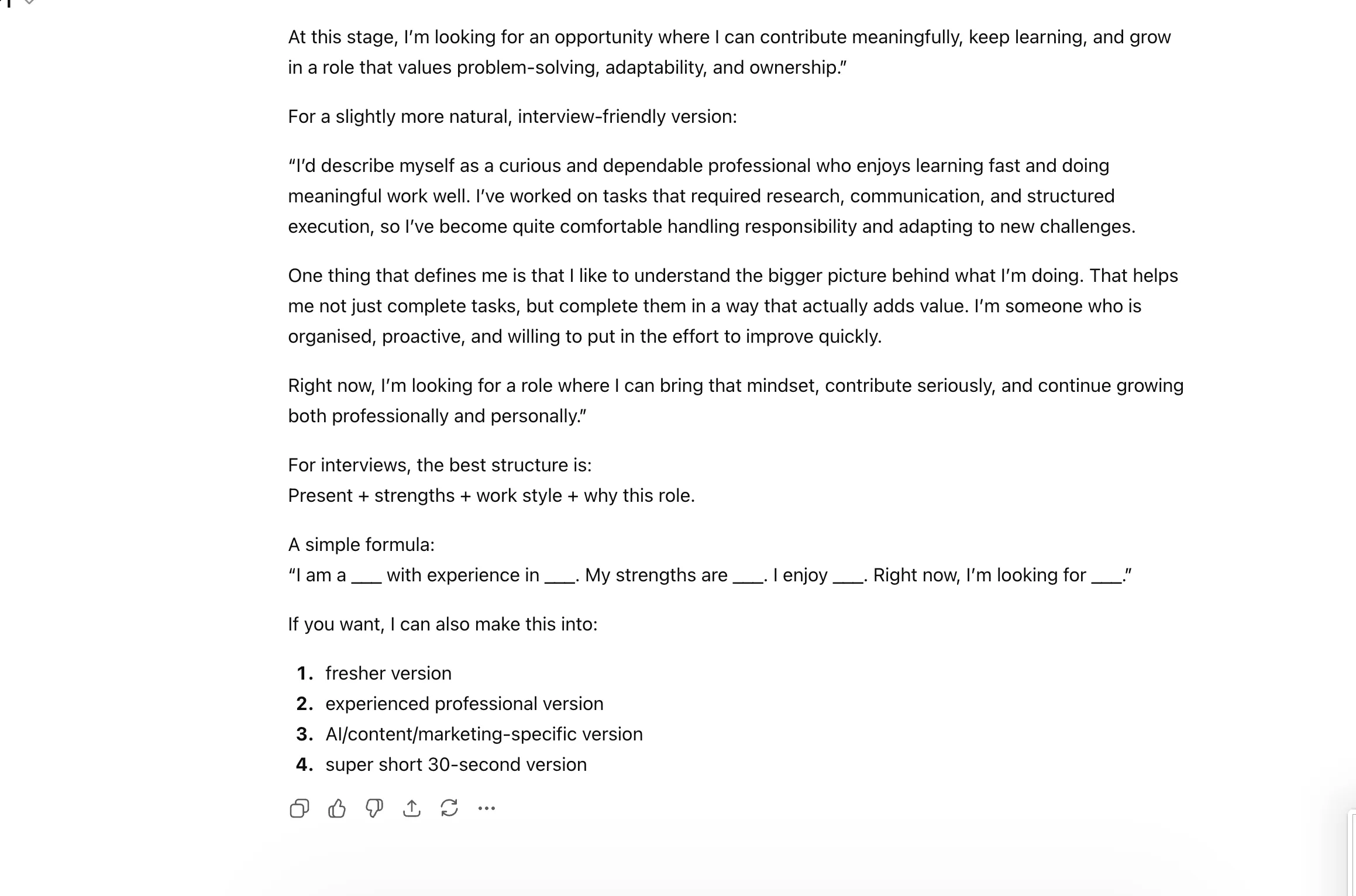
  • Claude act as shortcut prompt
  • Claude act as shortcut prompt

11. JARGON

This helps control how technical or simplified the language should be. Useful when you want Claude to either sound more expert or far more beginner-friendly.
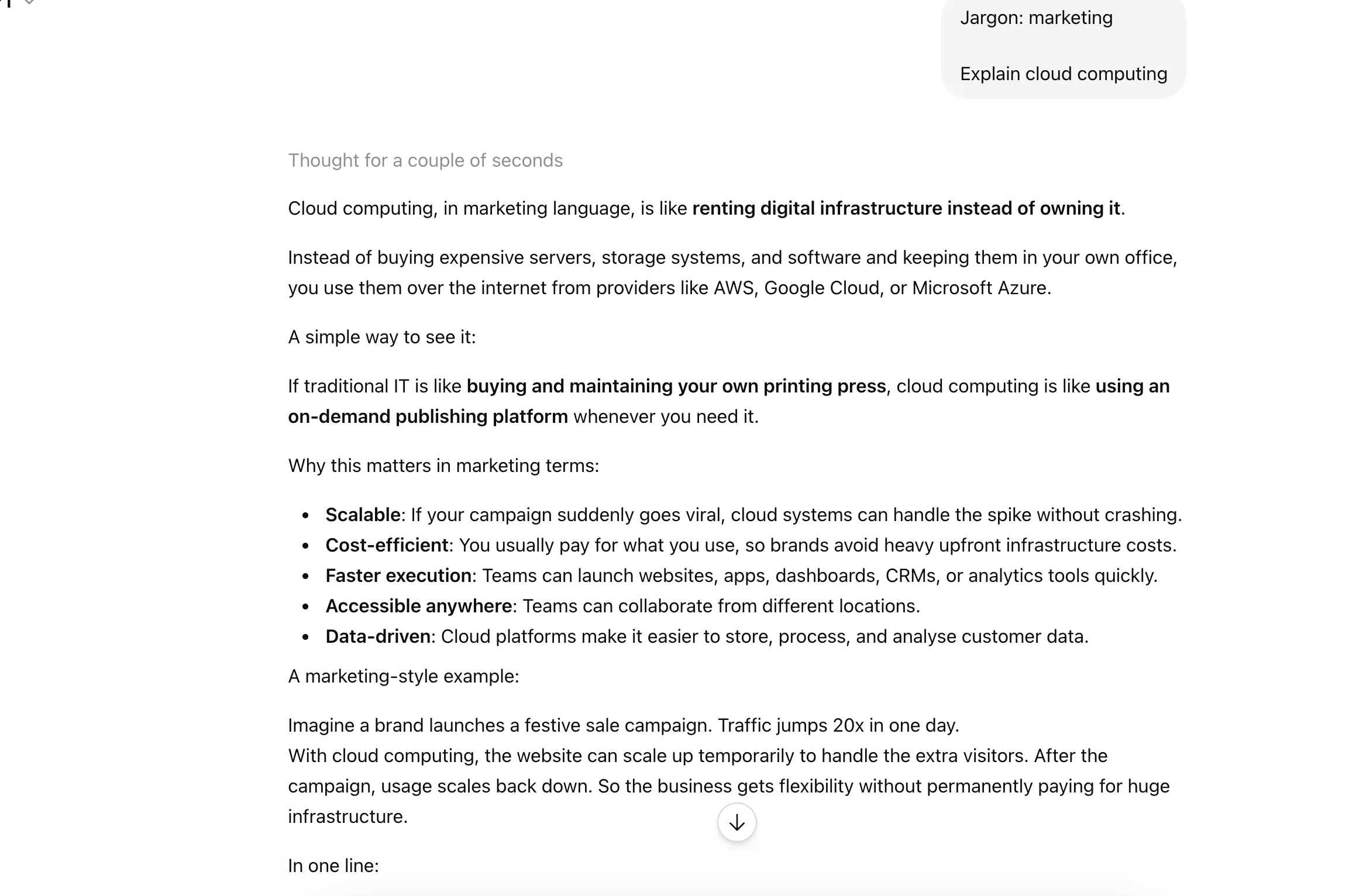
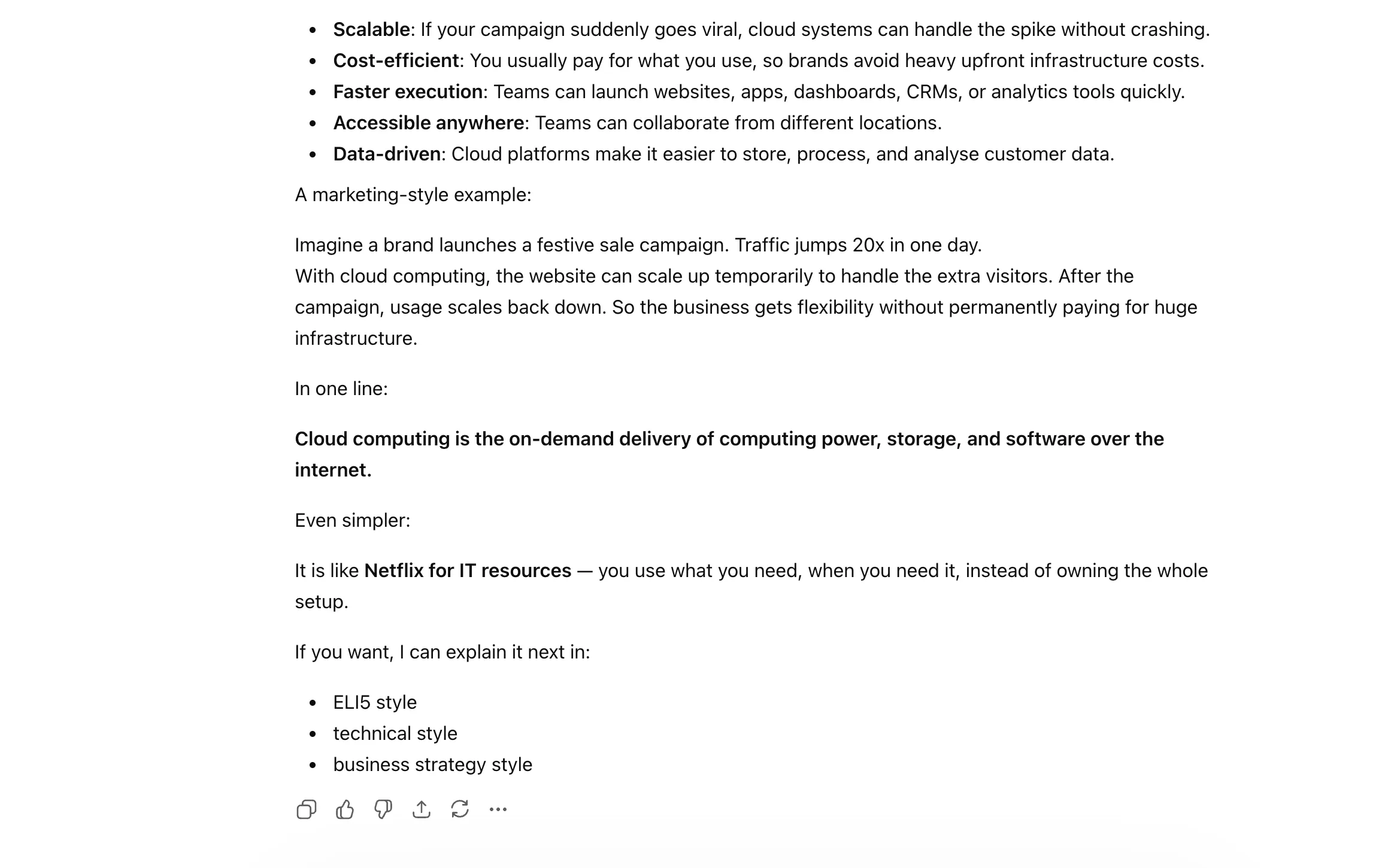
  • Claude jargon shortcut prompt
  • Claude jargon shortcut prompt

12. AUDIENCE

A very practical shortcut for telling Claude who the response is meant for. This can completely change how the explanation is framed.
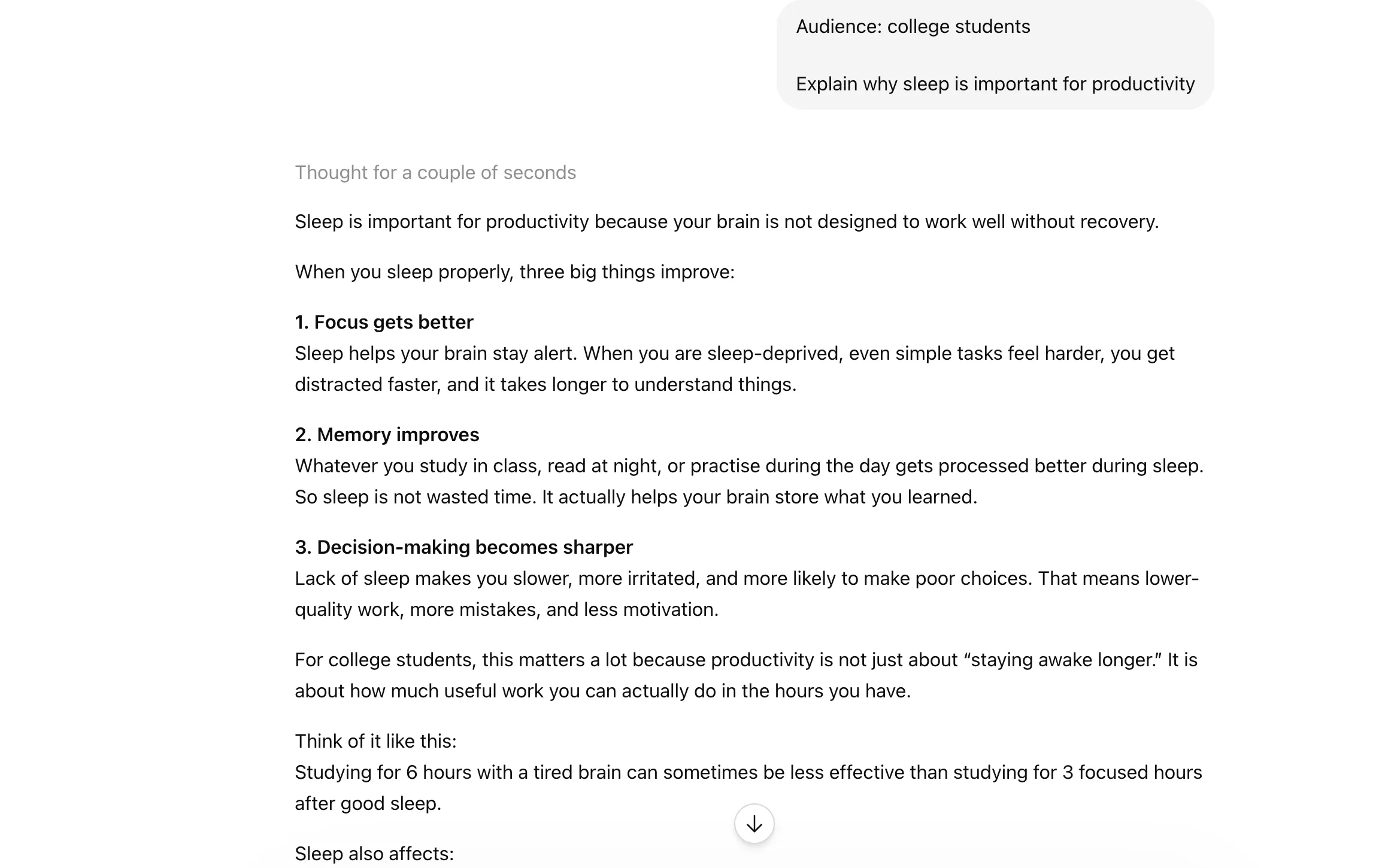
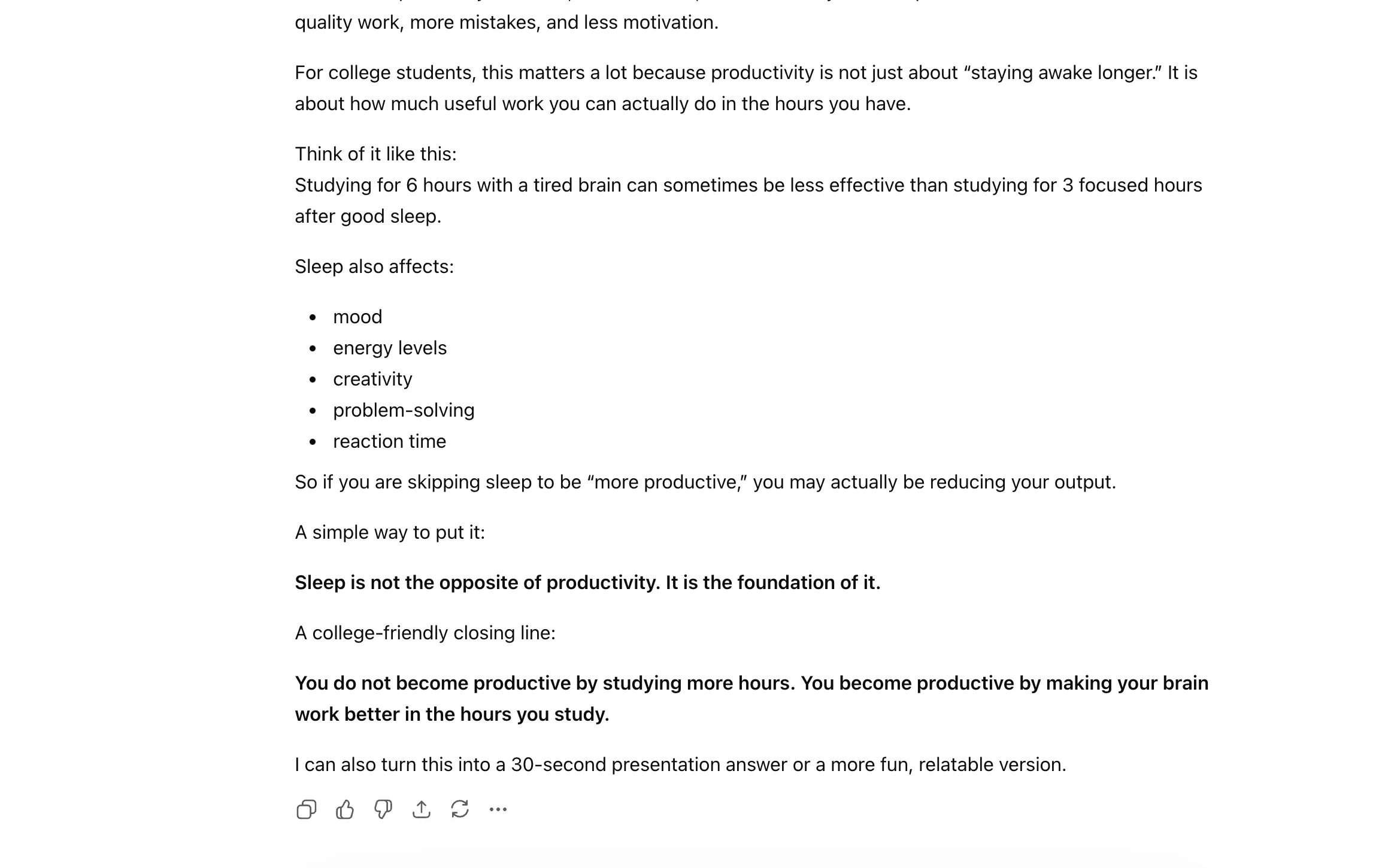
  • Claude audience shortcut prompt
  • Claude audience shortcut prompt

13. TONE

Use this to shape the mood of the answer, whether you want it formal, casual, persuasive, sharp, friendly, or something else.
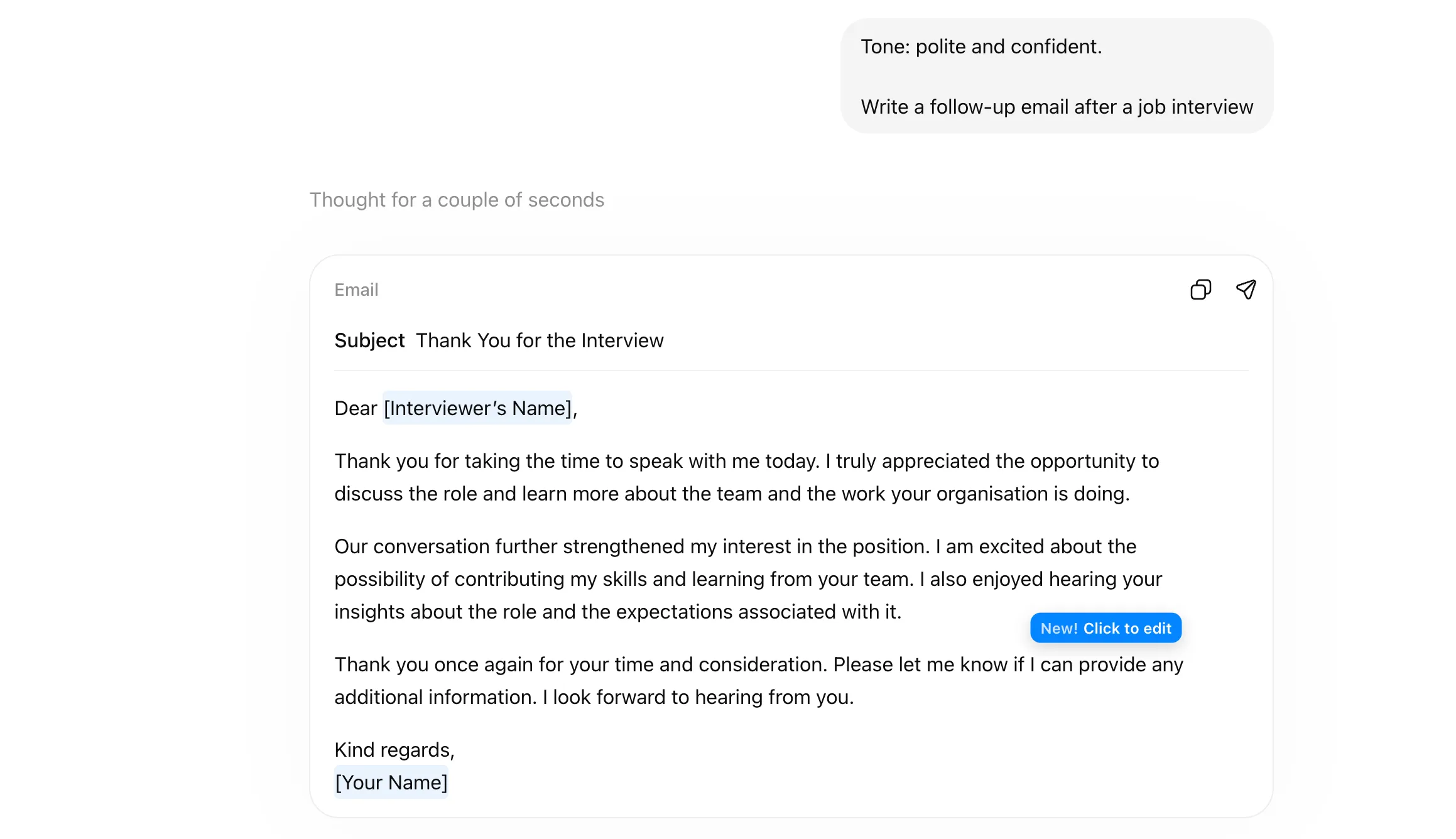
ChatGPT tone shortcut prompt

14. DEV MODE

This pushes Claude toward a more technical, builder-style way of responding. Best for coding, system design, debugging, or product-building discussions.

Analyse from Different Angles

You may not want a straight answer all the time. You want to compare options, think strategically, or view the same problem from multiple sides before you decide what makes the most sense. These shortcuts are great for exactly that kind of deeper thinking.

15. COMPARE

Use this when you want Claude to place two or more options side by side. Great for weighing tools, ideas, strategies, or decisions.
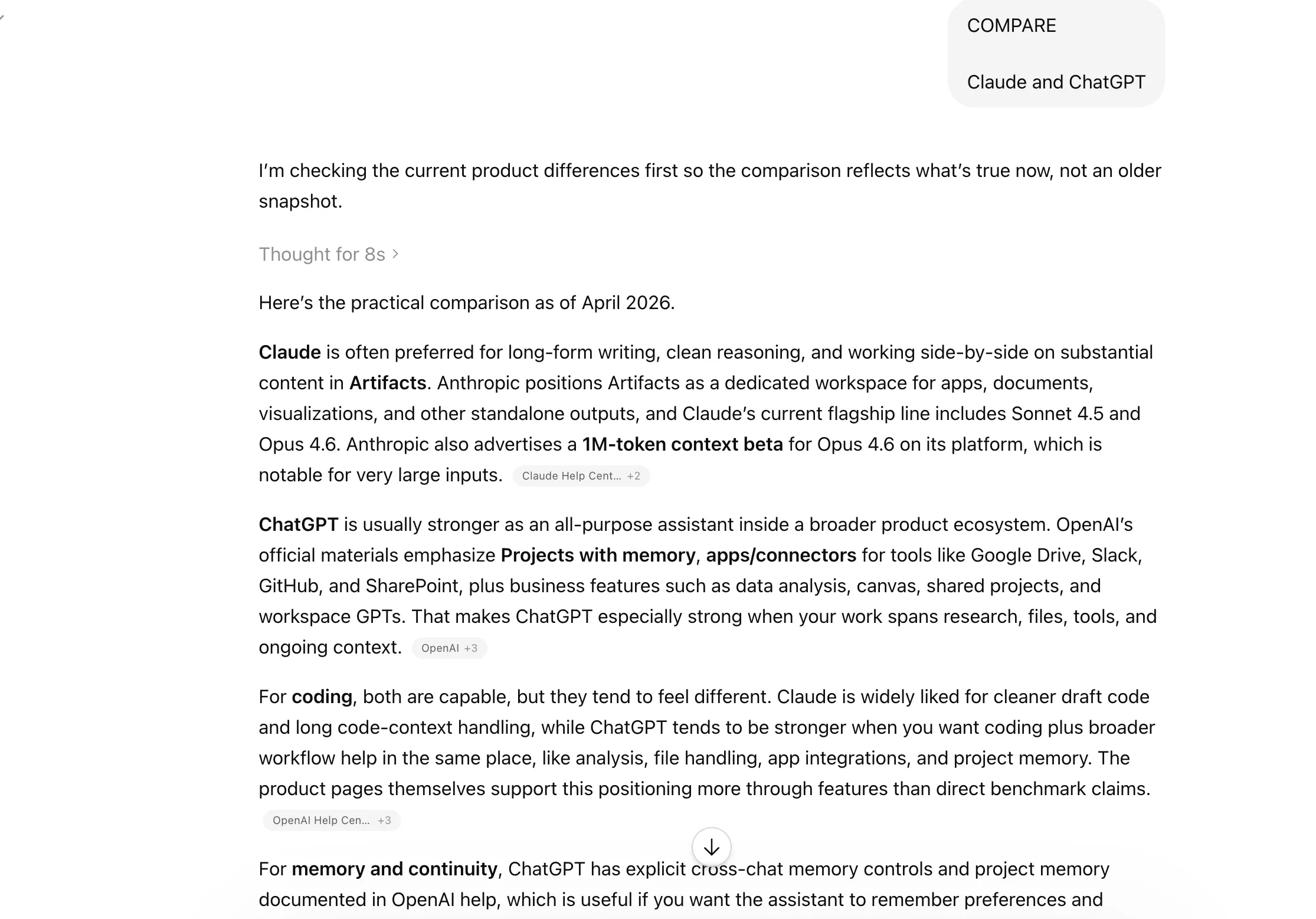
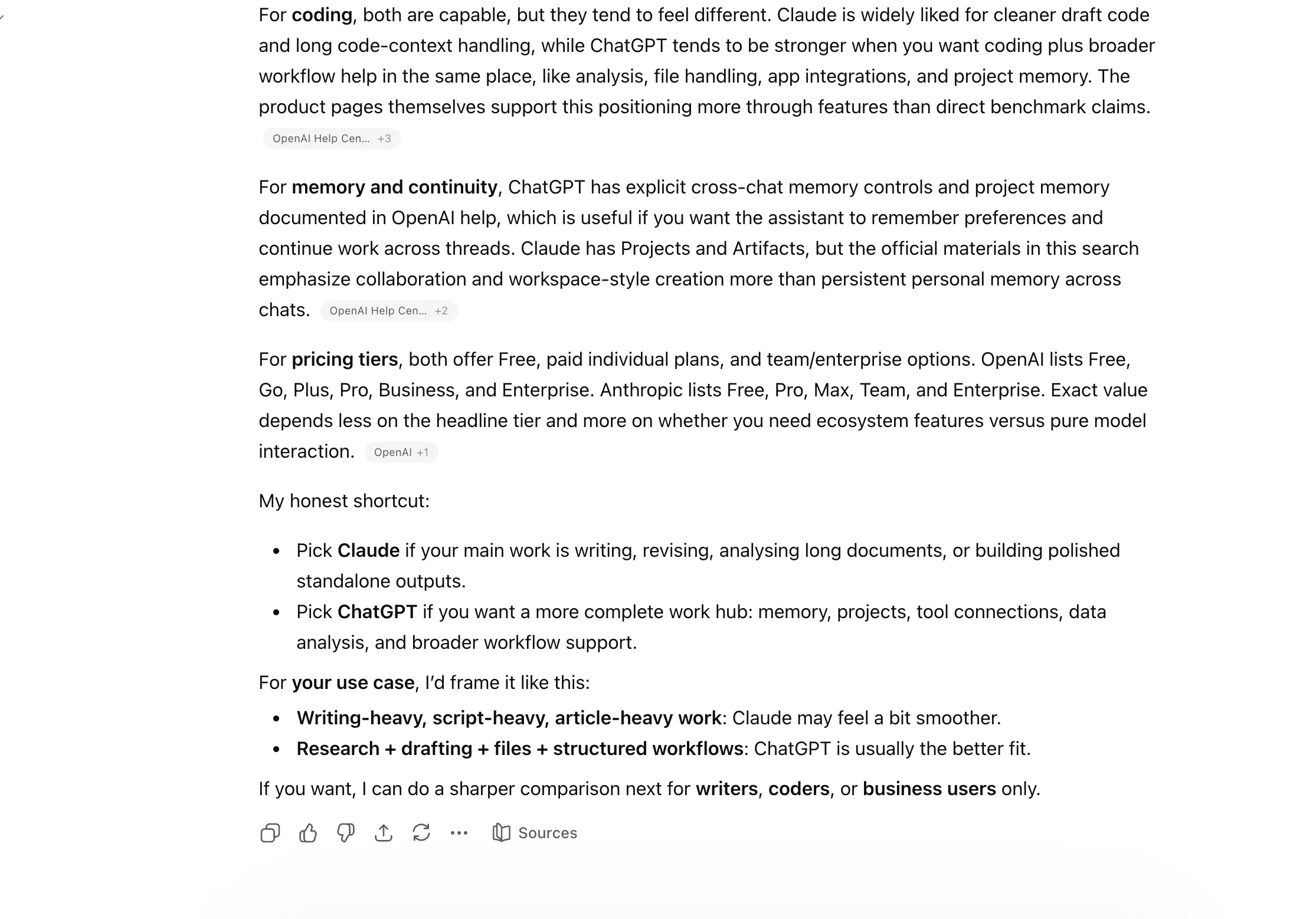
  • Claude ChatGPT shortcuts - Compare
  • Claude ChatGPT shortcuts - Compare

16. SWOT

A quick way to get a strengths, weaknesses, opportunities, and threats breakdown. Very useful for business ideas, products, or strategic planning.

17. MULTI-PERSPECTIVE

This tells Claude to look at the same topic from different viewpoints. Helpful when the issue is nuanced, and one angle is not enough.
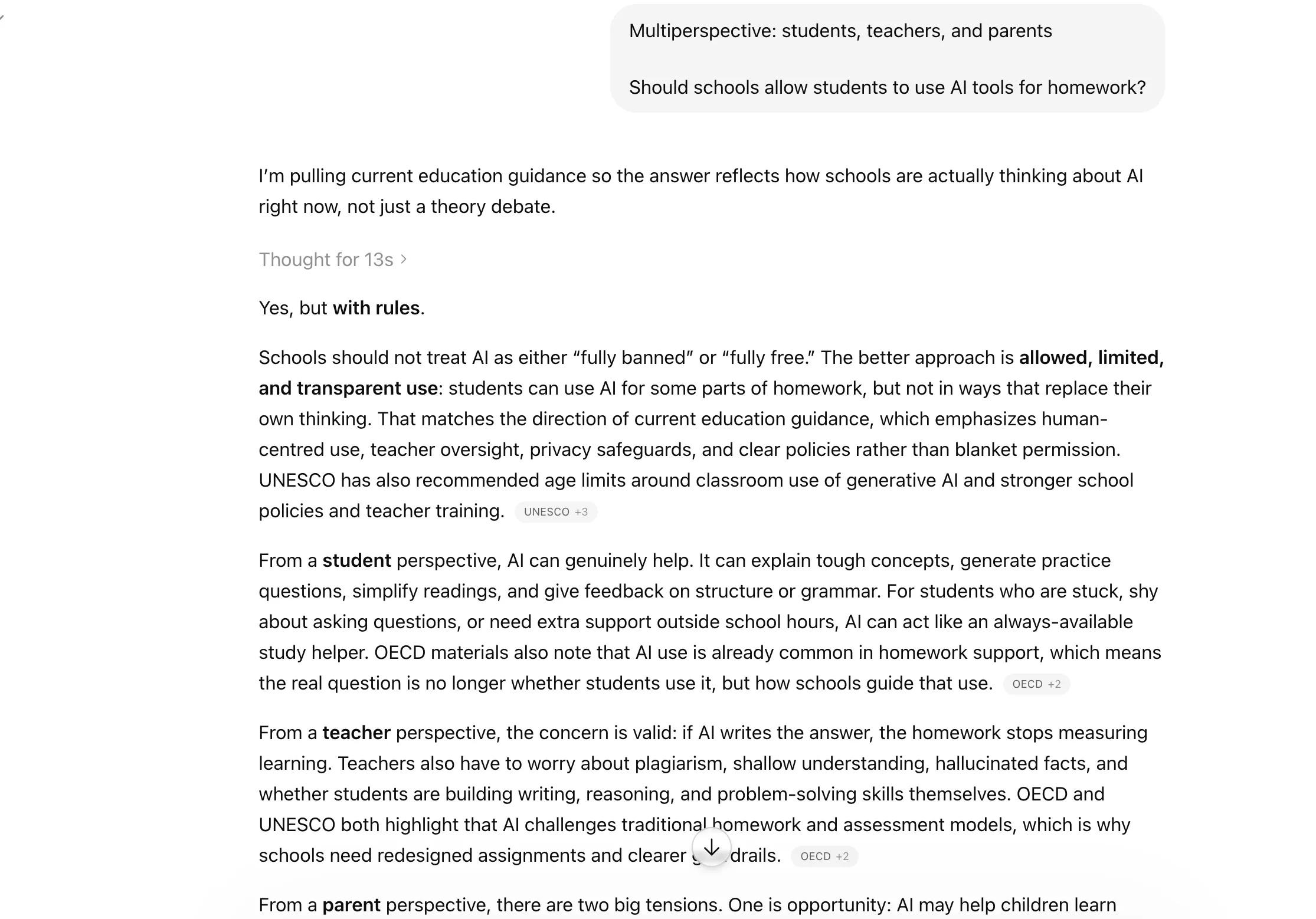
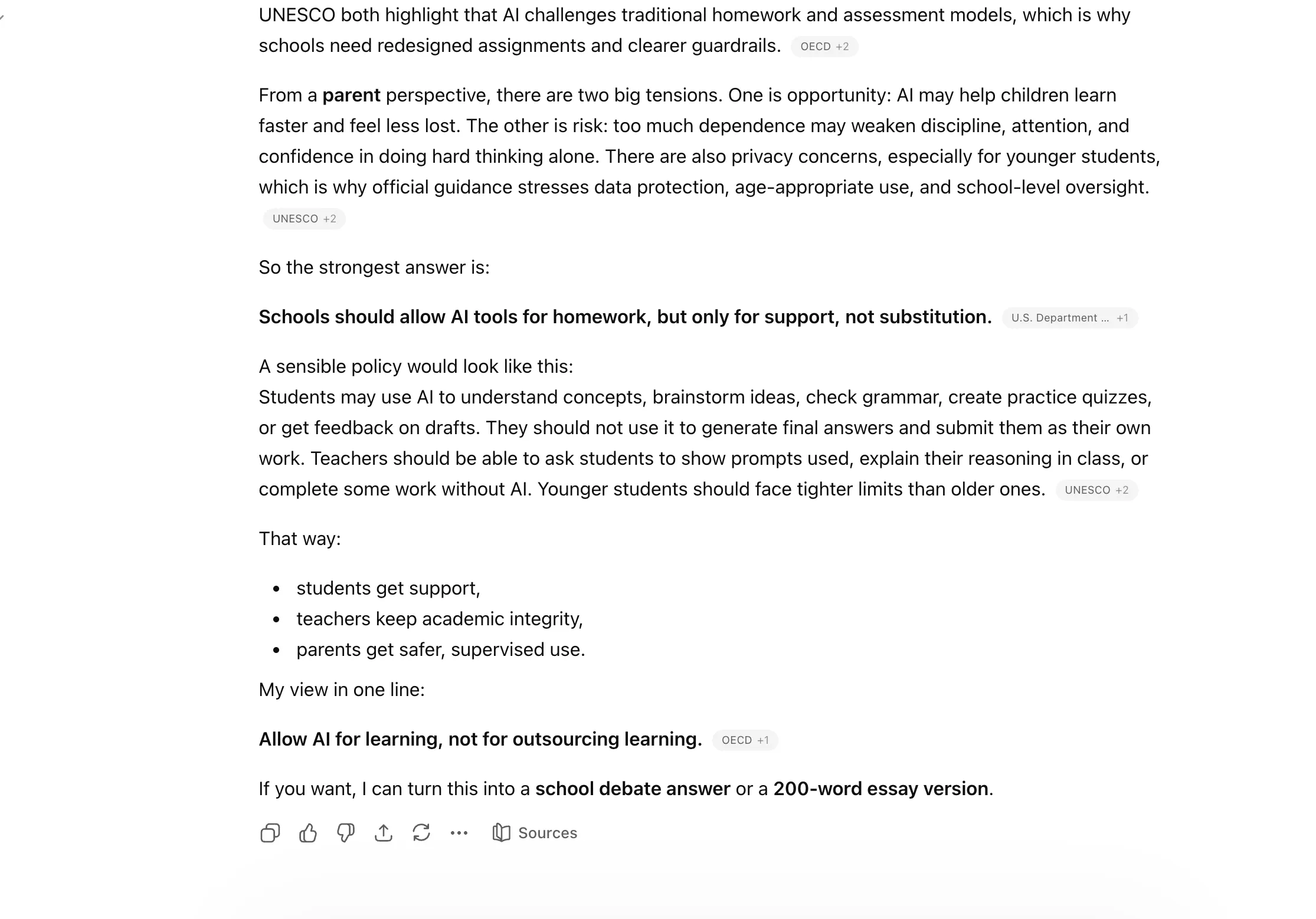
  • ChatGPT MULTIPERSPECTIVE shortcut prompt
  • ChatGPT MULTIPERSPECTIVE shortcut prompt

18. PARALLEL LENSES

A smart shortcut for analysing something through different frameworks at once, such as business, technical, and user experience angles.
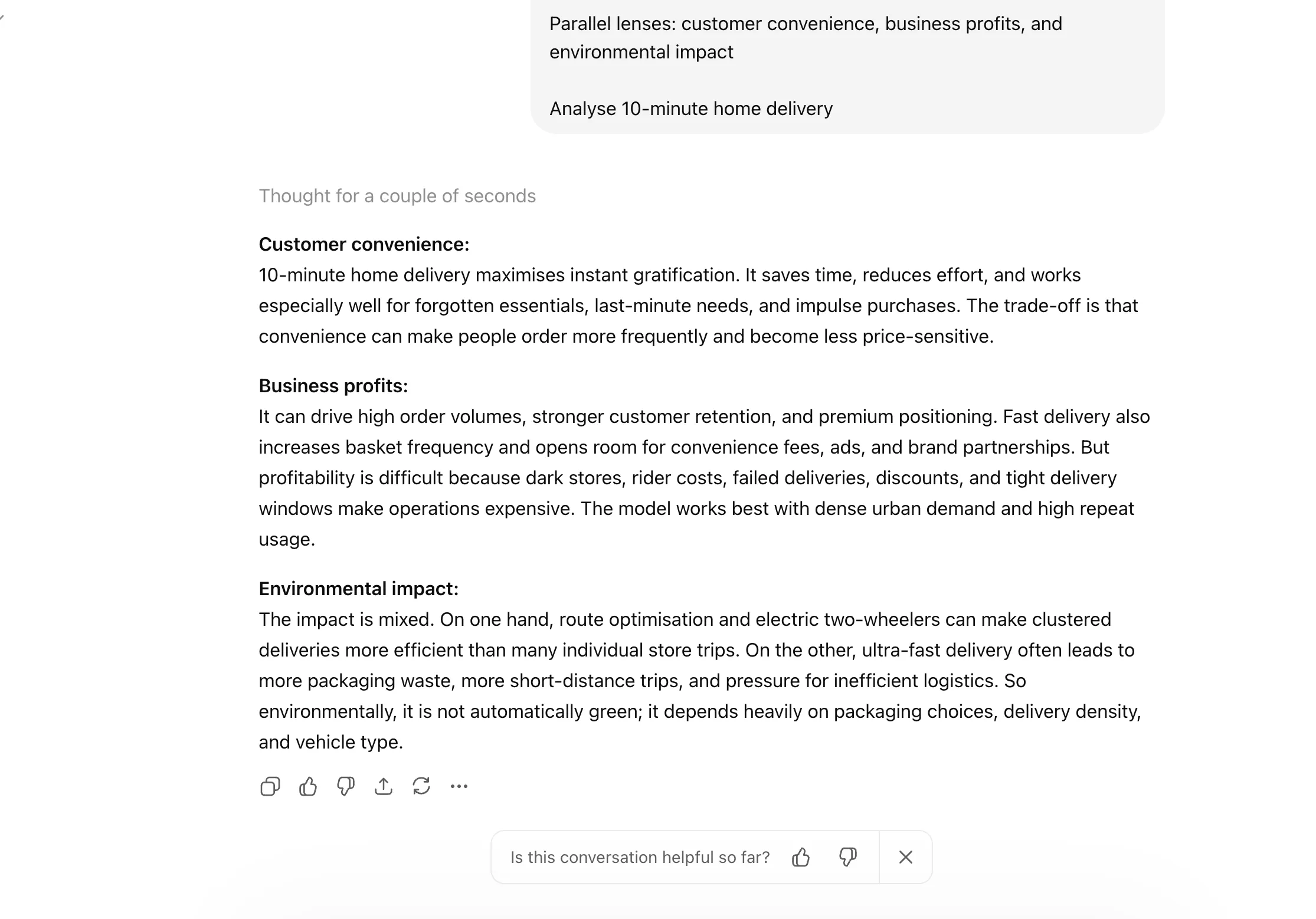
ChatGPT PARALLEL LENSES shortcut prompt

19. FIRST PRINCIPLES

Use this when you want Claude to strip the issue down to the basics and reason from the ground up. Great for simplifying complex problems.
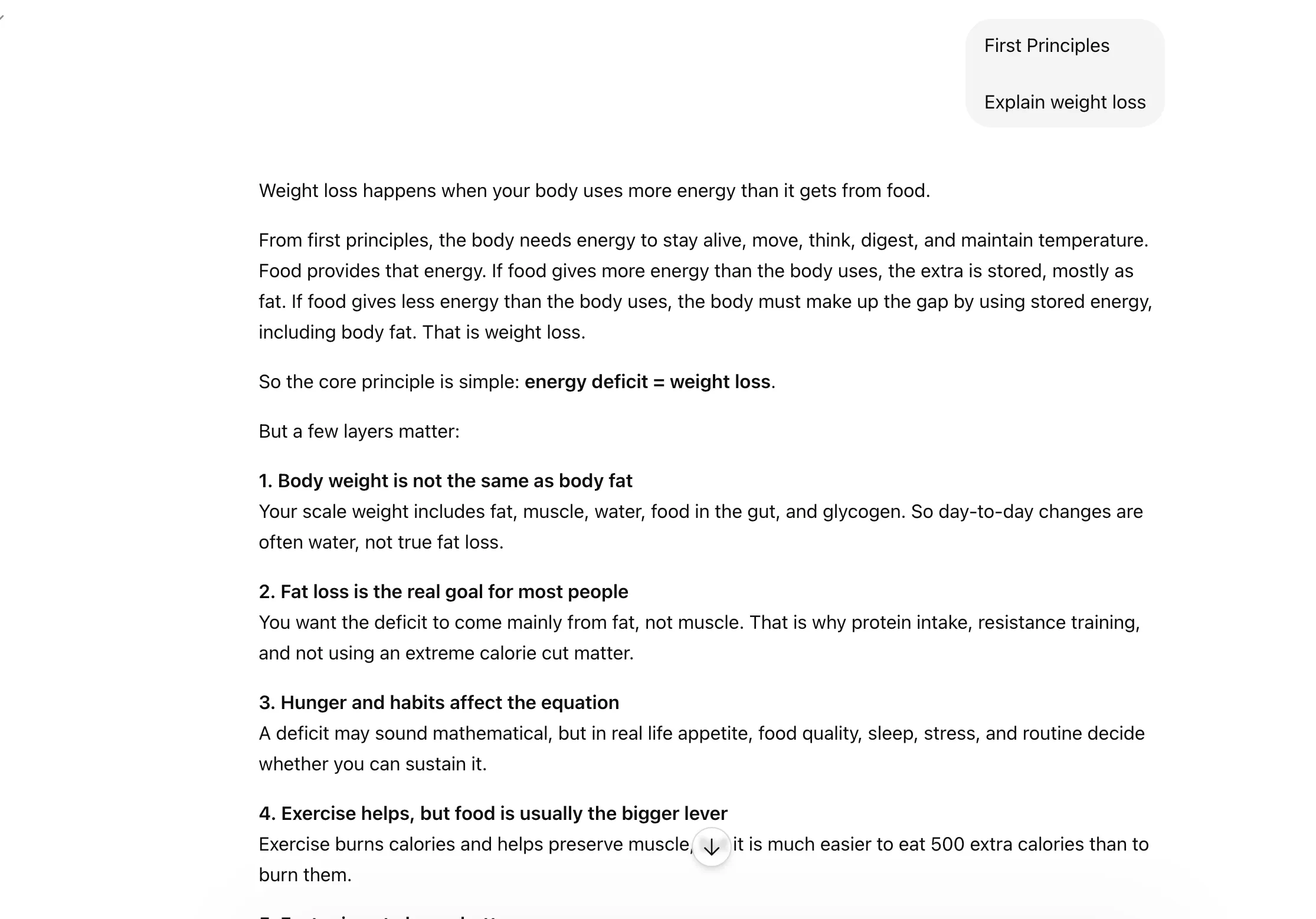
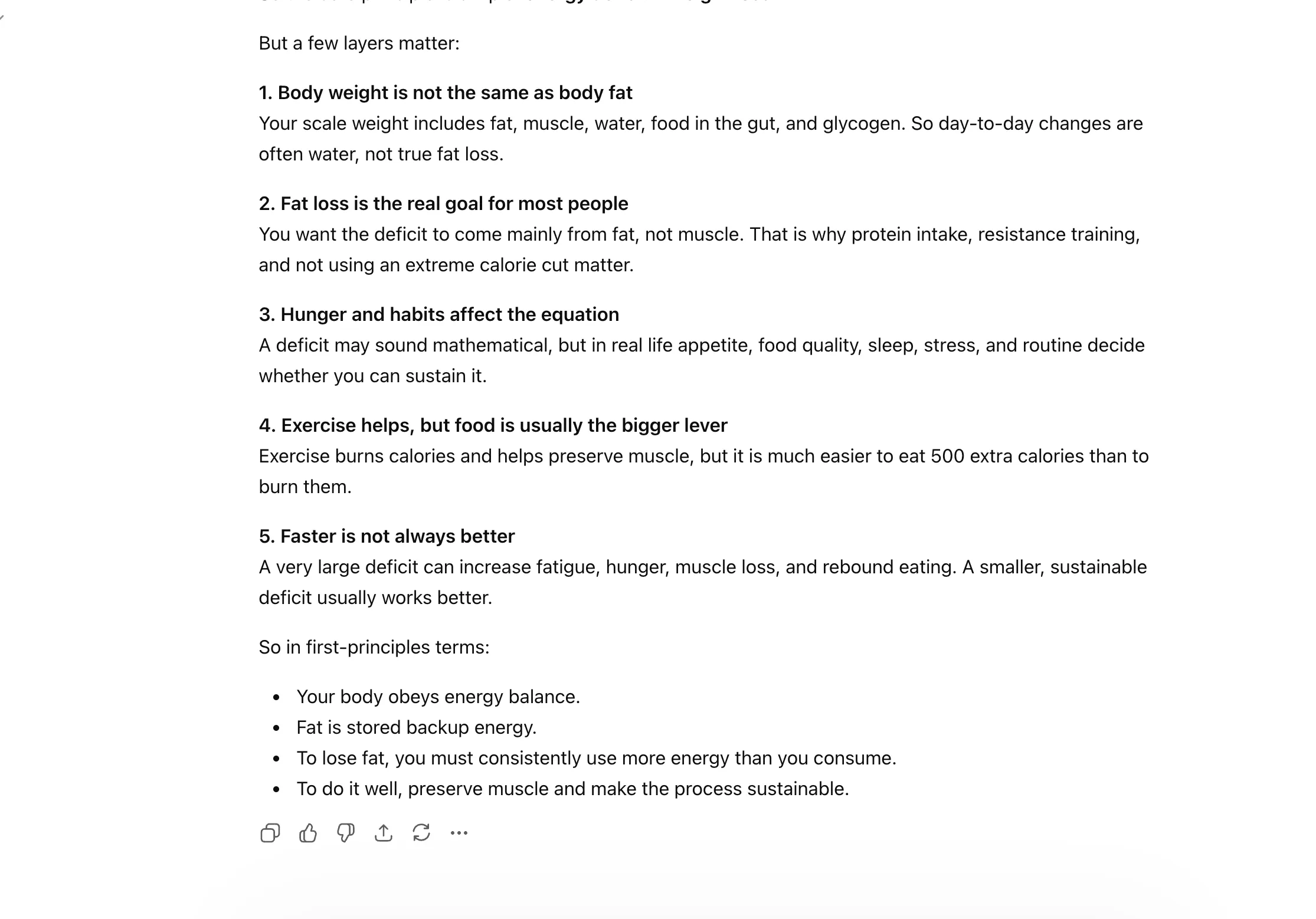
  • Claude shortcut prompt
  • Claude shortcut prompt

20. PITFALLS

This makes Claude focus on what could go wrong. Very handy for planning, execution, or stress-testing an idea before moving ahead.
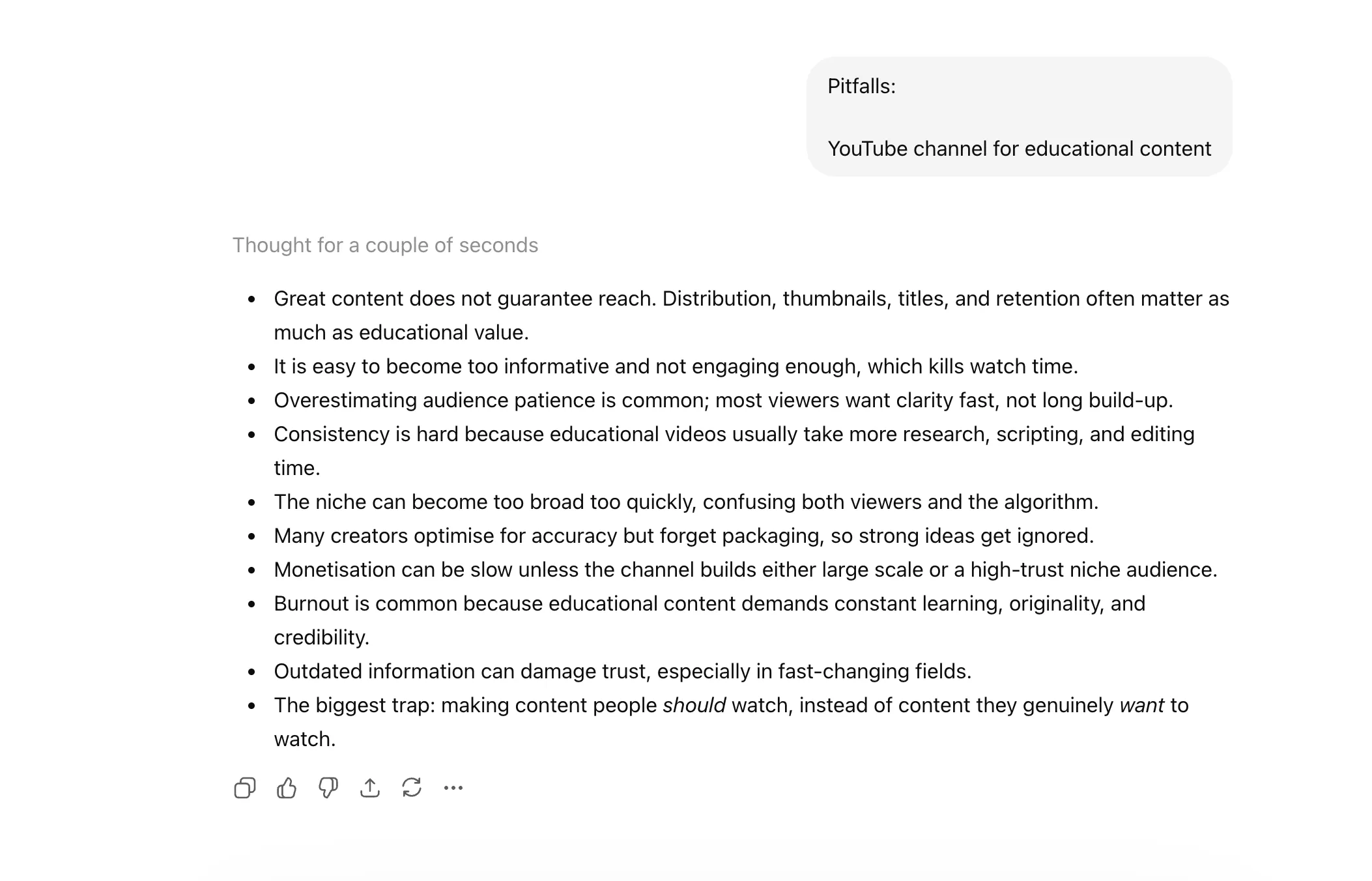
Claude pitfalls shortcut prompt

Guide Reasoning and Rewriting

If you let AI run rogue with its thoughts, the scope of its imagination may just surprise you. But not always are you in the mood for something as creative. At times, you just want Claude to think in a specific way or direction. Basically, guide how it arrives at the answer. These shortcuts help you do just that by guiding the model’s thinking process or reshaping the output.

21. CONTEXT STACK

Use this when you want Claude to consider multiple layers of context before answering. Helpful for complex tasks where one-line prompting is not enough.
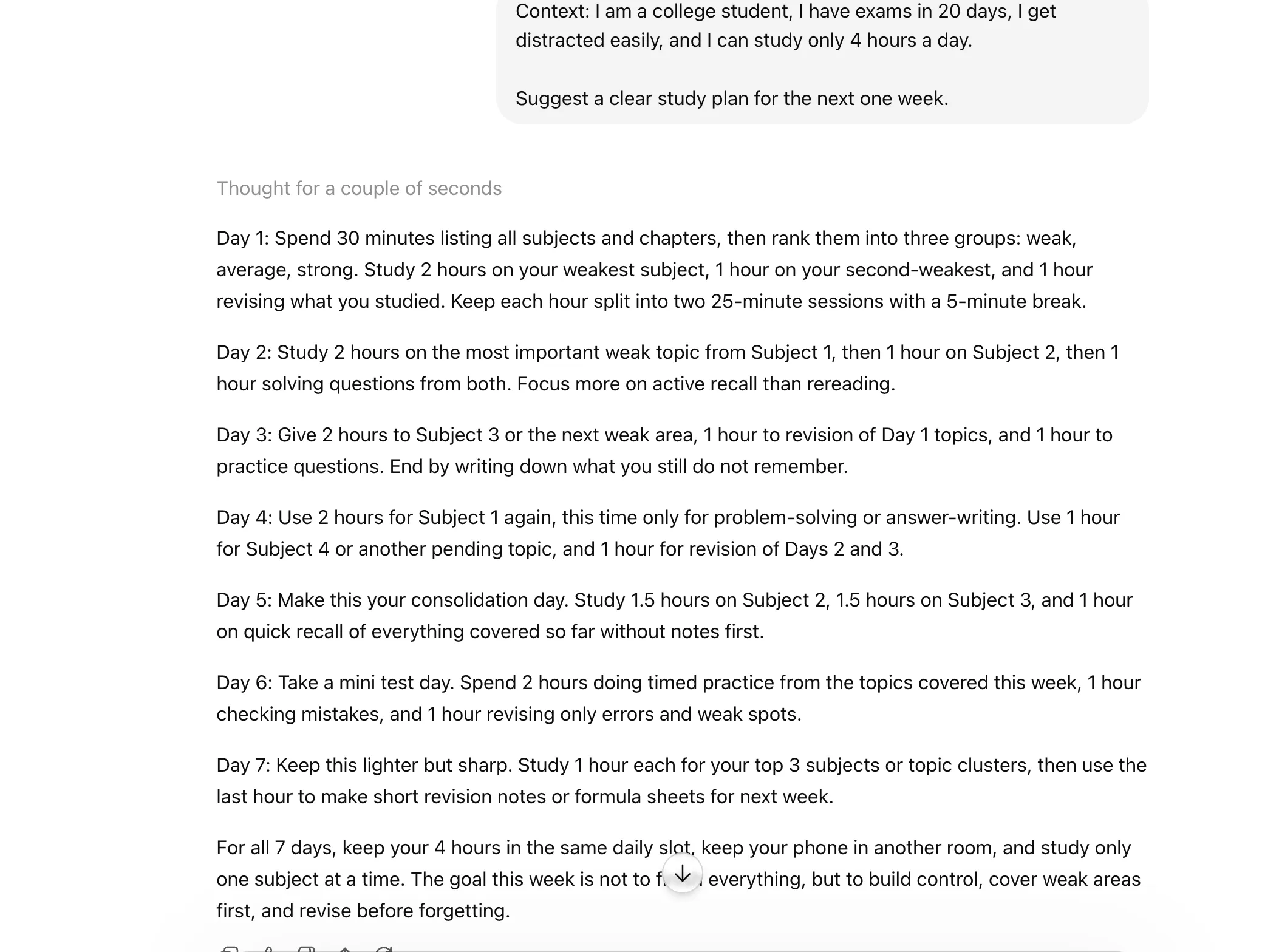
Claude context stack prompt

22. CHAIN OF THOUGHT

This pushes Claude to reason through the problem more carefully instead of jumping straight to the conclusion. Which means you get to see the entire thinking that goes behind the scenes. Best for trickier questions or layered logic.

Read: What is Chain-of-Thought Prompting and Its Benefits?
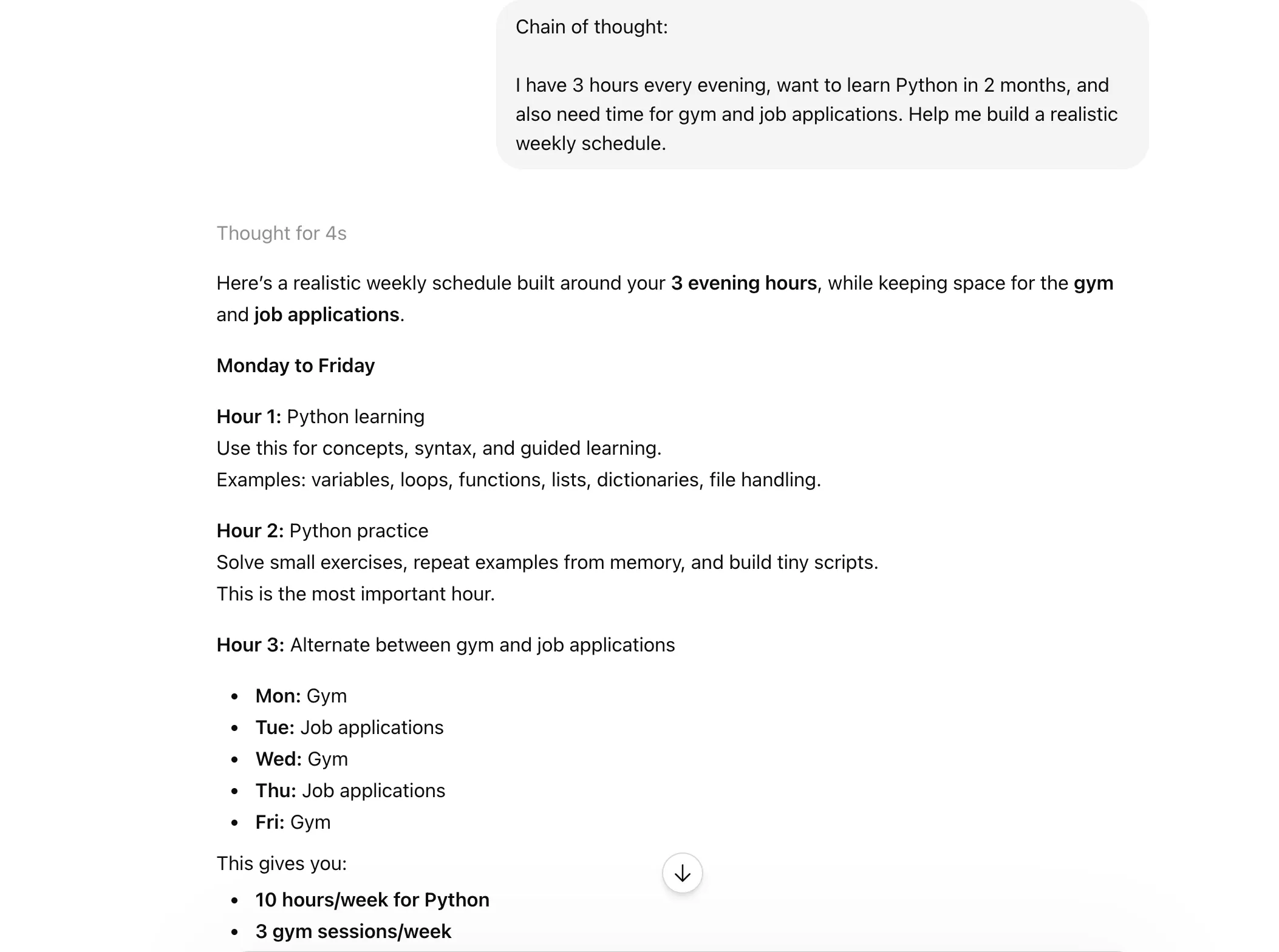
  • Claude chain of thought prompt
  • Claude chain of thought prompt

23. DELIBERATE THINKING

A useful shortcut when you want a slower, more considered answer. It nudges Claude to think more deeply before responding.
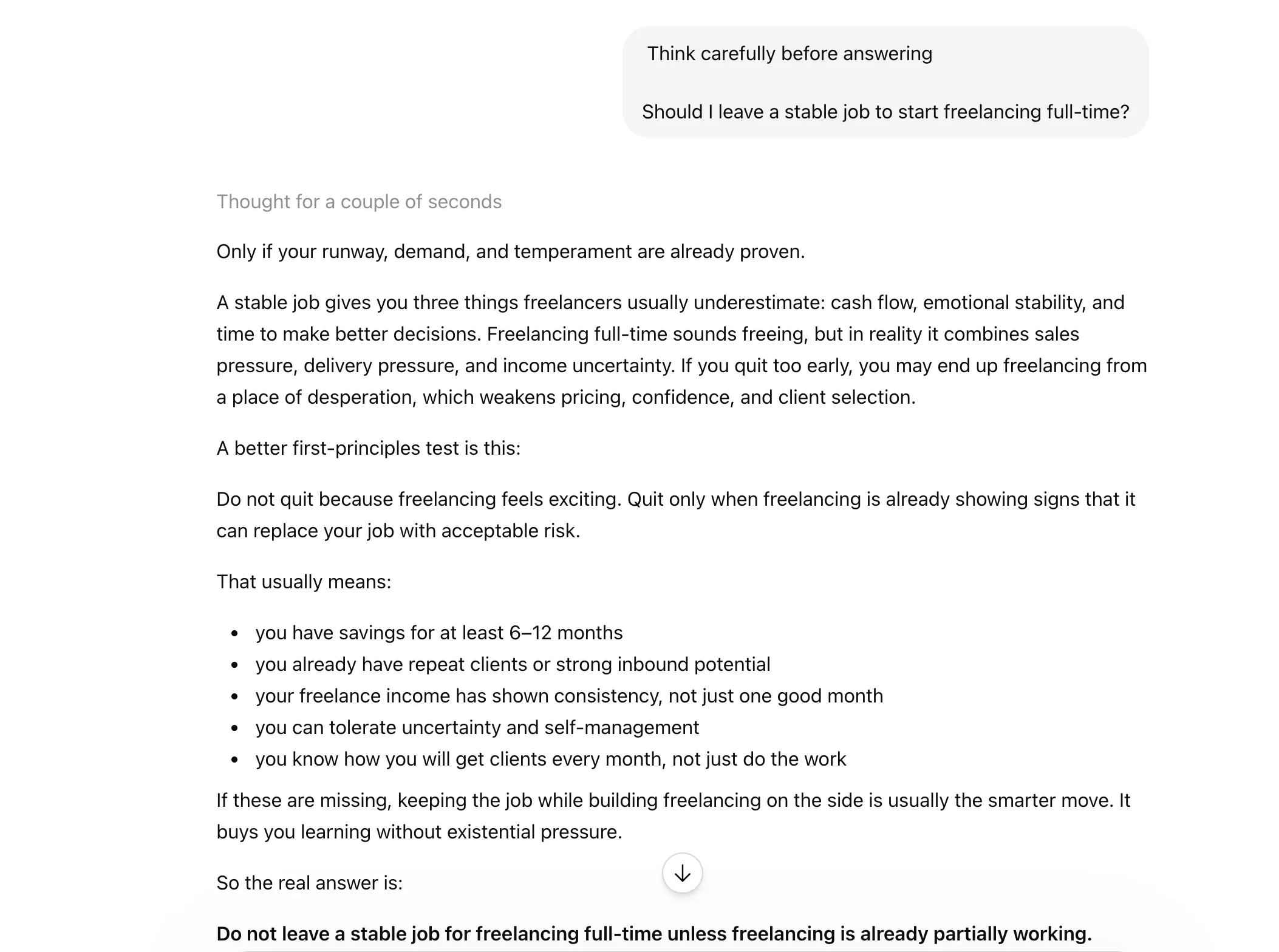
Claude deliberate thinking prompt

24. REWRITE AS

This is for when the core idea is fine, but the presentation is not. You can use it to quickly transform text into a different style, tone, or format.
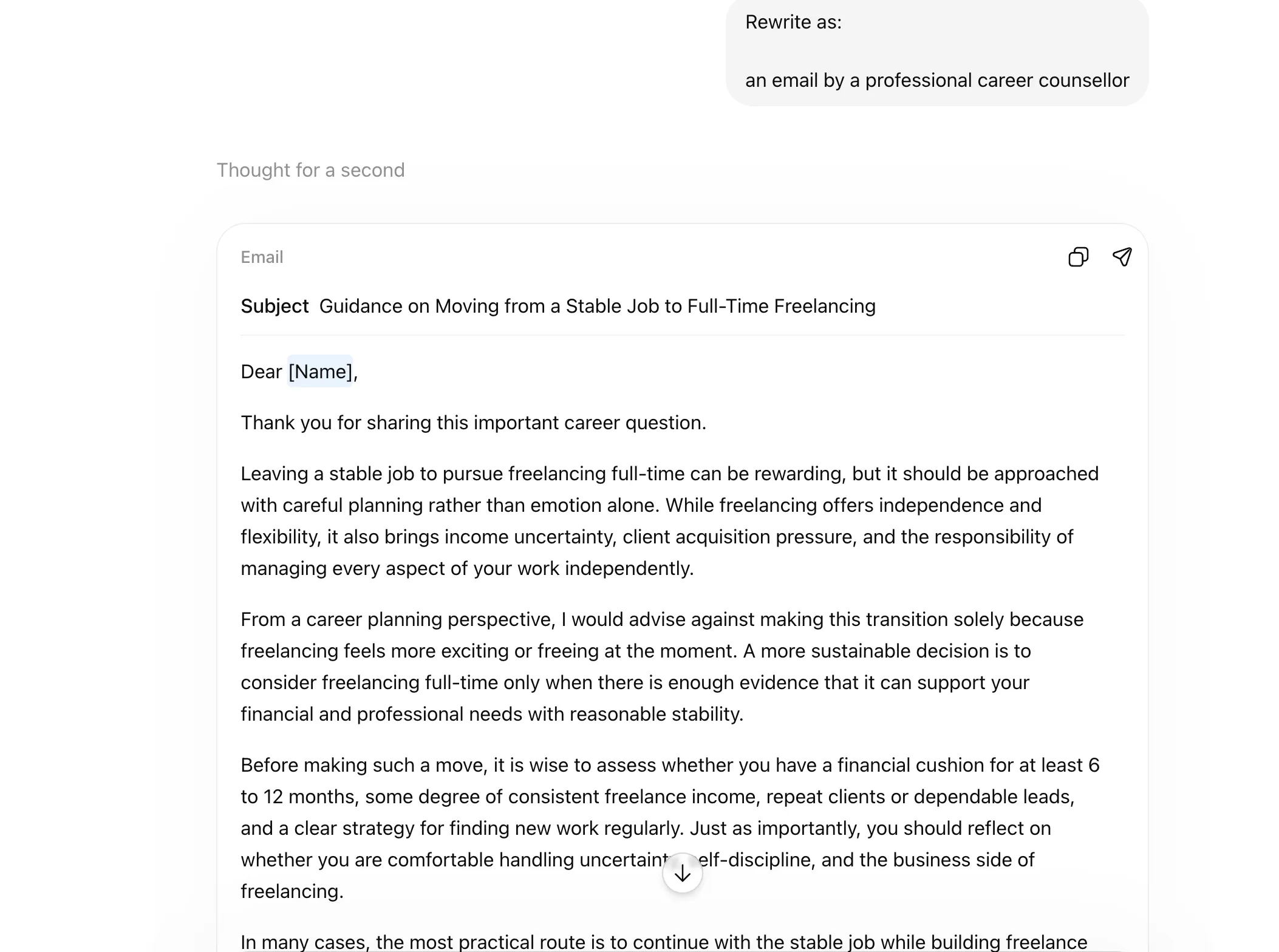
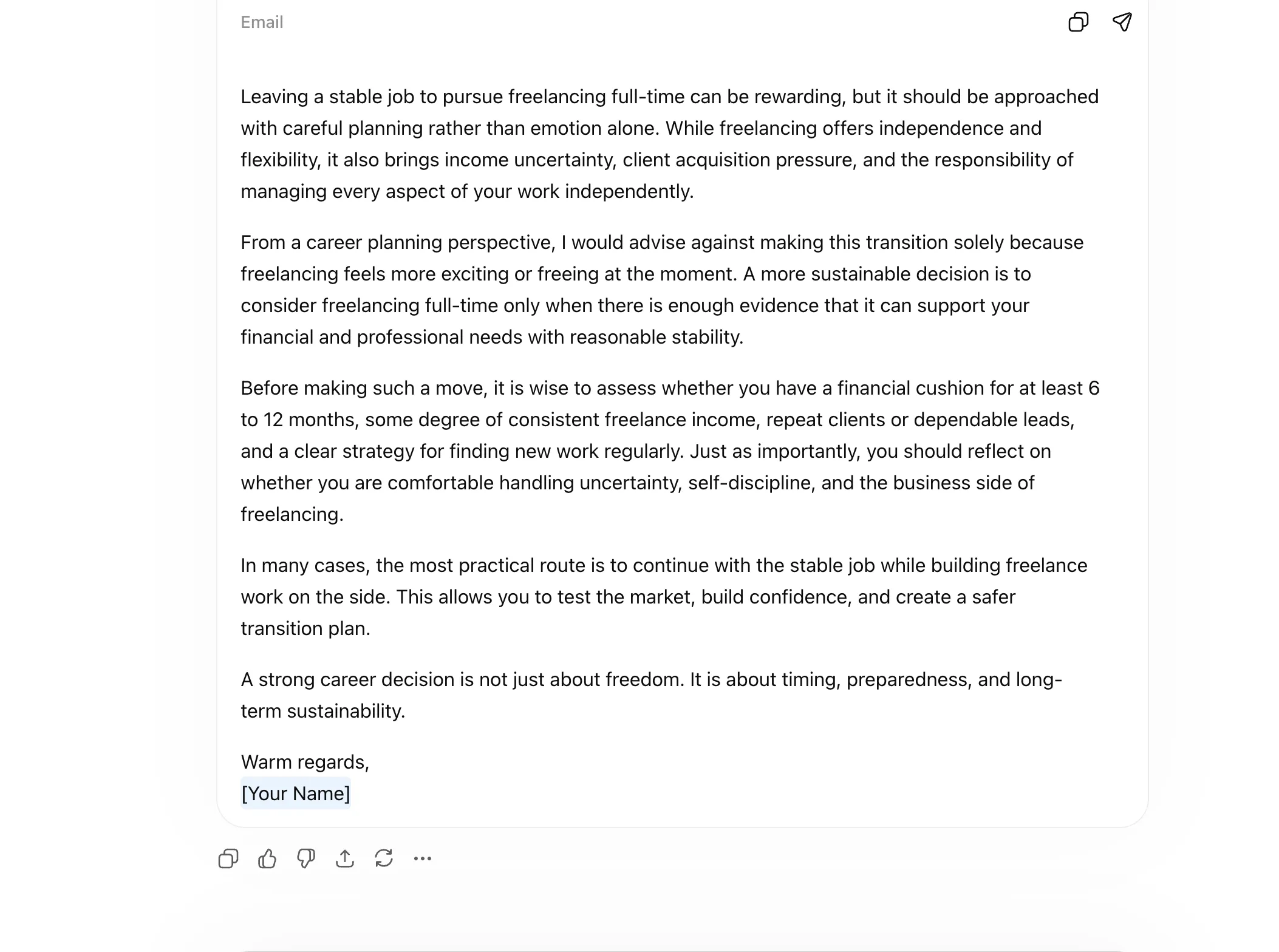
  • Rewrite as - Claude shortcuts
  • Rewrite as - Claude shortcuts

Improve Quality and Add Guardrails

Sometimes, Claude gives you a decent answer, but not a careful one. It may miss blind spots, lean too generic, or rush past nuance. These shortcuts help slow things down a bit and push the model toward sharper, more balanced, and more reliable output.

25. REFLECTIVE MODE

Use this when you want Claude to think more carefully about its own answer before finalising it. Helpful for nuanced or judgment-heavy tasks.
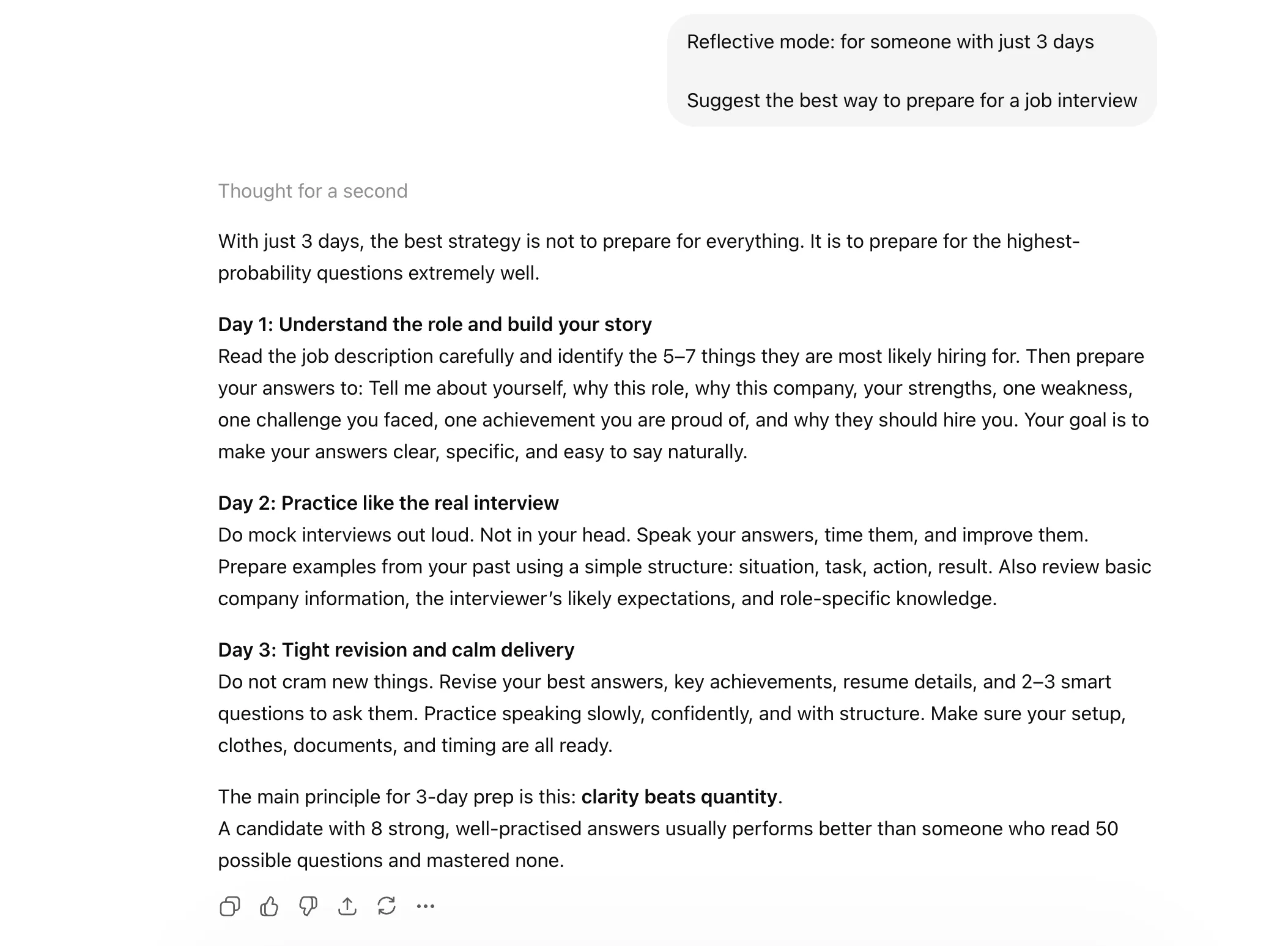
Claude reflective mode prompt

26. SYSTEMATIC BIAS CHECK

This tells Claude to look for bias, blind spots, or one-sided assumptions in the response. Very useful when dealing with sensitive or opinion-based topics.
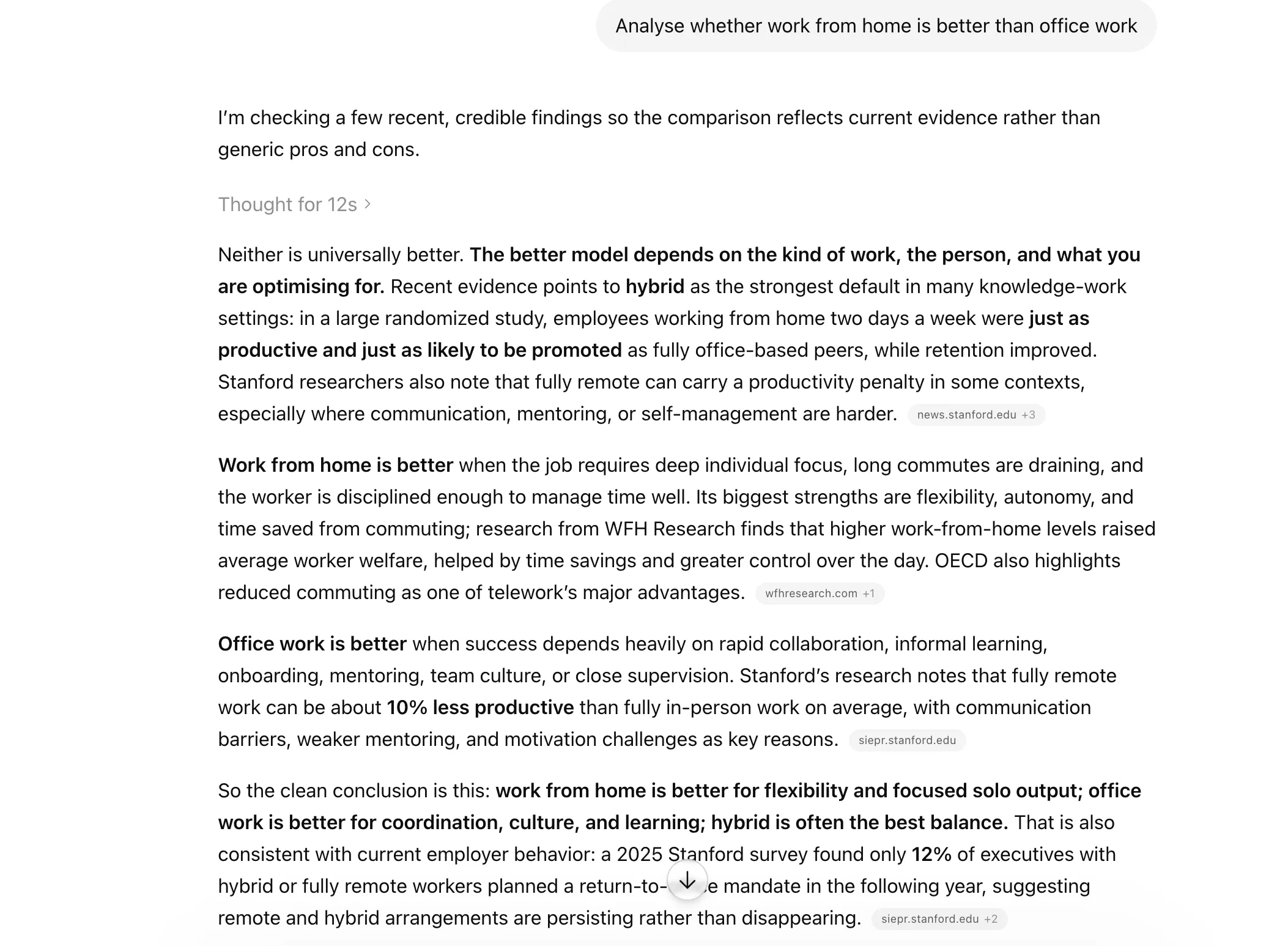
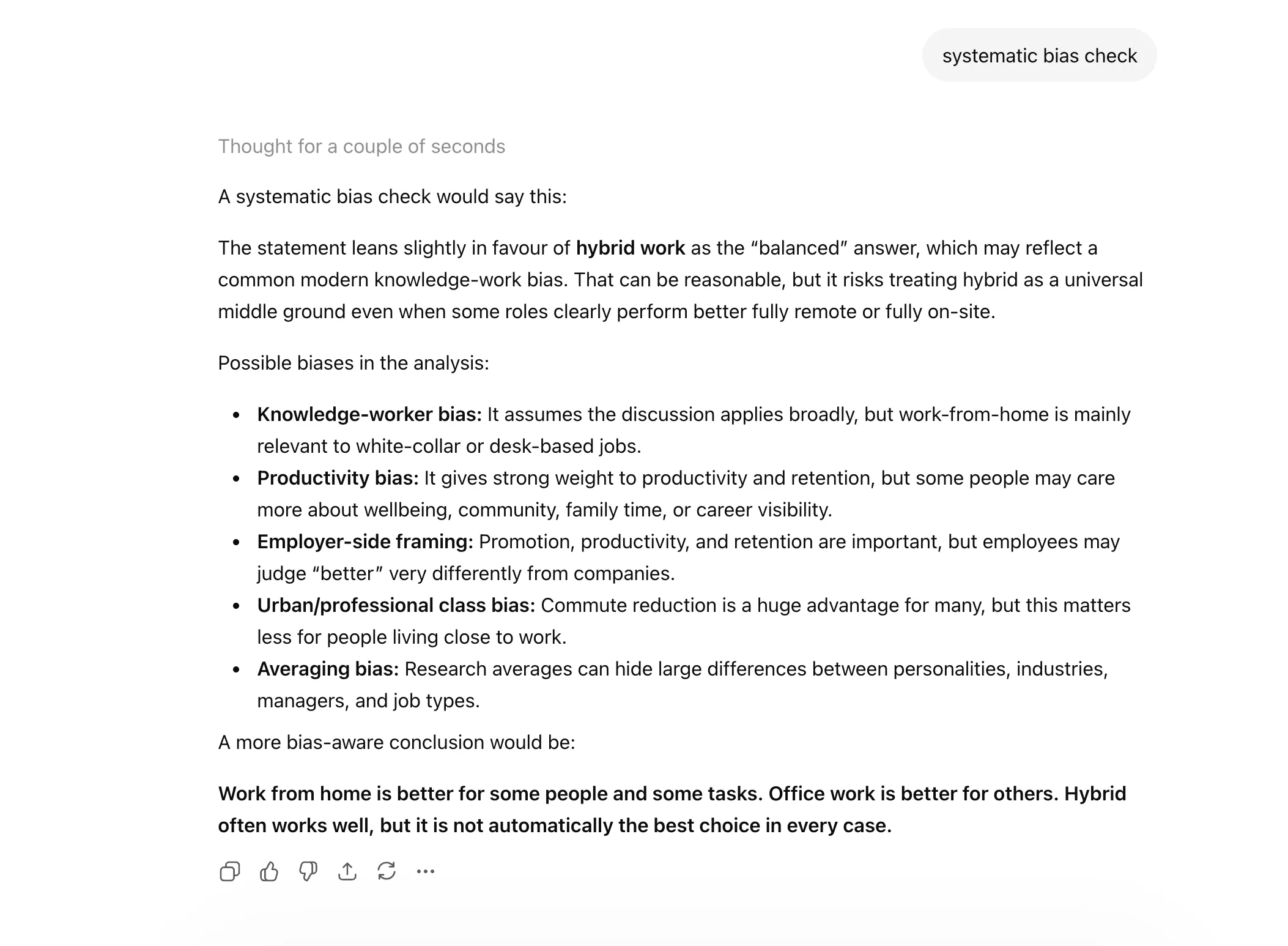
  • Claude systematic bias check prompt
  • Claude systematic bias check prompt

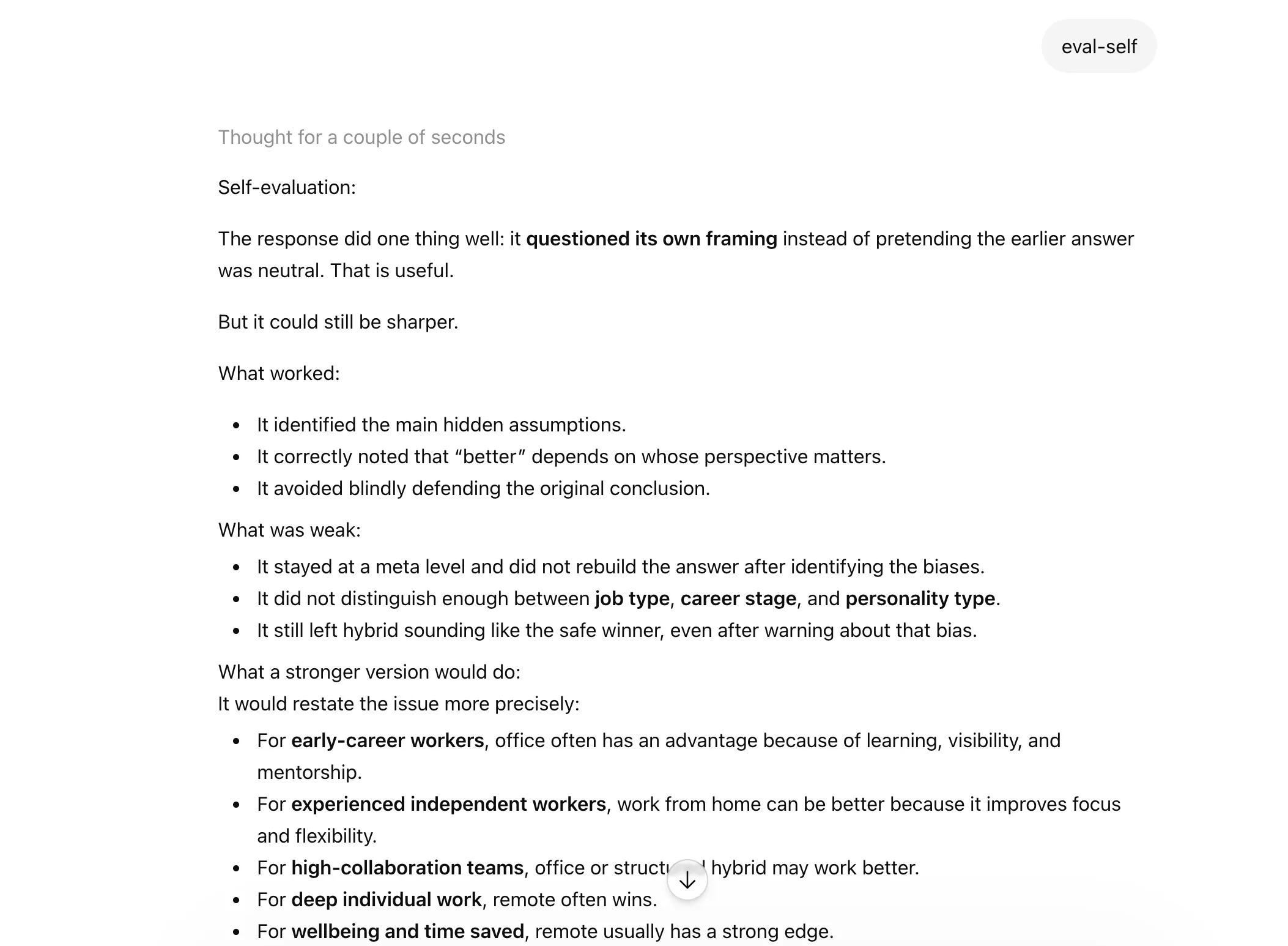
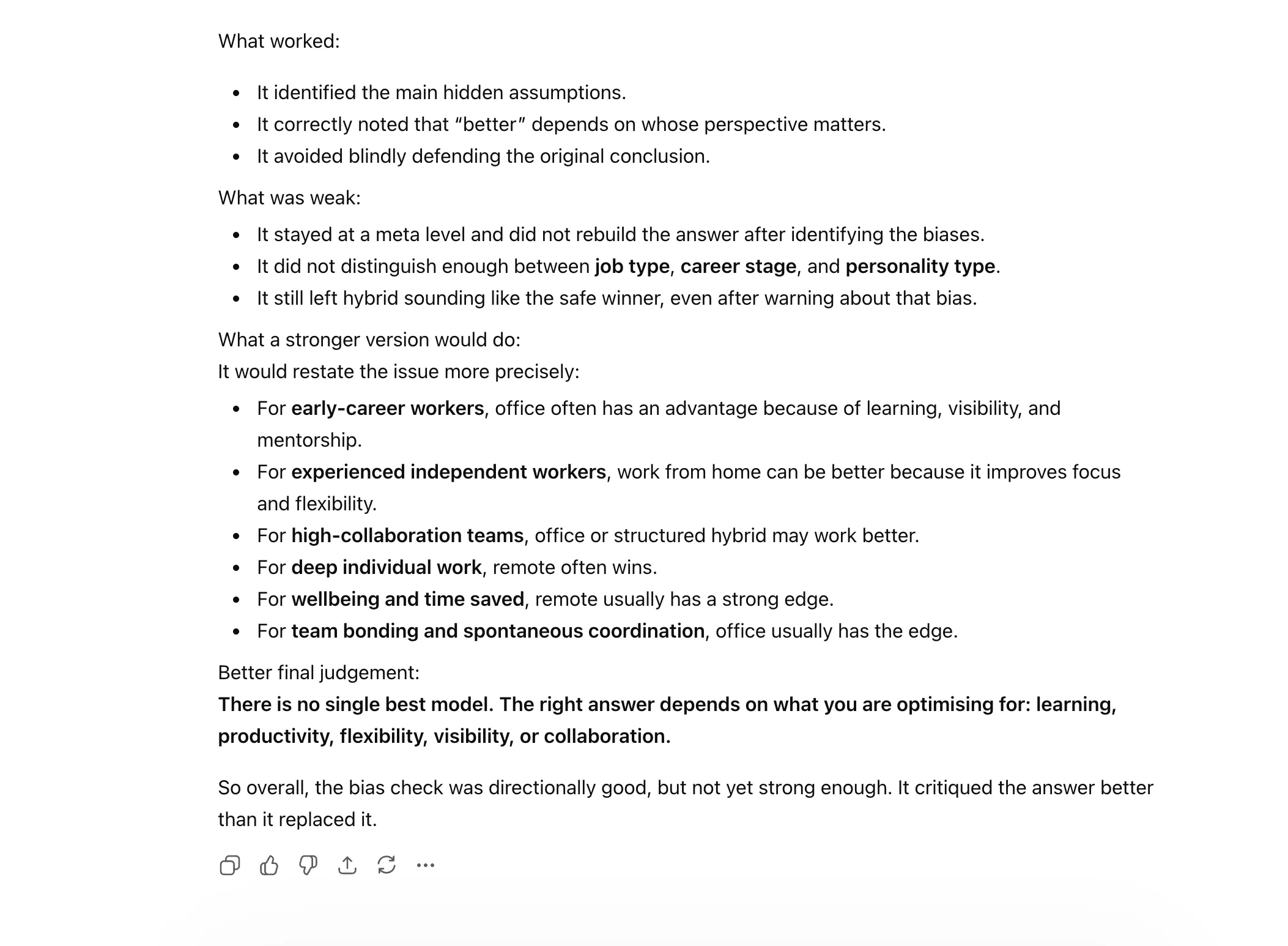
27. EVAL-SELF

A handy shortcut when you want Claude to review its own answer and spot weaknesses. It can help improve clarity, completeness, or logic.
  • Claude eval self prompt
  • Claude eval self prompt

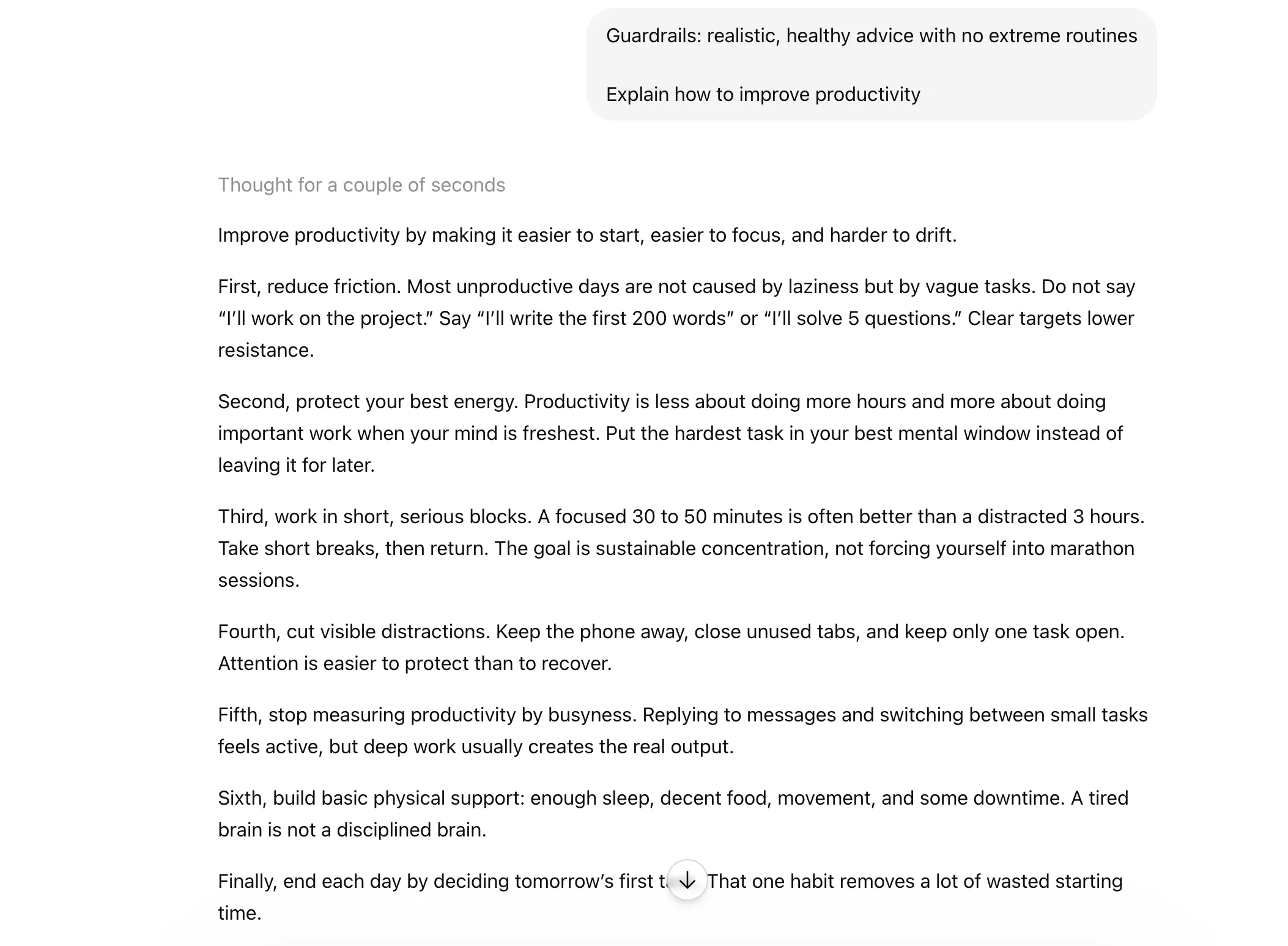
28. GUARDRAIL

Use this to set boundaries around the response. Great when you want Claude to stay within a certain scope, tone, or level of risk.
Claude guardrail prompt

Conclusion

As is evident from examples I’ve shared here, the beauty of these Claude shortcuts is that they work across AI chatbots. What’s more, these do not ask you to become a master prompt engineer overnight. They are tiny tweaks, but they can make a massive difference in how clean, sharp, and useful your outputs feel.

So the next time you are about to type a full-blown instruction like a Victorian letter, pause for a second. Chances are, one shortcut can do the job faster.

Technical content strategist and communicator with a decade of experience in content creation and distribution across national media, Government of India, and private platforms