



cd ~{,/zhs/}# su # switch to root user
# cd /var/lib/machines
# container_name=steam
# btrfs subvolume create $container_name
Then it will be easy to snapshot and migrate the container.
Reference: systemd-nspawn - ArchWiki
Codename of current latest LTS version of Ubuntu is jammy.
Feel free to use your preferred repository.
# codename=jammy
# repository_url='https://mirrors.ustc.edu.cn/ubuntu/'
# debootstrap --include=systemd-container \
--components=main,universe,multiverse \
$codename $container_name $repository_url
After installation, run systemd-nspawn --machine=$container_name to boot into brand new container.
You may need to add --bind-ro=/etc/resolv.conf option to make DNS work in container.
To check network status, consider commands ping 1.1.1.1 and ping archlinux.org: if former works and latter doesn’t, it would be DNS problem.
Reference: Generating locales - ArchWiki
Without en_US.UTF-8 locale, steam will complain some errors.
Inside container, enable i386 architecture and install the package from Ubuntu official repository:
# dpkg --add-architecture i386
# apt update
# apt install steam
According to file list, its startup script is located at /usr/games/steam. Let’s create a symbol link to make it convenient to launch:
# file /usr/games/steam
# ln --verbose --symbolic /usr/games/steam /usr/local/bin/
Inside container, add a dedicated normal user named “steam” and create user base directories:
# useradd --create-home steam
# su --login steam
# mkdir --parents ~/.config ~/.local/share
Later I also created ~/library to customize Steam default library folder location,
and mounted a folder ~/screenshots to store screenshots on host.
Command options become just too many, from this step we need start to actually write up a shell script to run Steam in GUI.
--bind=/dev/dri/card0 and so on--bind=/dev/nvidia0 and so on--property=DeviceAllow='char-drm rw'Note for NVIDIA card user:
Stop using it and save your time- Mount
/dev/nvidia*- Make sure user space driver version is exactly the same with kernel module in host.
--bind-ro=/dev/input/js0 and so on--property=DeviceAllow='char-input r'systemd-nspawn wrap-upThis game uses FMOD engine and seems to explicitly depend on ALSA. It doesn’t play any audio and constantly resets volumes to 0.
Solutions:
apt install pulseaudiopacman --sync pulseaudio-alsa --assume-installed pulseaudio(Run through Steam Play)
Source: AngrySpaceElf@ProtonDB
Replace DRM version executable (5.1MiB) with non-DRM version (3.4MiB).
I uploaded my non-DRM version executable here along with its SHA-256 checksum:
cdddfb30f50510afa389de4966089a1ac1a9a2bf09fb8d0aa0793178b0814cd1
Here’s complete steps to extract non-DRM version executable and replace then:
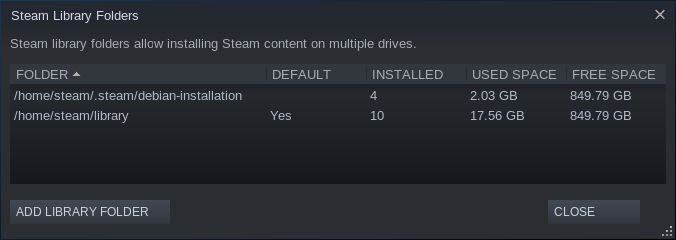
cd /home/steam/library;steamapps/compatdata/3590/pfx/drive_c/ProgramData/PopCap Games/PlantsVsZombies/popcapgame1.exe to /tmp/;/tmp/popcapgame1.exe to overwrite steamapps/common/Plants\ Vs\ Zombies/PlantsVsZombies.exe, done.Where is library folder? Go to “Settings->Downloads->Content Libraries” to open library folders configuration dialog:
This game exactly depends on font “WenQuanYi Micro Hei”, on Ubuntu 20.04 its package is fonts-wqy-microhei:
# systemd-nspawn --machine=steam --bind-ro=/etc/resolv.conf apt install fonts-wqy-microhei
If not working, you may need a manually refresh of fontconfig:
# systemd-nspawn --machine=steam fc-cache --force --verbose
此内容由惯性聚合(RSS阅读器)自动聚合整理,仅供阅读参考。 原文来自 — 版权归原作者所有。