








Ever wished AI could work directly with your structured content instead of operating in isolation? Agent Actions solve this problem by:
As part of Sanity's Content Operating System, Agent Actions run directly in the Content Lake alongside your content, allowing you to trigger automation from Studio, Functions, Apps, your frontend, or anywhere your code lives. Use Agent Actions to adapt content to business needs across applications.
At the time of this writing, Sanity offers three specialized Agent Actions that work with your schema, not against it: Generate, Transform, and Translate.
When you need fresh content created that aligns with your schema, Generate is your go-to action. It creates new structured content based on instructions and context you provide.
With Generate, you can:
When you need to modify an existing document's content, Transform is what you want. It applies changes to documents while respecting the original structure and formatting.
Transform excels at:
When you need content in multiple languages, Translate makes the process seamless. It's a specialized version of Transform designed with internationalization in mind.
Translate supports:
Let's walk through setting up and using Agent Actions in your project.
Before we begin, you'll need:
@sanity/client v7.1.0 or highersanity CLI v3.88.0 or higherprojectId and dataset nameAgent Actions require a schemaId to understand your content model. First, check if you've already deployed your schema:
If you don't see your schema (or want to update it), deploy it:
Once deployed, run sanity schema list again and copy the schema ID. It'll look something like _.schemas.default.
Create a file for your Agent Action code and set up the Sanity client:
Now, let's write an instruction for Generate to create a new blog post:
This will create a new draft post with AI-generated content based on your instruction. The content will be structured according to your schema, so fields like title, body, and others will be populated and formatted appropriately.
Let's see how Transform differs from Generate:
This instruction will update only the specified fields, keeping everything else exactly as it was.
And here's how you'd use Translate to create an Italian version of a post:
Here's how Agent Actions solve actual content challenges:
Imagine you have a product catalog with hundreds of items but minimal descriptions. You could use Generate to create draft descriptions based on product attributes:
When expanding to new markets, you could set up a Sanity Function that automatically creates translated versions when a post is published:
Create a button that generates content suggestions right in the Studio:
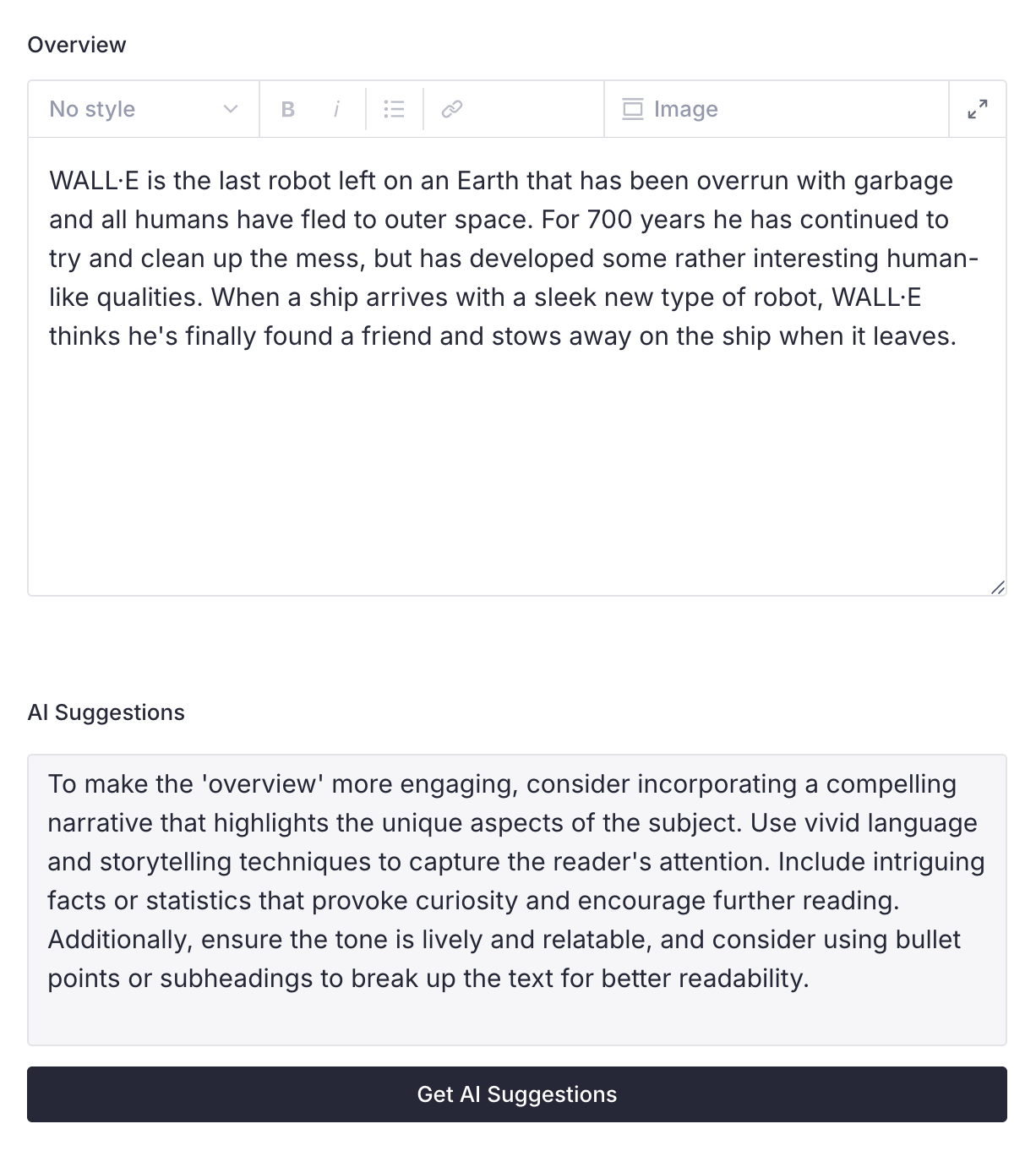
Agent Actions transform (pun intended) the way you think about automating your content creation workflows. No more hacking around AI outputs and wrestling with content that doesn't mesh with your content's schema.
Key advantages:
Whether you're creating fresh content, standardizing existing assets, or expanding to new languages, Agent Actions help you put content at the core of your business.
Ready to start? Check out the complete documentation.
What will you build with Agent Actions? We'd love to see your implementations. Join us on Discord to discuss your projects, ask questions, or share tips.
此内容由惯性聚合(RSS阅读器)自动聚合整理,仅供阅读参考。 原文来自 — 版权归原作者所有。