



If you’ve organized a conference, you know the last two weeks before the event. A speaker drops out at 11pm. A room change affects three sessions. Someone needs to know which sponsors haven’t sent their logos yet. The answers are all in your system somewhere, but “somewhere” means opening a laptop, logging into the CMS, running a filtered search, and hoping you remember which field tracks logo delivery status.

Conference organizers live in messaging apps. The group chat is where decisions happen, where problems surface, where someone says “can we move the AI panel to the big room?” and needs an answer in 30 seconds. The CMS is where the data lives. The gap between those two places is where things fall through.
I built a Telegram agent for the fictive ContentOps Conf that closes that gap (but we might use this for our next conference). Organizers message the agent from their phones: “Which speakers haven’t confirmed travel yet?” “What submissions scored above 80?” “Create an announcement about the venue change.” Using the Content Agent API, the agent has read and write access to the Content Lake (Sanity’s hosted content API), scoped by GROQ filters, so it can answer questions and make changes without anyone opening the Studio.
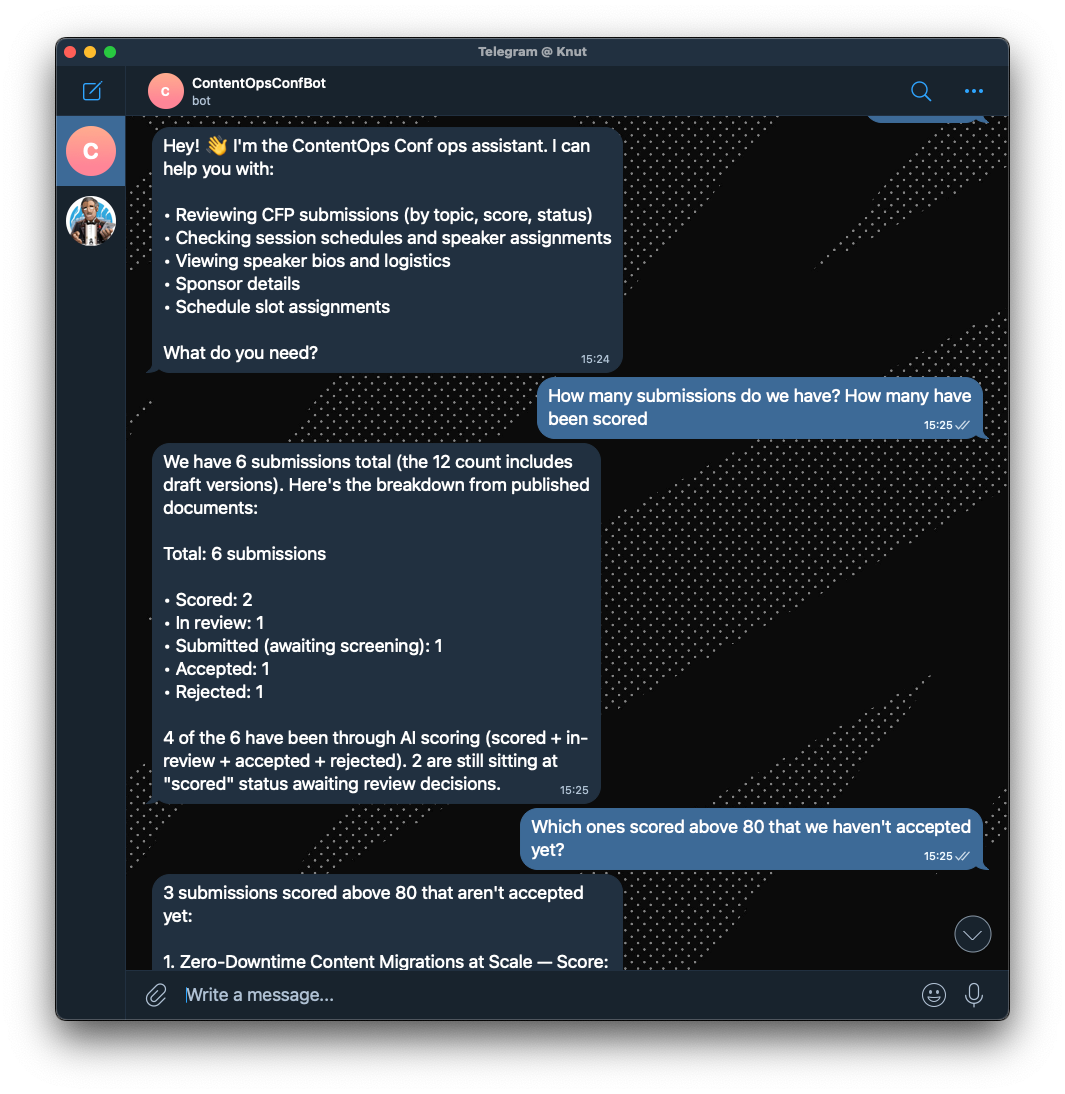
The bot's access is controlled by GROQ filters (Sanity's query language), not prompt instructions. It literally cannot touch document types outside its filter, regardless of what a user asks. That’s a real security boundary, not a “please don’t do that” in the system prompt.
This is one half of a two-agent setup. The same Telegram app also has an attendee-facing concierge that uses a different architecture using Agent Context. This post covers the organizer side. The companion post covers the attendee agent.
The whole thing is about 100 lines of application code. Here’s how to build one.
Because the Content Agent has read/write access to the Content Lake, this agent can:
The answers come from actual GROQ queries against your Content Lake, not from a language model’s training data. The agent knows your conference has 47 submissions because it counted them, not because it guessed.
content-agent package, Vercel AI SDK, and Chat SDK (an open-source library for building conversational apps with platform adapters)The handler uses Vercel AI SDK, a TypeScript toolkit that gives you a unified interface for working with language models. It handles streaming, tool calling, and message history so you don't have to. Here, we use its streamText function to pipe Content Agent responses back to Telegram as they arrive:
What’s interesting here is the following stuff:
The threadId parameter gives each conversation its own context. The Content Agent maintains conversation state server-side, so follow-up questions work (“What about the ones from last week?” after asking about submissions).
Read and write are separate. The agent can read 11 document types but only write to some of them. This is intentional. Organizers should be able to query sponsor details but not accidentally edit them through the agent.
The filters are GROQ expressions (Sanity’s query language), not prompt instructions. This is a real security boundary. The Content Agent literally cannot access document types outside the filter, regardless of what the user asks. “Delete all the sponsor documents” won’t work, not because the prompt says “don’t do that,” but because the write filter doesn’t include sponsor.
The application.key identifies which Studio workspace the agent should use. This pins the agent to a specific schema, so it understands your document types and their fields.
The handler loads conversation history, calls the Content Agent, posts the response, and saves the conversation:
The system prompt comes from a prompt document in the Content Lake. This means organizers can tweak the agent’s personality and focus areas without a deploy.
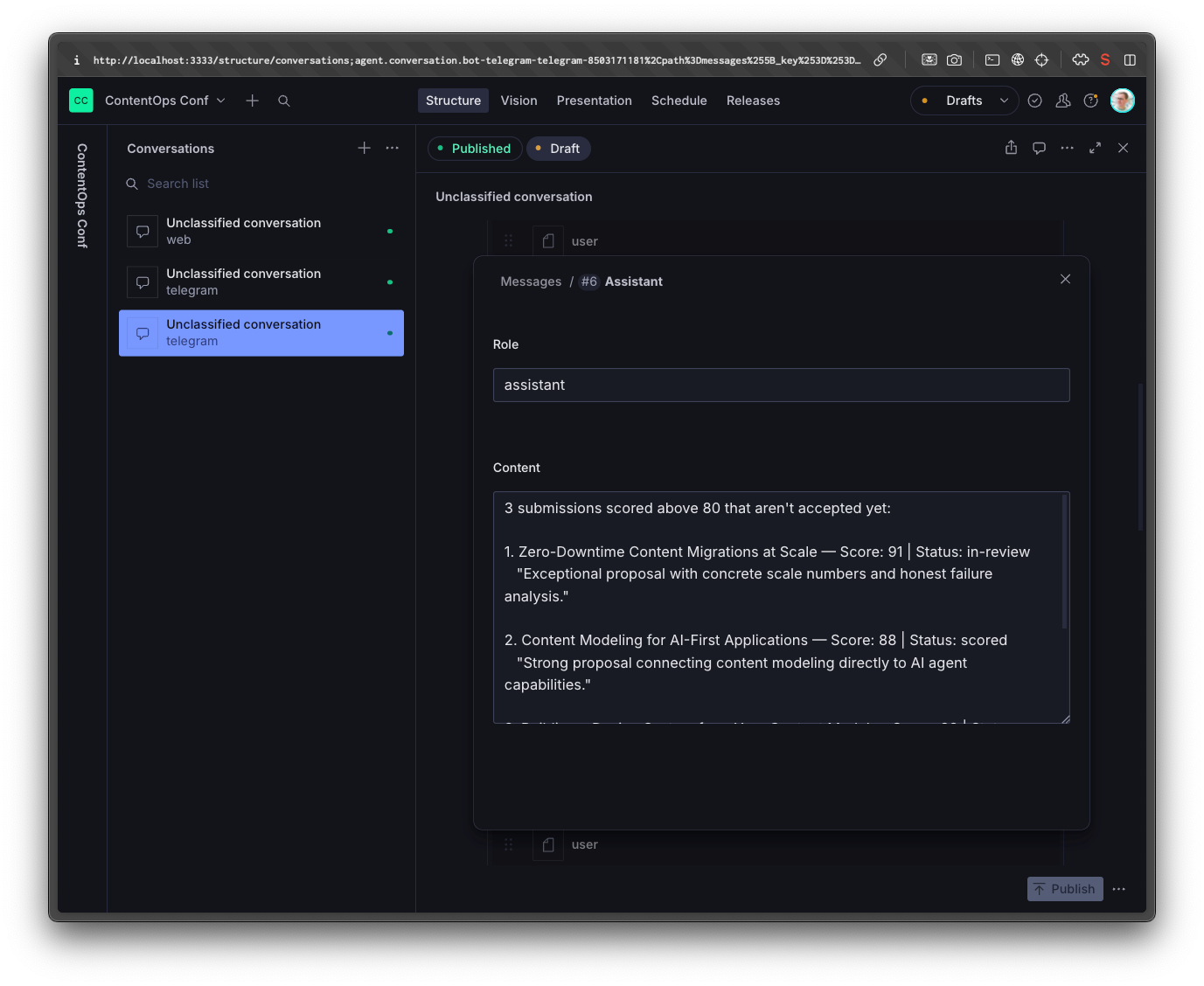
Conversation history is persisted as agent.conversation documents in the Content Lake. This serves two purposes: multi-turn context (the agent remembers what you asked earlier in the conversation) and insights (you can query what organizers are asking about and identify content gaps). You can even ask the Content Agent to analyze these conversations and improve it’s prompt based on it.
Loading and saving conversations is straightforward GROQ + mutations:
The MAX_HISTORY_MESSAGES cap (20 messages) keeps token costs under control. Old messages fall off the context window, but they’re still in the document if you need them for analytics.
The agent is restricted to conference organizers. When a message comes in, it checks the sender’s Telegram ID against an allowlist stored in the Content Lake:
The allowlist is a reference array on the conference document pointing to person documents that have a telegramId field. Add someone as an organizer in Studio, fill in their Telegram ID, and they can use the agent. Remove them and they can’t. No deploy needed.
The agent is built on Chat SDK, an open-source TypeScript library for building conversational apps. It handles the plumbing you don't want to think about: thread state, message routing, platform adapters. You write your message handler once and plug in an adapter for Telegram, Slack, Discord, or whatever your team actually lives in.
The onNewMention handler routes incoming messages: organizers get the Content Agent ops handler (read/write), everyone else gets the attendee handler (read-only, covered in the companion post):
The full scaffold wires up the Telegram adapter and state persistence:
In development, the agent uses long polling (connects to Telegram and waits for messages). In production on Vercel, it switches to webhook mode (Telegram pushes messages to an API endpoint). The state adapter persists bot state (thread subscriptions, locks) to the Content Lake so it survives serverless cold starts.
This is worth zooming out on for a second. Nothing in the message handler is Telegram-specific. The Content Agent model, the conversation persistence, the access control check, all of that is platform-agnostic. If your team lives in Slack instead of Telegram, you swap the adapter and the agent works the same way. The Content Agent API doesn't care how messages arrive. It cares about your Content Lake.
The webhook endpoint is a single file:
Register the webhook URL with Telegram (https://your-app.vercel.app/api/webhooks/telegram) and you’re live.
The conference-starter uses both APIs in the same app, which makes the tradeoffs concrete.
Content Agent API bundles the LLM and content access together. You don’t choose the model. It has read and write permissions, and setup is simpler (two environment variables). Best for internal tools and write operations.
Agent Context separates them. You bring your own LLM and get content access as MCP tools. Read-only permissions, full model control, but more setup (three environment variables plus an MCP client). Best for public-facing, read-only interfaces.
Content Agent API is the right choice when you need write access and want the simplest possible integration. You get a model that already knows how to query and mutate your Content Lake, and you configure it with two environment variables. The tradeoff is that you don’t control which model runs or how it reasons.
Agent Context is the right choice when you want to pick your own model and only need read access. You bring Anthropic (or any provider), wire up the MCP client, and the model gets read tools for your content. More setup, but full control over model behavior, prompting, and cost.
For an ops agent used by a handful of trusted organizers, the write access and simplicity of Content Agent API wins. For a public-facing attendee agent where you want to tune the experience and keep costs predictable, Agent Context is the better fit.
Go to GitHub to find the whole implementation. You can also point an agent to it and ask it to implement these features for your project.
Key files:
src/ai/content-agent.ts (22 lines)src/handler.ts (40 lines)src/bot.tssrc/conversation/src/security/allowlist.tsapi/webhooks/telegram.tsDon’t have a Sanity project yet? Create one free. The free tier includes Content Agent API access.
If you want to see the attendee-facing side of this architecture, the companion post walks through building the read-only agent with Agent Context and Anthropic. Same Telegram app, different handler, different tradeoffs.
此内容由惯性聚合(RSS阅读器)自动聚合整理,仅供阅读参考。 原文来自 — 版权归原作者所有。