






Steve Harrington
Datadog Product Manager
We are excited to announce a new partnership with Microsoft Azure, which has enabled us to build streamlined experiences for purchasing, configuring, and managing Datadog directly inside the Azure portal. This first-of-its-kind integration of a third-party service into a public cloud provider reduces the learning curve for using Datadog to monitor the health and performance of your applications in Azure—and sets you up for a successful cloud migration or modernization. From the Azure portal, you can now:
Purchase a Datadog plan and consolidate billing through the Azure Marketplace
Configure single sign-on when you create a new Datadog account
Easily install the Datadog Agent on multiple Azure hosts at once
Start sending Azure platform logs and metrics to Datadog
View and manage which Azure resources are monitored by Datadog
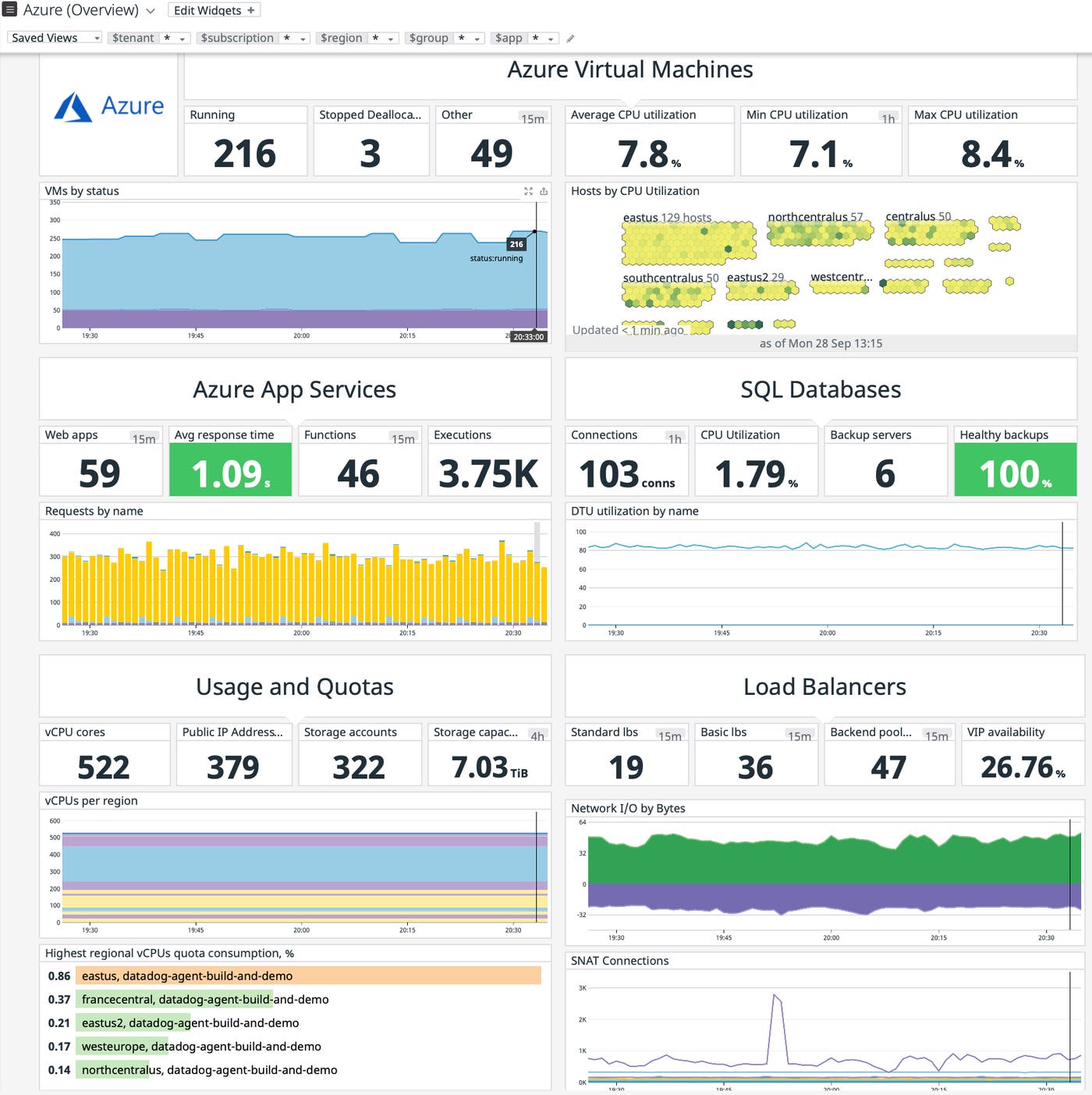
Our new partnership with Microsoft Azure allows you to go from shopping for a Datadog plan in the Azure Marketplace to visualizing real-time Azure metrics in your Datadog account in minutes.
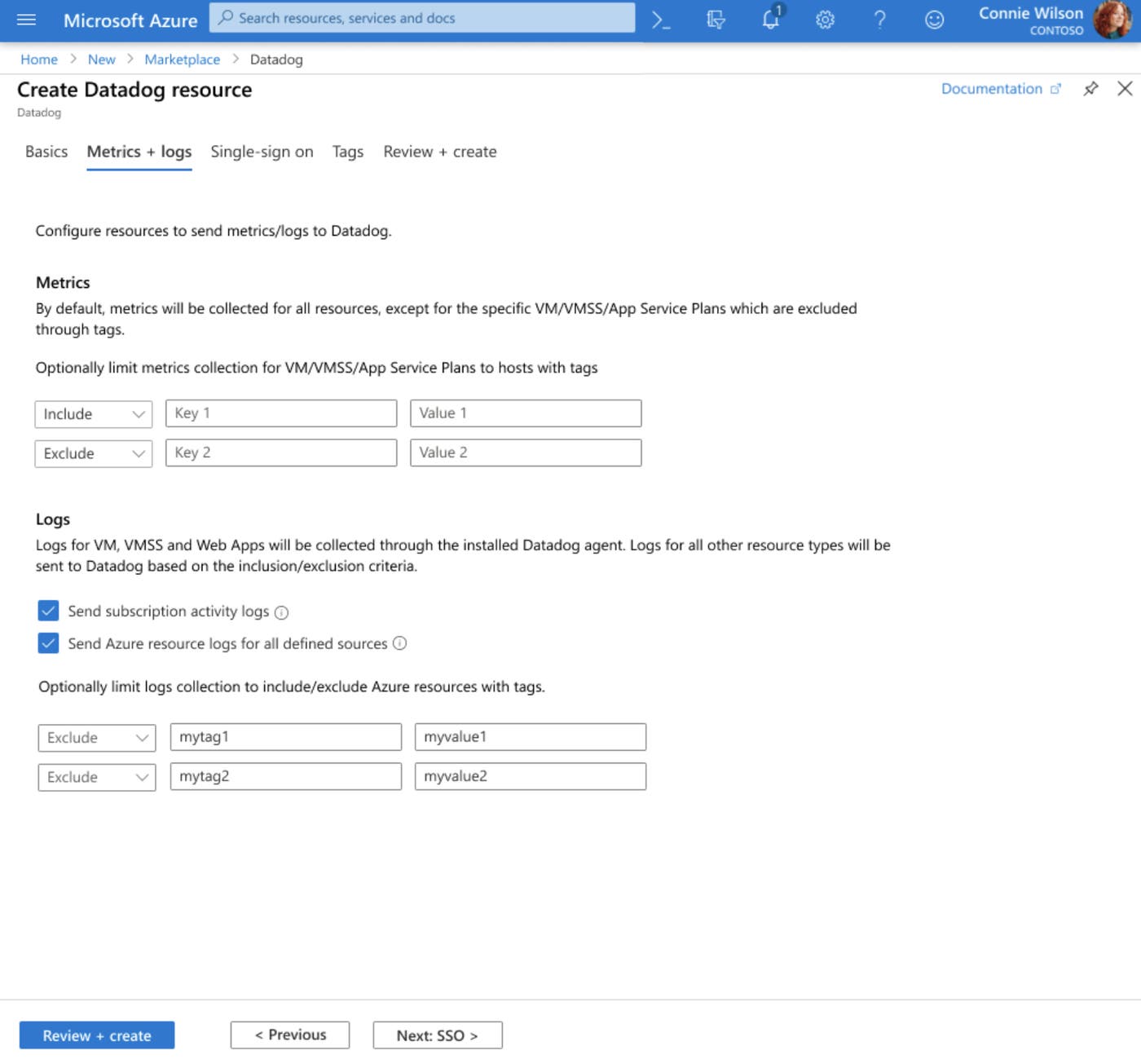
Once you’ve purchased a Datadog plan through the Azure Marketplace, you’ll immediately start receiving standard Azure Monitor metrics (plus a number of unique Datadog-generated Azure metrics) in your new Datadog account. The log-forwarding process has also been completely automated; rather than building out a log-forwarding pipeline with Diagnostic Settings, Event Hubs, and Functions, you can configure everything with just a few clicks. You can also use tag-based filters to limit which hosts Datadog will collect metrics for, as well as which resources will send their Azure platform logs to Datadog, as shown in the screenshot below.
To further simplify the setup process, you can enable single sign-on with Microsoft Entra ID during Datadog account creation. Just specify a Datadog Microsoft Entra ID App (creating one is easy with the new Datadog Enterprise Gallery app), and you’re all set.
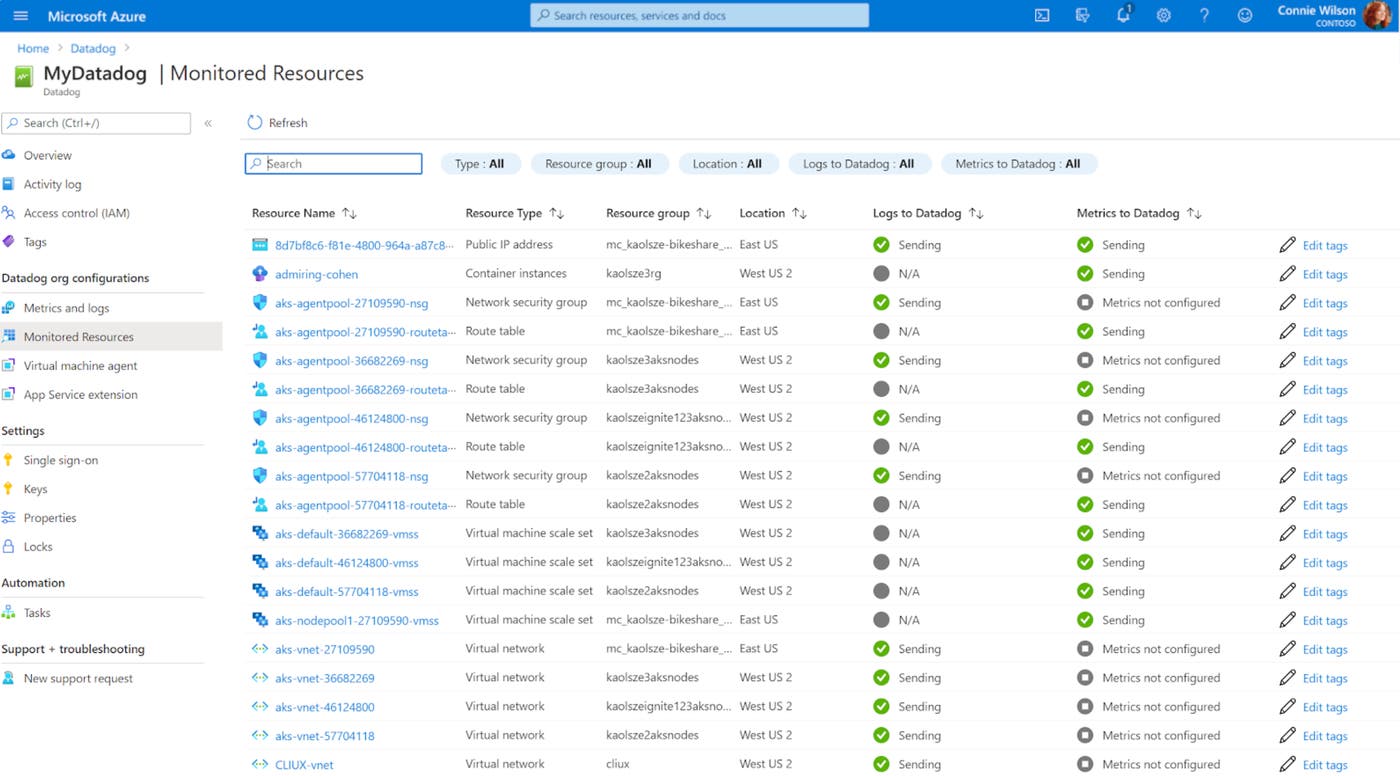
After you’ve finished setting up your account, you can manage the integration between Azure and Datadog with the help of a native Datadog resource blade. The resource blade provides a number of tools to help you track, configure, and deploy Datadog inside your Azure environment. At a glance, you can verify which resources are sending standard Azure metrics and logs—and make changes as needed.
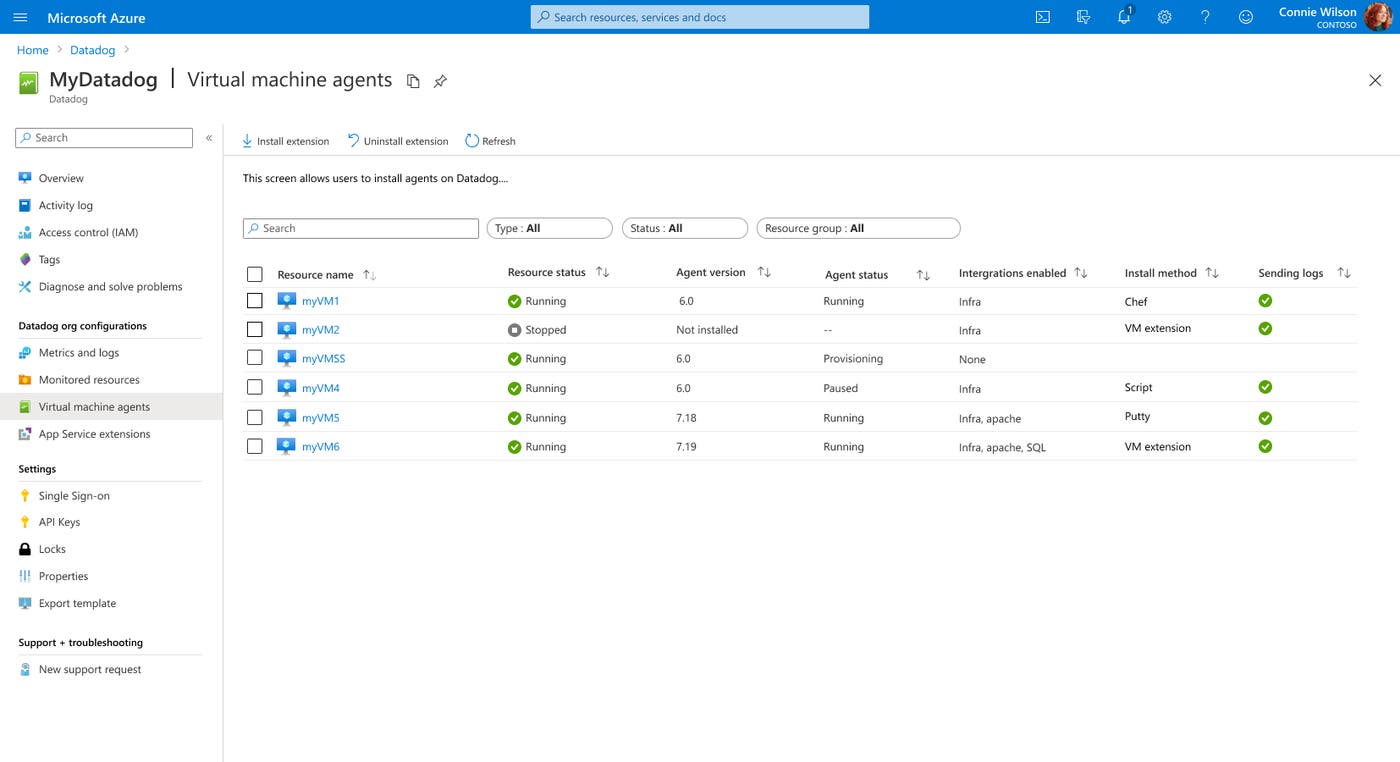
The resource blade also offers a new way to install the Datadog Agent on one, many, or all of your Azure VMs at once. Just set the Datadog API key you want to use, select the desired Azure VMs, and click “Install”. This same blade includes a detailed Agent summary with live updates from Datadog, so you can quickly view which Azure VMs have the Agent, which version is installed, which integrations are configured, and which installation method was used. This information provides a useful sanity check—even if you’re managing the Datadog Agent with other tools such as Chef, Puppet, or Ansible, or if you’re in the process of migrating from one orchestration tool to another.
The new Datadog App Services Extension can also be added, managed, and deployed to your Azure Web Apps through the Datadog resource blade. This is our simplest APM setup process to date, as it allows you to visualize distributed traces from your applications with no manual configuration at all.
Datadog’s new listing in the Azure Marketplace simplifies the purchasing and invoicing processes for new Datadog customers. When you purchase and create a new Datadog account through the Azure Marketplace, all of your Datadog usage will appear directly on your Azure invoice.
This consolidated approach to billing eliminates the need for a separate invoice from Datadog and allows your Datadog usage to count towards any committed spend with Azure. This can help streamline the internal approval process at your company, since increasing an existing Azure budget (or allocating unused funds from a Microsoft Enterprise Agreement) is often simpler than seeking approval for a new third-party tool.
This collaboration between Datadog and Azure–which we kicked off during Microsoft Ignite 2020—makes it easier than ever to leverage Datadog’s powerful observability, compliance, and security capabilities for a successful cloud journey in Azure. The new Azure integration is available for all Datadog organizations on our US3 site, whether you created your account through the Azure marketplace or directly with us. To get started, see our documentation or sign up for a 14-day free trial.
此内容由惯性聚合(RSS阅读器)自动聚合整理,仅供阅读参考。 原文来自 — 版权归原作者所有。