惯性聚合 高效追踪和阅读你感兴趣的博客、新闻、科技资讯
阅读原文 在惯性聚合中打开

推荐订阅源

freeCodeCamp Programming Tutorials: Python, JavaScript, Git & More
Application and Cybersecurity Blog
N
News | PayPal Newsroom
The Last Watchdog
The Last Watchdog
S
Secure Thoughts
Forbes - Security
Forbes - Security
cs.CV updates on arXiv.org
PCI Perspectives
PCI Perspectives
N
News and Events Feed by Topic
Hacker News - Newest:
Hacker News - Newest: "LLM"
Last Week in AI
Last Week in AI
Blog — PlanetScale
Blog — PlanetScale
Hacker News: Ask HN
Hacker News: Ask HN
H
Heimdal Security Blog
D
Docker
Cloudbric
Cloudbric
P
Privacy International News Feed
S
Security Affairs
TaoSecurity Blog
TaoSecurity Blog
博客园 - 聂微东
WordPress大学
WordPress大学
CTFtime.org: upcoming CTF events
T
Tenable Blog
Scott Helme
Scott Helme
人人都是产品经理
人人都是产品经理
Recent Announcements
P
Palo Alto Networks Blog
小众软件
小众软件
L
LINUX DO - 最新话题
美团技术团队
Google Online Security Blog
cs.AI updates on arXiv.org
雷峰网
雷峰网
Microsoft Security Blog
The Hacker News
The Hacker News
Webroot Blog
Webroot Blog
T
Tor Project blog
G
Google Developers Blog
A
About on SuperTechFans
Y
Y Combinator Blog
K
Kaspersky official blog
A
Arctic Wolf
量子位
I
InfoQ
V
Visual Studio Blog
T
Troy Hunt's Blog
C
Cybersecurity and Infrastructure Security Agency CISA
J
Java Code Geeks
博客园 - 【当耐特】
GbyAI
GbyAI

ThinkAlone

JavaCard 上手 灵车!开创! Step-CA 日常使用教程 灵上加灵:使用 Pico HSM 和 step-ca 自建一个CA 友善 FriendlyELEC NanoPC-T4 CPU跑分测试 CPU Benchmark 常见物品尺寸记录 树莓派5 Raspberry Pi 5 CPU跑分测试 CPU Benchmark OrangePi Zero3 CPU跑分测试 CPU Benchmark Canokey Canary上手 在2024年配置IPv6是什么怎样一种体验 用 Orange Pi Zero 搭建一台 Stratum 1 的 NTP 服务器 难绷的Zip与中文密码 OrangePi Zero CPU跑分测试 CPU Benchmark 使用 Docker 部署 zhenxun_bot(绪山真寻Bot) 在Docker中运行Klipper 如何优雅的跳过/禁止Steam更新你的游戏 使用 GitHub Actions 自动部署Hexo 使用 Travis CI 自动构建 Hexo 博客 使DockerHub的Autobuild自动构建ARM/其他 架构的镜像 CoffeeMiner:劫持WiFi网络接入设备进行“挖矿”的框架
鼎阳 SDS804X HD 示波器带宽与选件升级
Disappear9 · 2025-03-01 · via ThinkAlone

完成效果

脚本来源: https://www.eevblog.com/forum/testgear/siglent-sds-sdg-hack-script/
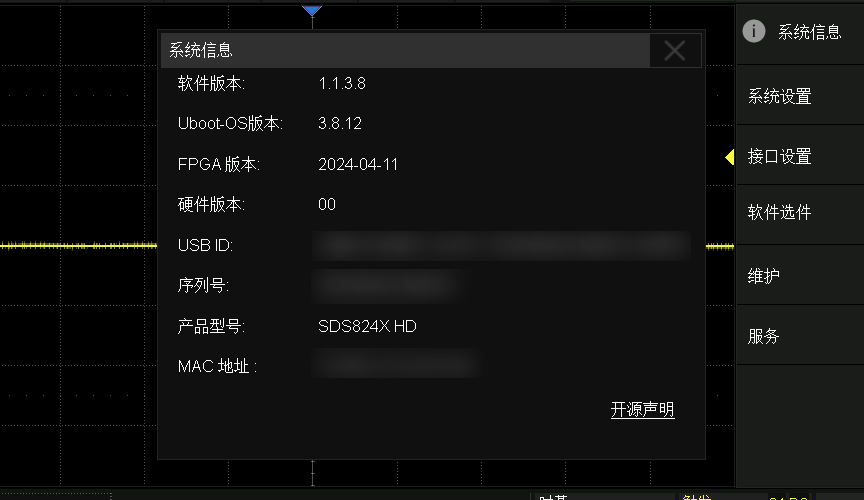
升级完成后型号会显示为SDS824X HD:


操作步骤

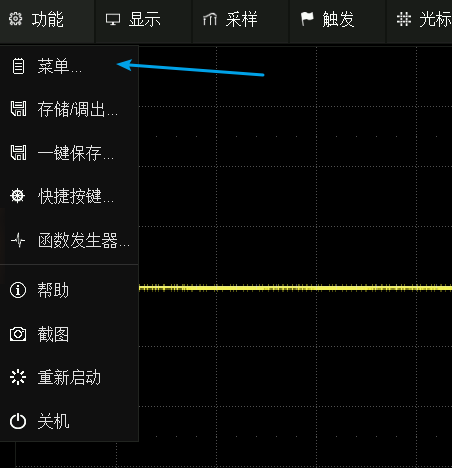
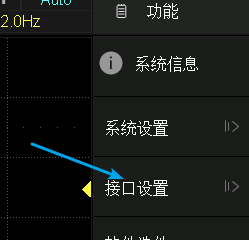
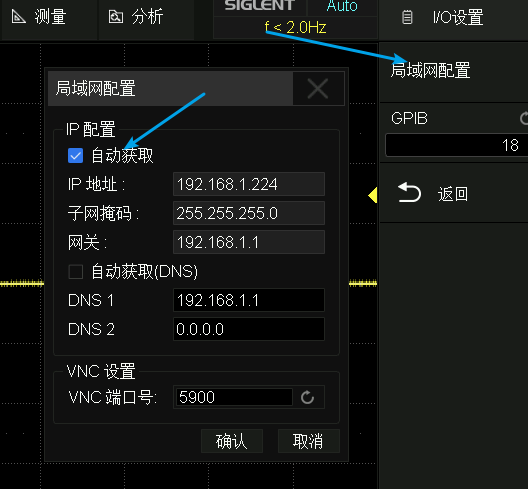
1.示波器连好网线,配置网络:


配网后的操作就可以不用在示波器的小屏幕上进行了。

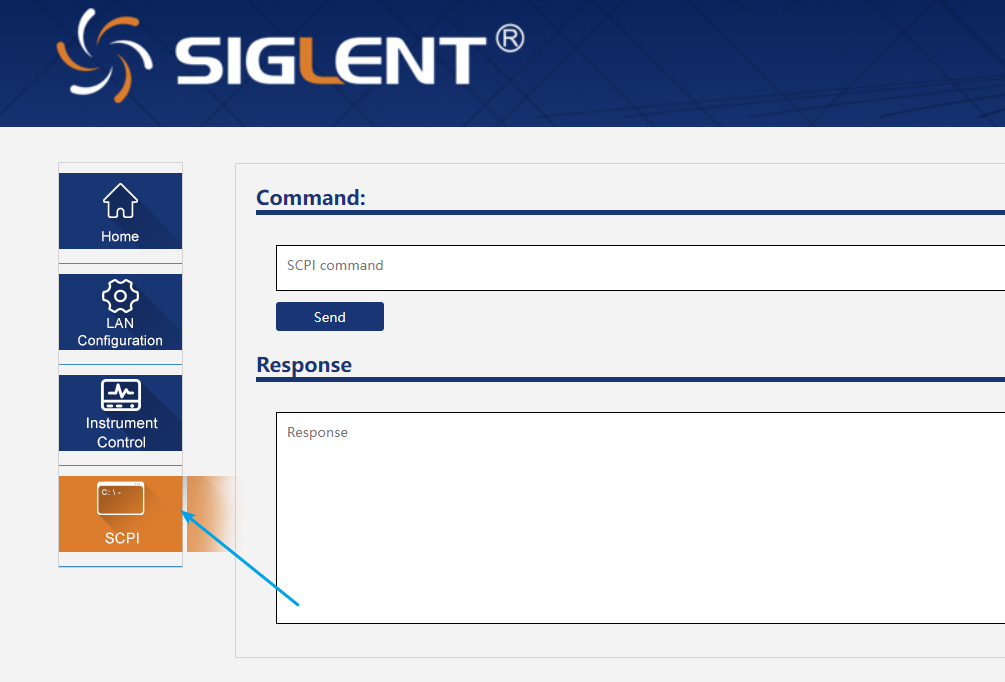
2.打开SCPI页面

3.修改并运行脚本

Python
1
2
3
4
5
6
7
8
9
10
11
12
13
14
15
16
17
18
19
20
21
22
23
24
25
26
27
28
29
30
31
32
33
34
35
36
37
38
39
40
41
42
43
44
45
46
47
48
import hashlib


SCOPEID = '0000000000000000'


SN = 'SDS00000000000'
Model = 'SDS800X-HD'

bwopt = ('70M', '100M', '200M')
otheropt = ('PWA',)

hashkey = '5zao9lyua01pp7hjzm3orcq90mds63z6zi5kv7vmv3ih981vlwn06txnjdtas3u2wa8msx61i12ueh14t7kqwsfskg032nhyuy1d9vv2wm925rd18kih9xhkyilobbgy'

def gen(x):
h = hashlib.md5((
hashkey +
(Model+'\n').ljust(32, '\x00') +
opt.ljust(5, '\x00') +
2*(((SCOPEID if opt in bwopt else SN) + '\n').ljust(32, '\x00')) + '\x00'*16).encode('ascii')
).digest()
key = ''
for b in h:
if (b <= 0x2F or b > 0x39) and (b <= 0x60 or b > 0x7A):
m = b % 0x24
b = m + (0x57 if m > 9 else 0x30)
if b == 0x30:
b = 0x32
if b == 0x31:
b = 0x33
if b == 0x6c:
b = 0x6d
if b == 0x6f:
b = 0x70
key += chr(b)
return key.upper()

print('--------------------------------')
print('\n')
for opt in bwopt:
print('{:5} {}'.format(opt, gen(SCOPEID)))

print('\n')
print('--------------------------------')
print('\n')
for opt in otheropt:
print('{:5} {}'.format(opt, gen(SN)))

4.升级带宽

注:在向SCPI页面输入任何脚本生成的激活码前,先运行命令MCBD?查询当先带宽的激活码(一般为70M的),核对与脚本生成的70M的激活码是否一致,不一致就先检查脚本中的SCOPEIDSN输入是否正确。

SCPI页面运行命令 MCBD 带宽激活码 例如:MCBD 6M5VE9723IR5RACG

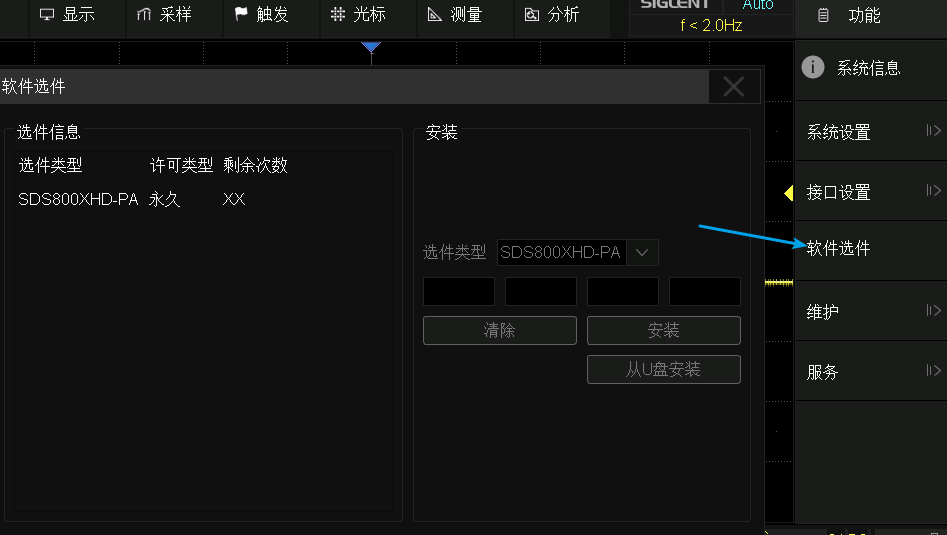
5.解锁选件

注:示波器固件升级到 1.1.3.8 版本后,FG(USB波形发生器)和16LA(16通逻辑分析仪)这两个需要买额外硬件的选件成标配了,不需要手动激活。

全部操作完成后重启。