






VMWare Workstation is a popular virtualization software that was recently made available for free personal use after VMWare was acquired by Broadcom. This is an excellent move by Broadcom, as it will help many users to utilize this software for free for personal use and learning purposes.
I have been using VMWare Workstation on Linux for a while now and I have to say that it is a great piece of software. It is very easy to use, is extremely fast, and has a lot of features that make it a great choice for virtualization on Linux.
But there are compatibility issues with almost all newer kernel versions. I use Pop!_OS 22.04 (which is based on Ubuntu 22.04) as my daily driver and Pop!_OS team does a great job releasing newer kernel versions. But this breaks VMWare Workstation every time there is a kernel update from Pop!_OS. This experience is with 17.5.2 but people have been vocal about this issue from long back.
VMWare uses two kernel modules vmmon and vmnet of which, sources are kept in /usr/lib/vmware/modules/source/ inside vmmon.tar and vmnet.tar.
After we install VMWare Workstation, we see a prompt to install the kernel modules. This is where the issue starts. The kernel modules vmmon and vmnet are not installed successfully and we see a prompt that says “Unable to install all modules. See log for details.”
Installing VMware Workstation 17.5.2
    Configuring...
[######################################################################] 100%
Installation was successful.
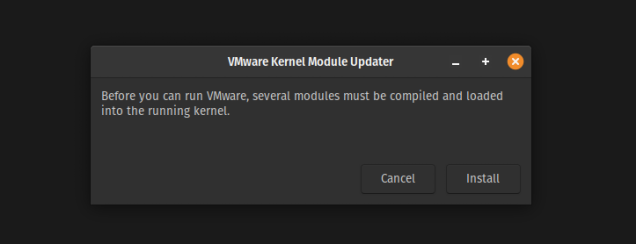
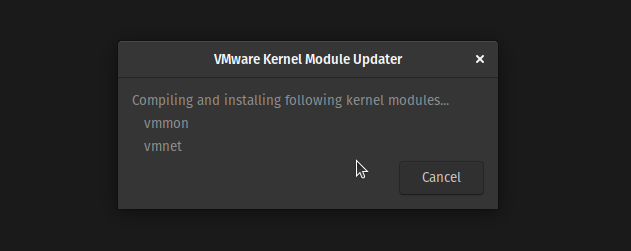
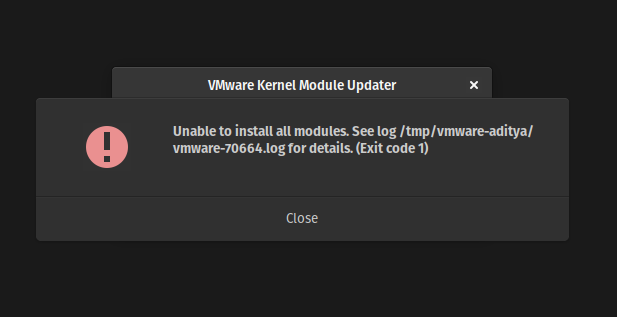
We can even try installing them (vmmon and vmnet) by using:
$ sudo vmware-modconfig --console --install-all
Even that fails but we see a log about what went wrong.
[sudo] password for aditya:
[AppLoader] GLib does not have GSettings support.
Stopping VMware services:
   VMware Authentication Daemon                                        done
   Virtual machine monitor                                             done
make: Entering directory '/tmp/modconfig-kQYNzH/vmmon-only'
Using kernel build system.
/usr/bin/make -C /lib/modules/6.9.3-76060903-generic/build/include/.. M=$PWD SRCROOT=$PWD/. \
  MODULEBUILDDIR= modules

# <---SNIP--->

make[1]: Leaving directory '/usr/src/linux-headers-6.9.3-76060903-generic'
make: *** [Makefile:117: vmmon.ko] Error 2
make: Leaving directory '/tmp/modconfig-kQYNzH/vmmon-only'
make: Entering directory '/tmp/modconfig-kQYNzH/vmnet-only'
Using kernel build system.

# <---SNIP--->

make[1]: Leaving directory '/usr/src/linux-headers-6.9.3-76060903-generic'
make: *** [Makefile:117: vmnet.ko] Error 2
make: Leaving directory '/tmp/modconfig-kQYNzH/vmnet-only'
Unable to install all modules.  See log for details.
Michal Kubeček has been providing (unofficial) fixes for the kernel modules already for a long time over here https://github.com/mkubecek/vmware-host-modules
This repository tracks patches needed to build VMware (Player and Workstation) host modules against recent kernels. As it focuses on recent kernels (older ones do not need patching), only vmmon and vmnet modules are currently handled as the rest has been upstreamed for some time.
This repository is the only fix available where Linux users try to contribute and collaborate so that this fantastic tool can be used on Linux Machines.
There are tags for each version of VMWare Workstation which we can use to get the correct patches for the version we are using. For 17.5.2, we can use the workstation-17.5.2 tag.
https://github.com/mkubecek/vmware-host-modules/branches/all
There is no official blog post by VMWare where they acknowledge this and provide a way to fix this issue. These issues are missing from Known Issues Section of VMware Workstation 17.5.2 Pro Release Notes and are left up to users to discover them when installing.
I would like if VMWare could mention supported kernel versions in their release notes so that users can know if their kernel version is supported or not.
The Linux kernel development community has been working on a “time-based” release model, where new mainline kernel versions are released by approx 9-10 weeks. So it is important for VMWare to keep up with the pace of the Linux Kernel Development so that users can use their software without any issues.
When using Secure Boot, there are other issues as Hosts with Secure Boot enabled will not allow the loading of any unsigned drivers. See https://askubuntu.com/a/1312350
More sources (couldn’t link many sources as communities.vmware.com links are dead since the transition):
此内容由惯性聚合(RSS阅读器)自动聚合整理,仅供阅读参考。 原文来自 — 版权归原作者所有。