




Conclusion: Adding SSD alone provides no improvement to daily Synology NAS write speeds.
I searched online but couldn't find any specific tests on how Synology SSD cache affects NAS write speeds. In some forum posts, some claimed SSD cache could "dramatically improve" write speeds, while others said it had "no effect." However, these posts and comments provided no specific test data as proof.
Therefore, I decided to spend $60 to purchase two 500GB NVME SSDs to personally test whether Synology SSD cache can improve write speeds.

My experiment was simple, divided into two parts:
- Copy single 4GB large file
- Copy 8192 small files totaling 4GB
The reason for choosing 4GB is that the NAS itself has 2GB memory. Using files larger than memory size for transfer avoids memory cache affecting results.
Equipment: Using MacBook M1 Pro to copy data to Synology 723+ NAS.
Connection Method: Direct ethernet connection between MacBook and NAS, bypassing any switches or routers, ensuring both devices cannot access the internet.
Data Generation: Using dd command to extract random values from /dev/urandom to generate files. First, I created a 4GB large file named large-4G filled entirely with random data. Then, I generated 8192 files of 0.5MB each, also totaling 4GB.
Copy Method: Using NAS command line with rsync -av --status <src> <dst> command for copying.
dd if=/dev/urandom of=large-4G bs=1g count=4

for i in $(seq 1 8192)
do
	dd if=/dev/urandom of=random_file_$i bs=524288 count=1
done
Here are the copy speed test results:
| Test Name | Without Cache | With SSD Read/Write Cache |
|---|---|---|
| Large File (4GB) | 81.12 MB/s | 86.24 MB/s |
| Multiple Small Files (4GB) | 83.49 MB/s | 85.24 MB/s |
Ideally, all tests should be conducted multiple times, then provide averages and medians. However, frankly, I had hoped for significant write speed improvements. But these test results already prove multiple trials would be worthless.
Before spending three days' meal money on SSDs, I thought adding read/write cache would significantly improve NAS write speeds. But actually, SSD cache has almost no impact on NAS write speeds. Why is this?
So I tested network speeds between the two devices. Using speedtest, I measured download rate of 966.8Mbps and upload rate of 735.9Mbps. Synology NAS comes with gigabit network cards, and with speedtest running in docker containers having some performance loss, test results match expectations.
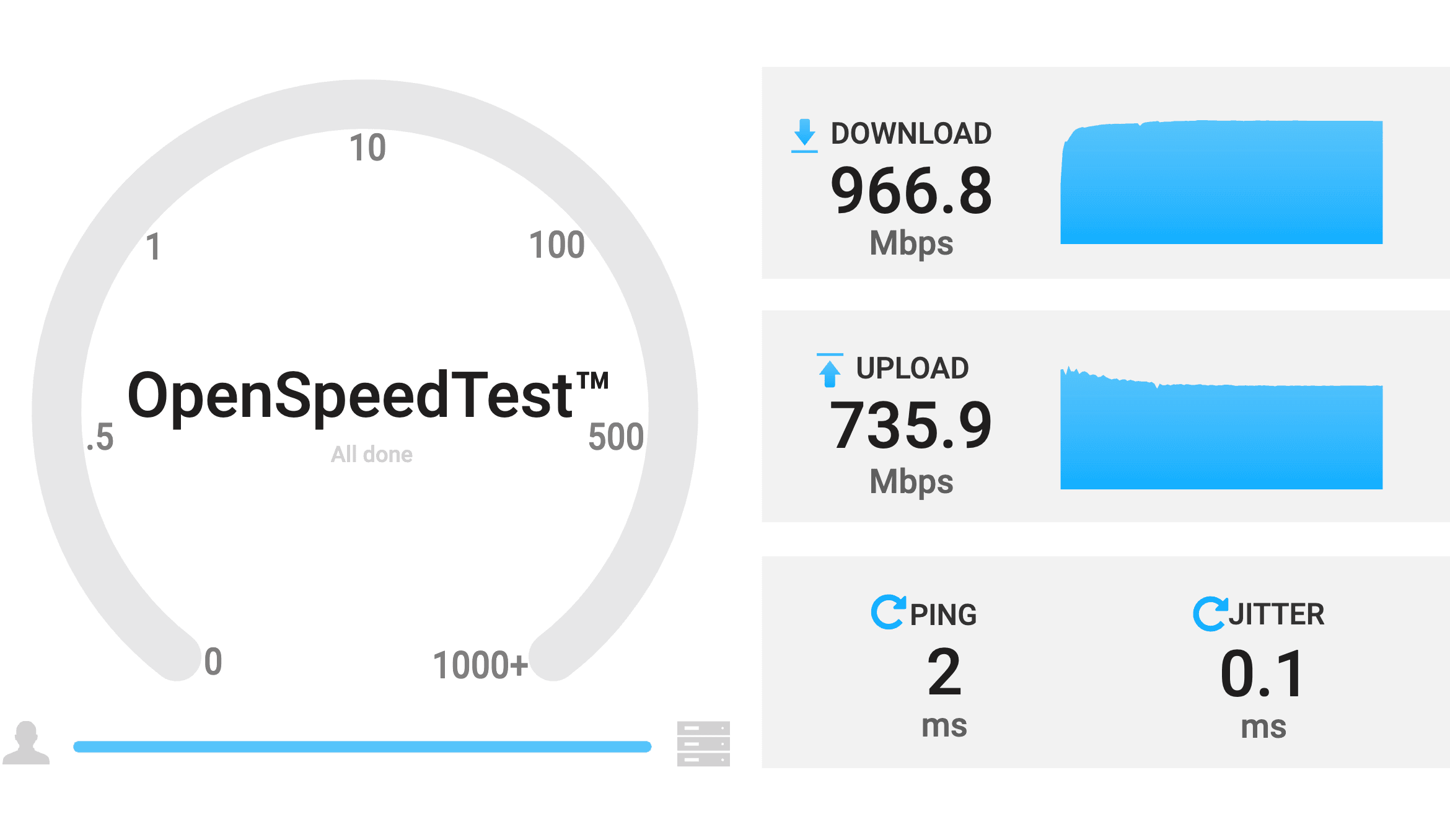
speedtest results
Comparing our previous test results, the fastest write speed was 86.24 MB/s, which is 689.92 Mbps. That means NAS write speeds are already approaching gigabit network card limits. Therefore, even with SSD cache, write speeds cannot be improved.
Without upgrading NAS networks, using SSD read/write cache doesn't significantly improve write speeds for large files or multiple small files.
So for friends wanting to improve NAS write speeds, I suggest first upgrading networks. Because your bottleneck is probably not the hard drive, but bandwidth.
Synology is very stingy, equipping each home NAS with only gigabit network cards. Actually, USB 2.5G network cards now cost less than 100 yuan. Upgrading network cards can double your daily NAS usage speeds (2500Mbps).
Next is upgrading routers. Current phones and computers already support WiFi 6 or even WiFi 6e, but most home routers are still mediocre products from five or six years ago. I recommend upgrading to AX9000 or AX6000, minimum AX5400.
For randomly reading large amounts of small files, SSD cache helps tremendously. Whether btrfs or ext4 file systems, both choose to place metadata at the very front of disks. Indexing large amounts of small files causes mechanical hard drive heads to move repeatedly between metadata positions and file positions, greatly increasing seek times and reducing read speeds. SSD cache can cache this metadata to SSDs, thus improving read speeds.
© LICENSED UNDER CC BY-NC-SA 4.0