惯性聚合 高效追踪和阅读你感兴趣的博客、新闻、科技资讯
阅读原文 在惯性聚合中打开

推荐订阅源

大猫的无限游戏
大猫的无限游戏
Webroot Blog
Webroot Blog
cs.AI updates on arXiv.org
T
Threat Research - Cisco Blogs
V2EX - 技术
V2EX - 技术
L
LINUX DO - 热门话题
Google DeepMind News
Recorded Future
Recorded Future
S
Schneier on Security
I
InfoQ
Cyber Security Advisories - MS-ISAC
cs.CV updates on arXiv.org
The GitHub Blog
The GitHub Blog
S
Security @ Cisco Blogs
O
OpenAI News
W
WeLiveSecurity
Vercel News
Vercel News
阮一峰的网络日志
阮一峰的网络日志
Simon Willison's Weblog
人人都是产品经理
人人都是产品经理
Cloudbric
Cloudbric
The Last Watchdog
The Last Watchdog
The Hacker News
The Hacker News
Google Online Security Blog
OSCHINA 社区最新新闻
OSCHINA 社区最新新闻
GbyAI
GbyAI
NISL@THU
NISL@THU
T
Tailwind CSS Blog
V
Visual Studio Blog
PCI Perspectives
PCI Perspectives
K
KPMG report finds enterprise disconnect between AI and its ROI | CIO
Jina AI
Jina AI
D
DataBreaches.Net
B
Blog RSS Feed
N
News and Events Feed by Topic
N
News and Events Feed by Topic
H
Heimdal Security Blog
cs.CL updates on arXiv.org
腾讯CDC
Latest news
Latest news
V
Vulnerabilities – Threatpost
Hacker News: Ask HN
Hacker News: Ask HN
WordPress大学
WordPress大学
V
V2EX
aimingoo的专栏
aimingoo的专栏
博客园 - 司徒正美
Apple Machine Learning Research
D
Darknet – Hacking Tools, Hacker News & Cyber Security
The Register - Security
Help Net Security
Help Net Security

Frank's Weblog

Understanding Systemd Timer: Troubleshooting `D-Bus connection terminated` Error 理解Systemd Timer:一次`D-Bus connection terminated`错误排查 Learning Languages Effectively with Anki 使用Anki高效学习语言 Say Goodbye to H1B Anxiety – A Complete Guide for Immigration to Canada via Express Entry 告别H1B焦虑 – 加拿大Express Entry技术移民全流程指南 Project Miata – The Problematic Brake Job Project Miata – 问题百出的刹车维护 Sending Passport from USA to Ottawa for Canadian PR Visa Stamping 加拿大PR贴签:从美国寄护照到渥太华 Building NAS and Installing Unraid 组装NAS及配置Unraid OS Complete Guide for Automotive Paint at Home with Spray Can 使用喷漆罐实现最佳DIY汽车喷漆效果的完整指南 使用 Cloudflare Containers 部署容器应用 房车旅行:观看星舰发射 电子邮件防伪:SPF, DKIM与DMARC Anti Email Spoofing: SPF, DKIM and DMARC Project Miata – 软顶更换及内饰修复 Project Miata – Soft Top Replacement & Interior Restoration Project Miata – Shifter Rebuild Project Miata – 换挡杆维护 Project Miata – $2000 Project Car Project Miata – $2000玩具车
Deploy Containers with Cloudflare Containers
Frank · 2025-06-25 · via Frank's Weblog

中文版:使用 Cloudflare Containers 部署容器应用 – Frank’s Weblog

Today (2025/6/24), Cloudflare announced Cloudflare Containers: a serverless container runtime in Cloudflare Workers. Cloudflare containers is currently in public beta, and is available to everyone who has a paid Cloudflare Worker plan.

As a container enthusiast, I spent some time exploring this product. I will use httpbin as an example, to illustrate how to deploy a simple application to Cloudflare Containers.

Prerequisites

  • Nodejs
  • wrangler(Cloudflare worker CLI)
  • Docker
  • Cloudflare Workers paid plan

Code

Here is all the code you need: https://github.com/frankgx97/httpbin-cfcontainers

src/index.ts is the entry point of the application, it routes the requests to the container.

wrangler.jsonc is the definition of the Cloudflare Worker application, where we define the application, container and durable object.

Deploy

Before deploying, we need to prepare the image.

Cloudflare Containers only supports Cloudflare Image Registry. You can either build and publish the image when deploying the application by specifying "image": "./Dockerfile", or, in our case, push an existing image to Cloudflare Registry.

Assuming the image already exists locally, tag the image first.

docker tag kennethreitz/httpbin httpbin:1

Note that an image must have a tag, and cannot be latest.

wrangler containers push httpbin:1

You will get the new image tag with format registry.cloudflare.com/(a random string)/httpbin:1

Fill the new image tag into wrangler.jsonc

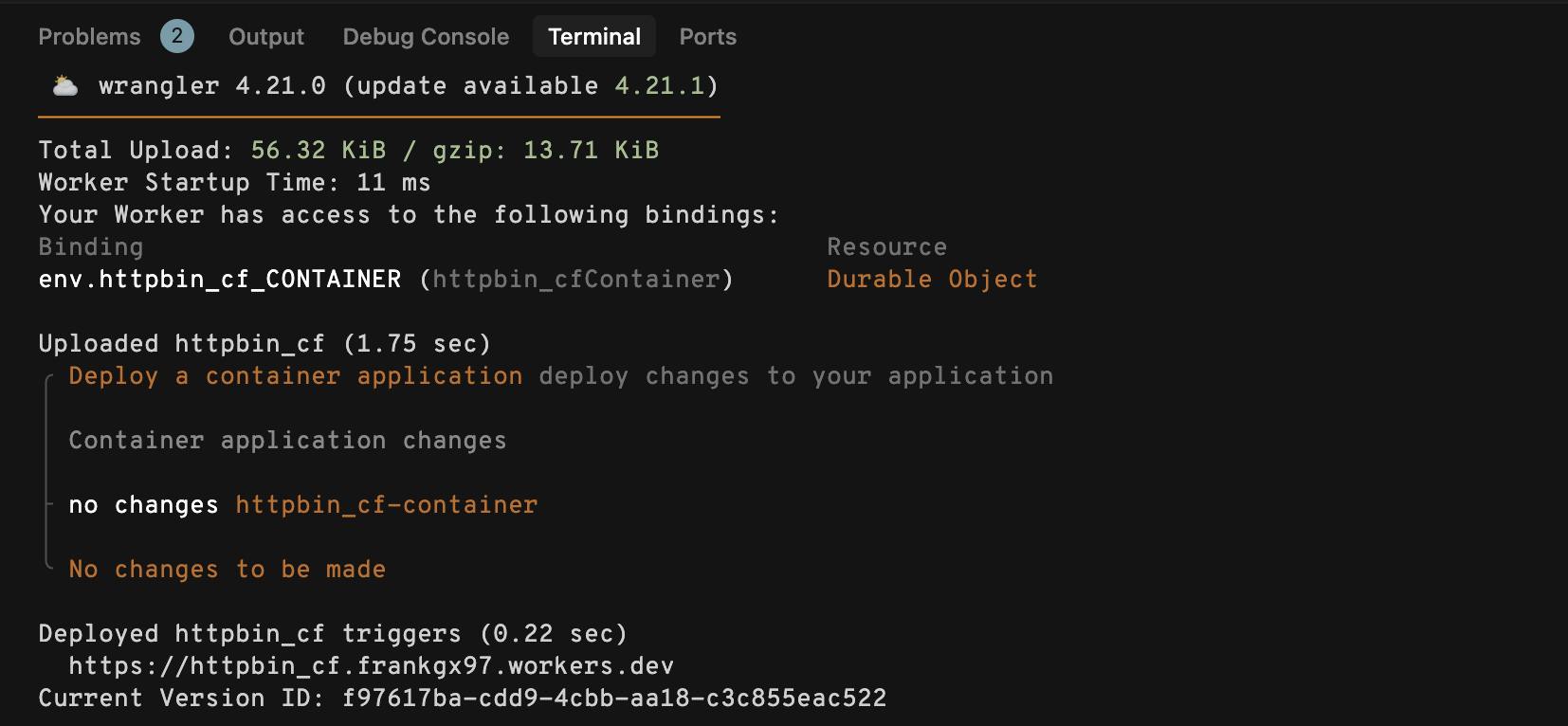
Then run wrangler deploy

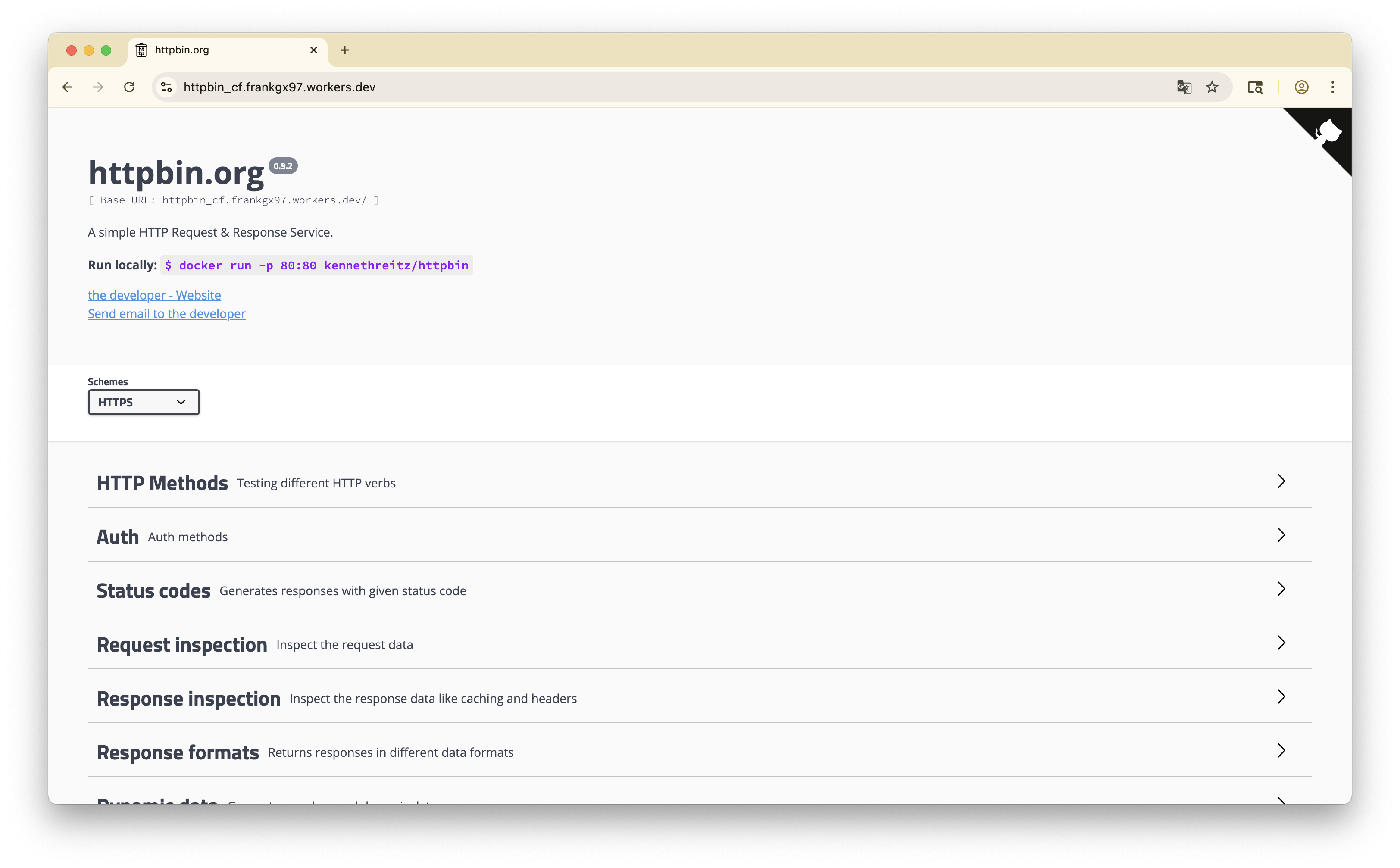
Visit the link returned by wrangler, you should see the deployed application.

References

  1. https://github.com/megaconfidence/wifski
  2. Cloudflare Containers 101 – Run Docker Containers on the Edge – YouTube
  3. Containers are available in public beta for simple, global, and programmable compute