







The Network Operations Center at Black Hat USA 2026 is a collaborative experience between several enterprise partners to bring the best of network performance, optimization, and security to the staff and attendees during the training and conference days in Las Vegas, Nevada. Over 150 Wi-Fi 7 Access Points were deployed onsite to provide general conference wireless and individual wireless service for the industry trainings. A large enterprise-scale network like this was supporting over 20,000 attendees; for such a system network monitoring was needed to verify that the network was running smoothly and that attendees and students are able to access core enterprise services such as AWS, Azure, and GCP.
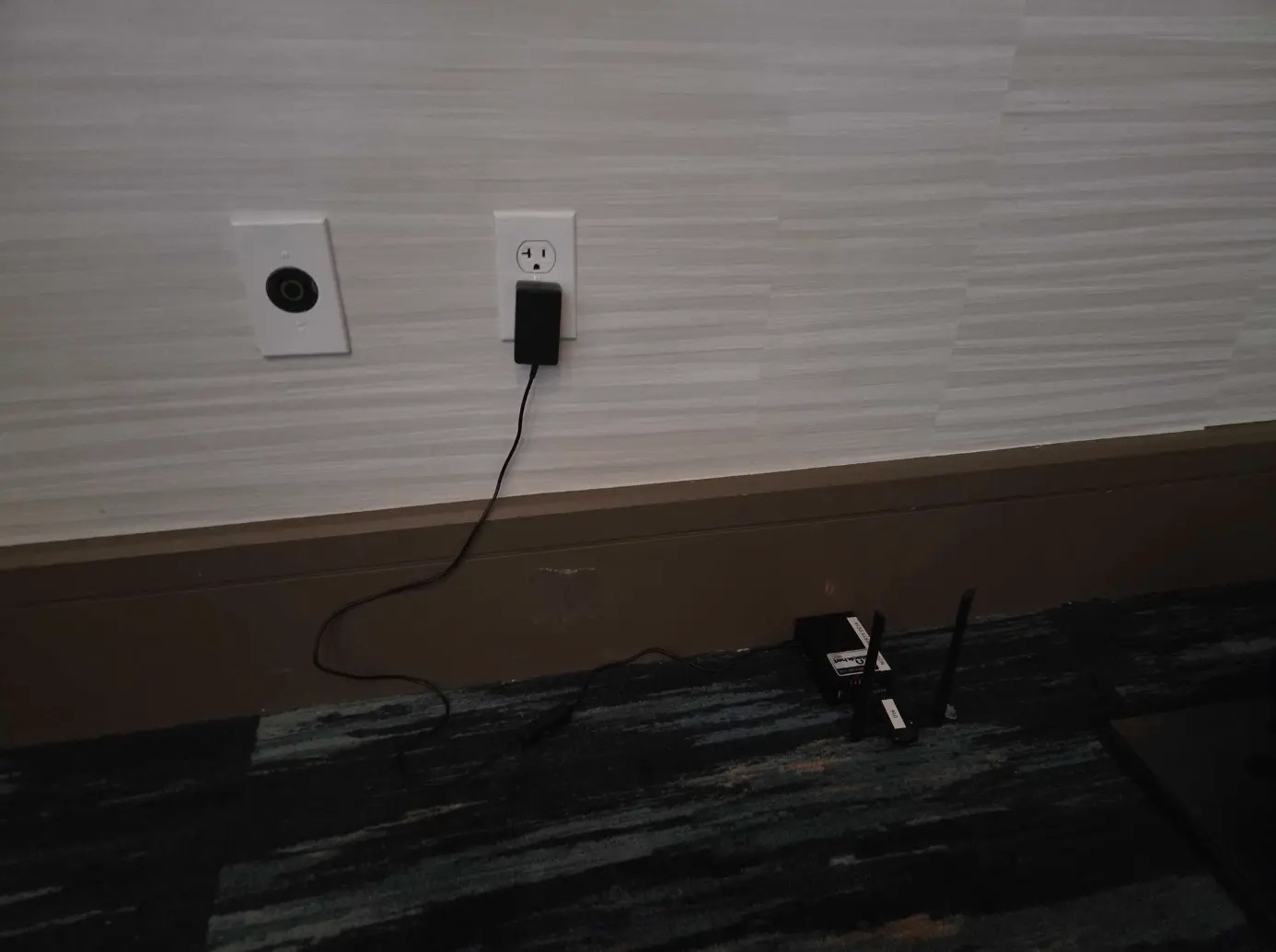
To handle this task, Cisco and Black Hat deployed bespoke ThousandEyes agents to monitor the wireless solution. These consisted of more than 30 small network monitors that were deployed around the Mandalay Bay Convention Center and Business Hall in strategic locations where traffic would be highest and the network reliability most important.
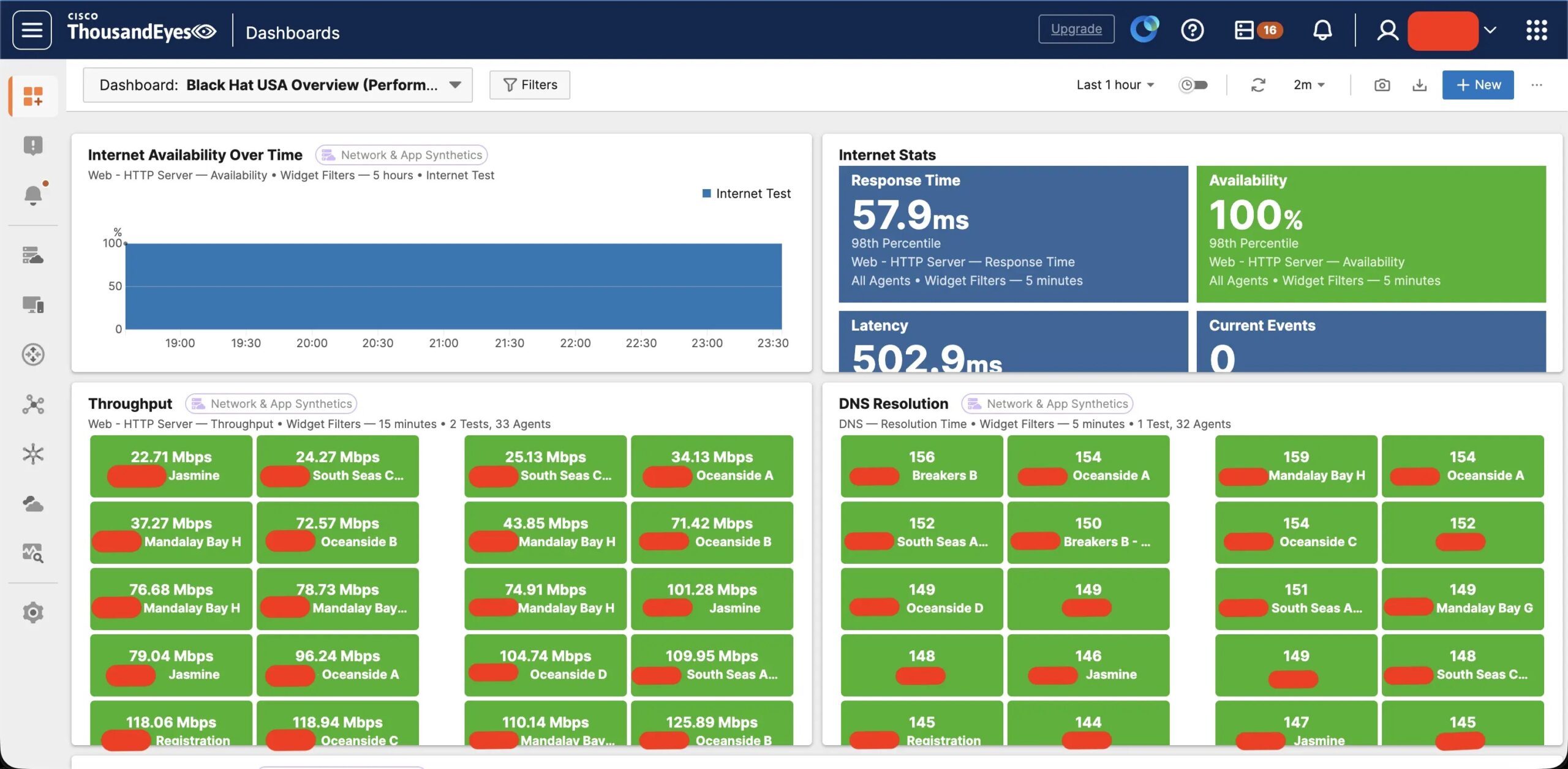
These devices, along with a custom dashboard solution, provided critical insight into the performance of core capabilities such as DNS, throughput, cloud response time and more. This allowed our team at the NOC to act proactively on wireless and wired problems before users reported issues.
As part of this system, some of our troubleshooting crossed multiple different products from different companies. This resulted in new troubleshooting methods and procedures that improved our monitoring solution of prior years.
Roaming Issues
For the first three days of the conference, roaming was not too much of a consideration for the ThousandEyes nodes, as they were each connected to an SSID on a singular AP. In this scenario, roaming is not possible since there are not multiple BSSIDs to roam to. Moving onto the final three days of Briefings, we dismantled the classroom SSID design and placed the ThousandEyes nodes onto the general Wi-Fi network.
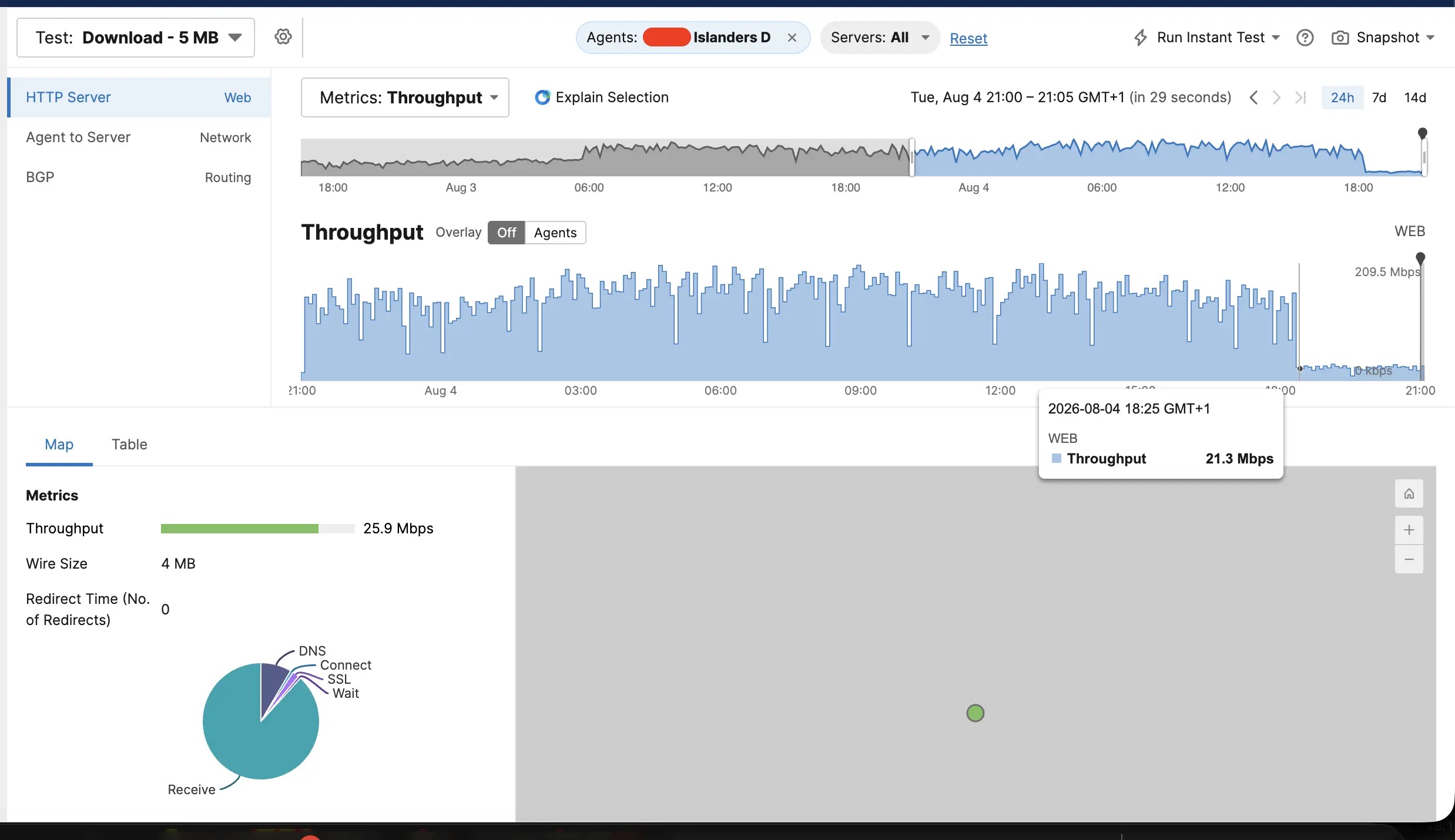
During this time, it was observed that one of the nodes was experiencing degraded download speeds. We could see in ThousandEyes that the client had a sharp drop-off in throughput on one of the download tests.
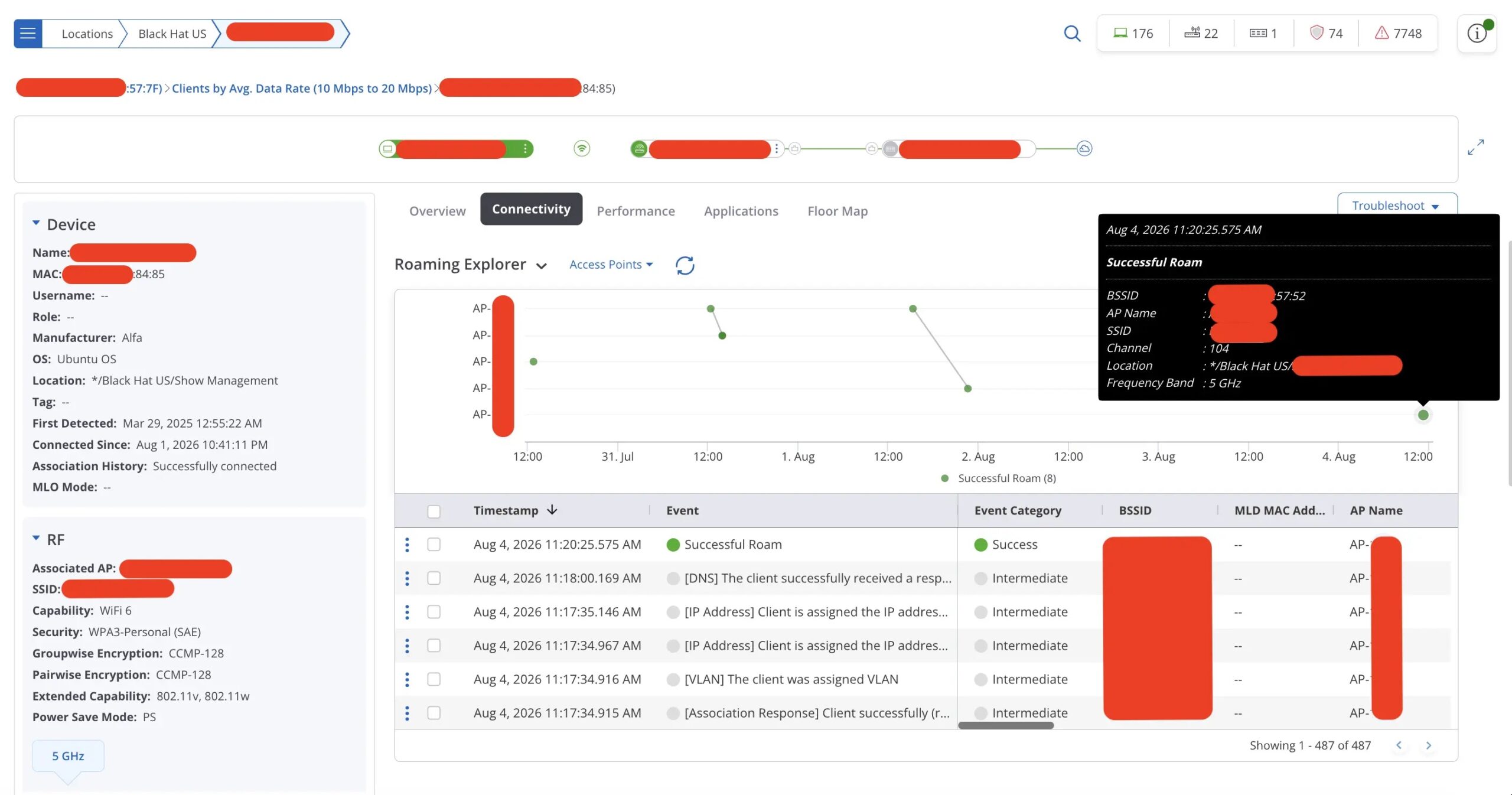
At this point we needed additional metrics to determine why the client would suddenly be experiencing issues with throughput. To triage further, additional insight was needed from the Arista side. Logging into the Arista CloudVision dashboard (via Duo Directory, the NOC identity provider) we could look up the client by hostname or MAC address. Here we learned that the client had made a roaming decision and moved to a different Access Point.
This prompted us to investigate the ThousandEyes agent itself and led us to our first lesson learned. Upon reviewing the logs, we found that the client had a beacon loss event; it was not able to hear its associated AP for a period of time, so it moved to an AP with better signal quality.
Aug 04 10:17:20 wlan0: CTRL-EVENT-BEACON-LOSS
Aug 04 10:17:25 wlan0: CTRL-EVENT-BEACON-LOSS
Aug 04 10:17:26 wlan0: CTRL-EVENT-DISCONNECTED bssid=XX:XX:XX:XX:6f:12 reason=4 locally_generated=1
Aug 04 10:17:34 wlan0: SME: Trying to authenticate with XX:XX:XX:XX:57:52 (SSID='SSID' freq=5520 MHz)
Aug 04 10:17:34 wlan0: CTRL-EVENT-CONNECTED - Connection to XX:XX:XX:XX:57:52 completed
The Arista dashboard corroborated this finding with an uptick in traffic volume and impact to the data rate and RSSI (Received Signal Strength Indicator) at the same time. So, at that time, something happened that made the BSSID XX:XX:XX:XX:6f:12 unavailable to the ThousandEyes node. By the time we ran this scan, that BSSID was healthy again at -45 dBm, consistent with a transient event on the access point.
On the TE Agent, we could see that although there were more optimal Access Points available, it was stuck to a relatively weak BSSID.
te-user@te-agent:/var/log$ sudo iw dev wlan0 scan | awk -v want="SSID" '
/^BSS/{bssid=$2}
/freq:/{fr=$2}
/signal:/{sig=$2}
/SSID:/{ssid=substr($0,index($0,"SSID: ")+6);
if (ssid==want) printf "%-8s dBm ch/%-5s %-18s %s\n", sig, fr, bssid, ssid}'

-50.00 dBm ch/2462 XX:XX:XX:XX:6e:f1(on SSID
-65.00 dBm ch/2462 XX:XX:XX:XX:57:31(on SSID
-75.00 dBm ch/5600 XX:XX:XX:XX:65:b2(on SSID
-79.00 dBm ch/5785 XX:XX:XX:XX:00:71(on SSID
-69.00 dBm ch/5520 XX:XX:XX:XX:57:52(on SSID << Joined AP
-78.00 dBm ch/5520 XX:XX:XX:XX:51:62(on SSID
-70.00 dBm ch/5580 XX:XX:XX:XX:6b:52(on SSID
-70.00 dBm ch/5580 XX:XX:XX:XX:a4:82(on SSID
-45.00 dBm ch/5200 XX:XX:XX:XX:6f:12(on SSID << Optimal AP
-65.00 dBm ch/2462 XX:XX:XX:XX:6b:31(on SSID
A 24 dB difference is far beyond any threshold a client would normally need to justify a roam. The reason it stayed put is that it never went looking.
The ThousandEyes agents ship with the variable bgscan=”simple:30:-70:86400″ configured. bgscan is a wpa_supplicant module that NetworkManager sets on our agents. The values in this variable are as follows:
- Simple is the background scanning module being used. It will describe the values following this.
- 30 is how often a scan will occur if the minimum threshold is not met. So, if a signal is received at -71 dBm or weaker, wpa_supplicant will scan the air every 30 seconds looking for a better BSSID to roam to.
- -70 dBm is the threshold to trigger a frequent search for a new AP. If the RSSI of the AP is received at -70 dBm or stronger, we will scan every 86400 seconds or every 24 hours.
- 86400 seconds is how often the wireless will scan while the signal is stronger than -70 dBm.
We can see in the CLI output above that we’re just barely sitting above this threshold at -69 dBm. This means that we will not roam to a more optimal AP within a 24-hour window.
Our lesson learned is to raise the signal threshold, moving -70 dBm to -65 dBm in the bgscan string, so the agent begins scanning before it gets stuck on a marginal BSSID.
Wired Speed Negotiation on the Access Point
For an extended period of time, we were seeing throughput degradation for the Wireless Clients in one of the classrooms in the Mandalay Bay Convention Center in the ThousandEyes Dashboard. This was a case where there was only one AP and one BSSID being broadcast for a training.
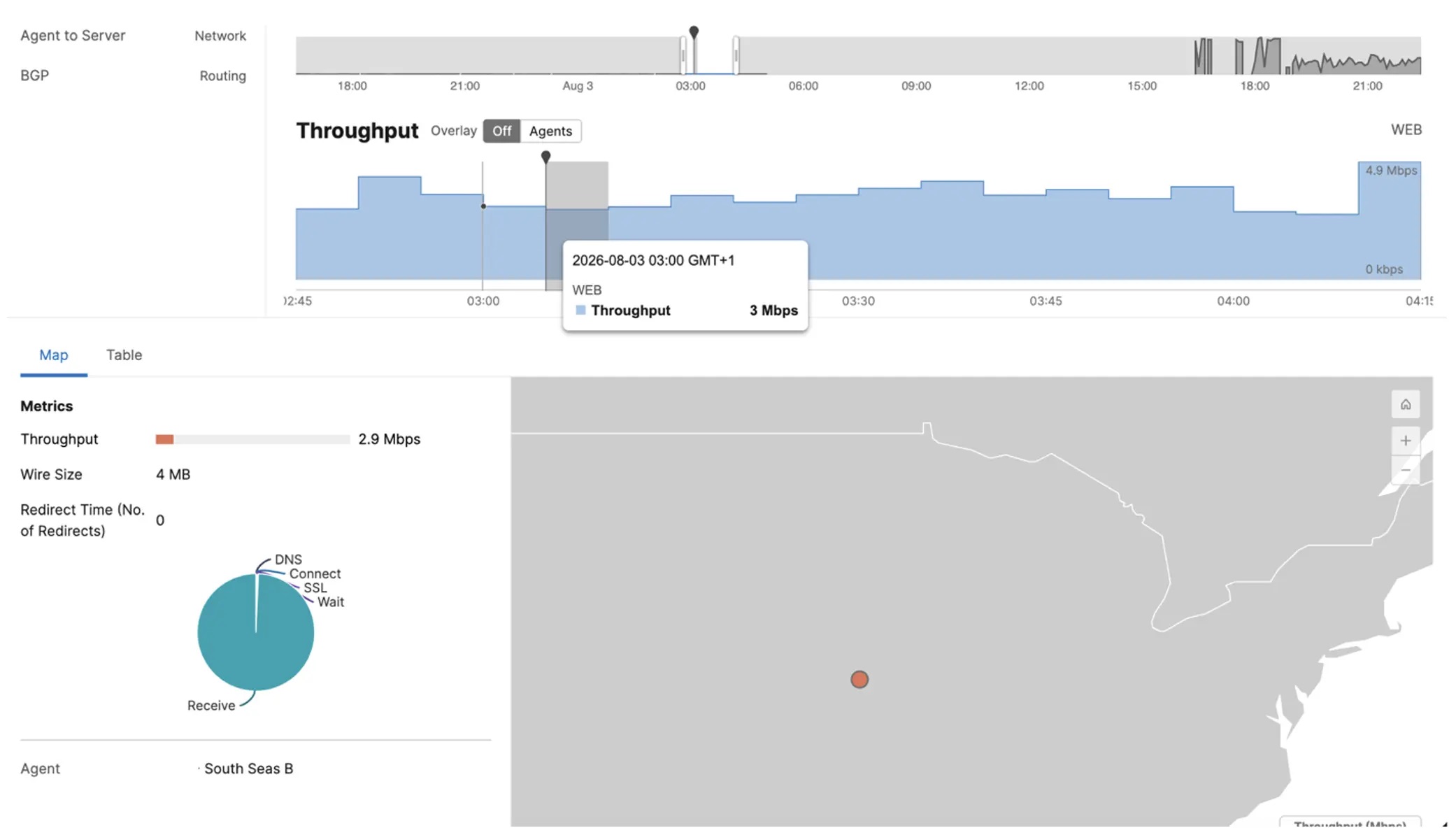
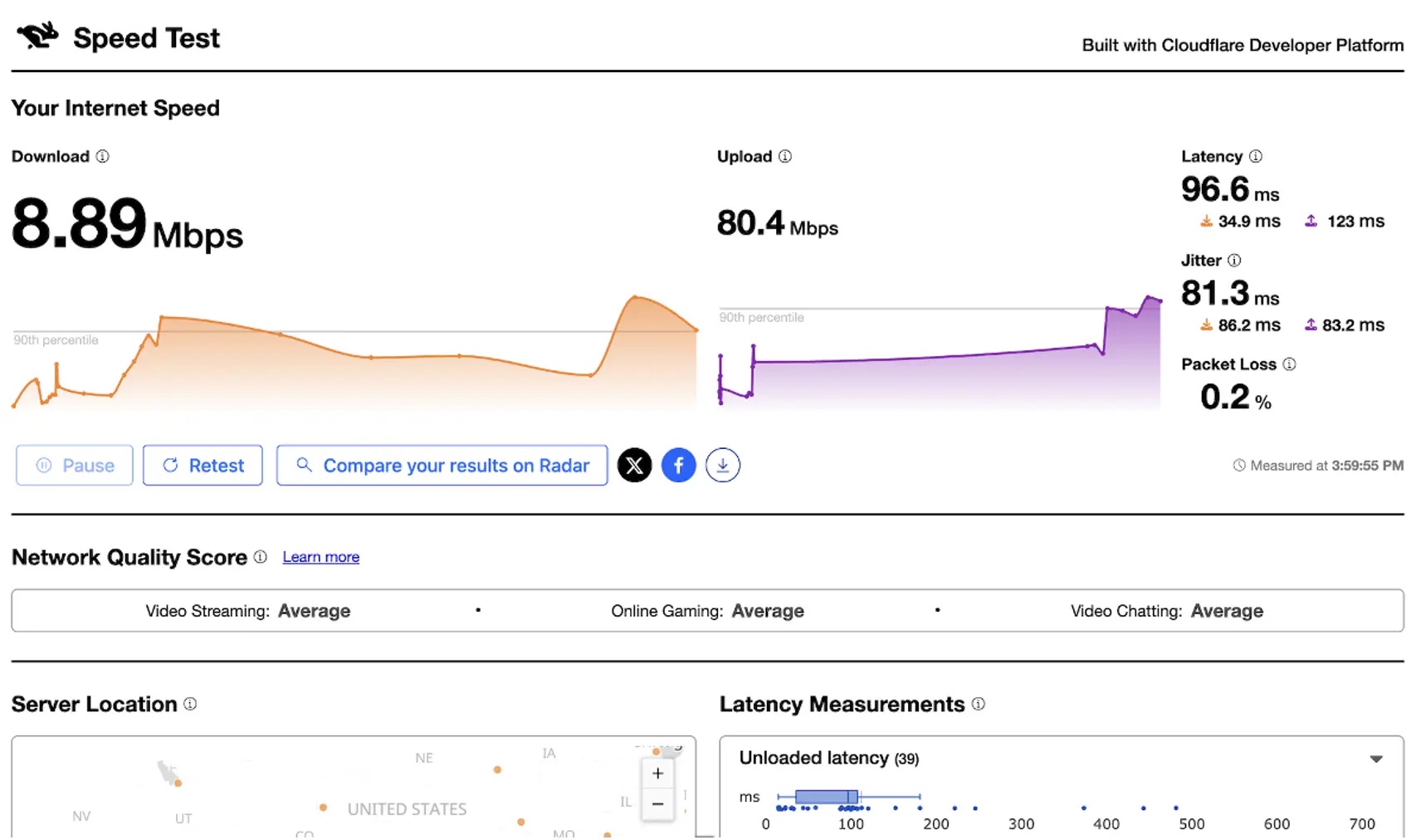
The ThousandEyes client and other clients on the AP had all seen considerable performance degradation in the latter half of the afternoon. On site, we were able to confirm that they were unable to reach expected speeds.
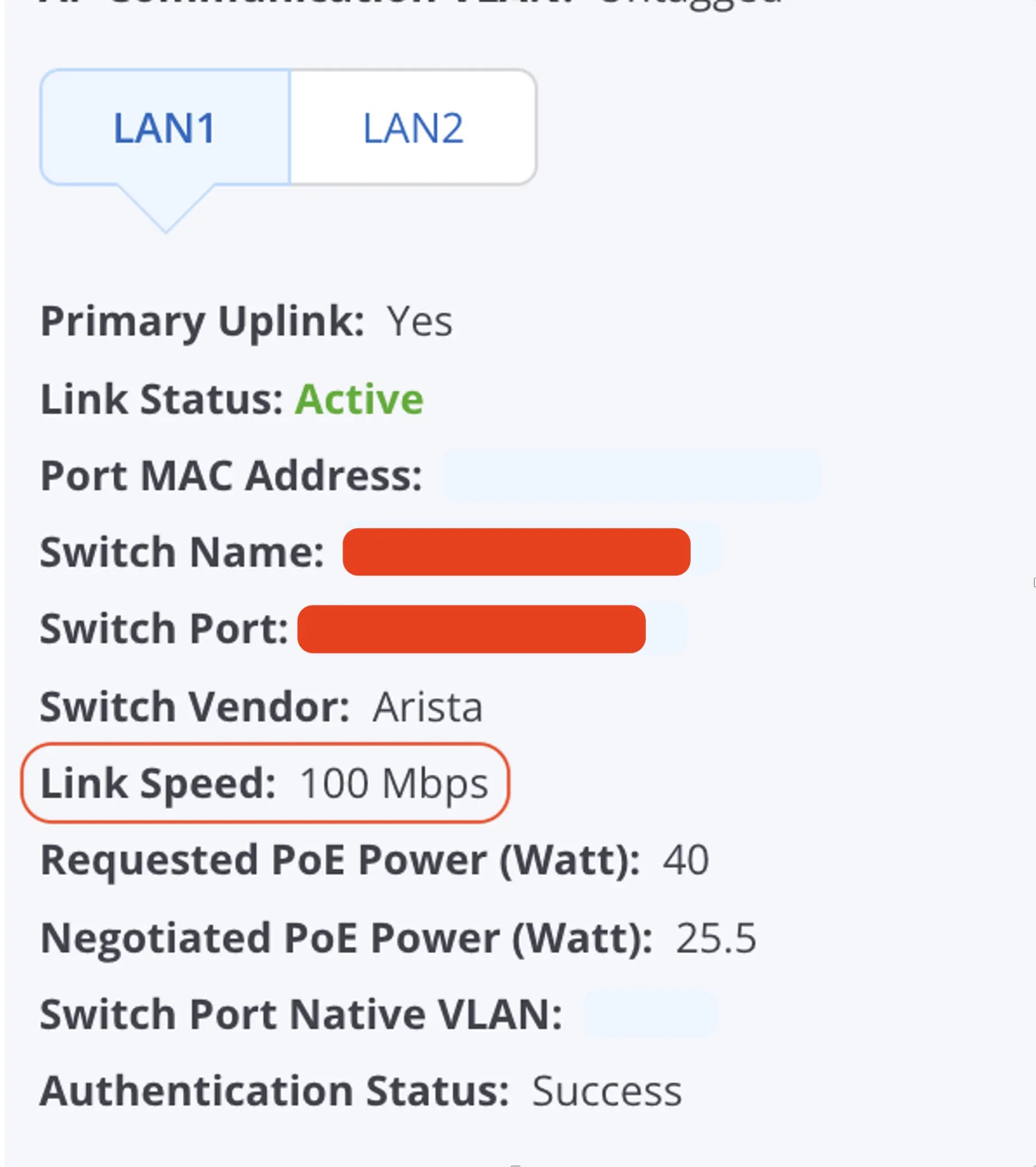
Using the Arista CloudVision dashboard, the AP’s switchport details showed the link had negotiated at 100 Mbps instead of 1 Gbps.
Once the Arista team was notified, they were able to act; a quick cable swap resolved the issue for the students and restored full service.
Conclusion
Neither of these problems would have registered as an outage. The roaming agent held a stable association with good signal and a 0.06% retry rate; the classroom access point reported an active link, successful authentication, and negotiated PoE. On the infrastructure side, everything was green. Only the throughput measured from the client’s position told a different story.
That is the case for synthetic monitoring at an event like this. Infrastructure telemetry tells you a device is working. Continuous testing from the floor tells you the network is working for the people standing on it. Once ThousandEyes told us which client and when, our colleagues at Arista could tell us why, and neither half of that answer was worth much without the other.
We are carrying two changes forward: tune background-scan thresholds on stationary probes, and alert on negotiated link speed rather than link state alone.
Our thanks to the Arista Networks team in the Black Hat NOC for their partnership throughout the week.
You can read the other blogs from our colleagues at Black Hat USA.
- Building the Agentic SOC, One Live Event at a Time
- Safeguarding DNS With Secure Access at Black Hat
- Thrown into the SOC – A Black Hat First-Timer’s Story
- Building a Risk-Based Secure Network Analytics Detection with Splunk Detection Editor (Alpha)
- Distributed Latency Monitoring at Black Hat
About Black Hat
Black Hat is the cybersecurity industry’s most established and in-depth security event series. Founded in 1997, these annual, multi-day events provide attendees with the latest in cybersecurity research, development, and trends. Driven by the needs of the community, Black Hat events showcase content directly from the community through Briefings presentations, Trainings courses, Summits, and more. As the event series where all career levels and academic disciplines convene to collaborate, network, and discuss the cybersecurity topics that matter most to them, attendees can find Black Hat events in the United States, Canada, Europe, Middle East and Africa, and Asia. For more information, please visit the Black Hat website.