









当我尝试deploy Azure pakeage的时候,我得到The certificate with thumbprint was not found错误信息。
为了偷懒,我使用了同一个certificate来做RDP。
解决这个问题,在设置RDP的时候需要新建一个证书,
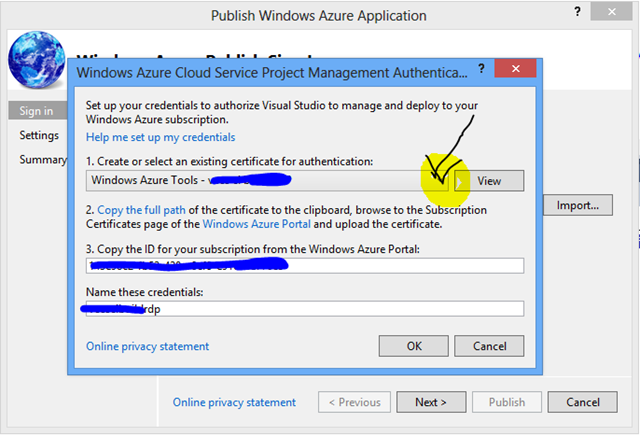
一, Management Authenticate证书
在Create or select an existing certificate for authentication:的下拉框有Create选项来新建证书。
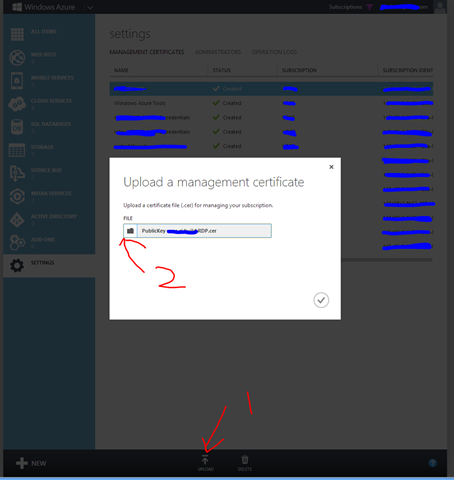
第二步是上传刚刚生成的证书
后面需要配置subscription id和给credential命名。
二,RDP证书

选择Enable Remote Desktop,然后选择More Options。重复上面的步骤可以为RDP新建一个证书。
此内容由惯性聚合(RSS阅读器)自动聚合整理,仅供阅读参考。 原文来自 — 版权归原作者所有。