惯性聚合 高效追踪和阅读你感兴趣的博客、新闻、科技资讯
阅读原文 在惯性聚合中打开

推荐订阅源

H
Help Net Security
The GitHub Blog
The GitHub Blog
F
Fortinet All Blogs
cs.CV updates on arXiv.org
Simon Willison's Weblog
D
Darknet – Hacking Tools, Hacker News & Cyber Security
Cisco Talos Blog
Cisco Talos Blog
P
Privacy & Cybersecurity Law Blog
I
Intezer
Y
Y Combinator Blog
Threat Intelligence Blog | Flashpoint
CTFtime.org: upcoming CTF events
N
Netflix TechBlog - Medium
The Hacker News
The Hacker News
AWS News Blog
AWS News Blog
aimingoo的专栏
aimingoo的专栏
A
About on SuperTechFans
Exploit-DB.com RSS Feed
Stack Overflow Blog
Stack Overflow Blog
Hacker News: Ask HN
Hacker News: Ask HN
酷 壳 – CoolShell
酷 壳 – CoolShell
量子位
K
KPMG report finds enterprise disconnect between AI and its ROI | CIO
B
Blog
T
Tor Project blog
C
Cybersecurity and Infrastructure Security Agency CISA
云风的 BLOG
云风的 BLOG
博客园_首页
V2EX - 技术
V2EX - 技术
T
Threat Research - Cisco Blogs
腾讯CDC
宝玉的分享
宝玉的分享
博客园 - 叶小钗
罗磊的独立博客
S
Securelist
The Last Watchdog
The Last Watchdog
Google Online Security Blog
Scott Helme
Scott Helme
博客园 - 司徒正美
W
WeLiveSecurity
有赞技术团队
有赞技术团队
OSCHINA 社区最新新闻
OSCHINA 社区最新新闻
S
Secure Thoughts
NISL@THU
NISL@THU
N
News and Events Feed by Topic
Cyber Security Advisories - MS-ISAC
雷峰网
雷峰网
大猫的无限游戏
大猫的无限游戏
K
Kaspersky official blog
IT之家
IT之家

Pinecone

Pinecone Assistant: A Managed Knowledge Layer for Production AI Applications Multi-domain RAG in n8n: why one knowledge base is not enough Allspice Transforms the Culinary Experience with Semantic Search Powered by Pinecone | Pinecone Building RAG workflows in n8n: choosing the right Pinecone node Knowledge needs a meta-knowledge layer Garbage Day: How Pinecone Safely Deletes Billions of Objects at Scale When "Performance" Means Two Different Things Pinecone BYOC: Pinecone in your AWS, GCP, or Azure account, no vendor access True, Relevant, and Wrong: The Applicability Problem in RAG Use the Pinecone Plugin for Claude Code to develop AI Applications Faster Millions at Stake: How Melange's High-Recall Retrieval Prevents Litigation Collapse Powering High-stakes Patent Search at Scale: How Melange Built a Reliable AI System on Pinecone | Pinecone Pinecone Assistant Node in n8n: Turn Any Data Source Into Knowledge RAG with Access Control Pinecone Dedicated Read Nodes are now in Public Preview Inside Pinecone: Slab Architecture New Bulk Data Operations: Update, Delete, and Fetch by Metadata The Hidden Cost of Building: Lessons from Aquant Simplifying Vector Embeddings with Pinecone Integrated Inference Capabilities Pinecone joins Microsoft Marketplace as a Launch Partner GTM Engineering: Clay + Pinecone for AI-powered Sales Outbound Build an AI knowledge assistant with Google Docs and Pinecone Moving Pinecone forward with Ash Ashutosh as CEO and Edo spearheading our growing AI ambitions as Chief Scientist Pinecone Founder Edo Liberty to Spearhead Pinecone’s Growing AI Ambitions; Appoints Ash Ashutosh as CEO to Expand Vector Database Market Leadership Fast, Accurate Retrieval for Creators at Scale: Delphi’s Path Toward a Million Conversational Agents with Pinecone | Pinecone Announcing Pinecone Pioneers: A Program for Builders, Organizers, and Community Leaders What is Context Engineering? Chunking Strategies for LLM Applications Beyond the hype: Why RAG remains essential for modern AI Obviant Makes 30% More Accurate Defense Acquisition Recommendations Combining Sparse and Dense Retrieval with Pinecone | Pinecone Build more knowledgeable AI applications with new LLMs and greater control in Pinecone Assistant #NYTECHWEEK 2025 Retrieval-Augmented Generation (RAG) Accurate and Efficient Metadata Filtering in Pinecone’s Serverless Vector Database | Pinecone Terminal X AI Agents, Powered by Pinecone, Turn Complex Financial Data Into Production-grade Insights at Scale | Pinecone Aquant Delivers Scalable, Expert-level Service Intelligence with Pinecone | Pinecone Cascading retrieval with multi-vector representations: balancing efficiency and effectiveness Vector databases aren't just for large-scale enterprise AI Unveiling DIME: Reproducibility, Scalability, and Formal Analysis of Dimension Importance Estimation for Dense Retrieval | Pinecone Fast and Effective Early Termination for Simple Ranking Functions | Pinecone Domain-specific AI Agents at Scale: CustomGPT.ai Serves 10,000+ Customers with Pinecone | Pinecone Using Pinecone asynchronously with FastAPI A Flexible Resource for Top-Weighted Comparisons Between Sets and Rankings | Pinecone Build secure, scalable agentic AI workflows with Rubrik Annapurna and Pinecone Tool up: Pinecone’s first MCP servers are here Add context to your agent with Pinecone Assistant MCP remote server E2Rank: Efficient and Effective Layer-wise Reranking | Pinecone ColBERT-serve: Efficient Multi-Stage Memory-Mapped Scoring | Pinecone Efficient Constant-Space Multi-Vector Retrieval | Pinecone How Vanguard Worked with Pinecone to Boost Customer Support with Faster Calls and 12% More Accurate Responses | Pinecone Pinecone Named to Fast Company's Annual List of the World's Most Innovative Companies of 2025 Launch Week: Pinecone for agents, search, recommendations, and more Optimizing Pinecone for agents (and more) Retrieval Inference for scale and performance How 1up Turns Sales Reps Into Product Experts with Pinecone | Pinecone Don’t be dense: Launching sparse indexes in Pinecone Unlock High-Precision Keyword Search with pinecone-sparse-english-v0 Evolving Pinecone's architecture to meet the demands of Knowledgeable AI Pinpoint references faster with citation highlights in Pinecone Assistant Bringing the leading vector database to your cloud Getting started with llama-text-embed-v2 Natural Language Counterfactual Explanations for Graphs Using Large Language Models | Pinecone Easily build knowledgeable chat and agent-based applications in minutes with Pinecone Assistant, now generally available How to build an agentic, chat or RAG knowledge system using Pinecone Assistant Real-time RAG with Pinecone and Estuary Flow BigQuery to Pinecone in Real-Time with Estuary Flow Stravito Turns Market and Consumer Data Into Actionable Insights with Pinecone Inference | Pinecone Accelerate prototyping and development with Pinecone Local First-of-its-kind Pinecone Knowledge Platform to Power Best-in-class Retrieval for Customers Introducing integrated inference: Embed, rerank, and retrieve your data with a single API Strengthening security and increasing control with CMEK and API key roles Introducing Pinecone Rerank V0 Introducing cascading retrieval: Unifying dense and sparse with reranking From Idea to Action: How Pinecone Assistant Meaningfully Accelerates AI Business Building AI apps on Azure with Pinecone just got a lot easier Building a reliable, curated, and accurate RAG system with Cleanlab and Pinecone Four features of the Assistant API you aren't using - but should Deploying Pinecone with Infrastructure as Code (IaC) Streamlining CI/CD with Pinecone Local September 2024 Product Update Results of the Big ANN: NeurIPS'23 competition | Pinecone Introducing import from object storage for more efficient data transfer to Pinecone serverless Simplify, enhance, and evaluate RAG development with Pinecone Assistant, now in public preview Vectors and Graphs: Better Together August 2024 Product Update Pinecone Helps Deep Talk Deliver World-Class AI Assistants with Lower Engineering Overhead | Pinecone Assembled Delivers Better, Faster AI- Driven Support with Pinecone | Pinecone Llama 3.1 Agent using LangGraph and Ollama Build knowledgeable AI with Pinecone serverless, now generally available on Microsoft Azure Pinecone serverless is now generally available on Google Cloud, adding knowledge to AI assistants and other applications Accelerating Legal Discovery and Analysis with Pinecone and Voyage AI Bridging Dense and Sparse Maximum Inner Product Search | Pinecone Refine Retrieval Quality with Pinecone Rerank Introducing reranking to Pinecone Inference to simplify building accurate AI July 2024 Product Update Connect to Pinecone within your platform to enable a seamless AI development experience Introducing Pinecone API Versioning RAG Brag with Inkeep Co-Founder Nick Gomez LangGraph and Research Agents Introducing Pinecone Inference to streamline your AI workflow
Introduction to Airbyte and the Pinecone connector
Roie Schwaber-Cohen · 2023-08-29 · via Pinecone

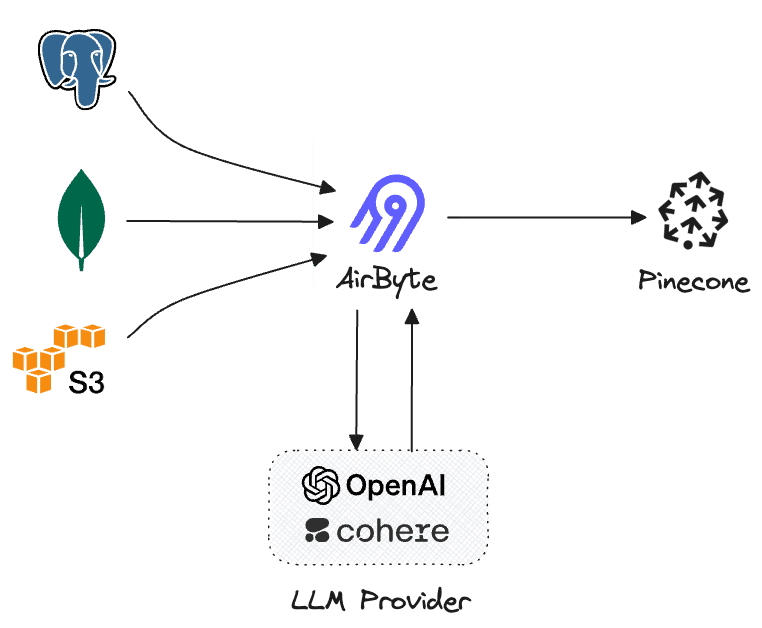
The Pinecone connector for Airbyte is all about leveraging the extensive range of Airbyte's source connectors and bringing them together with Pinecone's capabilities. It's about creating a seamless flow of data, with the ability to embed and upsert information, all in a way that's tailored to your specific use cases.

This post aims to provide a clear and practical overview of the Pinecone Airbyte connector. From enhancing semantic search capabilities to building intelligent recommendation systems, the Pinecone Airbyte connector offers a versatile solution. By tapping into Airbyte's extensive array of source connectors, you can explore new ways to enrich your data-driven projects and achieve your specific goals.

So let's dive in and explore what makes this connector a valuable addition to your data integration toolbox, without the complexity or constraints of a one-size-fits-all solution.

Features and Technical Details

The Pinecone connector is easy to use, yet very powerful. Here's what you need to know:

Integration with Airbyte

  • Source Connectors: Airbyte's extensive selection of hundreds of source connectors is at the heart of this integration. The Pinecone Airbyte connector enables you to tap into various data sources, creating a seamless flow of information into Pinecone's vector database.
  • Configuration Simplicity: Setting up the connector requires only some basic configuration details, such as the Pinecone API key and the specifications of your source system. No need for complex integration steps or on-premises deployment.
  • Column Embedding and Metadata Upsert: You can specify which column to use for embedding and define the chunk size and metadata fields. The connector will then embed the indicated column for each row and upsert the embeddings along with the metadata as defined.
  • Incremental sync: Airbyte supports syncing data incrementally, which means only new data will be processed - instead of reprocessing the entire dataset whenever any change is made in the connection source. When enabled, incremental sync will ensure only new data is embedded and upserted which could greatly optimize cost.
Airbyte diagram

Flexibility and Adaptability

  • Free and Open Source: The connector is available to everyone, offering a free and open-source solution to handle specific data integration needs.
  • Extensible: Designed with adaptability in mind, the Pinecone Airbyte connector will allow users to utilize other embedding models hosted elsewhere in the future.

Use Cases

Here are some of the use cases and industry applications for the Pinecone Airbyte connector, categorized by specific source connectors. This is by no means an extensive list, but it will give us a good idea of how these systems could be used in conjunction with Pinecone.

Source Connector Use Cases PostgreSQL Data analytics; Real-time reporting. BigQuery Large-scale data analysis; Machine learning integration. Salesforce Customer relationship management; Lead scoring. HubSpot Marketing automation; Customer segmentation. Shopify Personalized product recommendations;

This table showcases the wide range of applications that the Pinecone Airbyte connector can enable by leveraging different source connectors. It illustrates how you can address unique challenges and opportunities across various industries, making the most of Airbyte's rich selection of source connectors. In this upcoming series, we will explore these use-cases in greater depth.

What does the connector do?

The connector iterates over the rows in the source connection, embeds one selected column and optionally adds metadata based on a subset of selected columns. The embedding is done using one of the following methods:

  1. OpenAI - using the OpenAI API, the connector will produce embeddings using the text-embedding-ada-002 model.
  2. Cohere - using the Cohere API, the connector will produce embeddings using the embed-english-light-v2.0 model.

Once a connection is created, the connector will pull data from the configured source and then pass it to the Pinecone destination, which includes the embedding process and synchronizing the data with the configured Pinecone index.

How do I use the connector?

To use the connector, we’ll create a new connection between a simple source and the Pinecone destination.

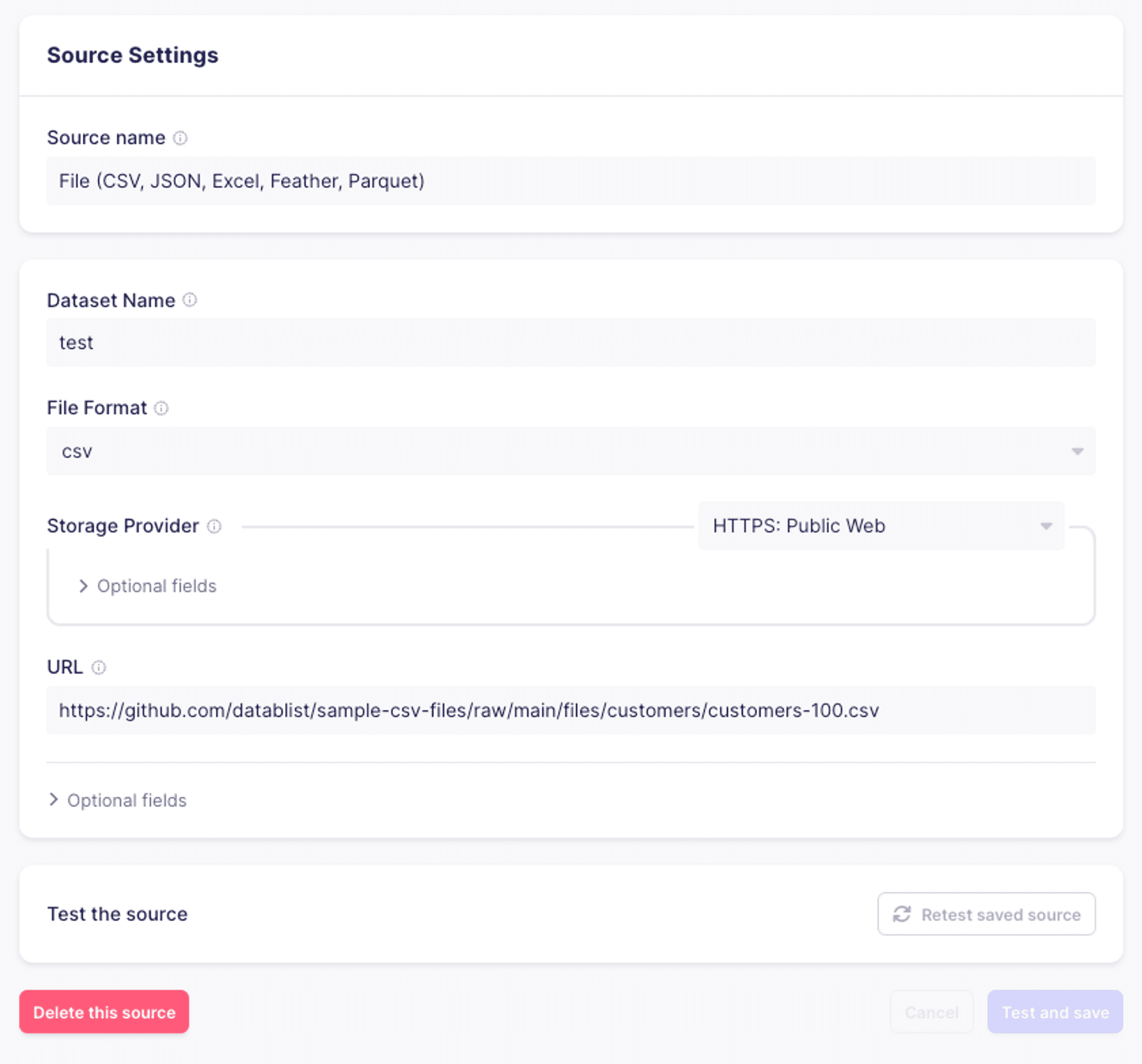
Configure a source connector

For the purpose of this example, we’ll use a simple CSV as the source data for our connection.
configure-source

Configure a new “Pinecone” destination

From the list of connectors, select “Pinecone”. You’ll then see a configuration screen. The configuration for the connector has three sections:

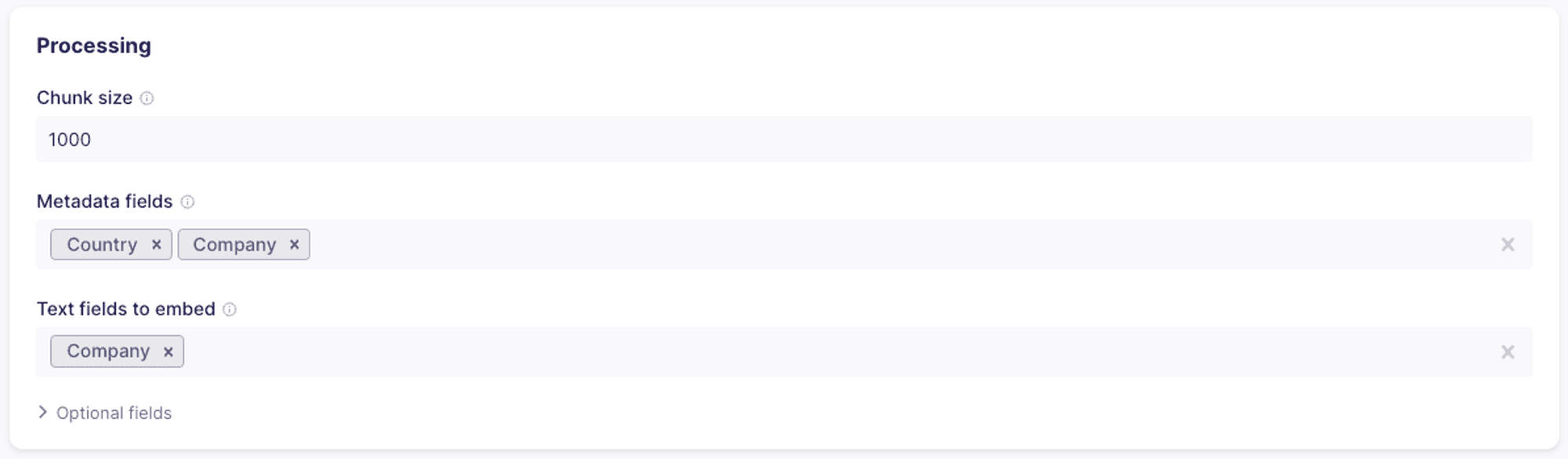
  1. Processing: handles how the records will be processed, which fields of the records will be embedded and which will be used as metadata.
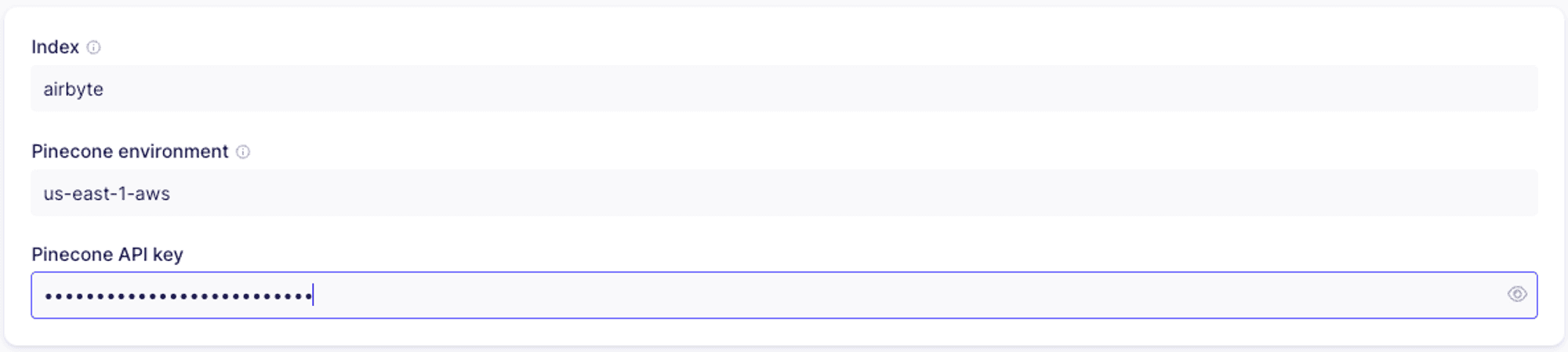
  2. Pinecone configuration: this is where you’ll provide the connector with configuration information for your Pinecone index.
  3. Embedding: this is where you’ll provide the connector with the API key for your embedding provider.

Processing
processing

  1. Chunk size: If the intended content you want to embed is long, you may choose a specific chunk size. The connector will split the selected text field into chunks in the specified size and then embed and upsert each chunk. Each chunk will include the metadata field _ab_record_id which references the original record from which the chunk was created.
  2. Metadata fields: for each embedding you create, you can associate some or all of the columns as metadata. Please note that there is a 40kb size limit to the metadata stored.
  3. Text fields to embed: you can choose one or more fields to use as the source for the embeddings. If more than one field is selected, the text from each will be combined before embedding.

Pinecone configuration
pinecone-configuration

  1. Index: the name of the index you’ll use. You’ll need to create the index either in the Pinecone console or programmatically prior to setting up the connector.
  2. Pinecone environment: the environment for your Pinecone project. This may be found in the Pinecone console.
  3. Pinecone API key: you can retrieve the API key from the Pinecone console.

Embedding

As mentioned above, you’ll be able to choose between OpenAI and Cohere as your providers. You’ll have to provide the API key for your embedding provider.

embedding

Testing

Once you created the destination, you’ll click “Test and save” to make sure everything is configured properly and all the connections are working.

Create a new connection

Once we set up our source and destination, we’ll set up a new connection. Assuming this is our first connection, we’ll see this dialog:
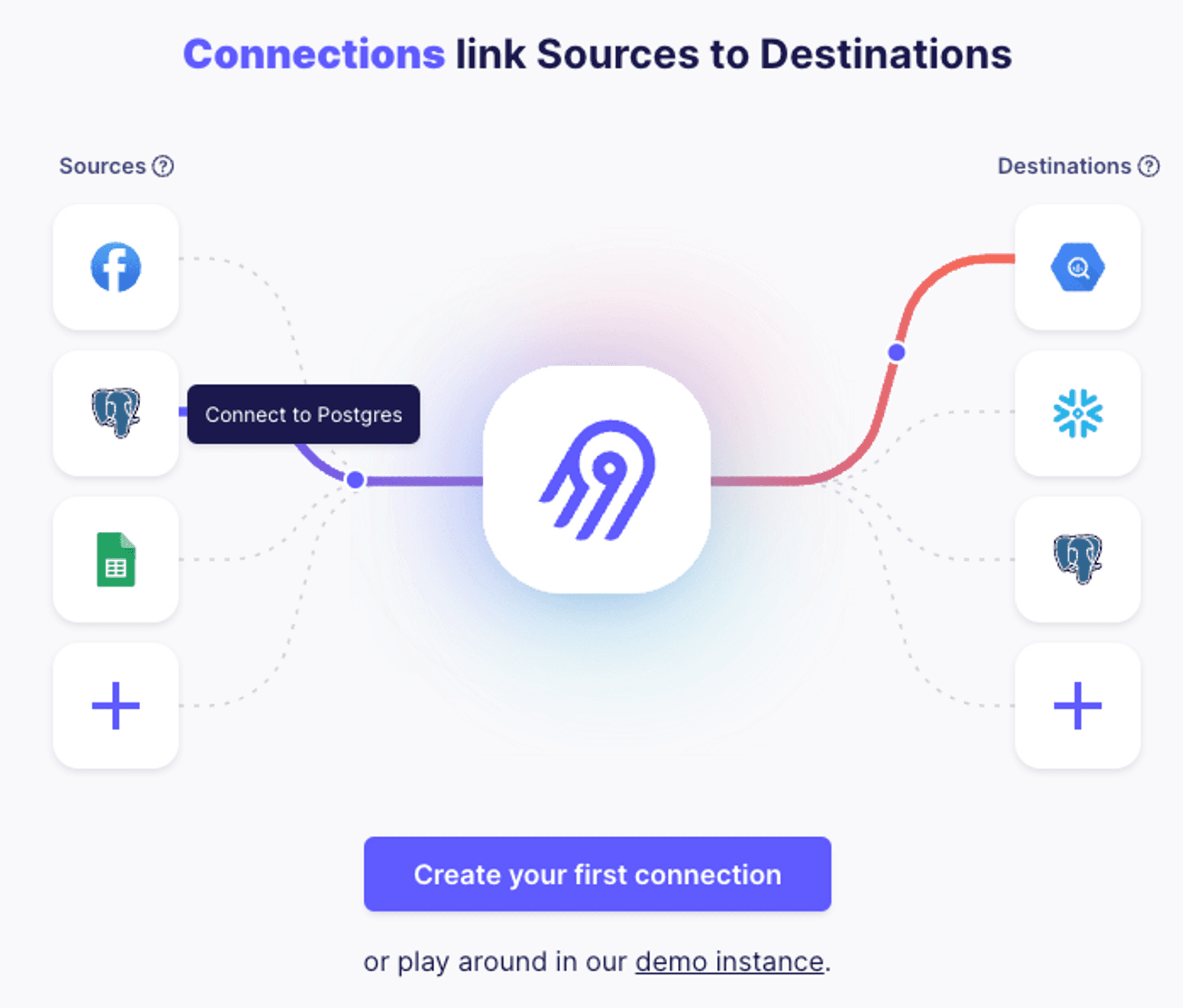
new-connection

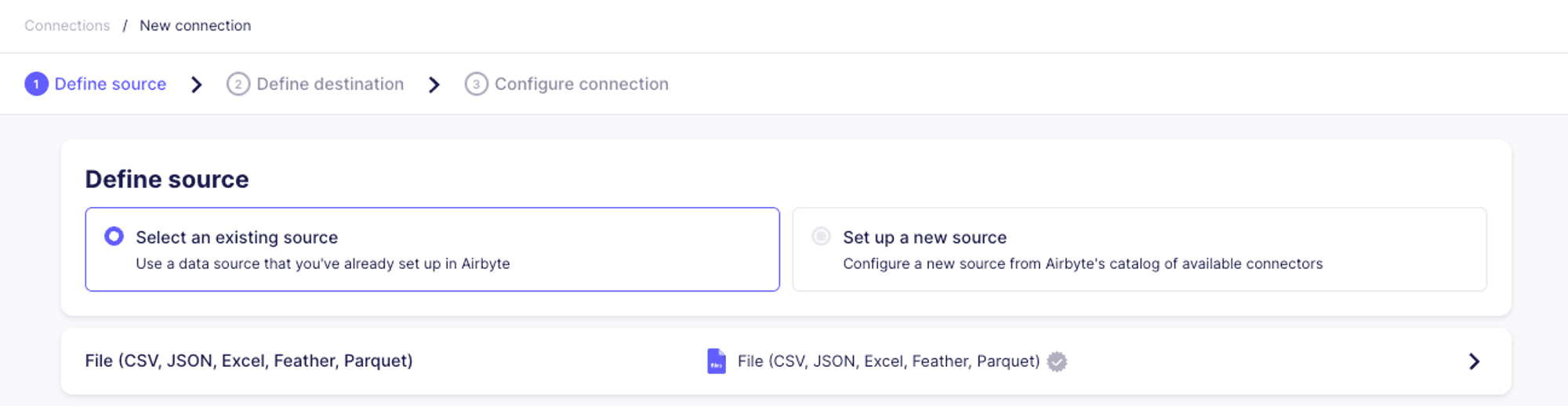
We’ll start by selecting the source:

define-source

Then select Pinecone as the destination:
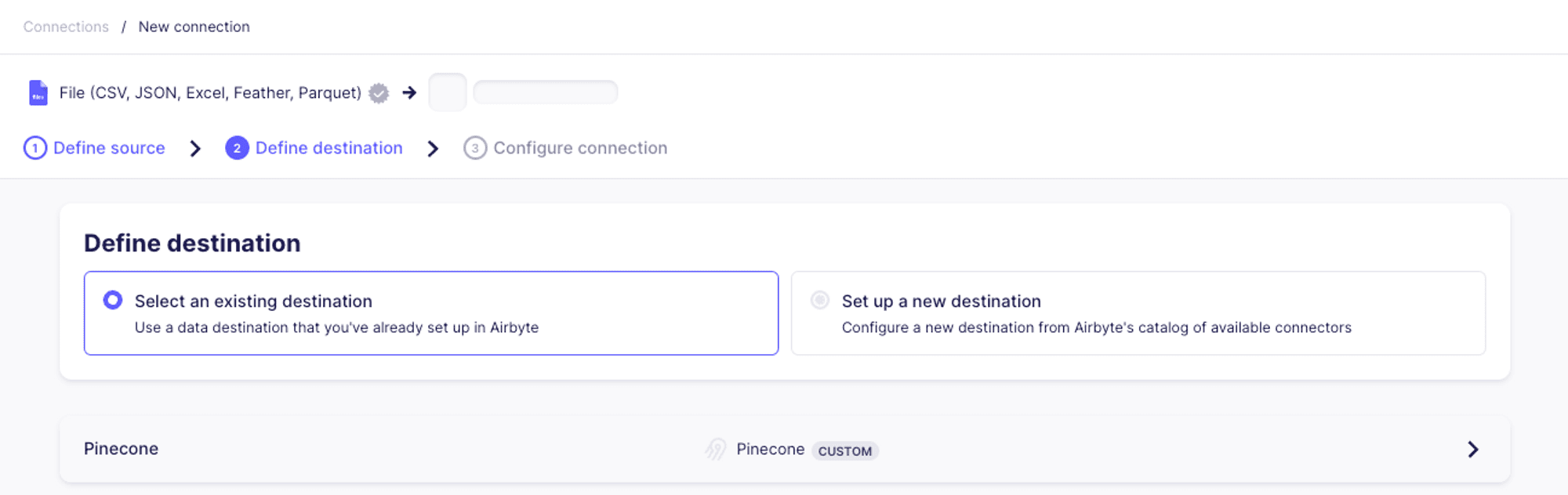
define-destination

Next, we’ll set up the connection configuration. For the purposes of this example, we’ll set the replication frequency to “Manual”.

connection-manual

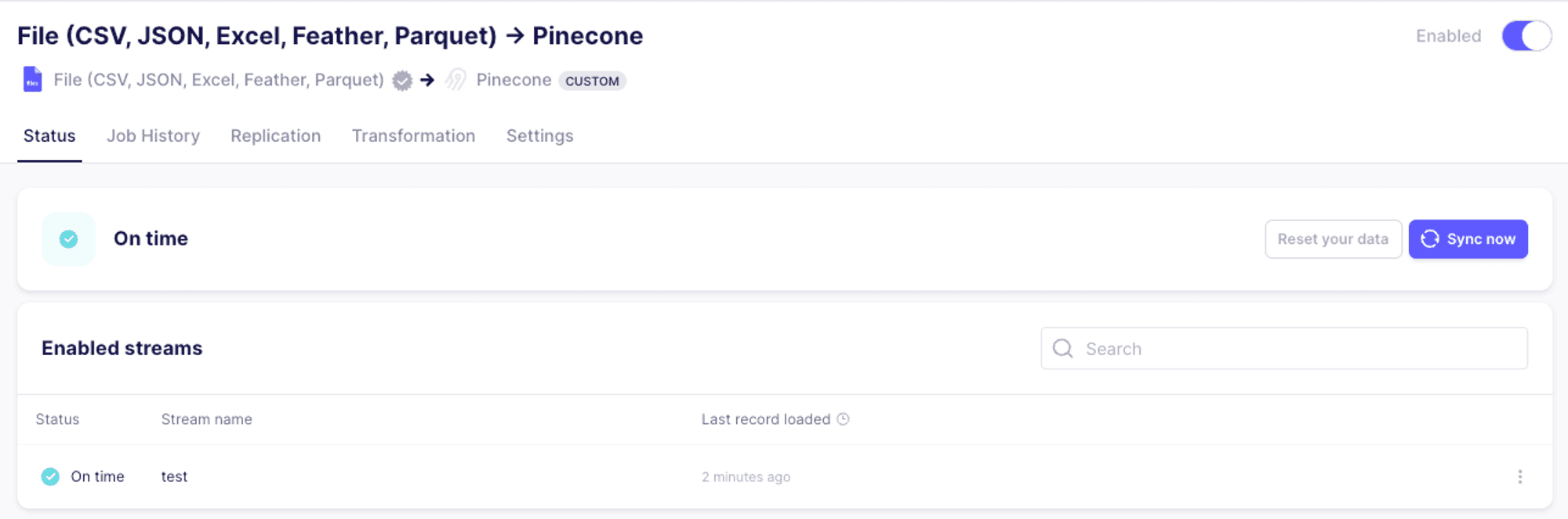
Once the connection is set up, we’ll hit “Sync now” to test our connector end to end.
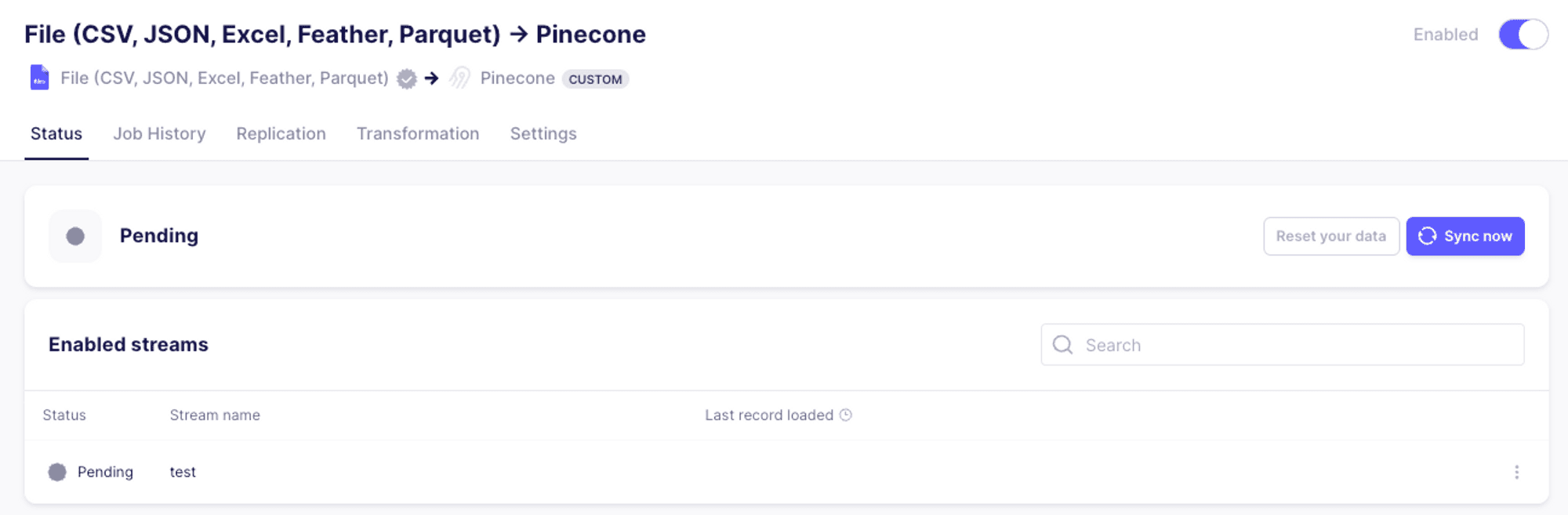
sync-now

Once the synchronization process has completed, we should see the following:
done

Summary

In this first look at the Pinecone connector for Airbyte, we reviewed some of the possible use cases for the connector, and saw how to set up the connector and how it works end to end. In the upcoming parts of this series, we’ll delve deeper into more complex integrations, and discuss the various features of Airbyte and how they interact with Pinecone.

Was this article helpful?