


cd ~{,/zhs/}URLs should’ve been permanent, however due to kinds of situations, URLs that referenced by other websites will lead to 404 page or even worse.
As for my own situation: I tried several URL styles in this few years, for example in URL of an article written in Chinese, should I include Chinese or using English only, and using title case or not. I also changed my mind about using GitHub Pages subdomain, migrated to my own custom domain.
When you look up for something on Internet, sometimes webpage or even the whole website just can’t open. It may be shut down and unmaintained for good, but also may be in a situation like mine: article migrated to a new URL.
I always feel disappointed when I happen to open a broken URL, so it’s such a Karma that I broke my own URLs: People consider my article worthy to reference, I should not fail them and leave things broken.
I came up with two solutions:
More realistic case is: my article has been not referenced at all, there is nothing to fix, nobody would ever click on the broken URL.
It’s the referenced broken URLs that should be concerned, I tried to find them over search engine, found some but still felt not quite satisfied.
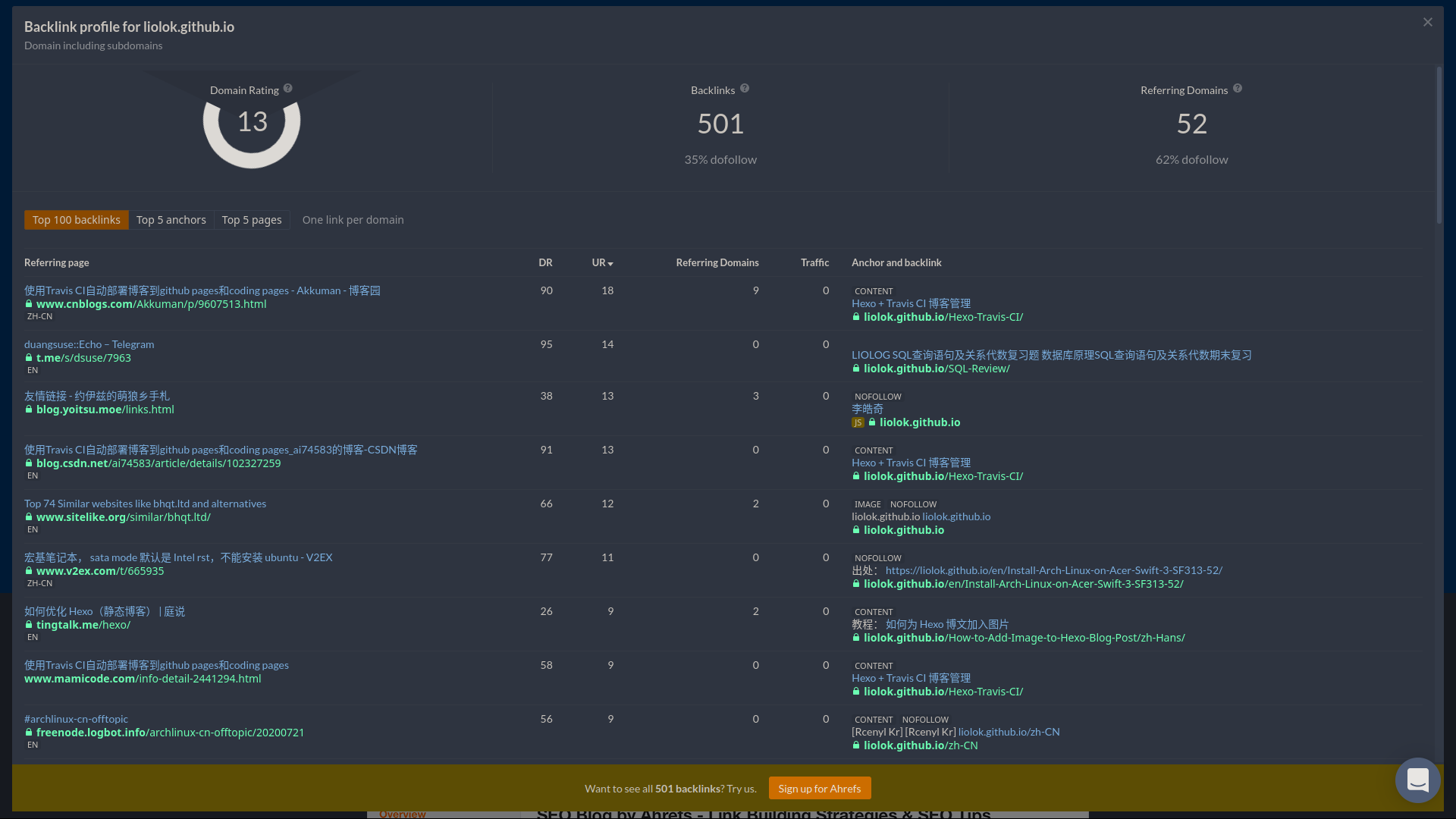
So this time I discovered this online tool: ahrefs.com/backlink-checker.
Using for free charge without signing up, you can reverse search:
on their “backlinks”, limited to top 100 results.
Redirection could also be implement by HTTP status code 301/302, but this method doesn’t suit my case so I didn’t dig in.
Write a HTML on old URL to achieve automatic redirection to new URL:
Note: If using directory style URL (pretty URL), like me, the HTML file should locate under corresponding directory with name
index.html.
<!DOCTYPE html>
<html lang="en-US">

<head>
    <meta charset="utf-8">
    <meta http-equiv="X-UA-Compatible" content="IE=edge">
    <meta name="viewport" content="width=device-width, initial-scale=1">
    <meta http-equiv="refresh" content="3; url=https://liolok.com/v2ray-subscription-parse/">
    <link rel="canonical" href="https://liolok.com/v2ray-subscription-parse/">
    <title>Site Moved</title>
</head>

<body>
    <h1>Site Moved</h1>
    <p><a href="https://liolok.com/v2ray-subscription-parse/">Redirecting to my new site...</a></p>
</body>

</html>
Core code is that line of meta refresh. content parameter contains a delay interval like 3 or 5 seconds, and the new URL to redirect.
To keep permanent URLs available, basic solutions are:
That’s all, wish you guys good health and long live.
此内容由惯性聚合(RSS阅读器)自动聚合整理,仅供阅读参考。 原文来自 — 版权归原作者所有。