







You’ve heard the warnings! Don’t tell ChatGPT your secrets. The robots are reading everything. Your data is the product. And yet here you are: using them as a subscriber. Because AI is genuinely useful!
The good news: that distrust is healthy, and you don’t have to choose between using AI and protecting yourself. You can do both. You just need to know what happens to your words after you hit send, and which switches to flip.
No technical background needed. By the end you’ll have a short checklist you can use to preserve your sanity (and identity) while using AI chatbots.
Here’s the part most people get wrong. They picture the chatbot as a private notepad. It isn’t.
Every message you send travels to a company’s servers to be processed, and what happens after that depends entirely on your settings and the company’s policies.
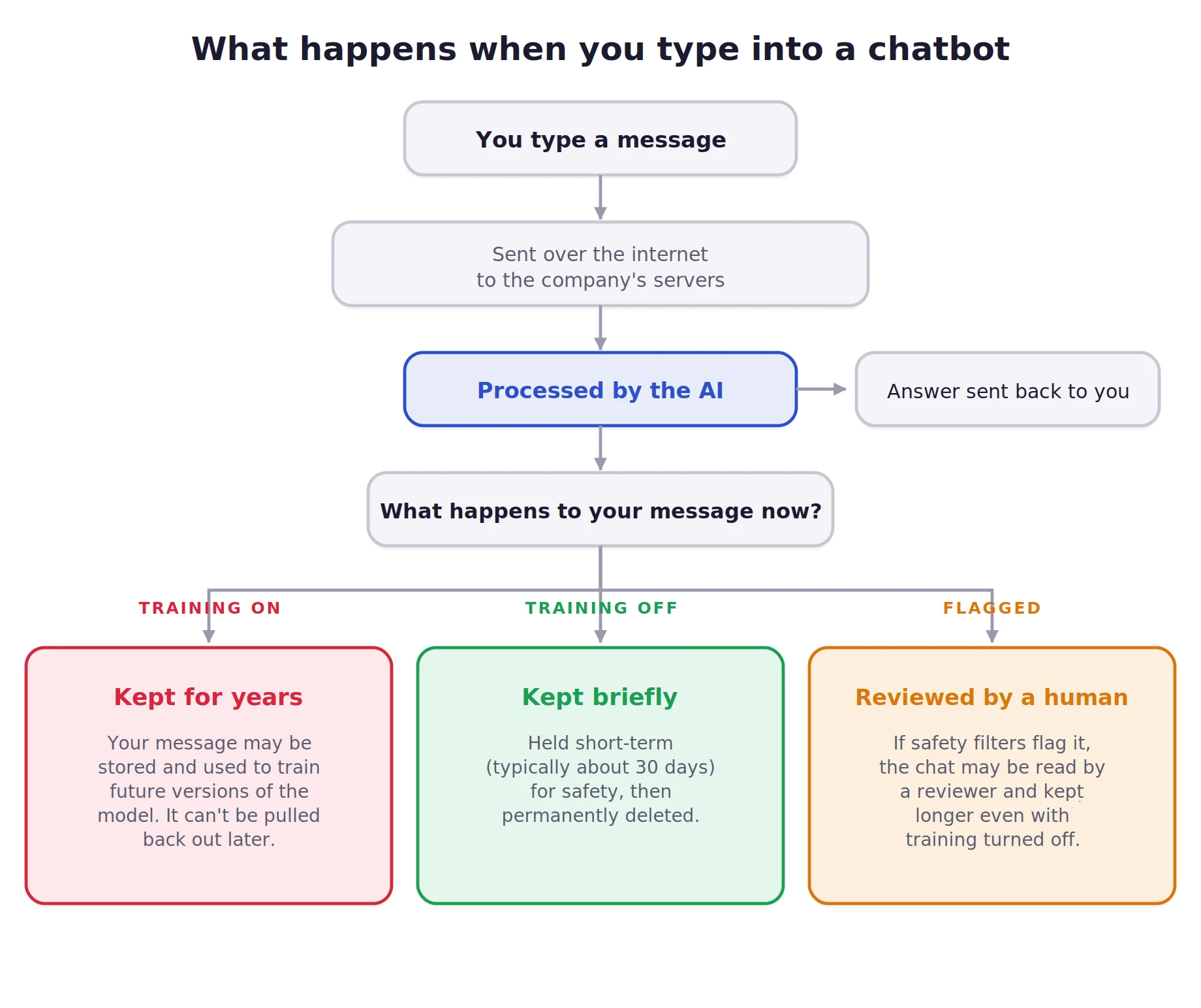
Three facts sit underneath everything else:
You can’t undo the past. But what you can do is take full control from one on.
Think in layers, not a single switch. Each one lowers your exposure. Most people stop at zero, and getting to layer two takes about five minutes.
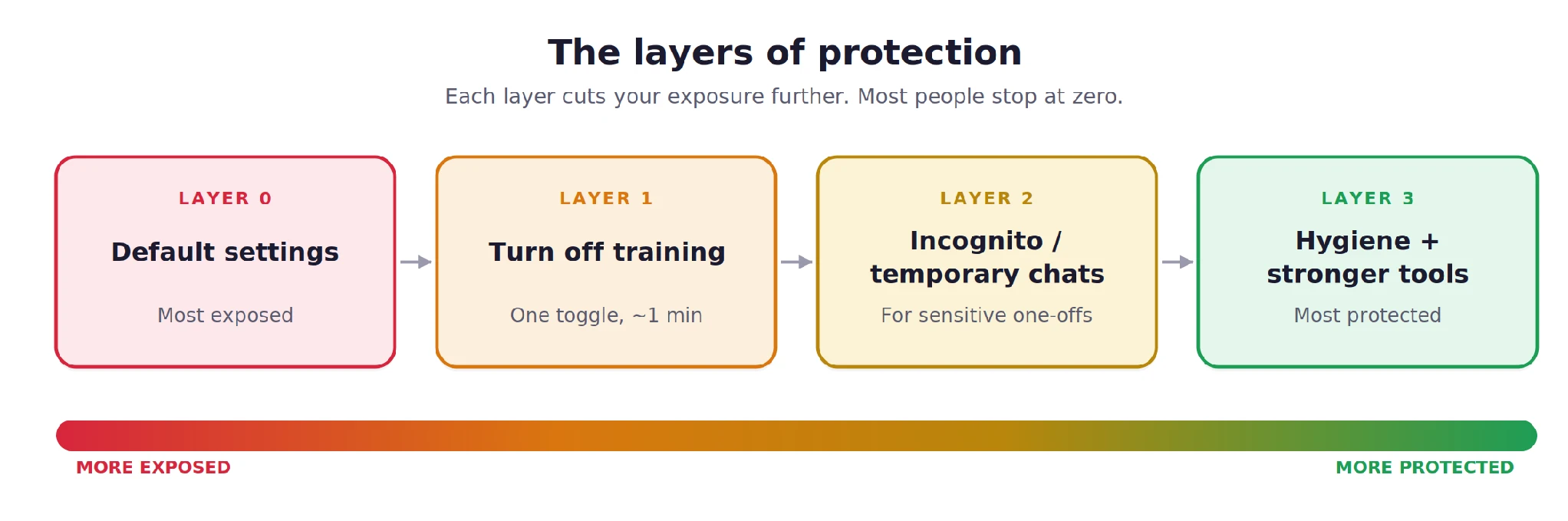
This single toggle stops your future conversations from being fed into the model. It’s usually buried in settings, but it takes seconds. As of mid-2026:
| Tool | Where to find it | What to do |
|---|---|---|
| ChatGPT | Settings → Data Controls → “Improve the model for everyone” | Switch it off |
| Claude | Settings → Privacy → “Help improve Claude” | Switch it off |
| Gemini | Activity / privacy settings → Gemini Apps Activity | Turn it off |
| Grok (on X) | X Settings → Privacy & Safety → data-sharing for Grok and the in-chat “Improve the model” toggle | Disable both |
Three things to know:
If you use AI through an official API (as a developer, or via a tool built on one), inputs to OpenAI, Anthropic, and Google aren’t used for training by default, with shorter retention. More private, but it means wiring up an integration instead of using the normal app.
Turning off training is the baseline. But sometimes you want a conversation that simply doesn’t stick around at all. Not in your history, not in the AI’s memory, not in training. That’s what these modes are for.
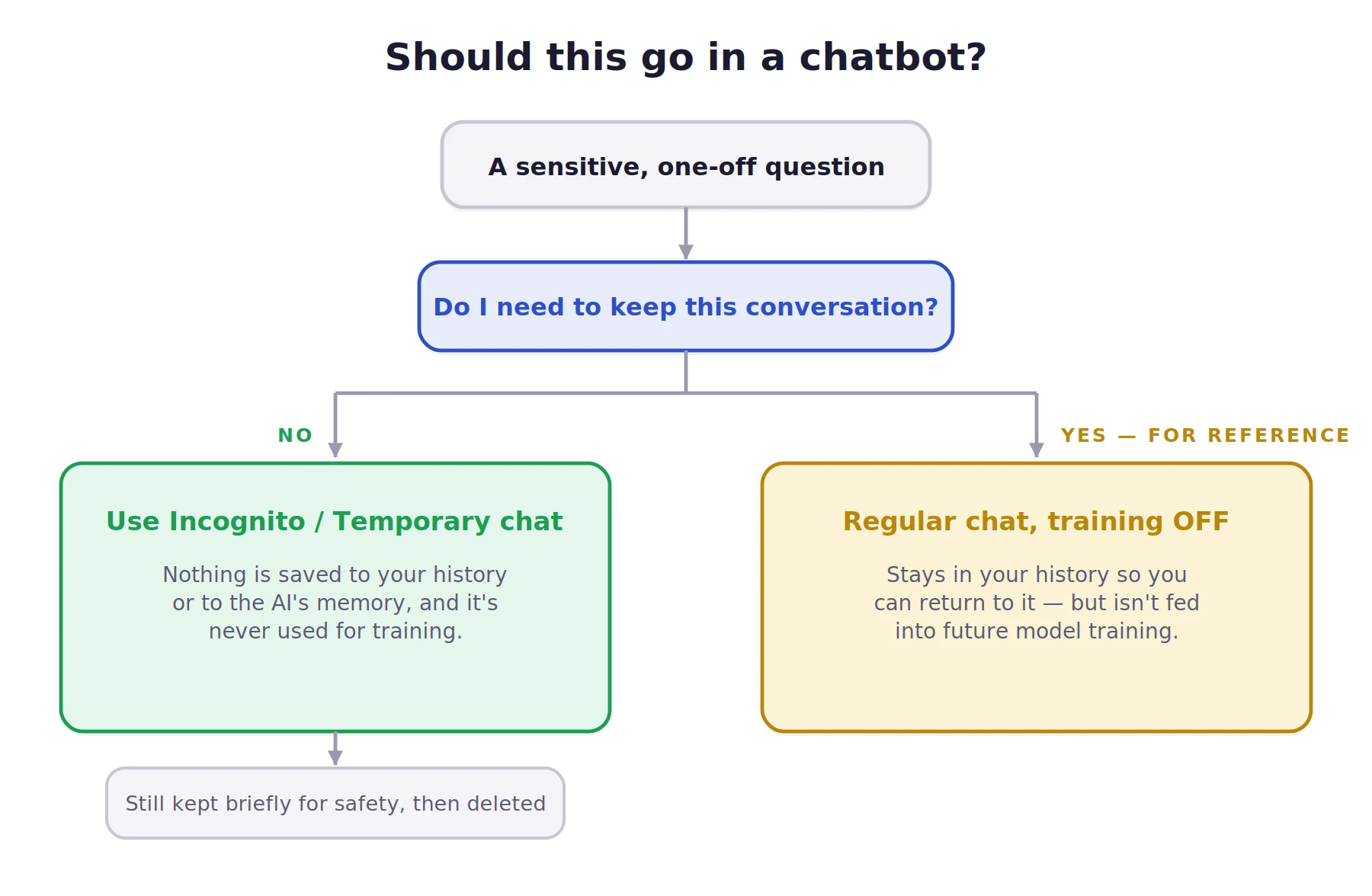
Is Claude’s incognito actually better? Yes.
But none of these modes are magic, Claude included:
If your real need is “no one at the company can ever tie this question to me,” no consumer incognito mode does that. That’s a job for local, offline AI, not a ghost icon.
Small habits that add up:
If your work really demands it: run a local open-source model so chats never leave your machine, or use an enterprise plan with Zero Data Retention, which contractually means nothing gets stored.
The things that turn a small slip into a real problem:
The trick isn’t silence, it’s redaction. Make the question generic. Instead of “My employee Sarah Chen, ID 4471, keeps missing deadlines,” ask “How do I give feedback to someone who keeps missing deadlines?” Same answer, zero exposure.
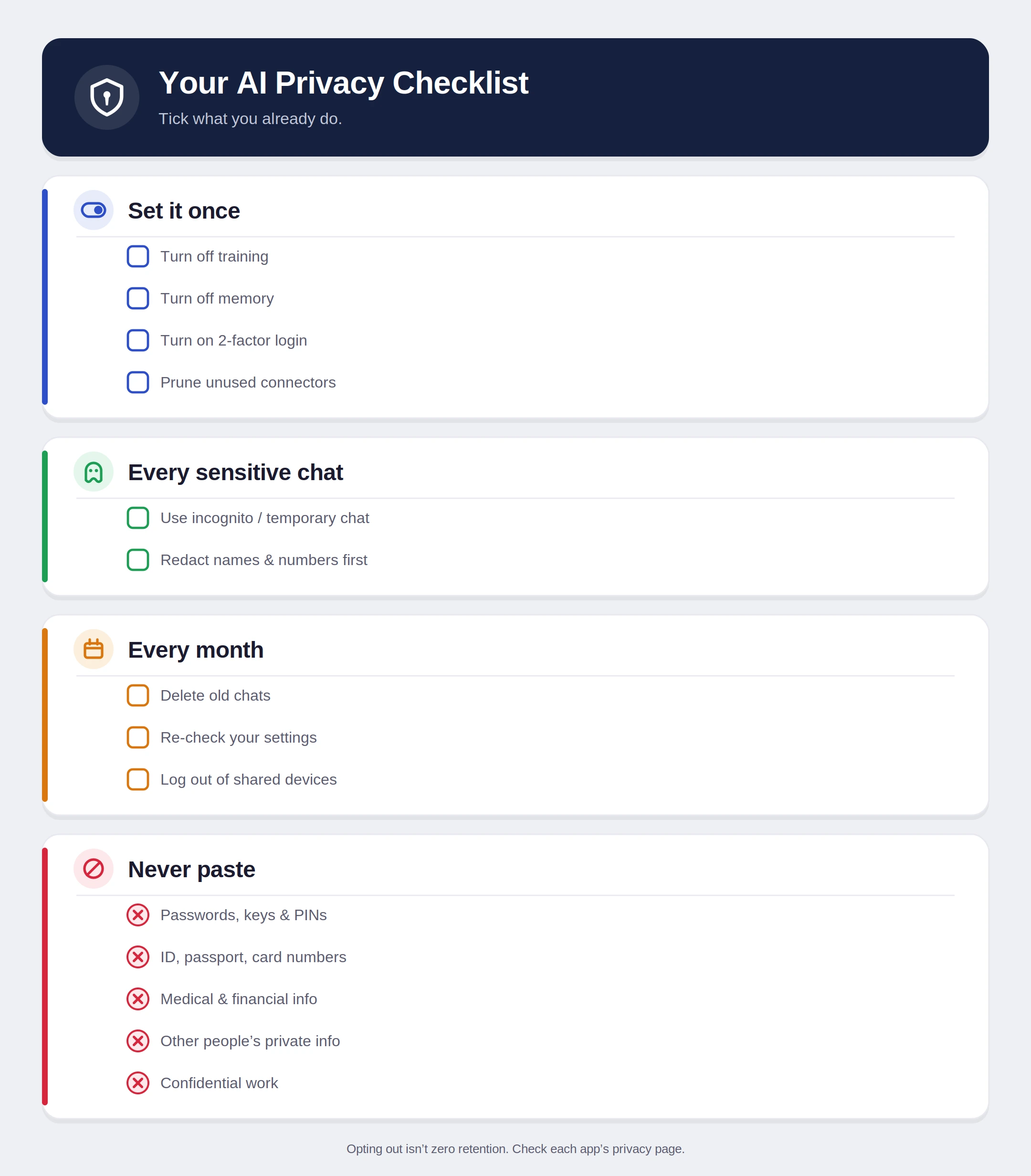
No checkbox makes a cloud chatbot truly private. Every message still leaves your device, opting out isn’t the same as zero retention, safety systems can still flag content, and deleted isn’t always gone. Anyone who tells you otherwise is selling something.
That’s not a reason to avoid AI. It’s a reason to use it like a grown-up.
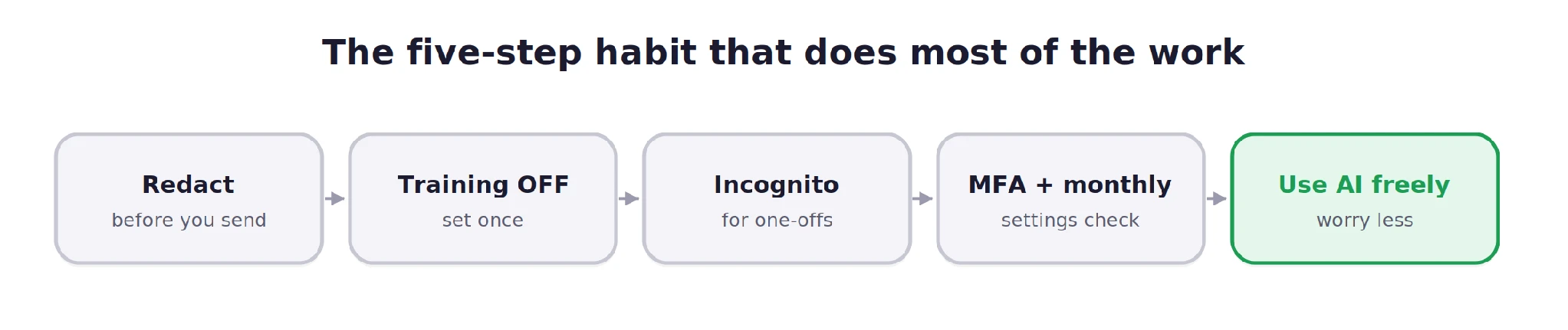
Distrust isn’t paranoia. It’s just good hygiene: the digital equivalent of locking your door. You can absolutely keep using these tools every day. Just remember the postcard rule, flip the switches once, reach for incognito when it counts, and keep your most sensitive details where they belong: under your control.
Q1. How do I stop AI chatbots from using my chats for training?
A. Turn off model training in each chatbot’s privacy or data controls settings.
Q2. Are temporary or incognito AI chats private?
A. They reduce history, memory, and training use, but companies may still retain them briefly for safety checks.
Q3. What should I never paste into AI chatbots?
A. Never paste passwords, API keys, financial details, identity documents, medical records, or confidential work information.
I specialize in reviewing and refining AI-driven research, technical documentation, and content related to emerging AI technologies. My experience spans AI model training, data analysis, and information retrieval, allowing me to craft content that is both technically accurate and accessible.
此内容由惯性聚合(RSS阅读器)自动聚合整理,仅供阅读参考。 原文来自 — 版权归原作者所有。