





 While working on LiteLLM (see LiteLLM: AI Gateway for LLMs – features overview), I had an idea: besides services like our Backend API, why not also monitor the Claude Code developers? Just out of curiosity – to see what’s going on there in general and how everyone uses our Anthropic Organization, because a lot of people are on the $200 subscription paid by the project (mine is the cheap $20 one 😥 ).
Actually, I’ve had this idea for a while, but I came back to it now because I’m actively working on AI monitoring, and when I started doing LiteLLM I remembered about Claude Code too.
But monitoring Claude Code with LiteLLM isn’t a great fit – we’re on subscriptions, and LiteLLM only does API, so routing Claude Code through it just to get metrics and traces is a so-so idea.
That said, Claude Code has its own built-in monitoring – it can send traces, metrics, and logs in the OpenTelemetry format, so we can just use that.
The main problem here was how to get all the developers to configure their instances – but there’s a solution for that too.
Contents
Documentation – Monitoring.
So, the general idea: enable telemetry in Claude Code, get the data straight into VictoriaMetrics/VictoriaTraces/VictoriaLogs, draw graphs in Grafana or even alerts in Slack via iLert (see ilert: an Opsgenie alternative – first look, Alertmanager, Slack).
Although most of the guides I read still use an OpenTelemetry Collector that receives data from Claude Code and forwards it to the backends – our OpenTelemetry stack is on pause for now, we haven’t gotten around to it yet, so I’m doing it the simpler way and sending the data straight to VictoriaMetrics.
Claude Code sends all the data in the OpenTelemetry format – and all the VictoriaMetrics services handle it perfectly without any extra configuration.
All settings are set through environment variables; some of the interesting extra parameters:
OTEL_LOG_USER_PROMPTS: log user prompts – interesting, but better not to do 😉OTEL_LOG_TOOL_DETAILS and OTEL_LOG_TOOL_CONTENT: record extra data about the use of Tools, Skills, MCP, etcOTEL_LOG_RAW_API_BODIES: store the full content of API requests and responses – you can take a look at what’s happening “under the hood”Keep High cardinality in mind (see VictoriaMetrics: Churn Rate, High cardinality, metrics and IndexDB) – and Claude Code lets you configure which attributes get added to the metrics and traces, see Metrics cardinality control.
And with the OTEL_RESOURCE_ATTRIBUTES variable we can add custom attributes.
You can also look at the OTEL_METRIC_EXPORT_INTERVAL parameter – how often Claude Code will send the data; by default it accumulates it for 60 seconds and then sends it in a batch.
Let’s go test it.
First let’s check locally how it works and what’s interesting in there – and then we’ll add it to our organization and roll it out to all the users.
Documentation – Metrics.
Let’s start with the basics – metrics. There aren’t that many of them – but there are some interesting and useful ones.
Enable telemetry in general:
$ export CLAUDE_CODE_ENABLE_TELEMETRY=1
In OTEL_EXPORTER_OTLP_METRICS_ENDPOINT we pass the URL of the VictoriaMetrics instance with /opentelemetry/v1/metrics – see OpenTelemetry Collector.
$ export OTEL_METRICS_EXPORTER=otlp
$ export OTEL_EXPORTER_OTLP_PROTOCOL=http/protobuf
$ export OTEL_EXPORTER_OTLP_METRICS_ENDPOINT=https://vmsingle.monitoring.1-33.ops.example.co/opentelemetry/v1/metrics
Run claude in the same terminal window, and a couple of minutes later we have metrics.
Since this is OTel – the query format will be {__name__="claude_code.token.usage"}:
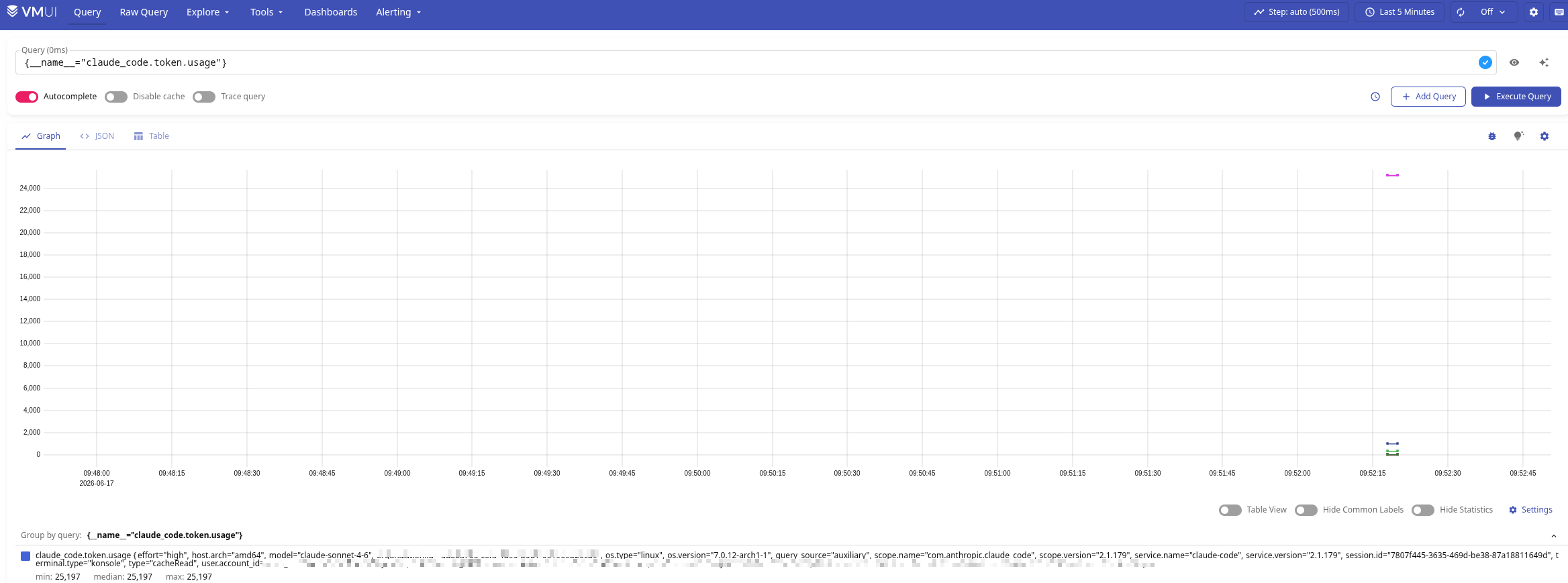
Some of the interesting metrics here:
claude_code.cost.usage: notional usage cost – notional, because we’re on subscriptions, but Claude still counts the tokens and knows how much it would cost if you worked directly through the APIclaude_code.token.usage: the token count itselfclaude_code.lines_of_code.count: how much code Claude generatedclaude_code.pull_request.count: how many Pull RequestsDocumentation – Traces.
It’s in Beta for now, but works fine.
In the same terminal window we add the variables to enable sending traces, with the address of the VictoriaTraces instance:
$ export CLAUDE_CODE_ENHANCED_TELEMETRY_BETA=1
$ export OTEL_TRACES_EXPORTER=otlp
$ export OTEL_EXPORTER_OTLP_TRACES_ENDPOINT=https://vmtraces.monitoring.1-33.ops.example.co/insert/opentelemetry/v1/traces
Run claude, check whether the traces went to VictoriaTraces – look at the available service.name:
$ curl -s 'https://vmtraces.monitoring.1-33.ops.example.co/select/jaeger/api/services'
{"data":["claude-code","kraken-dev","kraken-prod","kraken-staging","morpheus-agent"],"errors": null,"limit": 0,"offset": 0,"total":5}
And now we can look at the traces themselves by {resource_attr:service.name="claude-code"}:
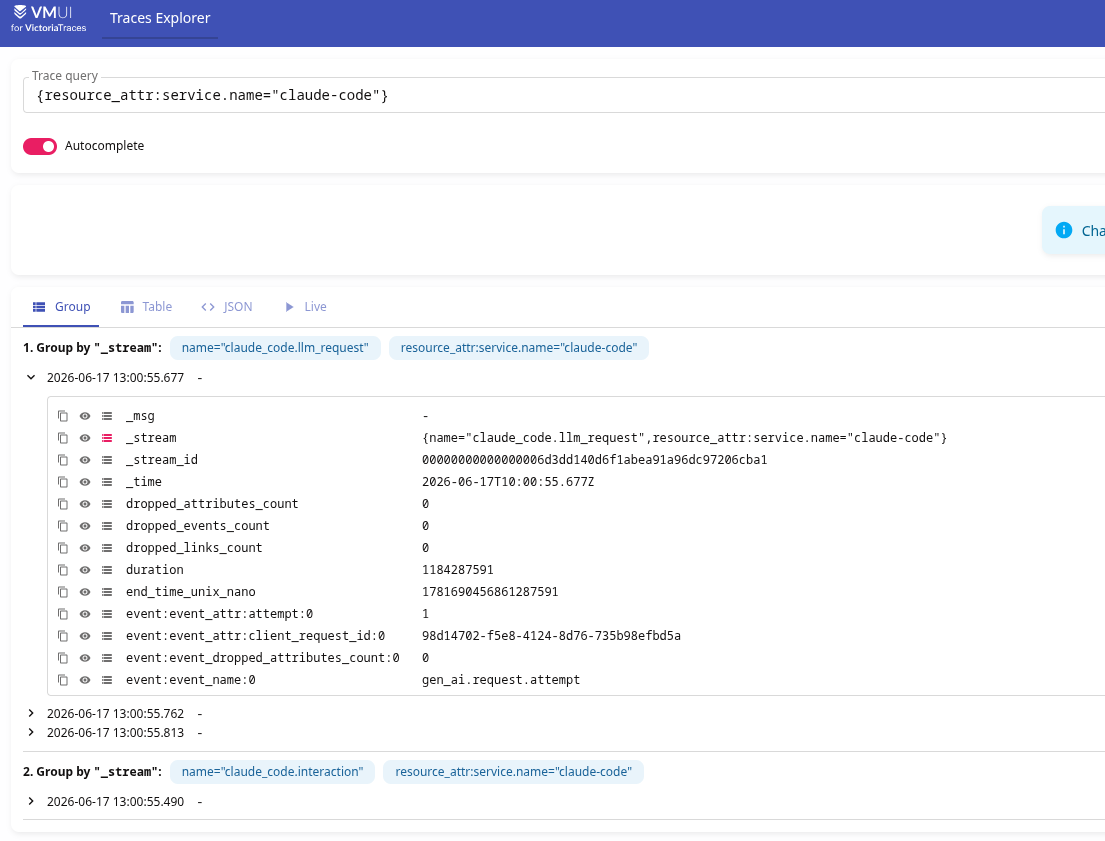
All root spans are claude_code.interaction, all the main data will be in claude_code.llm_request – see Span attributes.
Documentation – Events.
Each Event is a separate log record for each event in Claude Code’s operation, for example:
user_prompt: the user sent a promptapi_request: a request to the model went outtool_result: a tool finished (Edit/Bash/Read, etc)tool_decision: the user accepted/rejected a proposed action (permission)All Events share the prompt.id attribute – so we can see the whole process of a request being executed.
We add the variables, and in the endpoint we point to the VictoriaLogs instance:
$ export OTEL_LOGS_EXPORTER=otlp
$ export OTEL_EXPORTER_OTLP_LOGS_ENDPOINT=https://vmlogs.monitoring.1-33.ops.example.co/insert/opentelemetry/v1/logs
Restart claude, search for logs by {service.name="claude-code"}:
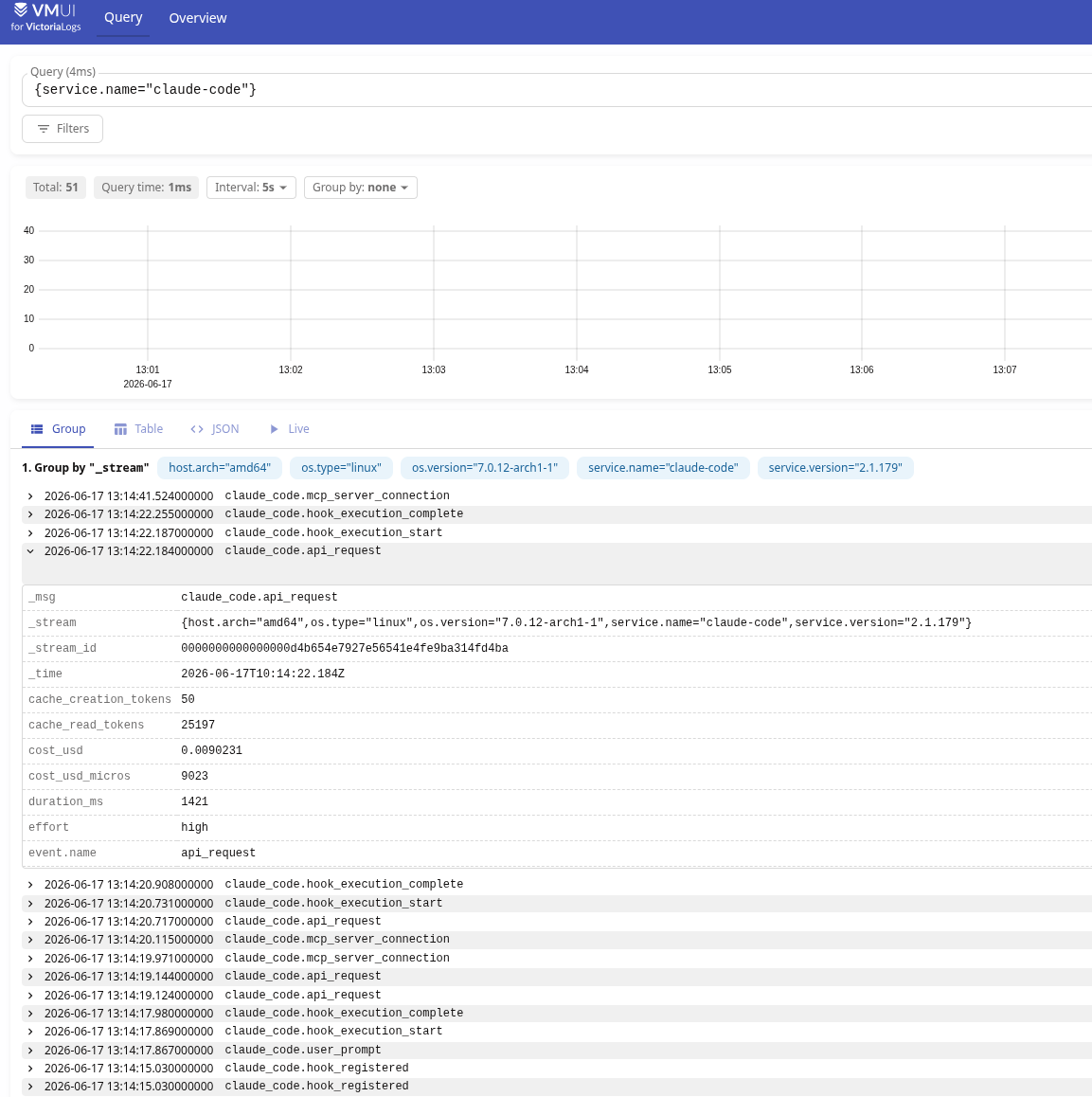
There are plenty of ready-made dashboards, for example Claude Code Metrics, Claude Code Metrics (Prometheus), Claude Code Metrics Dashboard or Claude Code Observability Dashboard.
For me and the project this monitoring isn’t that important – so I won’t spend time building my own board, like I usually do, and I’ll just grab something ready-made and tweak it a bit for myself.
The one catch with the ready-made dashboards is that they use metrics in the Prometheus format, and since my data from Claude Code goes straight to VictoriaMetrics – the names there will be in the OTel format.
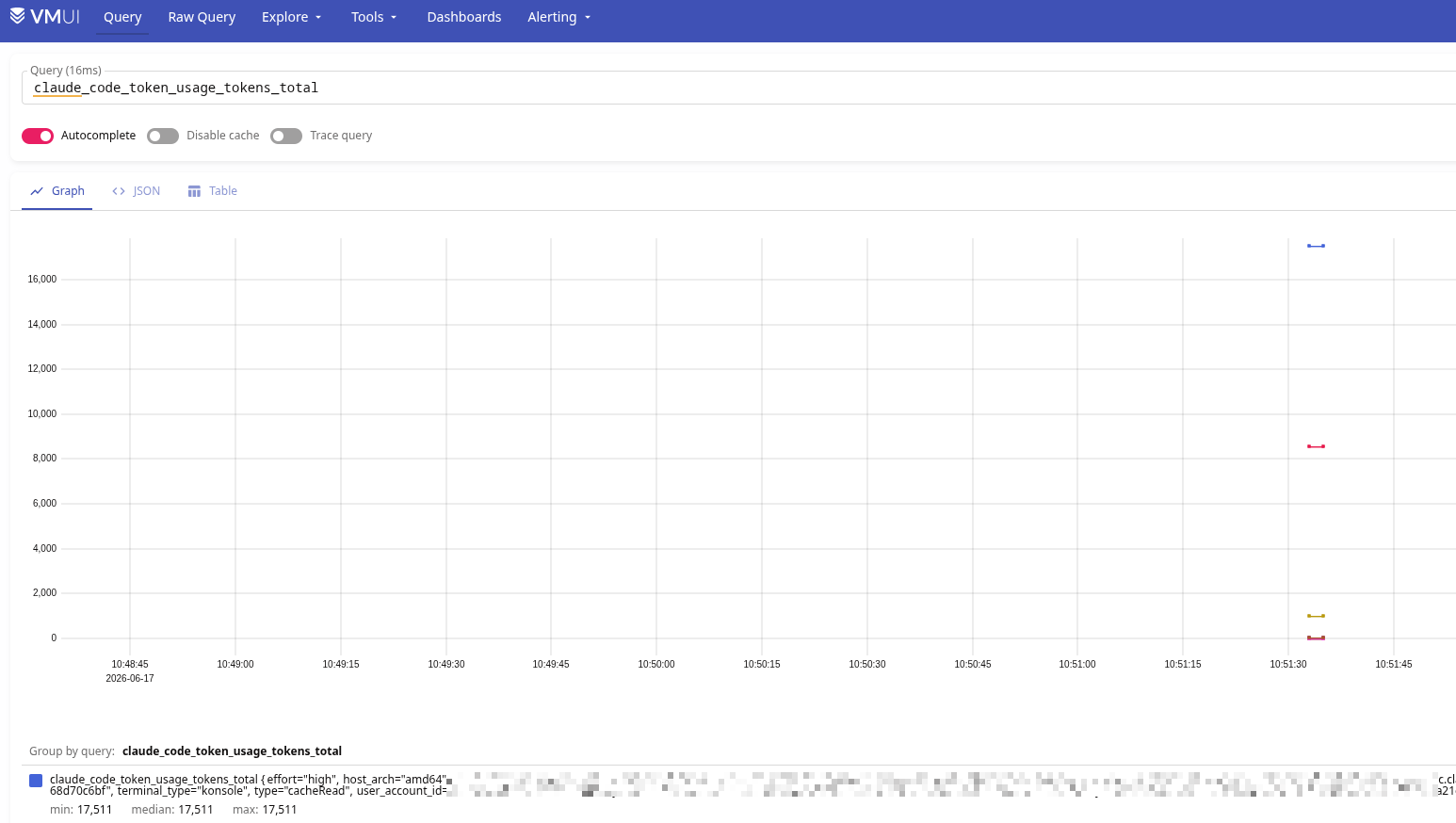
But you can add the usePrometheusNaming option – then VictoriaMetrics will store them in the regular format, see Label sanitization.
If you deploy with the victoria-metrics-k8s-stack Helm chart – add this to the values:
...
  vmsingle:
    spec:
      extraArgs:
        opentelemetry.usePrometheusNaming: "true"
...
Then we get metrics and labels in the form of claude_code_token_usage_tokens instead of claude_code.token.usage:
The main blocker was – how do you tell every developer that they need to update their settings.json?
But for Organizations there’s a way to configure everything centrally – see Configure server-managed settings.
First let’s do it locally – again, to check that it works, so we don’t break anything for people – we edit our own ~/.claude/settings.json:
{
  "env": {
    "CLAUDE_CODE_ENABLE_TELEMETRY": "1",
    "CLAUDE_CODE_ENHANCED_TELEMETRY_BETA": "1",
    "OTEL_EXPORTER_OTLP_PROTOCOL": "http/protobuf",
    "OTEL_METRICS_EXPORTER": "otlp",
    "OTEL_EXPORTER_OTLP_METRICS_ENDPOINT": "https://vmsingle.monitoring.1-33.ops.example.co/opentelemetry/v1/metrics",
    "OTEL_TRACES_EXPORTER": "otlp",
    "OTEL_EXPORTER_OTLP_TRACES_ENDPOINT": "https://vmtraces.monitoring.1-33.ops.example.co/insert/opentelemetry/v1/traces",
    "OTEL_LOGS_EXPORTER": "otlp",
    "OTEL_EXPORTER_OTLP_LOGS_ENDPOINT": "https://vmlogs.monitoring.1-33.ops.example.co/insert/opentelemetry/v1/logs",
    "OTEL_METRICS_INCLUDE_SESSION_ID": "false"
  }
}
Save it, restart Claude, and if everything works and the metrics/traces/logs are there – we add it for everyone in the Organization settings:

You can do the minimal setup – metrics only:
{
  "channelsEnabled": true,
  "env": {
    "CLAUDE_CODE_ENABLE_TELEMETRY": "1",
    "OTEL_EXPORTER_OTLP_PROTOCOL": "http/protobuf",
    "OTEL_METRICS_EXPORTER": "otlp",
    "OTEL_EXPORTER_OTLP_METRICS_ENDPOINT": "https://vmsingle.monitoring.1-33.ops.example.co/opentelemetry/v1/metrics",
    "OTEL_METRICS_INCLUDE_SESSION_ID": "false"
  }
}
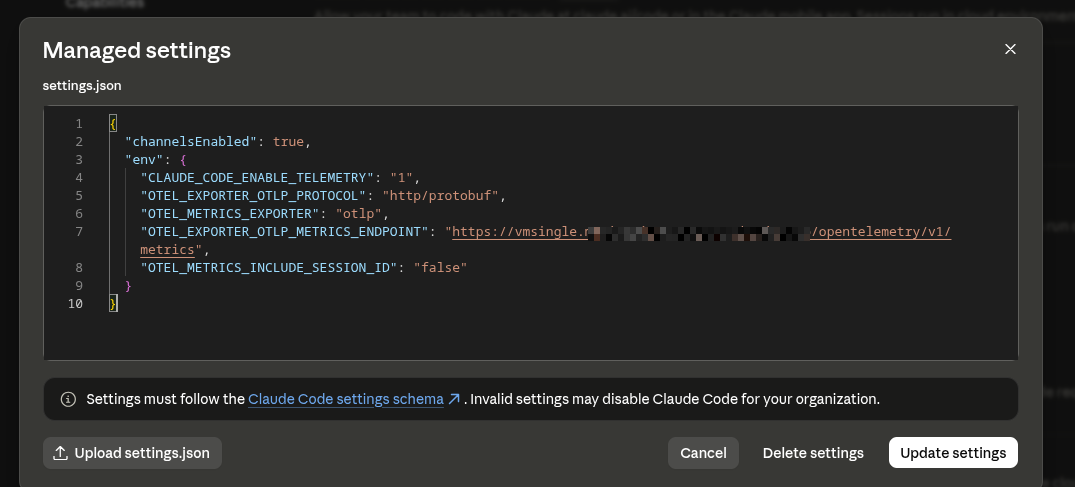
Restart Claude Code (although the developers said the changes were picked up without a restart) – and we get a warning:

Wait for the data from everyone – and we have proper monitoring of Claude Code usage across the organization.

此内容由惯性聚合(RSS阅读器)自动聚合整理,仅供阅读参考。 原文来自 — 版权归原作者所有。