


One aspect of freedom that applies to storing and managing data is relatively easy to understand and measure: Data Mobility. At one end of the spectrum, you are entirely free to move data between any storage systems without restrictions. On the other end, proprietary systems effectively imprison your data where it is stored. This blog is part of a series of blogs on Data Freedom, so subscribe to our RSS feed and check back weekly to read more in this series.
In the roughly 30 years since networked storage emerged, organizations have complained about — and surrendered to — the limits and complexities associated with moving data and how they slow down operations. Organizations want more agility, yet many continue to deploy networked storage in proprietary silos with restrictions. TrueNAS has always offered many choices for moving data, and now there is a new official app that allows Enterprise File Sync, known as Syncthing, in the Enterprise Train for TrueNAS SCALE.
Organizations of all sizes need data mobility’s flexibility to keep data synced between geographically distributed systems. Whether you need off-site backups or the ability to migrate data between systems within data centers, TrueNAS has several choices among built-in tools for replicating data. While many have frequently used ZFS replication, rsync, and cloudsync to manage data transfers, these tools were not designed for multi-site file sync needs. That’s where Enterprise File Sync with syncthing comes in.
Many organizations have multiple buildings or remote sites that house content and software development, and users want to collaborate and share this critical data. But where should the data be located for the best user experience and productivity? TrueNAS Enterprise File Sync allows data to be present on systems at multiple sites worldwide while providing concurrent read and write access to each system. File updates to one system are automatically synced across all systems, with the only constraint being the bandwidth between the systems.
Media production companies require large assets to be quickly accessible to editors and related applications, and public clouds are too slow and not up to the task. With Enterprise file sync, media can be hosted on all-flash systems for fast editing and simultaneously synced to a hard drive-based archive for long-term storage. Where necessary, the same files can be quickly and directly accessed via local systems, greatly accelerating and simplifying these workflows.
A simple deployment example is a single pair of sites and systems that can constantly provide SMB or NFS read and write access. This enables backup, disaster recovery, and application acceleration in a simple configuration.
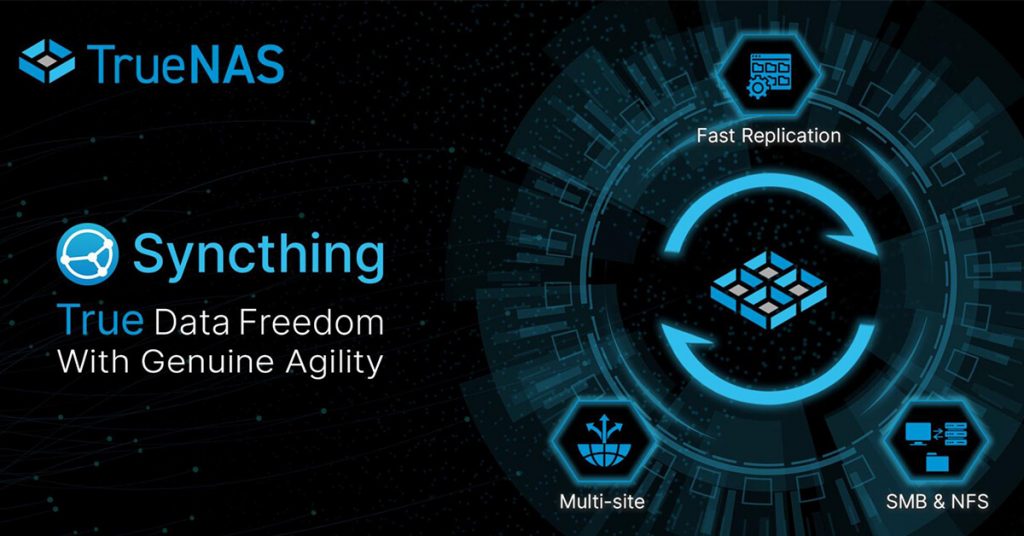
Enterprise File Sync is the requirement, and the Syncthing App is the software that helps deliver these capabilities. Syncthing can be deployed as an Enterprise App on a TrueNAS system* and configured to perform file sync, migration, and replication tasks.
* Syncthing is more robust on TrueNAS SCALE than TrueNAS CORE because Linux provides a more reliable file change notification process.
Syncthing monitors the OpenZFS file system for file changes and provides several key features:
The developer of Syncthing is an Open Source-focused company called Kastelo, based in Sweden. Kastelo and iXsystems have collaborated to enhance Syncthing to include additional capabilities, such as the synchronization of TrueNAS file metadata (NFSv4 ACLs, permissions) and the files. There is more ability and data freedom to come, including TrueNAS SCALE Cobia, which also reached its BETA release this week and will include additional cross-vendor file sync capabilities.
The Syncthing App can be installed on your TrueNAS SCALE system from the Apps page by searching for it under Available Applications.
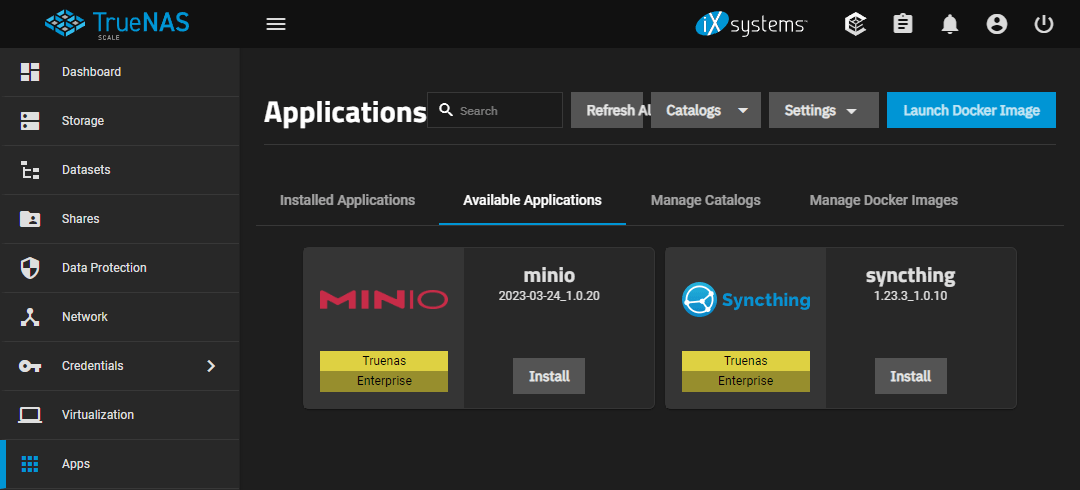
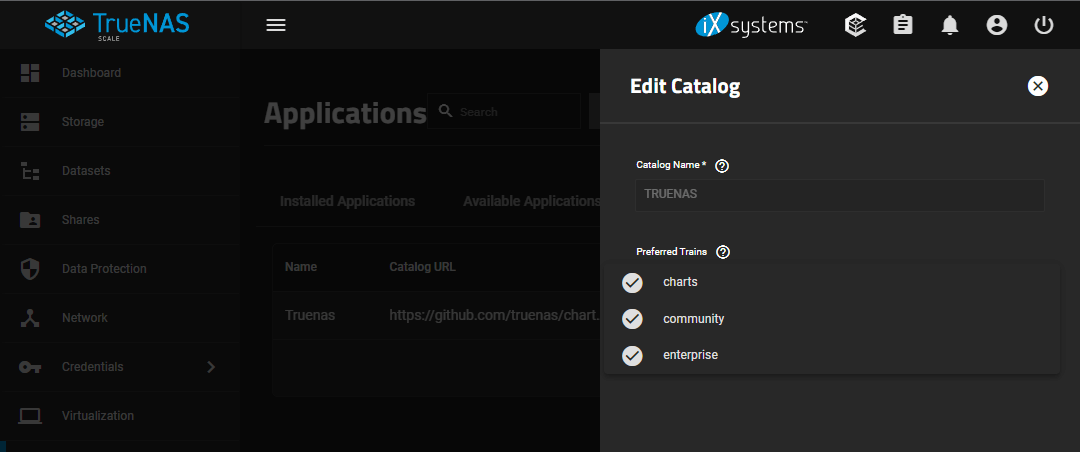
To ensure that you’re installing Syncthing for Enterprise File Sync, or if you only see the “Charts” version, you can use the Manage Catalogs tab to edit and enable the Enterprise application train.
The Syncthing app for Enterprise File Sync on TrueNAS SCALE is available today, having undergone extensive testing on SCALE 22.12 internally and in thousands of external deployments. Once you try the Syncthing app, we bet that you will agree that Kastelo has developed a very cool and useful technology. If you use Syncthing, please join iX in donating to the open source project to show your appreciation.
You are invited to test our new Enterprise File Sync functionality with Syncthing, use its capabilities for less critical use cases, and stand up an additional system for replication or synchronization for free. We recommend starting with TrueNAS SCALE 22.12 and viewing the video guide and documentation for additional support.
If you have not yet configured a TrueNAS SCALE system, check out the SCALE Evaluation Guide. The written guide with accompanying videos was designed to get you up and running on your hardware in under an hour to experience the benefits of True Data Freedom.
此内容由惯性聚合(RSS阅读器)自动聚合整理,仅供阅读参考。 原文来自 — 版权归原作者所有。