






Ransomware remains top of mind for businesses as it continues to make headlines in 2023, with malicious actors targeting companies across the globe for infection and then extorting them for large sums of money. The seemingly random, indiscriminate attacks from criminal or state-sponsored ransomware groups means that preparing for an attack is one of the things keeping IT department managers up at night. Ransomware response policies are being written from the perspective of “not if, but when” due to the rapid pace of evolution and use of zero-day exploits as a means to drive profit into the pockets of criminals.
End-user training campaigns for phishing awareness can mitigate the risk of a perimeter breach, but persistent attempts from advanced or state-sponsored attackers can leverage remote exploits that don’t require user interaction. The first line of defense for any device or system on a network is the network itself. Following security best practices for endpoint and perimeter security is the foundation of ransomware protection. When properly configured on a secure network, TrueNAS further protects your data from ransomware.
TrueNAS offers multiple levels of protection against ransomware, including snapshots, native encryption, authentication,and containerization, just to name a few. And, of course, the code is open source which makes it easily auditable and continuously has eyes on it. With TrueNAS SCALE appliances from iXsystems and TrueCommand, additional layers of protection are available including FIPS 140-3 compliant cryptography modules, limited user permissions during replication, client-side role-based access controls (RBAC) and much more.
Below, we’ll identify some best practices for securing and hardening your TrueNAS SCALE installation against a malicious actor attempting to deploy ransomware.
Install the Latest TrueNAS Updates
As with any software, staying up-to-date with the latest version of TrueNAS will allow you to receive the latest feature enhancements, bug fixes, and security patches. Updates can be performed through the web UI under the System Settings and Update menu, or downloaded separately from the TrueNAS CORE or TrueNAS SCALE download pages and manually installed on your system.
Set up Recurring Snapshots for your Data
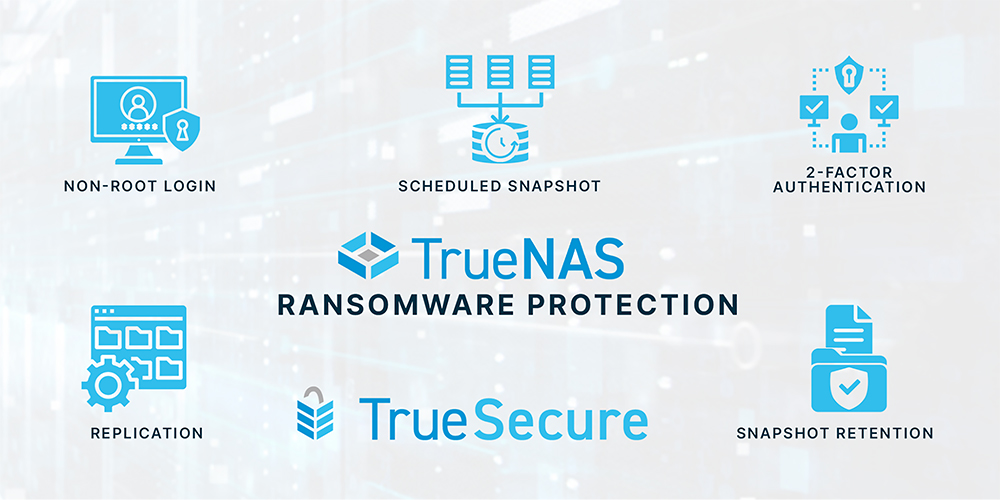
All versions of TrueNAS support copy-on-write OpenZFS snapshots, which prevent data in the snapshots from being encrypted in a ransomware attack. Use the Data Protection tab in TrueNAS SCALE to configure one or more Recurring Snapshot tasks. Because only changed data is saved, snapshots can be taken frequently, giving you a shorter Recovery Point Objective (RPO) for your continuity plans.
Set a Long Retention Time on your Snapshots
As TrueNAS data and snapshots are stored in a copy-on-write manner, the overhead of retaining multiple layers of snapshots is significantly reduced compared to traditional filesystems. With TrueNAS, daily or weekly snapshots can be held for months or years.
Replicate to a Second TrueNAS System
Replicating your data to a second TrueNAS system offers an important second layer of protection against ransomware. This not only involves a logical separation of permissions, as different physical disks are used to store the data, but without permission to write directly to this second system, ransomware cannot modify the contents. A second TrueNAS system also offers a number of other benefits including insurance against downtime from power outages or a natural disaster in your datacenter.
Set Separate Administrative Passwords
Having two identical copies of your data on different systems is good; having two identical administrative passwords on different systems a little less so. Using different passwords on different TrueNAS systems can prevent a single credential compromise from impacting multiple storage systems, and ensures that replicated copies of data remain secure.
Use Pull Replication
When configuring replication, the direction of replication implies the direction of authentication. When properly configured, pull replication means that your second TrueNAS server doesn’t automatically trust your primary server. Even if a malicious actor compromises an administrative user on the primary storage, there is no path for it to authenticate against the second server and remove the replicated snapshots there.
Increase your Snapshot Retention Times on the Destination System
When configuring the pull replication task, set the retention time to a Custom value. Increasing the retention time, based on the available capacity of your secondary system, will allow you to retain an even greater number of snapshots for more granular and longer-term recovery.
Configure Two-Factor Authentication (2FA) for Administrators
To help safeguard against accidental compromise of an administrative account, set up two-factor authentication on your source and destination systems. TrueNAS uses the Time-based One-Time Passwords (TOTP) standard for 2FA, so any mobile application capable of receiving the token can be used as the second factor.
Use a Separate Replication Network
Keeping your replication traffic separate from regular network traffic is a best practice which allows for better monitoring of traffic volume as well as increased performance by removing contention between network interfaces.
Isolate the Second System on your Network
Once configuration of the replication job is finished, configure a firewall or network device to prevent new inbound connections to your secondary system. With pull replication, the secondary system initiates the SSH connection, and only traffic on established sessions is permitted to return. When administrative access to the secondary system is required, a single system or network can be allowed temporary access through the firewall to the web interface.
Lock down the Local Console on Both Systems
Both logical and physical security should be considered for your TrueNAS systems. Securing your systems in a locked room with controlled access is important to prevent physical access. To further mitigate the risks by requiring an administrative login to access the physical console of your TrueNAS system, navigate to the System and Advanced menu in the UI, and ensure that “Show Text Console without a Password Prompt” is unchecked.

FIPS 140 with TrueSecureTM
TrueSecure is an optional package for TrueNAS Enterprise customers running 22.12. It delivers specific benefits to government and other organizations who require this additional compliance. This includes FIPS 140-2 validated drives (HDD, SAS SSD, NVMe SSD), which are similar to self-encrypting drives (SED) but include tamper-proof mechanisms for additional security. Also available is a module for FIPS 140-3 validated software encryption for highly secure Data-in-Transit.
Use a Non-Root Login for Administration
When installing TrueNAS SCALE, select the option to use a separate administrative account for web-based administration. If SCALE has already been configured for use with root installation, or the system was migrated from TrueNAS CORE, follow the instructions in the TrueNAS Docs under Using Rootless Login to disable the root account’s interactive login.
Configure a Limited User Account for Replication on your Source System
TrueNAS SCALE allows for a limited user account to be used when authenticating for replication purposes. By following the steps presented in section 8 of the TrueNAS SCALE Evaluation Guide, a user can be created for the sole purpose of replication. This user cannot authenticate to the TrueNAS SCALE webUI, connect to network shares, and may only login via a shared SSH key.
Hold and Lock your Most Important Snapshots
TrueNAS SCALE offers an additional layer of protection for your important snapshots with OpenZFS snapshot retention tags. Snapshots set up with one or more active retention tags cannot be deleted without releasing the retention holds, and will not be removed at the end of the normal retention period. Unless removed by an administrator, they will remain on the system permanently as a restore point.
For more information on TrueSecure and the security features of TrueNAS SCALE, check out our latest Secure Storage blog.
We are Here to Help
As long as ransomware continues to be a viable revenue stream for bad actors, attacks on companies are likely to continue. When properly configured, TrueNAS can help protect your data and your company from being held for ransom.
If you’re interested in learning more about how TrueNAS can help in the fight against ransomware, visit us at https://www.truenas.com/contact-us/ or give us a call at 1-855-473-7449.
此内容由惯性聚合(RSS阅读器)自动聚合整理,仅供阅读参考。 原文来自 — 版权归原作者所有。