







With the release of VMware Cloud Foundation (VCF) 9.1, VMware has introduced a modernized management architecture designed to streamline private cloud operations. Among the most exciting features are the new Infrastructure Policies. Let’s look at the benefits of integrating Infrastructure Policies into your environments to ensure optimal workload placement, license compliance, and governance.
The new VCF Automation Infrastructure Policies provide the ability for administrators to dynamically govern VM placement across various zones. Whether you are aiming for license optimization by pinning Windows workloads to specific hosts, or ensuring regulatory compliance by strictly controlling where specific apps reside, Infrastructure Policies allow you to enforce these rules systematically without manual toil.
Historically, Infrastructure Administrators have created Compute Policies to ensure workloads are placed on compatible hosts. These policies are based on key value pairs like category and tag, where administrators can create categories and tags for host and VMs to ensure the host tags running the VM are compatible with the tags applied to the VM.

Now, let’s review how VCF Automation interacts with your underlying infrastructure. An Infrastructure Policy in VCF Automation acts as a bridge to your vCenter configurations. It is comprised of two core components:
When you configure a policy in VCF Automation, you are essentially wrapping a vSphere compute policy in a layer of cloud-consumption logic. This ensures that when a user requests a VM in the cloud portal, VCF Automation passes the requirements down to vCenter, which then enforces the placement using host tags.
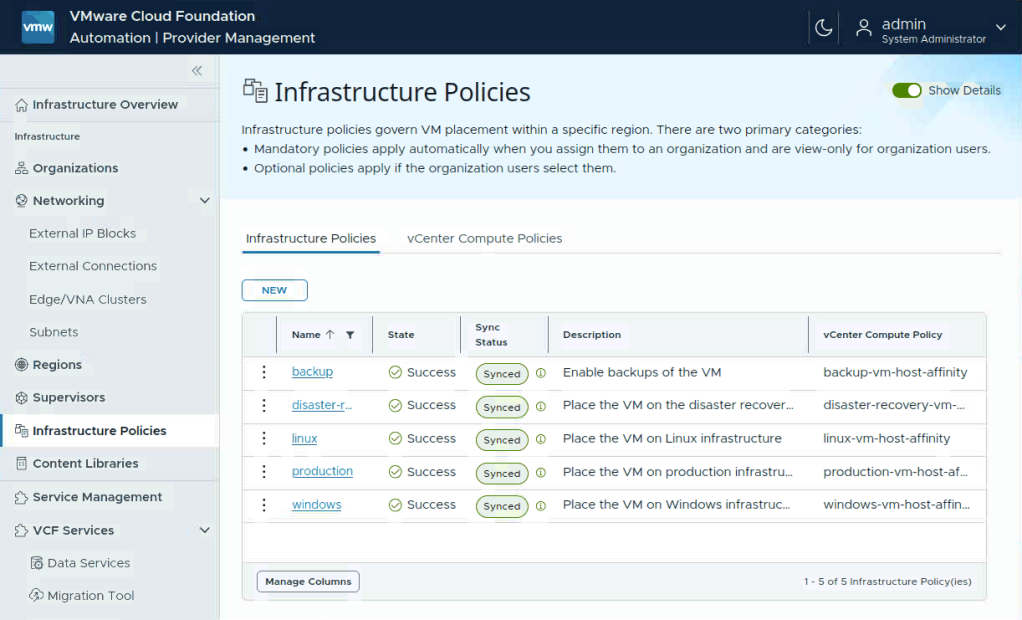
As a Provider Administrator, your primary goal is to set up the guardrails for the underlying infrastructure. In the Provider Management UI, you have extensive control over how Infrastructure Policies are enforced.
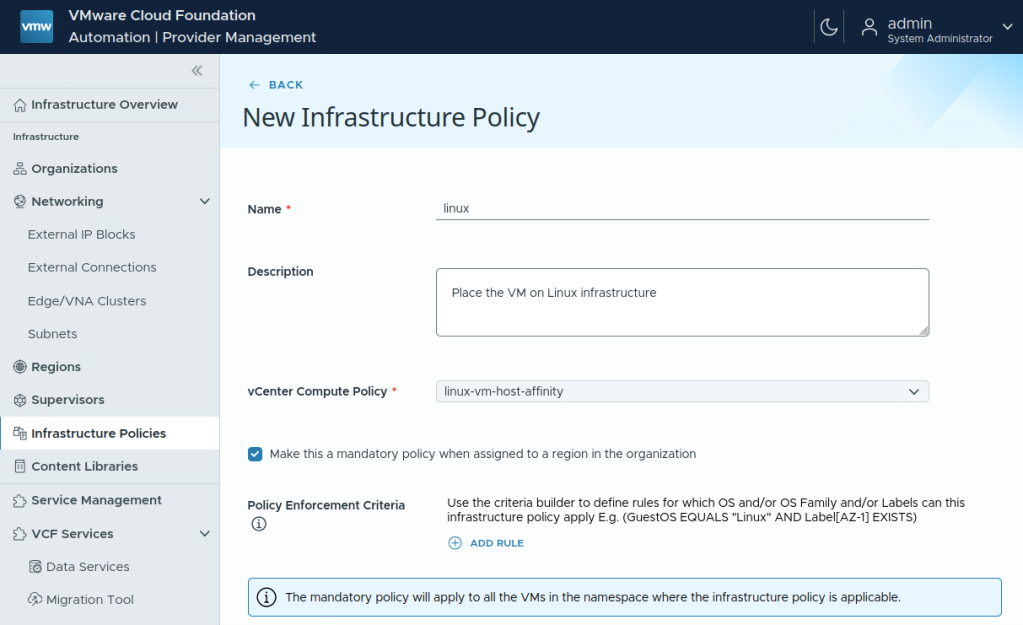
When creating a policy, you must decide how strictly it should be enforced across a region:
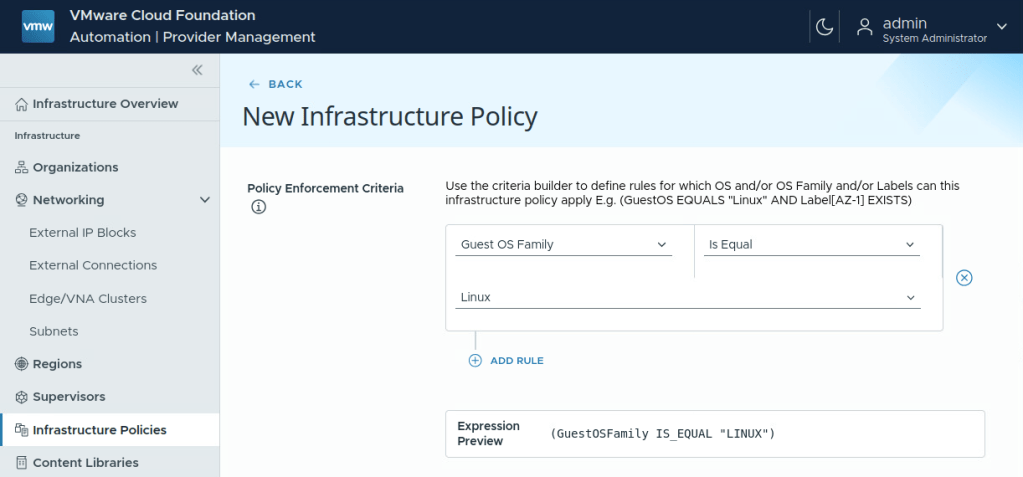
To ensure infrastructure policies only affect the intended workloads, the Provider Administrator uses the Criteria Builder. This tool allows you to add rules to determine which VMs the policy manages. You can define conditions by selecting specific VM attributes (such as Guest OS, Guest OS Family, or Custom Label) and pairing them with operators. For instance, you might build an expression like: (GuestOSFamily IS_EQUAL "Linux“). The criteria builder includes an expression preview feature so you can verify the intended rules before saving the policy.
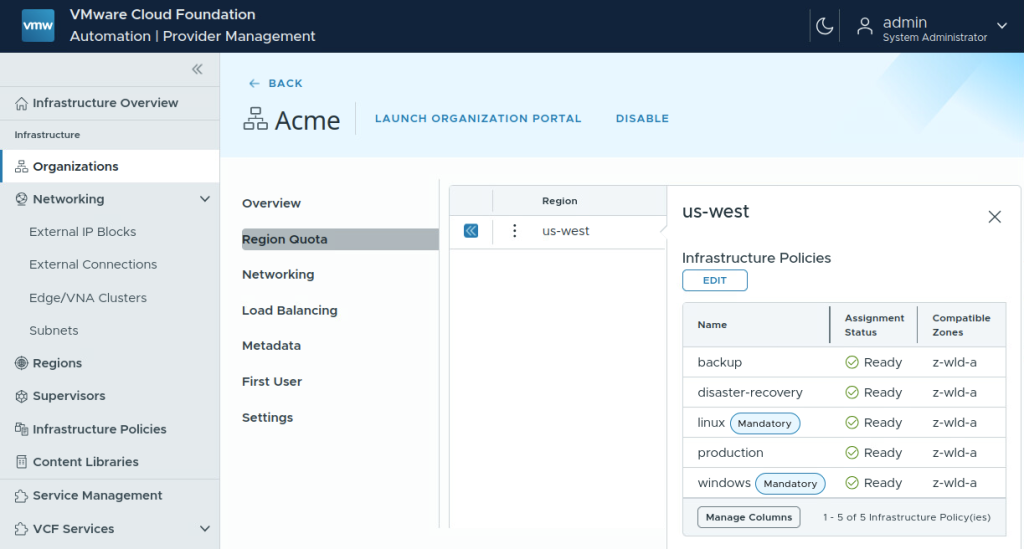
With the Infrastructure Policies created, the Provider Administrator can then apply the desired policies to each Organizations Region Quota. Once the policies are applied, the Organization Administrators can apply them to the desired Namespaces. One thing to note here is that mandatory policies can only be applied to Region Quotas without existing Namespaces.
To expand on the Provider Administrator’s setup, let’s look at how Organization Administrators govern their specific application teams.
Org Admins are responsible for managing namespace resources to accommodate changing application demands. To assign these placement rules:

Now let’s put this into the hands of the end users. Application teams and developers interact directly with Infrastructure Policies during the self-service provisioning process.
When a user logs in to provision a VM or application stack, they specify their workload requirements. Then magic happens in the background:
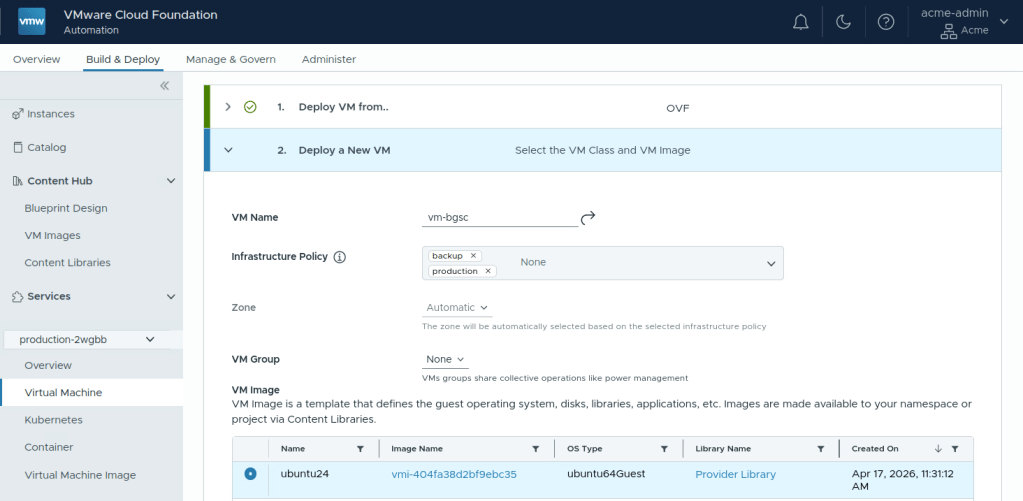
If users need to edit their deployment’s optional Infrastructure Policies (Day-2 operations), VCF Automation continuously evaluates the policies. If an update changes a VM’s attributes (e.g., changing an Infrastructure Policy assignment), the system will ensure the workload remains compliant with the placement rules, migrating it if necessary and supporting it with the underlying zone configuration.
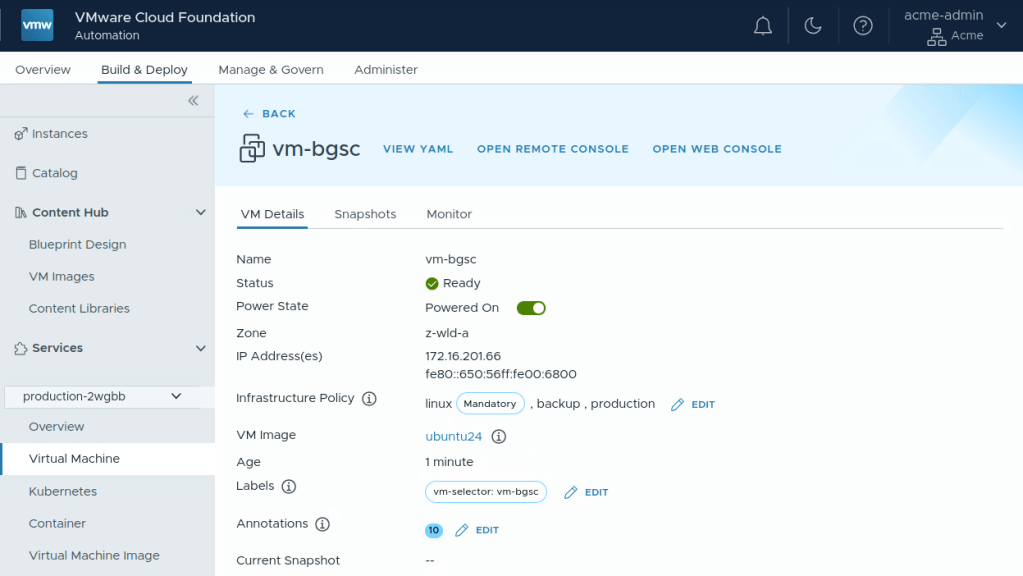
Now let’s put all of this together in a complete operational example.
By leveraging Infrastructure Policies in VCF 9.1, you can provide a seamless, public cloud like experience for your users while maintaining absolute control over your private cloud!
What’s New in VMware Cloud Foundation 9.1: Highlights (HOL-2701-01-VCF-L)
Module 3 for VCF Automation reviews optional Infrastructure policies along with many other great features for the 9.1 release.
Subscribe to get the latest posts sent to your email.
此内容由惯性聚合(RSS阅读器)自动聚合整理,仅供阅读参考。 原文来自 — 版权归原作者所有。